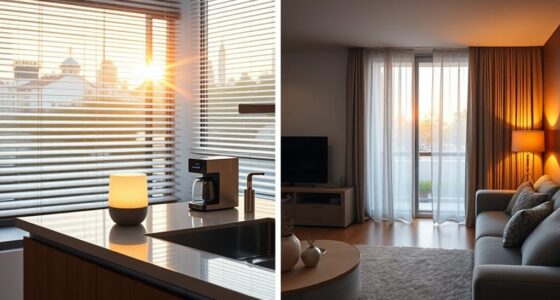

To make your digital workspace feel calm, use simple colors, clear icons, and a minimal layout to reduce visual clutter. Keep your tools organized, close unused tabs, and delete unnecessary files regularly. Adjust your device for comfort and add natural elements like soft lighting or calming backgrounds. Limit notifications and set aside specific times for checking emails. Maintaining this peaceful environment can boost your focus and well-being—discover more ways to create tranquility within your digital space.

Get the latest gadgets delivered free with Prime
- Fast, free delivery on millions of items
- Prime Video, Amazon Music and more included
- Member-only deals all year
Key Takeaways
- Use simple color schemes, clear icons, and minimalistic layouts to reduce visual clutter.
- Organize files and close unused tabs to maintain a tidy digital environment.
- Incorporate calming backgrounds and soft lighting to promote relaxation.
- Limit notifications and set specific times for checking emails to minimize distractions.
- Design the workspace with natural elements and thoughtful ergonomics for visual comfort.

In today’s fast-paced digital world, achieving calmness in your workspace can feel like a challenge. With constant notifications, a flood of emails, and an endless stream of tasks, your environment can quickly become overwhelming. But creating a digital workspace that feels serene isn’t just about turning off notifications; it’s about intentional design. Mindful design plays a crucial role here. When you organize your digital tools with purpose, you create a space that promotes focus rather than distraction. Use simple color schemes, clear icons, and minimalistic layouts to avoid visual clutter. Prioritize what’s essential and keep everything else accessible but out of sight. This approach helps your brain relax because it’s not constantly bombarded with stimuli, allowing you to concentrate on the task at hand. Incorporating landscaping in digital tools can further enhance your workspace’s calming effect. Clutter reduction is another key element that can significantly enhance your sense of calm. Digital clutter, like unused files, overlapping open tabs, or disorganized folders, can subtly drain your mental energy. Take time to regularly clean up your desktop and digital workspace. Delete or archive files you no longer need, close tabs you’re not using, and organize your folders in a way that makes sense to you. When your digital environment is tidy, your mind feels lighter and more in control. Additionally, understanding visual hierarchy can help you design your workspace to better guide your focus and reduce stress. Using contrast ratio thoughtfully can also help reduce visual strain and improve overall clarity in your workspace. Paying attention to digital ergonomics can further support your comfort and well-being during extended work sessions. This sense of order fosters a peaceful workspace, where you can focus without the constant distraction of chaos. Another aspect that contributes to a calming digital workspace is the deliberate use of technology. Avoid overloading your system with unnecessary apps or notifications. Use tools that enhance your workflow rather than hinder it. For example, setting specific times to check emails prevents constant interruptions, helping you stay grounded in your work. Incorporate natural elements like calming backgrounds or soft lighting if your device allows it. These small touches can create a more inviting environment that encourages relaxation. Ultimately, a calm digital workspace is about creating harmony between your tools and your mind. Mindful design ensures that your environment encourages clarity and focus, while clutter reduction keeps distractions at bay. When you intentionally set up your workspace this way, you’re not just reducing stress—you’re actively cultivating a space where productivity and tranquility coexist. It’s a simple yet powerful way to regain control amid the digital chaos, helping you work more effectively and feel more centered throughout your day.
ergonomic desk chair for home office
As an affiliate, we earn on qualifying purchases.
As an affiliate, we earn on qualifying purchases.
Frequently Asked Questions
How Does Color Choice Impact Workspace Calmness?
Color choice greatly impacts your workspace calmness through color psychology and visual harmony. Soft, muted tones like blues, greens, and neutral shades promote relaxation and reduce stress, making your environment feel more peaceful. When you select colors that create visual harmony, your workspace becomes soothing and balanced. This careful selection encourages focus and calmness, helping you work more efficiently and comfortably. Your environment’s colors directly influence your mood and productivity.
Can Minimalism Improve Digital Workspace Tranquility?
Yes, minimalism can considerably improve your digital workspace’s tranquility. By embracing visual simplicity and reducing clutter, you create a more organized environment that minimizes distractions. When you declutter your screen and streamline your tools, you’ll find it easier to focus and feel more relaxed. A minimalist approach encourages calmness by fostering clarity and order, helping you work more efficiently and enjoy a serene digital experience.
What Role Does Sound Play in Creating Calm?
Sound plays a massive role in creating calm—you might feel like you’re in a peaceful forest or a gentle ocean breeze. Ambient noise and soundscapes for focus drown out distracting chatter, turning chaos into serenity. When you choose soothing sounds, your mind relaxes, and focus sharpens. It’s like giving your workspace a calming soundtrack, transforming noise into a tranquil backdrop that helps you stay centered and productive all day long.
How Often Should Digital Clutter Be Cleared?
You should aim to clear digital clutter weekly to maintain a calm workspace. Regular digital decluttering helps you stay organized, while effective notification management prevents constant disruptions. Set aside dedicated time to delete unnecessary files, organize folders, and review your notification settings. This routine keeps your digital environment tidy, reduces stress, and allows you to focus better. Consistency in these habits guarantees a peaceful, productive workspace that feels calm and inviting.
Are There Specific Apps That Promote Calmness?
Yes, specific apps promote calmness by incorporating mindfulness techniques and calming features. For example, Calm and Headspace offer guided meditations, soothing sounds, and breathing exercises that help you relax. These apps visually represent tranquility through serene imagery and gentle animations, making your digital workspace feel more peaceful. By using such apps regularly, you foster a sense of calm, reducing stress and enhancing your focus in your digital environment.
Conclusion
Creating a calm digital workspace isn’t just about aesthetics; it’s rooted in the science of cognitive load. By minimizing clutter and organizing your tools, you reduce mental strain, allowing focus to flourish. Curiously, studies suggest that simplicity in your digital environment can lower stress levels, supporting the idea that a tidy space fosters a clear mind. So, embrace minimalism—not just for looks, but for your well-being and productivity.
Fall Picks
fall essentials
As an affiliate, we earn on qualifying purchases.