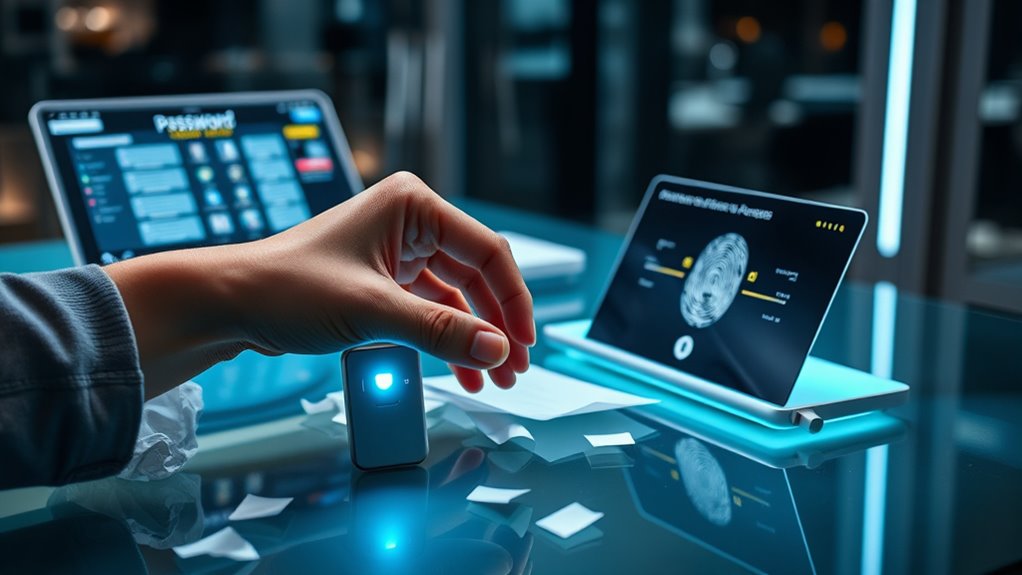

Switching from passwords to passkeys makes your online accounts much safer and easier to use. Passkeys replace traditional passwords with cryptographic keys that are stored securely on your device, often with biometric authentication like fingerprint or face scan. This reduces the risk of hacking, phishing, and password reuse. Plus, it simplifies login, making access faster and smoother. Keep exploring how this modern security approach can protect you even better.

Get the latest gadgets delivered free with Prime
- Fast, free delivery on millions of items
- Prime Video, Amazon Music and more included
- Member-only deals all year
Key Takeaways
- Passkeys replace passwords with cryptographic keys, offering a simpler and more secure login method.
- They leverage biometric authentication and multi-factor verification for enhanced account protection.
- Passkeys eliminate password reuse, reducing the risk of hacking and phishing attacks.
- Transitioning involves using devices that securely store cryptographic keys in hardware enclaves.
- Switching improves user experience by enabling faster, password-free authentication across devices and platforms.
As security threats continue to grow, switching from passwords to passkeys offers a simpler and safer way to protect your online accounts. Passkeys leverage advanced authentication methods, making it much harder for hackers to gain access. Unlike passwords, which can be guessed, stolen, or cracked, passkeys use cryptographic techniques that are inherently more secure. When you adopt passkeys, you’re fundamentally replacing traditional passwords with a more reliable form of verification that combines biometric authentication and multi-factor verification, providing an extra layer of protection.
Switching to passkeys enhances security with cryptographic methods and multi-factor verification.
Biometric authentication plays a central role in this shift. Instead of remembering complex passwords, you use your fingerprint, face scan, or other biometric data to verify your identity. This method is not only convenient but also much harder for someone else to replicate or steal. Since biometrics are unique to you, they considerably reduce the risk of unauthorized access, especially when combined with multi-factor verification. Multi-factor verification ensures that even if someone manages to capture your biometric data, they still need a second form of proof—like a device-based security key or a one-time code—to complete the login process. This layered approach makes hacking attempts far less likely to succeed.
Switching to passkeys also simplifies your online experience. You no longer need to remember complex passwords or worry about password reuse across different sites. Instead, your device handles the cryptographic keys in a secure enclave, making login faster and more seamless. When you access your account, you’ll authenticate via biometric verification, which is quick and intuitive. This process minimizes friction and eliminates the frustration of password resets or account lockouts caused by forgotten credentials.
Furthermore, passkeys are designed to be resistant to phishing attacks. Since they don’t rely on shared secrets that can be intercepted or tricked into revealing, attackers have a much harder time impersonating you. When combined with multi-factor verification, they ensure that even if an attacker obtains your biometric data or device, they still can’t access your accounts without the additional verification step, such as a hardware security key or a temporary code sent to your trusted device.
Additionally, the use of high-pressure application techniques like airless paint sprayers demonstrates how modern tools are designed for efficiency and security, minimizing risks and maximizing performance.
As an affiliate, we earn on qualifying purchases.
Frequently Asked Questions
Are Passkeys Compatible Across All Devices and Platforms?
Passkeys are designed for cross-platform compatibility, but full device synchronization can vary. If your devices support the same standards, like FIDO2, they’ll work seamlessly across platforms. However, some devices or browsers might have limited support, so you may encounter compatibility issues. To guarantee smooth use, keep your devices updated and check compatibility, especially when switching between different operating systems or browsers.
How Secure Are Passkeys Compared to Multi-Factor Authentication?
Passkeys are more secure than multi-factor authentication because they substantially reduce risks of password hacking and phishing attacks. Unlike traditional passwords, passkeys use cryptographic methods that make it nearly impossible for hackers to steal your credentials. They ensure phishing resistance because they can’t be reused or intercepted like passwords. Overall, passkeys provide a stronger, more reliable safeguard for your accounts, making them a smarter choice for digital security.
What Happens if I Lose My Device With a Passkey?
Losing your device with a passkey is like losing a key to your treasure chest, but don’t panic. You should have backup options or device recovery methods in place. Many services let you recover or re-sync your passkeys securely, so you won’t be locked out forever. Always set up recovery options ahead of time to ensure seamless access, just like having a spare key hidden safely for emergencies.
Can Passkeys Be Used for Enterprise or Organizational Access?
Yes, passkeys can be used for enterprise implementation and organizational security. You can deploy them across your organization to provide a seamless, secure login experience for employees. Passkeys strengthen organizational security by reducing reliance on passwords, which are often vulnerable. They support single sign-on solutions and multi-device management, making it easier to enforce security policies across your organization while improving user convenience and safeguarding sensitive data effectively.
How Do Passkeys Handle Biometric Authentication Methods?
Biometric authentication with passkeys is like having a trusted friend you can’t forget. When you use biometrics, passkeys safeguard your biometric privacy by not storing actual fingerprints or facial data; instead, they use device synchronization to verify identity securely. This ensures your biometric data stays private and synchronized across devices, making access seamless and safe without exposing sensitive info. You stay protected while enjoying effortless login experiences.
Conclusion
Just as the phoenix rises from ashes, moving to passkeys transforms your security landscape. By ditching passwords, you embrace a future where your digital identity is as resilient as mythic legend. Don’t let old vulnerabilities weigh you down; instead, soar confidently into a safer tomorrow. The choice is yours—step into the new era of authentication, where your passkey becomes the key to a more secure, seamless digital life.
Columbus Day / Indigenous Peoples' Day Picks
long weekend sales
As an affiliate, we earn on qualifying purchases.