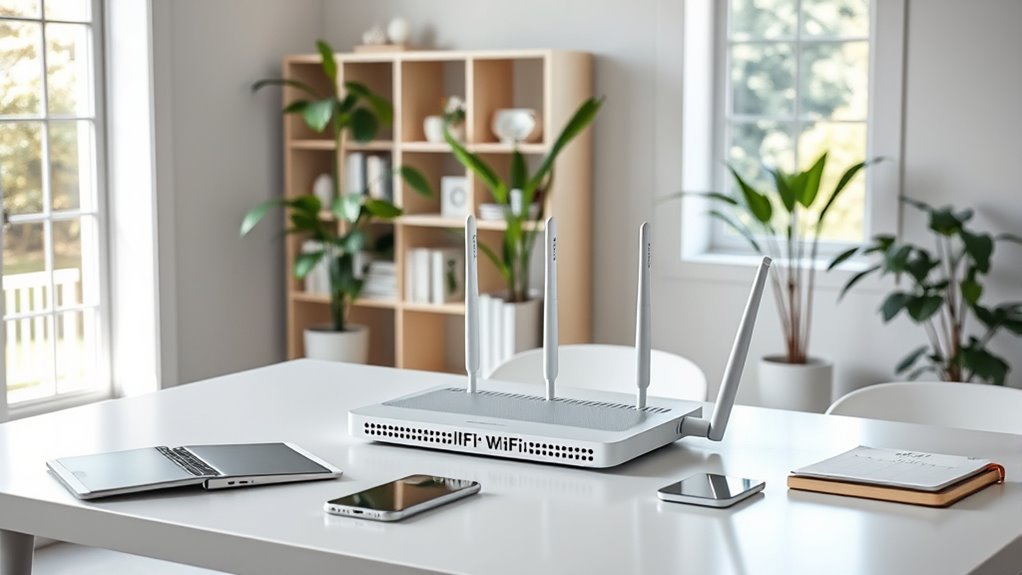

Choosing the right mesh WiFi for your remote working setup can dramatically improve your internet stability and speed across your home office. The best options balance fast, reliable connections with easy installation and management. The TP-Link Deco X55 AX3000 stands out as the overall top pick thanks to its solid performance and affordability. For those prioritizing cutting-edge tech, the Netgear Orbi 970 Series WiFi 7 offers lightning-fast speeds, though at a higher price. Meanwhile, the Google WiFi AC1200 remains a strong choice for beginners and small setups. Continue reading for a detailed breakdown of these options and more, so you can find the ideal mesh WiFi system for your remote work needs.

Get the latest gadgets delivered free — and shop member deals
- Fast, free delivery on millions of items
- Access to Prime Big Deal Days deals on October 6–7
- Prime Video, Amazon Music and more included
Complete the kit



Key Takeaways
- Performance and coverage vary significantly, with WiFi 6 and WiFi 7 systems offering the fastest speeds and most reliable connections for remote work.
- Ease of setup and management remains crucial; systems with intuitive apps or simple mesh configurations are favored for non-technical users.
- Price differences often reflect advanced features like tri-band support, WiFi 6E, or multiple nodes, which benefit larger or demanding setups.
- Tradeoffs include higher cost versus future-proofing; investing in WiFi 6E or WiFi 7 can provide longer-term value but may be overkill for small, light-use environments.
- Design and aesthetics matter for home environments; compact, unobtrusive units tend to blend better with home decor.
| TP-Link Deco X55 AX3000 WiFi 6 Mesh System (3-Pack) |  | Best Overall for Balanced Performance and Coverage | Wi-Fi Standard: Wi-Fi 6 (AX3000) | Coverage: 6500 sq ft | Maximum Devices: 150 | VIEW ON AMAZON | See Our Full Breakdown |
| Google WiFi AC1200 Mesh WiFi Router System Bundle (3-Pack) – Snow |  | Best for Simplicity and Easy Management | Model: AC1200 | Coverage: 4500 sq ft | Number of Units: 3 | VIEW ON AMAZON | See Our Full Breakdown |
| TP-Link Deco XE70 Pro AXE4900 Tri-Band WiFi 6E Mesh System – 2-Pack |  | Best for Future-Proof Speed and Device Support | Wi-Fi Standard: Wi-Fi 6E | Bands: Tri-Band | Max Speed: 4.9 Gbps | VIEW ON AMAZON | See Our Full Breakdown |
| NETGEAR Orbi 360 Series WiFi 7 Mesh System, 3 Pack |  | Best for High-Speed Future-Ready Coverage | Coverage: 6000 sq ft | WiFi Technology: WiFi 7 | Speed: Up to 5 Gbps | VIEW ON AMAZON | See Our Full Breakdown |
| NETGEAR Orbi 970 Series WiFi 7 Mesh System, 3 Pack |  | Best for Extensive Coverage and Ultra-Fast Speeds | Coverage: 10,000 sq ft | WiFi Standard: WiFi 7 | Max Speed: 27 Gbps | VIEW ON AMAZON | See Our Full Breakdown |
| Deco 7 Dual-Band WiFi 7 Mesh System (BE5000), 4-Stream, 5 Gbps |  | Best Overall for Future-Proof Remote Work Setup | WiFi Standard: WiFi 7 | Speed: 5 Gbps | Frequency Bands: Dual-band | VIEW ON AMAZON | See Our Full Breakdown |
| NETGEAR Orbi 770 Series WiFi 7 Mesh System, 3 Pack |  | Best for Large, Multi-Story Homes Needing Speed and Reliability | Coverage: 8,200 sq. ft. | Number of units: 3 Pack | WiFi Technology: WiFi 7 | VIEW ON AMAZON | See Our Full Breakdown |
| TP-Link Deco W4500 Wi-Fi 6 Mesh Router System (Renewed) |  | Best Budget-Friendly Choice for Reliable Home Office WiFi | Speed: 1500 Mbps | Coverage: 5600 sq. ft. | Number of Units: 3 | VIEW ON AMAZON | See Our Full Breakdown |
| TP-Link Deco 7 Pro BE17000 Tri-Band Wi-Fi 7 Whole Home Mesh System (3-Pack) |  | Best for High-Density Device Environments and Heavy Use | Speed: 17 Gbps | Coverage: 8,500 sq. ft. | Number of Devices Supported: Over 200 | VIEW ON AMAZON | See Our Full Breakdown |
| TP-Link Deco XE75 AXE5400 Tri-Band WiFi 6E Mesh System (3-Pack) |  | Best Overall for Future-Proof Remote Work | WiFi Standard: WiFi 6E | Bands: Tri-Band | Coverage: 7200 sq.ft. | VIEW ON AMAZON | See Our Full Breakdown |
| TP-Link Deco X25 AX1800 Dual-Band Whole Home Mesh Wi-Fi 6 System (3-Pack) |  | Best Value for Reliable Whole-Home Coverage | WiFi Standard: WiFi 6 | Bands: Dual-Band | Coverage: Variable, suitable for small to medium homes | VIEW ON AMAZON | See Our Full Breakdown |
| TP-Link Deco X15 Dual-Band AX1500 WiFi 6 Mesh Wi-Fi System, 3-Pack |  | Best for Medium Homes with Multiple Devices | WiFi Standard: WiFi 6 | Coverage Area: up to 5,600 sq.ft. | Number of Units: 3 | VIEW ON AMAZON | See Our Full Breakdown |
| TP-Link Deco X55 Pro AX3000 Whole Home Wi-Fi 6 Mesh System – 3 Pack |  | Best for High-Performance, Multi-Device Remote Work | WiFi Standard: WiFi 6 | Coverage: up to 6,500 sq.ft. | Number of Units: 3 | VIEW ON AMAZON | See Our Full Breakdown |
| Google WiFi AC1200 Mesh WiFi System – 3 Pack, Snow |  | Best Budget for Small Home Remote Setups | Coverage: 4500 sq ft | Number of Packs: 3 | WiFi Standard: AC1200 | VIEW ON AMAZON | See Our Full Breakdown |
| mesh wifi for remote working setup | Coverage | Security | Number of Units | WiFi Standard |
|---|---|---|---|---|
| TP-Link Deco X55 AX3000 WiFi 6 | 6500 sq ft | TP-Link HomeShield | — | — |
| Google WiFi AC1200 Mesh WiFi R | 4500 sq ft | — | 3 | — |
| TP-Link Deco XE70 Pro AXE4900 | 2900 sq ft | — | — | — |
| NETGEAR Orbi 360 Series WiFi 7 | 6000 sq ft | NETGEAR Armor | 3 | — |
| NETGEAR Orbi 970 Series WiFi 7 | 10,000 sq ft | — | — | WiFi 7 |
| Deco 7 Dual-Band WiFi 7 Mesh S | 6,600 sq. ft. | TP-Link HomeShield | — | WiFi 7 |
| NETGEAR Orbi 770 Series WiFi 7 | 8,200 sq. ft. | — | 3 Pack | — |
| TP-Link Deco W4500 Wi-Fi 6 Mes | 5600 sq. ft. | — | 3 | — |
| TP-Link Deco 7 Pro BE17000 Tri | 8,500 sq. ft. | HomeShield | — | — |
| TP-Link Deco XE75 AXE5400 Tri- | 7200 sq.ft. | TP-Link HomeShield | 3 | WiFi 6E |
| TP-Link Deco X25 AX1800 Dual-B | Variable, suitable for small to medium homes | TP-Link HomeShield | 3 | WiFi 6 |
| TP-Link Deco X15 Dual-Band AX1 | — | TP-Link HomeShield | 3 | WiFi 6 |
| TP-Link Deco X55 Pro AX3000 Wh | up to 6,500 sq.ft. | Advanced security features | 3 | WiFi 6 |
| Google WiFi AC1200 Mesh WiFi S | 4500 sq ft | — | — | AC1200 |
More Details on Our Top Picks
TP-Link Deco X55 AX3000 WiFi 6 Mesh System (3-Pack)
The TP-Link Deco X55 stands out for its impressive coverage of up to 6,500 sq ft, making it ideal for larger homes where reliable internet is essential for remote work. Compared with the Google WiFi AC1200, it offers Wi-Fi 6 support, supporting up to 150 devices, which is crucial in a busy home office environment. Its AI-driven mesh technology ensures seamless roaming, and the multiple Gigabit Ethernet ports provide flexible wired options. However, it requires a separate modem for most ISPs and may present some setup complexity for less tech-savvy users. Overall, this system strikes a strong balance between range, speed, and security for those wanting a holistic home WiFi solution.
Pros:- Extensive coverage up to 6,500 sq ft for large homes
- Supports up to 150 devices simultaneously
- Easy setup with user-friendly app and advanced security
Cons:- Requires a separate modem for most internet providers
- Initial setup may be complex for some users
Best for: Home offices or remote workers with larger homes needing extensive coverage and device support
Not ideal for: Users with small apartments or limited internet speed requirements, as the extra coverage may be overkill and more expensive
- Wi-Fi Standard:Wi-Fi 6 (AX3000)
- Coverage:6500 sq ft
- Maximum Devices:150
- Ethernet Ports:3 per unit (6 total)
- Mesh Technology:AI-Driven Mesh
- Security:TP-Link HomeShield
Our verdict“This mesh system is well-suited for large households or remote workers needing broad coverage and high device capacity.”
Google WiFi AC1200 Mesh WiFi Router System Bundle (3-Pack) – Snow
The Google WiFi AC1200 system excels in simplicity and ease of use, making it perfect for users new to mesh WiFi or those prioritizing straightforward setup. With coverage up to 4,500 sq ft, it provides reliable connectivity across typical home environments. Unlike the higher-speed Deco XE70 Pro, its AC1200 speed may limit bandwidth for intensive remote work tasks like large file transfers or video editing. Its management via the Google Home app offers seamless control, but some may find the speed insufficient for demanding applications. This pick makes the most sense for users who want reliable WiFi without fuss or complex configuration.
Pros:- Easy setup and management via Google Home app
- Whole-home coverage up to 4,500 sq ft
- Reliable mesh connectivity with seamless roaming
Cons:- Limited to AC1200 speeds, not ideal for high-bandwidth needs
- Requires app for setup and ongoing management
Best for: Remote workers in small to medium homes seeking simple setup and reliable coverage for everyday tasks
Not ideal for: Power users or households with multiple high-bandwidth devices requiring faster speeds
- Model:AC1200
- Coverage:4500 sq ft
- Number of Units:3
- Color:Snow
Our verdict“This system is perfect for users who prioritize simplicity and stable WiFi for standard remote work activities in smaller or medium-sized homes.”
TP-Link Deco XE70 Pro AXE4900 Tri-Band WiFi 6E Mesh System – 2-Pack
The Deco XE70 Pro makes a compelling case for those needing faster, more capable WiFi with Wi-Fi 6E support, supporting up to 200 devices and speeds up to 4.9 Gbps. Compared to WiFi 6 systems like the Deco X55, its tri-band setup and Wi-Fi 6E enable less congestion and better performance for demanding remote work tasks, such as streaming high-res video or large file uploads. Its advanced security and AI-powered mesh simplify management, but the higher price and requirement for compatible devices might deter budget-conscious buyers. This system is best suited for tech-savvy users wanting cutting-edge speed and future-ready connectivity for multiple devices.
Pros:- Fast Wi-Fi speeds up to 4.9 Gbps with Wi-Fi 6E
- Supports up to 200 devices simultaneously
- Advanced security and AI-roaming technology
Cons:- Higher price point compared to Wi-Fi 6 systems
- Requires compatible devices to leverage Wi-Fi 6E benefits
Best for: Tech enthusiasts or remote workers with high bandwidth needs and multiple smart devices
Not ideal for: Casual users or those with limited budgets, as Wi-Fi 6E compatibility and higher cost can be drawbacks
- Wi-Fi Standard:Wi-Fi 6E
- Bands:Tri-Band
- Max Speed:4.9 Gbps
- Coverage:2900 sq ft
- Number of Devices Supported:Up to 200
- Ports:1x 2.5 Gbps WAN/LAN, 4x Gigabit LAN
Our verdict“This mesh system is ideal for enthusiasts seeking future-proof speeds and support for many devices in a remote working setup.”
NETGEAR Orbi 360 Series WiFi 7 Mesh System, 3 Pack
The Orbi 360 Series offers a significant upgrade with WiFi 7 speeds up to 5 Gbps and coverage up to 6,000 sq ft, making it ideal for future-proofing a remote work setup. Its easy setup via the Orbi app, combined with support for multiple devices, makes it suitable for larger households or multi-room offices. The system includes security features like NETGEAR Armor, but a subscription is required for full security benefits. Compared with the 970 series, it offers slightly less coverage but still excels in speed and ease of expansion. It’s best for those who want a robust, secure network with room to grow.
Pros:- Coverage up to 6,000 sq ft
- Supports WiFi 7 speeds up to 5 Gbps
- Easy setup with dedicated security features
Cons:- Security features require subscription for full protection
- Coverage may vary with home construction
Best for: Professional remote workers or households needing fast, secure WiFi over large areas
Not ideal for: Budget-conscious buyers who do not want to pay for security subscriptions or who have smaller homes
- Coverage:6000 sq ft
- WiFi Technology:WiFi 7
- Speed:Up to 5 Gbps
- Number of units:3
- Security:NETGEAR Armor
Our verdict“This mesh system is suited for users seeking a high-speed, secure WiFi 7 network capable of covering large areas effectively.”
NETGEAR Orbi 970 Series WiFi 7 Mesh System, 3 Pack
The Orbi 970 Series pushes the limits with WiFi 7 speeds up to 27 Gbps and coverage extending to 10,000 sq ft, making it ideal for large homes or multi-story remote work setups. Its dedicated 10 Gig internet port and multiple wired ports ensure ultra-fast wired connections, which are essential for high-bandwidth remote tasks. Compared with the 360 series, it offers more extensive coverage and higher performance, but at a higher cost and with potentially more complex setup. This system will satisfy those who need the most robust, high-speed, and reliable WiFi for demanding remote work environments, especially in larger homes or offices.
Pros:- Coverage up to 10,000 sq ft for large spaces
- WiFi speeds up to 27 Gbps for lag-free remote work
- Multiple wired ports including 10 Gig WAN and LAN ports
Cons:- High price may be prohibitive for some users
- WiFi 7 compatibility limited to newer devices
Best for: Remote professionals with large properties or multiple high-bandwidth devices requiring maximum performance
Not ideal for: Budget-conscious users or those with smaller homes, given the premium price point and advanced features
- Coverage:10,000 sq ft
- WiFi Standard:WiFi 7
- Max Speed:27 Gbps
- Number of Devices:up to 200
- Ports:1x 10 Gbps internet, multiple LAN ports
Our verdict“This mesh system is a powerhouse choice for large-scale remote work setups demanding maximum coverage and speed.”
Deco 7 Dual-Band WiFi 7 Mesh System (BE5000), 4-Stream, 5 Gbps
This Deco 7 system stands out for its cutting-edge WiFi 7 technology, providing impressive speeds up to 5 Gbps and supporting more than 150 devices across a generous 6,600 sq. ft. of coverage. Compared to the TP-Link Deco S4, it offers faster throughput and advanced AI-Roaming, which ensures smoother transitions between nodes during video calls or streaming. However, it requires at least two units for effective backhaul and a modem for internet access, adding some complexity. The advanced security features are a bonus, but may require a subscription. This system is ideal for remote workers with high bandwidth needs and large homes. If you prefer a simple setup or have a smaller space, this might be more than you need.
Pros:- Supports WiFi 7 speeds up to 5 Gbps, ideal for high-bandwidth tasks
- Coverage up to 6,600 sq. ft. with support for over 150 devices
- Seamless AI-Roaming for uninterrupted streaming and video calls
- Advanced security features via TP-Link HomeShield
Cons:- Requires at least two units for effective backhaul, increasing setup complexity
- Modem needed for internet connection, adding extra hardware
Best for: Remote workers seeking a future-proof, high-speed mesh system with extensive coverage and support for many devices
Not ideal for: Small apartment dwellers or users who want an easy, plug-and-play setup without additional hardware or subscriptions
- WiFi Standard:WiFi 7
- Speed:5 Gbps
- Frequency Bands:Dual-band
- Number of Streams:4
- Coverage:6,600 sq. ft.
- Number of Devices Supported:150+
- Ethernet:2.5G Ethernet
- Security:TP-Link HomeShield
Our verdict“Best suited for remote workers with large homes and high bandwidth demands who want future-proof technology.”
NETGEAR Orbi 770 Series WiFi 7 Mesh System, 3 Pack
The NETGEAR Orbi 770 Series offers robust WiFi 7 performance with speeds up to 11 Gbps and coverage extending to 8,200 sq. ft. across three units. Compared with the Deco 7, it supports faster speeds suitable for demanding tasks like 4K/8K streaming and high-end gaming. The easy setup via the Orbi app makes it accessible, and security features like NETGEAR Armor add peace of mind. However, full security features may require a subscription, and the price is generally higher, reflecting its premium positioning. The coverage and speed make it ideal for large, multi-story homes with many devices. This system is better suited for those with very large spaces or serious bandwidth needs. It might be overkill for smaller homes or users with simpler internet needs.
Pros:- Extensive coverage up to 8,200 sq. ft. with three units
- Supports WiFi 7 speeds up to 11 Gbps for demanding tasks
- Easy setup and management via the Orbi app
- Includes security features like NETGEAR Armor
Cons:- Subscription needed for full security features
- Price point may be high for average users
- Coverage can vary depending on home layout
Best for: Homeowners with large, multi-story residences seeking ultra-fast, reliable WiFi coverage
Not ideal for: Users with smaller apartments or those on a tight budget, as the system is priced for larger homes and high performance
- Coverage:8,200 sq. ft.
- Number of units:3 Pack
- WiFi Technology:WiFi 7
- Speed:Up to 11 Gbps
- Compatibility:Any internet provider, WiFi 5 and WiFi 6 devices
- Expandable coverage:Up to 2,750 sq. ft. per satellite
Our verdict“Ideal for large, multi-story homes that require high-speed, reliable WiFi with room to expand.”
TP-Link Deco W4500 Wi-Fi 6 Mesh Router System (Renewed)
The Deco W4500 offers a solid Wi-Fi 6 performance with speeds up to 1500 Mbps and coverage up to 5,600 sq. ft., making it a good choice for remote workers on a budget. Compared to the WiFi 7 options, it delivers sufficient speed for most remote work tasks like video conferencing and casual streaming. It supports up to 120 devices, which should cover most home setups. The setup process is straightforward if you’re comfortable with tech, but a renewed product may lack some warranty protections. It requires multiple units for full coverage and may not match the performance of higher-tier systems in very large homes. This is best for budget-conscious users needing reliable, consistent WiFi in medium to large homes. It’s not ideal if you want cutting-edge speed or have very high device counts.
Pros:- Affordable WiFi 6 performance up to 1500 Mbps
- Supports up to 120 devices simultaneously
- Whole-home coverage up to 5,600 sq. ft.
- Includes parental controls and easy app setup
Cons:- Refurbished product may have limited warranty
- Requires multiple units for full coverage
- Speed may be insufficient for heavy streaming or gaming
Best for: Budget-conscious remote workers needing dependable WiFi for typical home office tasks
Not ideal for: Power users or large households with high device counts or demanding bandwidth needs
- Speed:1500 Mbps
- Coverage:5600 sq. ft.
- Number of Units:3
- Wi-Fi Standard:Wi-Fi 6
- Device Capacity:120 devices
- Supports Wired Ethernet Backhaul:Yes
Our verdict“Best for budget-conscious users who need stable WiFi coverage for standard remote work activities.”
TP-Link Deco 7 Pro BE17000 Tri-Band Wi-Fi 7 Whole Home Mesh System (3-Pack)
The Deco 7 Pro BE17000 blends tri-band WiFi 7 speeds up to 17 Gbps with extensive coverage up to 8,500 sq. ft., supporting over 200 devices. Its multi-gig wired backhaul options, including 10G ports and SFP+ support, make it ideal for homes with many smart devices and heavy data transfer needs. Compared with the Deco 7 Dual-Band system, it offers faster speeds and better stability in crowded environments, but comes at a higher price. Setup is straightforward via the Deco app, and security is robust with HomeShield. Still, it requires a separate modem, and performance may vary based on device placement and home layout. This system is best for tech-heavy homes and remote workers with many connected devices. It might be excessive for simpler setups or smaller homes.
Pros:- Tri-band WiFi 7 with speeds up to 17 Gbps
- Supports over 200 devices, ideal for smart home setups
- Multi-gig wired backhaul with 10G ports and SFP+
- Easy setup through the Deco app
Cons:- Requires a separate modem for internet access
- Higher price point than basic systems
- Complexity may be overkill for small homes
Best for: Remote workers with many smart devices or households with high data demands in large, complex homes
Not ideal for: Users with smaller homes or those seeking a budget-friendly, basic WiFi solution
- Speed:17 Gbps
- Coverage:8,500 sq. ft.
- Number of Devices Supported:Over 200
- Wi-Fi Bands:Tri-Band Wi-Fi 7
- Ports:10G RJ45/SFP+ combo, 2.5G LAN, 1G LAN
- Security:HomeShield
Our verdict“Best for large, device-dense homes where maximum speed and stability are priorities for remote work and smart home integration.”
TP-Link Deco XE75 AXE5400 Tri-Band WiFi 6E Mesh System (3-Pack)
The TP-Link Deco XE75 stands out for its expansive coverage of up to 7,200 sq.ft., making it ideal for large home offices or multiple workspace zones. Its tri-band WiFi 6E technology introduces the 6 GHz band, which significantly reduces interference and congestion, leading to more reliable remote work connections—especially compared to dual-band options like the Deco X15 or X25. Setting up is straightforward via the Deco app, and advanced security features provide peace of mind. However, the system’s dependence on a modem and the premium price for security add some tradeoffs. This system suits remote workers in large homes who need robust, interference-free connectivity across multiple rooms.
Pros:- Extensive coverage up to 7,200 sq.ft. ensures consistent WiFi in large spaces
- Supports WiFi 6E on the 6 GHz band for less interference and faster speeds
- Easy setup with the Deco app and voice control compatibility
- Advanced security features included, with optional subscription
Cons:- Requires a modem for most internet services, adding to setup complexity
- Premium cost might be overkill for typical smaller homes or basic needs
- Speed performance can vary depending on device compatibility and home layout
Best for: Large home offices or households with multiple remote workers needing extensive, high-speed coverage
Not ideal for: Small apartments with basic internet needs, as the 3-pack and high price may be unnecessary
- WiFi Standard:WiFi 6E
- Bands:Tri-Band
- Coverage:7200 sq.ft.
- Max Speed:5400 Mbps
- Number of Units:3
- 6 GHz Band:Yes
- Security:TP-Link HomeShield
Our verdict“This mesh system is best suited for remote workers in large or multi-zone homes who want future-proof, interference-free WiFi.”
TP-Link Deco X25 AX1800 Dual-Band Whole Home Mesh Wi-Fi 6 System (3-Pack)
The Deco X25 offers a solid balance of performance and affordability, providing reliable Wi-Fi 6 coverage for typical home offices and smaller homes. Its dual-band design is somewhat less future-proof than tri-band models like the XE75 but still delivers fast speeds and seamless roaming across multiple units. Ideal for users seeking straightforward setup and dependable connection without the premium price of higher-end models. The main drawback, however, is that being a renewed product, it might come with limited warranty and less assurance of long-term durability. Compared with the Deco X15, the X25 tends to be more budget-friendly but may have slightly reduced range and speed. This pick makes sense for remote workers with moderate coverage needs who want a reliable, budget-conscious mesh system.
Pros:- Easy to set up and manage via the Deco app
- Provides reliable coverage for small to medium homes
- Supports Wi-Fi 6 for faster speeds and better device management
Cons:- Being a renewed product, it may have limited warranty and unknown longevity
- No support for WiFi 6E or the 6 GHz band
- Performance may depend heavily on home layout and device placement
Best for: Small to medium-sized homes or remote workers on a budget seeking dependable WiFi coverage
Not ideal for: Large households or tech enthusiasts needing the latest WiFi 6E features, as this system doesn’t support the 6 GHz band
- WiFi Standard:WiFi 6
- Bands:Dual-Band
- Coverage:Variable, suitable for small to medium homes
- Max Speed:1800 Mbps
- Number of Units:3
- Security:TP-Link HomeShield
Our verdict“This system works well for remote workers in smaller homes who want a dependable, cost-effective WiFi setup.”
TP-Link Deco X15 Dual-Band AX1500 WiFi 6 Mesh Wi-Fi System, 3-Pack
The Deco X15 provides a reliable Wi-Fi 6 mesh solution for homes up to 5,600 sq.ft., making it suitable for remote workers who need to connect many devices without buffering. Its dual-band setup strikes a balance between cost and performance, supporting up to 120 devices, which is ideal for busy households or small remote teams. The inclusion of wired Ethernet backhaul with 2 gigabit ports per unit enhances connection stability. Compared to the X25, it offers slightly better performance for larger device counts, but it’s less advanced in terms of future-proofing without WiFi 6E support. The initial cost is higher than simpler systems, and it requires a modem for internet. This system suits remote workers with multiple devices seeking dependable coverage in medium-sized homes.
Pros:- Provides extensive coverage up to 5,600 sq.ft.
- Supports high device density with up to 120 devices
- Includes wired Ethernet backhaul for stable wired connections
- Easy to set up and manage via the Deco app
Cons:- Requires a modem for internet access, adding setup complexity
- Higher initial cost for a 3-pack system
- Limited to WiFi 6, missing the newer 6 GHz band for interference reduction
Best for: Remote workers with many devices in medium-sized homes needing stable WiFi without the latest WiFi 6E features
Not ideal for: Large homes or those seeking cutting-edge WiFi 6E performance, as it lacks the 6 GHz band support
- WiFi Standard:WiFi 6
- Coverage Area:up to 5,600 sq.ft.
- Number of Units:3
- Device Support:up to 120 devices
- Ethernet Ports:2 gigabit ports per unit
- Security:TP-Link HomeShield
Our verdict“Ideal for remote workers with many devices in medium-sized homes seeking reliable WiFi coverage at a reasonable price.”
TP-Link Deco X55 Pro AX3000 Whole Home Wi-Fi 6 Mesh System – 3 Pack
The Deco X55 Pro is designed for homes up to 6,500 sq.ft., supporting over 150 devices with multi-gigabit ports for fast wired backhaul. Its coverage and high device capacity make it a prime choice for remote workers who operate in busy households or need reliable, high-speed internet across multiple zones. The inclusion of 2.5G ports and advanced security enhances its appeal for power users. Compared to the X15, the Pro version offers better multi-device support and faster wired speeds, but at a higher cost and increased setup complexity. It requires a compatible internet plan to fully utilize gigabit speeds, which could be a barrier for some. This system is best for tech-heavy households or remote workers with demanding bandwidth needs.
Pros:- Supports over 150 devices simultaneously, ideal for busy households
- Provides wide coverage up to 6,500 sq.ft.
- Includes 2.5G multi-gigabit ports for fast wired backhaul
- Supports WiFi 6 with advanced security features
Cons:- Requires a compatible internet plan for gigabit speeds
- More expensive than entry-level mesh options
- Setup and management may be more complex for non-technical users
Best for: Power users and remote professionals in large or device-heavy homes needing high speed and extensive coverage
Not ideal for: Small homes or users with basic internet needs, since the advanced features may be more than necessary
- WiFi Standard:WiFi 6
- Coverage:up to 6,500 sq.ft.
- Number of Units:3
- Max Devices:150+
- Ports:2x 2.5G Gbps WAN/LAN ports per unit
- Security:Advanced security features
Our verdict“Best suited for remote workers in large, device-rich environments needing maximum speed and reliability.”
Google WiFi AC1200 Mesh WiFi System – 3 Pack, Snow
The Google WiFi AC1200 system offers straightforward, reliable coverage for small to medium homes up to 4,500 sq.ft., making it a practical choice for remote workers in modest spaces. Its easy setup via the Google Home app simplifies installation, and parental controls add value for family-oriented households. Compared to newer WiFi 6 systems like the Deco X15 or X25, it provides lower maximum speeds but remains sufficient for basic remote work tasks such as video calls and cloud-based apps. Its main limitation is coverage per pack, which can require multiple units in larger homes, and being a refurbished product may impact warranty and long-term durability. This system suits remote workers in smaller homes or apartments seeking simple, affordable WiFi coverage.
Pros:- Simple setup with Google Home app
- Reliable mesh coverage for up to 4,500 sq.ft.
- Parental controls for managing content and device access
Cons:- Refurbished product with potentially limited warranty
- Lower maximum speeds compared to WiFi 6 systems
- Coverage per pack may require multiple units for larger homes
Best for: Remote workers in small or medium homes needing easy-to-use, budget-friendly WiFi
Not ideal for: Large homes or high-demand work environments, as coverage and speed may fall short
- Coverage:4500 sq ft
- Number of Packs:3
- WiFi Standard:AC1200
- Warranty:90-day limited hardware
Our verdict“This affordable mesh system is best for small homes or apartments where basic WiFi coverage suffices for remote work.”

How We Picked
Our evaluation focused on performance metrics relevant to remote work, such as consistent speeds, coverage area, and connection stability. Usability factors like ease of setup, app management, and user interface were also key. We considered build quality, including device durability and aesthetics, since these systems often stay visible in home offices. Price-to-value ratio played a significant role, balancing features against affordability. Finally, future-proofing — such as support for WiFi 6E or WiFi 7 — was factored in to recommend systems that will remain relevant as technology advances. Products were ranked based on overall performance, versatility, and how well they meet the needs of remote workers, from beginners to tech enthusiasts.
| mesh wifi for remote working setup | Security | WiFi Standard |
|---|---|---|
| TP-Link Deco X55 AX3000 WiFi 6 | TP-Link HomeShield | — |
| Google WiFi AC1200 Mesh WiFi R | — | — |
| TP-Link Deco XE70 Pro AXE4900 | — | — |
| NETGEAR Orbi 360 Series WiFi 7 | NETGEAR Armor | — |
| NETGEAR Orbi 970 Series WiFi 7 | — | WiFi 7 |
| Deco 7 Dual-Band WiFi 7 Mesh S | TP-Link HomeShield | WiFi 7 |
| NETGEAR Orbi 770 Series WiFi 7 | — | — |
| TP-Link Deco W4500 Wi-Fi 6 Mes | — | — |
| TP-Link Deco 7 Pro BE17000 Tri | HomeShield | — |
| TP-Link Deco XE75 AXE5400 Tri- | TP-Link HomeShield | WiFi 6E |
| TP-Link Deco X25 AX1800 Dual-B | TP-Link HomeShield | WiFi 6 |
| TP-Link Deco X15 Dual-Band AX1 | TP-Link HomeShield | WiFi 6 |
| TP-Link Deco X55 Pro AX3000 Wh | Advanced security features | WiFi 6 |
| Google WiFi AC1200 Mesh WiFi S | — | AC1200 |
Factors to Consider When Choosing Mesh Wifi For Remote Working Setup
Selecting the right mesh WiFi system for remote work involves balancing several factors. While coverage and speed are obvious priorities, other considerations can influence long-term satisfaction and ease of use. Understanding your home’s size, the number of devices, and future-proofing needs helps narrow options. Keep in mind that investing in advanced features often comes with a higher upfront cost but can save money and hassle later. This guide highlights key factors to evaluate beyond raw specs, helping you make a smarter choice for your remote work setup.Coverage and Scalability
When choosing a mesh WiFi system, consider the size of your home and the placement of your workspace. Larger homes or those with multiple floors benefit from systems with extensive coverage and the ability to add nodes easily. Some systems support additional units, allowing you to expand coverage as needed, which is essential for maintaining strong signals in all corners of your home. Overestimating your coverage needs can lead to underperforming setups, so measure your space and choose accordingly.
Speed and Technology Standards
For remote work, stable and fast internet is non-negotiable. Systems supporting WiFi 6 or WiFi 6E provide higher speeds and better handling of multiple devices, which is common in home offices. WiFi 7 is emerging as the new standard, promising even faster and more reliable connections, especially when paired with high-bandwidth tasks like video conferencing and large file transfers. However, these newer standards often come at a premium, so assess whether your internet plan and devices can leverage these advancements fully.
Ease of Setup and Management
A user-friendly setup process saves time and frustration, especially for non-technical users. Systems with dedicated mobile apps often streamline configuration, troubleshooting, and network management. Look for options with clear instructions, straightforward mesh configuration, and features like guest networks or parental controls that are easy to activate. Complex systems with multiple nodes and advanced settings may offer more control but can intimidate less tech-savvy users, leading to potential misconfigurations and ongoing maintenance issues.
Design and Aesthetics
Since mesh nodes are typically placed in visible areas, their appearance matters. Compact, modern designs that blend into home decor can make the setup less obtrusive. Some models feature minimalistic or sleek finishes, while others might be bulkier or less attractive. Prioritize units that match your aesthetic preferences without compromising performance, especially if you plan to have several nodes throughout your home.
Price and Future-Proofing
While budget options can suffice for small, light-use setups, investing in higher-end systems with WiFi 6E or WiFi 7 support offers better long-term value. These systems are more capable of handling increasing bandwidth demands and multiple devices. Be cautious of overly cheap options that lack essential features or scalability, as they may require replacement sooner. Consider your current needs versus future expansion plans to avoid costly upgrades too soon.
Frequently Asked Questions
Will a mesh WiFi system improve my remote work experience if I have a small apartment?
For small apartments, a basic dual-band mesh WiFi system often provides enough coverage and speed for remote work. These setups are usually easy to install and manage, reducing technical hassle. However, if your apartment has thick walls or multiple floors, opting for a tri-band or WiFi 6 system can help maintain strong signals throughout. Ultimately, investing in a system with enough coverage for your space ensures stable video calls and quick file transfers, improving your overall remote working experience.
Is WiFi 6E worth it for remote work, or can I stick with WiFi 6 systems?
WiFi 6E offers access to the 6 GHz band, which provides less congestion and higher speeds, especially beneficial in environments with many connected devices. For remote workers dealing with large files, high-definition video conferences, or multiple devices, WiFi 6E can deliver noticeable improvements. That said, its benefits are most apparent when paired with compatible hardware and internet plans that support higher speeds. If your current setup is sufficient and your devices are WiFi 6 compatible, investing in WiFi 6E might be a future-proofing step rather than an immediate necessity.
How important is the number of nodes in a mesh system for remote working?
The number of nodes directly influences coverage and network stability. Larger homes or offices with multiple floors often require three or more nodes to eliminate dead zones and ensure consistent signal strength. For smaller spaces, two nodes may suffice, reducing complexity and cost. Avoid overspending on extra nodes if your space doesn’t justify them, but also be cautious of under-specifying, which can lead to weak signals and unreliable connections in key areas of your home office.
Are mesh WiFi systems easier to manage than traditional routers for remote work?
Generally, yes. Mesh WiFi systems are designed with user-friendly apps and simple setup procedures, making them accessible even for those less familiar with networking. Features like automatic updates, device management, and troubleshooting tools help maintain a stable connection without technical expertise. However, advanced systems with extensive customization options may require some learning curve. Overall, for most remote workers, mesh systems offer a straightforward and manageable solution to keep their home network running smoothly.
Should I prioritize speed or coverage when choosing a mesh WiFi system for remote work?
Both are important, but coverage tends to be more critical for remote work, especially in larger or multi-story homes. A system with excellent coverage ensures your device stays connected from your home office to other parts of your house. Speed is essential for tasks like HD video conferencing and large file uploads, but if your coverage is spotty, your connection will suffer regardless of speed. Striking a balance—such as choosing a system with ample coverage and sufficient speed—will provide the most reliable remote working experience.
Conclusion
For most remote workers, the TP-Link Deco X55 AX3000 offers a balanced mix of performance, ease of use, and affordability, making it the best overall choice. Those with larger homes or demanding bandwidth needs might prefer the Netgear Orbi 970 Series WiFi 7 for future-proofing and top-tier speeds. Beginners or smaller setups should consider the Google WiFi AC1200 for simplicity. Budget-conscious users can find good value with the TP-Link Deco X15, while tech enthusiasts seeking cutting-edge features will appreciate the Deco XE70 Pro AXE4900. Your ideal system depends on your home size, tech comfort level, and future plans, but these picks cover a broad spectrum of needs effectively.
Fall Picks
fall essentials
As an affiliate, we earn on qualifying purchases.