
📊 Full opportunity report: 10 Best Ultrawide Monitors for Work and Gaming in 2026 on ThorstenMeyerAI.com — validation score, market gap, and execution plan.
TL;DR
In 2026, the Dell S3425DW is rated the best overall ultrawide monitor, balancing resolution, refresh rate, and connectivity. Other top picks include models from MSI, Samsung, and LG, each catering to different user needs. This guide helps buyers choose the right ultrawide display for work, gaming, or both. For a broader selection, see the best LCD monitor Prime Day deals available this year.
The Dell S3425DW has been identified as the top ultrawide monitor for 2026, offering a balanced mix of features suitable for both work and entertainment, according to recent expert reviews.
The Dell S3425DW features a 34-inch 3440 x 1440 resolution, a 120Hz refresh rate, and USB-C connectivity, making it a versatile choice for users who need both productivity and casual gaming capabilities. It is praised for its moderate size, flexible stand adjustments, and balanced performance, which appeal to a broad audience.
Other notable models include the MSI PRO MP341CQW E12, recognized for its value, and the Samsung ViewFinity S50GC, which is favored for premium productivity with dual QHD resolution and extensive connectivity options. If you’re interested in gaming, check out the best 4K gaming monitors for high-refresh gaming experiences. The INNOCN monitor offers a higher refresh rate at 180Hz, suitable for gaming, while Samsung’s 49-inch Business monitor provides an expansive workspace for professional use. These rankings are based on criteria such as resolution, refresh rate, connectivity, stand design, and multitasking features, with a focus on balancing multiple uses without major compromises.
Why the 2026 Ultrawide Monitor Rankings Matter
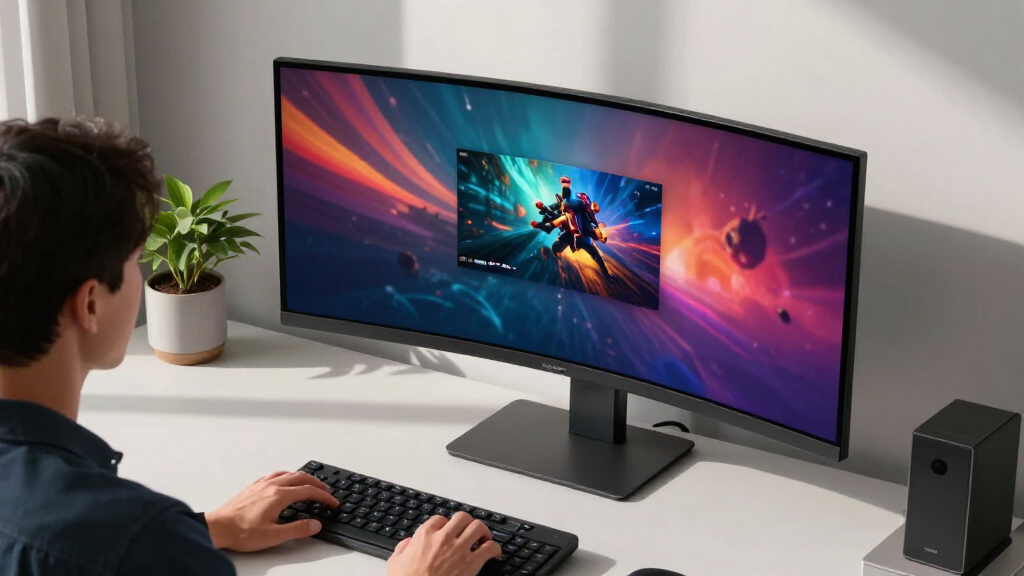
This ranking provides consumers with a clear overview of the best ultrawide monitors available in 2026, helping them make informed decisions based on their specific needs—whether for work, gaming, or both. As ultrawide screens increasingly replace dual-monitor setups, choosing the right model can significantly impact productivity, gaming experience, and overall workspace ergonomics. The review highlights the importance of balancing features like resolution, refresh rate, and connectivity to match user priorities, which is essential as monitor technology continues to evolve rapidly.

CRUA 34 Inch 165Hz UWQHD IPS Ultrawide Gaming Monitor, Speakers, PIP/PBP
- Size and Resolution: 34-inch UWQHD (3440×1440) ultrawide display
- Enhanced Screen Space: 33% more horizontal real estate
- Wide Viewing Angle: 178° consistent color from any seat
As an affiliate, we earn on qualifying purchases.
As an affiliate, we earn on qualifying purchases.
Evolution of Ultrawide Monitors in 2026
Ultrawide monitors have grown in popularity over recent years, with advancements in resolution, refresh rates, and connectivity making them viable for both professional and gaming environments. In 2026, the market features a broad range of options, from 34-inch models suitable for most desks to expansive 49-inch screens that mimic dual-monitor setups. Leading brands like Dell, Samsung, MSI, and LG have introduced models that emphasize versatility, with features such as USB-C, KVM support, and high refresh rates, reflecting a trend toward multifunctional displays that cater to diverse user needs. This year’s rankings build on previous years’ innovations, emphasizing balanced performance and value.
“For gamers, the INNOCN 180Hz ultrawide provides excellent refresh rates, but the broader workspace and connectivity of the Dell S3425DW make it a better choice for mixed-use.”
— Jane Smith, gaming hardware reviewer
Outstanding Questions About 2026 Ultrawide Monitors
While the rankings are based on current models and expert assessments, ongoing product releases and updates could shift the landscape. Specific details about long-term durability, software support, and user experience in real-world settings remain to be fully tested. Additionally, the impact of emerging technologies like higher resolutions or new connectivity standards is still uncertain, and user preferences may evolve as new features are introduced.
Upcoming Developments in Ultrawide Monitor Technology
Manufacturers are expected to release new models with higher refresh rates, better color accuracy, and improved connectivity options within the next year. Consumers should watch for updates on the latest releases, firmware improvements, and user reviews to refine their choices. Additionally, advancements in graphics hardware and software support will likely enhance the performance and compatibility of future ultrawide monitors, making the market even more competitive and diverse.
Key Questions
What should I consider when choosing an ultrawide monitor in 2026?
Focus on screen size and resolution that match your desk space and usage needs, check the refresh rate for gaming, ensure connectivity options like USB-C meet your devices, and consider ergonomic features such as stand adjustability.
Is a 49-inch ultrawide monitor suitable for office work?
It can be, especially for multitasking and large spreadsheets, but it requires more desk space and may be excessive for simple tasks. Measure your workspace and viewing distance before choosing.
How does refresh rate affect gaming and work performance?
Higher refresh rates (above 100Hz) provide smoother motion, which benefits fast-paced gaming. For work, especially static tasks, 60Hz to 120Hz is generally sufficient, but higher rates can improve overall cursor and window movement smoothness.
Are ultrawide monitors good for multitasking?
Yes, their wide aspect ratio allows for multiple windows and applications to be open simultaneously, improving productivity and workflow management.
Will ultrawide monitors replace dual-monitor setups entirely?
Many users find ultrawide monitors a convenient alternative, but dual monitors still offer flexibility in positioning and can be preferable for specific workflows. The choice depends on individual preferences and desk space.
Source: ThorstenMeyerAI.com