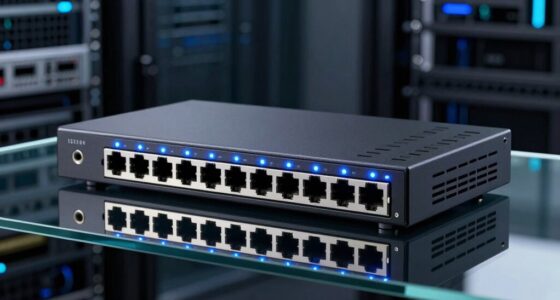
Among these DOCSIS 3.1 modems, I rank the NETGEAR Nighthawk CM3000 as the best overall for buyers seeking a modern standalone modem with mid/high-split support. The Hitron CODA56 is a strong alternative for multi-gig plans, while the NETGEAR CM2500 offers another route to higher-speed service. The main tradeoffs are provider compatibility, Ethernet capacity, and whether you want a separate router or an all-in-one modem-router. Renewed models can suit simpler plans, but may involve different condition and support expectations. Read on for the full comparison and help matching a modem to your provider and plan.

Get the latest gadgets delivered free with Prime
- Fast, free delivery on millions of items
- Prime Video, Amazon Music and more included
- Member-only deals all year
Complete the kit



Key Takeaways
- The CM3000 leads this lineup for buyers who want mid/high-split capability in a standalone modem, but check that the exact model and firmware are approved by your provider.
- Multi-gig service calls for more than DOCSIS 3.1 alone: the CODA56 and CM2500 families offer higher-speed positioning, while a 1 Gbps Ethernet port can limit a faster plan.
- Several listings describe overlapping models, including CM3000, CM2500, CM1000, SB8200, CODA, and CODA56 versions; compare the precise model number and listing condition before choosing.
- The CAX30 is the only listed modem-router combination, which can simplify setup but gives buyers less freedom to replace or upgrade the modem and Wi-Fi components separately.
- Provider approval matters as much as modem capability: a modem advertised for major cable providers may still need a plan-specific compatibility check before purchase.
| NETGEAR Nighthawk CM3000 DOCSIS 3.1 Cable Modem |  | Best Overall for Multi-Gig Plans | Technology: DOCSIS 3.1 | Maximum download speed: Up to 2.5 Gbps | Maximum upload speed: Up to 1 Gbps | VIEW ON AMAZON | See Our Full Breakdown |
| NETGEAR Nighthawk DOCSIS 3.1 Mid/High-Split Cable Modem (CM3000) |  | Best for Multi-Gig Upgrade Headroom | Technology: DOCSIS 3.1 | Maximum download speed: Up to 2.5 Gbps | Maximum upload speed: Up to 1 Gbps | VIEW ON AMAZON | See Our Full Breakdown |
| Hitron CODA DOCSIS 3.1 Modem – Certified for Comcast Xfinity, Charter Spectrum, Cox – 1 Gbps Ethernet Port (Renewed) |  | Best for Gigabit Cable on a Simpler Setup | Technology: DOCSIS 3.1, compatible with DOCSIS 3.0 | Supported internet plans: Up to 1 Gbps | Ethernet port: 1 × 1 Gbps | VIEW ON AMAZON | See Our Full Breakdown |
| NETGEAR Nighthawk DOCSIS 3.1 Mid/High-Split Cable Modem (CM2500) – Compatible with Major US Providers, Up to 2Gbps |  | Best for 2 Gbps Plans Without a 2.5 Gbps Target | Model: CM2500 | Technology: DOCSIS 3.1 | Maximum download speed: Up to 2 Gbps | VIEW ON AMAZON | See Our Full Breakdown |
| NETGEAR CM1000 DOCSIS 3.1 Cable Modem (Renewed) |  | Best for Basic Gigabit Service on a Renewed Modem | Brand: NETGEAR | Model: CM1000-100NAS-cr | Technology: DOCSIS 3.1, per product description | VIEW ON AMAZON | See Our Full Breakdown |
| NETGEAR CM1000 DOCSIS 3.1 Gigabit Cable Modem (Renewed) |  | Best for a Basic Gigabit Setup | DOCSIS standard: DOCSIS 3.1; supports DOCSIS 3.0 | Channel bonding: 32×8 | DOCSIS 3.1 OFDM: 2×2 | VIEW ON AMAZON | See Our Full Breakdown |
| ARRIS SURFboard SB8200 DOCSIS 3.1 Cable Modem, Renewed |  | Best Renewed Modem for Wired Flexibility | DOCSIS standard: DOCSIS 3.1 | DOCSIS 3.0 channel bonding: 32 downstream x 8 upstream | DOCSIS 3.1 OFDM: 2 downstream x 2 upstream | VIEW ON AMAZON | See Our Full Breakdown |
| NETGEAR Nighthawk CAX30 DOCSIS 3.1 WiFi 6 Cable Modem Router |  | Best Modem-Router Combo | Modem standard: DOCSIS 3.1 | Wi-Fi standard: WiFi 6 (802.11ax) | Wi-Fi class: Dual-band AX2700 | VIEW ON AMAZON | See Our Full Breakdown |
| Hitron CODA56 DOCSIS 3.1 Multi-Gigabit Cable Modem |  | Best for Multi-Gigabit Cable Plans | DOCSIS standard: DOCSIS 3.1; backward compatible with DOCSIS 3.0 | Maximum internet plan speed: Up to 2.5 Gbps | Ethernet port: 1 x 2.5 Gbps | VIEW ON AMAZON | See Our Full Breakdown |
| Hitron CODA DOCSIS 3.1 Cable Modem, Up to 1 Gbps |  | Best Simple Standalone Modem | DOCSIS standard: DOCSIS 3.1 | Maximum supported speed: Up to 1 Gbps | Internet compatibility: Coaxial cable internet only | VIEW ON AMAZON | See Our Full Breakdown |
| Hitron CODA56 DOCSIS 3.1 Cable Modem |  | Best for Multi-Gig Ethernet | DOCSIS standard: DOCSIS 3.1; backward compatible with DOCSIS 3.0 | Channel bonding: 32×8 | Maximum supported speed: Up to 2.5 Gbps | VIEW ON AMAZON | See Our Full Breakdown |
| NETGEAR Nighthawk CM2500 DOCSIS 3.1 Cable Modem |  | Best for Setup and Traffic Management | DOCSIS standard: DOCSIS 3.1 | Maximum download speed: 2 Gbps | Maximum upload speed: 1 Gbps | VIEW ON AMAZON | See Our Full Breakdown |
| ARRIS SURFboard SB8200 DOCSIS 3.1 Cable Modem |  | Best for a Familiar, Straightforward Setup | DOCSIS standard: DOCSIS 3.1 | Maximum downstream transfer rate: 2000 megabits per second | Maximum upstream transfer rate: 2000 megabits per second | VIEW ON AMAZON | See Our Full Breakdown |
| Hitron CODA56 Cable Internet Modem (DOCSIS 3.1, 2.5 Gbps) |  | Best for Xfinity, Spectrum, and Cox Multi-Gig Plans | DOCSIS version: DOCSIS 3.1 | Maximum speed: Up to 2.5 Gbps | Ethernet: 1 × 2.5 Gbps port | VIEW ON AMAZON | See Our Full Breakdown |
| docsis31 modem | Compatible providers | Ethernet ports | DOCSIS standard |
|---|---|---|---|
| NETGEAR Nighthawk CM3000 DOCSI | Xfinity, Spectrum, Cox, and most US cable providers | 1 × 2.5 Gig, 2 × 1 Gig | — |
| NETGEAR Nighthawk DOCSIS 3.1 M | — | 1 × 2.5 Gbps, 2 × Gigabit | — |
| Hitron CODA DOCSIS 3.1 Modem | — | — | — |
| NETGEAR Nighthawk DOCSIS 3.1 M | — | 2 × Gigabit | — |
| NETGEAR CM1000 DOCSIS 3.1 Cabl | — | 3 | — |
| NETGEAR CM1000 DOCSIS 3.1 Giga | Xfinity, Cox | 1 | DOCSIS 3.1; supports DOCSIS 3.0 |
| ARRIS SURFboard SB8200 DOCSIS | Cox, Spectrum, Xfinity | 2 Gigabit | DOCSIS 3.1 |
| NETGEAR Nighthawk CAX30 DOCSIS | Xfinity, Spectrum, Cox; plan limits apply | 4 Gigabit | — |
| Hitron CODA56 DOCSIS 3.1 Multi | Xfinity, Spectrum, Cox, Astound, Grande, RCN, Wave, Zito Media | — | DOCSIS 3.1; backward compatible with DOCSIS 3.0 |
| Hitron CODA DOCSIS 3.1 Cable M | — | 1 | DOCSIS 3.1 |
| Hitron CODA56 DOCSIS 3.1 Cable | Astound, Grande, RCN, Wave, Spectrum, Cox, Xfinity, and Zito Media | — | DOCSIS 3.1; backward compatible with DOCSIS 3.0 |
| NETGEAR Nighthawk CM2500 DOCSI | Xfinity, Spectrum, Cox, and most US cable providers | — | DOCSIS 3.1 |
| ARRIS SURFboard SB8200 DOCSIS | Cox, Xfinity, and Spectrum | — | DOCSIS 3.1 |
| Hitron CODA56 Cable Internet M | Xfinity, Spectrum, and Cox cable internet | — | — |
More Details on Our Top Picks
NETGEAR Nighthawk CM3000 DOCSIS 3.1 Cable Modem
The CM3000 is the strongest all-around fit here for buyers whose cable plan exceeds gigabit speeds. Its 2.5 Gig Ethernet port can pass a multi-gig connection to a suitable router, while the two additional Gigabit ports offer more wired connection options than the single-port Hitron CODA. It also supports listed upload speeds up to 1 Gbps, and Active Queue Management is intended to help keep latency in check when a connection is busy.
The tradeoff is that this is a standalone modem, not an all-in-one WiFi system: you need a separate router, and your provider must activate it. Its app-guided setup helps with installation, but it cannot resolve provider compatibility limits, including some bundled voice plans. Compared with the slower Hitron CODA, the CM3000 better suits a multi-gig plan; buyers with service capped at 1 Gbps may not need its extra headroom.
Pros:- Supports listed download speeds up to 2.5 Gbps and upload speeds up to 1 Gbps
- 2.5 Gig port supports a multi-gig link to a compatible router
- Two additional Gigabit Ethernet ports provide more wired options than the single-port Hitron CODA
- App-guided setup and Active Queue Management add setup help and congestion management
Cons:- No built-in WiFi, so a separate router or mesh system is required
- Requires activation with the cable provider and may not support some provider voice bundles
- A 2.5 Gbps capability may go unused on plans limited to gigabit speeds
Best for: Cable subscribers on multi-gig plans who already own or plan to buy a compatible router or mesh system.
Not ideal for: People seeking a single modem-router with built-in WiFi, or subscribers whose bundled voice service is not supported.
- Technology:DOCSIS 3.1
- Maximum download speed:Up to 2.5 Gbps
- Maximum upload speed:Up to 1 Gbps
- Ethernet ports:1 × 2.5 Gig, 2 × 1 Gig
- WiFi:Not built in
- Compatible providers:Xfinity, Spectrum, Cox, and most US cable providers
- Model:CM3000-1AZNAS
- Warranty:1-year limited
Our verdict“Choose the CM3000 if you want multi-gig cable capacity and already have a compatible WiFi router.”
NETGEAR Nighthawk DOCSIS 3.1 Mid/High-Split Cable Modem (CM3000)
This CM3000 listing is aimed at households looking beyond a basic gigabit connection: it supports up to 2.5 Gbps download and up to 1 Gbps upload, with a 2.5 Gbps port plus two Gigabit ports. That makes it a more capable match for fast cable plans than the Hitron CODA, which is listed for plans up to 1 Gbps. The additional ports can also simplify wired connections, though the listing does not explain how link aggregation works with specific routers or providers.
Like the other CM3000 listing in this roundup, it has no built-in WiFi; its multi-gig potential depends on a compatible router and service plan. The description says it works with major US providers, but buyers should check the exact model against their provider’s approved-device list before ordering. Compared with the CM2500, this model offers a higher stated download ceiling, while still requiring separate networking equipment.
Pros:- Listed for download speeds up to 2.5 Gbps and upload speeds up to 1 Gbps
- Combines one 2.5 Gbps port with two Gigabit Ethernet ports
- Higher stated download ceiling than the CM2500
- Description identifies compatibility with major US providers
Cons:- Requires a separate router for WiFi and to make full use of multi-gig service
- Provider approval and voice-plan support should be confirmed for the exact model
- US-use-only limitation rules it out for customers outside the stated market
Best for: US cable customers planning a multi-gig service upgrade who have a compatible router and want extra wired-port flexibility.
Not ideal for: Buyers who need built-in WiFi, rely on a bundled voice plan, or have not confirmed this exact modem model with their provider.
- Technology:DOCSIS 3.1
- Maximum download speed:Up to 2.5 Gbps
- Maximum upload speed:Up to 1 Gbps
- Ethernet ports:1 × 2.5 Gbps, 2 × Gigabit
- Compatibility:All major US internet providers, per listing
- Designed for:Plans up to 2.5 Gbps
- WiFi:Requires a separate router
Our verdict“Pick this CM3000 listing for a high-speed US cable plan if your provider approves it and you already have a suitable router.”
Hitron CODA DOCSIS 3.1 Modem – Certified for Comcast Xfinity, Charter Spectrum, Cox – 1 Gbps Ethernet Port (Renewed)
The renewed Hitron CODA is a straightforward choice for cable customers whose service tops out around 1 Gbps. Its DOCSIS 3.1 support covers plans up to that stated limit, and the single Gigabit Ethernet port connects directly to a separate router. The listed provider range includes Xfinity, Spectrum, Cox, CableOne, and several regional services, giving it a clear role for buyers who do not need the CM3000’s multi-gig port or higher speed ceiling.
That simpler fit has limits: there is no built-in WiFi, and the one Ethernet port means it does not offer the CM3000’s extra wired connections or multi-gig handoff. It is also a renewed unit, so buyers should verify the condition and applicable warranty details. The listing’s plug-in installation steps are uncomplicated, but provider activation is still part of getting online, and this modem is only for cable service—not fiber, DSL, or satellite.
Pros:- Supports cable internet plans up to 1 Gbps
- DOCSIS 3.1 with DOCSIS 3.0 compatibility
- Listed for several major and regional cable providers
- Simple coax, power, and router connection sequence
Cons:- Single 1 Gbps Ethernet port lacks the CM3000’s multi-gig handoff and extra ports
- No built-in WiFi, so a separate router is necessary
- Renewed condition and provider activation add checks before use
Best for: Cable subscribers with plans up to 1 Gbps who want a renewed DOCSIS 3.1 modem to pair with an existing router.
Not ideal for: Multi-gig subscribers, households needing several direct wired connections, or anyone using fiber, DSL, satellite, or bundled service not supported by the listed providers.
- Technology:DOCSIS 3.1, compatible with DOCSIS 3.0
- Supported internet plans:Up to 1 Gbps
- Ethernet port:1 × 1 Gbps
- Listed providers:Xfinity, Spectrum, Cox, CableOne, Cogeco, Zito Media, RCN, Wave
- WiFi:Not built in; separate router required
- Connection type:Cable
- Condition:Renewed
Our verdict“Choose the renewed CODA for a compatible cable plan capped at 1 Gbps when you do not need multi-gig ports.”
NETGEAR Nighthawk DOCSIS 3.1 Mid/High-Split Cable Modem (CM2500) – Compatible with Major US Providers, Up to 2Gbps
The CM2500 fits between a standard gigabit modem and the faster CM3000: it is listed for downloads up to 2 Gbps and uploads up to 1 Gbps. That ceiling makes it a sensible match for buyers who want more than the Hitron CODA’s 1 Gbps limit but do not specifically need the CM3000’s stated 2.5 Gbps capacity. Its two Gigabit Ethernet ports provide more connection options than the CODA’s single port, though the listing does not describe a 2.5 Gig port.
This remains a modem-only option, so WiFi requires a separate router. The listing also excludes Xfinity Voice plans, a significant compatibility check for households using that service. Compared with the CM3000, the CM2500 gives up download headroom; in return, it may be the more proportionate choice for a plan within its stated 2 Gbps range. Confirm provider approval and renewed-product warranty terms before buying.
Pros:- Listed download capacity up to 2 Gbps with upload speeds up to 1 Gbps
- DOCSIS 3.1 platform for high-speed cable service
- Two Gigabit Ethernet ports offer more wired options than the Hitron CODA
- Listed compatibility with major US providers, subject to the stated Xfinity Voice exclusion
Cons:- No built-in WiFi, so a separate router is required
- Lower stated download ceiling than the CM3000
- Not compatible with Xfinity Voice plans, and renewed warranty coverage may be limited
Best for: Cable customers with plans up to 2 Gbps who want DOCSIS 3.1 capacity and already have a separate WiFi router.
Not ideal for: Xfinity Voice subscribers, customers seeking a 2.5 Gig Ethernet connection, or buyers who need an all-in-one WiFi modem-router.
- Model:CM2500
- Technology:DOCSIS 3.1
- Maximum download speed:Up to 2 Gbps
- Maximum upload speed:Up to 1 Gbps
- Ethernet ports:2 × Gigabit
- Compatibility:Major US providers; excludes Xfinity Voice plans
- WiFi:Not built in
Our verdict“Choose the CM2500 if your cable plan falls within its 2 Gbps range and you do not need Xfinity Voice or a 2.5 Gig port.”
NETGEAR CM1000 DOCSIS 3.1 Cable Modem (Renewed)
The renewed NETGEAR CM1000 is the entry-level fit in this set for buyers who want DOCSIS 3.1 without paying for the CM3000’s multi-gig capacity. Its listed maximum downstream and upstream rates are both 1 Gbps, which suits a compatible cable plan at or below that range. The description names Spectrum, Cox, and Xfinity, while its three Ethernet ports are more numerous than the single port on the Hitron CODA.
There are two reasons I would verify details before choosing it: the product data labels the modem type as DSL despite describing a DOCSIS 3.1 cable modem, and the stated warranty is only 90 days. It also lacks built-in WiFi, so a separate router is needed. Compared with the CM2500 and CM3000, this renewed CM1000 gives up multi-gig speed headroom; its case is strongest for a confirmed compatible gigabit-or-slower cable plan.
Pros:- DOCSIS 3.1 cable modem described as compatible with Spectrum, Cox, and Xfinity
- Listed downstream and upstream rates reach 1 Gbps
- Three Ethernet ports provide more listed wired connections than the Hitron CODA
- Renewed option for buyers who do not need the CM3000’s multi-gig speed ceiling
Cons:- Product data inconsistently identifies the modem type as DSL despite the cable-modem description
- 90-day limited warranty is shorter than the CM3000 listing’s one-year limited warranty
- No built-in WiFi and no stated multi-gig capacity
Best for: Cable customers with a verified compatible plan up to 1 Gbps who prefer a renewed modem and already own a router.
Not ideal for: Multi-gig households, buyers who need built-in WiFi or a longer stated warranty, and anyone who cannot confirm the product’s cable-modem listing with their provider.
- Brand:NETGEAR
- Model:CM1000-100NAS-cr
- Technology:DOCSIS 3.1, per product description
- Modem type:Listed as DSL; description identifies a cable modem
- Maximum downstream rate:1 Gbps
- Maximum upstream rate:1 Gbps
- Ethernet ports:3
- Compatible ISPs:Spectrum, Cox, Xfinity
- Warranty and condition:90-day limited warranty; renewed
Our verdict“Consider this renewed CM1000 only for a compatible cable plan up to 1 Gbps after confirming the product type and warranty details.”
NETGEAR CM1000 DOCSIS 3.1 Gigabit Cable Modem (Renewed)
The NETGEAR CM1000 is a straightforward renewed DOCSIS 3.1 modem for cable customers whose plan tops out around 1 Gbps. Its 32×8 DOCSIS 3.0 bonding and 2×2 OFDM support cover both legacy and newer cable networks, while a single Ethernet port keeps the setup simple: modem plus a separate router. Compared with the ARRIS SURFboard SB8200, it gives up the second Ethernet port and the broader listed provider compatibility, so it is less flexible for wired setups. The upside is a no-frills fit for compatible Xfinity or Cox service. It is a renewed unit with a 90-day limited warranty, a shorter coverage window than the SB8200’s listed one-year warranty. Skip it if you need built-in Wi-Fi, voice service, or more than one wired connection directly from the modem.
Pros:- DOCSIS 3.1 support with DOCSIS 3.0 backward compatibility
- Supports advertised download speeds up to 1 Gbps
- Compatible with Xfinity and Cox service
- Simple Ethernet connection for pairing with a separate router
Cons:- Only one Ethernet port
- Renewed condition and a 90-day limited warranty
- Requires compatible cable service and a separate router for Wi-Fi
Best for: Xfinity or Cox subscribers with a plan up to 1 Gbps who already own a router and want a basic DOCSIS 3.1 modem.
Not ideal for: Buyers who need two direct Ethernet connections, cable voice support, built-in Wi-Fi, or a longer warranty period.
- DOCSIS standard:DOCSIS 3.1; supports DOCSIS 3.0
- Channel bonding:32×8
- DOCSIS 3.1 OFDM:2×2
- Maximum downstream speed:1 Gbps
- Maximum upstream speed:1 Gbps
- Compatible providers:Xfinity, Cox
- Ethernet ports:1
- Condition and warranty:Renewed; 90-day limited warranty
Our verdict“Choose the CM1000 if you have compatible Xfinity or Cox service, a separate router, and no need for multiple modem-side Ethernet ports.”
ARRIS SURFboard SB8200 DOCSIS 3.1 Cable Modem, Renewed
The renewed ARRIS SURFboard SB8200 earns this spot for buyers who want a standalone DOCSIS 3.1 modem with two Gigabit Ethernet ports and broad listed cable-provider compatibility. Like the NETGEAR CM1000, it supports plans up to 1 Gbps and needs a separate router for Wi-Fi; the extra port gives it more wired flexibility, though it does not by itself promise a combined connection speed above the modem’s stated limit. Its compatibility list includes Cox, Spectrum, and Xfinity, making it a more versatile fit than the CM1000 for households that may change providers. The tradeoffs are clear: there is no Wi-Fi and no cable digital voice support, and it cannot serve DSL, fiber, or satellite connections. This renewed model lists a one-year limited warranty, but buyers should still confirm provider approval before ordering.
Pros:- Two Gigabit Ethernet ports provide more wired connection options than the CM1000
- Listed compatibility with Cox, Spectrum, and Xfinity
- DOCSIS 3.1 support for cable plans up to 1 Gbps
- One-year limited warranty listed for the renewed unit
Cons:- Does not include Wi-Fi or a router
- Does not support cable digital voice
- Not compatible with DSL, fiber, or satellite service
Best for: Cable subscribers on compatible Cox, Spectrum, or Xfinity plans who want a standalone modem with two Gigabit Ethernet ports and already have a router.
Not ideal for: Households that need built-in Wi-Fi, cable digital voice, or a modem for DSL, fiber, or satellite service.
- DOCSIS standard:DOCSIS 3.1
- DOCSIS 3.0 channel bonding:32 downstream x 8 upstream
- DOCSIS 3.1 OFDM:2 downstream x 2 upstream
- Maximum internet speed:Up to 1 Gbps
- Ethernet ports:2 Gigabit
- Compatible providers:Cox, Spectrum, Xfinity
- Wi-Fi and voice:No Wi-Fi; no cable digital voice support
- Condition and warranty:Renewed; 1-year limited warranty
Our verdict“Pick the SB8200 over the CM1000 if you want two Ethernet ports and broader listed cable-provider compatibility in a renewed modem.”
NETGEAR Nighthawk CAX30 DOCSIS 3.1 WiFi 6 Cable Modem Router
The NETGEAR Nighthawk CAX30 is the only option here that combines a DOCSIS 3.1 modem and a WiFi 6 router, which can simplify a home network by replacing two devices with one. Its AX2700 dual-band wireless, stated coverage of up to 2,000 sq ft, and support for 25 or more devices suit households with several wireless clients; four Gigabit ports also leave room for wired gear. By comparison, the standalone Hitron CODA56 supports cable plans up to 2.5 Gbps but requires a separate router, while the CAX30’s described advantage is integrated Wi-Fi rather than multi-gigabit wired throughput. The tradeoff is a narrower fit: it requires compatible cable service and ISP activation, and it does not support bundled voice plans. NETGEAR Armor also requires a subscription after its 30-day trial.
Pros:- Combines DOCSIS 3.1 modem and WiFi 6 router in one device
- Four Gigabit Ethernet ports plus one USB 3.0 port
- Rated for up to 2,000 sq ft coverage and 25 or more connected devices
- Includes WPA3 encryption, firewall, and denial-of-service attack prevention
Cons:- Works only with compatible cable providers and plans, and requires ISP activation
- Not compatible with bundled voice plans
- NETGEAR Armor requires a subscription after its 30-day trial
Best for: Households on compatible Xfinity, Spectrum, or Cox cable plans that want one device for modem and Wi-Fi, with multiple wireless clients and some wired equipment.
Not ideal for: Subscribers with bundled voice plans, non-cable internet, or plans where a 2.5 Gbps Ethernet port is a priority.
- Modem standard:DOCSIS 3.1
- Wi-Fi standard:WiFi 6 (802.11ax)
- Wi-Fi class:Dual-band AX2700
- Coverage:Up to 2,000 sq ft
- Connected devices:25+
- Ethernet ports:4 Gigabit
- USB port:1 USB 3.0
- Compatible providers:Xfinity, Spectrum, Cox; plan limits apply
- Security:WPA3 encryption, firewall, denial-of-service attack prevention
Our verdict“Choose the CAX30 if you want a single DOCSIS 3.1 and WiFi 6 device and do not need bundled voice or a 2.5 Gbps Ethernet port.”
Hitron CODA56 DOCSIS 3.1 Multi-Gigabit Cable Modem
The Hitron CODA56 stands apart from the 1 Gbps-class CM1000, SB8200, and Hitron CODA by supporting compatible cable plans up to 2.5 Gbps through a 2.5 Gbps Ethernet port. That higher wired capacity is useful only when the ISP plan, modem provisioning, and connected router or computer can all make use of it; it is not a speed upgrade for every cable subscription. The CODA56 is a standalone modem, so wireless access and connections for additional devices depend on a separate router. Compared with the NETGEAR CAX30, it lacks built-in Wi-Fi but offers the stronger stated wired-speed ceiling. Provider coverage includes several major cable networks and regional names, yet compatibility and activation still need confirmation. Skip this model if your plan is capped at 1 Gbps or you want an all-in-one network device.
Pros:- Supports compatible cable plans up to 2.5 Gbps
- 2.5 Gbps Ethernet port avoids the 1 Gbps port ceiling of the Hitron CODA
- DOCSIS 3.1 with DOCSIS 3.0 backward compatibility
- Listed compatibility spans major providers and several regional cable providers
Cons:- Does not include Wi-Fi or a router
- Only one Ethernet port, so additional wired devices need a router or switch
- Requires provider compatibility confirmation and activation
Best for: Cable subscribers with a compatible multi-gigabit plan, a router or computer with a 2.5 Gbps port, and a preference for separate network devices.
Not ideal for: Buyers on plans up to 1 Gbps, households needing built-in Wi-Fi, or customers with fiber, DSL, satellite, or fixed wireless service.
- DOCSIS standard:DOCSIS 3.1; backward compatible with DOCSIS 3.0
- Maximum internet plan speed:Up to 2.5 Gbps
- Ethernet port:1 x 2.5 Gbps
- Compatible providers:Xfinity, Spectrum, Cox, Astound, Grande, RCN, Wave, Zito Media
- Wi-Fi:Not included; separate router required
- Internet service type:Cable internet
Our verdict“Choose the CODA56 when your compatible cable plan exceeds 1 Gbps and your router or computer can use its 2.5 Gbps Ethernet connection.”
Hitron CODA DOCSIS 3.1 Cable Modem, Up to 1 Gbps
The Hitron CODA is a basic DOCSIS 3.1 choice for coaxial cable subscribers whose service reaches up to 1 Gbps and who already have a router. It keeps the hardware role narrow: one Ethernet port connects to a router or computer, and the included 1 Gbps Ethernet cable and power supply cover the listed essentials. Compared with the multi-gigabit Hitron CODA56, the CODA has a lower stated speed ceiling and a standard single Ethernet connection, making it a more modest match for plans that do not exceed 1 Gbps. The tradeoff is limited expansion: there is no built-in Wi-Fi, no voice capability, and only one port on the modem. It also works only with cable service, so it is unsuitable for fiber, DSL, satellite, or 5G home internet. Confirm provider compatibility and activation before setup.
Pros:- DOCSIS 3.1 support for cable internet plans up to 1 Gbps
- Listed compatibility includes Spectrum, Cox, and Xfinity
- Includes a 1 Gbps Ethernet cable and power supply
- Modem-only design pairs with an existing router
Cons:- Requires a separate Wi-Fi router and ISP activation
- One Ethernet port and no voice capability
- Does not support fiber, DSL, satellite, or 5G home internet
Best for: Cable subscribers with service up to 1 Gbps who own a separate Wi-Fi router and want a simple modem-only setup.
Not ideal for: Multi-gigabit plan holders, customers needing cable voice or several direct Ethernet connections, and users with non-cable internet.
- DOCSIS standard:DOCSIS 3.1
- Maximum supported speed:Up to 1 Gbps
- Internet compatibility:Coaxial cable internet only
- Ethernet ports:1
- Wi-Fi:Not built in
- Voice capability:None
- Included items:1 Gbps Ethernet cable, power supply
- Item weight:464 g
Our verdict“Pick the Hitron CODA for a compatible cable plan up to 1 Gbps when you already have a router and do not need voice or extra modem ports.”
Hitron CODA56 DOCSIS 3.1 Cable Modem
The Hitron CODA56 is a strong fit for cable subscribers whose plan can use a 2.5 Gbps Ethernet port. That port gives it more wired headroom than the ARRIS SURFboard SB8200’s two Gigabit ports, though your provider and connected equipment must also support the faster speeds. Its DOCSIS 3.1 design is backward compatible with DOCSIS 3.0 networks, which helps it fit a range of supported cable services.
This is a standalone modem: it has one Ethernet port, no Wi-Fi, and no voice service, so a separate router is needed and bundled phone customers should look elsewhere. Compared with the NETGEAR Nighthawk CM2500, the CODA56 prioritizes a single faster Ethernet connection rather than two Gigabit ports, link aggregation, and app-guided setup. Check provider compatibility before buying; it is not a fiber, DSL, or satellite modem.
Pros:- 2.5 Gbps Ethernet port supports a faster single wired link than Gigabit-only ports.
- DOCSIS 3.1 with DOCSIS 3.0 backward compatibility.
- Compatible with listed cable providers including Xfinity, Spectrum, Cox, and Astound.
- May replace a provider-rented modem and reduce recurring rental charges.
Cons:- Only one Ethernet port, so it offers less direct wired flexibility than the CM2500 or SB8200.
- No built-in Wi-Fi; wireless devices require a separate router.
- Does not support voice service and works only with compatible cable internet.
Best for: Cable customers with a compatible multi-gig plan who want a 2.5 Gbps wired connection and already have, or plan to add, a router.
Not ideal for: Households needing built-in Wi-Fi, bundled landline voice, multiple modem Ethernet connections, or service from a fiber, DSL, or satellite provider.
- DOCSIS standard:DOCSIS 3.1; backward compatible with DOCSIS 3.0
- Channel bonding:32×8
- Maximum supported speed:Up to 2.5 Gbps
- Ethernet:1 × 2.5 Gbps port
- Wi-Fi:Not included
- Voice service:Not supported
- Compatible providers:Astound, Grande, RCN, Wave, Spectrum, Cox, Xfinity, and Zito Media
- Weight:464 g
Our verdict“Choose the CODA56 if your compatible cable plan benefits from a 2.5 Gbps wired port and you do not need voice service or built-in Wi-Fi.”
NETGEAR Nighthawk CM2500 DOCSIS 3.1 Cable Modem
The NETGEAR Nighthawk CM2500 suits cable customers who want more setup guidance and traffic-management features than a bare-bones modem provides. It supports plans up to 2 Gbps download and 1 Gbps upload, while its Nighthawk app or browser setup can make activation more approachable. Active Queue Management is aimed at reducing the lag that can occur when a connection is busy, a useful distinction for households sharing bandwidth during calls, gaming, and downloads.
Unlike the Hitron CODA56, the CM2500 has two Gigabit Ethernet ports and link aggregation, but it does not offer a single 2.5 Gbps port. It also needs a separate Wi-Fi router or mesh system, and its stated compatibility excludes bundled voice plans. Buyers should confirm their exact plan and provider support before activation; the modem is not a fit for services such as Verizon or AT&T.
Pros:- Supports compatible cable plans up to 2 Gbps download and 1 Gbps upload.
- Two Gigabit Ethernet ports support link aggregation.
- Active Queue Management can help control latency when the connection is busy.
- App- or browser-guided setup provides more management help than a basic modem.
Cons:- Requires a separate router or mesh system for Wi-Fi.
- Does not support bundled voice plans.
- Its two ports are Gigabit rather than a single 2.5 Gbps port like the Hitron CODA56.
Best for: Cable households on a compatible plan up to 2 Gbps that value guided setup, congestion management, and two Gigabit Ethernet ports.
Not ideal for: Buyers seeking built-in Wi-Fi, a 2.5 Gbps single Ethernet port, bundled voice compatibility, or a modem for fiber, DSL, or non-listed services.
- DOCSIS standard:DOCSIS 3.1
- Maximum download speed:2 Gbps
- Maximum upload speed:1 Gbps
- Ethernet:2 × Gigabit Ethernet ports with link aggregation
- Wi-Fi:Not built in; separate router or mesh system required
- Compatible providers:Xfinity, Spectrum, Cox, and most US cable providers
- Setup:NETGEAR Nighthawk app or web browser; ISP activation required
- Warranty:1-year limited
Our verdict“Pick the CM2500 if you want guided management and congestion controls on a compatible cable plan, and already have a separate router.”
ARRIS SURFboard SB8200 DOCSIS 3.1 Cable Modem
The ARRIS SURFboard SB8200 is a straightforward DOCSIS 3.1 option for customers of Cox, Xfinity, or Spectrum who want a modem with two Gigabit Ethernet ports and no built-in router features. It supports compatible cable plans up to 2 Gbps, giving it room for fast service while keeping the setup centered on the modem and a separate router. Its compact 5.13 × 1.75 × 5.25-inch body can also be easier to place than larger networking equipment.
Compared with the Hitron CODA56, the SB8200 trades a 2.5 Gbps Ethernet connection for two Gigabit ports; that makes the Hitron a better match for a faster single wired link, while the ARRIS offers more port flexibility. The listed provider range is narrower than the NETGEAR CM2500’s. It cannot serve fiber, DSL, or satellite customers, and wireless coverage requires a separate router.
Pros:- Supports compatible cable plans up to 2 Gbps.
- Two Gigabit Ethernet ports provide more port flexibility than the single-port CODA56.
- Compact dimensions suit limited shelf or desk space.
- Includes a 2-year limited warranty.
Cons:- Gigabit ports do not provide the CODA56’s 2.5 Gbps single-link capability.
- Requires a separate Wi-Fi router for wireless devices.
- Listed compatibility is limited to Cox, Xfinity, and Spectrum; it does not support fiber, DSL, or satellite.
Best for: Cox, Xfinity, or Spectrum cable customers who want a compact DOCSIS 3.1 modem with two Gigabit ports and a separate router setup.
Not ideal for: Multi-gig buyers who need a 2.5 Gbps Ethernet port, customers of providers outside the listed cable services, or anyone needing built-in Wi-Fi.
- DOCSIS standard:DOCSIS 3.1
- Maximum downstream transfer rate:2000 megabits per second
- Maximum upstream transfer rate:2000 megabits per second
- Ethernet:2 × 1 Gigabit ports
- Compatible providers:Cox, Xfinity, and Spectrum
- Dimensions:5.13 × 1.75 × 5.25 inches
- Weight:1.5 pounds
- Warranty:2-year limited
Our verdict“Choose the SB8200 for a compact, two-port cable modem on a supported provider, but pick the CODA56 if you need a 2.5 Gbps wired port.”
Hitron CODA56 Cable Internet Modem (DOCSIS 3.1, 2.5 Gbps)
This CODA56 listing targets customers of Xfinity, Spectrum, and Cox who want a DOCSIS 3.1 modem with a 2.5 Gbps Ethernet port. That faster wired connection separates it from the ARRIS SB8200, whose two ports are Gigabit, and can suit a compatible multi-gig plan when the router and service also support those speeds. The modem is designed for cable internet and may let buyers replace a rented modem, though provider approval and plan compatibility still need checking.
Its limits are clear: this is a modem only, with no Wi-Fi and no additional Ethernet ports listed, so a separate router is required for wireless devices and network expansion. Unlike the NETGEAR CM2500, the description emphasizes a 2.5 Gbps port rather than app-guided setup or link aggregation. It is not suitable for fiber, DSL, satellite, or customers who need modem-based phone service.
Pros:- Supports compatible cable plans up to 2.5 Gbps.
- 2.5 Gbps Ethernet port offers more wired capacity than the SB8200’s Gigabit ports.
- DOCSIS 3.1 platform is suited to modern compatible cable networks.
- May replace a rented modem and avoid recurring rental charges.
Cons:- No built-in Wi-Fi; a separate router is required.
- Only one Ethernet port is listed, limiting direct wired connections.
- Compatibility is specified for Xfinity, Spectrum, and Cox cable service only.
Best for: Xfinity, Spectrum, or Cox cable customers with a compatible multi-gig plan who need a 2.5 Gbps wired modem connection.
Not ideal for: Buyers needing built-in Wi-Fi, multiple Ethernet ports, bundled voice service, or support for fiber, DSL, satellite, or providers beyond those listed.
- DOCSIS version:DOCSIS 3.1
- Maximum speed:Up to 2.5 Gbps
- Ethernet:1 × 2.5 Gbps port
- Wi-Fi:Not included; separate router required
- Compatible providers:Xfinity, Spectrum, and Cox cable internet
- Modem type:Cable
- Weight:464 g
- Warranty:See Hitron website
Our verdict“Choose this CODA56 listing for a compatible Xfinity, Spectrum, or Cox multi-gig plan if you already have a router and do not need voice service.”

How We Picked
I ranked these DOCSIS 3.1 modems around the factors that affect whether a purchase will work well after installation: provider compatibility, Ethernet port capacity, support for newer cable-network features, and the flexibility to use a separate router. I gave more weight to models positioned for multi-gig or mid/high-split service when those capabilities were clear, while treating standard gigabit-focused and renewed models as better fits for less demanding plans.
The ordering also reflects setup and ownership tradeoffs. A standalone modem can pair with a router of the buyer’s choice, while the NETGEAR CAX30 trades that flexibility for built-in Wi-Fi 6. I distinguish listings with the same model name or similar descriptions rather than treating them as different technical designs without evidence. Before buying, readers should confirm the exact model, current provider approval, plan compatibility, and whether the listing is new or renewed; those details can change the practical value of any pick.
| docsis31 modem | DOCSIS standard |
|---|---|
| NETGEAR Nighthawk CM3000 DOCSI | — |
| NETGEAR Nighthawk DOCSIS 3.1 M | — |
| Hitron CODA DOCSIS 3.1 Modem | — |
| NETGEAR Nighthawk DOCSIS 3.1 M | — |
| NETGEAR CM1000 DOCSIS 3.1 Cabl | — |
| NETGEAR CM1000 DOCSIS 3.1 Giga | DOCSIS 3.1; supports DOCSIS 3.0 |
| ARRIS SURFboard SB8200 DOCSIS | DOCSIS 3.1 |
| NETGEAR Nighthawk CAX30 DOCSIS | — |
| Hitron CODA56 DOCSIS 3.1 Multi | DOCSIS 3.1; backward compatible with DOCSIS 3.0 |
| Hitron CODA DOCSIS 3.1 Cable M | DOCSIS 3.1 |
| Hitron CODA56 DOCSIS 3.1 Cable | DOCSIS 3.1; backward compatible with DOCSIS 3.0 |
| NETGEAR Nighthawk CM2500 DOCSI | DOCSIS 3.1 |
| ARRIS SURFboard SB8200 DOCSIS | DOCSIS 3.1 |
| Hitron CODA56 Cable Internet M | — |
Factors to Consider When Choosing Docsis31 Modems
Choosing a DOCSIS 3.1 modem is less about finding the highest number on a box and more about matching the hardware to your cable plan, provider, and home network. These checks can help prevent buying a modem that works but cannot deliver the connection you expected.
Check the Provider’s Approved-Modem List
Start with your internet provider’s current compatibility list, not a general claim that a modem works with major cable companies. Approval can vary by exact model number, hardware revision, firmware, and service tier. Two listings with nearly identical names may not be interchangeable in a provider’s database. Ask whether the modem supports your specific plan and whether the provider permits customer-owned equipment at your address. This check can prevent activation delays and avoid a device that connects only at a reduced speed. Keep the modem’s model number handy when contacting support.
Match Ethernet Capacity to Your Plan
DOCSIS 3.1 describes the cable technology, but the modem’s Ethernet port determines how fast data can reach your router or a directly connected device. A modem with a 1 Gbps port may cap a faster cable plan even when its cable-side capabilities are higher. Multi-gig service also requires a router or computer with a matching multi-gig WAN or Ethernet port, plus suitable cabling and network hardware. Check the full path from modem to device rather than judging by the modem label alone. If your current plan is below gigabit, paying extra for multi-gig ports may not improve everyday use.
Understand Mid/High-Split Support
Mid/high-split support can matter as providers upgrade their networks to offer stronger upstream performance. The benefit depends on whether the provider has enabled the relevant network technology in your area and approved the modem for it. Buying a modem with this feature does not automatically raise upload speeds on a network that has not been upgraded. Check both local availability and the plan’s stated upload speeds before paying for newer hardware. For a buyer planning to keep a modem through a service upgrade, the added capability may offer more flexibility, but it is not a substitute for provider confirmation.
Decide Between a Standalone Modem and a Modem-Router
A standalone modem lets you choose a separate router and replace either component independently. That arrangement can be useful when you already own a capable router or expect to upgrade Wi-Fi later. An all-in-one model such as the CAX30 can reduce the number of devices and cables, which may suit a simple home setup. The tradeoff is that a failure or upgrade need can affect both modem and Wi-Fi functions at once. Compare the built-in Wi-Fi features with your home’s size, device count, and placement options before choosing convenience over modularity.
Treat Renewed Listings as a Separate Tradeoff
Renewed models such as the CM1000, SB8200, or CODA listing can be a practical fit for a compatible plan, but their condition and included support may differ from a new unit. Read the listing details for return terms, included power supplies, and any stated warranty. A modem that has been reset may still need activation by the provider, so plan for that step rather than assuming it is ready to connect. Avoid paying for features you cannot use on your current plan, but do not choose an older model solely because its headline speed appears adequate. Provider approval and the Ethernet port remain key checks for renewed equipment too.
Compare Exact Model Numbers, Not Just Product Titles
This roundup includes several repeated or closely related names, including CM3000, CM2500, CODA, CODA56, and SB8200 listings. Retail titles can emphasize different features or bundle descriptions even when the underlying model name is similar. Verify the manufacturer model number, port specifications, and whether Wi-Fi is built in before ordering. This is especially useful when one listing says multi-gig and another highlights a 1 Gbps Ethernet port. A precise comparison helps prevent confusing a refreshed listing, renewed unit, or differently configured model with a distinct hardware upgrade.
Frequently Asked Questions
Will any DOCSIS 3.1 modem work with my cable provider?
No. DOCSIS 3.1 identifies a cable standard, not universal provider approval. Providers maintain their own compatible-device lists and may approve only specific model numbers or hardware revisions for certain plans. Check the exact modem against your provider’s current list before buying, then confirm it supports your subscribed speed tier. If you rent equipment, ask whether customer-owned modems are allowed for your account.
Do I need a modem with a 2.5 Gbps Ethernet port?
You need one only if your service plan and the rest of your network can make use of speeds above 1 Gbps. A 1 Gbps port can bottleneck a faster cable connection even when the modem itself supports higher cable-side capacity. Your router’s WAN port and the connected devices also need suitable multi-gig ports to pass that speed through. For a plan at or below gigabit, a 2.5 Gbps port may offer little immediate benefit, though it can leave room for a future plan upgrade.
Does mid/high-split support increase upload speed on its own?
No. The modem needs a compatible provider network and an eligible service plan to use the feature. Availability can vary by location, and the provider must approve the exact modem for the upgraded service. Check the upload speeds your provider offers at your address rather than relying on the modem’s feature list. The capability may make sense for future flexibility, but it cannot create an upstream upgrade where the network does not support one.
Should I buy a renewed CM1000 or SB8200 instead of a newer modem?
A renewed CM1000 or SB8200 can be a sensible match for a compatible plan when you do not need newer multi-gig or mid/high-split features. The deciding factors are provider approval, Ethernet capacity, the condition and return terms stated in the listing, and the speed tier you use. A newer model may be a better fit if you are moving to a faster plan or want more headroom for a provider network upgrade. Compare exact model specifications rather than assuming a newer listing title means a major performance change.
Can I use the NETGEAR CAX30 without buying a separate router?
The CAX30 combines a DOCSIS 3.1 modem with a Wi-Fi 6 router, so it can provide both functions in one device. That can reduce equipment and simplify a basic home network if its wireless coverage suits your space. Confirm provider compatibility and check whether the router features meet your needs before replacing a separate setup. If you already own a preferred router or want to upgrade Wi-Fi independently, a standalone modem may give you more flexibility.
Conclusion
For most buyers seeking a capable standalone option, I recommend the NETGEAR Nighthawk CM3000 as the best overall, provided the provider approves the exact model. The Hitron CODA56 is my best value direction for shoppers who want multi-gig positioning without a built-in router, while the NETGEAR CM2500 is a strong premium alternative for buyers prioritizing newer network features. Beginners who prefer fewer devices may find the NETGEAR CAX30 easier to set up, though its all-in-one design offers less upgrade flexibility. For a straightforward compatible gigabit plan, a renewed CM1000 or SB8200 may suit buyers who verify listing condition and provider approval; for higher upload potential, prioritize a supported mid/high-split model and confirm the upgrade is live in your area.