The best USB microcontroller development boards balance an easy computer connection with the processor, features, and form factor your project needs. My best overall pick is the Arduino Nano ESP32, which pairs an ESP32 platform with a compact board and headers; the ELEGOO UNO R3 is a more straightforward starting point, while the Waveshare RP2350-USB-A Mini suits projects that call for a small, directly plug-in board. The main tradeoffs are wireless capability versus simplicity, USB-A versus USB-C, and a compact footprint versus convenient pin access. Read on for the full comparison, buying advice, and recommendations by project type.

Get the latest gadgets delivered free with Prime
- Fast, free delivery on millions of items
- Prime Video, Amazon Music and more included
- Member-only deals all year
Complete the kit



Key Takeaways
- The Arduino Nano ESP32 is the most balanced pick: its compact format and ESP32 capabilities make it a stronger all-round choice than classic UNO-style boards when wireless features matter.
- UNO R3 boards favor a gentler learning curve: the ELEGOO and KEYESTUDIO options offer a familiar starting point, but they lack the wireless features of ESP32 boards.
- USB connector shape changes setup more than programming: USB-C appears on several Pro Micro and ESP32 options, while the Waveshare RP2350-USB-A Mini is designed to plug directly into a USB-A port.
- Pro Micro boards fill a distinct role: ATmega32U4 models are useful when a project needs USB device behavior, while three-board packs suit repeated builds better than one-off experiments.
- RP2350 options prioritize compactness and newer hardware: the lineup includes USB-A and USB-C variants, so connector fit and pin access matter more than choosing by chip name alone.
| ELEGOO UNO R3 Microcontroller Board with USB Cable |  | Best Overall for Classic Arduino Projects | Microcontroller: ATmega328P | USB interface: ATmega16U2 | Clock speed: 16 MHz | VIEW LATEST PRICE | See Our Full Breakdown |
| M5Stack AtomS3U ESP32-S3 Development Kit with USB-A |  | Best Compact Wireless Board | Microcontroller: ESP32-S3FN8 | Processor: Dual-core Xtensa LX7 | Processor speed: 240 MHz | VIEW LATEST PRICE | See Our Full Breakdown |
| Waveshare RP2350-USB-A Mini Development Board |  | Best for Advanced USB-Connected Prototyping | Microcontroller: Raspberry Pi RP2350A | Processor architecture: Dual-core Arm Cortex-M33 and dual-core Hazard3 RISC-V | Maximum clock speed: 150 MHz | VIEW LATEST PRICE | See Our Full Breakdown |
| Teyleten Robot Pro Micro ATmega32U4 Development Board, USB-C, 5V/16MHz, 3-Pack |  | Best Value for Small AVR Builds | Processor: ATmega32U4 | Operating voltage: 5V | Processor speed: 16 MHz | VIEW LATEST PRICE | See Our Full Breakdown |
| Freenove ESP32-S3 Development Board Kit, 8 MB Flash |  | Best for Guided Wireless Projects | Processor: Dual-core 32-bit ESP32-S3 | Maximum processor speed: 240 MHz | Flash: 8 MB | VIEW LATEST PRICE | See Our Full Breakdown |
| Waveshare RP2350A USB Mini Development Board |  | Best for Custom Carrier-Board Projects | Microcontroller: Raspberry Pi RP2350A | Processor: Dual-core Arm Cortex-M33 and dual-core Hazard3 RISC-V | Maximum clock speed: 150 MHz | VIEW LATEST PRICE | See Our Full Breakdown |
| RP2350-USB-C Microcontroller Development Board |  | Best RP2350 Pick for Flexible Firmware | Microcontroller: Raspberry Pi RP2350A (A4) | Processor: Dual-core Arm Cortex-M33 or dual-core Hazard3 RISC-V | Maximum clock speed: 150 MHz | VIEW LATEST PRICE | See Our Full Breakdown |
| FORIOT Pro Micro ATmega32U4 USB-C Development Board, 16 MHz, 3-Pack |  | Best Compact Arduino-Compatible Multipack | Microcontroller: ATmega32U4 | Processor speed: 16 MHz | USB connector: USB-C | VIEW LATEST PRICE | See Our Full Breakdown |
| ELEGOO ESP32 Development Boards, 3-Pack, ESP-WROOM-32, USB-C, Wi-Fi and Bluetooth 4.2 |  | Best Wireless Multipack | Module: ESP-WROOM-32 | Processor: Dual-core Espressif processor, up to 240 MHz | Memory and storage: 520 KB installed RAM; 4 MB storage | VIEW LATEST PRICE | See Our Full Breakdown |
| AITRIP ESP32-WROOM-32 Development Board with USB-C | 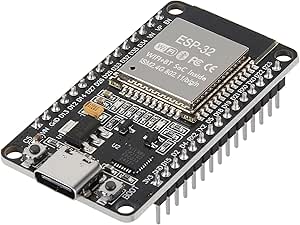 | Best ESP32 Board for Built-In Sensors and Controls | Module: ESP32-WROOM-32 | Processor: Dual-core 32-bit, 240 MHz | Pins and I/O: 30 pins; 22 I/O ports | VIEW LATEST PRICE | See Our Full Breakdown |
| Waveshare RP2350 USB Mini Development Board |  | Best for Custom USB Hardware | Microcontroller: Raspberry Pi RP2350A | Processor: Dual-core Arm Cortex-M33 and dual-core Hazard3 RISC-V | Maximum clock speed: 150 MHz | VIEW LATEST PRICE | See Our Full Breakdown |
| KEYESTUDIO UNO R3 ATmega328P Development Board with USB Cable |  | Best for Arduino Beginners | Microcontroller: ATmega328P-PU | USB-to-serial chip: CP2102 | Clock speed: 16 MHz | VIEW LATEST PRICE | See Our Full Breakdown |
| Arduino Nano ESP32 with Headers (ABX00083) |  | Best for Wireless Prototyping | Model: ABX00083 | Microcontroller: ESP32-S3 | Processor: Dual-core Xtensa 32-bit LX7 | VIEW LATEST PRICE | See Our Full Breakdown |
| ESP32 ESP-WROOM-32 Development Board with Wi-Fi and Bluetooth, 3-Pack |  | Best Multi-Board Wireless Pack | Package quantity: 3 boards | Processor: Dual-core Tensilica LX6 | Processor speed: Up to 240 MHz | VIEW LATEST PRICE | See Our Full Breakdown |
| Leonardo R3 ATmega32U4 Microcontroller Development Board |  | Best for Native USB Projects | Microcontroller: ATmega32U4 | Clock speed: 16 MHz | Digital I/O: 20 pins, including 7 PWM pins | VIEW LATEST PRICE | See Our Full Breakdown |
| USB microcontroller development board | Microcontroller | Processor | USB |
|---|---|---|---|
| ELEGOO UNO R3 Microcontroller | ATmega328P | — | — |
| M5Stack AtomS3U ESP32-S3 Devel | ESP32-S3FN8 | Dual-core Xtensa LX7 | — |
| Waveshare RP2350-USB-A Mini De | Raspberry Pi RP2350A | — | 1 port, compatible with USB 2.0/1.1 |
| Teyleten Robot Pro Micro ATmeg | — | ATmega32U4 | — |
| Freenove ESP32-S3 Development | — | Dual-core 32-bit ESP32-S3 | USB OTG; 2 USB ports |
| Waveshare RP2350A USB Mini Dev | Raspberry Pi RP2350A | Dual-core Arm Cortex-M33 and dual-core Hazard3 RISC-V | USB-C; USB-A expansion port; USB 1.1 device and host support |
| RP2350-USB-C Microcontroller D | Raspberry Pi RP2350A (A4) | Dual-core Arm Cortex-M33 or dual-core Hazard3 RISC-V | USB-C; USB 1.1 device and host support |
| FORIOT Pro Micro ATmega32U4 US | ATmega32U4 | — | — |
| ELEGOO ESP32 Development Board | — | Dual-core Espressif processor, up to 240 MHz | USB-C with CP2102 USB-to-serial chip |
| AITRIP ESP32-WROOM-32 Developm | — | Dual-core 32-bit, 240 MHz | USB-C; USB-to-serial chip listed as CP2102 and CP2012 |
| Waveshare RP2350 USB Mini Deve | Raspberry Pi RP2350A | Dual-core Arm Cortex-M33 and dual-core Hazard3 RISC-V | USB 1.1 host and device support; USB Type-A expansion port |
| KEYESTUDIO UNO R3 ATmega328P D | ATmega328P-PU | — | — |
| Arduino Nano ESP32 with Header | ESP32-S3 | Dual-core Xtensa 32-bit LX7 | — |
| ESP32 ESP-WROOM-32 Development | — | Dual-core Tensilica LX6 | — |
| Leonardo R3 ATmega32U4 Microco | ATmega32U4 | — | USB Type-C, 1 port |
More Details on Our Top Picks
ELEGOO UNO R3 Microcontroller Board with USB Cable
I’d put the ELEGOO UNO R3 first for buyers who want a straightforward USB board with a broad range of beginner-friendly project uses. Its ATmega328P, labeled headers, and familiar UNO layout make it easier to follow common wiring examples than the more compact Teyleten Robot Pro Micro. The USB-A to USB-B cable is included for programming and serial communication, while 14 digital pins, six PWM outputs, and six analog inputs give projects room to grow from blinking LEDs to sensors and motors.
The tradeoff is that this is a traditional 16 MHz board, not a wireless or high-performance option like the Freenove ESP32-S3. I’d also budget for a breadboard and components: none are included. Its larger footprint is less convenient for finished compact builds, but makes the headers easier to access during prototyping.
Pros:- Familiar UNO layout and labeled headers simplify wiring with compatible modules and shields.
- Six analog inputs, six PWM outputs, and 14 digital I/O pins support varied starter projects.
- ATmega16U2 USB interface supports sketch uploads and serial communication.
- USB-A to USB-B data cable is included.
Cons:- Breadboard, sensors, shields, and power adapter are sold separately.
- Its 16 MHz ATmega328P lacks the wireless connectivity and processing headroom of the ESP32-S3 boards.
- The full-size board is less suited to compact installations than the Pro Micro.
Best for: Arduino beginners and hobbyists building sensor, motor, display, or robotics prototypes who want a familiar layout and labeled connections.
Not ideal for: Makers who need onboard Wi-Fi or Bluetooth, a tiny embedded footprint, or a ready-to-build kit with sensors and a breadboard.
- Microcontroller:ATmega328P
- USB interface:ATmega16U2
- Clock speed:16 MHz
- Flash memory:32 KB
- I/O:14 digital pins, 6 PWM outputs, 6 analog inputs
- Power input:USB or recommended 7–12 V external supply
- Included:Development board and USB-A to USB-B data cable
- Dimensions:3.15 x 2.36 x 0.39 inches
Our verdict“Choose the ELEGOO UNO R3 for a familiar, flexible first USB development board, but pick an ESP32-S3 model if wireless features matter more.”
M5Stack AtomS3U ESP32-S3 Development Kit with USB-A
The AtomS3U is the compact pick for projects that need wireless control and built-in interaction without adding a separate module for every function. Its 240 MHz dual-core ESP32-S3, Wi-Fi, USB OTG, programmable RGB LEDs, buttons, and infrared emitter give it more built-in capability than the ELEGOO UNO R3, which instead offers a more expansive, familiar prototyping layout. A Grove port and 6-pin header provide routes for adding compatible peripherals, and support for MicroPython and Arduino keeps it approachable across different workflows.
The compact design brings a real limitation: expansion is narrower than on a full-size board, with just one USB port and a 6-pin header listed. Compared with the Freenove ESP32-S3 kit, the AtomS3U includes useful onboard controls but has no listed flash or PSRAM capacity and does not come with tutorials. I’d choose it for a small connected device, not as a general-purpose breadboard hub.
Pros:- Dual-core ESP32-S3 runs at 240 MHz and includes Wi-Fi and USB OTG.
- Integrated programmable RGB LEDs, buttons, and infrared emitter add interaction without extra modules.
- Grove port and 6-pin header provide expansion options in a compact format.
- Supports both MicroPython and Arduino development.
Cons:- Only one USB port is listed.
- Expansion is limited compared with the ELEGOO UNO R3’s labeled, full-size I/O layout.
- The product data does not specify flash or PSRAM capacity or include tutorials.
Best for: Makers building small Wi-Fi-enabled controllers or interactive prototypes who value onboard buttons, LEDs, infrared, and Grove expansion.
Not ideal for: Learners who need many easy-to-access pins, extensive included learning materials, or a full-size board for breadboard-heavy experiments.
- Microcontroller:ESP32-S3FN8
- Processor:Dual-core Xtensa LX7
- Processor speed:240 MHz
- Connectivity:USB, Wi-Fi, USB OTG, infrared
- Expansion interfaces:Grove port and 6-pin 2.54 mm header
- Integrated features:Programmable RGB LEDs, buttons, infrared emitter
- Development platforms:MicroPython and Arduino
- USB ports:1
Our verdict“Pick the AtomS3U when a compact Wi-Fi board with built-in controls matters more than broad pin access or guided learning materials.”
Waveshare RP2350-USB-A Mini Development Board
I’d choose this Waveshare for projects where a rich peripheral set matters more than wireless connectivity. The RP2350A combines dual-core Arm Cortex-M33 and dual-core Hazard3 RISC-V architectures, with 520 KB SRAM, 2 MB flash, and a 150 MHz maximum clock. Its 15 multifunction GPIO pins, 12 PIO state machines, and range of serial, ADC, and PWM resources offer more specialized hardware flexibility than the ELEGOO UNO R3’s classic I/O set.
USB drag-and-drop programming lowers the friction of getting code onto the board, and castellated edges let it be soldered onto a carrier for a more finished build. Unlike the AtomS3U or Freenove ESP32-S3, however, this model has no listed Wi-Fi or Bluetooth. It also has only one USB port, so I’d select it for embedded control and custom carrier designs rather than connected projects or frequent peripheral swapping.
Pros:- Dual-core Arm Cortex-M33 and dual-core Hazard3 RISC-V architecture options.
- 15 multifunction GPIO pins, 12 PIO state machines, and multiple serial interfaces support varied designs.
- Drag-and-drop programming over USB offers a simple code-loading route.
- Castellated edges support soldering onto a carrier board.
Cons:- Only one USB port is onboard.
- No wireless connectivity is listed, unlike the AtomS3U and Freenove ESP32-S3.
- The compact board may be less convenient than a full-size UNO for hands-on breadboard wiring.
Best for: Embedded developers and technically curious makers who want RP2350 architecture options, extensive peripherals, and a board that can be soldered onto a carrier.
Not ideal for: Buyers seeking onboard Wi-Fi or Bluetooth, a broad beginner tutorial bundle, or multiple USB ports.
- Microcontroller:Raspberry Pi RP2350A
- Processor architecture:Dual-core Arm Cortex-M33 and dual-core Hazard3 RISC-V
- Maximum clock speed:150 MHz
- Memory:520 KB SRAM and 2 MB on-chip flash
- GPIO:15 multifunction pins
- Peripherals:2 SPI, 2 I2C, 2 UART, 4 12-bit ADC, 14 PWM channels
- PIO:12 state machines
- Programming:C/C++, Arduino IDE, drag-and-drop over USB
- USB:1 port, compatible with USB 2.0/1.1
Our verdict“Choose this Waveshare when RP2350 flexibility and carrier-board integration outweigh onboard wireless and beginner-oriented convenience.”
Teyleten Robot Pro Micro ATmega32U4 Development Board, USB-C, 5V/16MHz, 3-Pack
This three-board pack suits makers who want compact AVR boards for small builds, spares, or several related prototypes. The ATmega32U4 has USB connectivity, so the board can be programmed without the separate USB interface found on the ELEGOO UNO R3. It runs at 5V and 16 MHz, with 12 digital I/O pins, five PWM-capable pins, four 10-bit ADC inputs, and hardware Rx/Tx connections. Compared with the UNO, it gives up some analog inputs and the roomier layout in exchange for a smaller footprint and USB-C.
The key tradeoff is power handling: unregulated input belongs on RAW, and the recommended supply is only 6–7V and should stay below 9V. That makes it less forgiving than a board with broader documented supply guidance. The pack is useful for compact control projects, but the product data does not specify board dimensions or included cables, so I’d check physical fit and cable needs before planning an installation.
Pros:- Three boards provide multiple units for parallel prototypes or replacements.
- ATmega32U4 supports programming through its USB connection without a bulky external interface.
- Compact format offers 12 digital I/O pins, five PWM-capable pins, and four ADC inputs.
- Hardware Rx/Tx serial connections and USB-C are provided.
Cons:- Power guidance is narrow: use a recommended 6–7 V supply and keep it below 9 V.
- Unregulated power must connect to RAW, not VCC, which can trip up first-time builders.
- Fewer analog inputs than the ELEGOO UNO R3, and the product data does not list included USB cables.
Best for: Makers building compact 5V AVR projects who want several USB-programmable boards for prototypes, spares, or small installations.
Not ideal for: Beginners who want a roomy, clearly labeled UNO-style board or projects requiring generous external power-input tolerance.
- Processor:ATmega32U4
- Operating voltage:5V
- Processor speed:16 MHz
- USB interface:USB-C
- Analog inputs:4 x 10-bit ADC
- Digital I/O:12 pins, including 5 PWM-capable pins
- Serial:Hardware Rx and Tx connections
- Recommended power:6–7V; less than 9V
- Package quantity:3 boards
Our verdict“Choose this pack for compact, repeatable 5V AVR builds, but favor the ELEGOO UNO R3 for a simpler first board and more analog inputs.”
Freenove ESP32-S3 Development Board Kit, 8 MB Flash
The Freenove is the strongest fit here for learners who want wireless capability alongside structured project guidance. Its 240 MHz dual-core ESP32-S3 pairs 8 MB flash with 8 MB PSRAM, plus 2.4 GHz Wi-Fi, Bluetooth 5 LE, and USB OTG. The included downloadable or online examples cover both MicroPython and C, giving a newcomer more direction than the AtomS3U, whose listed package has no tutorials. Compared with the ELEGOO UNO R3, it brings wireless options and far more listed memory, but trades away the UNO’s familiar full-size layout.
This is a development board rather than a complete electronics kit: the description does not list sensors or other project components. Tutorials are not printed, and programming still requires a computer with an IDE and driver installed. Its two USB ports add flexibility, while the extra wireless and memory features make it a better match for connected, code-heavy experiments than simple introductory LED and sensor exercises.
Pros:- Built-in 2.4 GHz Wi-Fi and Bluetooth 5 LE support connected projects.
- 8 MB flash and 8 MB PSRAM provide substantial listed memory for ESP32-S3 projects.
- Tutorials and example projects include MicroPython and C code.
- USB OTG and two USB ports provide useful USB flexibility.
Cons:- Tutorials are downloadable or online; no printed guide is included.
- Programming requires a computer with an IDE and driver installed.
- No sensors or other project components are listed, unlike a complete parts kit.
Best for: Learners and hobbyists building Wi-Fi or Bluetooth projects who want example code and tutorial support in MicroPython and C.
Not ideal for: Buyers who need printed instructions, included sensors and components, or the familiar pin layout of a classic UNO board.
- Processor:Dual-core 32-bit ESP32-S3
- Maximum processor speed:240 MHz
- Flash:8 MB
- PSRAM:8 MB LPDDR4
- Wireless connectivity:2.4 GHz Wi-Fi and Bluetooth 5 LE
- USB:USB OTG; 2 USB ports
- Code languages:MicroPython and C
- Tutorial format:Downloadable or online, in English; no printed tutorial
Our verdict“Pick the Freenove for wireless ESP32-S3 learning with online guidance, but choose the UNO R3 for a simpler, traditional first electronics board.”
Waveshare RP2350A USB Mini Development Board
I’d choose this Waveshare when a project needs modern RP2350 capability in a module that can become part of a custom PCB. Its dual-core Arm and RISC-V architecture, 520 KB SRAM, and 2 MB flash give it more room and processor flexibility than the ATmega32U4 boards here, while castellated edges make a compact soldered-in design practical. It also offers 15 multifunction GPIO pins and a broad mix of SPI, I2C, UART, ADC, PWM, and PIO.
The tradeoff is that its small module is less convenient as a ready-to-wire breadboard board: some builds need a carrier, and the USB-A expansion port uses PIO. Compared with the RP2350-USB-C board in this lineup, it offers a similar core platform and interface set, so I’d choose based on the exact layout and USB arrangement your project needs.
Pros:- Dual-core Arm Cortex-M33 and Hazard3 RISC-V processor options
- 520 KB SRAM and 2 MB onboard flash
- Castellated edges support soldering onto a carrier board
- Includes GPIO, SPI, I2C, UART, ADC, PWM, and PIO
Cons:- Compact module may need a separate carrier board for convenient connections
- USB Type-A expansion port uses PIO
Best for: Makers designing a custom carrier PCB who want RP2350 processing and peripheral flexibility in a compact solder-in module.
Not ideal for: Beginners who want a full-size board for direct breadboard wiring, or projects that need the USB-A expansion port to behave like a dedicated built-in peripheral.
- Microcontroller:Raspberry Pi RP2350A
- Processor:Dual-core Arm Cortex-M33 and dual-core Hazard3 RISC-V
- Maximum clock speed:150 MHz
- Memory:520 KB SRAM; 2 MB onboard flash
- GPIO:15 multifunction pins
- Peripherals:2 SPI, 2 I2C, 2 UART, 4 × 12-bit ADC, 14 PWM channels, 12 PIO state machines
- USB:USB-C; USB-A expansion port; USB 1.1 device and host support
- Board design:Castellated module
Our verdict“Pick this Waveshare for a custom, space-conscious RP2350 design; choose a more accessible board if you need easy standalone wiring.”
RP2350-USB-C Microcontroller Development Board
This RP2350-USB-C board suits builders who want a current microcontroller platform without giving up a choice of firmware tools. It supports C/C++, MicroPython, and Arduino, and its RP2350A pairs dual-core Arm Cortex-M33 or Hazard3 RISC-V processing with 520 KB RAM, 2 MB flash, and a useful spread of I/O. Compared with the FORIOT Pro Micro, it has substantially more room for ambitious code and a richer peripheral set, though it is still a compact module rather than a conventional breadboard board.
USB-C and drag-and-drop programming simplify setup, but integration can require soldering or a carrier board. The product data also limits compatible power adapters to PD-only USB-C adapters, a constraint I’d check before making it the center of a portable build. Choose it over the Waveshare RP2350A USB Mini when its stated software support and USB-C setup fit your workflow better.
Pros:- Supports C/C++, MicroPython, and Arduino
- Dual-core Arm Cortex-M33 or Hazard3 RISC-V architecture
- USB-C with USB drag-and-drop programming
- Castellated design and broad GPIO and peripheral support
Cons:- May require soldering or a carrier board for practical project connections
- USB-C power adapter compatibility is specified for PD-only adapters
Best for: Developers who want to experiment with C/C++, MicroPython, or Arduino on an RP2350 and plan to solder the module into a project.
Not ideal for: Breadboard-first beginners or users relying on a USB-C power adapter that does not meet the board’s stated PD-only compatibility.
- Microcontroller:Raspberry Pi RP2350A (A4)
- Processor:Dual-core Arm Cortex-M33 or dual-core Hazard3 RISC-V
- Maximum clock speed:150 MHz
- Memory:520 KB RAM; 2 MB flash
- GPIO:15 multifunction pins
- Interfaces:2 SPI, 2 I2C, 2 UART, 4 × 12-bit ADC, 14 PWM channels, 12 PIO state machines
- USB:USB-C; USB 1.1 device and host support
- Programming languages:C/C++, MicroPython, Arduino
- Form factor:Castellated module
Our verdict“Choose this board for RP2350 development across several programming environments, provided its module format and power requirements suit your setup.”
FORIOT Pro Micro ATmega32U4 USB-C Development Board, 16 MHz, 3-Pack
The FORIOT set is a practical choice when I need several small USB-connected boards for simple Arduino projects. Each ATmega32U4 board connects over USB-C without a separate USB-to-serial converter, keeping the build compact and the programming setup straightforward. At 34 × 18 mm, it fits installations where the RP2350 modules or ESP32 boards may be more capability than the project requires. Three boards also make it easier to keep separate prototypes or replacements on hand.
The limitation is the modest I/O budget: nine digital pins and four analog inputs leave less room for connected hardware than the RP2350-USB-C, while the 16 MHz processor and lack of listed wireless features make it a poor fit for demanding or connected builds. I’d pick this over the AITRIP ESP32-WROOM-32 only when small size and uncomplicated Arduino use matter more than Wi-Fi, Bluetooth, or extra interfaces.
Pros:- USB-C programming without a separate USB-to-serial converter
- Compact 34 × 18 mm board size
- Three boards support multiple prototypes or replacements
- Supports digital, analog, PWM, UART, I2C, and SPI connections
Cons:- Nine digital I/O pins and four analog inputs limit larger projects
- 16 MHz ATmega32U4 offers less processing capacity than the RP2350 and ESP32 options
- No wireless connectivity is listed
Best for: Arduino makers building compact wired devices who want several small boards with USB-C programming and basic analog and digital I/O.
Not ideal for: Projects needing Wi-Fi, Bluetooth, many sensors or actuators, or more processing headroom than a 16 MHz ATmega32U4 provides.
- Microcontroller:ATmega32U4
- Processor speed:16 MHz
- USB connector:USB-C
- Dimensions:34 × 18 mm
- Digital I/O:9 pins, 5 with PWM support
- Analog inputs:4
- Communication protocols:UART, I2C, SPI
- Power input:3.3 V or 5 V
- Package quantity:3 boards
Our verdict“Buy this set for compact, straightforward Arduino projects; choose an ESP32 or RP2350 board when wireless features or greater capability matter.”
ELEGOO ESP32 Development Boards, 3-Pack, ESP-WROOM-32, USB-C, Wi-Fi and Bluetooth 4.2
For connected prototypes, this ELEGOO pack is the strongest fit in this group: each ESP32 combines 2.4 GHz Wi-Fi and Bluetooth 4.2 with a dual-core processor running up to 240 MHz. That makes it better suited than the FORIOT Pro Micro to networked sensors, wireless controls, and projects that need data exchange without extra radio hardware. The CP2102 USB-to-serial chip supports programming and serial monitoring, while three boards let me develop more than one device in parallel.
Wireless capability comes with added software setup: OTA updates need configuration through a compatible ESP32 framework, and the USB-C cable is not included. The AITRIP ESP32-WROOM-32 also offers Wi-Fi and Bluetooth, plus listed onboard sensors and control buttons, so I’d favor that single-board option when those extras matter more than having a three-board set. Neither is as compactly focused as the Pro Micro for simple wired Arduino jobs.
Pros:- Dual-core processor runs up to 240 MHz
- Built-in 2.4 GHz Wi-Fi and Bluetooth 4.2, including Classic and BLE
- CP2102 supports USB programming and serial monitoring
- Three boards provide room for parallel wireless prototypes
Cons:- USB-C cable is not included
- OTA updates require configuration through compatible ESP32 software
- More setup and wireless capability than simple wired projects may need
Best for: Makers prototyping several Wi-Fi or Bluetooth devices who want ESP32 processing, USB serial programming, and standard peripheral connections.
Not ideal for: Buyers who need a supplied USB-C cable, want the simplest wired Arduino setup, or prefer a board with documented onboard sensors and buttons.
- Module:ESP-WROOM-32
- Processor:Dual-core Espressif processor, up to 240 MHz
- Memory and storage:520 KB installed RAM; 4 MB storage
- Wireless:2.4 GHz Wi-Fi (802.11b/g/n); Bluetooth 4.2 Classic and BLE
- USB:USB-C with CP2102 USB-to-serial chip
- Interfaces:GPIO, UART, SPI, I2C
- Package quantity:3 boards
- OTA updates:Configurable through a compatible ESP32 software framework
Our verdict“Choose this three-pack for multiple connected ESP32 prototypes, but pick the AITRIP board if its listed sensors and buttons matter more than board quantity.”
AITRIP ESP32-WROOM-32 Development Board with USB-C
Among the ESP32 options here, the AITRIP is the one I’d shortlist when a project can use both wireless connectivity and the board’s listed onboard sensing features. It combines a dual-core 240 MHz ESP32-WROOM-32 with Wi-Fi, Bluetooth, 30 pins, and interfaces spanning UART, SPI, I2C, PWM, ADC, and DAC. The reset and programming-mode buttons also give a direct way to control common development tasks, unlike the ELEGOO three-pack, whose main advantage is having multiple boards for parallel builds.
This is still a single board, so it is less suited to teams or projects that need several identical units than the ELEGOO set. I’d also treat the USB-to-serial specification cautiously: the listing names both CP2102 and CP2012. The stated 300 mA consumption at 3.3 V is another planning detail for power-sensitive designs. Choose it for the sensors and controls, not for an unambiguous interface-chip specification.
Pros:- Dual-core 32-bit processor rated at 240 MHz
- Wi-Fi and Bluetooth connectivity
- Broad interface selection, including UART, SPI, I2C, PWM, ADC, and DAC
- Includes reset and programming-mode buttons plus listed Hall, temperature, and capacitive-touch sensors
Cons:- USB-to-serial chip is listed inconsistently as CP2102 and CP2012
- Power consumption is listed as 300 mA at 3.3 V
- One board, unlike the ELEGOO ESP32 three-pack
Best for: ESP32 developers building one wireless prototype who can use onboard Hall, temperature, or capacitive-touch sensing and want physical reset and programming buttons.
Not ideal for: Buyers seeking a multi-board kit, or projects where a clearly specified USB-to-serial chip and tightly documented power draw are requirements.
- Module:ESP32-WROOM-32
- Processor:Dual-core 32-bit, 240 MHz
- Pins and I/O:30 pins; 22 I/O ports
- Flash storage:32 Mbit (4 MB)
- Wireless:2.4 GHz Wi-Fi and Bluetooth
- USB:USB-C; USB-to-serial chip listed as CP2102 and CP2012
- Interfaces:UART, SPI, SDIO, I2C, PWM, I2S, IR, ADC, DAC
- Onboard sensors:Hall, temperature, capacitive touch
- Power:USB 5 V or pin input 5.0–12 V; listed consumption 300 mA at 3.3 V
Our verdict“Pick the AITRIP when its onboard sensors and buttons suit a single ESP32 build, and choose the ELEGOO set when you need several boards instead.”
Waveshare RP2350 USB Mini Development Board
The RP2350A makes this the most flexible choice here for projects that need custom I/O behavior: it combines Arm Cortex-M33 and Hazard3 RISC-V cores with 12 PIO state machines for implementing specialized interfaces. Its USB host and device support, plus a USB Type-A expansion port, also give it a different role from the wireless-focused Arduino Nano ESP32. Compared with the simpler KEYESTUDIO UNO R3, this board offers more modern processing and programmable I/O, but less familiar beginner-oriented shield compatibility. The compact castellated format is useful when the board needs to be soldered onto a carrier, though it is less convenient for repeated breadboard changes. Its 520 KB SRAM and 2 MB flash also limit projects that need large buffers or substantial local storage.
Pros:- Arm Cortex-M33 and Hazard3 RISC-V processing architectures
- 12 PIO state machines support custom peripheral protocols
- USB host and device support with a Type-A expansion port
- Castellated edges allow direct soldering to a carrier board
Cons:- 520 KB SRAM and 2 MB flash constrain memory-heavy applications
- USB is specified as USB 1.1, limiting expectations for high-speed data transfer
- Castellated mounting is less convenient than standard headers for breadboard prototyping
Best for: Embedded developers building compact carrier boards, custom USB peripherals, or projects that need programmable I/O.
Not ideal for: Beginners who want a conventional plug-in Arduino Uno board, or developers whose applications need large onboard memory or fast USB data transfer.
- Microcontroller:Raspberry Pi RP2350A
- Processor:Dual-core Arm Cortex-M33 and dual-core Hazard3 RISC-V
- Maximum clock speed:150 MHz
- Memory:520 KB SRAM; 2 MB flash
- GPIO:15 multifunction pins
- Interfaces:2 SPI, 2 I2C, 2 UART
- USB:USB 1.1 host and device support; USB Type-A expansion port
- Board mounting:Castellated module for direct soldering to carrier boards
Our verdict“Choose this board for compact custom USB and peripheral work; pick the Arduino Nano ESP32 instead if built-in wireless connectivity matters more.”
KEYESTUDIO UNO R3 ATmega328P Development Board with USB Cable
The KEYESTUDIO UNO R3 is the straightforward pick for learning familiar Arduino workflows: clearly labeled pins, an included USB cable, and broad Uno R3 compatibility make basic sensor and robotics projects easier to set up than on the compact castellated Waveshare RP2350 board. Its socketed ATmega328P is a practical distinction, since the chip can be replaced without soldering if a project damages it. The tradeoff is modest capacity: just 2 KB SRAM and a 16 MHz clock leave little room for large libraries or complex tasks. Compared with the Leonardo R3, it has fewer digital I/O pins and lacks the ATmega32U4’s native USB capabilities, but its familiar Uno layout may be the simpler route for lessons and shield-based builds. The board supports USB and external power, though its DC jack input is recommended at 7–12 V.
Pros:- Uno R3 ecosystem compatibility supports a wide range of shields and tutorials
- Socketed ATmega328P can be replaced without soldering
- Clearly printed pin labels help identify connections while prototyping
- Supports USB, a DC jack, and Vin/GND power
Cons:- Only 2 KB SRAM limits larger programs and data buffers
- 16 MHz processing is modest compared with the ESP32 and RP2350 boards
- DC jack input is recommended for 7–12 V
Best for: First-time Arduino learners, classroom projects, and hobbyists using Uno-compatible shields and beginner tutorials.
Not ideal for: Developers running memory-intensive code, needing native USB device behavior, or seeking wireless connectivity without add-on hardware.
- Microcontroller:ATmega328P-PU
- USB-to-serial chip:CP2102
- Clock speed:16 MHz
- Memory:32 KB flash, 2 KB SRAM, 1 KB EEPROM
- Digital I/O:14 pins, including 6 PWM pins
- Analog inputs:6
- Power options:USB, DC jack (7–12 V recommended), or Vin/GND
- Included accessory:USB cable
Our verdict“Pick the KEYESTUDIO UNO R3 for accessible, conventional Arduino learning, but choose a faster ESP32 board for wireless or heavier workloads.”
Arduino Nano ESP32 with Headers (ABX00083)
The Arduino Nano ESP32 brings Wi-Fi and Bluetooth 5.0 into a compact, header-equipped board, making it a strong fit for connected prototypes that need less setup than the wired-only KEYESTUDIO UNO R3. Its dual-core ESP32-S3 runs at up to 240 MHz and supports both Arduino IDE and MicroPython, so Python users can iterate quickly while Arduino users retain a familiar toolchain. HID support adds a useful path for custom keyboard or controller projects. Compared with the three-board ESP-WROOM-32 pack, this is a single-board option with a clearly stated ESP32-S3 feature set, but the supplied product details do not specify individual pin counts or separate flash and SRAM capacities. The listed 4 MB flash and SRAM description is also not precise about memory allocation, and physical projects may need additional components or shields.
Pros:- ESP32-S3 dual-core processor operates at up to 240 MHz
- Wi-Fi and Bluetooth 5.0 support connected projects
- Works with Arduino IDE and MicroPython
- HID support suits custom input-device projects
Cons:- Product data does not clearly separate the stated 4 MB flash and SRAM capacity
- Many physical interfaces require external components or shields
- Single-board package offers less flexibility for multi-project work than the ESP-WROOM-32 three-pack
Best for: Makers building compact Wi-Fi or Bluetooth prototypes, HID devices, or MicroPython projects who want headers included.
Not ideal for: Buyers who need clearly documented memory breakdowns, extensive onboard physical interfaces, or several boards for parallel builds.
- Model:ABX00083
- Microcontroller:ESP32-S3
- Processor:Dual-core Xtensa 32-bit LX7
- Clock speed:240 MHz
- Memory:4 MB flash; SRAM capacity is not separately specified
- Connectivity:Wi-Fi and Bluetooth 5.0
- Programming support:MicroPython and Arduino IDE
- USB and headers:USB-C; headers included
Our verdict“Choose the Nano ESP32 for a compact wireless and MicroPython-ready build, but look to a multi-board ESP32 pack when you need several units.”
ESP32 ESP-WROOM-32 Development Board with Wi-Fi and Bluetooth, 3-Pack
This three-board set suits builders who want to spread connected experiments across several devices, whether for separate prototypes or a small network of nodes. Each board pairs a dual-core Tensilica LX6 processor with 2.4 GHz Wi-Fi and Bluetooth Classic and LE, giving it broader wireless flexibility than the KEYESTUDIO UNO R3 without requiring a separate radio module. Reset and boot buttons also simplify firmware loading. Compared with the Arduino Nano ESP32, this pack supplies multiple boards and lists useful peripherals such as ADC, DAC, touch sensing, and UART, but the Nano’s ESP32-S3 has a newer stated processor and explicitly lists HID and MicroPython support. The product information is inconsistent about pin count and memory, including conflicting RAM figures, so I would not choose it when exact hardware capacity is central to the design.
Pros:- Three boards support parallel builds or multiple connected nodes
- Built-in 2.4 GHz Wi-Fi and Bluetooth Classic and LE
- Dual-core processor runs at up to 240 MHz
- Reset and boot buttons simplify firmware installation
Cons:- Product data conflicts on the exact pin count
- Memory details are inconsistent, including conflicting RAM figures
- No USB connector type is specified in the supplied product data
Best for: Makers who need several Wi-Fi and Bluetooth boards for parallel prototypes, connected sensors, or multi-node experiments.
Not ideal for: Developers who need verified pin counts and memory capacity, or a clearly specified ESP32-S3 and MicroPython feature set.
- Package quantity:3 boards
- Processor:Dual-core Tensilica LX6
- Processor speed:Up to 240 MHz
- Wireless connectivity:2.4 GHz Wi-Fi 802.11b/g/n; Bluetooth Classic and LE
- Wi-Fi modes:AP, STA, and AP+STA
- Peripherals:Capacitive touch, ADC, DAC, UART, SPI, and I2C
- Sensors:Hall effect and temperature
- Dimensions:2.05 × 1.18 × 0.59 in
Our verdict“Choose this pack for multiple wireless ESP32 experiments, but favor the Arduino Nano ESP32 when clearer feature documentation and ESP32-S3 support matter more.”
Leonardo R3 ATmega32U4 Microcontroller Development Board
The Leonardo R3 is the clearest fit here when a project needs a small board with USB Type-C programming and an ATmega32U4, rather than the separate USB-to-serial arrangement used by the KEYESTUDIO UNO R3. Its 20 digital pins, six analog inputs, and support for UART, I2C, and SPI provide a useful set of connections for control projects, while USB can suit custom device builds. Compared with the Waveshare RP2350 USB Mini, it lacks the RP2350’s programmable I/O and newer multicore processor, but its simpler 16 MHz architecture may be a better match for basic Arduino-style hardware. The tradeoff is limited memory—2.5 KB SRAM—and product-specific setup: the correct board type must be selected in the Arduino IDE. Its stated operating range of -10°C to 30°C also rules it out for harsher environments.
Pros:- USB Type-C supports programming and power
- 20 digital I/O pins provide flexibility for control projects
- Six analog inputs and seven PWM pins support varied signal work
- Includes UART, I2C, SPI, GPIO, ADC, and ICSP interfaces
Cons:- 2.5 KB SRAM limits larger applications and data buffers
- The specified operating temperature range is -10°C to 30°C
- The correct board type must be selected in the Arduino IDE
Best for: Arduino developers making USB-connected controllers or input devices who want a familiar 16 MHz board with USB-C.
Not ideal for: Builders needing more RAM, a wider temperature range, wireless connectivity, or programmable high-speed peripheral behavior.
- Microcontroller:ATmega32U4
- Clock speed:16 MHz
- Digital I/O:20 pins, including 7 PWM pins
- Analog inputs:6
- SRAM:2.5 KB
- USB:USB Type-C, 1 port
- Interfaces:UART, GPIO, ADC, PWM, SPI, I2C, and ICSP
- External input voltage:7–12 V
- Operating temperature:-10°C to 30°C
Our verdict“Pick the Leonardo R3 for USB-oriented Arduino projects with modest memory needs; choose the RP2350 board for more advanced programmable I/O.”
How We Picked
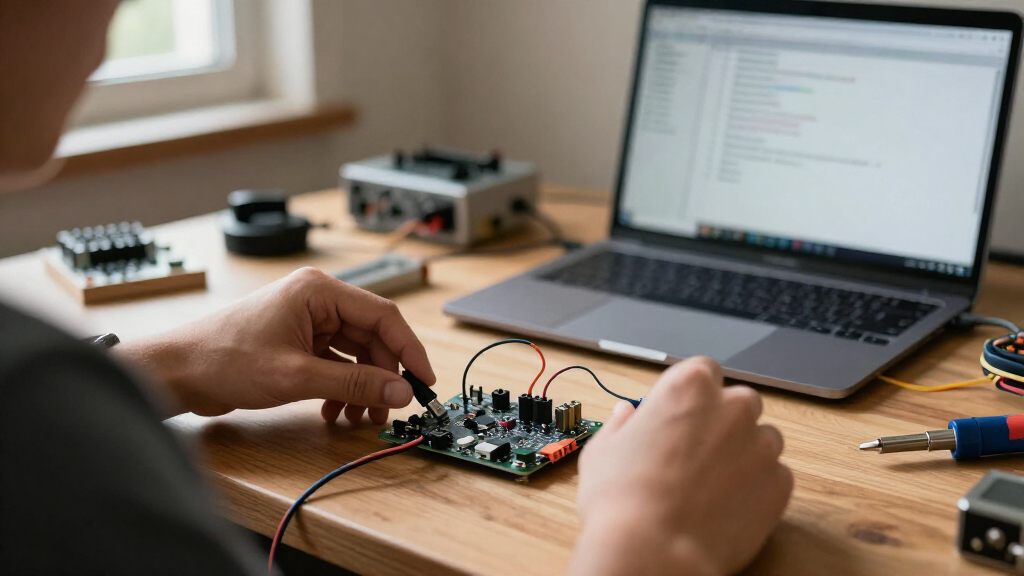
I compared these boards around the jobs buyers usually need them to do: start a first microcontroller project, add wireless control, build a compact USB-connected device, or repeat a design across several units. The main criteria were the controller family, listed connectivity, USB connector and physical format, included headers or cable, and whether the board’s role is clear for a typical project. I also weighed practical setup and expansion needs, since a board that plugs in neatly can still be awkward if it leaves little room for wiring or depends on an unfamiliar software workflow.
The ordering favors versatility and fit across a broad range of projects, not a claim that one controller is fastest in every task. The Arduino Nano ESP32 leads for its combination of compactness and wireless capability; UNO R3 boards rank as approachable alternatives, while Pro Micro and RP2350 variants earn their place for more specific USB or size requirements. Similar boards are separated by useful differences such as connector type, board format, included headers, wireless features, and pack size. Where listings do not establish details such as USB data behavior or included accessories, I avoid treating those details as guaranteed.
Factors to Consider When Choosing Best USB Microcontroller Development Boards
Choose a board around the finished project rather than the connector that happens to catch your eye. These options span beginner-friendly UNO layouts, wireless ESP32 boards, USB-device-focused ATmega32U4 boards, and small RP2350 designs; each solves a different constraint.
Match the controller to the project
Start by listing the tasks the board must handle: reading sensors, driving outputs, communicating over Wi-Fi, or acting as a USB device. A wireless ESP32 board can reduce the need for an extra network module, but that added capability may be wasted in a simple introductory circuit. UNO-style boards can be easier to approach when lessons and example projects already use that format. ATmega32U4 boards suit projects where USB device behavior is part of the design, while RP2350 models offer another compact controller family. Check that your chosen board’s processor and software support match the libraries and instructions you plan to follow.
Treat USB as a connection, not a feature guarantee
USB-C and USB-A describe the connector shape, not every capability of the board. A USB-C cable may be more convenient with current computers, while a USB-A plug-in board can be useful for a direct connection when the port is accessible. Small plug-in formats can obstruct neighboring ports or leave little space for a cable, so consider your computer, hub, and enclosure together. Also check whether the listing includes a cable and whether the board has headers installed; neither should be assumed from the connector alone. If your project depends on USB communication or device emulation, confirm the board’s documented behavior before choosing by appearance.
Plan for wireless needs and project complexity
Wi-Fi and Bluetooth can make a project easier to control or connect, but they add setup choices beyond a wired beginner exercise. If the device must work away from a computer, wireless capability may justify choosing an ESP32-family board over a basic UNO. If it will remain tethered and run a simple sensor or control loop, paying the learning and configuration cost of wireless features may not help. Check which wireless standards the specific listing states rather than assuming all ESP32 boards share identical capabilities. For a design that sends data over a network, think about power use, signal conditions, and software support before buying.
Choose between a full-size layout and a compact board
A smaller board can fit inside a compact build or connect directly to a USB port, but reduced size often means less convenient access to pins and less room for hands-on wiring. A larger UNO-style layout is easier to inspect and connect during early experiments, especially when you are learning which pin does what. Header inclusion also matters: boards with headers can be simpler to wire immediately, while bare or differently arranged boards may need extra parts or soldering. Sketch the enclosure and cable path before selecting a compact model. For a first project, easy access can save more effort than the space a tiny board frees up.
Decide whether a multi-board pack is useful
A three-board pack can make sense when you are building several devices, keeping a spare, or learning through repeated prototypes. It is less useful if you are still deciding whether the controller family or software workflow fits your project. Buying several identical boards reduces variation between units, but it does not replace checking pin compatibility, cable needs, or mounting dimensions. Compare pack contents carefully: similar product names may refer to different connectors or board layouts. For a one-off build, a single board with a form factor and feature set that fit the project can be a cleaner choice than stocking extras.
Frequently Asked Questions
Should I choose an ESP32 board or an UNO R3 for my first project?
Choose an UNO R3 if your goal is to learn basic inputs and outputs with a familiar, straightforward board layout. Pick an ESP32 if the project needs Wi-Fi or Bluetooth, or if you want to explore those capabilities soon. Wireless adds possibilities but also brings extra setup and software decisions that may distract from a first circuit. Check that the tutorials and libraries you plan to use support the specific board. If you are undecided, base the choice on your first project rather than on features you may never use.
Does USB-C make a development board better than USB-A?
Not by itself: USB-C is a connector format, not a measure of the controller or the board’s programming features. It can be convenient if your computer and cables already use USB-C, while a USB-A plug-in model can connect directly to a matching port. The physical layout can matter just as much, since a board inserted into a crowded laptop may block nearby ports. Confirm whether a cable is included and whether the connector supports the communication your project needs. Choose based on your setup and board documentation, not the connector label alone.
When is a Pro Micro ATmega32U4 board a better fit than an ESP32?
A Pro Micro is a strong candidate when you want a compact ATmega32U4 board for a USB-connected project, such as a custom input device. An ESP32 is a better match when wireless networking or Bluetooth is central to the build. These boards differ in controller family and intended use, so example code and library compatibility may decide the matter before raw specifications do. Check the exact board layout and USB behavior in the documentation for your project. A three-pack is most useful when you expect multiple builds or want spare boards for iteration.
Should I buy an RP2350 USB-A or USB-C mini board?
Choose the connector that fits your host computer, cable setup, and enclosure, then compare the board dimensions and pin access. A USB-A version may connect directly to a compatible port, while a USB-C version can fit more naturally into a modern cable-based setup. Do not assume the connector choice changes the available software support or pinout; verify those details for the exact model. Mini boards can also be harder to wire and mount than larger development boards. For a desk prototype, ease of access may matter more than saving a small amount of space.
What should I check before buying a three-board pack?
Confirm that all boards in the pack share the controller, connector, and pin layout your project requires. Check whether headers or cables are included, since pack count alone does not tell you how ready the boards are for wiring. A multi-pack is useful for repeated prototypes, classroom activities, or building several matching devices. For a single project, buying three boards can add unused parts without making setup easier. Also verify that your chosen tutorials and libraries support the listed board variant.
Conclusion
For most buyers, I recommend the Arduino Nano ESP32 as the best overall because it combines a compact form with wireless capability. The best value for repeated builds is a three-pack such as the Teyleten Robot or FORIOT Pro Micro when ATmega32U4 and USB-focused use fit the project; for wireless builds, compare the listed ESP32 three-packs instead. The best premium-style pick in this lineup is the Arduino Nano ESP32 for its broader feature mix, while the best choice for beginners is the ELEGOO UNO R3 for a familiar, uncomplicated starting point. For a direct USB-A mini format, consider the Waveshare RP2350-USB-A; for USB-C Pro Micro projects, look at the Teyleten Robot or FORIOT options. Match the board to your software, connector, and finished device before choosing.