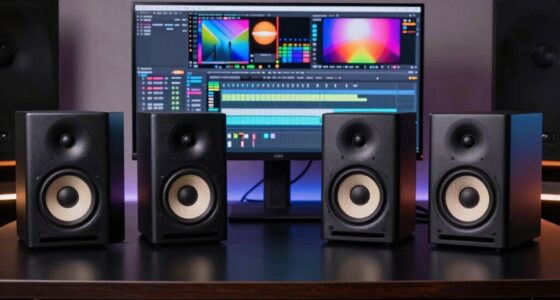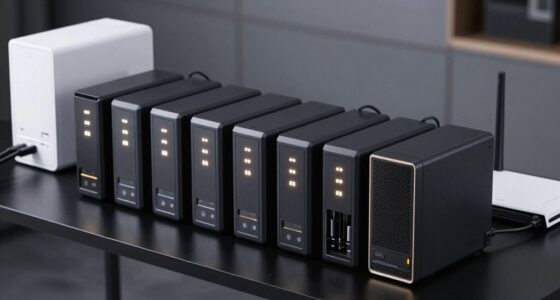

The best Logitech computer accessories depend on whether you need a more capable mouse, a simple keyboard combo, or tools for calls and streaming. My best overall pick is the MX Master 3S, which balances productivity features and comfortable control for everyday desk work. The MX Master 4 is the premium alternative for shoppers who want haptic feedback, while the MK540 gives keyboard-and-mouse buyers a fuller, more versatile combo. The main tradeoffs are price versus simplicity, ergonomic shape versus portability, and specialized features versus everyday usefulness. Read on for the full breakdown and a guide to matching each option to your setup.

Get the latest gadgets delivered free with Prime
- Fast, free delivery on millions of items
- Prime Video, Amazon Music and more included
- Member-only deals all year
Complete the kit



Key Takeaways
- The MX Master 3S is the strongest all-around productivity mouse: it offers a more versatile desk-work feature set than the focused G305, while avoiding the MX Master 4’s premium haptic emphasis.
- The MX Master 4 is a refinement, not a universal upgrade: its haptic feedback may appeal to users who want added interaction cues, but buyers seeking straightforward productivity may prefer the MX Master 3S.
- Keyboard combos solve a different problem from standalone accessories: the MK540 and MK270 provide both keyboard and mouse, while the K400 Plus is better matched to couch-based control with its built-in touchpad.
- Ergonomics and portability pull in opposite directions: the Lift prioritizes a vertical hand position, whereas the M196 and Mobi Fold favor compact handling and travel-friendly use.
- Specialty gear earns its place only when the use case is clear: Brio 101 and Litra Glow suit video calls or streaming, while the MX Creative Console is aimed at users who can make use of customizable controls.
| Logitech G305 LIGHTSPEED Wireless Gaming Mouse, Black |  | Best for Wireless Gaming | Connectivity: USB wireless | Sensor: HERO optical | Sensitivity: 200–12,000 DPI | VIEW LATEST PRICE | See Our Full Breakdown |
| Logitech Brio 101 Full HD 1080p Webcam, Black |  | Best for Straightforward Video Calls | Resolution: 1080p Full HD | Connection: USB-A | Microphone: Built-in mono | VIEW LATEST PRICE | See Our Full Breakdown |
| Logitech MX Master 3S Bluetooth Wireless Mouse, Graphite |  | Best for Quiet, Multi-Device Work | Connectivity: Bluetooth | Sensor: Darkfield high-precision optical | Maximum sensitivity: 8,000 DPI | VIEW LATEST PRICE | See Our Full Breakdown |
| Logitech MX Master 4 Ergonomic Wireless Mouse with Haptic Feedback, Graphite |  | Best Premium Productivity Mouse | Connectivity: Bluetooth, radio frequency, USB-C dongle | Sensor: Optical | Maximum sensitivity: 8,000 DPI | VIEW LATEST PRICE | See Our Full Breakdown |
| Logitech MK540 Advanced Wireless Keyboard and Mouse Combo |  | Best Value Desktop Set | Connectivity: USB wireless receiver | Keyboard layout: QWERTY, 104 keys | Keyboard dimensions: 7.62 × 18 × 0.94 inches | VIEW LATEST PRICE | See Our Full Breakdown |
| Logitech MK270 Full Size Wireless Keyboard and Mouse Combo – Black |  | Best Value Keyboard-and-Mouse Combo | Connectivity: 2.4 GHz wireless with USB receiver | Wireless range: Up to 33 ft | Keyboard layout: QWERTY, 104 keys | VIEW LATEST PRICE | See Our Full Breakdown |
| Logitech M196 Compact Ambidextrous Bluetooth Wireless Mouse – Rose |  | Best for Simple, Dongle-Free Use | Connectivity: Bluetooth | Buttons: 3, non-customizable | Hand orientation: Ambidextrous | VIEW LATEST PRICE | See Our Full Breakdown |
| Logitech Litra Glow Premium LED Streaming Light, Graphite | 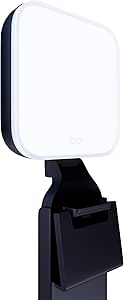 | Best for Video Calls and Streaming | Light technology: TrueSoft full-spectrum LED | Color: Graphite | Mount adjustments: Height, tilt, and rotation | VIEW LATEST PRICE | See Our Full Breakdown |
| Logitech Lift Vertical Ergonomic Wireless Mouse, Graphite |  | Best Ergonomic Mouse for Small to Medium Hands | Hand orientation: Right-handed | Recommended hand size: Small to medium | Angle: 57 degrees | VIEW LATEST PRICE | See Our Full Breakdown |
| Logitech Mobi Fold Foldable Wireless Mouse, Graphite |  | Best Foldable Mouse for Frequent Travelers | Connectivity: Bluetooth | Tracking: Optical, up to 4,000 DPI | Buttons: 4 | VIEW LATEST PRICE | See Our Full Breakdown |
| Logitech MX Creative Console with 9 Customizable Keys, Graphite | 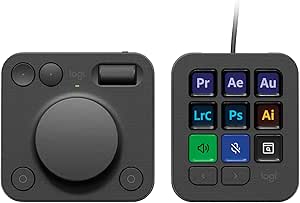 | Best for Creative App Shortcuts | Customizable keys: 9 LCD display keys | Controls: Tactile dial, roller, and programmable keypad | Keypad pages: Up to 15 per profile | VIEW LATEST PRICE | See Our Full Breakdown |
| Logitech K400 Plus Wireless Touch TV Keyboard with Built-In Touchpad, Black |  | Best for TV-Connected PCs | Connectivity: Wireless RF via Unifying USB receiver | Wireless range: Up to 33 ft (10 m) | Battery life: Up to 18 months | VIEW LATEST PRICE | See Our Full Breakdown |
| Logitech computer accessorie | Connectivity | Buttons | Hand orientation |
|---|---|---|---|
| Logitech G305 LIGHTSPEED Wirel | USB wireless | 6 programmable | Ambidextrous |
| Logitech Brio 101 Full HD 1080 | — | — | — |
| Logitech MX Master 3S Bluetoot | Bluetooth | 7 | Right-handed |
| Logitech MX Master 4 Ergonomic | Bluetooth, radio frequency, USB-C dongle | 7 | Right-handed |
| Logitech MK540 Advanced Wirele | USB wireless receiver | — | — |
| Logitech MK270 Full Size Wirel | 2.4 GHz wireless with USB receiver | — | — |
| Logitech M196 Compact Ambidext | Bluetooth | 3, non-customizable | Ambidextrous |
| Logitech Litra Glow Premium LE | — | — | — |
| Logitech Lift Vertical Ergonom | Bluetooth Low Energy or Logi Bolt USB receiver | 4 customizable buttons | Right-handed |
| Logitech Mobi Fold Foldable Wi | Bluetooth | 4 | Right |
| Logitech MX Creative Console w | USB-C | — | — |
| Logitech K400 Plus Wireless To | Wireless RF via Unifying USB receiver | — | — |
More Details on Our Top Picks
Logitech G305 LIGHTSPEED Wireless Gaming Mouse, Black
The G305 LIGHTSPEED is the gaming-focused pick here: its 1 ms report rate and HERO sensor give buyers responsive wireless control without the feature-heavy shape of the MX Master models. Its 99 g weight and ambidextrous design suit quick movements and a range of grip styles, while six programmable buttons cover common game commands. One AA battery can provide up to 250 hours of use, and the receiver stores inside the mouse for easier transport. Compared with the MX Master 3S, this is the simpler, lighter choice for gaming rather than long work sessions and extensive productivity controls. The tradeoff is that it needs a replaceable AA battery, and its listed wireless range is just 1.0 meter, so I would check receiver placement for your setup.
Pros:- 1 ms LIGHTSPEED report rate for responsive wireless input
- HERO optical sensor offers sensitivity from 200 to 12,000 DPI
- Light 99 g body with built-in receiver storage
- Up to 250 hours of stated battery life from one included AA battery
Cons:- Requires a replaceable AA battery rather than built-in rechargeable power
- Listed wireless range is only 1.0 meter
- Offers fewer productivity and multi-device controls than the MX Master 3S
Best for: PC and Mac gamers who want a lightweight wireless mouse with programmable buttons and a replaceable battery.
Not ideal for: Buyers who want rechargeable power, an ergonomic right-hand shape, or a mouse designed around office shortcuts and multi-device use.
- Connectivity:USB wireless
- Sensor:HERO optical
- Sensitivity:200–12,000 DPI
- Report rate:1 ms
- Battery life:Up to 250 hours
- Battery:1 included AA battery
- Weight:99 g (3.4 oz)
- Buttons:6 programmable
- Hand orientation:Ambidextrous
Our verdict“Choose the G305 if gaming responsiveness and a light, ambidextrous wireless design matter more to you than rechargeable power or advanced office controls.”
Logitech Brio 101 Full HD 1080p Webcam, Black
The Brio 101 is the straightforward webcam choice for a laptop or desktop that needs a step up to 1080p video without extra setup. Its USB-A connection is plug-and-play with compatible devices and calling platforms, and RightLight helps brighten the image and reduce shadows. The built-in mono microphone and sliding privacy shutter add practical basics in one compact unit. Unlike the Litra Glow, which is a separate lighting accessory, the Brio 101 puts the camera, microphone, and privacy cover together; it is better suited to uncomplicated calls than building a streaming setup. Its fixed-focus lens and 60-degree viewing angle limit framing flexibility, though, so it is less suitable if you need autofocus or a wider shot. I also wouldn’t choose it for a setup without USB-A.
Pros:- Full HD 1080p video for clearer calls than a basic built-in camera
- RightLight helps brighten the image and reduce shadows
- Integrated sliding privacy shutter
- USB-A plug-and-play connection and built-in mono microphone
Cons:- Fixed focus offers less flexibility than an autofocus webcam
- 60-degree viewing angle may feel narrow for group calls
- USB-A connection may require an adapter on devices without that port
Best for: Remote workers, students, and family members who want an easy-to-connect 1080p webcam with a physical privacy cover.
Not ideal for: Streamers or presenters who need autofocus, a wider viewing angle, or adjustable framing, and users whose devices lack USB-A.
- Resolution:1080p Full HD
- Connection:USB-A
- Microphone:Built-in mono
- Focus:Fixed focus
- Viewing angle:60 degrees
- Dimensions:1.26 × 2.87 × 2.62 inches
- Weight:4.96 ounces
- Privacy shutter:Integrated sliding cover
- Compatible operating systems:Windows 7 and up, macOS 10.10 and up, Chrome OS
Our verdict“Choose the Brio 101 for uncomplicated 1080p calls with a built-in privacy shutter, but skip it if flexible focus or framing is a priority.”
Logitech MX Master 3S Bluetooth Wireless Mouse, Graphite
For office work across several computers, the MX Master 3S balances comfort and control better than the more gaming-oriented G305. Its right-handed ergonomic shape, quiet-click buttons, and MagSpeed scroll wheel suit long sessions and fast movement through dense documents. Bluetooth connection to as many as three devices makes it easy to share one mouse across a work computer, tablet, and another compatible device. The 8,000 DPI sensor also tracks on many surfaces, including glass at least 4 mm thick, which can help when desk space or mouse-pad placement is limited. Compared with the MX Master 4, the 3S lacks haptic feedback and an Actions Ring, but its feature set remains focused on established productivity controls. It is right-hand only, and no receiver, adapter, or charging cable is included.
Pros:- Connects to up to three devices through Bluetooth
- Quiet Click buttons reduce noise while retaining a tactile feel
- MagSpeed wheel supports fast and precise scrolling
- Tracks on many surfaces, including glass at least 4 mm thick
Cons:- Right-handed ergonomic shape excludes left-handed users
- USB receiver, adapter, and charging cable are not included
- Logi Options+ customization requires software on Windows or macOS
Best for: Right-handed professionals who switch between multiple Bluetooth devices and want quiet controls for extended desk work.
Not ideal for: Left-handed users, buyers who need a USB receiver or charging cable in the box, and anyone seeking the MX Master 4’s haptic controls.
- Connectivity:Bluetooth
- Sensor:Darkfield high-precision optical
- Maximum sensitivity:8,000 DPI
- Buttons:7
- Device connections:Up to 3 via Bluetooth
- Battery:Rechargeable 500 mAh Li-Po
- Listed battery life:Up to 70 days
- Weight:141 g (4.97 oz)
- Hand orientation:Right-handed
Our verdict“Choose the MX Master 3S for quiet, multi-device productivity and an ergonomic right-handed fit without paying for the MX Master 4’s haptic interface.”
Logitech MX Master 4 Ergonomic Wireless Mouse with Haptic Feedback, Graphite
The MX Master 4 is the most feature-rich productivity mouse in this group, aimed at buyers who will use its customizable haptics and Actions Ring rather than just wanting a comfortable pointer. Those controls can put shortcuts within reach, while the MagSpeed wheel supports both rapid scrolling and precise movement through detailed work. Its right-handed ergonomic shape, thumb scroll wheel, and quiet clicks favor focused desk use. Compared with the MX Master 3S, the 4 adds haptic feedback and the Actions Ring; the 3S is the more direct fit if standard productivity controls are enough. The 4’s advanced customization depends on Logi Options+, and the charging cable is not included. Its right-hand-only shape also makes it a poor match for left-handed users.
Pros:- Customizable haptic feedback and Actions Ring provide shortcut options
- MagSpeed wheel supports fast and precise scrolling
- Ergonomic right-handed shape includes a thumb scroll wheel
- Quiet clicks reduce click noise by 90%
Cons:- Advanced customization requires the Logi Options+ app
- Charging cable is not included
- Right-handed design does not suit left-handed users
Best for: Right-handed power users who want programmable haptic feedback, shortcut access, and a precision scroll wheel for daily desktop work.
Not ideal for: Left-handed buyers, users who prefer a simple mouse without software-based customization, or anyone who needs an included charging cable.
- Connectivity:Bluetooth, radio frequency, USB-C dongle
- Sensor:Optical
- Maximum sensitivity:8,000 DPI
- Buttons:7
- Hand orientation:Right-handed
- Battery life:Up to 70 days
- Battery:1 included AA battery
- Charging:One minute of charging provides up to three hours of use; cable not included
- Compatible operating systems:Windows, macOS, Linux, Chrome OS, iPadOS, Android
Our verdict“Choose the MX Master 4 if you will use its haptic shortcuts and ergonomic controls; the MX Master 3S is a better fit for buyers who want a simpler productivity mouse.”
Logitech MK540 Advanced Wireless Keyboard and Mouse Combo
The MK540 is the practical pick for buyers who need a keyboard and mouse together, rather than a specialist accessory such as the MX Master 3S. Its full-size QWERTY layout includes a numeric keypad, palm rest, adjustable tilt, and hotkeys, making it better suited to routine office tasks and data entry than a compact travel setup. The ambidextrous three-button mouse keeps the package usable across different hand preferences, and the keyboard’s spill-resistant design offers some protection against everyday mishaps. Long stated battery life—up to 36 months for the keyboard and 18 months for the mouse—means fewer battery changes. The tradeoff is a full-size footprint and reliance on a USB receiver, so it is less convenient for minimal desks or devices with few USB ports. It also needs separate AAA and AA batteries.
Pros:- Full-size 104-key layout includes a numeric keypad and hotkeys
- Palm rest and three adjustable tilt positions support different typing setups
- Spill-resistant keyboard has abrasion-resistant key printing
- Long stated battery life for both keyboard and mouse
Cons:- Full-size keyboard takes up more desk space than a compact setup
- Wireless connection depends on a USB receiver
- Keyboard and mouse require separate AAA and AA batteries
Best for: Home-office users who want a complete full-size keyboard and ambidextrous mouse set for typing, spreadsheets, and everyday computer tasks.
Not ideal for: People with small desks, users who need Bluetooth instead of a USB receiver, or buyers seeking a rechargeable mouse with advanced controls.
- Connectivity:USB wireless receiver
- Keyboard layout:QWERTY, 104 keys
- Keyboard dimensions:7.62 × 18 × 0.94 inches
- Keyboard battery life:Up to 36 months
- Mouse sensor:Optical tracking
- Mouse buttons:3
- Mouse battery life:Up to 18 months
- Wireless range:Up to 33 feet
- Compatibility:Windows 7, 8, 10 or later; Chrome OS
Our verdict“Choose the MK540 if you want a full-size, everyday wireless desktop set with long stated battery life and can spare a USB port and desk space.”
Logitech MK270 Full Size Wireless Keyboard and Mouse Combo – Black
The MK270 is the most practical pick here if you need both everyday input devices in one straightforward package. Its full-size 104-key layout, quiet low-profile keys, and plug-and-play USB receiver suit a shared home computer or office desk better than buying a compact mouse on its own, such as the Logitech M196. The connection works up to 33 feet, while the keyboard and mouse are rated for up to 36 and 12 months of battery life, respectively, so frequent battery changes are less of a concern. The tradeoff is a basic setup: there is no built-in palm rest, and the included mouse may feel cramped to people who prefer a larger shape. Choose it for reliable, familiar desktop use, not extra ergonomics or advanced controls.
Pros:- Full-size 104-key keyboard with quiet, low-profile keys
- Plug-and-play 2.4 GHz connection with up to 33 feet of range
- Long stated battery life: up to 36 months for the keyboard and 12 months for the mouse
- Compact ambidextrous mouse works for left- and right-handed users
Cons:- No built-in palm rest for extended typing sessions
- The compact mouse may feel small in larger hands
- USB receiver occupies a port, unlike the Bluetooth Logitech M196
Best for: Home and office users who want a full-size keyboard and ambidextrous mouse for a Windows PC without managing separate accessories.
Not ideal for: People who type for long stretches and need a palm rest, or users who prefer a larger, more ergonomic mouse.
- Connectivity:2.4 GHz wireless with USB receiver
- Wireless range:Up to 33 ft
- Keyboard layout:QWERTY, 104 keys
- Keyboard battery life:Up to 36 months
- Mouse battery life:Up to 12 months
- Mouse orientation:Ambidextrous
- Compatible devices:Laptop and PC
- Operating system:Windows; minimum required version listed as Windows 10
Our verdict“Choose the MK270 if you want a dependable full-size keyboard-and-mouse set for everyday computer use and can accept its basic ergonomics.”
Logitech M196 Compact Ambidextrous Bluetooth Wireless Mouse – Rose
The M196 makes the most sense for someone who wants a small, uncomplicated mouse that connects over Bluetooth without a USB receiver. That can free up a port on a laptop or tablet, while its ambidextrous shape and low weight make it easy to pack. Compared with the more feature-rich Logitech Lift, this is a basic pointer: its three buttons are not customizable, and its 1000 DPI optical tracking is aimed at ordinary navigation rather than users seeking extensive control options. A single AA battery is rated for up to 12 months, but it will eventually need replacing. The recycled-plastic content adds a material-conscious detail without changing the simple feature set. Pick the M196 for portable, everyday tasks; skip it if you need shortcut buttons or a more ergonomic grip.
Pros:- Bluetooth connection avoids a USB receiver
- Ambidextrous, lightweight design is easy to carry
- Up to 12 months of average battery life from one AA cell
- Rose version uses 66% recycled plastic
Cons:- Three buttons are not customizable
- AA battery must be replaced when depleted
- 1000 DPI and basic controls offer less flexibility than the Logitech Lift
Best for: Laptop, tablet, and smartphone users who want a lightweight Bluetooth mouse for browsing, documents, and travel.
Not ideal for: Power users who rely on customizable buttons, or users seeking a sculpted ergonomic mouse like the Logitech Lift.
- Connectivity:Bluetooth
- Buttons:3, non-customizable
- Hand orientation:Ambidextrous
- Maximum sensitivity:1000 DPI
- Tracking:Optical
- Battery:1 AA battery, included
- Battery life:Up to 12 months average
- Dimensions:3.9 × 2.36 in
- Compatible operating systems:Windows, macOS, Linux, Chrome OS
Our verdict“Choose the M196 for straightforward Bluetooth pointing across everyday devices, but look elsewhere for customizable controls or ergonomic shaping.”
Logitech Litra Glow Premium LED Streaming Light, Graphite
The Litra Glow is the most purpose-built choice in this lineup for improving how you appear on camera. Its TrueSoft full-spectrum LEDs and frameless diffuser spread light softly, helping reduce harsh shadows that a desk lamp can cast during calls or streams. The monitor mount adjusts for height, tilt, and rotation, so you can aim the light without adding a separate stand to the desk. Unlike the Logitech Brio 101, which captures the image, the Litra Glow addresses the lighting around the person in front of the camera; the two solve different parts of a video setup. Brightness and color temperature can be adjusted on the light or through G HUB. The main limitation is placement: its mount is designed for a monitor, and app control requires a computer.
Pros:- Soft, wide illumination from a frameless diffuser
- Adjustable brightness and color temperature
- Monitor mount adjusts for height, tilt, and rotation
- USB-powered, lightweight design
Cons:- Mount is designed for monitor placement rather than general-purpose positioning
- G HUB app control requires a computer
- USB power requires a suitable powered connection nearby
Best for: Remote workers, presenters, and streamers who want adjustable, softer face lighting from a monitor-mounted accessory.
Not ideal for: People who need a freestanding light for several shooting positions, or buyers who want app control without a computer.
- Light technology:TrueSoft full-spectrum LED
- Color:Graphite
- Mount adjustments:Height, tilt, and rotation
- Controls:Adjustable brightness and color temperature; Logitech G HUB app
- Power:USB-powered
- Weight:13.6 oz
- Warranty:1-year limited hardware warranty
Our verdict“Choose the Litra Glow if camera-facing light is the weak point in your setup and a monitor-mounted design fits your desk.”
Logitech Lift Vertical Ergonomic Wireless Mouse, Graphite
The Logitech Lift is the ergonomic specialist in this group: its 57-degree vertical angle, textured grip, and thumb rest are designed to give the hand a more upright resting position than the conventional shapes of the Logitech M196 or the MK270 combo mouse. Four customizable buttons and a SmartWheel also make it a more capable work tool than those simpler options, while Bluetooth or Logi Bolt connectivity supports flexible desk setups. Its fit is deliberately specific, though. Logitech recommends it for small to medium hands, and the right-handed shape excludes left-handed users. Custom button assignments and some cross-device features call for Logi Options+ software, so buyers seeking a no-setup mouse may prefer the M196. This is a focused choice for comfort and workflow, not a universal fit.
Pros:- 57-degree vertical design supports a more upright forearm posture
- Textured grip and thumb rest provide a defined resting position
- Four customizable buttons and SmartWheel add workflow flexibility
- Bluetooth or Logi Bolt connectivity and up to 24 months of battery life
Cons:- Right-handed shape does not suit left-handed users
- Fit may be too small for larger hands
- Custom assignments and some cross-device features require Logi Options+
Best for: Right-handed computer users with small to medium hands who want a more upright grip and customizable shortcuts for daily work.
Not ideal for: Left-handed users, people with larger hands, or buyers who want a simple mouse without software-dependent customization.
- Hand orientation:Right-handed
- Recommended hand size:Small to medium
- Angle:57 degrees
- Tracking:Optical, up to 4000 DPI
- Buttons:4 customizable buttons
- Connectivity:Bluetooth Low Energy or Logi Bolt USB receiver
- Wireless range:10 m
- Battery:1 AA battery; up to 24 months
- Compatibility:Windows, macOS, iPadOS, Chrome OS, Linux, Android
Our verdict“Choose the Lift if you are right-handed, have small to medium hands, and want an ergonomic mouse with configurable controls.”
Logitech Mobi Fold Foldable Wireless Mouse, Graphite
The Mobi Fold is the travel-first option here: its body folds to switch the mouse off, then powers on when unfolded, reducing the steps between packing and working. That sets it apart from the fixed-shape Logitech M196, while its 4,000 DPI tracking, adaptive touch scrolling, and ability to switch among three Bluetooth devices give it more flexibility than a basic portable mouse. It also offers quiet clicks, useful in shared workspaces. The battery lasts up to a month per full charge, a shorter interval than the Lift’s stated battery life, and the USB-C charging cable is not included. Its right-handed design may also rule it out for some travelers. This is a strong fit for people who value packability and multi-device use over a longer-lasting replaceable battery.
Pros:- Foldable design powers on when opened and off when folded
- Switches among up to three Bluetooth devices
- 4,000 DPI tracking and adaptive touch scrolling
- Quiet clicks and up to 22 hours of use from a one-minute charge
Cons:- Right-handed design may not suit left-handed users
- Battery life is up to one month per full charge
- USB-C charging cable is not included
Best for: Frequent travelers and hybrid workers who want a foldable Bluetooth mouse for switching among up to three compatible devices.
Not ideal for: Left-handed users, people who prefer a conventional fixed mouse shape, or buyers who want a charging cable included.
- Connectivity:Bluetooth
- Tracking:Optical, up to 4,000 DPI
- Buttons:4
- Device switching:Up to 3 devices
- Compatible operating systems:Windows, macOS, Chrome OS, Android, iPadOS
- Battery life:Up to 1 month per full charge
- Quick charge:Up to 22 hours of use from a 1-minute charge
- Charging:USB-C; cable not included
- Hand orientation:Right
Our verdict“Choose the Mobi Fold if compact packing and switching between devices matter more to you than a conventional mouse shape or longer battery intervals.”
Logitech MX Creative Console with 9 Customizable Keys, Graphite
The MX Creative Console is the specialist pick here: its nine LCD keys show assigned actions, while the tactile dial and roller give you physical controls for fine adjustments and navigation. That makes it more useful for repeat tasks in supported creative apps than a conventional keyboard shortcut row, and more targeted at creative workflows than the general-purpose Logitech MK540 combo. Profiles can hold up to 15 keypad pages, so a broad set of actions can stay organized without filling the desk with extra hardware. The tradeoff is setup: configuration depends on Logi Options+, and the console makes less sense if your apps or work habits do not benefit from programmable controls. It also requires Windows 10 or later or a recent macOS version, so buyers should check compatibility before choosing it.
Pros:- Nine LCD keys display assigned actions for easier recognition than unlabeled macro keys.
- Tactile dial and roller provide physical controls for precise adjustments and navigation.
- Supports custom icons, Smart Actions, and up to 15 keypad pages per profile.
- Included stand allows flexible placement on the desk.
Cons:- Configuration requires the Logi Options+ app.
- Its specialized controls may add little value for users with simple or mostly browser-based workflows.
- The stated operating system support is Windows 10 or later and recent versions of macOS.
Best for: Creative professionals and shortcut-heavy users who regularly adjust settings in supported apps and want visual, configurable controls close at hand.
Not ideal for: People who mainly browse, type, or use apps without useful console integrations, or anyone who wants a ready-to-use accessory without configuring Logi Options+.
- Customizable keys:9 LCD display keys
- Controls:Tactile dial, roller, and programmable keypad
- Keypad pages:Up to 15 per profile
- Connectivity:USB-C
- Compatibility:Laptop and PC
- Operating systems:Windows 10 or later; recent versions of macOS
- Color and material:Graphite; plastic enclosure
- Recycled plastic content:72% for Graphite
- Included membership:3 months of Adobe Creative Cloud All Apps
Our verdict“Choose the MX Creative Console if you want visual shortcuts and tactile adjustments for supported creative workflows, rather than a general-purpose keyboard setup.”
Logitech K400 Plus Wireless Touch TV Keyboard with Built-In Touchpad, Black
The K400 Plus is built for a different job from the desk-focused Logitech MK540: it combines an 84-key keyboard and touchpad so you can control a PC connected to a TV from the couch. Its included Unifying USB receiver supports plug-and-play setup, and the stated wireless range of up to 33 feet suits media browsing without keeping a separate mouse nearby. Quiet keys and a spill-resistant design also fit casual shared-room use. The compromise is the compact, 3.5-inch touchpad, which is less suited to precise pointer work than a standalone mouse, such as the Logitech M196. It also uses two batteries, and the up-to-18-month battery figure depends on use. Pick it for sofa-based navigation, not as a full-size desktop typing and pointing replacement.
Pros:- Built-in touchpad combines keyboard and pointer control in one device.
- Included Unifying receiver enables plug-and-play wireless setup.
- Wireless range is specified up to 33 feet, supporting couch-based use.
- Quiet keys and spill-resistant design suit shared living spaces.
Cons:- The 3.5-inch touchpad is less suited to precise work than a separate mouse.
- Requires two batteries, and the stated battery life varies with use.
- Its 84-key layout is more compact than a full-size desktop keyboard.
Best for: People using a Windows, Android, or Chrome OS computer connected to a TV who want to browse and control media from across the room.
Not ideal for: Desktop users who need precise pointer control, a full-size keyboard layout, or frequent intensive typing.
- Connectivity:Wireless RF via Unifying USB receiver
- Wireless range:Up to 33 ft (10 m)
- Battery life:Up to 18 months
- Battery requirement:2 batteries
- Keys and layout:84 keys; QWERTY
- Touchpad:3.5 in; 2.99 × 1.85 in (76 × 47 mm)
- Compatible operating systems:Windows 7 and later, Android 7 and later, Chrome OS
- Design:Black; water-resistant, spill-resistant design
- Environmental details:4.9 kg CO2e product carbon footprint; certified carbon neutral
Our verdict“Choose the K400 Plus for convenient couch control of a TV-connected computer, but choose a separate keyboard and mouse for precise or sustained desk work.”

How We Picked
I ranked these accessories by how well each solves a distinct computer-use problem: everyday productivity, gaming, video calls, streaming, ergonomic comfort, portability, or shared-room control. I weighed usability, feature relevance, design fit, and how much a buyer needs to adapt their setup to benefit. A product with a focused purpose can rank highly for its audience, but it does not outrank a more broadly useful pick just because it has specialized features.
The MX Master 3S leads because it serves a wide range of desk-work needs without requiring a niche workflow. The MX Master 4 follows for buyers who value its haptic approach; the keyboard combos and specialized accessories rank according to the setups they support. Simpler choices such as the MK270 and M196 remain worthwhile when ease and basic utility matter more than advanced controls. I also account for tradeoffs: a vertical mouse will not suit every grip, a compact model gives up some room for hand movement, and a streaming light or creative console offers limited benefit outside its intended use.
| Logitech computer accessorie | Hand orientation |
|---|---|
| Logitech G305 LIGHTSPEED Wirel | Ambidextrous |
| Logitech Brio 101 Full HD 1080 | — |
| Logitech MX Master 3S Bluetoot | Right-handed |
| Logitech MX Master 4 Ergonomic | Right-handed |
| Logitech MK540 Advanced Wirele | — |
| Logitech MK270 Full Size Wirel | — |
| Logitech M196 Compact Ambidext | Ambidextrous |
| Logitech Litra Glow Premium LE | — |
| Logitech Lift Vertical Ergonom | Right-handed |
| Logitech Mobi Fold Foldable Wi | Right |
| Logitech MX Creative Console w | — |
| Logitech K400 Plus Wireless To | — |
Factors to Consider When Choosing Best Logitech Computer Accessories
Before choosing, I would start with the job your current setup handles poorly rather than the most feature-rich accessory. A mouse, keyboard, webcam, light, and creative controller solve different problems, so comparing them by feature count alone can lead to a poor fit. These factors help narrow the field.
Match the accessory to the task you do most
Start with the task that causes the most friction: long work sessions, gaming, video calls, content creation, or controlling a computer from across the room. A productivity mouse can make frequent navigation easier, but it will not replace a webcam or lighting improvement for calls. Likewise, a customizable console is useful only if your software or repeated actions can take advantage of dedicated controls. A common mistake is buying for an occasional task while ignoring the daily one. If your needs are mixed, prioritize the accessory that improves the greatest number of hours or workflows. That approach favors practical fit over an impressive feature list.
Choose mouse shape before adding features
Mouse shape affects comfort and control more directly than a long feature list, so think about hand posture, grip, and available desk space. A vertical design changes how the hand rests; that may suit someone seeking a different posture, but it can feel unfamiliar and may not match every grip. A larger productivity mouse offers room for more controls, while compact models are easier to carry but give the hand less surface area. Do not assume that an ergonomic label guarantees comfort, or that a small mouse is automatically better for travel. Consider how long you use a mouse at a stretch and whether you need to move it between devices or locations. When possible, compare the physical dimensions and shape with your existing mouse before choosing.
Decide whether a combo saves effort or creates compromises
A keyboard-and-mouse combo is convenient when you need a complete wireless setup and prefer one purchase over choosing two devices separately. The tradeoff is that the bundled mouse may not suit your hand or work style as well as a standalone model. The MK540 and MK270 target general desktop use, while the K400 Plus makes a different compromise by combining keyboard input with a touchpad for couch control. Before selecting a combo, check whether you need a full-size layout, a compact footprint, or mouse precision for detailed work. Buyers sometimes focus on receiving two devices and overlook whether both are useful. A combo makes the most sense when its keyboard and pointing method both fit the same setup.
Separate portable size from comfortable all-day use
Compact accessories can make a lighter bag and reduce desk clutter, but portability often means less room for your hands or a different typing and pointing feel. Think about where the device will live most of the time: a fixed workstation, a shared desk, or a travel bag. If it spends most of its life at home, compactness may add little value compared with comfort and ease of use. For a travel mouse, check how it folds or fits alongside your laptop and whether its form is comfortable for the length of your typical sessions. A portable choice can be a good secondary device without being the best primary mouse. Decide whether you need one accessory to do everything or separate tools for travel and desk use.
Pay for specialized features only when they fit your workflow
Premium and specialized features have value when they address a repeated need, not simply because they are available. Haptic feedback may appeal to someone who wants more tactile interaction, while customizable keys can reduce repeated actions in compatible workflows. A webcam and streaming light work as a pair for people whose image quality matters, but they are less useful if calls are rare or already handled well. The common mistake is paying for creative controls or production gear without checking whether the software and habits support them. Map each feature to a task you perform regularly before choosing a specialized accessory. If you cannot name that task, a simpler mouse or keyboard may be the more sensible fit.
Check connection and setup needs before replacing existing gear
Compatibility is more than whether a device can connect: it includes how many computers you use, which ports or wireless methods your setup supports, and whether you are comfortable managing another accessory. Bluetooth models can suit a cable-light desk, while a wireless receiver-based device may fit a setup that already relies on one. Check the connection details for the exact model and confirm that your computer supports the required method. Also think about shared use: a living-room keyboard has different placement and control needs from a desk keyboard. Buying without checking these details can leave a capable accessory awkward to use. A short compatibility check can prevent choosing a device that does not fit your computer or routine.
Frequently Asked Questions
Should I choose the MX Master 3S or MX Master 4?
I would choose the MX Master 3S if you want a versatile productivity mouse and do not have a specific use for haptic feedback. The MX Master 4 is the better match if its haptic feature is a meaningful part of how you want to interact with your computer. Their roles overlap, so buying both rarely makes sense for one workstation. Compare the features you will use every day rather than treating the newer or more specialized model as automatically better. If your needs are basic pointing and clicking, either may offer more than you need.
Is a Logitech keyboard-and-mouse combo better than buying separate devices?
A combo is a practical choice when you need both input devices and want a coordinated, straightforward setup. It may be less suitable if you already own a keyboard you like or need a mouse shaped for a particular grip or task. The MK540 and MK270 are general desktop combos, while the K400 Plus is built around keyboard-and-touchpad control for a different setting. Buying separate devices gives you more freedom to match each one to your needs. Choose a combo when convenience matters and both included devices fit your routine.
Which Logitech accessory is most useful for a computer connected to a TV?
The K400 Plus is the most directly suited to TV-based computer control because it combines a keyboard with a built-in touchpad. That layout lets you type and move a pointer without placing a separate mouse on a coffee table or sofa arm. A conventional mouse may be more precise, but it can be awkward when you lack a stable surface. Think about whether you will use the computer from a seated distance or at a desk before choosing. For regular desk work, a full keyboard and separate mouse will usually give you a more familiar arrangement.
Can the Lift or Mobi Fold work as my only mouse?
Either can be a primary mouse if its design matches how and where you work, but they answer different needs. The Lift prioritizes a vertical hand position, while the Mobi Fold emphasizes a foldable, portable form. The Lift may take an adjustment period, and the Mobi Fold may be less appealing if you want a conventional desk-mouse shape for extended sessions. If you work at one desk all day, prioritize a shape that feels comfortable over packability. If you travel often, a compact form may be worth the ergonomic compromise.
Do I need both the Brio 101 and Litra Glow for video calls or streaming?
No. The Brio 101 addresses video capture, while the Litra Glow adds lighting, so they solve separate parts of how you appear on camera. A webcam can be enough if your room already has suitable light and your main concern is having a dedicated camera. A light is more relevant if the room’s illumination makes your image hard to see clearly. Streaming or frequent calls may make both useful, but occasional meetings do not automatically call for a full camera setup. Decide which weakness—camera capture or lighting—you need to address first.
Conclusion
For most desk workers, I recommend the MX Master 3S as the best overall because it offers the broadest productivity fit in this lineup. The MK270 is the best value-style choice for buyers who want a basic wireless keyboard and mouse together, while the MX Master 4 is the best premium pick for those who specifically want haptic feedback. Beginners who want a straightforward complete setup can start with the MK540, and couch-based computer users should look to the K400 Plus. For specific needs, choose the Lift for a vertical mouse shape, the Brio 101 and Litra Glow for a camera-and-light setup, or the MX Creative Console for customizable workflow controls. Match the accessory to the problem you face most often, and skip features that do not support your routine.