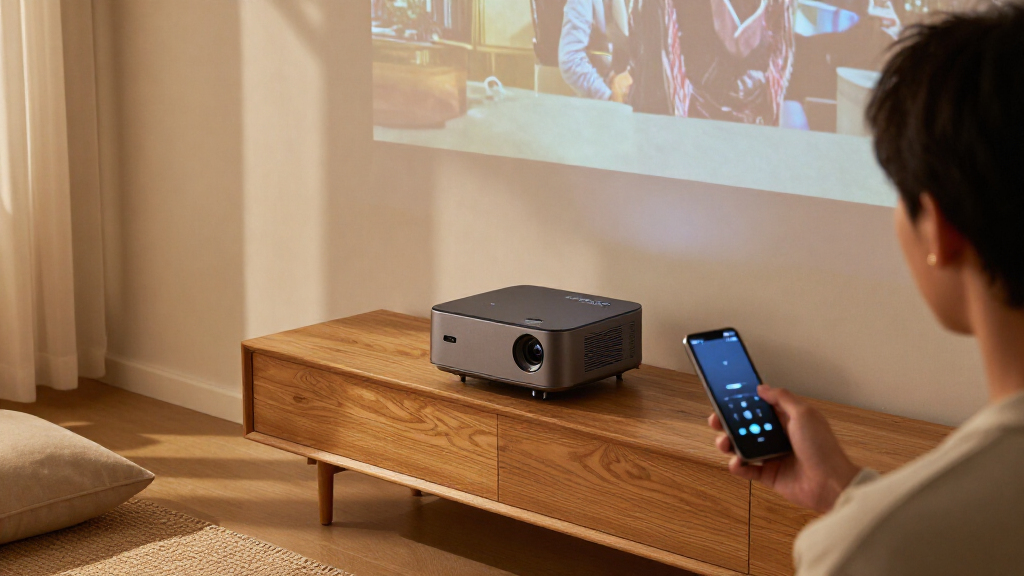

Smart home projectors pair big-screen viewing with streaming, wireless connections, or flexible placement, but the right choice depends on how you watch and where you set up. I rank the BenQ TK705i as the best overall fit for buyers seeking a premium home-entertainment feature set, while the Epson Home Cinema 2350 stands out for a more traditional home theater setup and the Samsung The Freestyle 2nd Gen for portability and gaming features. The main tradeoffs are native resolution and image performance versus portability, built-in smart TV convenience, and setup flexibility. Smaller models can simplify occasional viewing, while brighter home-focused designs may suit a dedicated room better. Read on for the full comparison, followed by practical advice on choosing a projector for your space and habits.

Get the latest gadgets delivered free with Prime
- Fast, free delivery on millions of items
- Prime Video, Amazon Music and more included
- Member-only deals all year
Complete the kit



Key Takeaways
- Home theater priorities favor dedicated models: The BenQ TK705i and Epson Home Cinema 2350 lead this lineup for buyers focused on a more permanent entertainment setup, rather than the smallest footprint.
- Smart features vary in how directly they serve viewers: Models with named platforms such as Google TV, Roku, VIDAA, or Samsung Gaming Hub make their intended streaming or gaming use clearer than projectors described only as having built-in apps.
- Portability often means accepting setup tradeoffs: Rotating stands and automatic focus or keystone correction can reduce placement effort, but they do not replace checking throw distance, screen size, and room light.
- Resolution claims need careful reading: Several options advertise 4K decoding or 4K PRO-UHD, while others specify native 1080p or 4K HDR; these labels describe different capabilities and should not be treated as interchangeable.
- Audio and streaming integration can change the value equation: Roku, Google TV, VIDAA, Bose sound, and Dolby Audio features may reduce the need for extra devices, but buyers should still check whether the projector fits their preferred apps and sound setup.
| Pemoon Smart 1080p Projector with Google TV Stick, Wi-Fi 6, Bluetooth 5.2, Auto Focus and 360° Rotating Stand |  | Best for Flexible Placement | Native resolution: 1920 x 1080 | 4K support: 4K decoding | Brightness: 3000 ANSI lumens | VIEW LATEST PRICE | See Our Full Breakdown |
| Samsung The Freestyle 2nd Gen Portable Smart Projector with Gaming Hub |  | Best for Portable Gaming and All-in-One Setup | Model: SP-LFF3CLAXXZA, 2023 | Native resolution: 1920 × 1080 | Display type: DLP | VIEW LATEST PRICE | See Our Full Breakdown |
| HAPPRUN Native 1080p Bluetooth Projector with Licensed Google TV |  | Best for Google TV Built In | Native resolution: 1920 × 1080 | 4K support: 4K decoding | Brightness: 400 lm; maximum white brightness listed as 350 ANSI lumens | VIEW LATEST PRICE | See Our Full Breakdown |
| YGSKK Mini Projector with Wi-Fi 6, Bluetooth 5.3, Built-in Apps, Native 1080P, Electric Focus, and 210° Rotating Stand |  | Best for Built-In Apps on a Budget-Friendly Setup | Native resolution: 1080p | 4K support: 4K compatible | Brightness: 300 ANSI lumens | VIEW LATEST PRICE | See Our Full Breakdown |
| Epson EpiqVision Flex CO-FH02 Full HD 1080p Portable Smart Projector |  | Best for Bright, Large-Screen Viewing | Native resolution: 1920 x 1080 | Brightness: 3,000 lumens, color and white | Display type: LCD, 3-chip 3LCD technology | VIEW LATEST PRICE | See Our Full Breakdown |
| HAPPRUN Roku Smart Mini Projector with Wi-Fi and Bluetooth |  | Best for Roku Simplicity | Display type: LCD | Maximum display resolution: HD | Maximum image size: 120 inches | VIEW LATEST PRICE | See Our Full Breakdown |
| Aurzen Roku TV D1R Smart Portable Projector |  | Best for Easy Roku Setup | Resolution: 1920 × 1080 (1080p Full HD) | Display type: LCD | Image size: 40–200 inches | VIEW LATEST PRICE | See Our Full Breakdown |
| BenQ TK705i 4K HDR Home Entertainment Projector |  | Best for Bright-Room 4K Gaming | Native resolution: 3840 × 2160 (4K UHD) | Brightness: 3000 ANSI lumens | Contrast ratio: 700:1 | VIEW LATEST PRICE | See Our Full Breakdown |
| X9 PRO 4K Smart Projector with VIDAA OS, 920 ISO ANSI Lumens, Dolby Audio, and AI Auto Focus |  | Best for Built-In Audio and Smart Setup | Native resolution: 1080p with 4K decoding | Brightness: 920 ISO ANSI lumens | Operating system: VIDAA OS | VIEW LATEST PRICE | See Our Full Breakdown |
| Epson Home Cinema 2350 4K PRO-UHD Smart Streaming Projector | 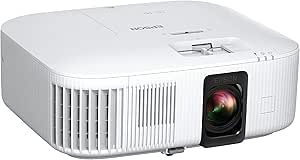 | Best for Color-Focused Home Cinema | Resolution: 4K PRO-UHD resolution enhancement; listed maximum 3840 × 2160 pixels | Display type: LCD, 3-chip 3LCD | Brightness: 2,800 lumens | VIEW LATEST PRICE | See Our Full Breakdown |
| 4K Smart Projector with VIDAA OS, WiFi 6, Bluetooth 5.4, Dolby Audio, and AI Auto Focus |  | Best for Built-In Streaming | Native resolution: 1920 × 1080 (1080p) | Maximum display resolution: 3840 × 2160 (4K decoding) | Brightness: 550 ANSI lumens | VIEW LATEST PRICE | See Our Full Breakdown |
| Epson Lifestudio Pop Plus 4K PRO-UHD Portable Projector with Bose Sound |  | Best for Portable 4K-UHD Viewing | Resolution format: 4K PRO-UHD | Brightness: 700 lumens (color and white) | Operating system: Google TV | VIEW LATEST PRICE | See Our Full Breakdown |
| NexAurea Smart Projector with Native 1080p, 4K Decoding, Built-In Apps, Auto Focus, and Dolby Audio |  | Best for Built-In Sound and Flexible Placement | Native resolution: 1080p | Video decoding: 4K | HDR: HDR10+ | VIEW LATEST PRICE | See Our Full Breakdown |
| ELEPHAS Roku Smart Projector with Wi-Fi and Bluetooth |  | Best for Roku Fans on a Simple Setup | Native resolution: 1280 × 720 | Brightness: 150 ANSI lumens | Contrast ratio: 1000:1 | VIEW LATEST PRICE | See Our Full Breakdown |
| Portable Mini Projector with Android TV, Wi-Fi 6, Bluetooth 5.4, and Auto Keystone |  | Best Ultra-Light Mini Projector | Native resolution: 1280 × 720 | Maximum supported input: Up to 4096 × 2160 | Brightness: 300 ANSI lumens | VIEW LATEST PRICE | See Our Full Breakdown |
| smart home projector | Brightness | Native resolution | Audio | Connectivity |
|---|---|---|---|---|
| Pemoon Smart 1080p Projector w | 3000 ANSI lumens | 1920 x 1080 | — | — |
| Samsung The Freestyle 2nd Gen | 230 lm | 1920 × 1080 | 360-degree sound | — |
| HAPPRUN Native 1080p Bluetooth | 400 lm; maximum white brightness listed as 350 ANSI lumens | 1920 × 1080 | Built-in 5W speaker; Dolby sound effects | — |
| YGSKK Mini Projector with Wi-F | 300 ANSI lumens | 1080p | — | Wi-Fi 6, Bluetooth 5.3, HDMI, USB, 3.5mm audio jack |
| Epson EpiqVision Flex CO-FH02 | 3,000 lumens, color and white | 1920 x 1080 | — | HDMI and USB |
| HAPPRUN Roku Smart Mini Projec | — | — | Dolby Audio, dual stereo speakers | — |
| Aurzen Roku TV D1R Smart Porta | — | — | Dolby Audio, dual 5W speakers | — |
| BenQ TK705i 4K HDR Home Entert | 3000 ANSI lumens | 3840 × 2160 (4K UHD) | — | HDMI 2.1, Bluetooth |
| X9 PRO 4K Smart Projector with | 920 ISO ANSI lumens | 1080p with 4K decoding | 2 × 20W speakers, Dolby Audio | — |
| Epson Home Cinema 2350 4K PRO- | 2,800 lumens | — | — | HDMI, Wi-Fi, Bluetooth audio |
| 4K Smart Projector with VIDAA | 550 ANSI lumens | 1920 × 1080 (1080p) | Dolby Audio and DTS Audio | Wi-Fi 6, Bluetooth 5.4, HDMI 2.1 (CEC/ARC), 3.5 mm jack |
| Epson Lifestudio Pop Plus 4K P | 700 lumens (color and white) | — | Integrated stereo system with Bose technology | Wi-Fi, Bluetooth, HDMI, USB |
| NexAurea Smart Projector with | — | 1080p | Dual 25W speakers, Dolby Audio, DTS decoding | Wi-Fi 6, two-way Bluetooth 5.4, HDMI eARC |
| ELEPHAS Roku Smart Projector w | 150 ANSI lumens | 1280 × 720 | Dolby Audio, built-in speaker | Wi-Fi, Bluetooth 5.2, HDMI, USB, 3.5 mm jack |
| Portable Mini Projector with A | 300 ANSI lumens | 1280 × 720 | — | Wi-Fi 6, Bluetooth 5.4, HDMI, USB |
More Details on Our Top Picks
Pemoon Smart 1080p Projector with Google TV Stick, Wi-Fi 6, Bluetooth 5.2, Auto Focus and 360° Rotating Stand
The Pemoon suits buyers who want a smart projector that can be aimed without building a fixed setup around it. Its 360° rotating stand and automatic focus and keystone correction make repositioning easier than with the Epson EpiqVision Flex CO-FH02, which has a tabletop mounting design. The included Google TV Stick also gives it a familiar streaming route, while Wi-Fi 6 and Bluetooth 5.2 cover wireless networking and audio.
Its main limit is image detail: this is a native 1080p projector, and 4K refers to decoding rather than 4K display output. The listed 3,000 ANSI lumens is a strong brightness claim among these compact options, but buyers should weigh it against the more established 3LCD design and 3,000-lumen specification of the Epson. Choose Pemoon for easy placement and bundled streaming, not for native 4K.
Pros:- Included Google TV Stick provides access to streaming apps
- Automatic focus and keystone correction reduce manual setup
- 360° rotating stand gives flexible aiming options
- Wi-Fi 6 and Bluetooth 5.2 support wireless connections
Cons:- Native and maximum display resolution are both 1920 x 1080; 4K is decoding only
- A separate streaming stick is part of the setup rather than an integrated smart platform
- The listed brightness figure does not establish how well it performs in a brightly lit room
Best for: Renters and multiroom households who want to move a projector between walls or aim it at a ceiling, with streaming available from the included Google TV Stick.
Not ideal for: Buyers seeking native 4K detail or a clearly stated 4K display output; its stated maximum display resolution is 1920 x 1080.
- Native resolution:1920 x 1080
- 4K support:4K decoding
- Brightness:3000 ANSI lumens
- Display type:LED
- Wireless:Wi-Fi 6
- Bluetooth:Version 5.2
- Focus and correction:Auto focus and auto keystone
- Stand:360° rotating
Our verdict“Pick the Pemoon if flexible aiming and bundled Google TV matter more than native 4K resolution.”
Samsung The Freestyle 2nd Gen Portable Smart Projector with Gaming Hub
Samsung’s Freestyle 2nd Gen is the most entertainment-focused pick here for buyers who want streaming and gaming features built into a compact, portable setup. Its Gaming Hub, built-in streaming apps, voice assistants, and automatic leveling, focus, and keystone correction reduce the need to bring extra gear or manually square the image. The 360-degree sound also makes it more self-contained than the HAPPRUN Native 1080p projector, whose built-in speaker is rated at 5W.
The tradeoff is a smaller stated image range of 30–100 inches and a listed brightness of 230 lm, so this is better suited to controlled lighting than a bright multipurpose room. USB-C battery use adds placement freedom, but the compatible external battery is sold separately. Compared with the Epson EpiqVision Flex CO-FH02, the Freestyle prioritizes portability and integrated smart features over a stated 3,000-lumen brightness specification and a much larger potential image.
Pros:- Built-in streaming apps and Gaming Hub support entertainment without a separate streaming device
- Auto leveling, focus, and keystone correction simplify repositioning
- 360-degree audio is built into the projector
- USB-C battery compatibility allows use away from a wall outlet with a separate battery
Cons:- Listed brightness is 230 lm, making bright-room viewing a weaker fit
- Image size is limited to a stated 30–100 inches
- Compatible external battery is sold separately, and external content may need adapters or cables
Best for: Apartment dwellers and casual gamers who want a portable Full HD projector with built-in streaming, Gaming Hub, and flexible battery-powered placement.
Not ideal for: Buyers planning large-screen viewing in a bright room or expecting battery power without purchasing a compatible external battery.
- Model:SP-LFF3CLAXXZA, 2023
- Native resolution:1920 × 1080
- Display type:DLP
- Brightness:230 lm
- Image size:30–100 inches
- Maximum throw distance:10 meters
- Audio:360-degree sound
- Light source operating life:30,000 hours
Our verdict“Choose the Freestyle 2nd Gen for portable, integrated gaming and streaming in smaller, dimmer spaces.”
HAPPRUN Native 1080p Bluetooth Projector with Licensed Google TV
The HAPPRUN makes the most sense for buyers who want streaming integrated into the projector rather than supplied by a separate stick. Its licensed Google TV and Google Voice Assistant offer a direct route to apps and voice search, unlike the Pemoon, which includes Google TV as a separate stick. It also pairs Wi-Fi 6 with Bluetooth 5.2 and supports ceiling, tabletop, tripod, or wall mounting, giving it more placement options than the tabletop-only Epson EpiqVision Flex CO-FH02.
That flexibility comes with a brightness caveat: the product data lists 400 lm and 350 ANSI lumens, figures that are not directly interchangeable and should temper expectations for rooms with ambient light. Its 5W speaker is convenient for casual viewing, but buyers seeking stronger built-in audio may prefer Samsung’s Freestyle 2nd Gen and its 360-degree sound. The HAPPRUN also tops out at 1080p display resolution; 4K is decoding support, not native 4K.
Pros:- Licensed Google TV provides built-in access to streaming apps and voice assistant features
- Wi-Fi 6 and Bluetooth 5.2 support wireless networking and audio
- Ceiling, tabletop, tripod, and wall mounting options suit varied setups
- Supports image sizes up to 300 inches
Cons:- Brightness data lists both 400 lm and 350 ANSI lumens, complicating direct comparison
- Native and maximum display resolution are 1920 × 1080; 4K support is decoding only
- Built-in speaker is rated at 5W
Best for: Viewers who want licensed Google TV built into a Full HD projector and expect to use a tripod, ceiling, wall, or tabletop placement.
Not ideal for: People who need a bright-room projector, native 4K display, or more substantial built-in sound than a 5W speaker.
- Native resolution:1920 × 1080
- 4K support:4K decoding
- Brightness:400 lm; maximum white brightness listed as 350 ANSI lumens
- Contrast ratio:2000:1
- Maximum image size:300 inches
- Audio:Built-in 5W speaker; Dolby sound effects
- Wireless:Wi-Fi 6 and Bluetooth 5.2
- Mounting options:Ceiling, tabletop, tripod, and wall
Our verdict“Pick the HAPPRUN if built-in Google TV and varied mounting options matter more than high brightness or native 4K.”
YGSKK Mini Projector with Wi-Fi 6, Bluetooth 5.3, Built-in Apps, Native 1080P, Electric Focus, and 210° Rotating Stand
The YGSKK is a practical fit for viewers who want common streaming apps available directly on a compact projector. Its built-in Prime Video, YouTube, and Hulu reduce the need for a separate streaming box, while electric focus and a 210° rotating stand make it easier to adjust the image than a fixed tabletop design like the Epson EpiqVision Flex CO-FH02. Wi-Fi 6 and Bluetooth 5.3 round out a useful set of wireless connections.
The key compromise is brightness: the stated 300 ANSI lumens makes a darkened room a safer match than a living room with daylight. The Samsung Freestyle 2nd Gen is also more focused on built-in entertainment, adding Gaming Hub and 360-degree sound, while the YGSKK’s appeal is its app list and stand. Its 4K compatibility does not change the native 1080p display, and phone mirroring may require extra steps, especially for Android users.
Pros:- Built-in Prime Video, YouTube, Hulu, and App Store reduce dependence on external streaming hardware
- Electric focus helps adjust the image without manual lens controls
- 210° rotating stand supports wall and ceiling projection angles
- Wi-Fi 6 and Bluetooth 5.3 provide wireless network and audio connectivity
Cons:- Listed brightness of 300 ANSI lumens favors darkened rooms
- Native resolution is 1080p; 4K is compatibility rather than native 4K display
- Android phone mirroring requires a specific app, and Bluetooth does not support direct smartphone connection
Best for: People setting up a compact projector in a bedroom or other dim room who want built-in popular apps and a stand that can aim toward a wall or ceiling.
Not ideal for: Daytime viewers or buyers who need dependable direct phone mirroring, native 4K, or the stronger brightness claim listed for the Pemoon.
- Native resolution:1080p
- 4K support:4K compatible
- Brightness:300 ANSI lumens
- Image size:50–200 inches
- Connectivity:Wi-Fi 6, Bluetooth 5.3, HDMI, USB, 3.5mm audio jack
- Focus:Electric focus
- Stand rotation:210°
- Warranty:3 years
Our verdict“Choose the YGSKK for built-in streaming apps and flexible aiming in a dim room, not for bright-room use or effortless phone mirroring.”
Epson EpiqVision Flex CO-FH02 Full HD 1080p Portable Smart Projector
The Epson EpiqVision Flex CO-FH02 is the strongest fit in this group for buyers prioritizing a large Full HD picture and a stated brightness level suited to more varied lighting. Its 3,000 lumens of color and white brightness and 3-chip 3LCD design distinguish it from compact options such as the YGSKK, listed at 300 ANSI lumens. Epson also supports image sizes up to 300 inches, giving it more scale than Samsung’s Freestyle 2nd Gen, which is specified for 30–100 inches.
Android TV and voice search provide smart features, while the built-in speaker covers basic viewing without extra audio gear. The tradeoff is a less flexible physical setup: it is designed for tabletop mounting and lacks the rotating stand described for the Pemoon. Its smart features also rely on a wireless connection of at least 5 Mbps, and some apps require subscriptions. This is a more room-oriented choice than the Freestyle, not the most portable all-in-one.
Pros:- 3,000 lumens of color and white brightness suit a broader range of room lighting than the low-lumen mini options
- 3-chip 3LCD technology distinguishes its display approach from the Freestyle’s DLP design
- Supports image sizes up to 300 inches
- Android TV, voice search, and a built-in speaker provide an integrated entertainment setup
Cons:- Tabletop mounting offers less aiming flexibility than the Pemoon’s rotating stand
- Android TV and streaming require a wireless connection of at least 5 Mbps
- Some streaming apps require paid subscriptions
Best for: Households that want a large Full HD image for movies, presentations, or shared viewing and can use a tabletop placement with wireless internet.
Not ideal for: Buyers who need a rotating or ceiling-aimable compact projector, native 4K, or streaming without a wireless connection.
- Native resolution:1920 x 1080
- Brightness:3,000 lumens, color and white
- Display type:LCD, 3-chip 3LCD technology
- Image size:34–300 inches
- Throw distance:2.11–34.1 feet
- Smart TV platform:Android TV
- Connectivity:HDMI and USB
- Mounting type:Tabletop
Our verdict“Choose the Epson for a bright, large Full HD image and Android TV, provided a tabletop setup and wireless streaming fit your room.”
HAPPRUN Roku Smart Mini Projector with Wi-Fi and Bluetooth
Built-in Roku streaming makes this HAPPRUN a straightforward choice for a second-room setup or movie nights away from a TV: popular apps are available without connecting a separate streaming stick. Its portable design, flexible mounting options, and AirPlay support add convenience, while dual-band Wi-Fi and Bluetooth 5.2 give it useful links to home networks and audio devices.
The tradeoff is image detail. HAPPRUN lists the maximum resolution as HD, while the Aurzen Roku TV D1R specifies 1080p Full HD and also adds auto-focus and auto-keystone correction. The HAPPRUN’s digital keystone correction can help with alignment, but its specs don’t promise the same automated setup. I’d choose it for uncomplicated Roku access and portability, not for a large screen where sharper resolution matters most.
Pros:- Roku streaming is built in, so there is no need for a separate streaming device.
- Dual-band Wi-Fi and Bluetooth 5.2 support flexible streaming and audio connections.
- Dolby Audio and dual stereo speakers provide onboard sound.
- Supports tabletop, tripod, ceiling, wall, and floor placement.
Cons:- The listed maximum resolution is HD, below the Aurzen Roku TV D1R’s specified 1080p Full HD.
- The specifications do not list auto-focus, which may make setup less convenient than the Aurzen D1R.
- No native resolution is specified, making image-detail comparisons less certain.
Best for: Roku households wanting a portable projector for a bedroom, spare room, or occasional travel use.
Not ideal for: Buyers prioritizing Full HD detail or automatic focus and alignment; the listed resolution is only HD, and correction is digital keystone.
- Display type:LCD
- Maximum display resolution:HD
- Maximum image size:120 inches
- Throw distance:3.28–17.43 feet
- Streaming platform:Roku built in
- Wireless connectivity:Dual-band Wi-Fi (2.4G/5G), Bluetooth 5.2
- Audio:Dolby Audio, dual stereo speakers
- Additional features:Apple AirPlay, iOS casting, digital keystone correction
Our verdict“Choose this HAPPRUN for portable Roku convenience, but pick the Aurzen D1R if you want specified Full HD and automatic setup features.”
Aurzen Roku TV D1R Smart Portable Projector
The Aurzen Roku TV D1R is the more setup-friendly Roku pick here. Its 1080p Full HD resolution gives it a clearer stated picture than the HD-listed HAPPRUN Roku Smart Mini, while auto-focus and auto-keystone correction reduce the fiddling involved in moving it between rooms. Roku TV, AirPlay, and voice control compatibility with Alexa, Google Assistant, and Apple HomeKit make it a practical fit for a connected household.
Its 40-to-200-inch image range and foldable stand suit flexible placements, but portability comes with limits: it weighs 2.1 kg, and the listed dual 5W speakers are modest compared with the X9 PRO’s 2x20W audio system. Activation also requires a Roku account and internet connection. I’d rank it above the HAPPRUN for resolution and automatic setup, but not for buyers seeking powerful built-in sound.
Pros:- 1080p Full HD resolution is specified, unlike the HD-listed HAPPRUN Roku Smart Mini.
- Auto-focus and auto-keystone correction simplify setup after repositioning.
- Roku TV streaming, AirPlay, and compatibility with major voice assistants support a connected home.
- The image-size range runs from 40 to 200 inches.
Cons:- Roku activation requires an account and an internet connection.
- Dual 5W speakers offer less stated power than the X9 PRO’s 2x20W speakers.
- The 2.1 kg weight makes it less lightweight than a tiny travel projector.
Best for: Roku users who move a projector between rooms and want Full HD, automatic image adjustment, and voice-control options.
Not ideal for: Buyers who need strong room-filling built-in audio or want to use a streaming platform without account-based activation.
- Resolution:1920 × 1080 (1080p Full HD)
- Display type:LCD
- Image size:40–200 inches
- Throw distance:3.71–18.58 feet
- Audio:Dolby Audio, dual 5W speakers
- Streaming platform:Roku TV
- Smart home compatibility:Alexa, Google Assistant, Apple HomeKit, Siri
- Weight:2.1 kg
Our verdict“Pick the Aurzen D1R if you want a portable Roku projector with Full HD and automatic setup rather than a more powerful speaker system.”
BenQ TK705i 4K HDR Home Entertainment Projector
The BenQ TK705i is the lineup’s clearest choice for buyers who put 4K detail and gaming response ahead of portability. Its 3840 × 2160 resolution, 3000 ANSI lumens, HDMI 2.1, and listed 5 ms input lag at 4K/60Hz target a bright living room where consoles and streaming share the screen. Google TV built in also keeps everyday viewing simple without a separate streamer, while 8-way image adaptation is designed to make placement less of a chore.
Compared with the Epson Home Cinema 2350, the BenQ specifies lower gaming lag and a larger maximum image size, but the Epson lists 2,800 lumens and 3-chip 3LCD color technology. BenQ’s listed 700:1 contrast ratio is a potential weakness for dark-room viewing, and the provided specs do not list a built-in speaker. This is a feature-led home entertainment pick, not the most theater-focused option.
Pros:- Native 3840 × 2160 resolution provides true 4K UHD detail.
- 3000 ANSI lumens suit rooms with some ambient light.
- Listed 5 ms input lag at 4K/60Hz and HDMI 2.1 cater to responsive gaming.
- Google TV and 8-way smart image adaptation reduce separate-device and setup needs.
Cons:- The listed 700:1 contrast ratio may be a limitation for dark-room movie viewing.
- The provided product data does not specify a built-in speaker.
- Its 150-inch maximum image size is smaller than the Aurzen D1R’s listed 200-inch maximum.
Best for: Console players and 4K streamers setting up a large image in a living room that is not fully dark.
Not ideal for: Buyers focused on dark-room contrast, a lightweight portable setup, or a projector with clearly specified built-in speakers.
- Native resolution:3840 × 2160 (4K UHD)
- Brightness:3000 ANSI lumens
- Contrast ratio:700:1
- Display type:LED
- Streaming platform:Google TV
- Connectivity:HDMI 2.1, Bluetooth
- Input lag:5 ms at 4K/60Hz
- Maximum image size:150 inches
Our verdict“Choose the BenQ TK705i for bright-room 4K gaming and streaming, but look elsewhere if dark-scene contrast or onboard audio is your priority.”
X9 PRO 4K Smart Projector with VIDAA OS, 920 ISO ANSI Lumens, Dolby Audio, and AI Auto Focus
The X9 PRO pairs an integrated smart platform with the strongest stated onboard speaker setup in this group: two 20W Dolby Audio speakers. VIDAA OS provides access to streaming apps and live channels, while Wi-Fi 6, Bluetooth 5.4, AirPlay 2, and HomeKit give it a broad smart-home connection mix. Its AI auto-focus, 6D keystone correction, and obstacle avoidance are aimed at people who want to place the projector quickly without repeated manual adjustments.
Despite the 4K wording in its name, this model has native 1080p resolution with 4K decoding; the BenQ TK705i, by comparison, specifies native 4K UHD. The X9 PRO’s 920 ISO ANSI lumens also make a fully lit outdoor setup a poor match. I’d favor it for a dimmer room where setup convenience and stronger built-in sound matter more than native 4K detail or high ambient-light performance.
Pros:- Two 20W speakers with Dolby Audio provide more stated speaker power than the Aurzen D1R.
- VIDAA OS includes streaming access and live TV channels.
- AI auto-focus, 6D keystone correction, and obstacle avoidance simplify placement.
- Wi-Fi 6, Bluetooth 5.4, AirPlay 2, and HomeKit support flexible connections.
Cons:- Native resolution is 1080p; 4K content is decoded rather than displayed at native 4K.
- 920 ISO ANSI lumens may not suit fully lit outdoor settings.
- A brightness figure alone does not establish strong performance in bright rooms.
Best for: Smart-home viewers who want automatic image setup, broad streaming options, and more substantial built-in sound in a dim room.
Not ideal for: Buyers seeking native 4K resolution or a bright picture for daytime outdoor use.
- Native resolution:1080p with 4K decoding
- Brightness:920 ISO ANSI lumens
- Operating system:VIDAA OS
- Audio:2 × 20W speakers, Dolby Audio
- Wireless connectivity:Wi-Fi 6, Bluetooth 5.4
- Ports:HDMI with ARC/CEC, USB, 3.5 mm jack
- Image features:HDR10, AI auto-focus, 6D keystone correction, obstacle avoidance
- Smart-home features:AirPlay 2, HomeKit
Our verdict“Choose the X9 PRO for convenient smart setup and substantial built-in audio in a dimmer room, not for native 4K or bright outdoor viewing.”
Epson Home Cinema 2350 4K PRO-UHD Smart Streaming Projector
The Epson Home Cinema 2350 suits buyers who want a home-theater-leaning image without giving up a built-in streaming platform. Its 3-chip 3LCD system is designed to deliver vivid color without rainbowing, and 2,800 lumens give it a useful brightness specification for a room that is not completely dark. Android TV, Bluetooth audio, and a 10-watt speaker also cover basic viewing without a separate streaming box or immediate need for external sound.
Against the BenQ TK705i, Epson emphasizes 3LCD color and vertical lens shift, while BenQ specifies native 4K UHD, 3000 ANSI lumens, and 5 ms input lag for gaming. The Epson’s 4K PRO-UHD processing is described as resolution enhancement, so buyers should not read it as the same claim as the BenQ’s native 4K specification. Streaming also depends on a suitable wireless connection, and Bluetooth audio is limited to Android TV content.
Pros:- 3-chip 3LCD technology is designed to provide vivid color without rainbowing.
- 2,800-lumen brightness supports viewing in rooms with some ambient light.
- Android TV provides built-in streaming access.
- Vertical lens shift and Bluetooth audio add placement and listening flexibility.
Cons:- The listed 4K PRO-UHD approach uses resolution enhancement, unlike the BenQ TK705i’s native 4K specification.
- Under-20 ms input lag is less aggressive than the BenQ TK705i’s stated 5 ms at 4K/60Hz.
- Bluetooth audio is limited to content played through Android TV.
Best for: Home viewers who value 3LCD color, Android TV, and flexible vertical placement for a dedicated or multipurpose viewing room.
Not ideal for: Gamers seeking the lowest stated input lag, or buyers who require clearly specified native 4K rather than 4K PRO-UHD enhancement.
- Resolution:4K PRO-UHD resolution enhancement; listed maximum 3840 × 2160 pixels
- Display type:LCD, 3-chip 3LCD
- Brightness:2,800 lumens
- Smart platform:Android TV
- Connectivity:HDMI, Wi-Fi, Bluetooth audio
- Built-in speaker:10 watts
- Input lag:Under 20 ms
- Placement feature:Vertical lens shift
Our verdict“Choose the Epson Home Cinema 2350 for 3LCD color and Android TV, but favor the BenQ TK705i for native 4K detail and lower stated gaming lag.”
4K Smart Projector with VIDAA OS, WiFi 6, Bluetooth 5.4, Dolby Audio, and AI Auto Focus
The VIDAA OS gives this projector a strong smart-home role: its stated library of more than 1,200 apps and 1,000 live TV channels can reduce reliance on a separate streaming device. AI auto-focus, 6D keystone correction, and obstacle avoidance also make setup more forgiving when the projector moves between rooms. Compared with the NexAurea Smart Projector, this model lists AirPlay and HDMI 2.1 with CEC/ARC, while NexAurea specifies HDR10+ and dual 25W speakers. The tradeoff is that this projector’s native resolution is 1080p; 4K refers to decoding, not a 4K image panel. Its 550 ANSI lumens also suit dim rooms better than daylight viewing, so I’d choose it for flexible streaming and setup rather than a bright living room.
Pros:- VIDAA OS lists more than 1,200 apps and 1,000+ live TV channels.
- AI auto-focus, 6D keystone correction, and obstacle avoidance simplify placement.
- Wi-Fi 6, Bluetooth 5.4, AirPlay, and HDMI 2.1 with CEC/ARC offer flexible connections.
- Dolby Audio and DTS support, with a stated operating noise level of 28 dB.
Cons:- Native 1080p resolution does not deliver true 4K projection.
- 550 ANSI lumens is better suited to darkened rooms than well-lit spaces.
Best for: Viewers who want a broad built-in app and live-TV selection, plus automatic setup for moving the projector between dim rooms.
Not ideal for: Buyers seeking native 4K detail or a projector bright enough for daytime viewing in a sunlit room.
- Native resolution:1920 × 1080 (1080p)
- Maximum display resolution:3840 × 2160 (4K decoding)
- Brightness:550 ANSI lumens
- Operating system:VIDAA OS
- Connectivity:Wi-Fi 6, Bluetooth 5.4, HDMI 2.1 (CEC/ARC), 3.5 mm jack
- Audio:Dolby Audio and DTS Audio
- Image size:Up to 300 inches
- Setup features:AI auto-focus, 6D keystone correction, auto obstacle avoidance
Our verdict“Choose this VIDAA model if built-in streaming breadth and easy repositioning matter more than native 4K or bright-room performance.”
Epson Lifestudio Pop Plus 4K PRO-UHD Portable Projector with Bose Sound
The Epson Lifestudio Pop Plus pairs 4K PRO-UHD with built-in Bose stereo sound, making it a more self-contained portable setup than the 720p ELEPHAS Roku model. Google TV also puts streaming apps directly on the projector, while automatic focus and alignment can save time when moving it between locations. Its 30-to-150-inch image range favors flexible living-room or bedroom use rather than the extra-large image claims of several 1080p options. The main compromise is 700 lumens: even with its higher-resolution format, it is better suited to a dimmed room than daylight viewing. Buyers should also separate 4K PRO-UHD branding from a stated native pixel count, which the supplied specifications do not provide. I’d pick it for portability, integrated sound, and a ready-to-stream setup—not for bright-room projection.
Pros:- 4K PRO-UHD format provides a higher-resolution positioning than the 720p ELEPHAS Roku projector.
- Integrated Bose stereo system avoids requiring separate speakers for everyday viewing.
- Google TV provides direct access to streaming apps.
- Portable design and automatic focus, keystone, and alignment support quick setup.
Cons:- 700 lumens may struggle in bright rooms or during daylight viewing.
- The supplied specifications do not state a native pixel resolution.
- Maximum listed image size is 150 inches, below the size claims of some alternatives.
Best for: People who move a projector between rooms and want Google TV and built-in stereo sound without assembling a separate speaker setup.
Not ideal for: Viewers who need a clearly specified native 4K panel, a large image in bright conditions, or projection beyond 150 inches.
- Resolution format:4K PRO-UHD
- Brightness:700 lumens (color and white)
- Operating system:Google TV
- Audio:Integrated stereo system with Bose technology
- Connectivity:Wi-Fi, Bluetooth, HDMI, USB
- Image size:30–150 inches
- Light source life:20,000 hours
- Form factor:Portable
Our verdict“Pick the Epson when portability, Google TV, and integrated Bose sound take priority over bright-room use or a clearly stated native resolution.”
NexAurea Smart Projector with Native 1080p, 4K Decoding, Built-In Apps, Auto Focus, and Dolby Audio
The NexAurea stands out for combining native 1080p with built-in Netflix, YouTube, and Prime Video, plus dual 25W speakers. That makes it a more self-contained viewing setup than the portable mini projector with Android TV, whose listed speaker is just 3W RMS. Its auto-focus, 6D keystone correction, and 50%–100% electronic zoom also give it more placement flexibility than the ELEPHAS Roku projector, which relies on manual focus. The tradeoff is a missing brightness measurement: without a lumen figure, I can’t confidently recommend it for a bright room or compare its image visibility with the other models. It also decodes 4K rather than projecting at native 4K. I’d shortlist it for dim-room viewing when built-in apps, stronger onboard audio, and setup adjustments matter more than measured brightness.
Pros:- Native 1080p resolution with HDR10+ and 4K video decoding.
- Built-in Netflix, YouTube, Prime Video, and other apps reduce dependence on a separate streamer.
- Dual 25W speakers with Dolby Audio, DTS decoding, and HDMI eARC support.
- Auto-focus, 6D keystone correction, and electronic zoom support flexible placement.
Cons:- No brightness measurement is provided, making room suitability harder to judge.
- 4K is supported through decoding; native resolution remains 1080p.
- The supplied specifications do not state a maximum brightness or image-size range beyond the 300-inch claim.
Best for: Home viewers who want native 1080p, built-in major streaming apps, powerful onboard speakers, and flexible adjustment without extra equipment.
Not ideal for: Buyers who need a published brightness rating to plan for a lit room, or who want native 4K projection.
- Native resolution:1080p
- Video decoding:4K
- HDR:HDR10+
- Built-in apps:Netflix, YouTube, Prime Video, and other apps
- Audio:Dual 25W speakers, Dolby Audio, DTS decoding
- Connectivity:Wi-Fi 6, two-way Bluetooth 5.4, HDMI eARC
- Image size:Up to 300 inches
- Focus and adjustment:Auto-focus, 6D keystone correction, 50%–100% electronic zoom
- Warranty and support:3-year warranty, lifetime technical support
Our verdict“Choose NexAurea for a feature-rich 1080p setup with substantial built-in sound, provided its unspecified brightness is acceptable for your room.”
ELEPHAS Roku Smart Projector with Wi-Fi and Bluetooth
For buyers already comfortable with Roku, the ELEPHAS keeps streaming straightforward with a built-in Roku interface, free TV channels, and a Roku remote. AirPlay and compatible voice-control options add useful ways to send or control content around a smart home. Compared with the VIDAA projector, though, this is a much lower-resolution and dimmer option: it tops out at 720p and is rated at just 150 ANSI lumens. That makes a dark bedroom or occasional outdoor movie after sunset a more realistic fit than a bright living room. Manual focus and keystone correction also mean more hands-on setup than the automatic adjustments on the NexAurea. Its appeal is convenience within the Roku ecosystem, not image detail or room-filling brightness.
Pros:- Built-in Roku provides streaming apps and access to more than 500 free TV channels.
- Apple AirPlay and compatible voice-control support suit connected households.
- Bluetooth 5.2 and dual-band Wi-Fi support wireless connections.
- Multiple mounting options include tabletop, foldable stand, floor stand, and ceiling mount.
Cons:- Native and maximum resolution are limited to 1280 × 720.
- 150 ANSI lumens strongly favors dark viewing conditions.
- Manual focus and keystone correction require more setup than the NexAurea’s automatic adjustments.
Best for: Roku households seeking an inexpensive-to-set-up portable screen for dark bedrooms, dorm rooms, or outdoor viewing after sunset.
Not ideal for: Viewers who want sharp 1080p or 4K detail, automatic focus, or a projector that remains visible in a well-lit room.
- Native resolution:1280 × 720
- Brightness:150 ANSI lumens
- Contrast ratio:1000:1
- Operating system:Roku
- Connectivity:Wi-Fi, Bluetooth 5.2, HDMI, USB, 3.5 mm jack
- Image size:40–150 inches
- Throw distance:3.35–12.53 feet
- Audio:Dolby Audio, built-in speaker
- Mounting:Tabletop, foldable stand, floor stand, or ceiling mount
Our verdict“Choose the ELEPHAS if Roku convenience matters more than resolution and you’ll mostly watch in a dark room.”
Portable Mini Projector with Android TV, Wi-Fi 6, Bluetooth 5.4, and Auto Keystone
At 0.8 pounds, this is the most clearly travel-oriented pick in this group, with Android TV apps, casting, and several mounting options packed into a small projector. It is easier to carry than the Epson Lifestudio Pop Plus, but gives up resolution, brightness, and speaker power: the native image is 720p, output is rated at 300 ANSI lumens, and the built-in speaker is 3W RMS. The advertised 4K support refers to input playback, not native projection, so I wouldn’t choose it for fine image detail. Its 100-inch maximum image size also sets a more modest scale than the 300-inch claims from the NexAurea and VIDAA models. I’d treat it as a flexible personal projector for dim spaces, not a substitute for a brighter main-room setup.
Pros:- At 0.8 pounds, it is easy to carry between rooms or take on trips.
- Android TV apps and smartphone casting support streaming without a separate device.
- Wi-Fi 6, Bluetooth 5.4, HDMI, and USB provide several connection options.
- Multiple mounting choices include tabletop, ceiling, wall, bracket, and tripod.
Cons:- Native resolution is 1280 × 720; 4K refers to supported input, not native projection.
- 300 ANSI lumens is best suited to dim viewing conditions.
- The 3W RMS speaker is limited for group listening, and the maximum image size is 100 inches.
Best for: Travelers, students, and renters who prioritize a very light projector, Android TV apps, and flexible mounting for small, dim viewing spaces.
Not ideal for: Buyers seeking native 1080p or 4K, a large bright-room image, or strong built-in sound for a group.
- Native resolution:1280 × 720
- Maximum supported input:Up to 4096 × 2160
- Brightness:300 ANSI lumens
- Operating system:Android TV
- Connectivity:Wi-Fi 6, Bluetooth 5.4, HDMI, USB
- Built-in speaker:3W RMS stereo
- Maximum image size:100 inches
- Weight:0.8 pounds
- Light source life:30,000 hours
Our verdict“Pick this mini projector when low weight and flexible placement matter more than image resolution, brightness, or onboard sound.”

How We Picked
I ranked these smart home projectors by how well their stated features match real viewing needs: image format and resolution claims, smart platform clarity, placement aids, portability, sound features, and the likely effort required to get from setup to watching. A clearly identified platform or useful setup feature counts more than a broad promise of smart functionality, while native resolution and decoding claims are treated as distinct rather than equivalent. I also weighed how specialized each design is: a portable projector may be a better living-room or travel companion, but it does not automatically outrank a model built for home entertainment.
The order gives priority to versatility and a coherent home-viewing feature set, then separates models by their strongest use case. The BenQ TK705i ranks first for its home-entertainment positioning; Epson’s Home Cinema 2350 and CO-FH02 offer distinct alternatives for buyers who prefer established home theater or portable Full HD designs. Samsung’s Freestyle, Roku-equipped models, and rotating mini projectors earn places for specific convenience needs, while models with less clearly described platform or performance details rank lower. Product names and feature descriptions alone cannot settle room brightness, throw distance, or app compatibility, so I flag those as buyer checks rather than assuming identical performance across the lineup.
Factors to Consider When Choosing Smart Home Projectors
Before choosing a model, I would start with the room and viewing routine, not the word smart on the box. A projector that fits a bedroom wall or occasional movie night may be a poor match for bright daytime viewing or a permanent theater setup. These checks help separate features that genuinely reduce friction from specifications that sound similar but serve different purposes.
Match the image claim to what you actually watch
Check whether a listing states native resolution, 4K decoding, or a 4K-oriented format; those phrases do not mean the same thing. Native resolution describes the projector’s display resolution, while decoding indicates that it can accept or process a higher-resolution source. A common mistake is to choose based on the largest number in the product name without checking the underlying display specification. For streaming shows and casual viewing, a well-matched Full HD model may make more sense than paying extra for a label that does not promise native 4K display. If fine detail matters, compare the exact specifications and source devices you plan to use. Also remember that screen size and viewing distance affect how visible resolution differences are from your seat.
Plan around room light and screen placement
Projector suitability depends on where the image lands and how much light reaches the screen, not just on the room’s name. A darkened bedroom, a living room with windows, and a dedicated theater each place different demands on brightness and contrast. Measure the distance from the intended projector position to the screen before ordering; a large image is not guaranteed at every distance. Buyers often overlook obstacles such as ceiling lights, furniture, or a walkway that makes a floor stand inconvenient. A screen can improve consistency, but a smooth, light-colored wall may be enough for casual use. If daytime viewing is a priority, compare brightness claims carefully and expect that curtains or controlled lighting may still matter.
Treat smart TV features as an app and connection question
Built-in streaming can reduce clutter, but the label alone does not tell you whether your preferred apps are available or how long the platform will remain supported. Check the named operating system, app availability in your region, and whether the projector can receive software updates. A streaming stick or console may be a better choice if a projector’s interface is unfamiliar or limited. Also check Wi-Fi support and available ports against your home network and devices instead of assuming wireless access will solve every connection need. For gaming, look at the console connection and the projector’s gaming features, then verify any latency claims from the manufacturer. A simple platform that supports your regular services may be more useful than a longer list of apps you will not use.
Decide how much setup automation is worth
Auto focus, keystone correction, and rotating stands can make casual repositioning easier, especially if the projector moves between rooms. These tools correct focus or image shape, but they cannot remove every placement constraint or turn an awkward angle into a perfect screen position. Digital image correction can also affect the usable picture, so a physically level, centered setup is preferable when you can manage one. Buyers who want a fixed installation may benefit more from careful placement and lens flexibility than from frequent automatic adjustments. For a portable model, check what the stand can tilt toward and whether it includes the mount or surface you need. Think of automation as a convenience feature, not a substitute for planning the projection path.
Choose a sound plan before paying for audio features
Built-in speakers can be enough for occasional viewing, but room size, seating distance, and dialogue clarity affect whether they work for regular movie nights. Features such as Dolby Audio or a branded speaker system are useful clues, not a guarantee that the sound will suit your room. Decide whether you will use Bluetooth speakers, a soundbar, headphones, or the projector’s own audio, then check the connection options and possible audio delay. Wireless audio can keep a portable setup tidy, while a fixed home theater may call for a more permanent sound system. Avoid paying for upgraded internal sound if you already plan to connect external speakers. Conversely, a self-contained setup can be appealing when fewer devices and cables matter more than room-filling sound.
Balance portability against a permanent setup
A compact projector is easy to move, but portability only helps if the power, stand, and connections fit the places you intend to use it. Portable models with rotating stands can work well for flexible placement, while a home theater projector may be a better match for a regular screen and seating arrangement. Before buying, check whether the unit needs a nearby outlet, how you will connect streaming or gaming devices, and whether you have a stable surface. If you expect to move it often, weigh these practical details alongside its listed weight and dimensions. If it will stay in one room, a larger design may offer features better aligned with that setup. Paying for portability makes less sense when the projector will rarely leave its installed position.
Frequently Asked Questions
Is a projector with 4K decoding the same as a native 4K projector?
No. 4K decoding means a projector can accept or process a 4K source, but it does not by itself confirm that the image is displayed at native 4K resolution. A native resolution specification describes the projector’s actual display resolution. Some models also use formats such as 4K PRO-UHD, so check the manufacturer’s detailed specifications rather than treating every 4K label as equivalent. If sharp detail is a priority, compare native resolution and any image-processing description before choosing. This distinction is especially useful when weighing Full HD models against higher-tier home theater options.
Can a smart projector replace my streaming stick?
It can, if its built-in platform supports the apps you use and provides the controls you want. Models in this roundup name platforms such as Google TV, Roku, and VIDAA, while other listings describe built-in apps more generally. Check app availability in your region and whether your preferred services require separate subscriptions or devices. A streaming stick can still be useful if you want a familiar interface, broader app support, or a way to keep streaming software current independently of the projector. If your projector will connect to a console or media player most of the time, built-in streaming may matter less.
Will automatic keystone correction let me place a projector anywhere?
No. Keystone correction can adjust a trapezoid-shaped image when the projector is angled, but it cannot fix every placement problem or remove objects blocking the projection path. Heavy digital correction can also reduce the usable image area. A centered, level position usually gives a cleaner setup, even when the projector includes automatic adjustment. Before choosing a model, check its throw distance, the screen location, and whether the stand or mount can reach the angle you need. Treat autofocus and keystone as setup aids, not replacements for measuring the room.
Should I choose a portable projector or a home theater model?
Choose based on how often you will move the projector and where you plan to watch. A portable model with a rotating stand or built-in smart platform can suit shared rooms, bedrooms, and occasional viewing. A home theater model is a stronger fit when it will stay in one room and connect to a dedicated screen or sound system. Portability can mean compromises in screen brightness, sound, or installation options, so check the full specifications rather than assuming compact means more convenient in every setup. If the projector will remain in place, prioritize room compatibility and image needs over a stand designed for repositioning.
What should I check before buying a projector for daytime viewing?
Start by checking the manufacturer’s brightness specification and how it is measured, then compare it with the amount of ambient light in your room. Windows and overhead lighting can wash out a projected image, even when the projector works well in a darker space. Consider curtains, screen placement, and whether you can dim lights during viewing. A larger projected image may also appear less bright than a smaller one, so plan the screen size alongside the room conditions. If daytime use is non-negotiable, give brightness and room control more weight than portability or automatic focus features.
Conclusion
My best overall pick is the BenQ TK705i for buyers seeking a home-entertainment-focused feature set. The Epson Home Cinema 2350 is a strong alternative for a more traditional home theater setup, while the Epson EpiqVision Flex CO-FH02 suits buyers looking for portable Full HD viewing. For best value, I would start with the HAPPRUN Native 1080p Bluetooth Projector with Licensed Google TV: its stated Full HD resolution and named streaming platform make its use case easier to judge, though buyers should compare its room fit and connections with their needs. For beginners, the HAPPRUN Roku Smart Mini Projector offers a named streaming platform, while Samsung’s The Freestyle 2nd Gen is a better match for portable viewing and Gaming Hub access. Choose the Epson Lifestudio Pop Plus if its portable 4K PRO-UHD positioning and Bose sound align with your priorities; choose a Roku-equipped Aurzen or ELEPHAS model when that platform is the deciding convenience. Before ordering any of them, verify native resolution, brightness, throw distance, app compatibility, and sound connections for your room.
Black Friday Picks

DJI Osmo Mobile 7P 3-Axis Smartphone Gimbal with Mic Mini Transmitter, Infinity Black
As an affiliate, we earn on qualifying purchases.