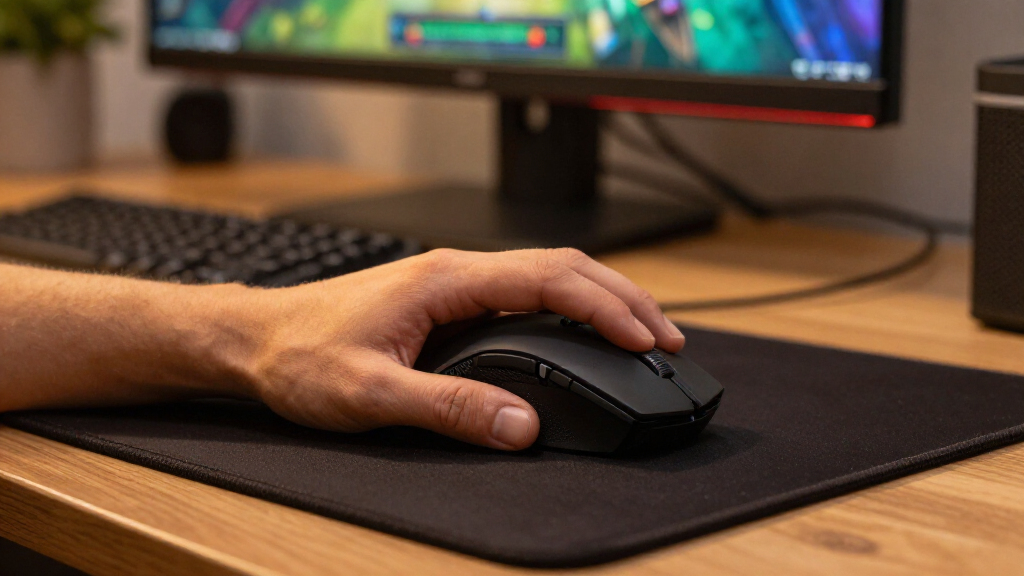

Choosing the right wireless gaming mice requires balancing ultra-low latency with practical battery life and ergonomic comfort. The Razer Viper V3 HyperSpeed stands out as the best overall pick for its near-zero delay and lightweight design, making it ideal for competitive play. For those prioritizing value without sacrificing reliability, the Logitech G305 LIGHTSPEED remains a benchmark for efficiency and simplicity. The primary tradeoff in this category lies between feature-rich, heavier models like the Razer Basilisk V4 and minimalist, lightweight options designed for speed. This guide breaks down these distinctions to help you select a mouse that matches your grip style and competitive intensity.

Get the latest gadgets delivered free with Prime
- Fast, free delivery on millions of items
- Prime Video, Amazon Music and more included
- Member-only deals all year
Complete the kit



Key Takeaways
- Lightweight designs under 60 grams now dominate the high-end competitive tier, reducing wrist fatigue during long sessions.
- Sensor performance across the top three picks is virtually indistinguishable, meaning ergonomics and battery life are the true differentiators.
- Budget wireless options have closed the latency gap with premium models, making high-end specs unnecessary for casual players.
- Charging convenience varies widely, with some models using proprietary docks while others rely on standard USB-C or AA batteries.
- Ergonomic shapes are more critical than DPI numbers; a mouse that causes discomfort will hinder performance regardless of sensor quality.
| Razer Viper V3 HyperSpeed Wireless Gaming Mouse |  | Best for Lightweight, High-Sensitivity Play | Connectivity: Wireless; USB | Sensor: Razer Focus Pro 30K optical sensor | Maximum sensitivity: 30,000 DPI | VIEW LATEST PRICE | See Our Full Breakdown |
| Logitech G305 LIGHTSPEED Wireless Gaming Mouse, White |  | Best Value for Simple Wireless Play | Sensor: HERO optical | Sensitivity: 200–12,000 DPI | Wireless response time: 1 ms LIGHTSPEED | VIEW LATEST PRICE | See Our Full Breakdown |
| SteelSeries Rival 3 Wireless Gen 2 Gaming Mouse, White |  | Best for Switching Between Wireless Modes | Connectivity: 2.4 GHz wireless and Bluetooth | Sensor: Optical, up to 18,000 DPI | Click latency: 1.9 ms | VIEW LATEST PRICE | See Our Full Breakdown |
| Logitech G305 LIGHTSPEED Wireless Gaming Mouse, Lilac |  | Best Color Choice for a Familiar Feature Set | Connectivity: Wireless | Sensor: Optical HERO | Sensitivity: 200–12,000 DPI | VIEW LATEST PRICE | See Our Full Breakdown |
| Logitech G502 LIGHTSPEED Wireless Gaming Mouse | 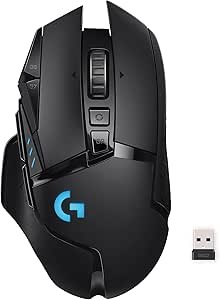 | Best for Programmable Controls | Connectivity: LIGHTSPEED wireless | Sensor: Optical HERO; up to 25,600 DPI via G HUB software update | Buttons: 11 programmable buttons | VIEW LATEST PRICE | See Our Full Breakdown |
| INPHIC A9 V2 Explorer Wireless Gaming Mouse |  | Best for Multi-Device Flexibility | Connectivity: 2.4 GHz wireless, dual Bluetooth, USB-C wired | Sensor: Optical | DPI: 800, 1600, 2400, 3200, 4800, 12800 | VIEW LATEST PRICE | See Our Full Breakdown |
| Logitech G703 LIGHTSPEED Wireless Gaming Mouse |  | Best for Comfortable PC Gaming | Connectivity: LIGHTSPEED wireless | Sensor: HERO 25K optical | Sensitivity: 100–25,600 DPI | VIEW LATEST PRICE | See Our Full Breakdown |
| Razer Basilisk V3 X HyperSpeed Wireless Gaming Mouse |  | Best for Long Battery Life | Connectivity: HyperSpeed wireless, Bluetooth, USB | Sensor: 5G Advanced optical, up to 18,000 DPI | Controls: 9 programmable | VIEW LATEST PRICE | See Our Full Breakdown |
| Razer Basilisk V4 HyperSpeed Wireless Gaming Mouse, White |  | Best Feature-Rich Control Layout | Connectivity: USB, Razer HyperSpeed Wireless, Bluetooth | Sensor: Razer Focus X 33K Optical Sensor Gen-3 | Maximum sensitivity: 33,000 DPI | VIEW LATEST PRICE | See Our Full Breakdown |
| SOLAKAKA SM600 Wireless Gaming Mouse with Honeycomb Shell, White |  | Best Lightweight Rechargeable Pick | Connectivity: 2.4 GHz wireless, Bluetooth, USB-C wired | Weight: 90 g | DPI: 800–13,200 | VIEW LATEST PRICE | See Our Full Breakdown |
| Redragon M810 PRO Wireless RGB Gaming Mouse |  | Best for Programmable Controls on a Budget | Connectivity: 2.4 GHz wireless, USB-C | Sensor: Pixart PAW3325 optical | Maximum DPI: 12,000 | VIEW LATEST PRICE | See Our Full Breakdown |
| Razer Basilisk V3 Pro 35K Wireless Gaming Mouse |  | Best Premium Feature Set | Connectivity: 2.4 GHz wireless, Bluetooth, USB-C wired | Sensor: Razer Focus Pro 35K Optical Sensor Gen-2 | Maximum sensitivity: 35,000 DPI | VIEW LATEST PRICE | See Our Full Breakdown |
| Redragon M656 Wireless Optical Gaming Mouse |  | Best Entry-Level Battery-Powered Pick | Connectivity: 2.4 GHz wireless | Sensor: PAW3104 optical | DPI levels: 1,000, 1,500, 2,000, 2,400, and 4,000 | VIEW LATEST PRICE | See Our Full Breakdown |
| Logitech G305 LIGHTSPEED Wireless Gaming Mouse, Black |  | Best for Long Battery Life | Connectivity: USB wireless | Sensor: HERO optical | Sensitivity: 200–12,000 DPI | VIEW LATEST PRICE | See Our Full Breakdown |
| Razer Orochi V2 Wireless Gaming Mouse, Black |  | Best Compact Travel Pick | Connectivity: Bluetooth and Razer HyperSpeed Wireless | Sensor: Razer 5G Advanced Optical Sensor | Maximum sensitivity: 18,000 DPI | VIEW LATEST PRICE | See Our Full Breakdown |
| wireless gaming mice | Connectivity | Sensor | Battery life | Weight |
|---|---|---|---|---|
| Razer Viper V3 HyperSpeed Wire | Wireless; USB | Razer Focus Pro 30K optical sensor | Up to 280 hours | 82 g |
| Logitech G305 LIGHTSPEED Wirel | — | HERO optical | Up to 250 hours | 99 g |
| SteelSeries Rival 3 Wireless G | 2.4 GHz wireless and Bluetooth | Optical, up to 18,000 DPI | Up to 200 hours on 2.4 GHz; up to 450 hours on Bluetooth | 2.56 ounces |
| Logitech G305 LIGHTSPEED Wirel | Wireless | Optical HERO | Up to 250 hours of gameplay | 99 g |
| Logitech G502 LIGHTSPEED Wirel | LIGHTSPEED wireless | Optical HERO; up to 25,600 DPI via G HUB software update | Up to 60 hours | — |
| INPHIC A9 V2 Explorer Wireless | 2.4 GHz wireless, dual Bluetooth, USB-C wired | Optical | — | 106 g |
| Logitech G703 LIGHTSPEED Wirel | LIGHTSPEED wireless | HERO 25K optical | Up to 35 hours with RGB lighting enabled | 95 g |
| Razer Basilisk V3 X HyperSpeed | HyperSpeed wireless, Bluetooth, USB | 5G Advanced optical, up to 18,000 DPI | Up to 285 hours over HyperSpeed; up to 535 hours over Bluetooth | — |
| Razer Basilisk V4 HyperSpeed W | USB, Razer HyperSpeed Wireless, Bluetooth | Razer Focus X 33K Optical Sensor Gen-3 | Up to 140 hours on HyperSpeed; up to 225 hours on Bluetooth | — |
| SOLAKAKA SM600 Wireless Gaming | 2.4 GHz wireless, Bluetooth, USB-C wired | — | Up to 120 hours | 90 g |
| Redragon M810 PRO Wireless RGB | 2.4 GHz wireless, USB-C | Pixart PAW3325 optical | Up to 45 hours in eco mode | 4 ounces |
| Razer Basilisk V3 Pro 35K Wire | 2.4 GHz wireless, Bluetooth, USB-C wired | Razer Focus Pro 35K Optical Sensor Gen-2 | Up to 140 hours over 2.4 GHz; up to 210 hours over Bluetooth | 0.43 kg |
| Redragon M656 Wireless Optical | 2.4 GHz wireless | PAW3104 optical | — | 2.88 ounces |
| Logitech G305 LIGHTSPEED Wirel | USB wireless | HERO optical | Up to 250 hours | 3.4 ounces (99 g) |
| Razer Orochi V2 Wireless Gamin | Bluetooth and Razer HyperSpeed Wireless | Razer 5G Advanced Optical Sensor | Up to 950 hours on Bluetooth; up to 425 hours on Razer HyperSpeed Wireless | Under 60 g, excluding battery |
More Details on Our Top Picks
Razer Viper V3 HyperSpeed Wireless Gaming Mouse
The Viper V3 HyperSpeed is the strongest fit here for players who want a lightweight mouse and a sensor with room for very high DPI settings. Its 82 g weight is lower than the Logitech G305 models’ 99 g, which can make repeated, quick movements feel less effortful. The Focus Pro 30K sensor also tracks on glass, a useful flexibility if your desk setup changes. Battery life is rated up to 280 hours from one AA battery, beating the G305’s 250-hour rating, though both designs rely on replaceable batteries rather than built-in charging. The tradeoff is a six-button layout and a Windows 11 operating-system listing, so it offers fewer controls and less clearly stated platform coverage than the feature-rich G502 LIGHTSPEED. I’d pick it for nimble, straightforward play, not for extensive button programming.
Pros:- 82 g weight is lighter than the Logitech G305 models in this roundup
- Focus Pro 30K sensor supports sensitivity up to 30,000 DPI and glass-surface tracking
- Rated for up to 280 hours on one included AA battery
- Ambidextrous shape and on-mouse control for five DPI stages
Cons:- Uses a replaceable AA battery rather than a rechargeable internal battery
- Six buttons provide fewer control options than the Logitech G502 LIGHTSPEED’s 11
- Product data lists Windows 11 compatibility, leaving other operating systems unclear
Best for: PC players who prioritize a lighter ambidextrous mouse, high sensor sensitivity, and long battery life without needing many extra controls
Not ideal for: Players who want a rechargeable mouse, broad stated operating-system compatibility, or more programmable buttons for complex games
- Connectivity:Wireless; USB
- Sensor:Razer Focus Pro 30K optical sensor
- Maximum sensitivity:30,000 DPI
- Weight:82 g
- Battery life:Up to 280 hours
- Battery:1 included AA battery
- Buttons:6
- Switch lifespan:60 million clicks
Our verdict“Choose the Viper V3 HyperSpeed if you want a lighter, high-sensitivity wireless mouse and can live with AA power and a simple button layout.”
Logitech G305 LIGHTSPEED Wireless Gaming Mouse, White
The white Logitech G305 LIGHTSPEED makes a strong case for players who want responsive wireless performance without moving to a larger, button-heavy mouse. Its 1 ms LIGHTSPEED response and six programmable buttons cover everyday competitive play, while the receiver stores inside the mouse for easier transport. At 99 g, it weighs more than the Razer Viper V3 HyperSpeed, and its HERO sensor tops out at 12,000 DPI rather than 30,000; those differences matter more to players specifically chasing lower weight or higher sensitivity than to buyers seeking a capable general-purpose setup. The single AA battery is rated for up to 250 hours, but it means keeping spare batteries on hand instead of charging between sessions. Compared with the Rival 3 Wireless Gen 2, the G305 lacks Bluetooth, so it’s a better fit for receiver-based play than switching between devices.
Pros:- LIGHTSPEED wireless response time is rated at 1 ms
- Six programmable buttons support customized game controls
- Receiver storage makes it easier to carry between setups
- Up to 250 hours of rated battery life from one AA battery
Cons:- Requires a replaceable AA battery
- At 99 g, it is heavier than the Razer Viper V3 HyperSpeed
- Uses a USB wireless receiver and does not list Bluetooth connectivity
Best for: PC or Mac players who want a compact, receiver-based gaming mouse with programmable buttons and long battery life
Not ideal for: Players who need Bluetooth device switching, a rechargeable battery, or the lightest mouse in this lineup
- Sensor:HERO optical
- Sensitivity:200–12,000 DPI
- Wireless response time:1 ms LIGHTSPEED
- Battery life:Up to 250 hours
- Battery:1 AA battery
- Weight:99 g
- Buttons:6 programmable buttons
- Compatibility:PC and Mac
Our verdict“Pick the white G305 for dependable receiver-based gaming and useful customization, but choose the Rival 3 Wireless Gen 2 if Bluetooth matters.”
SteelSeries Rival 3 Wireless Gen 2 Gaming Mouse, White
The Rival 3 Wireless Gen 2 is the most flexible pick for buyers who want both 2.4 GHz wireless and Bluetooth in one mouse. That gives it an advantage over the receiver-only Logitech G305 when moving between a gaming PC and another compatible device. Its 18,000 DPI sensor sits between the G305’s 12,000 DPI ceiling and the Razer Viper V3 HyperSpeed’s 30,000 DPI, while the 1.9 ms listed click latency is a different specification from the G305’s 1 ms wireless response figure. Battery life also depends on the connection: up to 200 hours over 2.4 GHz or 450 hours over Bluetooth. Those long ratings come with a two-AAA battery requirement, and its right-handed design rules it out for left-handed users. The five-button layout is simpler than the G502 LIGHTSPEED’s 11, but better suited to players who value device flexibility over extra controls.
Pros:- Supports both 2.4 GHz wireless and Bluetooth
- Up to 18,000 DPI optical sensor
- Rated battery life reaches up to 200 hours on 2.4 GHz or 450 hours on Bluetooth
- Switches are rated for up to 60 million clicks
Cons:- Requires two AAA batteries
- Right-handed shape does not suit left-handed users
- Five buttons offer fewer controls than the Logitech G502 LIGHTSPEED
Best for: Right-handed players who want one mouse for 2.4 GHz gaming and Bluetooth use across compatible Windows, macOS, or Linux devices
Not ideal for: Left-handed users, players who prefer a rechargeable mouse, or gamers who want a large set of programmable controls
- Connectivity:2.4 GHz wireless and Bluetooth
- Sensor:Optical, up to 18,000 DPI
- Click latency:1.9 ms
- Buttons:5
- Switch durability:Up to 60 million clicks
- Battery life:Up to 200 hours on 2.4 GHz; up to 450 hours on Bluetooth
- Battery:2 included AAA batteries
- Weight:2.56 ounces
- Compatible operating systems:Windows, macOS, and Linux
Our verdict“Choose the Rival 3 Wireless Gen 2 if Bluetooth alongside 2.4 GHz is more useful to you than an ambidextrous shape or a larger button set.”
Logitech G305 LIGHTSPEED Wireless Gaming Mouse, Lilac
The lilac Logitech G305 LIGHTSPEED offers a distinctive finish without changing the core proposition of the white G305: a 1 ms LIGHTSPEED report rate, six programmable buttons, and up to 250 hours from one AA battery. That makes this version a straightforward choice for buyers who want the G305’s receiver-based performance in a color that stands apart from the black and white options in many setups. It shares the same 99 g weight and 12,000 DPI maximum as its white counterpart, so neither color version is the lighter or higher-sensitivity alternative to the Razer Viper V3 HyperSpeed. Battery life is useful for long stretches away from charging, but the AA requirement remains a tradeoff. The listed wireless range of 1 meter may also limit where you place the receiver, unlike a mouse designed around more flexible multi-device connectivity such as the SteelSeries Rival 3 Wireless Gen 2.
Pros:- 1 ms LIGHTSPEED report rate
- Six programmable buttons
- Up to 250 hours of rated play from one included AA battery
- Ambidextrous design and a distinctive lilac color
Cons:- Requires a replaceable AA battery
- Listed wireless range is 1 meter
- At 99 g and 12,000 DPI, it is heavier and has a lower sensitivity ceiling than the Razer Viper V3 HyperSpeed
Best for: PC and Mac players who want the G305’s programmable controls and receiver-based response in a lilac finish
Not ideal for: Players who need Bluetooth, a rechargeable battery, or a receiver placement farther than the listed 1-meter range
- Connectivity:Wireless
- Sensor:Optical HERO
- Sensitivity:200–12,000 DPI
- Report rate:1 ms
- Battery life:Up to 250 hours of gameplay
- Battery:1 included AA battery
- Buttons:6 programmable buttons
- Weight:99 g
- Wireless range:1 meter
Our verdict“Choose the lilac G305 if its color and familiar LIGHTSPEED feature set suit your setup, but skip it if Bluetooth or flexible receiver placement is a priority.”
Logitech G502 LIGHTSPEED Wireless Gaming Mouse
The Logitech G502 LIGHTSPEED is the clear choice here for players who want many commands within reach rather than the lightest possible mouse. Its 11 programmable buttons, hyper-fast scroll wheel, and six adjustable weights give it a more customizable control scheme than the six-button G305 or Viper V3 HyperSpeed. The HERO sensor reaches up to 25,600 DPI with a G HUB software update, keeping its sensitivity ceiling below the Viper V3 HyperSpeed’s 30,000 DPI but well above the G305’s 12,000 DPI. The right-handed shape is less flexible than the ambidextrous options, and the 60-hour battery rating is shorter than the battery life listed for the AA-powered G305 models. POWERPLAY compatibility can support wireless charging, but the charging system is sold separately. I’d choose it for control and tuning options, not for minimal weight or the simplest setup.
Pros:- 11 programmable buttons offer more control options than the other mice in this batch
- Hyper-fast scroll wheel supports rapid scrolling
- Six adjustable weights let users tune the mouse feel
- POWERPLAY compatible and includes customizable LIGHTSYNC RGB lighting
Cons:- Right-handed design does not suit left-handed users
- Up to 60 hours of battery life is shorter than the G305 models’ rating
- POWERPLAY wireless charging system is sold separately
Best for: Right-handed players who use multiple in-game commands and want a configurable scroll wheel, adjustable weights, and LIGHTSYNC lighting
Not ideal for: Left-handed players, buyers seeking long battery life between charges, or anyone who prefers a simple lightweight mouse
- Connectivity:LIGHTSPEED wireless
- Sensor:Optical HERO; up to 25,600 DPI via G HUB software update
- Buttons:11 programmable buttons
- Battery life:Up to 60 hours
- Battery:Included lithium polymer battery
- Hand orientation:Right-handed
- Adjustable weights:6
- Report rate:1000 Hz (1 ms)
- Compatibility:PC, Mac, and Chrome OS
Our verdict“Pick the G502 LIGHTSPEED if extra controls and adjustable weight matter more to you than an ambidextrous shape or longer battery life.”
INPHIC A9 V2 Explorer Wireless Gaming Mouse
The A9 V2 Explorer is a better fit for buyers who want one mouse for gaming and several everyday devices than for players chasing tournament-focused performance. Its 2.4 GHz, dual Bluetooth, and USB-C wired connections make switching among a gaming PC, tablet, and phone easier than with the Logitech G703, which uses LIGHTSPEED wireless. The 800–12,800 DPI range and seven buttons cover adjustable sensitivity and familiar gaming controls, while silent buttons are useful in shared rooms. But its 106 g weight is heavier than the G703’s 95 g, and the listing is unclear about whether power comes from a rechargeable battery or an included AA cell. Some advanced settings also need a Windows-only driver, limiting its appeal for Mac and mobile users.
Pros:- Three connection options, including dual Bluetooth pairing
- Sensitivity settings range from 800 to 12,800 DPI
- Silent buttons suit shared or quiet spaces
- Supports Windows, macOS, Android, iOS, and Chrome OS
Cons:- At 106 g, it is heavier than the Logitech G703
- Battery details conflict between rechargeable power and an included AA battery
- Some advanced settings require a Windows-only driver
Best for: Players who share a mouse between a Windows gaming PC and Bluetooth-connected laptops, tablets, or phones.
Not ideal for: Competitive players prioritizing a lighter mouse, or Mac users who need access to every advanced setting without Windows.
- Connectivity:2.4 GHz wireless, dual Bluetooth, USB-C wired
- Sensor:Optical
- DPI:800, 1600, 2400, 3200, 4800, 12800
- Buttons:7
- Weight:106 g
- Hand orientation:Right-handed
- Features:Silent buttons, RGB lighting, battery indicator, auto sleep
- Compatibility:Windows, macOS, Android, iOS, Chrome OS
Our verdict“Choose the A9 V2 Explorer if multi-device connectivity matters more than a lighter, clearly gaming-focused setup.”
Logitech G703 LIGHTSPEED Wireless Gaming Mouse
The G703 earns its place for PC players who want a familiar ergonomic shape and responsive wireless performance without a large set of extra controls. Its 95 g body, rubber side grips, and LIGHTSPEED connection make it a more straightforward gaming pick than the multi-device INPHIC A9 V2 Explorer, which adds Bluetooth and wired modes but weighs more. The HERO 25K sensor tracks up to 25,600 DPI and 400+ IPS, giving fast movements plenty of headroom, while six programmable buttons cover common game commands. Battery life is listed at up to 35 hours with RGB enabled. The tradeoff is limited connection flexibility: unlike the Razer Basilisk V3 X HyperSpeed, it does not offer Bluetooth. POWERPLAY charging also requires a separately sold system.
Pros:- LIGHTSPEED wireless connection aimed at responsive PC gaming
- HERO 25K sensor supports up to 25,600 DPI and 400+ IPS tracking
- Rubber side grips and ergonomic design support a secure hold
- Six programmable buttons and up to 35 hours of battery life with RGB enabled
Cons:- No Bluetooth connection option
- POWERPLAY wireless charging system is sold separately
- The stated ambidextrous specification may not suit every grip or hand preference
Best for: PC gamers who prefer a contoured, grippy mouse and want LIGHTSPEED wireless with a high-performance sensor.
Not ideal for: People who need Bluetooth for switching between devices, or buyers who want wireless charging without a separate POWERPLAY system.
- Connectivity:LIGHTSPEED wireless
- Sensor:HERO 25K optical
- Sensitivity:100–25,600 DPI
- Tracking speed:400+ IPS
- Weight:95 g
- Buttons:6 programmable
- Battery life:Up to 35 hours with RGB lighting enabled
- Charging:Battery powered; compatible with separately sold POWERPLAY system
Our verdict“Pick the G703 for comfortable, dedicated PC gaming if you value its LIGHTSPEED connection over Bluetooth versatility.”
Razer Basilisk V3 X HyperSpeed Wireless Gaming Mouse
The Basilisk V3 X HyperSpeed is for right-handed players who want a generous set of controls and long stretches between battery changes. Its nine programmable controls offer more command options than the Logitech G703’s six buttons, while its HyperSpeed and Bluetooth modes suit a setup that includes both a gaming PC and a second device. Razer lists up to 285 hours over HyperSpeed or 535 hours over Bluetooth, though actual runtime depends on use. The 18,000 DPI sensor and Gen-2 mechanical switches make it a capable gaming choice, but it is not the most advanced Basilisk in this lineup: the Basilisk V4 HyperSpeed adds more controls, a higher-resolution sensor, and a four-way scroll wheel. The V3 X runs on one AA battery and has a right-handed shape, so neither feature suits every buyer.
Pros:- HyperSpeed wireless and Bluetooth connectivity
- Up to 285 hours over HyperSpeed or 535 hours over Bluetooth, as listed
- Nine programmable controls and customizable Chroma RGB lighting
- Gen-2 mechanical switches rated for up to 60 million clicks
Cons:- Right-handed design excludes left-handed users who need a matching shape
- Uses one AA battery rather than rechargeable USB-C power
- Offers fewer controls and a lower maximum DPI than the Basilisk V4 HyperSpeed
Best for: Right-handed gamers who want programmable controls, a choice of wireless modes, and infrequent battery changes.
Not ideal for: Left-handed players or buyers who want the V4 HyperSpeed’s four-way scroll wheel and expanded controls.
- Connectivity:HyperSpeed wireless, Bluetooth, USB
- Sensor:5G Advanced optical, up to 18,000 DPI
- Controls:9 programmable
- Switches:Gen-2 mechanical, rated for up to 60 million clicks
- Battery:1 AA battery, included
- Battery life:Up to 285 hours over HyperSpeed; up to 535 hours over Bluetooth
- Hand orientation:Right-handed
- Compatibility:Mac and PC; Windows and macOS
Our verdict“Choose the Basilisk V3 X if battery longevity and programmable controls matter more than the V4’s expanded feature set.”
Razer Basilisk V4 HyperSpeed Wireless Gaming Mouse, White
The Basilisk V4 HyperSpeed suits players who want the most control options in this group, especially for games or workflows that benefit from extra bindings and scroll-wheel functions. Its 12 customizable controls and four-way wheel with tactile and free-spin modes set it apart from the Basilisk V3 X, which has nine controls and no listed tilt wheel. The Focus X 33K sensor, onboard profiles, and switches rated for over 100 million clicks make this the more feature-rich of the two Basilisks. Battery life is listed at up to 140 hours on HyperSpeed or 225 hours on Bluetooth. That endurance comes with a tradeoff: the V3 X lists longer runtime in either mode. The right-handed shape and Windows 11 specification also make this a less flexible choice than the broader-compatible INPHIC A9 V2 Explorer.
Pros:- 12 customizable controls for a wider range of game and desktop commands
- Four-way scroll wheel offers tactile and free-spin modes
- Focus X 33K optical sensor supports up to 33,000 DPI
- Switches are rated for over 100 million clicks
Cons:- Right-handed design does not suit left-handed users
- Windows 11 is the listed operating system
- Listed battery life is shorter than the Basilisk V3 X in both wireless modes
Best for: Right-handed Windows 11 players who use many game bindings and want both tilt-wheel input and free-spin scrolling.
Not ideal for: Left-handed gamers, people using older operating systems, or buyers who prefer the longer listed runtime of the Basilisk V3 X.
- Connectivity:USB, Razer HyperSpeed Wireless, Bluetooth
- Sensor:Razer Focus X 33K Optical Sensor Gen-3
- Maximum sensitivity:33,000 DPI
- Customizable controls:12
- Scroll wheel:Four-way tilt with tactile and free-spin modes
- Battery life:Up to 140 hours on HyperSpeed; up to 225 hours on Bluetooth
- Switch durability:Over 100 million clicks
- Compatibility:Personal computer; Windows 11 listed
Our verdict“Pick the Basilisk V4 HyperSpeed if its extra controls and versatile wheel matter more than the V3 X’s longer listed battery life.”
SOLAKAKA SM600 Wireless Gaming Mouse with Honeycomb Shell, White
At 90 g, the SM600 is the lightest option among these five products, making it a sensible pick for players who want a ventilated shell without giving up wireless, wired, and Bluetooth connections. Its honeycomb design and rechargeable USB-C battery distinguish it from the battery-powered Razer Basilisk V3 X, while its seven programmable buttons offer more flexibility than a basic office mouse. The listed DPI range reaches 13,200 and polling rate reaches 1000 Hz, though the product details disagree about Bluetooth version and present the DPI information in slightly different ways. That makes its specifications less clear than the Logitech G703’s tightly stated sensor figures. With a right-handed shape and broad compatibility, it favors adaptable everyday gaming over a clearly documented, premium sensor setup.
Pros:- 90 g weight is lighter than the other four mice in this batch
- 2.4 GHz, Bluetooth, and USB-C wired connection options
- Rechargeable 600 mAh battery with up to 120 hours listed runtime
- Seven programmable buttons and adjustable DPI up to 13,200
Cons:- Bluetooth version is listed as both 5.0 and 5.1
- Right-handed honeycomb shape may not suit every grip or user preference
- DPI details are not presented consistently across the product information
Best for: Players who want a lightweight rechargeable mouse with a honeycomb shell and the ability to connect to several device types.
Not ideal for: Buyers who prefer a closed shell, need unambiguous connection specifications, or want a firmly documented high-end sensor.
- Connectivity:2.4 GHz wireless, Bluetooth, USB-C wired
- Weight:90 g
- DPI:800–13,200
- Polling rate:Up to 1000 Hz
- Buttons:7 programmable
- Battery:Rechargeable, 600 mAh
- Battery life:Up to 120 hours
- Compatibility:PC, Mac, Linux, gaming consoles, smartphones, tablets
Our verdict“Choose the SM600 if low weight, a ventilated shell, and rechargeable multi-device use outweigh specification ambiguity.”
Redragon M810 PRO Wireless RGB Gaming Mouse
The Redragon M810 PRO is a practical pick for players who want more shortcuts without moving to a heavier, feature-packed premium mouse. Its eight programmable buttons, including macro and rapid-fire controls, give MMO and action-game players more options at hand than the Logitech G305’s six buttons. The 12,000 DPI ceiling and 1,000 Hz polling rate also suit general PC gaming, while USB-C charging avoids the disposable-battery routine of the G305.
The tradeoff is that some customization depends on Redragon software, and the right-handed shape rules out left-handed buyers. Its stated 45-hour battery life is in eco mode, so lighting and other settings may affect real-world runtime. I’d choose it for programmable input and rechargeable convenience, not for a minimal, ambidextrous setup.
Pros:- Eight programmable buttons provide more shortcut options than the Logitech G305.
- 2.4 GHz wireless connection with a 1,000 Hz polling rate.
- USB-C connectivity and rechargeable lithium-polymer battery.
- Customizable DPI levels and RGB lighting.
Cons:- Some features require Redragon software.
- Right-handed shape does not suit left-handed users.
- The stated 45-hour battery life applies to eco mode.
Best for: Right-handed players who want several programmable controls for macros and gaming shortcuts, plus rechargeable wireless use.
Not ideal for: Left-handed players or buyers who want straightforward setup without relying on companion software.
- Connectivity:2.4 GHz wireless, USB-C
- Sensor:Pixart PAW3325 optical
- Maximum DPI:12,000
- Polling rate:1,000 Hz
- Programmable buttons:8
- Battery life:Up to 45 hours in eco mode
- Weight:4 ounces
- Hand orientation:Right-handed
Our verdict“Choose the M810 PRO if you want a rechargeable, button-rich wireless mouse and can accept its right-handed fit and software-dependent customization.”
Razer Basilisk V3 Pro 35K Wireless Gaming Mouse
The Razer Basilisk V3 Pro 35K is the most adaptable option here for players who want a full-size ergonomic mouse with extensive controls and connection choices. Its 2.4 GHz, Bluetooth, and USB-C wired modes make it easier to move between low-latency play, everyday use, and charging than the wireless-only Redragon M810 PRO. The 13 customizable controls and 13-zone RGB lighting add room to tailor both gameplay and appearance, while the 35,000 DPI sensor offers a high sensitivity ceiling.
That feature set brings compromises: the listed 0.43 kg weight makes it a substantial choice next to the Logitech G305, and Razer Synapse is needed for some configuration. The 8,000 Hz polling option also requires a separate accessory. I’d pick it for control and flexibility, not for a light, simple mouse.
Pros:- Three connection modes: 2.4 GHz wireless, Bluetooth, and USB-C wired.
- Thirteen customizable controls and 13-zone RGB lighting.
- 35,000 DPI optical sensor with adjustable sensitivity.
- Long stated battery life in both wireless modes.
Cons:- Listed weight of 0.43 kg is much heavier than the Logitech G305.
- Some configuration features require Razer Synapse.
- 8,000 Hz polling requires a separately sold accessory.
Best for: Right-handed PC players seeking an ergonomic, highly configurable mouse with multiple connection modes and extensive controls.
Not ideal for: Players who prioritize a lightweight mouse, left-handed ergonomics, or high polling rates without buying an additional accessory.
- Connectivity:2.4 GHz wireless, Bluetooth, USB-C wired
- Sensor:Razer Focus Pro 35K Optical Sensor Gen-2
- Maximum sensitivity:35,000 DPI
- Controls:13 customizable controls; 11 buttons
- Battery life:Up to 140 hours over 2.4 GHz; up to 210 hours over Bluetooth
- Lighting:13-zone Razer Chroma RGB
- Weight:0.43 kg
- Compatibility:PC; Windows 10 or Windows 11
Our verdict“Choose the Basilisk V3 Pro 35K if you value ergonomic control and broad customization more than low weight or a simple setup.”
Redragon M656 Wireless Optical Gaming Mouse
The Redragon M656 is a straightforward choice for PC players who want programmable buttons and wireless gaming without a rechargeable battery system. Its seven programmable buttons give it one more control than the Logitech G305, and the five DPI presets make sensitivity changes easy to understand. It also lists three polling-rate settings up to 500 Hz, a useful step above a basic office mouse, though it does not match the G305’s 1 ms report-rate specification.
The main distinction is power: the M656 uses a single AA battery that is not included, while the G305 includes one. Its 4,000 DPI ceiling is also much lower than the 12,000 DPI listed for the G305, and red LED lighting offers less visual customization than the RGB on the Redragon M810 PRO. I’d consider it for uncomplicated, button-rich play, not for high-sensitivity tuning.
Pros:- Seven programmable buttons with macro support.
- Five adjustable DPI presets up to 4,000.
- Three polling-rate settings, up to 500 Hz.
- 2.4 GHz wireless connection with a stated 10-meter range.
Cons:- One AA battery is required and not included.
- Maximum 4,000 DPI is below the Logitech G305’s 12,000 DPI ceiling.
- Right-handed design and red LED lighting limit fit and personalization.
Best for: PC gamers who want programmable buttons and simple DPI presets in a wireless mouse powered by a replaceable AA battery.
Not ideal for: Players who want a high DPI ceiling, faster listed polling, included power, or customizable RGB lighting.
- Connectivity:2.4 GHz wireless
- Sensor:PAW3104 optical
- DPI levels:1,000, 1,500, 2,000, 2,400, and 4,000
- Polling rate:Up to 500 Hz; 3 settings
- Programmable buttons:7
- Power:1 AA battery, not included
- Weight:2.88 ounces
- Lighting:Red LED
Our verdict“Choose the M656 if you want a basic wireless mouse with seven programmable buttons and do not mind supplying its AA battery.”
Logitech G305 LIGHTSPEED Wireless Gaming Mouse, Black
The Logitech G305 LIGHTSPEED is a strong fit for players who want responsive wireless gaming without regular charging. Its 1 ms report rate and HERO sensor make a more gaming-focused specification case than the Redragon M656, whose polling rate tops out at 500 Hz. The G305 also runs for up to 250 hours on one included AA battery, a useful advantage for players who prefer replaceable power over the rechargeable USB-C setup of the Redragon M810 PRO.
Its ambidextrous design broadens its appeal, though six programmable buttons are fewer than the M810 PRO’s eight. The 3.4-ounce weight is manageable, but this is not the compact, under-60-gram Orochi V2. The listed maximum wireless range is just 1 meter, so I’d check desk placement before choosing it for a setup where the receiver must sit far away.
Pros:- LIGHTSPEED wireless with a 1 ms report rate.
- HERO optical sensor with sensitivity from 200 to 12,000 DPI.
- Up to 250 hours of battery life from one included AA battery.
- Ambidextrous design and built-in USB receiver storage.
Cons:- Uses a replaceable AA battery rather than USB-C charging.
- Six programmable buttons are fewer than the Redragon M810 PRO’s eight.
- Listed maximum wireless range is 1 meter.
Best for: Players who want a lightweight, ambidextrous wireless mouse with a fast report rate and long runtime from an included replaceable battery.
Not ideal for: Buyers who want USB-C charging, more than six programmable buttons, or a longer stated receiver range.
- Connectivity:USB wireless
- Sensor:HERO optical
- Sensitivity:200–12,000 DPI
- Report rate:1 ms
- Buttons:6 programmable
- Battery:1 AA, included
- Battery life:Up to 250 hours
- Weight:3.4 ounces (99 g)
Our verdict“Choose the G305 if long battery life, ambidextrous handling, and a 1 ms report rate matter more than rechargeable power or extra buttons.”
Razer Orochi V2 Wireless Gaming Mouse, Black
The Razer Orochi V2 is the portability specialist in this group: its compact, ambidextrous body weighs under 60 g excluding the battery, making it a more travel-friendly choice than the larger, feature-heavy Razer Basilisk V3 Pro 35K. It can connect over Bluetooth for everyday efficiency or Razer HyperSpeed Wireless for low-latency gaming, so it can serve both a laptop bag and a gaming desk. The 18,000 DPI sensor also gives it a higher sensitivity ceiling than the Logitech G305.
Its long stated battery life—up to 950 hours on Bluetooth or 425 hours on HyperSpeed—comes with a different power routine: it needs a separate AA or AAA battery rather than USB-C charging. There is also no wired connection listed, unlike the Basilisk. I’d favor the Orochi V2 for compact wireless flexibility, not for wired fallback or a full-size ergonomic grip.
Pros:- Compact, ambidextrous design weighing under 60 g excluding the battery.
- Bluetooth and Razer HyperSpeed Wireless connection options.
- Long stated battery life in both wireless modes.
- 18,000 DPI sensor and mechanical switches rated for up to 60 million clicks.
Cons:- Requires a separate AA or AAA battery.
- No wired connectivity is listed, unlike the Razer Basilisk V3 Pro 35K.
- Compact size may not suit players who prefer a larger ergonomic grip.
Best for: Laptop gamers and frequent travelers who want a compact ambidextrous mouse with both efficient Bluetooth and low-latency wireless modes.
Not ideal for: Players who want USB-C charging, wired connectivity, or a larger ergonomic mouse with extensive controls.
- Connectivity:Bluetooth and Razer HyperSpeed Wireless
- Sensor:Razer 5G Advanced Optical Sensor
- Maximum sensitivity:18,000 DPI
- Weight:Under 60 g, excluding battery
- Battery type:One AA or AAA battery
- Battery life:Up to 950 hours on Bluetooth; up to 425 hours on Razer HyperSpeed Wireless
- Design:Compact, portable, ambidextrous
- Switch durability:Up to 60 million clicks
Our verdict“Choose the Orochi V2 if portability and dual wireless modes matter more than USB-C charging, wired use, or a full-size shape.”
How We Picked
I evaluated these 15 wireless gaming mice based on four core pillars: connection stability, sensor accuracy, battery efficiency, and ergonomic design. Connection stability was prioritized because wireless latency must be imperceptible to compete with wired counterparts. I compared sensor specifications, focusing on tracking consistency and lift-off distance rather than just maximum DPI, which is often inflated for marketing. Battery life was assessed by looking at hours of continuous play versus standby time, accounting for RGB lighting usage. Finally, I considered the physical shape and weight distribution to determine which mice suit different hand sizes and grip styles, ensuring the ranking reflects real-world usability rather than just raw specs.
The ranking logic favors versatility and long-term value over niche features. Products that offer a balance of low weight, reliable connectivity, and reasonable price points were placed higher than those with extreme but niche attributes. For instance, a mouse with a slightly lower max DPI but superior battery life and comfort ranks above one with theoretical peak performance but poor ergonomics. I also factored in brand ecosystem maturity, such as software stability and driver compatibility, which can impact the user experience over time. This approach ensures the list serves a broad range of gamers, from competitive FPS players to casual RPG enthusiasts.
Factors to Consider When Choosing Wireless Gaming Mice
Selecting a wireless mouse involves more than just picking the brand with the best logo. Here are the critical factors that determine whether a mouse will enhance or hinder your gaming experience.Latency and Connection Technology
Modern wireless mice use advanced 2.4GHz proprietary protocols or Bluetooth to minimize input lag. Proprietary wireless tech typically offers lower latency than standard Bluetooth, making it preferable for competitive gaming. However, Bluetooth provides universal compatibility and often saves battery, which is ideal for productivity or casual play. Many modern mice offer dual-mode connectivity, allowing you to switch between the two depending on your device. Look for models with low-latency modes that can be toggled via software if you play both competitive and casual games. Avoid mice that lack clear specifications on their wireless protocol, as they may suffer from interference in crowded Wi-Fi environments.
Weight and Ergonomic Shape
The weight of a mouse directly impacts your aim precision and fatigue levels. Lightweight mice (under 70g) are favored by FPS players who need quick flicks and low inertia, while heavier mice offer stability for tracking in slower-paced games. Ergonomic shapes vary significantly, with some designed for palm grips and others for claw or fingertip grips. A mismatch between your hand size and the mouse shape can lead to discomfort or even long-term injury. Test the grip style mentally or check community feedback on fit before purchasing. Remember that a lighter mouse is not always better if it lacks the structural rigidity to withstand aggressive clicking.
Battery Life and Charging Methods
Battery life is a major differentiator in the wireless category. Some mice use rechargeable lithium-ion batteries with USB-C charging, while others rely on replaceable AA batteries. AA battery models often weigh more but offer weeks of use without needing a charging dock. Rechargeable models are convenient but require you to manage downtime or use the mouse while plugged in. Consider your charging habits; if you forget to charge devices, a model with low power consumption and long standby time is safer. RGB lighting significantly drains battery life, so look for mice with efficient LEDs or the ability to disable them completely.
Sensor Performance and DPI
While high DPI numbers look impressive on spec sheets, they are rarely used in actual gameplay. Sensor consistency and tracking speed are far more important than maximum sensitivity. Most modern sensors from Logitech and Razer are flawless up to 3,200 DPI, which is sufficient for almost all gaming scenarios. Focus on lift-off distance control, as this determines how accurately the mouse tracks when you lift it to reposition. A mouse with a superior sensor but poor software support may still frustrate you with inconsistent performance. Prioritize brands with a track record of stable sensor drivers over obscure models with theoretical high specs.
Button Layout and Customization
Button count affects both gameplay utility and accidental clicks. MOBA and MMO players benefit from mice with 6 to 12 side buttons, while FPS players usually prefer a clean design with just two side buttons. Extra buttons on a mouse meant for shooting can lead to misinputs during intense moments. Check the button placement and click force, as stiff or poorly positioned buttons can cause finger strain. Software customization allows you to remap buttons, but physical accessibility matters most. Decide if you need macro capabilities or if a simple, reliable two-button-plus-scroll design serves your games better.
Frequently Asked Questions
Is there a noticeable difference between wired and wireless mice for competitive gaming?
For most players, the difference is imperceptible. Modern wireless technologies like Logitech’s LIGHTSPEED and Razer’s HyperSpeed have achieved latency levels that match or exceed many wired connections. The only scenario where wired might still have a slight advantage is in extremely specific, high-stakes esports tournaments where absolute zero variance is required, but this is negligible for 99% of gamers. The convenience of a wireless setup usually outweighs any theoretical microsecond delay, allowing for better desk organization and freedom of movement. If you are not a professional esports athlete competing in a LAN event, you will not notice a performance drop with a quality wireless mouse.Do honeycomb shell designs actually make a difference in performance?
Honeycomb shells reduce weight by removing material from the mouse body, which can improve agility and reduce wrist fatigue during fast-paced games. However, they can collect dust and debris more easily, and some players find the aesthetic distracting or the structural integrity less robust than solid shells. For players who prioritize the lowest possible weight, a honeycomb design is a valid choice, but solid shells with internal weight reduction techniques have become nearly as light without the hygiene concerns. The performance difference is marginal and largely subjective, depending on whether you prefer the tactile feel of a solid surface versus a ventilated one. Choose based on comfort and cleanliness preferences rather than expecting a massive competitive advantage.Can I use a gaming mouse for productivity work without issues?
Yes, but ergonomics and button layout matter. Gaming mice often have aggressive shapes and extra buttons that might feel awkward for long office sessions. If you plan to use one for both, look for a model with a neutral or ergonomic shape rather than a symmetrical gaming-specific design. Software profiles can help by disabling gaming-specific features like high DPI or RGB lighting during work hours. However, dedicated office mice often have better scroll wheels for document navigation. If your gaming and work hours are balanced, a versatile wireless mouse like the Logitech G502 series can bridge the gap, but a dedicated ergonomic mouse might be healthier for your wrists during heavy typing and scrolling tasks.Is a higher DPI always better for gaming?
No, higher DPI is not inherently better. Most professional gamers use DPI settings between 400 and 1600, relying on low sensitivity for precise aiming. High DPI settings (above 3,000) can amplify hand tremors and make fine adjustments difficult. The benefit of a high-DPI capable sensor is that it maintains accuracy at lower settings by providing more data points for the software to smooth out. Focus on sensor quality rather than the maximum number. A sensor that is accurate at 800 DPI is far superior to one that becomes jittery or inaccurate at 16,000 DPI. Adjusting your in-game sensitivity is a more effective way to tune your aim than cranking up the mouse DPI.How does battery type affect the weight and balance of a wireless mouse?
Battery type plays a significant role in weight distribution. Mice using AA batteries often have the battery located in the front or rear, which can shift the center of gravity forward or backward depending on the design. Rechargeable lithium-ion batteries are generally lighter and more compact, allowing for better weight distribution and lower overall weight. AA battery models are heavier but offer the advantage of swapping batteries instantly, which is useful if you run out during a session. Lithium-ion models require charging downtime but provide a more balanced and lighter feel. If you prioritize a light, agile mouse, a lithium-ion design is preferable. If you value uninterrupted play and don’t mind the extra weight, AA batteries are a practical choice.Conclusion
Selecting the right wireless gaming mice depends on your specific playstyle and priorities. For the best overall balance of speed, accuracy, and comfort, the Razer Viper V3 HyperSpeed is the top recommendation for competitive players. If you are on a budget but want reliable performance, the Logitech G305 LIGHTSPEED offers exceptional value and battery efficiency. For those who prefer a feature-rich, ergonomic experience with plenty of programmable buttons, the Razer Basilisk V4 HyperSpeed is the best premium choice. Beginners should start with the Logitech G305 due to its simplicity and durability, while players with larger hands or palm grips will find the Logitech G502 LIGHTSPEED to be the most comfortable fit. Ultimately, match the mouse shape and weight to your hand and game genre for the best experience.