📊 Full opportunity report: Spatial Focus Room: Make Distraction Impossible on ThorstenMeyerAI.com — validation score, market gap, and execution plan.
TL;DR
Spatial Focus Room, a deep-work app for Apple Vision Pro, creates immersive environments that eliminate distractions by design. It logs focus sessions, attaches tasks, and offers customizable worlds to enhance concentration. This approach shifts focus from resisting interruptions to physically removing them.
Apple has introduced Spatial Focus Room, a new deep-work application for the Apple Vision Pro headset, designed to eliminate distractions by immersing users in focused environments. This development marks a significant shift in how focus and productivity tools operate, emphasizing environmental design over willpower.
The app replaces physical surroundings with immersive scenes like CalmBeach, Rainforest, and DeepSpace, each paired with ambient soundscapes that mask external noise and serve as cues for focus. Users can choose between fully immersive environments or passthrough modes that overlay calming visuals and audio onto their real desk, offering flexibility based on task needs.
Each session is logged, tracking focus duration, streaks, and specific tasks attached beforehand. This data helps users build habits and measure progress over time. The app emphasizes that distraction is removed by environment, not resistance, challenging traditional focus tools that depend on willpower and self-control.
Make Distraction Impossible
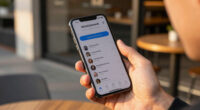
We protect deep work with a timer that lives on the same glowing rectangle holding every feed and notification engineered to pull us out. Spatial Focus Room’s premise: the most reliable way to remove a distraction is to make it physically unavailable — and a headset is the first device that can.
A phone can tell you that you got distracted. A headset can make distraction impossible.
Each is a seamless 360° skybox + a 60-second ambient loop that masks your real room and becomes a cue: “focus starts now.” None of it is licensed stock — every skybox and soundscape is generated procedurally, so the catalog is cheap to expand.
Intent, attached to every session: name one concrete task and it floats in view inside the immersive space. Twenty-five minutes against one named thing — checked off and logged when the session ends. A calm environment becomes accountable deep work.
and becomes a place you go.
Independent commentary, produced with AI assistance under human editorial oversight. The views are the author’s own and may change. This describes a product’s design, features, and business rationale — not business, financial, legal, technical, or medical advice; cost and retention figures are the product’s own framing, not independently verified. Spatial Focus Room is a forthcoming app for Apple Vision Pro (visionOS 26); described features, pricing, and availability are stated by the product and may change. Names are trademarks of their respective owners; mention does not imply endorsement.
Implications of Environment-Based Focus on Productivity
This development could transform how individuals approach concentration, shifting from resisting distractions to physically removing them through immersive environments. By embedding focus cues into the environment itself, Spatial Focus Room aims to enhance productivity and reduce reliance on self-discipline, which often fails against engineered interruptions. If successful, this approach might influence future work tools and workplace design, especially as AR/VR hardware becomes more accessible.
Apple Vision Pro immersive focus app
As an affiliate, we earn on qualifying purchases.
As an affiliate, we earn on qualifying purchases.
Background on Focus Tools and Environmental Design
Traditional focus tools, like timers and apps on smartphones, ask users to resist distractions while remaining within the same environment that invites interruptions. Studies show that context switches caused by notifications or multitasking can cost minutes per interruption, severely impacting deep work. The idea of using immersive environments to facilitate focus is an evolution from basic digital tools, leveraging the capabilities of hardware like the Apple Vision Pro, which can physically block or mask distractions.
Previous attempts at focus environments include noise-canceling headphones and dedicated workspaces, but these do not fully address the challenge of external stimuli. Spatial Focus Room introduces a new paradigm by creating entire virtual settings that are explicitly designed for concentration, with a focus on environmental control rather than digital restrictions alone.
“The most reliable way to remove distraction is to make it physically unavailable. The headset allows us to do this for the first time at consumer scale.”
— Thorsten Meyer, creator of Spatial Focus Room
Unanswered Questions About Practical Use and Adoption
It is not yet clear how widely adopted the app will be, how users will respond to the immersive environments over long periods, or how effective it will be outside controlled testing. Additionally, questions remain about the app’s compatibility with different tasks, its impact on real-world productivity, and whether this approach can scale beyond early adopters.
Next Steps for Development and User Testing
Apple plans to release Spatial Focus Room to a broader user base later in 2024, accompanied by user feedback and data collection to refine the experience. Developers and early testers will evaluate its effectiveness in various work scenarios, and future updates may include additional environments, task integrations, and analytics features to support sustained use.
Key Questions
How does Spatial Focus Room differ from traditional focus apps?
Unlike traditional apps that rely on timers and notifications within the same environment, Spatial Focus Room immerses users in distraction-free virtual settings, physically removing external stimuli and creating an environment dedicated to deep work.
Can users still see their real surroundings while using the app?
Yes, users can choose between fully immersive environments or passthrough mode, which overlays calming visuals and audio onto their real desk, maintaining awareness of their physical surroundings.
What types of environments are available in Spatial Focus Room?
The app offers three environments: CalmBeach, Rainforest, and DeepSpace, each designed to foster focus through visual and auditory cues, and all procedurally generated for consistency and cost-effectiveness.
Will this app be effective for all types of work?
Effectiveness may vary depending on the task and user preferences. While immersive environments can enhance concentration, some tasks requiring real-world interaction or collaboration may benefit less from this approach.
Source: ThorstenMeyerAI.com