Smart card readers vary widely: some are simple USB options for CAC or PIV use, while others are built for access control systems. My best overall pick is the Identiv SCR3310 v2.0 USB-C for its direct fit with newer USB-C computers; the Identiv SCR3500 SmartFold stands out for travel, and the HID OMNIKEY 5427ck Gen 2 suits buyers with broader credential needs. The main tradeoffs are connector compatibility, portability, and whether you need a desktop reader or a system-integrated access device. A familiar brand or card standard alone does not guarantee compatibility with your computer, operating system, or application. Read on for the full comparison and a guide to choosing the right reader for your setup.

Get the latest gadgets delivered free with Prime
- Fast, free delivery on millions of items
- Prime Video, Amazon Music and more included
- Member-only deals all year
Complete the kit



Key Takeaways
- USB-C compatibility is a clear differentiator: the Identiv SCR3310 v2.0 USB-C and Identiv SCR3500C USB SmartFold Type-C are the direct-fit options for newer computers without USB-A ports.
- Portable designs serve a different purpose: the Identiv SCR3500 SmartFold and SCR3500C fold for carrying, while the full-size OMNIKEY 3121 models are better suited to a stationary desk.
- CAC/PIV task readers and access control hardware are not interchangeable: the ZOWEETEK, Hades III, and SAICOO options target card use with computers, while the HID pivCLASS RP40-H and RK40 with keypad are access control readers.
- The lineup includes duplicate families with different connection details: the Identiv SCR3310 USB and USB-C versions and the two OMNIKEY 3121 listings call for checking the exact connector and model before buying.
- Feature breadth does not automatically make a reader the best everyday pick: the OMNIKEY 5427ck Gen 2 offers a broader credential role, while a simpler CAC/PIV reader may be a more direct match for a single computer task.
| ZOWEETEK USB-C CAC Card Reader for Windows and Mac |  | Best for USB-C CAC and PIV Use | Connectivity: USB Type-C | Card support: CAC, PIV, and government ID cards | Operating systems: Windows 10/11; Mac OS 10.15 or later | VIEW ON AMAZON | See Our Full Breakdown |
| Identiv SCR3310 v2.0 USB-C Smart Card Reader |  | Best for Cross-Platform Contact Cards | Interface: USB Type-C | Weight: 0.15 lb | Card slots: 1 | VIEW ON AMAZON | See Our Full Breakdown |
| HID OMNIKEY 5427ck Gen 2 Smart Card Reader – USB, Black & Light Gray |  | Best for Mixed Contactless Card Environments | Technology support: Low and high frequency | Standards: ISO 14443 A/B, ISO 15693 | Connectivity: USB | VIEW ON AMAZON | See Our Full Breakdown |
| Identiv SCR3310V2 USB Smart Card Reader and Writer |  | Best Value for USB-A Contact Cards | Connectivity: USB Type-A | Data transfer rate: Up to 600 Mbps | Compatible operating systems: Android, Linux, macOS, Windows | VIEW ON AMAZON | See Our Full Breakdown |
| HID 920PHRNEK00004 pivCLASS RP40-H Smart Card Reader |  | Best for Physical Access Control | Connectivity: USB, contactless (RFID/NFC) | Card support: PIV, CAC, TWIC, HID Prox | Operating system: All operating systems | VIEW ON AMAZON | See Our Full Breakdown |
| Identiv SCR3500 SmartFold Smart Card Reader |  | Best Compact Pick | Connectivity: USB 2.0 | Card format: ID1 (ISO 7816) | Compliance: CCID, ISO 7816 | VIEW ON AMAZON | See Our Full Breakdown |
| Hades III Smart Card Reader for DOD/CAC/PIV |  | Best for Cross-Platform CAC and PIV Use | Connectivity: USB Type-A; USB-C via separate cable | Compatible cards: CAC, PIV, ISO 7816 | Compatible operating systems: Windows, macOS, Linux | VIEW ON AMAZON | See Our Full Breakdown |
| HID OMNIKEY 3121 USB Card Reader |  | Best for Buyers Prioritizing a Simple USB Connection | Brand: HID OMNIKEY | Product type: USB card reader | Intended use: Secure access and identification | VIEW ON AMAZON | See Our Full Breakdown |
| HID OMNIKEY 3021 Smart Card Reader | 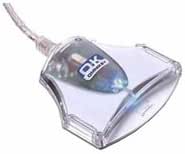 | Best Portable Multi-OS Contact Reader | Brand: HID | Model: OMNIKEY 3021 | Media type: Contact smart cards | VIEW ON AMAZON | See Our Full Breakdown |
| HID 921NTNNEK00000 RK40 iCLASS SE Smart Card Reader with Keypad |  | Best for Card-and-PIN Access Control | Card technology: Contactless 13.56 MHz | Authentication: Card and PIN | Keypad: Backlit, tactile response | VIEW ON AMAZON | See Our Full Breakdown |
| HID OMNIKEY 3121 R31210320-01 Smart Card Reader – USB 3.0 – Gray |  | Best for Vertical Desk Setup | Brand: HID | Model number: R31210320-01 | Interface: USB 3.0 | VIEW ON AMAZON | See Our Full Breakdown |
| ZOWEETEK USB CAC Smart Card Reader for Windows and Mac |  | Best for Straightforward CAC and PIV Setup | Brand: ZOWEETEK | Model: AUS-ZW-12026-1 | Interface: USB 2.0 | VIEW ON AMAZON | See Our Full Breakdown |
| Identiv SCR3500C USB SmartFold Type-C Reader |  | Best Compact USB-C Pick | Brand: Identiv | Series: SCR3500 C | Model number: 905559-1 | VIEW ON AMAZON | See Our Full Breakdown |
| SAICOO DOD Military CAC Smart Card Reader (Horizontal Version) |  | Best for Government ID Workstations | Brand: SAICOO | Model: FBA_S0201B-SSM | Connectivity: USB 2.0 Type A | VIEW ON AMAZON | See Our Full Breakdown |
| smart card reader | Connectivity | Dimensions | Color | Weight |
|---|---|---|---|---|
| ZOWEETEK USB-C CAC Card Reader | USB Type-C | 3.32 × 2.72 × 0.59 in | Black | — |
| Identiv SCR3310 v2.0 USB-C Sma | — | — | White | 0.15 lb |
| HID OMNIKEY 5427ck Gen 2 Smart | USB | — | Black and light gray | — |
| Identiv SCR3310V2 USB Smart Ca | USB Type-A | 4.7 × 2.1 × 6 in | — | 3.2 oz |
| HID 920PHRNEK00004 pivCLASS RP | USB, contactless (RFID/NFC) | — | Black | — |
| Identiv SCR3500 SmartFold Smar | USB 2.0 | 6 × 2.4 × 1 in | — | 9.07 g |
| Hades III Smart Card Reader fo | USB Type-A; USB-C via separate cable | 3.06 × 2.31 × 0.37 inches | Black | — |
| HID OMNIKEY 3121 USB Card Read | USB | — | — | 0.350 lb |
| HID OMNIKEY 3021 Smart Card Re | USB Type A | — | Black, clear | — |
| HID 921NTNNEK00000 RK40 iCLASS | — | — | — | — |
| HID OMNIKEY 3121 R31210320-01 | — | 3.15 × 1.1 × 2.64 in | Gray | 3.52 oz |
| ZOWEETEK USB CAC Smart Card Re | — | 3.29 × 2.56 × 0.37 in | — | 70 g |
| Identiv SCR3500C USB SmartFold | — | 1.89 × 0.79 × 0.47 in | — | 0.32 oz |
| SAICOO DOD Military CAC Smart | USB 2.0 Type A | 6.89 × 4.72 × 2.17 in | Gloss Black | — |
More Details on Our Top Picks
ZOWEETEK USB-C CAC Card Reader for Windows and Mac
For a computer user who needs to authenticate with a CAC or PIV card, this ZOWEETEK reader pairs a direct USB-C connection with support for Windows and Mac. That makes it a simpler fit for newer laptops than the Type-A Identiv SCR3310V2, which needs a compatible port or adapter. Its stated support for military, government, and online banking services gives it a clear everyday role, though the setup is less straightforward on some systems: Windows 11 requires a driver, and Mac use requires Java. The single contact-card slot also limits it to cards that physically insert, unlike the contactless HID OMNIKEY 5427ck Gen 2. I’d choose it for USB-C CAC/PIV tasks, but skip it for phones and tablets; it is not compatible with iPhone or iPad.
Pros:- Supports CAC, PIV, and government ID cards
- USB-C connection suits newer laptops without a separate adapter
- Works with Windows and Mac
- Designed for military, government, and online banking applications
Cons:- Windows 11 requires a driver
- Mac users need Java
- Does not work with iPhone or iPad
Best for: Windows or Mac laptop owners who use CAC or PIV cards and want a reader that plugs directly into USB-C
Not ideal for: iPhone or iPad users, or Mac users who want to avoid installing Java
- Connectivity:USB Type-C
- Card support:CAC, PIV, and government ID cards
- Operating systems:Windows 10/11; Mac OS 10.15 or later
- Slot count:1
- Hardware interface:USB, USB Type-C
- Dimensions:3.32 × 2.72 × 0.59 in
- Color:Black
- Warranty:1 year
Our verdict“Choose this reader for USB-C CAC and PIV use on a compatible Windows or Mac computer if its software requirements fit your setup.”
Identiv SCR3310 v2.0 USB-C Smart Card Reader
The SCR3310 v2.0 is the most adaptable contact-card choice here if your computers span different operating systems. Its listed support for Windows, macOS, Linux, and Android gives it broader platform reach than the ZOWEETEK USB-C CAC reader, which lists Windows and Mac. Compliance with ISO/IEC 7816, PC/SC, CCID, and other standards also suits workplaces with established smart-card authentication workflows. At 0.15 lb, it is easy to carry between compatible devices. The tradeoff is its contact-only design: cards must be inserted, so it cannot replace the HID OMNIKEY 5427ck Gen 2 in a setup that needs contactless cards. This is a strong fit for users who value platform flexibility, but it is not a multi-technology access reader.
Pros:- Supports Windows, macOS, Linux, and Android
- Complies with widely used smart-card standards
- Compact at 0.15 lb
- Supports network log-on and Windows authentication applications
Cons:- Reads contact smart cards only
- Single card slot offers no support for simultaneous card types
Best for: IT staff or individuals who need one contact smart card reader across Windows, Mac, Linux, or Android devices
Not ideal for: Facilities teams that need contactless RFID card support or buyers seeking a reader for multiple card technologies
- Interface:USB Type-C
- Weight:0.15 lb
- Card slots:1
- Compatible operating systems:Windows, macOS, Linux, Android
- Data transfer rate:480 megabits per second
- Standards compliance:ISO/IEC 7816, USB CCID, PC/SC, Microsoft WHQL, EMV 2011 Ver 4.3 Level 1, GSA FIPS 201
- Media type:Smart card
- Color:White
Our verdict“Pick the SCR3310 v2.0 when broad operating-system support for contact smart cards matters more than contactless reading.”
HID OMNIKEY 5427ck Gen 2 Smart Card Reader – USB, Black & Light Gray
Unlike the contact readers in this group, the OMNIKEY 5427ck Gen 2 is designed for environments that use more than one card technology. Its low- and high-frequency support and compliance with ISO 14443 A/B and ISO 15693 make it the clearest match for mixed contactless deployments. The web-based management tool gives administrators a way to configure the reader, a capability not described for the Identiv SCR3310 v2.0. That flexibility comes with a narrower evidence base in the product details: they do not specify operating-system compatibility, read/write speed, or bundled accessories. It is also a USB model rather than one of the direct USB-C choices. I’d favor it for managed, mixed-card setups, while a user who only needs inserted CAC or PIV cards may find the ZOWEETEK more directly suited.
Pros:- Supports low- and high-frequency card technologies
- Complies with ISO 14443 A/B and ISO 15693
- Includes a web-based management tool for configuration
Cons:- Product details do not state read/write speeds
- Operating-system compatibility is not specified in the provided data
- No bundled accessories or software are identified
Best for: Security administrators managing a USB-connected environment with multiple contactless card technologies
Not ideal for: Individual users who only need contact CAC or PIV reading and want clearly stated OS support or performance details
- Technology support:Low and high frequency
- Standards:ISO 14443 A/B, ISO 15693
- Connectivity:USB
- Color:Black and light gray
- Management:Web-based management tool
Our verdict“Choose the OMNIKEY 5427ck Gen 2 for managed contactless installations that need support for multiple card technologies.”
Identiv SCR3310V2 USB Smart Card Reader and Writer
If your computer still has USB-A and your cards are contact-based, the SCR3310V2 covers the practical basics: it reads and writes supported chip cards, including CAC and PIV, and lists compatibility with Windows, macOS, Linux, and Android. Its standards support and firmware-upgrade capability make it a more flexible long-term fit than a reader tied to one operating system. Compared with the USB-C Identiv SCR3310 v2.0, this version suits older ports directly and lists a transfer rate of up to 600 Mbps; the newer model is the more natural pick for USB-C-only laptops. Both are contact readers, so neither serves a contactless access setup like the HID OMNIKEY 5427ck Gen 2. The supplied dimensions are unusual for a compact reader, so check the fit for your desk or travel kit.
Pros:- Reads and writes CAC, PIV, and other contact smart cards
- Works with Windows, macOS, Linux, and Android
- Supports firmware upgrades
- Lists EMV Level 1, PC/SC, CCID, ISO/IEC 7816, and GSA FIPS 201 standards
Cons:- USB Type-A connection may require an adapter on newer laptops
- Supports contact smart cards only
- Listed dimensions may make it less convenient to pack than smaller options
Best for: CAC or PIV users with USB-A computers who want a standards-supported contact reader with firmware upgrade support
Not ideal for: Owners of USB-C-only laptops or users who need contactless RFID card reading
- Connectivity:USB Type-A
- Data transfer rate:Up to 600 Mbps
- Compatible operating systems:Android, Linux, macOS, Windows
- Card slot count:1
- Dimensions:4.7 × 2.1 × 6 in
- Weight:3.2 oz
- Standards:EMV Level 1, PC/SC, CCID, ISO/IEC 7816, USB CCID, Microsoft WHQL, GSA FIPS 201
- Warranty:1 year
Our verdict“Choose this Identiv model for USB-A CAC or PIV tasks when you do not need contactless reading or a native USB-C plug.”
HID 920PHRNEK00004 pivCLASS RP40-H Smart Card Reader
The pivCLASS RP40-H is aimed at securing doors and facilities, which sets it apart from the computer-focused Identiv SCR3310V2. It supports contactless PIV, CAC, TWIC, and HID Prox card types and is described as FIPS 201 compliant for physical access control. That mix can help an organization introduce support for newer credentials while accommodating legacy cards. This is a system-integration choice, though, rather than a compact reader for personal computer sign-in: the listing specifies USB connectivity and contactless RFID/NFC, but provides little detail on durability, environmental resistance, or additional security features. The single-slot field alone also does not explain its physical installation. I’d shortlist it for a planned access-control upgrade, while a user who simply needs to read a CAC card at a laptop is better served by the ZOWEETEK.
Pros:- Supports PIV, CAC, TWIC, and HID Prox card types
- Designed for physical access control
- FIPS 201 compliance is specified
- Supports contactless RFID/NFC and USB connectivity
Cons:- Product details provide limited information about durability and environmental resistance
- Additional security features beyond FIPS 201 are not described
- USB connection can limit mobility compared with a reader designed for portable computer use
Best for: Organizations upgrading physical access systems that need to accommodate PIV, CAC, TWIC, and HID Prox credentials
Not ideal for: Individual laptop users seeking a straightforward personal CAC/PIV reader or facilities needing documented environmental ratings
- Connectivity:USB, contactless (RFID/NFC)
- Card support:PIV, CAC, TWIC, HID Prox
- Operating system:All operating systems
- Hardware interface:USB
- Slot count:1
- Compliance:FIPS 201
- Color:Black
Our verdict“Choose the RP40-H for a physical access-control project that needs multiple credential types, rather than personal card reading at a computer.”
Identiv SCR3500 SmartFold Smart Card Reader
For a reader that can slip into a laptop bag, the Identiv SCR3500 SmartFold pairs a lightweight design with support for standard ID1 contact cards. Its ISO 7816 and CCID compliance and EMV Level 1 certification suit tasks such as secure log-on, electronic identification, and e-banking. Compared with the Hades III, it has narrower listed operating system support, but its 9.07 g weight makes it a particularly portable option. The tradeoff is a single contact-card slot and a Windows-only operating system listing, so buyers using macOS or Linux should check compatibility before choosing it. This pick makes the most sense for Windows users who want a small, standards-based reader for everyday authentication.
Pros:- Compact, lightweight design at 9.07 g
- Supports ID1-format ISO 7816 contact cards
- CCID compliant and EMV Level 1 certified
- Suited to secure log-on, identification, and e-banking
Cons:- Listed operating system support is limited to Windows
- Has a single card slot
Best for: Windows laptop users who carry an ID1 contact card reader for e-banking, secure log-on, or identification.
Not ideal for: macOS or Linux users who need clearly listed support, and anyone needing multiple card slots.
- Connectivity:USB 2.0
- Card format:ID1 (ISO 7816)
- Compliance:CCID, ISO 7816
- Certification:EMV Level 1
- Compatible devices:Personal computer, laptop
- Operating system:Windows
- Dimensions:6 × 2.4 × 1 in
- Weight:9.07 g
Our verdict“Choose the SCR3500 if you want a very light Windows reader for standard contact cards and can work within its single-slot design.”
Hades III Smart Card Reader for DOD/CAC/PIV
The Hades III is the most clearly cross-platform choice in this group for people who need a reader for CAC, PIV, or ISO 7816 cards. It lists Windows, macOS, and Linux support, which gives it a broader stated OS range than the Windows-listed Identiv SCR3500. Plug-and-play setup also suits buyers who want a straightforward USB-A connection for secure authentication. Its main compromise is the connection: USB-C requires a separate cable, so it is less ready for a USB-C-only laptop than readers with that connector built in. With one slot and no listed contactless support, it is a focused authentication tool rather than a general-purpose reader. I’d choose it when broad OS support matters more than built-in USB-C convenience.
Pros:- Supports CAC, PIV, and ISO 7816 cards
- Lists compatibility with Windows, macOS, and Linux
- Plug-and-play setup
- USB-C connectivity is possible with a separate cable
Cons:- USB-C cable is sold separately
- Single-slot design
- No contactless card support is listed
Best for: CAC or PIV cardholders who use Windows, macOS, or Linux computers with a USB-A port.
Not ideal for: USB-C-only laptop owners who do not want to obtain a separate cable, or buyers needing more than one slot.
- Connectivity:USB Type-A; USB-C via separate cable
- Compatible cards:CAC, PIV, ISO 7816
- Compatible operating systems:Windows, macOS, Linux
- Data transfer rate:480 megabits per second
- Slot count:1
- Dimensions:3.06 × 2.31 × 0.37 inches
- Color:Black
- Country of manufacture:United States
Our verdict“Pick the Hades III for cross-platform CAC or PIV use when you have USB-A or are prepared to supply a USB-C cable.”
HID OMNIKEY 3121 USB Card Reader
The HID OMNIKEY 3121 is a straightforward candidate for secure access and identification, with USB connectivity and a compact, lightweight profile among its listed strengths. It may suit buyers who already know their card and software work with this reader and want a simple connection. The limitation is how little product data is available: unlike the Hades III, whose listing names CAC, PIV, ISO 7816, and supported operating systems, this OMNIKEY listing does not specify card types or OS compatibility. That gap makes it harder to judge fit for a particular smart-card workflow. Its reported 0.350 lb weight also gives less reason to choose it for portability than the much lighter Identiv SCR3500. I’d consider it only after confirming card and system compatibility.
Pros:- USB connectivity
- Designed for secure access and identification
- Compact and lightweight design is listed as a strength
Cons:- Supported card types are not specified in the supplied product data
- Operating system compatibility is not specified
- Reported weight is 0.350 lb, heavier than the 9.07 g Identiv SCR3500
Best for: Buyers who already have confirmation that their card and computer support this USB reader and want a simple access or identification setup.
Not ideal for: First-time smart-card buyers who need documented card, operating system, or workflow compatibility before choosing.
- Brand:HID OMNIKEY
- Product type:USB card reader
- Intended use:Secure access and identification
- Connectivity:USB
- Weight:0.350 lb
- Supported card types:Not specified in supplied product data
Our verdict“Choose this OMNIKEY only if you can verify compatibility for your card and computer, since its listing leaves key fit details unclear.”
HID OMNIKEY 3021 Smart Card Reader
The HID OMNIKEY 3021 offers a portable, single-slot setup for contact smart cards, with USB Type-A connectivity and compatibility listed as “Multiple” operating systems. That makes its stated OS range broader than the Windows-only listing for the Identiv SCR3500, while retaining a familiar USB-A connection. The focus is narrow: it reads contact cards only, and the supplied compatible-device field names a printer, which leaves computer compatibility unclear. The listing also calls its hardware interface USB 3.0 Type A, while describing its connection as USB Type A. Compared with the Hades III, it lacks explicit CAC and PIV card claims. This is a reasonable candidate for buyers with a confirmed contact-card workflow, but verify the exact card and host support first.
Pros:- Portable design
- Single-slot contact smart-card reader
- USB Type-A connectivity
- Multiple operating systems are listed
Cons:- Supports contact smart cards only
- Compatible-device listing names a printer, leaving computer support unclear
- No specific operating systems or supported card standards are identified
Best for: People who need a portable, single-slot contact-card reader and have confirmed their card and host work with it.
Not ideal for: Buyers needing contactless card reading, explicit CAC/PIV support, or clear computer compatibility details.
- Brand:HID
- Model:OMNIKEY 3021
- Media type:Contact smart cards
- Connectivity:USB Type A
- Hardware interface:USB 3.0 Type A
- Slot count:1
- Operating system:Multiple
- Color:Black, clear
Our verdict“Consider the OMNIKEY 3021 for a portable contact-card setup after confirming your particular card and computer are supported.”
HID 921NTNNEK00000 RK40 iCLASS SE Smart Card Reader with Keypad
The HID RK40 iCLASS SE serves a different role from the USB contact readers here: it pairs 13.56 MHz contactless card technology with a backlit keypad for card-and-PIN authentication. That combination is aimed at controlled entry where a card alone is not enough. Its weatherproof, vandal-resistant design also fits access points exposed to rough conditions better than compact desktop options such as the Identiv SCR3500. The tradeoff is that this is not presented as a simple personal computer reader; it requires a compatible access control system, and the supplied technical details are sparse. Buyers should confirm system and installation compatibility before choosing it. For workplaces seeking dual-factor entry hardware, its keypad is the defining advantage; for routine computer log-on, the other readers are a closer fit.
Pros:- Combines contactless card and PIN verification
- Backlit keypad with tactile response
- Weatherproof and vandal-resistant design
Cons:- Requires a compatible access control system
- Detailed technical specifications are limited
- Not presented as a general-purpose personal computer reader
Best for: Organizations adding card-and-PIN authentication to an access point with a compatible access control system.
Not ideal for: Individuals seeking a plug-in desktop reader for e-banking, CAC/PIV computer log-on, or other personal computer tasks.
- Card technology:Contactless 13.56 MHz
- Authentication:Card and PIN
- Keypad:Backlit, tactile response
- Connectivity technology:USB Type A
- Additional feature:Waterproof
- Operating system:All operating systems
- Slot count:1
- Compatible system:Requires compatible access control system
Our verdict“Choose the RK40 for compatible access-control installations that need card-and-PIN entry, rather than everyday computer authentication.”
HID OMNIKEY 3121 R31210320-01 Smart Card Reader – USB 3.0 – Gray
The HID OMNIKEY 3121 suits buyers who want a dedicated reader that stands upright beside a workstation. Its base gives it a smaller desk footprint than the flat ZOWEETEK USB CAC Smart Card Reader, while support for government and enterprise ID cards makes it a focused choice for managed access and authentication workflows. It supports Windows and Linux, though the supplied specs list iOS rather than macOS despite the description mentioning macOS, so I would confirm compatibility with the target computer before buying. This is a contact chip reader, not a wireless or contactless option, and its USB 3.0 connection may be an awkward fit for devices without a matching port. Choose it for a fixed desk; choose the compact Identiv SmartFold if portability matters more.
Pros:- Standing base supports vertical placement on a desk.
- Designed for government and enterprise identification cards.
- Supports Windows and Linux according to the listed operating systems.
Cons:- Reads contact chip cards only; contactless support is not specified.
- No wireless connectivity.
- The listed operating systems omit macOS, despite the description claiming support.
Best for: Office and government users who keep a compatible contact ID card reader at a fixed workstation and want upright placement.
Not ideal for: Travelers or users with contactless cards, USB-C-only devices, or a need for clearly documented macOS support.
- Brand:HID
- Model number:R31210320-01
- Interface:USB 3.0
- Listed operating systems:Linux, Windows, iOS
- Dimensions:3.15 × 1.1 × 2.64 in
- Weight:3.52 oz
- Color:Gray
Our verdict“Choose the OMNIKEY 3121 for a stationary contact-card workstation where its upright base is useful and the host system is confirmed compatible.”
ZOWEETEK USB CAC Smart Card Reader for Windows and Mac
For a user who wants to insert a CAC or PIV card and get to work, the ZOWEETEK USB CAC reader has a practical case: plug-and-play operation, broad desktop OS support, and compatibility with ISO-7816 and EMV2 2000 Level 1 cards. Its flat, lightweight body is easier to slip into a laptop bag than the upright HID OMNIKEY 3121, though the HID may suit a permanent desk better. ZOWEETEK uses USB 2.0 and a single slot, so this is a simple reader rather than a multi-card station or high-speed upgrade. The listed transfer rate is 12 megabits per second, which is geared to card access rather than bulk data work. I’d shortlist it for routine CAC or PIV authentication across Windows, Mac, or Linux.
Pros:- Plug-and-play setup without driver installation, according to the product description.
- Supports Windows 10/11, macOS 10.15 or later, and Linux.
- Compatible with PIV, CAC, ISO-7816, and EMV2 2000 Level 1 cards.
- Slim profile and 70 g weight make it easy to carry.
Cons:- Only one card slot.
- USB 2.0 interface is less suited to buyers seeking a newer connection standard.
- No contactless or wireless capability is listed.
Best for: CAC or PIV cardholders who want a compact, plug-and-play reader for a Windows, Mac, or Linux laptop.
Not ideal for: Users who need multiple card slots, contactless reading, or a newer USB-C connection without an adapter.
- Brand:ZOWEETEK
- Model:AUS-ZW-12026-1
- Interface:USB 2.0
- Compatible cards:PIV, CAC, ISO-7816, EMV2 2000 Level 1
- Compatible operating systems:Windows 10/11, macOS 10.15 or later, Linux
- Slot count:1
- Dimensions:3.29 × 2.56 × 0.37 in
- Weight:70 g
- Data transfer rate:12 megabits per second
Our verdict“Pick ZOWEETEK for uncomplicated CAC and PIV use across common desktop systems in a carry-friendly form.”
Identiv SCR3500C USB SmartFold Type-C Reader
The Identiv SCR3500C SmartFold is the portability specialist in this group: its tiny body and reversible USB-C connector suit modern laptops, phones, and tablets better than the USB-A SAICOO CAC reader. It supports CAC and PIV cards and lists standards including ISO/IEC 7816, CCID, PC/SC, EMV 2011, and FIPS-201, giving security-focused buyers a standards-rich option in a pocket-sized format. That compactness comes with practical caveats: the supplied specs list Mac OS only, and mention a nonstandard battery, so buyers should verify host and power requirements for their setup. Compared with the ZOWEETEK, it offers USB-C convenience and a smaller footprint, but less clearly documented cross-platform compatibility.
Pros:- Ultra-compact body weighs 0.32 oz.
- Reversible USB-C connector fits many newer devices.
- Supports CAC and PIV cards and several established smart-card standards.
- Lists EMV 2011 and FIPS-201 compliance.
Cons:- Specifications list Mac OS only, leaving Windows and Linux support unclear.
- Product data says a nonstandard battery is required.
- Very small format may be less convenient to handle than a desktop reader.
Best for: Mac users with USB-C devices who carry CAC or PIV cards and need a reader that takes very little bag space.
Not ideal for: Windows or Linux buyers who need explicitly listed support, or anyone who wants a conventional USB-A reader without battery-related requirements.
- Brand:Identiv
- Series:SCR3500 C
- Model number:905559-1
- Connector:USB Type-C, reversible
- Supported cards:CAC, PIV
- Listed operating system:Mac OS
- Dimensions:1.89 × 0.79 × 0.47 in
- Weight:0.32 oz
- Standards:ISO/IEC 7816, CCID, PC/SC, EMV 2011, FIPS-201
Our verdict“Choose the SCR3500C when USB-C portability matters most and its listed operating system and power requirements fit your device.”
SAICOO DOD Military CAC Smart Card Reader (Horizontal Version)
The SAICOO horizontal CAC reader is aimed squarely at buyers handling Department of Defense Common Access Cards and government IDs. Its USB 2.0 Type-A connection and stated Windows, Mac OS X, and Linux compatibility make it a familiar fit for mixed desktop environments, while ISO 7816 Class A, B, and C support covers multiple contact-card voltage classes. Compared with the pocket-sized Identiv SCR3500C, this is a larger, desk-oriented unit with a conventional USB-A plug; that trades easy travel for a more substantial horizontal setup. The listed dimensions are unusually large for a single-slot reader, so check available desk space. It is also purpose-built around government credentials, making the broader standards support of other readers potentially more useful for general smart-card tasks.
Pros:- Designed for DoD CAC and government ID use.
- Supports Windows, Mac OS X, and Linux per the listed compatibility.
- ISO 7816 Class A, B, and C standards support.
- Includes an 18-month warranty and lifetime technical support according to the product data.
Cons:- USB 2.0 Type-A connection may require an adapter for newer USB-C-only devices.
- Listed dimensions are bulky for a single-slot reader.
- Its government-focused use case may be limiting for general-purpose smart-card buyers.
Best for: Government, military, or contractor users who need a horizontal USB-A reader for CAC and related contact ID cards.
Not ideal for: Frequent travelers, USB-C-only laptop owners, and buyers seeking a small reader for varied consumer smart-card uses.
- Brand:SAICOO
- Model:FBA_S0201B-SSM
- Connectivity:USB 2.0 Type A
- Compatibility:Windows XP–10, Mac OS X, Linux
- Standards:ISO 7816 Class A, B, and C
- Dimensions:6.89 × 4.72 × 2.17 in
- Color:Gloss Black
- Warranty:18 months
Our verdict“Pick the SAICOO for a dedicated government credential workstation with USB-A, provided its desk footprint fits.”

How We Picked
I compared the 14 readers by the job they appear designed to do: computer-based CAC or PIV use, general smart card tasks, portable use, or integration with physical access systems. I gave priority to a clear fit between the reader’s stated form and connection type and the likely setup, since a reader that cannot connect to a computer or access system is of little use regardless of its feature list. I also considered portability, desktop practicality, and whether the product’s role is distinct enough to justify choosing it over another option in this lineup.
The ranking favors readers with a straightforward everyday use case near the top, then places more specialized, portable, and access-control-focused hardware according to who benefits from it. Similar models are separated by their connector, physical design, or stated deployment role; I do not treat near-duplicate listings as meaningfully different without a clear distinction. Product names alone do not establish compatibility with a buyer’s operating system, card, or application, so those checks remain part of the selection process.
Factors to Consider When Choosing Smart Card Readers
Choosing a smart card reader starts with matching the device to the card and the job. The following checks can prevent a common mismatch: buying a desktop USB reader for a door access system, or choosing the right card interface with the wrong connector for your computer.
Match the reader to the task
First decide whether the reader will connect to a computer for CAC, PIV, or other card-based tasks, or become part of a physical access system. These are different jobs, and the products may use different interfaces and installation methods. A USB reader is generally aimed at a computer, while a reader with an access-control designation may be meant to connect to a compatible controller. Do not assume that a device described as a smart card reader can serve both roles. Check the documentation for the exact application, card, and system you plan to use. This simple distinction can rule out an attractive but unsuitable option before you compare smaller details.
Check the full compatibility chain
Compatibility depends on more than the card standard printed on a product page. Your operating system, required drivers or middleware, application, and card type all play a part. Confirm that each link in that chain is supported, especially if you use a managed work computer where software installation is restricted. A reader may connect successfully yet fail to work with a particular identity portal or credential. When replacing an existing unit, compare its exact model and connection requirements rather than relying on a broad label such as CAC-compatible. This check is especially useful when choosing among similar SCR3310 or OMNIKEY listings.
Choose USB-C or USB-A based on your actual setup
Inspect the ports on the computer or controller where the reader will be used. USB-C models can avoid adapters on newer laptops, while a USB-A model may plug directly into older desktops or existing equipment. An adapter can bridge the gap, but it adds another connection point and may be inconvenient in a fixed installation. Check whether the listing describes a built-in connector or a cable, since those designs behave differently at a crowded desk. If the reader will move between devices, think about the ports you encounter most often. Buying for a port you do not have can turn a compact device into a setup that depends on extra accessories.
Decide whether portability matters
A folding reader can take up less room in a bag and protect some of its structure during travel, but portability is less valuable when the device stays plugged into one workstation. For a permanent desk setup, a larger reader may be easier to position and leave in place. Consider how often you will pack it, whether you need to use it while traveling, and how much cable or adapter clutter your setup can tolerate. Small devices are also easier to misplace, so a portable choice works best when you have a regular storage spot. The right form factor follows your routine rather than a general preference for smaller hardware.
Treat access-control readers as system components
Readers such as the pivCLASS RP40-H or RK40 with keypad should be evaluated as parts of a security installation, not as ordinary USB computer accessories. Their suitability can depend on the controller, credential technology, wiring, configuration, and site requirements. A keypad may support an additional entry method, but it also changes what the installation and access policy need to support. Before choosing, confirm the reader’s interface and credential compatibility with the system integrator or equipment documentation. Replacing a door reader without checking the existing system can lead to a unit that physically fits but cannot communicate with the controller. For a single personal computer, this category is generally the wrong starting point.
Pay for capability you can use
A broader credential reader may make sense when a workplace handles multiple card types or needs a device that fits a wider deployment. For a single CAC or PIV task, extra capability may add setup complexity without improving the everyday workflow. Think about whether the reader is for one person, a shared workstation, or a managed fleet, since support and replacement needs differ across those settings. In a fleet, standardized models can simplify procurement and troubleshooting even if another option has a more appealing form. Check availability of driver support and installation documentation as part of long-term fit. The best choice is the one whose capabilities match real requirements rather than the longest feature list.
Frequently Asked Questions
Will a CAC or PIV reader work with my computer automatically?
Not always. The reader needs to match your computer’s port, operating system, card, and the application or portal you intend to use. Some setups also require drivers or middleware, and a managed work computer may prevent you from installing them yourself. Check the reader maker’s compatibility details and your organization’s instructions before ordering. If a current reader already works, use its exact model and software setup as a reference.
Should I choose a USB-C reader or a USB-A reader?
Choose based on the ports available on the device where the reader will stay connected. A USB-C model is a direct fit for many newer laptops, while USB-A can suit older computers and established desktop setups. An adapter may work, but it adds a component that can be lost or loosened. If you will use the reader on several machines, list their ports before deciding. Also verify that the product has the connector you expect, since similar model names can refer to different versions.
Can I use an access-control reader as a USB CAC reader?
Usually, these products serve different systems. A computer-focused USB reader is intended to connect to a computer, while an access-control reader is typically part of a door-entry system with a compatible controller and installation. Both may read credentials, but that does not make their interfaces interchangeable. Confirm the connection method and supported system in the product documentation. If your goal is signing in on a computer, start with a reader explicitly intended for that use.
Is a folding smart card reader a good choice for everyday desk use?
It can work well at a desk, but its main advantage is easier carrying and storage. If you rarely move the reader, a full-size model may be simpler to leave connected and position beside your computer. Consider whether the folding design changes how you place or handle the card during use. For frequent travel, compact storage can outweigh that tradeoff. For a fixed workstation, prioritize connector fit and documented compatibility first.
When does a more capable reader make sense?
A broader reader is useful when your work involves multiple credential types or a defined deployment that needs wider support. For one card and one computer task, a simpler device can be easier to match and maintain. Check whether the additional capabilities are supported by your operating system, software, and card; a feature that your setup cannot use adds little practical value. Shared or managed environments may also favor the model already supported by the IT team. Let the actual credential workflow determine whether extra capability is worthwhile.
Conclusion
For most computer-based smart card tasks, I would start with the Identiv SCR3310 v2.0 USB-C as the best overall fit when the computer has USB-C; choose its USB counterpart if your setup needs that connection instead. The ZOWEETEK USB CAC reader is a straightforward value-oriented option for buyers whose needs center on CAC use, while the HID OMNIKEY 5427ck Gen 2 is the premium-leaning choice for a broader credential role. Beginners should favor a clearly documented USB reader that matches their computer and follow their organization’s setup guidance. For travel, consider the Identiv SCR3500 SmartFold or SCR3500C; for a stationary desk, compare the OMNIKEY 3121 models. If you are outfitting a door or access system, focus on the HID pivCLASS RP40-H or RK40 with keypad only after confirming controller and credential compatibility.