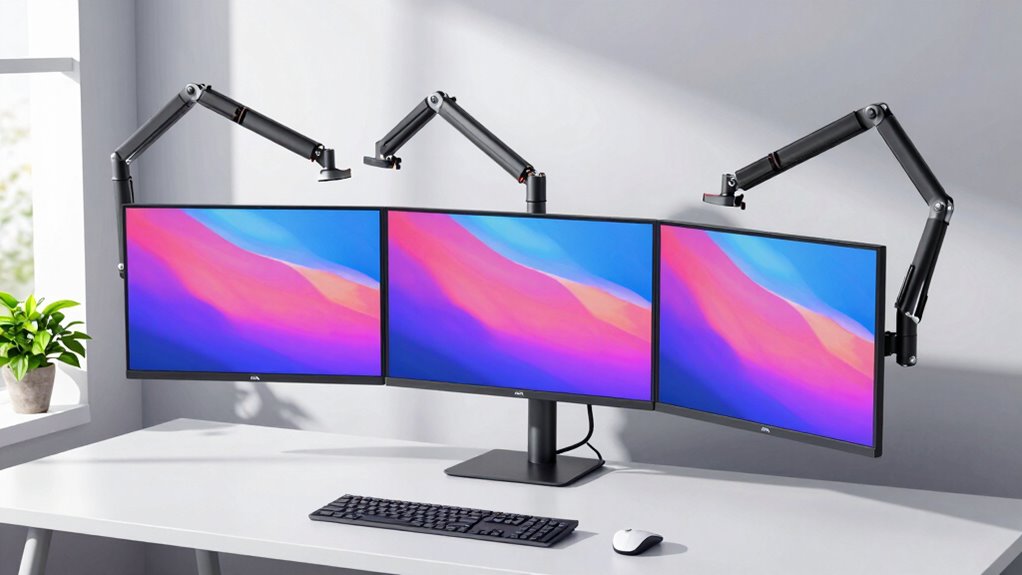

If you’re working with ultrawide screens, finding a sturdy, adjustable monitor arm is essential. The HUANUO TitanLift stands out for supporting up to 49 inches and 44 lbs, making it ideal for large monitors, but it requires a specific desk setup. WALI’s Ultrawide Single Monitor Arm offers a budget-friendly, flexible solution for screens up to 49 inches with full motion adjustments, though it’s limited to lighter monitors. For those seeking versatility, ErGear’s Heavy Duty Monitor Arm provides robust support and multiple mounting options, but it may be overbuilt for smaller screens. Each of these options balances size capacity, adjustability, and installation complexity differently, so your choice hinges on your desk setup and monitor weight.
Complete the kit



Key Takeaways
- Support for ultrawide screens up to 49 inches is common among the top picks.
- Full motion adjustability enhances ergonomic positioning but varies in ease of use.
- Weight capacity ranges from 33 lbs to 44 lbs, impacting support for very heavy monitors.
- Mounting options and compatibility with desk types influence installation and stability.
- Features like USB ports and cable management add convenience but are not universal.
| HUANUO TitanLift Heavy Duty Monitor Arm for Screens up to 49″ |  | Best Overall for Large, Heavy Ultrawide Monitors | Screen Size Range: 17 to 49 inches | Weight Capacity: 44 lbs | VESA Compatibility: 75x75mm, 100x100mm | VIEW ON AMAZON | See Our Full Breakdown |
| ARES WING Stacked Dual Vertical Monitor Arm with USB-A/C for 17 to 49 Inch Monitors |  | Best for Dual Ultrawide Monitors with Built-in Charging | Monitor Size Range: 17-49 inches | Max Weight Capacity: 44 lbs per arm | VESA Compatibility: 75x75mm, 100x100mm | VIEW ON AMAZON | See Our Full Breakdown |
| WALI Heavy Duty Monitor Arm for 13-49 inch Screens up to 44 lbs |  | Best for Heavy-Duty Support and Stability | Screen Size Compatibility: 13-49 inches | Max Load Capacity: 44 lbs | VESA Pattern: 75x75mm, 100x100mm | VIEW ON AMAZON | See Our Full Breakdown |
| WALI Ultrawide Single Monitor Arm for 17-49 inch Curved Screen, up to 33 lbs |  | Best Budget-Friendly Ultrawide Support | Compatibility: 17-49 inches, up to 33 lbs | VESA Pattern: 75x75mm, 100x100mm | Max Extension: 21.14 inches | VIEW ON AMAZON | See Our Full Breakdown |
| ErGear Heavy Duty Monitor Arm for 13-49″ Ultrawide Screens, 37.4 lbs Capacity |  | Best for Versatility and Heavy Support | Monitor Size Range: 13-49 inches | VESA Compatibility: 75x75mm, 100x100mm | Weight Capacity: 37.4 lbs | VIEW ON AMAZON | See Our Full Breakdown |
| monitor arm for ultrawide screen | Swivel | Rotation | VESA Compatibility | Tilt Range |
|---|---|---|---|---|
| HUANUO TitanLift Heavy Duty Mo | 180° | 360° | 75x75mm, 100x100mm | +50° to -50° |
| ARES WING Stacked Dual Vertica | ±90° | 360° | 75x75mm, 100x100mm | -50° to +20° |
| WALI Heavy Duty Monitor Arm fo | +90°/-90° | 360° | — | — |
| WALI Ultrawide Single Monitor | +90°/-90° | 360° | — | — |
| ErGear Heavy Duty Monitor Arm | ±90° | 360° | 75x75mm, 100x100mm | +70°/-50° |
More Details on Our Top Picks
HUANUO TitanLift Heavy Duty Monitor Arm for Screens up to 49″
This model excels in supporting massive ultrawide screens up to 49 inches and 44 lbs, making it a top choice for those with large, demanding displays. Its full range of motion—tilt, swivel, rotation—ensures ergonomic comfort, and its durable aluminum alloy construction promises longevity. Compared with other options, the TitanLift offers unmatched support for very large monitors but requires a specific desk setup, including no cross beams and suitable thickness. It’s ideal for users who prioritize stability and size support over a universal fit.
Pros:- Supports monitors up to 49 inches and 44 lbs
- Full adjustability for ergonomic positioning
- Durable aluminum alloy construction
- Easy installation with clear instructions
Cons:- Requires specific desk thickness and no cross beams
- Limited to VESA-compatible monitors
- Less suited for lightweight or smaller screens
Best for: Users with large ultrawide monitors and sturdy desks
Not ideal for: Those with lighter, smaller monitors or irregular desk surfaces
- Screen Size Range:17 to 49 inches
- Weight Capacity:44 lbs
- VESA Compatibility:75x75mm, 100x100mm
- Material:Aluminum alloy
- Tilt Range:+50° to -50°
- Swivel:180°
- Rotation:360°
- Extension:up to 22.5 inches
- Height Adjustment:up to 19.6 inches
Our verdict“The HUANUO TitanLift is best for users with large, heavy ultrawide screens who need maximum stability and adjustability.”
ARES WING Stacked Dual Vertical Monitor Arm with USB-A/C for 17 to 49 Inch Monitors
The ARES WING supports two monitors from 17 to 49 inches, each capable of supporting up to 44 lbs, making it perfect for dual ultrawide setups. Its upgraded USB-C and USB-A ports add significant value for users who need to connect or charge devices directly at their workspace. Its full motion—height, tilt, swivel, rotation—ensures ergonomic comfort, and its robust gas springs provide smooth adjustments. Compared to single-arm options, this dual setup maximizes desk space and productivity but can be complex to install and may require compatible desk thicknesses.
Pros:- Supports dual monitors up to 49 inches and 44 lbs per arm
- Full motion adjustments for ergonomic comfort
- Built-in USB-C and USB-A ports for device charging
- Durable industrial-grade gas springs
Cons:- Requires VESA mount adapter for non-VESA monitors
- Installation can be complex
- Limited compatibility with very thick desks
Best for: Professionals with dual ultrawide monitors who want integrated device charging
Not ideal for: Users with only a single monitor or incompatible desk thicknesses
- Monitor Size Range:17-49 inches
- Max Weight Capacity:44 lbs per arm
- VESA Compatibility:75x75mm, 100x100mm
- Maximum Height:27.9 inches
- Maximum Extension:22.4 inches
- Tilt Range:-50° to +20°
- Swivel:±90°
- Rotation:360°
- USB Ports:USB-C (5V/2A), USB-A (5V/2A)
- Desk Thickness:0.5-1.8 inches
Our verdict“The ARES WING is ideal for dual ultrawide setups where charging and connectivity are priorities, with some installation complexity.”
WALI Heavy Duty Monitor Arm for 13-49 inch Screens up to 44 lbs
WALI’s Heavy Duty Monitor Arm supports screens from 13 to 49 inches, with a maximum load of 44 lbs, offering reliable stability for larger ultrawide monitors. Its full motion—tilt, swivel, rotation—promotes ergonomic positioning, and its built-in cable management helps keep clutter at bay. Designed for wooden desks, it provides multiple mounting options, including C-clamp and grommet, making it versatile for various setups. However, its weight and design make it less suitable for lightweight or non-wooden desks, and installation can be somewhat involved.
Pros:- Supports monitors up to 49 inches and 44 lbs
- Full motion adjustment for ergonomic positioning
- Multiple mounting options including grommet and C-clamp
- 10-year warranty for durability
Cons:- Designed mainly for wooden desks
- Heavy weight may require sturdy mounting surfaces
- Installation process can be complex
Best for: Heavy-duty, stable support for large monitors on wooden desks
Not ideal for: Users with lightweight desks or smaller screens
- Screen Size Compatibility:13-49 inches
- Max Load Capacity:44 lbs
- VESA Pattern:75x75mm, 100x100mm
- Extension:21.57 inches
- Height Adjustment:up to 20.35 inches
- Swivel:+90°/-90°
- Tilt:+45°/-45°
- Rotation:360°
- Warranty:10 years
Our verdict“The WALI Heavy Duty Arm offers robust stability for large monitors, making it a strong choice for wooden desk setups with demanding support needs.”
WALI Ultrawide Single Monitor Arm for 17-49 inch Curved Screen, up to 33 lbs
This WALI arm supports ultrawide screens from 17 to 49 inches and up to 33 lbs, making it suitable for lighter, curved ultrawide monitors. Its full motion capabilities—tilt, swivel, rotation—help optimize ergonomics, and it offers two installation options for flexibility. However, its lower weight limit and primary design for wooden desks mean it’s less suitable for very heavy or non-standard surfaces. It’s an excellent budget choice for those with lighter ultrawide displays.
Pros:- Supports monitors up to 49 inches and 33 lbs
- Full motion adjustment for ergonomic comfort
- Multiple mounting options
- Affordable price point
Cons:- Limited weight capacity for heavy ultrawides
- Designed mainly for wooden desks
- Installation may be complex for some users
Best for: Budget-conscious users with lighter ultrawide monitors on wooden desks
Not ideal for: Heavy ultrawides or non-wooden desks
- Compatibility:17-49 inches, up to 33 lbs
- VESA Pattern:75x75mm, 100x100mm
- Max Extension:21.14 inches
- Max Height Adjustment:20.79 inches
- Tilt:+75°/-75°
- Swivel:+90°/-90°
- Rotation:360°
- Warranty:3 years
Our verdict“The WALI Ultrawide Single Monitor Arm offers a cost-effective solution for lighter ultrawide screens, with some limitations on weight and desk compatibility.”
ErGear Heavy Duty Monitor Arm for 13-49″ Ultrawide Screens, 37.4 lbs Capacity
The ErGear Heavy Duty Monitor Arm supports ultrawide screens from 13 to 49 inches with a capacity of 37.4 lbs, offering full motion—tilt, swivel, rotation—and versatile mounting options including C-clamp and grommet mounts. Its sturdy construction and adjustable features make it suitable for long hours of ergonomic work, but its heavy-duty design might be overkill for smaller or lighter monitors. Installation might be a challenge for some users, especially on less sturdy desks.
Pros:- Supports ultrawide monitors up to 49 inches and 37.4 lbs
- Full motion for ergonomic adjustments
- Versatile mounting options including grommet and C-clamp
- Helps reduce desk clutter
Cons:- Heavy build may require sturdy desks
- Installation can be challenging
- Overbuilt for smaller or lightweight monitors
Best for: Users needing versatile, heavy-duty support with multiple mounting options
Not ideal for: Lightweight monitors or simple setups
- Monitor Size Range:13-49 inches
- VESA Compatibility:75x75mm, 100x100mm
- Weight Capacity:37.4 lbs
- Tilt Range:+70°/-50°
- Swivel:±90°
- Rotation:360°
- Extension:Up to 21.2 inches
- Height Adjustment:Up to 22.2 inches
- Mounting Options:C-clamp, Grommet
Our verdict“The ErGear arm offers robust, versatile support for demanding ultrawide monitors, ideal for ergonomic setups requiring flexible mounting.”
How We Picked
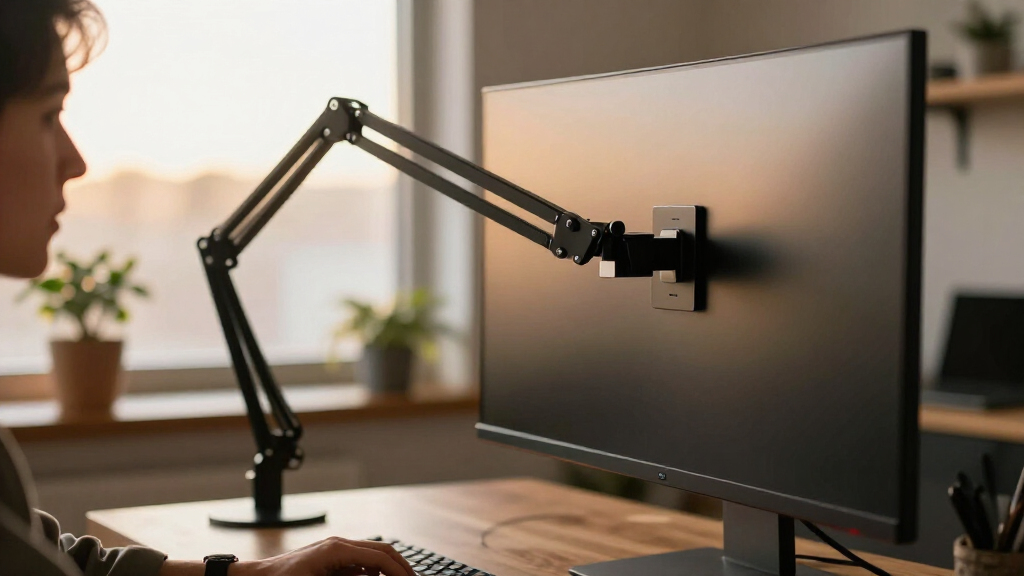
To select the best monitor arms for ultrawide screens, I focused on models supporting screens from 17 to 49 inches, with a weight capacity of at least 33 lbs. I prioritized full-motion adjustability—tilt, swivel, rotation—and compatibility with common VESA patterns. Durability was key, so I looked for sturdy construction materials like aluminum and metal springs. Ease of installation and versatility in mounting options, such as C-clamp or grommet, were essential. Finally, I considered additional features like cable management and USB ports to evaluate overall value and convenience.
| monitor arm for ultrawide screen | Tilt Range | Height Adjustment |
|---|---|---|
| HUANUO TitanLift Heavy Duty Mo | +50° to -50° | up to 19.6 inches |
| ARES WING Stacked Dual Vertica | -50° to +20° | — |
| WALI Heavy Duty Monitor Arm fo | — | up to 20.35 inches |
| WALI Ultrawide Single Monitor | — | — |
| ErGear Heavy Duty Monitor Arm | +70°/-50° | Up to 22.2 inches |
Factors to Consider When Choosing Monitor Arm For Ultrawide Screens
Choosing the right monitor arm for ultrawide screens depends on several factors beyond just size support. You need to consider weight capacity, adjustability, mounting options, and your desk type. These elements ensure your setup remains stable, ergonomic, and clutter-free. Let’s explore what to look for to make an informed decision.
Monitor Size and Weight Capacity
The first step is matching your ultrawide monitor’s size and weight to the arm’s specifications. Most high-capacity arms support up to 49 inches and around 44 lbs, but lighter models may not need the heaviest-duty options. Overloading an arm can cause instability, so always check the maximum supported weight and size before buying.
Adjustability and Motion
Full motion—tilt, swivel, rotation, and height adjustment—is vital for ergonomic comfort. Some arms offer smooth gas springs for effortless adjustments, while others may require more force. Consider how often you’ll change your monitor’s position and choose an arm that offers precise, easy adjustments.
Mounting Options and Compatibility
Most arms support C-clamp or grommet mounting, but your desk material and thickness influence compatibility. Wooden desks are generally easier to accommodate, while metal or glass surfaces may require specialized mounting hardware. Ensure your desk can securely support the arm’s weight and mounting type.
Additional Features
Features like cable management and built-in USB ports can significantly improve workspace organization and convenience. While not essential, these extras add value and can streamline your setup, especially if you work with multiple devices or want a cleaner desk.
Budget and Durability
Prices vary widely based on size support, features, and build quality. Investing in a durable, well-made arm—preferably with a warranty—can save you money long-term by reducing the need for replacements. Balance your budget with your needs for support and flexibility.
Frequently Asked Questions
Can I mount an ultrawide monitor on any monitor arm?
Not all monitor arms are compatible with ultrawide screens, especially larger models over 49 inches or those exceeding typical weight limits. Always verify the size and weight support, and ensure your monitor has VESA mounting holes, which are necessary for most arms.
What is the best type of mount for ultrawide monitors?
C-clamp mounts are common and easy to install on most desks, but grommet mounts provide a more stable base and are better for thicker or more solid desks. Your choice depends on your desk material and thickness, as well as stability needs.
Are dual monitor arms better for ultrawides?
Dual arms can support two ultrawide monitors simultaneously, freeing up desk space and enhancing multitasking. However, they tend to be more complex to install and costlier. For single large ultrawides, a single heavy-duty arm might be simpler and more stable.
Do I need special features for gaming or professional work?
Features like full motion adjustability, cable management, and USB ports are useful for both gaming and professional setups. Stable support for large, heavy ultrawides ensures smooth, wobble-free positioning, which is critical for precise work or immersive gaming experiences.
How do I install a monitor arm on my desk?
Most arms come with detailed instructions for mounting via C-clamp or grommet base. You’ll need to secure the clamp or grommet bracket tightly to your desk, then attach the monitor using VESA mounting holes. Be sure your desk can support the arm’s weight and installation hardware for safety and stability.
Conclusion
If you have a large ultrawide monitor weighing up to 44 lbs and want maximum stability, the HUANUO TitanLift is the best fit. For users seeking dual monitors with integrated charging, the ARES WING offers excellent flexibility. Those on a tighter budget or with lighter monitors will find the WALI Ultrawide Arm a cost-effective choice. Finally, if your desk is sturdy and you need a versatile, heavy-duty mount, the ErGear Heavy Duty Arm provides a reliable, adaptable solution. Your choice should reflect your monitor size, weight, workspace, and specific ergonomic needs.