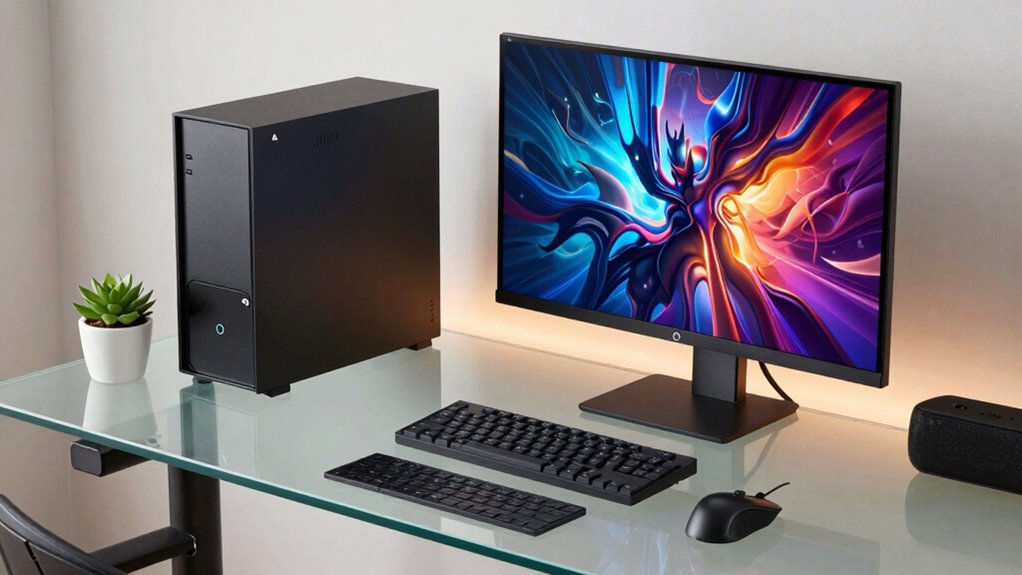

Choosing a compact workstation desktop means balancing desk space against the memory, processor headroom, display connections, and service life your work requires. Among these five options, I put the Dell OptiPlex 3070 Micro with 16GB RAM first for its six-core processor, business-oriented Windows 11 Pro setup, and more generous memory than the 8GB alternatives. The Getorli Ryzen 5 mini PC is my pick for a newer-feeling everyday setup with dual 4K display output and Wi-Fi 6, while the HP EliteDesk 705 G4 offers the smallest stated footprint and stronger integrated graphics on paper.

Get the latest gadgets delivered free with Prime
- Fast, free delivery on millions of items
- Prime Video, Amazon Music and more included
- Member-only deals all year
The main tradeoffs are clear: two renewed Dell systems offer six-core Intel processors but differ sharply in memory and storage; the Getorli has better stated display and wireless features but caps memory at 32GB; and the less costly-to-configure 8GB machines may need a memory upgrade or lighter workloads. These are compact productivity PCs, not dedicated-graphics workstations. I rank them by how convincingly their size, listed specifications, and practical limitations match sustained office and multitasking needs.
Complete the kit



Key Takeaways
- The renewed Dell OptiPlex 3070 with 16GB RAM is the strongest all-rounder here: it pairs a six-core i5-9500 with a 500GB SSD and Windows 11 Pro.
- Getorli is the only listed option with dual HDMI supporting up to two 4K displays and Wi-Fi 6, but its memory expansion ceiling is 32GB.
- The HP EliteDesk 705 G4 has a particularly small stated 7.2 × 1.4 × 7-inch chassis and Radeon Vega 11 graphics, but arrives with only 8GB RAM.
- The 8GB OptiPlex 3070 retains the same six-core processor as the top pick, yet its 250GB SSD and lower memory make it a more limited starting configuration.
- The OptiPlex 3040 includes a wired keyboard and mouse, but its older two-core i3 and listed 8GB memory ceiling make it the least suitable for heavier workstation multitasking.
| Dell OptiPlex 3070 Micro Mini Desktop PC, Intel Core i5-9500, 16GB RAM, 500GB SSD, Windows 11 Pro (Renewed) |  | Best Overall | Processor: Intel Core i5-9500, 9th-generation, 6 cores | Memory: 16GB DDR4, 2666MHz; maximum 64GB listed | Storage: 500GB SSD | VIEW ON AMAZON | See Our Full Breakdown |
| Getorli Mini PC with AMD Ryzen 5 3501U, 16GB DDR4 RAM, 512GB NVMe SSD, Dual HDMI, Wi-Fi 6, and Bluetooth 5.3 |  | Best for Dual Displays and Modern Connectivity | Processor: AMD Ryzen 5 3501U, 4 cores and 8 threads, 2.1–3.7GHz | Memory: 16GB DDR4, expandable to 32GB | Storage: 512GB NVMe SSD | VIEW ON AMAZON | See Our Full Breakdown |
| HP EliteDesk 705 G4 Mini Desktop, Ryzen 5 Pro 2400GE, 8GB RAM, 256GB SSD, Windows 11 Pro (Renewed) |  | Best for a Small Footprint and Integrated Graphics | Processor: AMD Ryzen 5 Pro 2400GE, up to 3.8GHz | Memory: 8GB DDR4 | Storage: 256GB SSD | VIEW ON AMAZON | See Our Full Breakdown |
| Dell OptiPlex 3070 Micro Mini PC, Intel Core i5-9500, 8GB RAM, 250GB SSD, Windows 11 Pro (Renewed) |  | Best for a Six-Core Processor on a Basic Configuration | Processor: Intel Core i5-9500, 6 cores, 3.2GHz | Memory: 8GB DDR4 | Storage: 250GB SSD | VIEW ON AMAZON | See Our Full Breakdown |
| Dell OptiPlex 3040 Micro Mini PC, Intel Core i3-6100T, 8 GB RAM, 256 GB SSD, Wi-Fi, Bluetooth, Keyboard and Mouse, Windows 11 Pro (Renewed) |  | Best for a Basic Desk Setup with Included Peripherals | Processor: Intel Core i3-6100T, 2 cores, 3.2GHz | Memory: 8GB DDR4; 8GB listed maximum | Storage: 256GB SSD | VIEW ON AMAZON | See Our Full Breakdown |
| compact workstation desktop | Processor | Memory | Storage | Operating system |
|---|---|---|---|---|
| Dell OptiPlex 3070 Micro Mini | Intel Core i5-9500, 9th-generation, 6 cores | 16GB DDR4, 2666MHz; maximum 64GB listed | 500GB SSD | Windows 11 Pro |
| Getorli Mini PC with AMD Ryzen | AMD Ryzen 5 3501U, 4 cores and 8 threads, 2.1–3.7GHz | 16GB DDR4, expandable to 32GB | 512GB NVMe SSD | — |
| HP EliteDesk 705 G4 Mini Deskt | AMD Ryzen 5 Pro 2400GE, up to 3.8GHz | 8GB DDR4 | 256GB SSD | Windows 11 Pro 64-bit |
| Dell OptiPlex 3070 Micro Mini | Intel Core i5-9500, 6 cores, 3.2GHz | 8GB DDR4 | 250GB SSD | Windows 11 Pro |
| Dell OptiPlex 3040 Micro Mini | Intel Core i3-6100T, 2 cores, 3.2GHz | 8GB DDR4; 8GB listed maximum | 256GB SSD | Windows 11 Pro |
More Details on Our Top Picks
Dell OptiPlex 3070 Micro Mini Desktop PC, Intel Core i5-9500, 16GB RAM, 500GB SSD, Windows 11 Pro (Renewed)
This OptiPlex 3070 is my first choice because it combines the most balanced starting configuration in the lineup: a six-core Core i5-9500, 16GB of DDR4, and a 500GB SSD. That blend is a better fit for a compact work area where several office apps, browser tabs, and communication tools may stay open at once than the 8GB configurations. Windows 11 Pro also suits buyers who want a business-oriented operating system rather than a basic home setup.
Compared with the 8GB OptiPlex 3070, this model doubles the listed memory and storage, reducing the chance that ordinary multitasking or a growing collection of work files becomes an immediate constraint. The Getorli has more current-sounding connectivity on its spec sheet, including Wi-Fi 6 and dual 4K HDMI, but its four-core Ryzen 5 3501U and 32GB memory ceiling make this Dell a stronger choice for buyers prioritizing processor cores and room to expand memory. The Dell lists maximum memory of 64GB, though buyers should confirm what upgrades are supported by the specific renewed unit.
The compromises matter: this is renewed hardware, not a new desktop, and its video output is listed as DisplayPort with a maximum 1920 × 1080 resolution. No dedicated graphics card is specified, so I would not choose it for GPU-heavy design, advanced video work, or modern gaming. Its listed dimensions are also unusual for a micro PC, so I would verify the actual unit’s measurements and mounting needs before planning a tight installation.
Pros:- Six-core Core i5-9500 provides a stronger multitasking base than the listed four-core Getorli processor.
- 16GB RAM and a 500GB SSD make this the most balanced ready-to-work configuration in the lineup.
- Windows 11 Pro and Wi-Fi/Bluetooth suit common business and office setups.
- Listed memory capacity reaches 64GB, above the Getorli’s 32GB ceiling.
Cons:- Renewed condition may be unsuitable for buyers who prefer new hardware.
- Only DisplayPort is specified, with listed maximum resolution of 1920 × 1080.
- No dedicated graphics card is specified.
Best for: Office users who want a compact renewed PC with a six-core processor, 16GB memory, Windows 11 Pro, and more storage than the other OptiPlex 3070 configuration.
Not ideal for: Buyers who need a new machine, multiple high-resolution display outputs, or dedicated graphics for GPU-intensive professional software.
- Processor:Intel Core i5-9500, 9th-generation, 6 cores
- Memory:16GB DDR4, 2666MHz; maximum 64GB listed
- Storage:500GB SSD
- Operating system:Windows 11 Pro
- Wireless:Wi-Fi and Bluetooth adapter
- Video output:DisplayPort; listed maximum 1920 × 1080
- Ports:6 USB ports
- Condition:Renewed
Our verdict“I rank this first for buyers who want the strongest all-round compact office configuration, provided renewed condition and its stated display limits fit their needs.”
Getorli Mini PC with AMD Ryzen 5 3501U, 16GB DDR4 RAM, 512GB NVMe SSD, Dual HDMI, Wi-Fi 6, and Bluetooth 5.3
The Getorli is the lineup’s clearest choice for a two-monitor compact workstation. Its dual HDMI ports support up to two 4K displays, while Wi-Fi 6 and Bluetooth 5.3 give it a more current wireless feature set than the renewed Dell options specify. A 512GB NVMe SSD and 16GB RAM also provide a useful everyday baseline for documents, web apps, and media alongside work tasks.
Against the top-ranked OptiPlex 3070, the Getorli trades the Dell’s six-core i5 and listed 64GB memory maximum for more flexible display connections and modern wireless support. Its Ryzen 5 3501U is a four-core, eight-thread processor, and the memory can expand only to 32GB. That cap matters for buyers expecting to run several memory-heavy applications or keep this desktop for workloads that grow over time. The HP EliteDesk 705 G4 has integrated Radeon Vega 11 graphics, but the Getorli is the more straightforward pick if the priority is two 4K screens rather than a stated graphics model.
The one-year warranty gives this option a stated coverage period, while the other renewed models list 90 days or do not specify a duration. Still, I would not equate the dual-display claim with workstation-class graphics performance: no dedicated GPU is listed, and display support does not make it suitable for demanding 3D work. Its 32GB memory ceiling is the most concrete long-term limitation, particularly beside the OptiPlex 3070’s stated 64GB maximum.
Pros:- Dual HDMI outputs support up to two 4K displays.
- Wi-Fi 6 and Bluetooth 5.3 offer modern wireless connectivity.
- 16GB RAM and a 512GB NVMe SSD suit general multitasking and file access.
- One-year warranty is specified.
Cons:- Four-core processor has fewer cores than the i5-9500 in both OptiPlex 3070 models.
- Memory expansion is capped at 32GB, below the first-ranked Dell’s listed maximum.
- No dedicated graphics card is specified.
Best for: Desk-based workers who need two 4K display connections, Wi-Fi 6, and a compact system for everyday productivity rather than graphics-intensive work.
Not ideal for: Users who need more than 32GB RAM, a six-core processor, or dedicated graphics for demanding professional applications.
- Processor:AMD Ryzen 5 3501U, 4 cores and 8 threads, 2.1–3.7GHz
- Memory:16GB DDR4, expandable to 32GB
- Storage:512GB NVMe SSD
- Displays:Dual HDMI; up to two 4K displays
- Wireless:Wi-Fi 6 and Bluetooth 5.3
- USB ports:6 total
- Power consumption:15 watts listed
- Warranty:1 year
Our verdict“I recommend the Getorli when dual 4K screens and modern wireless features matter more than a six-core processor or a higher memory ceiling.”
HP EliteDesk 705 G4 Mini Desktop, Ryzen 5 Pro 2400GE, 8GB RAM, 256GB SSD, Windows 11 Pro (Renewed)
The HP EliteDesk earns its place through the smallest stated dimensions in this group: 7.2 × 1.4 × 7 inches. For a desk where a tower would crowd the work surface, that footprint is a meaningful advantage. It also lists Radeon Vega 11 integrated graphics, HDMI and DisplayPort, and Windows 11 Pro. That graphics specification makes it more appealing than the Dell 3070 entries for light visual work, although it remains integrated graphics rather than a dedicated GPU.
Compared with the first-ranked OptiPlex 3070, the HP starts with half the memory and roughly half the SSD capacity, and its listed processor is a Ryzen 5 Pro 2400GE rather than the Dell’s six-core i5-9500. The Getorli is a better match for two 4K monitors because its dual HDMI capability is explicit; the HP provides HDMI and DisplayPort but does not state the same resolution support. Its 8GB RAM is the more immediate concern for multitasking, so I would select it only if the workload is modest or memory can be upgraded after checking the particular unit.
This is a renewed machine with a 90-day limited warranty, which is shorter than the Getorli’s one-year coverage. The listing says it has been inspected and tested, but that does not remove the age and condition tradeoffs of refurbished hardware. I see it as a space-first pick for ordinary office work and light graphics tasks, not a substitute for a workstation with a discrete GPU or a larger memory configuration.
Pros:- Small stated dimensions suit crowded desks and compact installations.
- Radeon Vega 11 integrated graphics are specified, unlike the Dell OptiPlex 3070 listings.
- Includes both HDMI and DisplayPort video outputs.
- Windows 11 Pro and SSD storage support a standard office setup.
Cons:- 8GB RAM is a limited starting point for heavier multitasking.
- Renewed condition and a 90-day limited warranty may not suit every buyer.
- No dedicated graphics card or dual-4K capability is specified.
Best for: Buyers with very limited desk or mounting space who want Windows 11 Pro, HDMI and DisplayPort, and integrated graphics for light visual tasks.
Not ideal for: People who need 16GB or more RAM out of the box, a long warranty, or confirmed dual-4K display support.
- Processor:AMD Ryzen 5 Pro 2400GE, up to 3.8GHz
- Memory:8GB DDR4
- Storage:256GB SSD
- Graphics:Integrated AMD Radeon Vega 11
- Video outputs:HDMI and DisplayPort
- Operating system:Windows 11 Pro 64-bit
- Dimensions:7.2 × 1.4 × 7 inches
- Warranty and condition:90-day limited warranty; renewed, inspected, and tested
Our verdict“I would choose this HP over the larger or less clearly specified alternatives when a very small stated chassis and light integrated-graphics use are the priorities.”
Dell OptiPlex 3070 Micro Mini PC, Intel Core i5-9500, 8GB RAM, 250GB SSD, Windows 11 Pro (Renewed)
This OptiPlex 3070 shares the six-core Intel Core i5-9500 and Windows 11 Pro with the top pick, so it has a stronger processor foundation than the 8GB HP and the two-core OptiPlex 3040. That makes it a plausible compact office machine for users whose daily work leans on processor capacity more than a large collection of files or many memory-hungry apps.
The difference from the first-ranked 3070 is substantial despite the shared model family: this version has 8GB RAM and a 250GB SSD, compared with 16GB and 500GB in my overall pick. Those smaller capacities leave less room for multitasking and local work files. The listing does not give a memory upgrade ceiling for this configuration, so I would verify upgrade support instead of assuming it matches the other 3070 listing. The Getorli makes more sense for two high-resolution displays and newer wireless standards; this Dell is the better fit for someone who values the six-core processor and Windows 11 Pro in a familiar business-PC format.
It is renewed and uses integrated Intel UHD Graphics 630, which the listing describes as suited to basic rather than graphics-intensive tasks. A single DisplayPort output is specified, with no maximum resolution stated here. I would avoid it for demanding design work, heavy multitasking at the supplied memory level, or buyers who want a new machine. Its ranking below the HP reflects its weaker starting memory and the HP’s stated graphics and smaller dimensions, not a lack of processor cores.
Pros:- Six-core i5-9500 gives it more processor cores than the Getorli and OptiPlex 3040.
- Windows 11 Pro is included.
- SSD storage and Wi-Fi/Bluetooth support everyday desktop use.
- Compact Micro form factor fits space-conscious work areas.
Cons:- 8GB RAM may constrain demanding multitasking.
- 250GB SSD is the smallest listed drive in the lineup.
- Renewed condition and integrated graphics limit its appeal for some professional workloads.
Best for: Office users seeking a renewed compact business desktop with a six-core processor who can keep workloads moderate or confirm memory upgrades before purchase.
Not ideal for: Buyers who want 16GB RAM and ample storage immediately, multiple display outputs, or graphics-intensive workstation performance.
- Processor:Intel Core i5-9500, 6 cores, 3.2GHz
- Memory:8GB DDR4
- Storage:250GB SSD
- Graphics:Integrated Intel UHD Graphics 630
- Operating system:Windows 11 Pro
- Connectivity:Wi-Fi and Bluetooth
- Ports:6 USB ports; DisplayPort video output
- Condition:Renewed
Our verdict“I see this as a processor-focused basic office option, but the 16GB OptiPlex 3070 is the better buy for most multitasking users.”
Dell OptiPlex 3040 Micro Mini PC, Intel Core i3-6100T, 8 GB RAM, 256 GB SSD, Wi-Fi, Bluetooth, Keyboard and Mouse, Windows 11 Pro (Renewed)
The OptiPlex 3040 is the most entry-level workstation-style desktop here. Its main practical distinction is not processing power but what comes in the box: a wired keyboard and mouse, alongside Wi-Fi, Bluetooth, HDMI, and DisplayPort. That can make setup simpler for a basic home or office desk. The 256GB SSD is larger than the 250GB drive in the 8GB OptiPlex 3070, though that small capacity difference does not offset the 3040’s older, two-core processor.
Compared with either OptiPlex 3070, the 3040’s Core i3-6100T has only two cores, and the listing gives 8GB as its maximum memory. That makes it the weakest choice for sustained multitasking, workloads that benefit from multiple cores, or a desktop expected to grow with more demanding software. The Getorli is a more capable selection for dual displays and current wireless specifications, while the HP has a stated smaller footprint and Radeon Vega 11 graphics. I would choose this Dell only when its included accessories and straightforward video connections match a deliberately modest setup.
The PC is renewed, has a stated 90-day warranty, and has no built-in speakers. It supports up to 1920 × 1080 resolution according to the listing, so this is not the option for a high-resolution multi-monitor workstation. The keyboard and mouse are convenient, but they should not distract from the fixed 8GB memory limit and the least capable listed processor in this roundup.
Pros:- Includes a wired keyboard and mouse.
- Offers HDMI, DisplayPort, Wi-Fi, and Bluetooth.
- 256GB SSD supports basic local storage and responsive everyday use.
- Windows 11 Pro is listed.
Cons:- Two-core Core i3-6100T is the weakest listed processor in this group.
- 8GB is the listed maximum memory, limiting future workload growth.
- Renewed condition, 90-day warranty, and no built-in speakers.
Best for: A buyer assembling a simple, compact home or office desk who values included wired keyboard and mouse and needs basic 1080p productivity.
Not ideal for: Users with heavy multitasking, software that benefits from more than two CPU cores, memory-intensive work, or plans for high-resolution displays.
- Processor:Intel Core i3-6100T, 2 cores, 3.2GHz
- Memory:8GB DDR4; 8GB listed maximum
- Storage:256GB SSD
- Operating system:Windows 11 Pro
- Video outputs:HDMI and DisplayPort; up to 1920 × 1080
- Wireless:Wi-Fi and Bluetooth
- Included accessories:Wired keyboard and mouse
- Warranty and condition:90 days; renewed
Our verdict“I would reserve this renewed OptiPlex for basic tasks where bundled peripherals matter more than processor headroom or upgrade flexibility.”

How We Picked
I ranked these PCs for compact workstation use, not for gaming or graphics production. I looked at whether each configuration has enough processor and memory for office multitasking, how much SSD capacity it supplies, and whether its display outputs and wireless features suit a small desk with current peripherals. A tiny chassis is useful only if the PC can still handle the work attached to it, so I gave more weight to the 16GB configurations and six-core processors than to bundled accessories or a basic mini form factor.
I also treated the listed limitations as part of the buying decision. Renewed condition, warranty duration, memory ceilings, and the absence of a dedicated graphics card all affect suitability. The product details do not establish exact chassis dimensions or upgrade paths for every model, so I avoid assuming them. My ranking favors configurations with a more capable out-of-box balance, then distinguishes the rest by display support, graphics, starting capacity, and included equipment. None should be mistaken for a full-size workstation with professional discrete graphics.
| compact workstation desktop | Processor | Operating system | Wireless |
|---|---|---|---|
| Dell OptiPlex 3070 Micro Mini | Intel Core i5-9500, 9th-generation, 6 cores | Windows 11 Pro | Wi-Fi and Bluetooth adapter |
| Getorli Mini PC with AMD Ryzen | AMD Ryzen 5 3501U, 4 cores and 8 threads, 2.1–3.7GHz | — | Wi-Fi 6 and Bluetooth 5.3 |
| HP EliteDesk 705 G4 Mini Deskt | AMD Ryzen 5 Pro 2400GE, up to 3.8GHz | Windows 11 Pro 64-bit | — |
| Dell OptiPlex 3070 Micro Mini | Intel Core i5-9500, 6 cores, 3.2GHz | Windows 11 Pro | — |
| Dell OptiPlex 3040 Micro Mini | Intel Core i3-6100T, 2 cores, 3.2GHz | Windows 11 Pro | Wi-Fi and Bluetooth |
Factors to Consider When Choosing Compact Workstation Desktop
I would match a compact workstation desktop to the work it must sustain, not simply choose the smallest-looking listing. These five systems differ most in memory, processor class, display support, and renewed status.Start with workload and memory
For documents, email, browser-based tools, and video calls, 8GB can handle basic use, but it gives less breathing room when many applications or tabs remain open. That is why I rank the 16GB OptiPlex 3070 and Getorli ahead of the 8GB systems for general multitasking. If your work involves large datasets, virtual machines, or several demanding applications, compare upgrade limits before buying: the first OptiPlex 3070 lists a 64GB maximum, while Getorli lists 32GB. The 8GB OptiPlex 3040 specifically lists 8GB as its maximum.
Do not compare processors by name alone
The two OptiPlex 3070 configurations use the same six-core i5-9500, while Getorli lists a four-core Ryzen 5 3501U and the OptiPlex 3040 a two-core i3-6100T. Core count is a useful distinction for parallel workloads, but it is not a complete performance guarantee: generation, cooling, software, and the individual configuration also matter. The HP’s Ryzen 5 Pro 2400GE is paired with Radeon Vega 11 graphics, which can be relevant for light visual tasks, but it should not be treated as equivalent to a discrete workstation GPU.
Check monitor outputs and resolution
Display connections can decide which compact PC works with your desk. Getorli clearly lists two HDMI outputs supporting two 4K displays, making it the strongest fit for that exact setup. The HP lists HDMI and DisplayPort, while the OptiPlex 3040 lists both HDMI and DisplayPort but specifies a 1920 × 1080 maximum. The 3070 listings specify DisplayPort; one states a maximum of 1920 × 1080 and the other does not provide a maximum. Match the stated outputs and resolution to your monitors rather than assuming every small desktop supports the same arrangement.
Treat renewed condition as part of the choice
Four products are explicitly renewed, and the HP description says it has been refurbished, inspected, and tested. Renewed condition may suit a buyer comfortable with previously owned hardware, but it is different from choosing a new desktop. Compare the stated warranty periods: Getorli lists one year, while the HP and OptiPlex 3040 list 90 days; the supplied Dell 3070 details do not specify a warranty duration. I would check seller condition terms, included parts, and return coverage before relying on any refurbished unit for essential work.
Balance desk size with connectivity and future needs
The HP has the clearest small-dimension advantage, with a stated 7.2 × 1.4 × 7-inch chassis. Other listings identify mini or micro form factors but do not supply comparable measurements in the provided specifications, so I would not assume they are exactly the same size. Also check how many USB devices, network connections, and wireless peripherals you use. The OptiPlex 3040’s included keyboard and mouse save a separate setup step, while Getorli stands out for Wi-Fi 6 and Bluetooth 5.3. Leave room in your decision for future storage and memory requirements: a compact machine is only a good workstation fit if its limits do not arrive before your workload does.
Frequently Asked Questions
Which compact workstation desktop is the best all-round choice here?
I rank the Dell OptiPlex 3070 with 16GB RAM first because it combines a six-core i5-9500, 500GB SSD, and Windows 11 Pro. It is a renewed system with a specified DisplayPort output and no dedicated graphics, so it is best suited to office productivity rather than graphics-heavy workloads. Buyers who need dual 4K displays should look at the Getorli instead.
Which model is best for two 4K monitors?
The Getorli mini PC is the clearest choice because its listing specifically states two HDMI outputs and support for up to two 4K displays. The HP also has HDMI and DisplayPort, but its stated details do not confirm the same dual-4K arrangement. Before choosing any desktop, match its listed outputs to your actual monitors and cables.
Are these desktops suitable for demanding workstation software?
They may suit office applications and lighter productivity, but none lists a dedicated graphics card. The HP specifies Radeon Vega 11 integrated graphics, while the Dell 3070 options specify integrated graphics or do not list a dedicated GPU. For 3D rendering, advanced video effects, or other GPU-heavy work, I would look for a desktop with a suitable discrete GPU and confirm software requirements.
Is 8GB of RAM enough for a compact office PC?
For basic documents, email, and a limited number of browser tabs, 8GB may be workable. It offers less margin for heavy multitasking than the 16GB OptiPlex 3070 and Getorli, and the OptiPlex 3040 listing identifies 8GB as its memory maximum. If your workload is likely to grow, prioritize a 16GB configuration or verify supported upgrades before ordering.
What should I check before buying a renewed mini desktop?
Check the seller’s condition description, included accessories, warranty and return terms, and whether the listed ports and memory match your needs. Warranty details differ in this comparison: Getorli lists one year, the HP and OptiPlex 3040 list 90 days, and the supplied OptiPlex 3070 details do not state a duration. I would also confirm display resolution and upgrade compatibility rather than inferring them from the model name.
Conclusion
For the broadest mix of compact productivity features, I would start with the 16GB Dell OptiPlex 3070; its six-core processor and 500GB SSD make it the strongest ready-to-work option here, if renewed condition and its display limits suit you. Pick the Getorli if two 4K screens, Wi-Fi 6, and Bluetooth 5.3 matter more than a higher memory ceiling. The HP EliteDesk 705 G4 is the space-first choice for a small stated footprint and light integrated-graphics tasks, while the 8GB OptiPlex 3070 suits a more modest workload when processor cores take priority. I would choose the OptiPlex 3040 only for a basic desk setup where its included keyboard and mouse are useful. For demanding graphics or memory-heavy professional work, none of these configurations is an ideal substitute for a dedicated workstation.
Halloween Picks

Kalolary 12ft Halloween Witch Haunted House Inflatable Archway

JOYIN 5-Foot Halloween Animatronic Drinking Skeleton

ELAMAS 11ft Animatronic Flying Witch Halloween Decoration
As an affiliate, we earn on qualifying purchases.