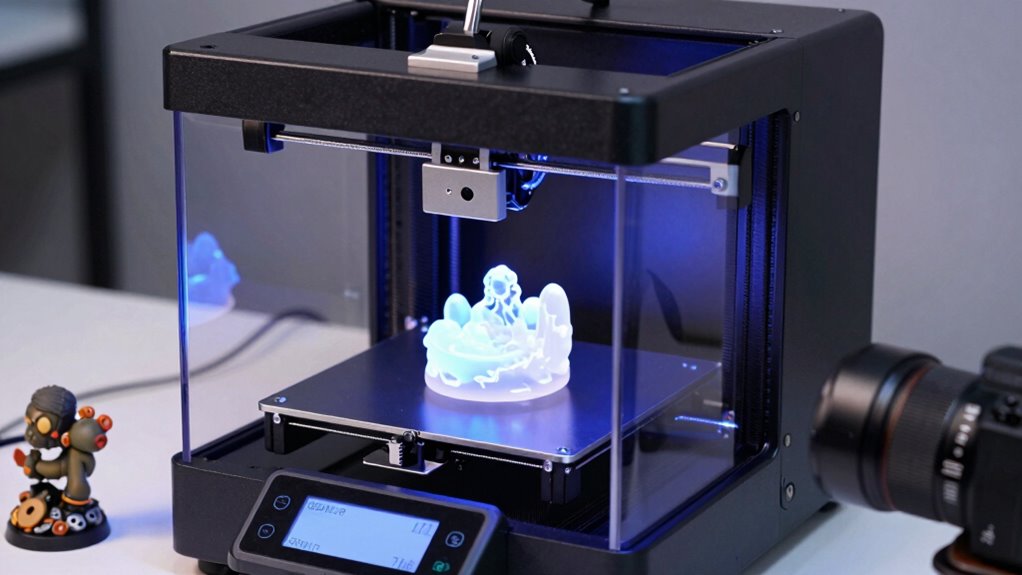

For a resin 3D printer for detail, I’d start with the ELEGOO Saturn 4 Ultra 16K as the best overall choice for fine features and a larger build area, while the ELEGOO Mars 5 Ultra 9K is a compelling smaller-format option and the ANYCUBIC Photon Mono 4 10K stands out for accessible high-resolution printing. The main tradeoff is not resolution alone: build volume, workflow features, material handling, and the time required to wash and cure prints all affect the result. A higher-resolution screen can help reproduce small details, but it cannot compensate for poor supports, incorrect exposure, or inconsistent resin handling. Read on for the full breakdown and guidance on choosing a printer that fits your projects.

Get the latest gadgets delivered free with Prime
- Fast, free delivery on millions of items
- Prime Video, Amazon Music and more included
- Member-only deals all year
Complete the kit


Key Takeaways
- The Saturn 4 Ultra 16K is the strongest all-round detail pick in this lineup because it pairs a high-resolution screen with a larger-format design and a wash-and-cure station.
- Compact 9K and 10K printers can be better for small models than a larger machine if miniature-scale work matters more than batch size or tall prints.
- Higher pixel counts are not a complete quality shortcut. Exposure settings, supports, resin choice, and post-processing remain major factors in fine-feature results.
- The list spans different workflow needs: the HeyGears Reflex RS Turbo and auto-leveling Photon P1 emphasize convenience, while the UniFormation GK3-T and Saturn 4 Ultra 16K target higher-resolution, larger-format work.
- There are two near-duplicate Photon Mono 4 10K entries and a separate 7-inch Photon Mono 4 10K listing, so buyers should verify the exact model and included configuration before choosing.
| ANYCUBIC Photon Mono 4 10K Resin 3D Printer |  | Best Overall for Fine Detail | LCD: 7-inch 10K monochrome | Resolution: 9024 × 5120 | XY pixel size: 17 × 17 μm | VIEW ON AMAZON | See Our Full Breakdown |
| ELEGOO Mars 5 Ultra 9K Resin 3D Printer |  | Best for Automated Workflow | Printing technology: MSLA resin | LCD: 7-inch 9K monochrome | Resolution: 8520 × 4320 | VIEW ON AMAZON | See Our Full Breakdown |
| ANYCUBIC Photon Mono 4 Resin 3D Printer with 7-inch 10K Mono LCD |  | Best Lightweight 10K Pick | Display: 7-inch 10K monochrome LCD | Resolution: 9024 × 5120 | Pixel size: 17 × 17 μm | VIEW ON AMAZON | See Our Full Breakdown |
| HeyGears Reflex RS Turbo Resin 3D Printer |  | Best for Automated Precision | Screen contrast ratio: 566:1 | Auto-leveling correction: Up to 0.15° | Force sensor sensitivity: 0.1 N | VIEW ON AMAZON | See Our Full Breakdown |
| ANYCUBIC Photon Mono 4 10K Resin 3D Printer |  | Best for Quick Setup | Resolution: 10K, 9024 × 5120 px | Screen size: 7 in | Pixel precision: 17 × 17 μm | VIEW ON AMAZON | See Our Full Breakdown |
| ELEGOO Saturn 4 Ultra 16K Resin 3D Printer with Mercury Plus V3.0 Wash and Cure Station |  | Best Complete Workflow Bundle | Printer model: Saturn 4 Ultra 16K | Printer type: Resin 3D printer | Maximum print speed: Up to 150 mm/h | VIEW ON AMAZON | See Our Full Breakdown |
| UniFormation GK3-T 16K Resin 3D Printer |  | Best for Cold-Workspace Detail Printing | Model: GK3-T | Resolution: 15120 × 6230 | Pixel size: 14 × 19 μm | VIEW ON AMAZON | See Our Full Breakdown |
| Creality HALOT-X1 Neo Resin 3D Printer |  | Best Compact Pick for Fine Miniatures | Model: HALOT-X1 Neo | LCD resolution: 8520 × 4320 (9K) | XY pixel size: 18 μm | VIEW ON AMAZON | See Our Full Breakdown |
| ANYCUBIC Photon P1 14K Resin 3D Printer with Auto-Leveling |  | Best Large-Format Assisted Printing | Display: 10.1-inch 14K mono LCD | Resolution: 13,312 × 5,120 pixels | XY pixel size: 16.8 × 24.8 μm | VIEW ON AMAZON | See Our Full Breakdown |
| ELEGOO Mars 5 Resin 3D Printer |  | Best Straightforward Entry-Level Pick | Printer type: Resin 3D printer | Display: 4K mono LCD | Light source: COB | VIEW ON AMAZON | See Our Full Breakdown |
| resin 3d printer for detail | Weight | Build volume | Dimensions | Resolution |
|---|---|---|---|---|
| ANYCUBIC Photon Mono 4 10K Res | 11 lb | 153.4 × 87 × 165 mm | — | 9024 × 5120 |
| ELEGOO Mars 5 Ultra 9K Resin 3 | 24.6 lb | 6.04 × 3.06 × 6.49 in | — | 8520 × 4320 |
| ANYCUBIC Photon Mono 4 Resin 3 | 7.7 lb | 153.4 × 87 × 165 mm | 10 × 10 × 15 in | 9024 × 5120 |
| HeyGears Reflex RS Turbo Resin | 50.6 lb | 8.7 × 4.8 × 9.0 in | 15 × 23 × 15 in | — |
| ANYCUBIC Photon Mono 4 10K Res | 7.7 lb | — | 10 × 10 × 15 in | 10K, 9024 × 5120 px |
| ELEGOO Saturn 4 Ultra 16K Resi | — | 8.33 × 4.66 × 8.66 inches | — | — |
| UniFormation GK3-T 16K Resin 3 | 52.8 pounds | — | 12.99 × 15.75 × 20.47 inches | 15120 × 6230 |
| Creality HALOT-X1 Neo Resin 3D | 9.66 pounds | 153.36 × 77.76 × 160 mm | 9.27 × 9.06 × 15.57 inches | — |
| ANYCUBIC Photon P1 14K Resin 3 | 29.7 pounds | 8.78 × 4.96 × 9.05 inches | 16.93 × 24.41 × 16.54 inches | 13,312 × 5,120 pixels |
| ELEGOO Mars 5 Resin 3D Printer | 14.52 pounds | 5.65 × 3.53 × 5.91 inches | 15.75 × 18.5 × 9.06 inches | — |
More Details on Our Top Picks
ANYCUBIC Photon Mono 4 10K Resin 3D Printer
For buyers prioritizing fine surface detail in a compact desktop printer, the Photon Mono 4 is my strongest all-around pick here. Its 10K LCD and 17 × 17 μm pixels give small features and miniature contours a fine screen grid, while the LighTurbo matrix light source is designed to keep illumination consistent across the build area. Compared with the ELEGOO Mars 5 Ultra, it trades automatic leveling, camera monitoring, and faster tilt-release printing for a higher stated LCD resolution and a simpler feature set. The build volume suits figures, tabletop pieces, and small components, though it is not meant for large models. Print recovery can help after a power interruption, but buyers still need to level the plate before their first job, and the warranty excludes the film and tool kit.
Pros:- 10K monochrome LCD with 17 × 17 μm pixel size for fine XY detail
- LighTurbo matrix light source designed for more uniform curing
- Print recovery can resume work after a power outage
- Calibrated before shipment
Cons:- Requires first-time build-plate leveling
- Film and tool kit are excluded from the warranty
- Build volume limits the size of single-piece prints
Best for: Miniature and small-model makers who want a high-resolution screen and a straightforward desktop footprint.
Not ideal for: Buyers who want automatic leveling, built-in print monitoring, or a large build area without manual setup.
- LCD:7-inch 10K monochrome
- Resolution:9024 × 5120
- XY pixel size:17 × 17 μm
- Build volume:153.4 × 87 × 165 mm
- Layer exposure time:As low as 1.5 seconds
- Product dimensions:20 × 10 × 15 in
- Weight:11 lb
- Warranty:One year; LCD covered for six months
Our verdict“Choose the Photon Mono 4 for fine-detail prints in a compact machine if you are comfortable leveling the plate yourself.”
ELEGOO Mars 5 Ultra 9K Resin 3D Printer
The Mars 5 Ultra is the better fit for detail-focused makers who value guided setup and print oversight as much as screen resolution. Its 9K monochrome LCD is a step below the Photon Mono 4’s stated 10K resolution, but automatic leveling removes a common setup hurdle, while the AI camera can monitor jobs for issues. Tilt-release technology supports speeds up to 150 mm/h, making it more suited to buyers who want faster output than the Mono 4’s listed speed of up to 70 mm/h. Wi-Fi file transfer also helps when managing jobs without moving files by hand. The tradeoff is a relatively narrow build area and more onboard systems than a basic printer needs. Resin handling and post-processing remain part of the workflow, regardless of its automation.
Pros:- 9K monochrome LCD supports detailed resin prints
- Automatic leveling reduces manual setup
- Tilt-release design supports printing speeds up to 150 mm/h
- AI camera and Wi-Fi add monitoring and file-transfer options
Cons:- Build volume is limited to 6.04 × 3.06 × 6.49 inches
- Its stated 9K resolution is lower than the Photon Mono 4’s 10K
- Resin still requires careful handling and post-processing
Best for: Makers who want automatic leveling, remote file transfer, and camera monitoring for detailed prints.
Not ideal for: Buyers prioritizing the highest listed screen resolution or a roomy build area over automation and speed.
- Printing technology:MSLA resin
- LCD:7-inch 9K monochrome
- Resolution:8520 × 4320
- Maximum printing speed:150 mm/h
- Build volume:6.04 × 3.06 × 6.49 in
- Connectivity:2.4 GHz and 5 GHz Wi-Fi
- Weight:24.6 lb
- Features:Automatic leveling, AI camera, print monitoring, and power-loss resume
Our verdict“Pick the Mars 5 Ultra if automated setup and print monitoring matter more to you than a 10K screen or wider build area.”
ANYCUBIC Photon Mono 4 Resin 3D Printer with 7-inch 10K Mono LCD
This Photon Mono 4 listing makes the most sense for buyers who want 10K detail in a lighter machine and value basic recovery features over connected controls. It shares the 9024 × 5120 screen and 17 μm pixels of the other Photon Mono 4 options, with a LighTurbo matrix source intended to smooth out illumination. At 7.7 pounds, it is substantially lighter than the listed 11-pound Mono 4 variant and the 24.6-pound Mars 5 Ultra, which can make placement and storage easier. Its four-point leveling and power-loss recovery are useful practical touches, but this is not the automatic workflow offered by the Mars 5 Ultra. The stated speed reaches 70 mm/h, and the manufacturer app service is not supported, so buyers seeking network-based control should look elsewhere.
Pros:- 10K mono LCD with 17 × 17 μm pixels
- LighTurbo matrix light source is designed for smooth, even curing
- Four-point leveling and power-loss recovery support routine printing
- Light 7.7-pound body is easier to move than the Mars 5 Ultra
Cons:- Anycubic app service is not supported
- Four-point leveling still requires manual setup
- Listed speed is up to 70 mm/h, below the Mars 5 Ultra’s stated maximum
Best for: Miniature makers who need a lightweight 10K printer with a compact footprint and do not rely on app control.
Not ideal for: Users who want Wi-Fi or app-based operation, automatic leveling, or the faster printing approach of the Mars 5 Ultra.
- Display:7-inch 10K monochrome LCD
- Resolution:9024 × 5120
- Pixel size:17 × 17 μm
- Light source:Anycubic LighTurbo matrix
- Build volume:153.4 × 87 × 165 mm
- Print speed:Up to 70 mm/h
- Dimensions:10 × 10 × 15 in
- Weight:7.7 lb
Our verdict“Choose this Photon Mono 4 variant for portable 10K detail if app connectivity and automatic leveling are not priorities.”
HeyGears Reflex RS Turbo Resin 3D Printer
The HeyGears Reflex RS Turbo is the most automation-oriented choice in this group, aimed at makers who want the printer to handle more of the preparation and monitoring work. Automated model repair and support generation can reduce repetitive file setup, while auto-leveling and 0.1 N force sensing are designed to catch problems such as residue before they spoil a job. Its ≤2 μm Z-axis repeat positioning accuracy and ≤0.05 mm print tolerance speak to controlled movement, though they do not by themselves guarantee a perfect result with every resin or model. Compared with the lighter Photon Mono 4, this is a much heavier, larger machine with a more involved feature set and a bigger 8.7 × 4.8 × 9.0-inch build volume. The 50.6-pound weight makes it a poor choice for a frequently moved workspace.
Pros:- Automated model repair and support generation can reduce manual preparation
- Auto-leveling correction is specified up to 0.15°
- Force sensor can detect resistance or residue and pause printing
- Precision Z-axis and calibrated lighting are designed for consistent detail
Cons:- At 50.6 pounds, it is considerably heavier than the Photon Mono 4 options
- Its 15 × 23 × 15-inch dimensions require substantial workspace
- Resin is not specified as included and still requires handling and post-processing
Best for: Experienced detail-printing users who want automated model preparation, leveling, and force-based print monitoring.
Not ideal for: Beginners seeking a light, simple desktop printer or anyone with limited bench space and no fixed setup area.
- Screen contrast ratio:566:1
- Auto-leveling correction:Up to 0.15°
- Force sensor sensitivity:0.1 N
- Z-axis repeat positioning accuracy:≤2 μm
- Print tolerance:≤0.05 mm
- Build volume:8.7 × 4.8 × 9.0 in
- Dimensions:15 × 23 × 15 in
- Weight:50.6 lb
Our verdict“Choose the Reflex RS Turbo if you want a larger, automation-heavy precision workflow and have space for a stationary printer.”
ANYCUBIC Photon Mono 4 10K Resin 3D Printer
This Photon Mono 4 is the easiest fit for buyers who want a ready-to-start 10K printer without a long assembly process. It arrives fully assembled and factory-calibrated, and the product information says setup can be completed in under five minutes. Its 7-inch screen, 17 × 17 μm pixel precision, and LighTurbo matrix light source give it the same detail-oriented foundation as the other Mono 4 listings. The Laser Engraving Platform 2.0 is designed to improve adhesion, while power-failure recovery can protect a longer print from an interruption. Compared with the Mars 5 Ultra, this model forgoes automatic leveling, an AI camera, and Wi-Fi, but offers a lighter, simpler machine. The 6.04 × 3.43 × 6.49-inch volume remains suited to small and medium models, not oversized pieces.
Pros:- 10K resolution and 17 × 17 μm pixel precision support fine features
- Factory-calibrated and fully assembled for quick setup
- Laser Engraving Platform 2.0 is designed to improve print adhesion
- Power-failure recovery can save interrupted jobs
Cons:- Does not list automatic leveling or camera monitoring like the Mars 5 Ultra
- Build volume limits the size of single-piece models
- Resin handling and post-processing remain necessary
Best for: First-time resin printer owners who want a factory-calibrated 10K machine with a quick initial setup.
Not ideal for: Buyers who need a large build area, automated leveling, or remote monitoring and Wi-Fi controls.
- Resolution:10K, 9024 × 5120 px
- Screen size:7 in
- Pixel precision:17 × 17 μm
- Exposure time:1.5 seconds
- Print volume:6.04 × 3.43 × 6.49 in
- Dimensions:10 × 10 × 15 in
- Weight:7.7 lb
- Build platform:Laser Engraving Platform 2.0
Our verdict“Choose this Mono 4 if quick setup and fine 10K detail matter more than remote controls or a larger build space.”
ELEGOO Saturn 4 Ultra 16K Resin 3D Printer with Mercury Plus V3.0 Wash and Cure Station
For detailed printing with fewer separate workflow purchases, I’d put the Saturn 4 Ultra 16K bundle near the top of the list. Its 8.33 × 4.66 × 8.66-inch build volume gives it room for larger miniatures or grouped parts, while smart tank heating to 30°C is aimed at keeping resin conditions steadier in cooler workspaces. The included Mercury Plus V3.0 also addresses the washing and curing that resin prints require, making this a more ready-to-finish package than the UniFormation GK3-T, which requires a compatible station for that workflow.
The tradeoff is that the bundle takes up more workspace and still requires careful resin handling and post-processing. Its stated speed of up to 150 mm/h is useful context, but detail-focused buyers should weigh the full workflow and build area rather than speed alone. The wash station supports multiple printer families, though compatibility can depend on the specific model.
Pros:- Includes the printer and Mercury Plus V3.0 wash-and-cure station for a more complete post-print workflow.
- Large 8.33 × 4.66 × 8.66-inch build volume accommodates bigger models or multiple parts.
- Smart tank heating to 30°C supports resin temperature management in cooler rooms.
- The 7.5 L station capacity offers room for washing larger prints.
Cons:- The printer and station require more workspace than a compact printer-only setup.
- Printed parts still need washing and curing, with resin handling and cleanup involved.
- Station compatibility may depend on the specific printer model.
Best for: Hobbyists who want a large-format, detail-focused resin printer and a matching wash-and-cure station in one package.
Not ideal for: Buyers with limited bench space or people who already own a wash-and-cure setup and would rather choose a printer-only option.
- Printer model:Saturn 4 Ultra 16K
- Printer type:Resin 3D printer
- Maximum print speed:Up to 150 mm/h
- Build volume:8.33 × 4.66 × 8.66 inches
- Tank heating:Up to 30°C
- Wash and cure station:Mercury Plus V3.0
- Station capacity:7.5 L
- Station compatibility:Mars, Saturn, Photon, Halot, and other MSLA, LCD, and DLP printers
Our verdict“Choose this bundle if you want generous build space and a wash-and-cure station together, and have room for both machines.”
UniFormation GK3-T 16K Resin 3D Printer
The UniFormation GK3-T is the detail pick for buyers who need fine pixel dimensions and help managing resin in a chilly workspace. Its 15120 × 6230 screen and 14 × 19 μm pixel size support intricate models, while resin heating is specified to operate at temperatures as low as 0°C (32°F). That heating advantage gives it a different appeal from the ELEGOO Saturn 4 Ultra 16K, whose smart tank heating is specified up to 30°C but comes bundled with a wash-and-cure station.
Factory pre-leveling and smart resin feeding can reduce setup chores, and app-based monitoring lets owners check print progress remotely. The compromises are practical: at 52.8 pounds, this is a heavy machine to reposition, and the described workflow still calls for a compatible wash-and-cure station. It suits detail-focused users who value cold-room capability more than a lightweight, all-in-one package.
Pros:- 15120 × 6230 screen and 14 × 19 μm pixel size target fine model details.
- Resin heating supports operation in conditions as low as 0°C (32°F).
- Factory pre-leveling and smart resin feeding can simplify setup and material handling.
- App-based controls support remote monitoring and print management.
Cons:- At 52.8 pounds, the printer is difficult to move or reposition.
- A compatible wash-and-cure station is needed for the described post-print workflow.
Best for: Miniature makers and model builders printing in cool rooms who want fine pixel dimensions, resin heating, and remote monitoring.
Not ideal for: Users who need a lightweight printer or want a bundled wash-and-cure station for a ready-made post-processing setup.
- Model:GK3-T
- Resolution:15120 × 6230
- Pixel size:14 × 19 μm
- Dimensions:12.99 × 15.75 × 20.47 inches
- Weight:52.8 pounds
- Resin heating operating temperature:As low as 0°C (32°F)
- Controls:Smartphone app and slicing software
Our verdict“Pick the GK3-T if fine detail and cold-workspace resin heating matter more to you than portability or an included wash-and-cure station.”
Creality HALOT-X1 Neo Resin 3D Printer
For small, intricate prints on a limited bench, I’d choose the Creality HALOT-X1 Neo over larger machines such as the ANYCUBIC Photon P1. Its 18 μm XY pixel size and 9K LCD are geared toward fine surface detail, while the compact 153.36 × 77.76 × 160 mm build volume keeps the printer suited to miniatures and smaller models rather than broad production runs. A pre-leveled platform also lowers the setup burden for new resin-printer owners.
USB, Wi-Fi, and Creality Cloud provide several ways to send jobs, and the AI 2D-to-3D tool may help generate a starting model from an image. That tool depends on internet access and can produce inconsistent results, so I’d treat it as an extra rather than a core reason to buy. The main compromise is capacity: unlike the Photon P1, this compact machine cannot fit comparably large parts.
Pros:- 9K LCD with 18 μm XY pixel size supports fine detail on small models.
- Pre-leveled build platform reduces initial setup work.
- USB, 2.4 GHz Wi-Fi, and Creality Cloud provide flexible print transfer options.
- AI 2D-to-3D generation offers an additional way to create model starting points.
Cons:- The 153.36 × 77.76 × 160 mm build volume limits larger models and batch size.
- AI model generation requires internet access and may produce inconsistent results.
Best for: Beginners and miniature hobbyists who want fine detail, a pre-leveled platform, and a compact printer for small models.
Not ideal for: Makers who print large parts or batches of larger pieces, or buyers who need reliable offline access to the AI model-generation feature.
- Model:HALOT-X1 Neo
- LCD resolution:8520 × 4320 (9K)
- XY pixel size:18 μm
- Build volume:153.36 × 77.76 × 160 mm
- Layer thickness:0.01–0.2 mm
- Connectivity:USB, 2.4 GHz Wi-Fi, Creality Cloud
- Dimensions:9.27 × 9.06 × 15.57 inches
- Weight:9.66 pounds
Our verdict“Choose the HALOT-X1 Neo for compact, detailed miniature printing, but skip it if your projects need a larger build area.”
ANYCUBIC Photon P1 14K Resin 3D Printer with Auto-Leveling
The ANYCUBIC Photon P1 pairs a 10.1-inch 14K mono LCD with a roomy 8.78 × 4.96 × 9.05-inch build volume, so it is aimed at detailed parts that would outgrow compact options like the Creality HALOT-X1 Neo. Its 16.8 × 24.8 μm pixel size gives a concrete measure of screen detail, while Smart Leveling 3.0 and AI monitoring address common setup and print-checking tasks. Wave Release Technology is also intended to help reduce print failures.
Support for resin viscosity up to 8,000 cps broadens the material range described for this machine. The tradeoff is scale: at 16.93 × 24.41 × 16.54 inches, it needs substantial bench space compared with the small HALOT-X1 Neo. The 0.3 mm minimum aperture is also a stated limit for the finest openings, so buyers designing tiny holes should account for it rather than relying on resolution alone.
Pros:- 10.1-inch 14K mono LCD and 16.8 × 24.8 μm pixel size support detailed prints.
- Large 8.78 × 4.96 × 9.05-inch build volume fits parts that exceed compact-printer capacity.
- Smart Leveling 3.0 and AI monitoring can reduce setup checks and catch selected issues.
- Supports resin viscosity up to 8,000 cps.
Cons:- Its listed dimensions call for more bench space than compact options such as the HALOT-X1 Neo.
- The 0.3 mm minimum aperture can constrain very small openings in a model.
- Resin printing still involves handling resin and vat residue.
Best for: Experienced hobbyists and small-shop makers who need a large build area for detailed parts and value automated leveling and print monitoring.
Not ideal for: Apartment users with little bench space or designers whose models depend on openings smaller than the stated 0.3 mm minimum aperture.
- Display:10.1-inch 14K mono LCD
- Resolution:13,312 × 5,120 pixels
- XY pixel size:16.8 × 24.8 μm
- Minimum aperture:0.3 mm
- Maximum resin viscosity:8,000 cps
- Build volume:8.78 × 4.96 × 9.05 inches
- Dimensions:16.93 × 24.41 × 16.54 inches
- Weight:29.7 pounds
- Auto-leveling:Smart Leveling 3.0
Our verdict“Choose the Photon P1 when you need a large build area with detail-focused resolution and automated checks, provided you have room for it.”
ELEGOO Mars 5 Resin 3D Printer
The ELEGOO Mars 5 suits buyers who want guided setup and basic safeguards without paying for a large-format machine. Its one-click automatic leveling and self-checks can make the first setup less intimidating, while the 4K mono LCD and COB light source support detailed prints at a more compact 5.65 × 3.53 × 5.91-inch build size. Compared with the ELEGOO Saturn 4 Ultra 16K, it gives up substantial capacity and a higher-resolution screen, but takes a simpler, smaller-machine approach.
Resin shortage and residue detection, along with an alarm that stops printing if LED temperature exceeds 80°C, add useful safeguards. These features can flag problems, but they do not remove the need for careful resin handling, and shortages or leveling issues can still interrupt a job. I’d choose it for small models and a more approachable setup, not for large parts or the finest screen detail in this group.
Pros:- One-click automatic leveling makes setup more approachable.
- 4K mono LCD and COB light source support detailed resin prints.
- Self-checks and resin or residue alerts can flag selected printing issues.
- Overheat protection stops printing and triggers an alarm above 80°C LED temperature.
Cons:- The 5.65 × 3.53 × 5.91-inch build volume limits larger models and batch printing.
- Resin shortage or leveling failures can interrupt a print despite the automated checks.
- Its 4K display is a less detail-focused specification than the higher-resolution Saturn 4 Ultra 16K.
Best for: New resin-printer owners making small models who value one-click leveling, self-checks, and overheat protection.
Not ideal for: Makers who need a large build area or want higher stated screen resolution and more room for intricate, larger-format prints.
- Printer type:Resin 3D printer
- Display:4K mono LCD
- Light source:COB
- Build volume:5.65 × 3.53 × 5.91 inches
- Dimensions:15.75 × 18.5 × 9.06 inches
- Weight:14.52 pounds
- Leveling:One-click automatic leveling
- Overheat protection threshold:80°C
Our verdict“Pick the Mars 5 for a compact, assisted entry into detailed resin printing, but choose a larger, higher-resolution machine for bigger or finer projects.”

How We Picked
I ranked these printers by how well their stated specifications and included features serve fine-detail printing, not by resolution figures alone. I weighed screen resolution alongside build area, workflow aids, stated automation, included wash-and-cure equipment, and the practical fit for miniatures, small prototypes, or larger detailed models. I also considered how much room each option leaves for growth: a compact machine can render tiny parts sharply, while a larger-format printer can handle more parts per run or bigger models.
The order favors machines that combine fine-detail potential with useful capacity and a manageable workflow. The Saturn 4 Ultra 16K ranks first for that balance, while smaller Mars and Photon models earn their place as focused or value-oriented alternatives. Premium or specialized models sit lower when their particular strengths may not matter to every buyer. Since the supplied product list includes duplicate or closely related listings, I treat those as distinct listings and advise checking the exact configuration rather than assuming their bundles or specifications match.
Factors to Consider When Choosing Resin 3d Printer For Detail
Choosing a detailed resin printer is a system decision: printer resolution matters, but so do the dimensions of the model, the resin, the slicing process, and the cleanup routine. These factors help separate genuine needs from specifications that look persuasive but may not change your finished parts.
Match XY Detail to the Smallest Feature You Need
For tiny lettering, facial features, or fine surface texture, pay attention to XY pixel size as well as the screen’s total resolution. A larger screen can have more pixels without making each pixel smaller, so resolution labels alone can mislead. Compare the actual pixel dimensions when manufacturers provide them, and think about the smallest feature you need to reproduce reliably. Very fine geometry can still fail if the resin, exposure, or support contact points obscure it. If your parts are mostly larger props or display pieces, a modest resolution difference may matter less than build area and repeatability.
Choose Build Volume Around the Parts You Print
Build volume affects more than whether a single model fits: it determines how many parts you can arrange in one batch and how much freedom you have to angle them. A smaller printer can be easier to place and may suit a steady stream of miniatures, while a larger machine can reduce the number of separate runs for sets or larger models. Avoid buying a large-format printer solely for a theoretical future project if your usual prints are small. Also check the usable height after accounting for the build plate and model orientation. A crowded plate can complicate supports and increase the consequences of a failed print.
Treat Workflow Features as Part of Print Quality
Auto-leveling, monitoring, or other workflow aids can reduce setup friction, but they do not remove the need to learn resin handling and slicer settings. For a beginner, a simpler, guided process may be more useful than chasing the highest resolution. For experienced users, manual control can be preferable if it supports a well-understood workflow. Check which functions are built into the printer and which depend on software, network access, or separate accessories. Before paying for automation, ask whether it addresses a task you regularly find difficult, such as leveling or spotting a failed print early.
Budget for Washing, Curing, and Safe Handling
A resin printer is only one part of the workspace: uncured prints need washing and curing, and liquid resin calls for careful handling. A bundle with a wash-and-cure station can simplify the setup, but check whether its capacity suits your typical prints and whether the required cleaning supplies are included. Plan for gloves, ventilation, covered resin storage, and a way to manage contaminated materials before the printer arrives. Skipping post-processing can leave surfaces tacky or details less crisp, so cleanup time belongs in your workflow estimate. A printer that fits your space and safety routine may be a better choice than a more capable machine you cannot operate comfortably.
Consider Resin and Slicer Compatibility Before You Commit
Fine detail depends on the combination of resin, exposure settings, and the slicer profile, not just the printer hardware. Different resins trade sharpness against toughness, flexibility, odor, or ease of cleanup, so choose based on the finished part’s purpose. Confirm that the printer’s file workflow and slicer support your preferred way of preparing models. A material that needs a narrow exposure window may take more calibration than a forgiving general-purpose resin. For repeatable results, keep notes on resin type, room conditions, exposure, and support settings instead of changing several variables at once.
Pay for Capacity or Convenience Only When You’ll Use It
Premium features make sense when they solve a recurring constraint: more build area for batch work, higher resolution for tiny features, or included accessories for a complete setup. They add less value if your prints are small, occasional, or still at the learning stage. Compare the full workflow cost, including washing and curing equipment, consumables, replacement parts, and the space needed for safe operation. A lower-spec printer with enough capacity for your actual models can leave more room in your budget for resin and practice. Conversely, upgrading later may cost more effort if your projects already demand a larger plate or faster, more convenient handling.
Frequently Asked Questions
Is a 16K resin printer automatically better for miniatures than a 9K or 10K model?
Not automatically. A higher pixel count can support finer XY detail, but the screen size determines how those pixels translate to the printed area. Resin choice, exposure calibration, model orientation, and support placement also affect small features. For tabletop miniatures, compare pixel dimensions and usable build area, then consider whether you want to print one figure at a time or batch several. The Saturn 4 Ultra 16K is the strongest high-resolution all-round pick here, while the Mars 5 Ultra 9K may suit buyers who value a smaller-format machine.
Should I choose a printer bundle that includes a wash-and-cure station?
A bundle can simplify setup and give you equipment designed to fit the printer’s usual workflow, but it is not automatically the right choice. Think about your print size, expected batch volume, available workspace, and whether you already own compatible post-processing tools. The Saturn 4 Ultra listing includes a Mercury Plus V3.0 station, which makes it a more complete package than a printer-only listing. Even with a bundled station, you still need suitable cleaning supplies and safe procedures for uncured resin. Check what the bundle contains rather than assuming every accessory is included.
Are the two ANYCUBIC Photon Mono 4 10K listings the same printer?
The supplied lineup contains two listings named ANYCUBIC Photon Mono 4 10K Resin 3D Printer and another described as a Photon Mono 4 with a 7-inch 10K mono LCD. Their names suggest closely related hardware, but listing details and included accessories may differ. Before ordering, compare the exact model identifier, screen description, build dimensions, and package contents. Do not assume that duplicate-looking titles indicate separate printer generations or identical bundles. If the specifications match, choose based on the verified configuration and seller-provided documentation.
What should a first-time resin printer buyer prioritize over maximum resolution?
Start with a manageable workflow, clear setup instructions, a build area that fits your planned models, and a realistic post-processing setup. Resin printing involves handling liquid materials and cleaning uncured prints, so workspace and safety supplies matter from day one. A printer with workflow aids, such as the Photon P1’s stated auto-leveling, may reduce some setup friction, but it does not replace learning slicer settings or safe handling. Choose a machine whose capacity matches your first projects rather than paying for features you cannot yet use. You can pursue finer resolution later if your models show a clear need for it.
When does a larger-format detail printer make more sense than a compact model?
A larger printer is useful when you regularly print bigger models, multiple miniatures, or detailed parts in batches. It can reduce the number of separate jobs, though a larger plate also needs more space and may make each failed run more costly in resin and time. If your main work is one small miniature at a time, a compact Mars or Photon model may be easier to accommodate without sacrificing the detail you need. Consider the dimensions of your most common parts and how many you want to print per run. Choose extra capacity for a recurring need, not only as a safety margin.
Conclusion
For the broadest mix of fine detail, capacity, and a ready-to-use workflow, I recommend the ELEGOO Saturn 4 Ultra 16K as the best overall pick. Buyers seeking a more compact, detail-focused option should compare the ELEGOO Mars 5 Ultra 9K and ANYCUBIC Photon Mono 4 10K; the Photon is my best-value direction for accessible high-resolution printing, while the Mars suits users who want a smaller-format alternative. For beginners, I’d favor a manageable printer and clear setup over the highest pixel count, with the auto-leveling ANYCUBIC Photon P1 14K worth considering for its stated setup aid. The UniFormation GK3-T 16K is a better match for buyers prioritizing a premium, high-resolution machine, while the HeyGears Reflex RS Turbo is a specialized choice for people drawn to its workflow focus. Before choosing, verify the exact model and package details—especially for the similar Photon Mono 4 listings—and make sure your workspace can support washing, curing, and safe resin handling.