

Healthy screen habits for adults involve taking regular breaks every 20-30 minutes to avoid eye strain and mental fatigue. Stay mindful of your posture by setting up an ergonomic workspace, keeping your monitor at eye level, and supporting your back. Limit your overall screen time using apps or device settings, and spend time away from digital devices engaging in offline activities. Small adjustments like these help protect your health and boost well-being—keep exploring to find out more ways to improve your digital habits.

Get the latest gadgets delivered free — and shop member deals
- Fast, free delivery on millions of items
- Access to Prime Big Deal Days deals on October 6–7
- Prime Video, Amazon Music and more included
Key Takeaways
- Take regular breaks every 20-30 minutes to reduce eye strain and mental fatigue.
- Maintain an ergonomic workspace with monitor at eye level and supportive seating.
- Limit screen time using apps or settings and be mindful of overall digital usage.
- Engage in offline activities like reading or stretching during breaks to refresh your focus.
- Establish routines that include digital detox periods, especially during meals and before bedtime.
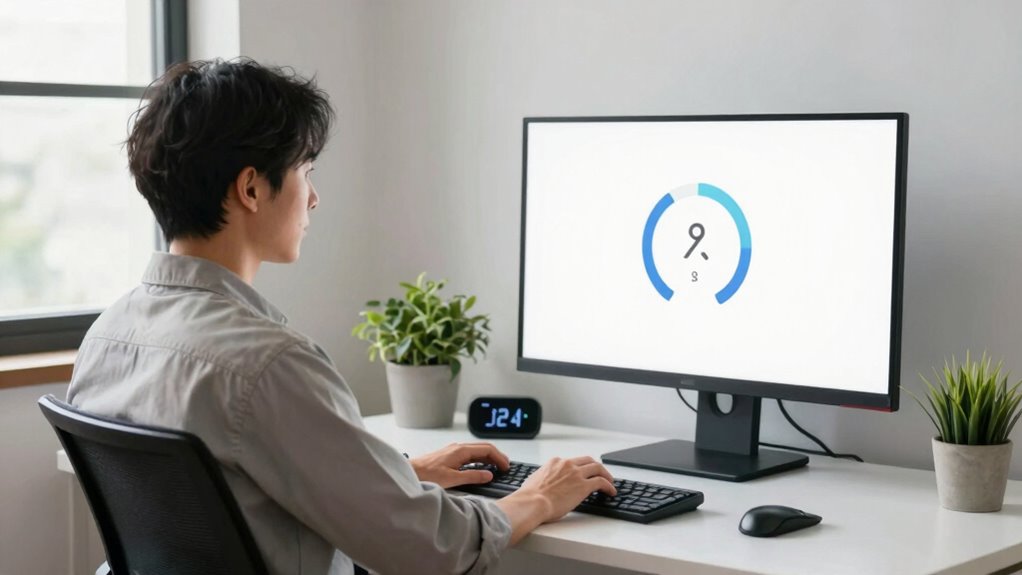
In today’s digital world, maintaining healthy screen habits is essential for your well-being. With the constant presence of screens in work, entertainment, and communication, it’s easy to fall into habits that strain your body and mind. Establishing a routine that includes regular digital detox periods helps you reset and prevents burnout. Taking intentional breaks from screens allows your eyes to rest and reduces digital fatigue. Set alarms or reminders to step away every 20 to 30 minutes, focusing on something distant or engaging in a quick walk. This practice not only refreshes your focus but also minimizes eye strain and promotes mental clarity.
Creating an ergonomic setup is another crucial aspect of healthy screen habits. The way you position your workspace directly impacts your posture and long-term health. Your monitor should be at eye level to prevent neck strain, and your chair should support your lower back comfortably. Keep your feet flat on the ground and your knees at a 90-degree angle. Maintaining proper ergonomics reduces the risk of repetitive strain injuries, like carpal tunnel syndrome, and helps you stay comfortable during extended periods of work or leisure. Adjust your desk height so your forearms are parallel to the ground when typing, and keep your wrists neutral to avoid unnecessary tension.
Incorporating regular digital detox periods into your routine complements your ergonomic setup by giving your body and mind a break from continuous screen exposure. During these breaks, avoid checking your phone or computer, and instead, engage in activities that don’t involve screens—reading a physical book, stretching, or practicing mindfulness. You might also consider setting specific times during the day to disconnect entirely, like during meals or an hour before bed. This not only helps improve sleep quality but also fosters healthier social interactions and mental well-being.
Lastly, staying mindful of your screen time is key. Use apps or device settings to monitor usage and set limits if needed. Be conscious of how much time you spend scrolling or multitasking on multiple screens, and recognize when it’s time to pause. Embracing these habits—regular digital detox, ergonomic setup, and mindful screen time—helps you develop a balanced relationship with technology, ultimately safeguarding your physical health and mental clarity. By making small but consistent adjustments, you can enjoy the benefits of technology without letting it take over your well-being.
As an affiliate, we earn on qualifying purchases.
Frequently Asked Questions
How Can I Reduce Eye Strain From Screens?
To reduce eye strain from screens, you should practice eye exercises regularly, like blinking frequently or focusing on distant objects to relax your eye muscles. Adjust your screen ergonomics by positioning your monitor at eye level and maintaining a comfortable distance. Taking breaks every 20 minutes, following the 20-20-20 rule, and reducing glare also help. These habits keep your eyes comfortable and prevent fatigue during extended screen time.
What Are the Best Breaks to Take During Screen Time?
You should take regular breaks every 20 minutes to stretch and rest your eyes. During these breaks, do posture adjustments and move around to prevent stiffness. An ergonomic setup, like adjusting your chair and monitor height, helps reduce strain. Even short pauses can improve your focus and comfort. Remember, consistency is key—make these breaks a routine to protect your health and maintain productivity during long screen sessions.
How Does Screen Time Affect Sleep Quality?
Excessive screen time can profoundly harm your sleep quality by disrupting your circadian rhythm. The blue light from screens suppresses melatonin, making it harder to fall asleep and reducing sleep quality overall. To improve your sleep, limit screen time at least an hour before bed, use blue light filters, and engage in relaxing activities instead. These habits help your body naturally prepare for restful sleep, enhancing your overall well-being.
Are Blue Light Glasses Effective for Adults?
Blue light glasses can be effective for adults, especially when you consider recent blue light research suggesting they reduce eye strain and improve sleep quality. Some worry about their affordability, but many options are budget-friendly and accessible. While they aren’t a miracle cure, wearing these glasses during evening screen time can help mitigate digital eye strain, making your screen habits healthier without breaking the bank.
How Can I Set Boundaries for Work-Related Screen Use?
To set boundaries for work-related screen use, prioritize your work-life balance by establishing specific work hours and sticking to them. Turn off notifications after hours and create a digital detox routine to disconnect fully. Use tools like app blockers or reminders to limit screen time. Communicate your boundaries clearly with colleagues and family, helping you maintain a healthy balance and prevent burnout.
Conclusion
By gently guiding your screen habits, you can nurture your well-being without feeling deprived. Small shifts, like taking mindful breaks and setting boundaries, help keep your digital world balanced and bright. Remember, it’s about creating a harmonious rhythm that supports your health and happiness. Embrace these gentle changes as a way to care for yourself—after all, a well-tuned routine can make your daily life feel more vibrant and fulfilling.
Fall Picks
fall essentials
As an affiliate, we earn on qualifying purchases.