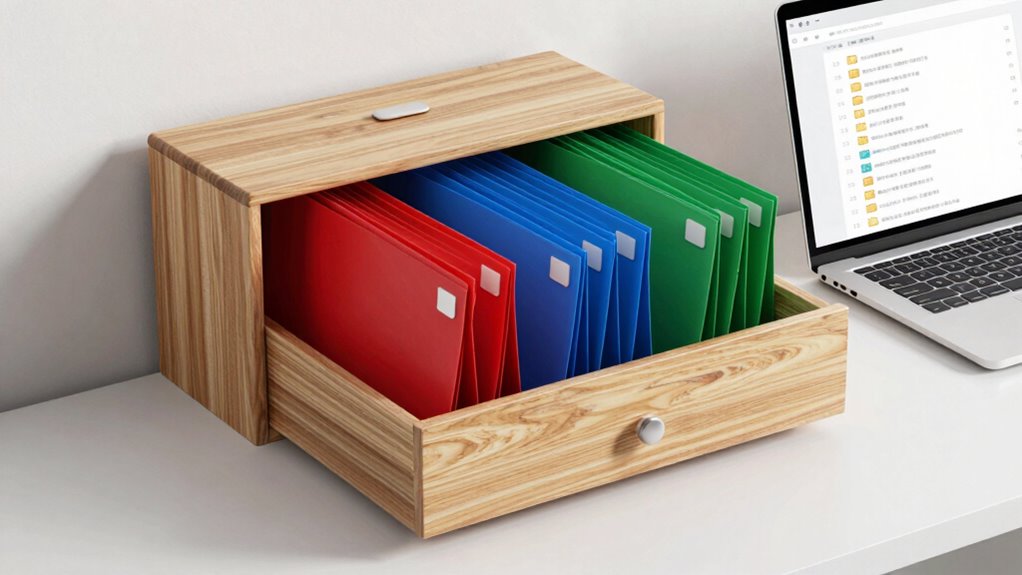

To organize your files for easy retrieval, create a clear folder hierarchy based on projects, dates, or clients, with main folders and subfolders. Use consistent, descriptive naming conventions that make files easy to identify, and always save files in their designated folders. Utilize cloud storage for quick access and automatic backups. Schedule regular reviews to delete duplicates and outdated files. Keep your system tidy, and you’ll find what you need faster—more tips await to help you stay organized.
Key Takeaways
- Develop a clear folder hierarchy with main categories and subfolders for easy navigation.
- Use consistent, descriptive naming conventions to improve searchability and prevent duplicates.
- Regularly review and delete outdated or duplicate files to keep your system organized.
- Utilize cloud storage for accessible, secure backups and version control.
- Schedule routine maintenance to reorganize files as projects evolve and ensure security measures are in place.
Keeping your files organized can save you time and frustration when searching for important documents. When your files are in order, you spend less time rummaging through folders or endless downloads, and more time focusing on what truly matters. The key is establishing a system that’s both simple and effective, especially in today’s digital world where files are stored locally and in the cloud. Digital security should be at the forefront of your organization efforts, ensuring your sensitive information remains protected, no matter where your files are stored. Choosing the right cloud storage options is essential, as they offer convenient access, scalability, and security features that keep your data safe from unauthorized access and cyber threats.
Organize files simply and securely to save time and protect your sensitive data effectively.
Start by creating a clear folder hierarchy that makes sense to you. Think about how you categorize your files—by project, date, client, or type—and set up main folders accordingly. Within each main folder, create subfolders to further organize related documents. This structure allows you to quickly drill down to find what you need without sifting through unrelated files. Consistency is critical, so always save files in the designated folders and use descriptive, standardized naming conventions. For example, instead of vague titles like “Document1,” use specific names like “2023_Proposal_ClientX.” This practice improves searchability and reduces the chance of duplicating files.
In addition to local organization, leverage cloud storage options to streamline access and enhance security. Cloud services such as Dropbox, Google Drive, or OneDrive enable you to access your files from any device with an internet connection. They also offer automatic backups and version control, preventing data loss. When choosing a cloud provider, prioritize those that emphasize digital security features like encryption, two-factor authentication, and regular security updates. These measures protect your files from cyber threats and unauthorized access, giving you peace of mind that your sensitive data remains protected. Incorporating a digital security strategy into your organization system is crucial to safeguard your information.
Regular maintenance is another essential step. Set aside time weekly or monthly to review your files, delete outdated or duplicate items, and reorganize if necessary. Keeping your digital workspace tidy prevents clutter from accumulating, making it easier to locate files when needed. Also, take advantage of search functions in your cloud or local storage to quickly locate documents without manually browsing through folders. Remember, a well-maintained system isn’t static; it evolves with your needs, so adapt your structure as your projects and priorities change.

splash n color Cloud Desk Organizer – Cute Freestanding Desktop Storage Holder | Fun Office Supply Caddy for Pens Pencils Accessories | Novelty Home Workspace Decor | Keeps Your Desk
- Whimsical Cloud Design: Adds personality to your workspace
- Freestanding Desktop Storage: No mounting or assembly needed
- Stable Weighted Base: Keeps organizer upright during use
As an affiliate, we earn on qualifying purchases.
As an affiliate, we earn on qualifying purchases.
Frequently Asked Questions
How Often Should I Reorganize My Files?
You should reorganize your files whenever your current system feels cluttered or inefficient, ideally every few months. Regular reorganization helps you maintain effective file naming conventions and update folder hierarchy strategies. As your projects grow, reorganizing guarantees files stay easy to find. Set reminders to review and refine your system periodically, keeping your digital workspace streamlined and preventing chaos from piling up.
What Tools Can Help With Digital File Organization?
Think of digital files like a well-organized library—you need the right tools to keep everything accessible. Using file naming conventions and folder hierarchy strategies, you can streamline your system. Tools like Dropbox, Google Drive, or digital organization apps help enforce these methods, making it easier to search and retrieve files. These tools act as your librarian, ensuring your digital library stays tidy and easy to navigate.
How Do I Handle Duplicate Files?
To handle duplicate files, start with duplicate file removal tools that scan your system and identify identical files. Maintain filename consistency by naming files clearly and uniformly, which makes spotting duplicates easier. Regularly review your files, deleting duplicates and consolidating similar ones. This process keeps your digital space organized and efficient, ensuring you can quickly find the files you need without sifting through unnecessary copies.
Should I Use Cloud Storage for Backups?
Yes, using cloud storage for backups is smart, but beware of cloud security risks. You should guarantee your data is protected with strong data encryption and choose providers with robust security measures. While cloud backups offer convenience and remote access, always verify that sensitive information remains secure. Balancing accessibility with security helps you keep your files safe, even if you face unexpected data loss or hardware failure.
How to Organize Files Shared Across Multiple Devices?
To organize files shared across multiple devices, you should adopt consistent file naming conventions and folder hierarchy strategies. Name files clearly and uniformly, so you can easily identify them regardless of device. Structure folders logically—by project, date, or category—and guarantee all devices sync to the same cloud service. This approach keeps your files accessible, organized, and synchronized across all devices, making your workflow seamless and efficient.
Conclusion
Organizing your files makes life easier, saving you time and reducing frustration. Remember, it’s okay if your system isn’t perfect right away—adjust it as you go to fit your evolving needs. The key is consistency; stick with your chosen method, and over time, finding what you need becomes second nature. Don’t let the fear of initial effort hold you back—your future self will thank you for the organized, clutter-free digital space.