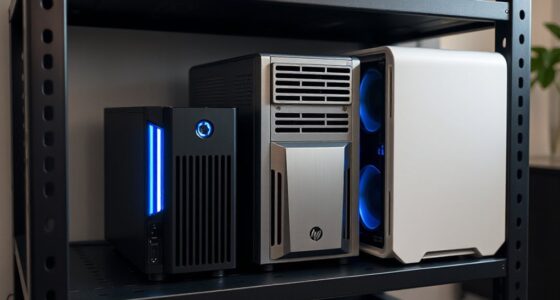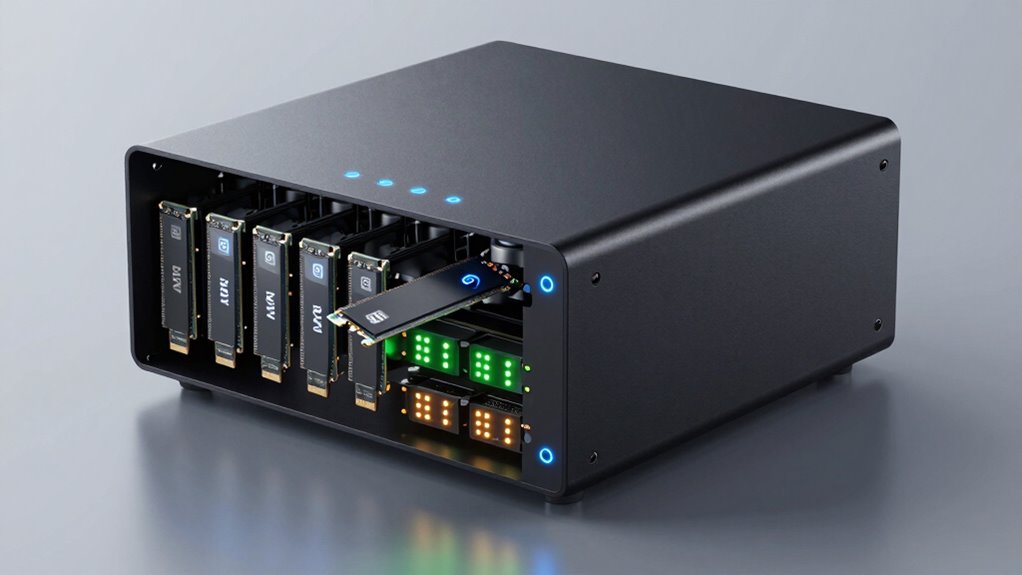

Choosing an NVMe NAS involves balancing high-speed storage with scalability and affordability. The best overall pick offers a solid mix of performance and features, but you might consider a more budget-friendly or a specialized all-flash model depending on your needs. One standout is the UGREEN NAS DXP4800 Plus for its versatile 4-bay setup, while the Asustor FLASHSTOR 12 Pro excels in high-capacity, all-flash performance. The main tradeoffs typically involve cost versus speed, expandability versus simplicity, and hardware robustness versus ease of use. Continue reading for a detailed breakdown of each option and how they compare across key factors.

Get the latest gadgets delivered free with Prime
- Fast, free delivery on millions of items
- Prime Video, Amazon Music and more included
- Member-only deals all year
Complete the kit



Key Takeaways
- High-performance NVMe NAS options like the Asustor FLASHSTOR 12 Pro excel for intensive workloads, but come at a premium price.
- Most models support multi-gigabit Ethernet, which is essential for maximizing NVMe speeds within a network.
- All-flash NAS units prioritize speed and durability but tend to be more costly than hybrid or HDD-based systems.
- Capacity expansion often requires additional bays or external drives; not all NVMe NAS are equally scalable.
- Choosing the right form factor and features depends heavily on whether your priority is raw speed, capacity, or budget.
| UGREEN NAS DXP4800 Plus 4-Bay NAS with Intel Pentium Gold 8505, 8GB DDR5 RAM, 128GB SSD, 10GbE, HDMI, Diskless |  | Best Overall for Power and Flexibility | Digital Storage Capacity: 144 TB | Hard Disk Interface: Serial ATA | Connectivity Technology: Ethernet, HDMI, SATA, USB | VIEW ON AMAZON | See Our Full Breakdown |
| LincStation N2 6-Bay NAS Storage with Intel N100, 10GbE, 16GB RAM, 128GB eMMC, 4K HDMI, Diskless |  | Best for High-Speed, Versatile Storage Management | Processor: Intel N100 4-core | Memory: 16GB LPDDR5 RAM | Storage: 128GB eMMC, 2×2.5 SATA HDD bays, 4x M.2 NVMe slots | VIEW ON AMAZON | See Our Full Breakdown |
| TERRAMASTER F8 SSD Plus NAS – 8-Bay All SSD Network Attached Storage with Core i3, 16GB DDR5, 10GbE |  | Best for High-Performance SSD Storage in Small Business | Processor: Core i3-N305 | Memory: 16GB DDR5 | Storage Bays: 8 M.2 2280 NVMe SSDs | VIEW ON AMAZON | See Our Full Breakdown |
| UGREEN NAS DXP480T Plus 4-Bay All-Flash SSD Network Attached Storage |  | Best for Creators and High-Speed File Access | Processor: Intel i5 1235u | RAM: 8GB DDR5 | Built-in Storage: 128GB SSD | VIEW ON AMAZON | See Our Full Breakdown |
| UGREEN NAS DXP2800 2-Bay Network Attached Storage (Diskless) |  | Best for Content Creators Needing High Storage Capacity | Processor: Intel N100 Quad-Core | RAM: 8GB DDR5 | Storage Capacity: Up to 80TB | VIEW ON AMAZON | See Our Full Breakdown |
| Beelink ME Mini NAS PC with Intel N95, 12GB LPDDR5, 64GB eMMC, 6 M.2 Slots, and Dual 2.5GbE LAN |  | Best Versatile Mini NAS for Power Users | Processor: Intel N95, 4 cores/4 threads, up to 3.4GHz | Memory: 12GB LPDDR5 | Built-in Storage: 64GB eMMC | VIEW ON AMAZON | See Our Full Breakdown |
| UGREEN NAS DH2300 2-Bay Desktop NAS, Support Capacity 64TB (Diskless), Remote Access, AI Photo Album, 4GB RAM, 1GbE, 4K HDMI |  | Best Entry-Level NAS for Beginners and Personal Use | Support Capacity: 64TB | RAM: 4GB | Network: 1GbE | VIEW ON AMAZON | See Our Full Breakdown |
| Asustor FLASHSTOR 12 Pro Gen2 FS6812X 12-Bay All-Flash NAS |  | Best High-Performance Enterprise NAS with NVMe Support | Number of Bays: 12 | Processor: AMD Ryzen Embedded V3C14, up to 3.4GHz | Memory: 16GB ECC DDR5 | VIEW ON AMAZON | See Our Full Breakdown |
| Western Digital 2TB WD Red SN700 NVMe Internal SSD for NAS Devices |  | Best Reliable NVMe SSD for NAS Expansion and Performance | Capacity: 2TB | Form Factor: M.2 2280 | Interface: Gen3 PCIe | VIEW ON AMAZON | See Our Full Breakdown |
| nvme na | Processor | Memory | Network |
|---|---|---|---|
| UGREEN NAS DXP4800 Plus 4-Bay | Intel Pentium Gold 8505 | 8GB DDR5 RAM | — |
| LincStation N2 6-Bay NAS Stora | Intel N100 4-core | 16GB LPDDR5 RAM | 10GbE |
| TERRAMASTER F8 SSD Plus NAS | Core i3-N305 | 16GB DDR5 | 10GbE port |
| UGREEN NAS DXP480T Plus 4-Bay | Intel i5 1235u | — | — |
| UGREEN NAS DXP2800 2-Bay Netwo | Intel N100 Quad-Core | — | 2.5GbE |
| Beelink ME Mini NAS PC with In | Intel N95, 4 cores/4 threads, up to 3.4GHz | 12GB LPDDR5 | — |
| UGREEN NAS DH2300 2-Bay Deskto | — | — | 1GbE |
| Asustor FLASHSTOR 12 Pro Gen2 | AMD Ryzen Embedded V3C14, up to 3.4GHz | 16GB ECC DDR5 | Dual 10GbE |
| Western Digital 2TB WD Red SN7 | — | — | — |
More Details on Our Top Picks
UGREEN NAS DXP4800 Plus 4-Bay NAS with Intel Pentium Gold 8505, 8GB DDR5 RAM, 128GB SSD, 10GbE, HDMI, Diskless
The UGREEN NAS DXP4800 Plus stands out for its robust combination of a powerful Intel Pentium Gold CPU, 8GB DDR5 RAM, and high-speed 10GbE connectivity, making it ideal for demanding small office setups or multimedia workflows. Compared with the LincStation N2, it offers more advanced features like Docker support and AI photo organization, but at the cost of a more complex setup and higher price. Its large capacity of up to 144TB with flexible RAID options makes it suited to users who need extensive, centralized storage. However, it lacks built-in Wi-Fi and requires wired Ethernet, which could limit placement flexibility for some users. This pick makes the most sense for tech-savvy users who want a high-performance, expandable NAS with multimedia and virtualization capabilities, and are prepared for a more involved setup process.
Pros:- Powerful Intel Pentium Gold CPU with 8GB DDR5 RAM for smooth multitasking
- High-speed 10GbE and HDMI connectivity for fast data transfer and media output
- Supports Docker, virtual machines, and AI photo organization for advanced use cases
- Large storage capacity up to 144TB with flexible RAID options
Cons:- Hard drives are not included and must be purchased separately
- No built-in Wi-Fi; wired Ethernet required
- Setup process may intimidate beginners
Best for: Small businesses or tech enthusiasts needing flexible, high-performance storage with advanced features.
Not ideal for: Home users seeking plug-and-play simplicity or wireless connectivity without complex setup.
- Digital Storage Capacity:144 TB
- Hard Disk Interface:Serial ATA
- Connectivity Technology:Ethernet, HDMI, SATA, USB
- Processor:Intel Pentium Gold 8505
- Memory:8GB DDR5 RAM
- Maximum Read Speed:1250 Megabytes Per Second
- Form Factor:2.5-inch, 3.5-inch
- Hard Drive Support:Up to 144TB
Our verdict“This is a top choice for experienced users who need a powerful, flexible NAS for business or multimedia tasks.”
LincStation N2 6-Bay NAS Storage with Intel N100, 10GbE, 16GB RAM, 128GB eMMC, 4K HDMI, Diskless
The LincStation N2 provides an intriguing mix of a robust Intel N100 processor, 16GB RAM, and 10GbE connectivity, making it well-suited for users who want a versatile and expandable NAS. Unlike the UGREEN DXP4800, which emphasizes multimedia and virtualization, the N2’s strength lies in its flexible storage options with both SATA and NVMe slots, ideal for users who want to customize their drives. Its support for Unraid OS offers advanced storage management but introduces complexity for beginners. The internal 128GB eMMC limits initial storage, requiring additional drives for capacity. This model makes the most sense for tech-savvy users or small offices looking for a high-speed, adaptable system that can handle backups, media, and virtualization with ease.
Pros:- High-speed 10GbE network for rapid data transfer
- Flexible storage options with SATA and NVMe slots
- Powerful 16GB RAM and quad-core processor for multitasking
- Supports Unraid OS for advanced storage management
Cons:- Requires additional drives for full storage capacity
- Limited internal storage of 128GB eMMC
- Setup can be complex for non-technical users
Best for: Tech enthusiasts or small offices needing flexible, high-speed storage with strong multitasking capabilities.
Not ideal for: Users seeking an all-in-one, ready-to-use NAS without additional drive investment or setup complexity.
- Processor:Intel N100 4-core
- Memory:16GB LPDDR5 RAM
- Storage:128GB eMMC, 2×2.5 SATA HDD bays, 4x M.2 NVMe slots
- Network:10GbE
- Connectivity:USB-C (10G), HDMI 2.0
- Maximum Storage Capacity:Dependent on drives
Our verdict“This NAS suits users who prioritize speed, flexibility, and advanced management, especially in a technical environment.”
TERRAMASTER F8 SSD Plus NAS – 8-Bay All SSD Network Attached Storage with Core i3, 16GB DDR5, 10GbE
The TERRAMASTER F8 SSD Plus offers a compact, all-SSD 8-bay design with a Core i3 processor and 10GbE port, making it ideal for small businesses or demanding home users seeking rapid data access. Unlike the UGREEN DXP4800, which combines HDD and SSD options, this model is dedicated to SSDs, providing faster, more consistent performance for workloads like video editing or intensive backups. Its quiet operation and efficient cooling allow for placement in quiet environments, but the all-SSD setup raises costs significantly. The maximum capacity of 64TB suits those with high-speed storage needs but limited large-volume storage. This NAS is best for users who want ultrafast file access without the complexity of managing larger HDD arrays.
Pros:- High-performance all-SSD storage with rapid transfer speeds
- Compact, portable design suitable for various environments
- Quiet operation with advanced cooling
- Supports up to 64TB total capacity with 8 NVMe SSDs
Cons:- Limited to SSDs; no HDD support
- Higher cost due to all-SSD configuration
- Setup requires technical knowledge for optimal RAID and configuration
Best for: Small businesses or content creators who need fast, reliable SSD storage for intensive tasks.
Not ideal for: Users with large-scale storage needs or on tight budgets, due to higher SSD costs.
- Processor:Core i3-N305
- Memory:16GB DDR5
- Storage Bays:8 M.2 2280 NVMe SSDs
- Maximum SSD Capacity:8TB per SSD, 64TB total
- Network:10GbE port
- Cooling:Heat sinks on each SSD, convection, silent fans
Our verdict“This NAS is perfect for users demanding blazing-fast SSD performance in a compact form factor, accepting higher costs and technical setup complexity.”
UGREEN NAS DXP480T Plus 4-Bay All-Flash SSD Network Attached Storage
The UGREEN NAS DXP480T Plus is tailored for creators and professionals needing rapid access to data, thanks to its 12th Gen Intel i5 processor, four NVMe slots supporting up to 32TB, and 10GbE plus Wi-Fi 6 connectivity. Unlike the TERRAMASTER F8 SSD Plus, which emphasizes capacity and noise reduction, this model prioritizes speed and wireless flexibility. Its support for multiple RAID levels enhances data security, though drives are not included, adding to initial costs. The high-speed network and CPU make it suitable for editing large media files or running multiple applications concurrently. This device makes the most sense for users who want a portable, high-performance NAS capable of handling creative workflows with fast, wireless access.
Pros:- High-speed data transfer with 10GbE and Wi-Fi 6
- Powerful 12th Gen Intel i5 for multitasking
- Supports multiple RAID configurations for security
- Four NVMe slots for up to 32TB storage
Cons:- Drives are not included; additional purchase needed
- Setup and RAID configuration require technical knowledge
- Higher upfront cost due to SSDs and advanced features
Best for: Content creators or professionals needing fast, wireless, and versatile storage for media workflows.
Not ideal for: Users seeking a budget-friendly or large-capacity NAS with HDD support, as costs escalate with SSDs and advanced features.
- Processor:Intel i5 1235u
- RAM:8GB DDR5
- Built-in Storage:128GB SSD
- Maximum Storage Capacity:32TB
- Network Ports:10GbE, Wi-Fi 6
- RAID Support:Multiple configurations
Our verdict“This NAS suits creative professionals needing fast, wireless, and flexible storage solutions for demanding workflows.”
UGREEN NAS DXP2800 2-Bay Network Attached Storage (Diskless)
The UGREEN NAS DXP2800 offers a straightforward, diskless 2-bay design with up to 80TB of storage potential, aimed at content creators and enthusiasts. Its user-friendly setup and AI-powered photo organization make it accessible for those who want centralized media management. Unlike the Terramaster F8 SSD Plus, which emphasizes speed and capacity with SSDs, this model provides a more flexible, high-capacity solution with HDDs, although it requires additional drives for full use. The 2.5GbE network ensures decent transfer speeds, but the limited number of bays might not satisfy users with very large storage needs. This device is ideal for users who prioritize storage volume and ease of use over raw speed or advanced features.
Pros:- High storage capacity up to 80TB for large media libraries
- User-friendly app for easy setup and file sharing
- AI-powered photo album for automatic organization
- Secure local storage without ongoing cloud fees
Cons:- Requires technical knowledge for initial setup
- Additional drives needed to reach maximum capacity
- Limited to 2 drive bays, restricting future expansion
Best for: Content creators or hobbyists needing large, centralized storage with straightforward operation.
Not ideal for: Power users requiring high-speed SSD performance or extensive drive expandability beyond two bays.
- Processor:Intel N100 Quad-Core
- RAM:8GB DDR5
- Storage Capacity:Up to 80TB
- Network:2.5GbE
- Drive Bays:2x M.2 NVMe
- Video Output:4K HDMI
Our verdict“This NAS is well-suited for users who need large, accessible storage with simple management, especially for media collections.”
Beelink ME Mini NAS PC with Intel N95, 12GB LPDDR5, 64GB eMMC, 6 M.2 Slots, and Dual 2.5GbE LAN
The Beelink ME Mini NAS stands out for offering a compact yet highly expandable platform that combines a quad-core Intel N95 processor with 12GB of LPDDR5 RAM, making it suitable for media streaming, file sharing, and even light virtualization. Its six M.2 NVMe slots provide a total capacity of up to 24TB, which surpasses many mini PCs that typically support fewer drives, like the UGREEN NAS DH2300. The dual 2.5GbE LAN ports enable fast network transfers and soft-routing capabilities, a clear advantage over basic NAS devices. However, its 64GB eMMC storage is limited for general computing tasks, and expansion is restricted mainly to M.2 SSDs—no traditional bays or external options. This model is ideal for tech-savvy users wanting a mini PC with NAS features, but not for those expecting extensive internal storage or plug-and-play simplicity.
Pros:- Six NVMe slots support up to 24TB of total storage capacity
- Dual 2.5GbE LAN enables fast data transfer and soft-routing
- Supports multiple NAS operating systems and media platforms
- Quiet cooling with noise level around 33-35 dB
Cons:- Limited 64GB eMMC storage restricts general computing capabilities
- No traditional drive bays or external storage options
- Requires user knowledge for setup and management
Best for: Power users who want a compact, highly customizable NAS and mini PC with robust networking and storage expansion.
Not ideal for: Beginners seeking simple, out-of-the-box NAS solutions without the need for internal expansion or advanced configurations.
- Processor:Intel N95, 4 cores/4 threads, up to 3.4GHz
- Memory:12GB LPDDR5
- Built-in Storage:64GB eMMC
- M.2 Slots:6 x NVMe
- Supported SSD Sizes:2230, 2242, 2280
- Maximum Capacity:24TB
Our verdict“This mini NAS is best suited for advanced users needing high expansion and networking flexibility in a small form factor.”
UGREEN NAS DH2300 2-Bay Desktop NAS, Support Capacity 64TB (Diskless), Remote Access, AI Photo Album, 4GB RAM, 1GbE, 4K HDMI
The UGREEN NAS DH2300 offers a straightforward, user-friendly experience for those new to network storage, supporting up to 64TB in a diskless configuration. Its 4GB RAM and 1GbE network port are sufficient for basic backups, media streaming, and remote access, making it a good choice for home users or small offices. Unlike more advanced models like the Asustor FLASHSTOR 12 Pro, it lacks support for virtual machines or Docker containers, limiting its scalability for heavier workloads. Its built-in 4K HDMI port allows direct media playback, which is a plus for multimedia enthusiasts. However, the absence of Wi-Fi support without an external adapter and limited NAS features means it’s not suited for more complex or enterprise environments. This device makes the most sense for users prioritizing ease of use and simple storage needs over advanced features.
Pros:- Intuitive interface suitable for users new to NAS
- Supports large storage capacity up to 64TB
- AI photo tagging and duplicate detection improve media management
- 4K HDMI output for direct media playback
Cons:- No Wi-Fi support without external USB adapter
- Limited to basic NAS functions, excluding virtualization or Docker
- Wired connection only, restricting flexibility in some environments
Best for: Beginners or home users seeking a simple, reliable NAS with media output capabilities and AI-enhanced photo organization.
Not ideal for: Power users or small businesses that need virtualization, Docker support, or multi-user enterprise features.
- Support Capacity:64TB
- RAM:4GB
- Network:1GbE
- Video Output:4K HDMI
- Drive Bays:2
- Security:RAID modes, two-factor authentication, encrypted transfers
Our verdict“Ideal for home users and beginners who want an easy-to-operate NAS with multimedia output and AI organization features.”
Asustor FLASHSTOR 12 Pro Gen2 FS6812X 12-Bay All-Flash NAS
The Asustor FLASHSTOR 12 Pro Gen2 is designed for demanding enterprise environments, offering 12 M.2 NVMe SSD slots and dual 10GbE ports to handle virtualization, large-scale media production, and intensive data workloads. Its 16GB ECC DDR5 memory provides critical data integrity, especially compared to less robust memory options in lower-tier models. The high-speed PCIe 4.0 support for NVMe SSDs makes it ideal for those who want maximum throughput, outperforming models like the UGREEN NAS DH2300 in speed and scalability. However, setting up this device can be complex, and it requires compatible enterprise-grade SSDs, increasing costs. This NAS is suited for IT professionals or organizations needing reliable, high-performance storage, but not for casual or small-scale users due to its cost and complexity.
Pros:- Supports 12 NVMe SSDs with PCIe 4.0 for maximum speed
- Dual 10GbE ports ensure ultra-fast network connectivity
- ECC DDR5 memory boosts data integrity and stability
- Ideal for virtualization, media production, and large data sets
Cons:- Requires compatible enterprise NVMe SSDs, adding to cost
- Setup and management are complex for less experienced users
- Higher price point reflects advanced features, not casual use
Best for: IT professionals and organizations needing a scalable, enterprise-grade NAS for virtualization and intensive data workloads.
Not ideal for: Home users or small offices without the technical expertise or budget for enterprise features.
- Number of Bays:12
- Processor:AMD Ryzen Embedded V3C14, up to 3.4GHz
- Memory:16GB ECC DDR5
- Network:Dual 10GbE
- Storage Type:All-Flash NVMe SSD
- Expansion Ports:USB4, USB 3.2 Gen2
Our verdict“This NAS excels in enterprise environments demanding high throughput and scalability, but is overkill for casual or small-scale use.”
Western Digital 2TB WD Red SN700 NVMe Internal SSD for NAS Devices
The WD Red SN700 offers a dependable solution for expanding NAS storage with high-speed performance, reaching up to 3,400 MB/s transfer speeds. Its 2TB capacity hits a sweet spot for users who need fast, reliable NVMe storage without overspending on larger drives, making it compatible with a range of NAS devices including the Beelink ME Mini and the Asustor FLASHSTOR 12 Pro. While its speed is impressive, this model is limited to 2TB, which may be insufficient for users with larger data needs. Its primary strength lies in providing a high-performance SSD that enhances multitasking, virtualization, or large file transfers in NAS environments. However, it’s less versatile outside of NAS use due to its specific design for high-speed storage.
Pros:- High-speed data transfer up to 3,400 MB/s
- Reliable performance tailored for NAS workloads
- Ideal for multitasking, virtualization, and data-intensive tasks
- Compatible with various NAS models
Cons:- Limited to 2TB capacity in this model
- Designed mainly for NAS, less suited for general consumer use
- Higher cost compared to SATA SSDs for similar capacities
Best for: NAS owners seeking a reliable, high-speed NVMe SSD to improve performance and storage capacity in their existing systems.
Not ideal for: Users needing larger capacity drives or those who prefer SATA SSDs for cost savings and compatibility.
- Capacity:2TB
- Form Factor:M.2 2280
- Interface:Gen3 PCIe
- Max Speed:3,400 MB/s
Our verdict“This SSD is best for NAS users wanting a high-performance, reliable drive to boost their existing storage and multitasking capabilities.”

How We Picked
Our evaluation focused on performance, build quality, expandability, and usability. We prioritized products with robust NVMe support, high-speed network interfaces such as 10GbE, and reliable hardware for demanding workloads. Cost-to-performance ratio was a key consideration, especially for users who want high speed without overspending. We also considered expandability options, software features, and the overall versatility of each NAS. Products were ranked based on how well they balanced these factors for different user profiles, from small home offices to enterprise setups.Factors to Consider When Choosing Nvme Nas
When selecting an NVMe NAS, understanding the key factors that influence performance and value can help you make a smarter choice. Not all NAS are created equal—some prioritize speed, others focus on capacity or ease of use. Consider these critical factors to match your storage needs, budget, and technical expertise:Performance and Hardware Specs
NVMe drives deliver high-speed data transfer, but the NAS hardware must support this potential. Look for models with PCIe 3.0 or 4.0 support, and ensure the CPU and RAM are capable of handling high throughput. A bottleneck in network interface or processing power can limit your NVMe SSD speeds, so prioritize models with 10GbE or higher network ports and sufficient RAM for caching and multitasking.
Expandability and Scalability
Assess how many NVMe slots the NAS provides and whether it supports adding more drives over time. Some models have fixed bays, limiting future growth, while others offer external expansion options. For users planning long-term storage growth, a flexible system with additional PCIe slots or external ports can save money and hassle later.
Ease of Use and Software
High-speed hardware is only part of the equation—user interface and software features matter too. Look for models with intuitive management software, remote access, and snapshot or backup capabilities. For less tech-savvy users, a simplified setup process and good customer support can make a significant difference.
Cost and Overall Value
All-flash NVMe NAS systems tend to be costly but offer unmatched performance for demanding tasks. Hybrid setups or models with fewer NVMe bays might provide better value for general use. Balance your performance needs against your budget, and consider whether investing in premium hardware aligns with your long-term storage goals.
Reliability and Brand Support
Trustworthy brands with good warranty and support policies can reduce downtime and maintenance headaches. Look for reviews on firmware stability and hardware durability. Reliable support can be especially crucial if your NAS is central to business or professional workflows.
Frequently Asked Questions
Can I mix NVMe drives with SATA drives in the same NAS?
Yes, many modern NAS units support both NVMe and SATA drives simultaneously, allowing you to optimize storage for speed and capacity. However, ensure the NAS explicitly supports mixed configurations, as compatibility varies. Mixing drives can be advantageous for balancing high-speed cache with bulk storage, but it may complicate management and increase costs.
Is 10GbE essential for NVMe NAS performance?
While 10GbE significantly enhances data transfer speeds, your actual performance will depend on the entire network setup, including switches and cabling. For high-speed NVMe SSDs, 10GbE helps realize their full potential, especially in multi-user environments or large data transfers. However, for smaller workloads or home use, 1GbE might suffice, though it could bottleneck the SSD speeds.
How much RAM do I need for a high-performance NVMe NAS?
The amount of RAM influences caching and multitasking ability. For demanding workloads or enterprise use, 16GB or more is recommended to avoid bottlenecks. For basic or home scenarios, 4-8GB can be adequate, but opting for more RAM provides future-proofing and smoother operation, especially with large data sets or multiple users.
Are all NVMe SSDs compatible with NAS devices?
Most modern NVMe SSDs are compatible with NAS devices that support NVMe slots, but it’s important to check the specific drive’s compatibility list. Some NAS have firmware or hardware limitations that might restrict certain models. Choosing drives from reputable brands with proven compatibility can prevent issues and ensure stable performance.
When should I prioritize an all-flash NVMe NAS over a hybrid or HDD-based system?
An all-flash NVMe NAS is ideal when maximum speed, low latency, and high durability are critical, such as for professional video editing, large database hosting, or intensive data processing. If your workload involves frequent large file transfers and your budget allows, this setup minimizes bottlenecks. For lighter use or budget-conscious buyers, hybrid models or HDD-based NAS may provide better value without sacrificing too much performance.
Conclusion
For users seeking the best overall performance and capacity, the Asustor FLASHSTOR 12 Pro makes a compelling choice, especially in professional environments. Budget-conscious buyers or home users will find the UGREEN NAS DXP2800 offers solid NVMe support at a lower cost, while those wanting a versatile, all-in-one solution might prefer the UGREEN NAS DXP4800 Plus. If speed and durability are paramount, the Beelink ME Mini NAS PC or the Western Digital SN700 SSD stand out for specific high-performance needs. Each recommendation aligns with different user profiles, ensuring you can pick a system that best fits your storage demands and technical comfort level.
Columbus Day / Indigenous Peoples' Day Picks
long weekend sales
As an affiliate, we earn on qualifying purchases.