

An enterprise Wi-Fi access point should match your client load, wired network, coverage plan, and management setup—not just offer the newest wireless standard. My best overall pick is the Omada 7 Pro BE11000 (EAP770), a strong fit for businesses moving to Wi-Fi 7 with a 2.5G uplink. The Ubiquiti U6+ is a practical Wi-Fi 6 choice, while the Aruba Instant On AP25 three-pack suits buyers planning multi-room coverage with a managed small-business system. The main tradeoffs are newer wireless capability versus cost and infrastructure demands, along with single-unit flexibility versus multi-access-point consistency. Read on for the full breakdown of how these 15 options compare and which type of network each one suits.

Get the latest gadgets delivered free — and shop member deals
- Fast, free delivery on millions of items
- Access to Prime Big Deal Days deals on October 6–7
- Prime Video, Amazon Music and more included
Complete the kit



Key Takeaways
- Wi-Fi 7 choices need a compatible wired foundation: The Omada EAP770, EAP720, and Cudy BE11000 bring newer wireless capability, but their faster links matter most when the switch, cabling, and client devices can support the added throughput.
- Wi-Fi 6 remains the practical middle ground: The Ubiquiti U6+, Zyxel NWA50AXPRO, Aruba AP25, and Omada EAP650 offer a more current feature set than the older Wi-Fi 5 models without requiring a full Wi-Fi 7 rollout.
- Management ecosystem can matter more than peak speed: Omada and UniFi options make the most sense when the organization is willing to standardize on their management approach; Aruba Instant On is aimed at simpler small-business administration.
- Multi-packs are deployment choices, not automatic bargains: The HPE AP22 five-pack, Aruba AP25 three-pack, and Ubiquiti AC Pro packs can help standardize several rooms, but buyers should plan power, placement, and controller setup before choosing a bundle.
- Outdoor coverage calls for a purpose-built model: The Omada EAP225-Outdoor fills a distinct placement need that indoor ceiling or wall access points are not designed to serve.
| Cudy BE11000 Wi-Fi 7 Mesh Access Point with 10G SFP+ and 2.5G PoE |  | Best for Fiber-Backbone Upgrades | Model: AP11000 | Wi-Fi standard: Wi-Fi 7 (802.11be) | Bands: 2.4 GHz, 5 GHz, and 6 GHz | VIEW ON AMAZON | See Our Full Breakdown |
| Omada 7 Pro BE11000 Wireless Access Point with 2.5G Port and DC Adapter (EAP770) |  | Best for High-Density Omada Sites | Model: EAP770 | Wi-Fi standard: Wi-Fi 7 (802.11be) | Bands: Tri-band: 6 GHz, 5 GHz, and 2.4 GHz | VIEW ON AMAZON | See Our Full Breakdown |
| TP-Link Omada EAP225 AC1350 Dual-Band Wireless Access Point |  | Best for Budget-Conscious Legacy Networks | Model: EAP225 | Wireless standard: Wi-Fi 5 (802.11ac) | Wireless class: AC1350 | VIEW ON AMAZON | See Our Full Breakdown |
| HPE Networking Instant On Access Point AP22 2×2 WiFi 6 Indoor Wireless Access Point (5 Pack) | Long Range, Secure, Smart Mesh Support | Power Source Not Included | US Model (R4W01A-5PACK) |  | Best Multi-AP Pack for Small Businesses | Model: Instant On AP22, five-pack (R4W01A-5PACK) | Wi-Fi generation: Wi-Fi 6 (802.11ax) | Spatial streams: 2×2:2 | VIEW ON AMAZON | See Our Full Breakdown |
| Ubiquiti U6+ Dual-Band Wi-Fi 6 Wireless Access Point | 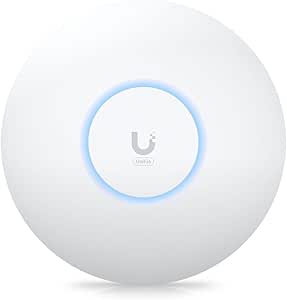 | Best Compact Wi-Fi 6 Upgrade | Model: U6+ (U6US) | Wi-Fi generation: Wi-Fi 6 | Frequency bands: 2.4 GHz and 5 GHz | VIEW ON AMAZON | See Our Full Breakdown |
| Zyxel NWA50AXPRO AX3000 WiFi 6 Wireless Access Point |  | Best for Flexible Wi-Fi 6 Upgrades | Wi-Fi generation: Wi-Fi 6 (802.11ax) | Wi-Fi class: AX3000 | Frequency bands: Dual-band | VIEW ON AMAZON | See Our Full Breakdown |
| Ubiquiti UniFi AC HD Enterprise Wi-Fi Access Point (UAP-AC-HD-US) |  | Best for Existing UniFi Wi-Fi 5 Networks | Wi-Fi generation: Wi-Fi 5 (802.11ac) | Frequency bands: Dual-band | Wireless technology: 4×4 MU-MIMO | VIEW ON AMAZON | See Our Full Breakdown |
| TP-Link Omada EAP225-Outdoor AC1200 Wireless Access Point |  | Best for Outdoor Coverage | Wi-Fi standard: 802.11ac (Wi-Fi 5) | Frequency bands: 2.4 GHz and 5 GHz | Maximum data rate: 1,200 Mbps | VIEW ON AMAZON | See Our Full Breakdown |
| Ubiquiti UniFi nanoHD 802.11ac Wave 2 MU-MIMO Access Point | 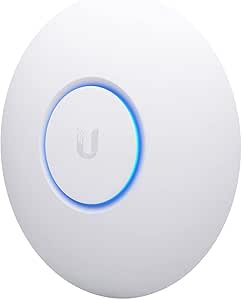 | Best Compact High-Density Pick | Wi-Fi standard: 802.11ac Wave 2 (Wi-Fi 5) | Frequency bands: Dual-band | Antenna configuration: 4 internal antennas; 4×4 MU-MIMO | VIEW ON AMAZON | See Our Full Breakdown |
| Ubiquiti UniFi AP AC Pro Dual-Band Access Point, 5-Pack |  | Best for Multi-Room Wi-Fi 5 Rollouts | Quantity: 5 access points | Wi-Fi generation: Wi-Fi 5 | Frequency bands: 2.4 GHz and 5 GHz | VIEW ON AMAZON | See Our Full Breakdown |
| TP-Link Omada EAP720 Wi-Fi 7 Wireless Access Point with 2.5G Port and DC Adapter |  | Best Wi-Fi 7 Upgrade for Omada Networks | Wi-Fi standard: 802.11be (Wi-Fi 7) | Maximum combined throughput: Up to 5.0 Gbps | 5 GHz data rate: Up to 4,324 Mbps | VIEW ON AMAZON | See Our Full Breakdown |
| Ubiquiti UniFi AC Pro Dual-Band Wi-Fi Access Point (UAP-AC-PRO-E-US) |  | Best for Existing UniFi Wi-Fi 5 Networks | Model: UAP-AC-PRO-E-US | Wi-Fi standard: 802.11ac (Wi-Fi 5) | Frequency bands: 2.4 GHz and 5 GHz | VIEW ON AMAZON | See Our Full Breakdown |
| Aruba Instant On AP25 Wi-Fi 6 Indoor Access Points, 3-Pack |  | Best Multi-AP Kit for Wi-Fi 6 Coverage | Model: AP25 (R9B27A-3) | Quantity: 3 access points | Wi-Fi standard: Wi-Fi 6 (802.11ax) | VIEW ON AMAZON | See Our Full Breakdown |
| Ubiquiti UniFi UAP-AC-PRO Enterprise Access Point, 6-Pack |  | Best Six-Unit UniFi Wi-Fi 5 Deployment | Model: UAP-AC-PRO-US | Quantity: 6 access points | Wi-Fi standard: 802.11ac | VIEW ON AMAZON | See Our Full Breakdown |
| TP-Link Omada EAP650 AX3000 Wi-Fi 6 Access Point with DC Adapter |  | Best Omada Wi-Fi 6 Fit for Gigabit Networks | Wi-Fi generation: Wi-Fi 6 (802.11ax) | Frequency bands: Dual-band | Maximum data transfer rate: 2,976 Mbps | VIEW ON AMAZON | See Our Full Breakdown |
| enterprise wi fi access point | Frequency bands | Model | Wi-Fi standard |
|---|---|---|---|
| Cudy BE11000 Wi-Fi 7 Mesh Acce | — | AP11000 | Wi-Fi 7 (802.11be) |
| Omada 7 Pro BE11000 Wireless A | — | EAP770 | Wi-Fi 7 (802.11be) |
| TP-Link Omada EAP225 AC1350 Du | — | EAP225 | — |
| HPE Networking Instant On Acce | Dual-band | Instant On AP22, five-pack (R4W01A-5PACK) | — |
| Ubiquiti U6+ Dual-Band Wi-Fi 6 | 2.4 GHz and 5 GHz | U6+ (U6US) | — |
| Zyxel NWA50AXPRO AX3000 WiFi 6 | Dual-band | — | — |
| Ubiquiti UniFi AC HD Enterpris | Dual-band | — | — |
| TP-Link Omada EAP225-Outdoor A | 2.4 GHz and 5 GHz | — | 802.11ac (Wi-Fi 5) |
| Ubiquiti UniFi nanoHD 802.11ac | Dual-band | — | 802.11ac Wave 2 (Wi-Fi 5) |
| Ubiquiti UniFi AP AC Pro Dual- | 2.4 GHz and 5 GHz | — | — |
| TP-Link Omada EAP720 Wi-Fi 7 W | — | — | 802.11be (Wi-Fi 7) |
| Ubiquiti UniFi AC Pro Dual-Ban | 2.4 GHz and 5 GHz | UAP-AC-PRO-E-US | 802.11ac (Wi-Fi 5) |
| Aruba Instant On AP25 Wi-Fi 6 | 2.4 GHz and 5 GHz | AP25 (R9B27A-3) | Wi-Fi 6 (802.11ax) |
| Ubiquiti UniFi UAP-AC-PRO Ente | 2.4 GHz and 5 GHz | UAP-AC-PRO-US | 802.11ac |
| TP-Link Omada EAP650 AX3000 Wi | Dual-band | — | — |
More Details on Our Top Picks
Cudy BE11000 Wi-Fi 7 Mesh Access Point with 10G SFP+ and 2.5G PoE
I’d choose the Cudy BE11000 when a site needs Wi-Fi 7 capacity and already has a fast fiber backbone to put it to work. Its 10G SFP+ backhaul is the key distinction from the Omada EAP770, which uses a 2.5G Ethernet port; that fiber option can suit buildings with longer runs or existing SFP+ switching. Tri-band operation and support for 300+ clients also make it a candidate for busy indoor networks, though the stated 1,500-square-foot coverage is not a substitute for a site survey or multiple access points. Centralized provisioning and WPA3 Enterprise with RADIUS speak to managed deployments. The tradeoff is infrastructure: buyers need compatible multi-gigabit equipment, and no power adapter is included, so power planning falls to the installer.
Pros:- Tri-band Wi-Fi 7 supports 2.4 GHz, 5 GHz, and 6 GHz clients.
- 10G SFP+ backhaul offers a fiber connection option beyond the Omada EAP770’s 2.5G Ethernet.
- WPA3 Enterprise with RADIUS and centralized controller provisioning suit managed networks.
- Supports more than 300 clients according to the product data.
Cons:- Power adapter is not included, so a supported PoE or DC power setup must be supplied separately.
- A 2.5G port and 10G SFP+ backhaul require compatible network gear to deliver their benefits.
- The stated 1,500-square-foot coverage may call for additional access points in larger or obstructed spaces.
Best for: IT teams with SFP+ switching that want a Wi-Fi 7 access point with centralized provisioning and enterprise authentication.
Not ideal for: Small offices or buyers with only Gigabit Ethernet switching, since they cannot make full use of the fiber backhaul and multi-gigabit features.
- Model:AP11000
- Wi-Fi standard:Wi-Fi 7 (802.11be)
- Bands:2.4 GHz, 5 GHz, and 6 GHz
- Maximum advertised rate:11,000 Mbps
- Backhaul:10G SFP+
- Ethernet:2.5G RJ45
- Maximum clients:300+
- Security:WPA/WPA2/WPA3; WPA3 Enterprise with RADIUS
- Power:12 V DC; PoE supported; power adapter not included
Our verdict“Choose the Cudy BE11000 for a managed Wi-Fi 7 deployment where 10G fiber backhaul matters and the network already supports its power and bandwidth needs.”
Omada 7 Pro BE11000 Wireless Access Point with 2.5G Port and DC Adapter (EAP770)
The Omada EAP770 is my pick for teams that need high client capacity within an established Omada-managed network. Its listed support for 380+ concurrent devices exceeds the Cudy BE11000’s stated 300+, while both offer tri-band Wi-Fi 7, 11 Gbps aggregate advertised speed, and 1,500-square-foot coverage. The EAP770 gives up Cudy’s 10G SFP+ fiber backhaul for a 2.5G Ethernet port, but it offers PoE+ or 12 V DC power and includes a DC adapter, easing deployment where PoE is unavailable. Omada SDN cloud management gives administrators a common platform for provisioning and oversight. This is still a capable, ceiling-oriented enterprise device rather than a simple plug-in upgrade: installation and network planning take more effort than an older model such as the EAP225, and small networks may not benefit from its Wi-Fi 7 capacity.
Pros:- Tri-band Wi-Fi 7 with up to 11,000 Mbps combined advertised speed.
- Listed capacity of 380+ concurrent devices, higher than the Cudy BE11000’s stated 300+.
- Omada SDN supports centralized cloud management.
- PoE+ and 12 V DC power options add flexibility, and a DC adapter is specified.
Cons:- The 2.5G Ethernet port does not provide the 10G SFP+ fiber option found on the Cudy BE11000.
- Ceiling installation and PoE deployment can require planning and compatible equipment.
- Its Wi-Fi 7 and high-capacity feature set may be unnecessary for a small, lightly loaded network.
Best for: IT administrators running Omada SDN who need a Wi-Fi 7 access point for a busy office with many simultaneous clients.
Not ideal for: Small sites with few devices or networks without Omada management and multi-gigabit infrastructure, where much of its capacity may go unused.
- Model:EAP770
- Wi-Fi standard:Wi-Fi 7 (802.11be)
- Bands:Tri-band: 6 GHz, 5 GHz, and 2.4 GHz
- Maximum aggregate speed:11,000 Mbps
- Ethernet:2.5 Gbps
- Concurrent devices:380+
- Coverage:Up to 1,500 sq ft
- Management:Omada Cloud/SDN
- Power:802.3at PoE+ or 12 V DC adapter
Our verdict“Pick the EAP770 for a dense Omada-managed office that wants Wi-Fi 7 capacity and flexible power, rather than a fiber-first uplink.”
TP-Link Omada EAP225 AC1350 Dual-Band Wireless Access Point
I’d place the EAP225 on the shortlist when an organization needs basic managed Wi-Fi and its client devices do not require Wi-Fi 6 or Wi-Fi 7. It is a clear step down from the Omada EAP770 in wireless generation and throughput, but that can be sensible for modest workloads, older devices, or incremental deployments where a full network refresh is not planned. Omada SDN management, mesh support, roaming, and two PoE options give it more deployment flexibility than a standalone consumer router, and the included PoE adapter can simplify a small installation. Its Gigabit Ethernet and Wi-Fi 5 ceiling are the compromises: it will not match the newer models’ capacity or multi-gigabit links. I’d skip it for dense offices or bandwidth-heavy users, and confirm that client devices support the roaming features you expect.
Pros:- Omada SDN provides centralized app and cloud management.
- Supports 802.3af PoE and passive PoE, and an adapter is included.
- Mesh and roaming support can help extend or coordinate a compatible Omada deployment.
- WPA-Enterprise and WPA2-Enterprise security options are listed.
Cons:- Wi-Fi 5 and AC1350 performance trail the Wi-Fi 6 AP22 and Wi-Fi 7 models in this roundup.
- Gigabit Ethernet limits the wired uplink to 1 Gbps.
- MU-MIMO and roaming benefits depend on compatible clients and suitable network conditions.
Best for: Small offices with existing Wi-Fi 5 clients that want centralized Omada management and PoE without upgrading to Wi-Fi 7.
Not ideal for: High-density offices or sites buying for long-term Wi-Fi 6/7 capacity, since this model is limited to Wi-Fi 5 and Gigabit Ethernet.
- Model:EAP225
- Wireless standard:Wi-Fi 5 (802.11ac)
- Wireless class:AC1350
- Bands:2.4 GHz and 5 GHz
- Maximum upstream data rate:867 Mbps
- Ethernet:Gigabit
- Power:802.3af PoE, passive PoE, or 12 V DC
- Security:WPA2-Enterprise and WPA-Enterprise
- Management:Omada SDN
Our verdict“Choose the EAP225 for a cost-conscious, modest-load Omada network that values included PoE and centralized control over newer Wi-Fi generations.”
HPE Networking Instant On Access Point AP22 2×2 WiFi 6 Indoor Wireless Access Point (5 Pack) | Long Range, Secure, Smart Mesh Support | Power Source Not Included | US Model (R4W01A-5PACK)
This five-pack makes the most sense when a small business needs several Wi-Fi 6 coverage points and prefers app-based setup over a separate controller. Instant On’s mobile app and web portal manage the AP22 units without a subscription or license, while Smart Mesh can extend coverage where running another cable is impractical. Compared with the single-unit Ubiquiti U6+, this bundle is better suited to distributing access across several rooms or work areas; it is not automatically the better fit for a single-space deployment. The main caveat is power: no power sources are included, so the buyer needs PoE injectors or a PoE switch, or separate local adapters. The supplied specifications also list a 10/100 Mbps LAN port, a significant uplink limitation for business traffic. I’d verify that port detail for the intended model before choosing it for a bandwidth-sensitive site.
Pros:- Five Wi-Fi 6 access points support coverage across multiple rooms or work areas.
- Instant On app and web management require no subscription or license.
- Smart Mesh can extend the network where additional cabling is difficult.
- Ceiling and wall mounting clips and Ethernet cables are included for each unit.
Cons:- The five-pack includes no power sources; PoE equipment or separate adapters are needed.
- Listed LAN port bandwidth is 10/100 Mbps, which may constrain wired throughput.
- A five-unit pack may be excessive for a small single-area office.
Best for: Small businesses opening or refreshing several indoor areas that want app-managed Wi-Fi 6 access points and can provide power separately.
Not ideal for: Businesses needing multi-gigabit uplinks, included power hardware, or a single access point rather than a five-unit deployment.
- Model:Instant On AP22, five-pack (R4W01A-5PACK)
- Wi-Fi generation:Wi-Fi 6 (802.11ax)
- Spatial streams:2×2:2
- Frequency bands:Dual-band
- Listed data rate:1,200 Mbps
- Listed LAN port bandwidth:10/100 Mbps
- Management:Instant On mobile app and web portal; no subscription or license required
- Mesh support:Smart Mesh
- Power:PoE or local power adapter; power sources not included
Our verdict“Choose this AP22 pack for multi-room small-business Wi-Fi 6 coverage with simple app management, provided you have a power plan and confirm the listed uplink speed suits your network.”
Ubiquiti U6+ Dual-Band Wi-Fi 6 Wireless Access Point
The Ubiquiti U6+ is a straightforward choice for a site that wants a compact Wi-Fi 6 access point with wall or ceiling mounting and PoE+ power. Its listed coverage of up to 1,500 square feet puts it in a similar stated range to the Wi-Fi 7 Cudy BE11000 and Omada EAP770, but its dual-band Wi-Fi 6 design is aimed at a less demanding upgrade rather than maximum capacity or tri-band flexibility. Compared with the five-pack AP22, the U6+ suits a single coverage area instead of a multi-room rollout. A single Gigabit Ethernet port keeps connectivity simple, though it also caps the wired link below the 2.5G ports on the newer Omada and Cudy models. Buyers should plan for a compatible PoE+ power source; this model is a poor fit if they need included power hardware or multi-gigabit uplinks.
Pros:- Wi-Fi 6 supports a newer client generation than the Wi-Fi 5 Omada EAP225.
- Wall or ceiling mounting suits common business installation locations.
- PoE+ power can simplify cabling when a compatible switch or injector is available.
- Rated coverage is up to 140 m² (1,500 sq ft).
Cons:- One Gigabit Ethernet port lacks the 2.5G connectivity offered by the Cudy BE11000 and Omada EAP770.
- Dual-band Wi-Fi 6 has less band capacity than the roundup’s tri-band Wi-Fi 7 options.
- Requires PoE+ or another compatible power setup.
Best for: Small offices or branch locations replacing an older access point with a wall- or ceiling-mounted Wi-Fi 6 unit and an existing PoE+ network.
Not ideal for: Dense or bandwidth-heavy deployments that need tri-band Wi-Fi 7, multi-gigabit Ethernet, or power equipment included with the access point.
- Model:U6+ (U6US)
- Wi-Fi generation:Wi-Fi 6
- Frequency bands:2.4 GHz and 5 GHz
- Maximum wireless transfer rate:3 Gbit/s
- Ethernet:1 Gigabit Ethernet port
- Power:PoE+, up to 25.5 W; listed power consumption 9 W
- Coverage:Up to 140 m² (1,500 sq ft)
- Mounting:Wall or ceiling
Our verdict“Pick the U6+ for a compact, PoE+-powered Wi-Fi 6 refresh in one coverage area, but choose a Wi-Fi 7 model if multi-gigabit capacity is a priority.”
Zyxel NWA50AXPRO AX3000 WiFi 6 Wireless Access Point
The Zyxel NWA50AXPRO is a practical fit for small offices that want current Wi-Fi 6 features without committing to cloud-only administration. Its 2.5 Gbps uplink can help prevent a gigabit Ethernet bottleneck when the switch and cabling support it, a useful distinction from the older Wi-Fi 5 models here, including the Ubiquiti UniFi AC HD. NebulaFlex also lets an administrator choose cloud or local management, while VLAN tagging, fast roaming, and mesh support leave room to expand a network.
The tradeoff is a single Ethernet port, so it offers no wired port flexibility at the access point. It also needs PoE+ or a separate 12 V power source. Compared with Wi-Fi 7 choices elsewhere in the roundup, this is a more modest-generation option, but its uplink and management flexibility make it a balanced fit for an existing business network.
Pros:- 2.5 Gbps Ethernet uplink can avoid a 1 Gbps bottleneck when the network supports it
- OFDMA and MU-MIMO support Wi-Fi 6 client handling
- NebulaFlex provides cloud or local management
- WPA3, VLAN tagging, roaming, and mesh features support business deployments
Cons:- Only one Ethernet port
- Requires PoE+ or a separate 12 V power source
- Wi-Fi 6 is a generation behind the Wi-Fi 7 options in the roundup
Best for: Small offices upgrading to Wi-Fi 6 that need a faster-than-gigabit uplink and a choice of cloud or local management.
Not ideal for: Businesses standardizing on Wi-Fi 7 or needing multiple wired connections at each access point.
- Wi-Fi generation:Wi-Fi 6 (802.11ax)
- Wi-Fi class:AX3000
- Frequency bands:Dual-band
- Ethernet:1 × 2.5 Gbps port
- Power:PoE+ or 12 V
- Antennas:3 internal fixed antennas
- Management:NebulaFlex cloud or local GUI
- Security:WPA2 and WPA3
- Wireless features:OFDMA, MU-MIMO, VLAN tagging, fast roaming, and mesh networking
Our verdict“Choose the NWA50AXPRO for a flexible Wi-Fi 6 office upgrade with a 2.5 Gbps uplink, but skip it if you need Wi-Fi 7 or extra access-point ports.”
Ubiquiti UniFi AC HD Enterprise Wi-Fi Access Point (UAP-AC-HD-US)
The UniFi AC HD is aimed at organizations already using UniFi that want a Wi-Fi 5 access point with 4×4 MU-MIMO for busy client environments. Its listed 1,733 Mbps maximum upstream rate and gigabit LAN connection suit deployments where retaining the existing wired network matters more than moving to a newer wireless generation. The included mounting kit and PoE adapter also make the package more deployment-ready than the UniFi nanoHD, which needs a separate power source or PoE switch.
Its main limitation is age: this is Wi-Fi 5, while the Zyxel NWA50AXPRO brings Wi-Fi 6 and a 2.5 Gbps uplink. The supplied specifications also list WEP security, a serious concern for enterprise use; buyers should verify supported security options before deployment rather than rely on that listing. Choose this mainly for a compatible installed network, not a fresh security-sensitive build.
Pros:- 4×4 MU-MIMO is suited to environments with many active wireless clients
- Gigabit Ethernet connection fits standard wired networks
- Includes ceiling or wall mount kit
- Includes a Gigabit PoE adapter
Cons:- Wi-Fi 5 is older than the Wi-Fi 6 Zyxel NWA50AXPRO
- Listed security protocol is WEP, so supported security options need verification
- Single Ethernet port limits wired connectivity at the access point
Best for: Organizations with an existing UniFi Wi-Fi 5 deployment that need a 4×4 MU-MIMO access point and appreciate included mounting and PoE accessories.
Not ideal for: Businesses building a new enterprise network, seeking Wi-Fi 6 or newer, or unable to verify modern security support.
- Wi-Fi generation:Wi-Fi 5 (802.11ac)
- Frequency bands:Dual-band
- Wireless technology:4×4 MU-MIMO
- Listed data rate:1,700 Mbps
- Maximum upstream rate:1,733 Mbps
- LAN port:1 × 1,000 Mbps
- Power compatibility:802.3at PoE+
- Included accessories:Ceiling/wall mount kit and Gigabit PoE adapter
Our verdict“Consider the AC HD for an existing UniFi Wi-Fi 5 network only after confirming its security capabilities meet your requirements.”
TP-Link Omada EAP225-Outdoor AC1200 Wireless Access Point
The Omada EAP225-Outdoor earns its place by addressing a deployment the indoor Zyxel NWA50AXPRO is not designed for: extending managed Wi-Fi into outdoor areas. Its IP65-rated enclosure and support for standard or passive PoE give installers more placement options, while Omada management, mesh, roaming, and band steering can help connect it to a broader network. Listed outdoor coverage reaches beyond 200 m at 2.4 GHz and 300 m at 5 GHz, though actual results depend on the site and obstacles.
The limiting factor is its 10/100 Mbps LAN port. That caps wired throughput far below the gigabit port on the Ubiquiti UniFi AC HD, making this better for outdoor coverage than for bandwidth-heavy users. It is Wi-Fi 5, too, so buyers prioritizing newer indoor performance should compare it with Wi-Fi 6 options such as the Zyxel. The fit is strongest where weather resistance matters more than peak speed.
Pros:- IP65-rated enclosure is designed for outdoor placement
- Supports 802.3af/at and passive PoE
- Works with Omada SDN, cloud access, or standalone management
- Includes mesh, roaming, MU-MIMO, and band steering features
Cons:- 10/100 Mbps LAN port constrains wired throughput
- Wi-Fi 5 is older than the Wi-Fi 6 Zyxel NWA50AXPRO
- Listed operating-temperature values appear malformed
Best for: Businesses extending managed Wi-Fi to patios, yards, covered work areas, or other outdoor spaces.
Not ideal for: Sites needing high wired throughput, Wi-Fi 6, or an access point primarily for demanding indoor workloads.
- Wi-Fi standard:802.11ac (Wi-Fi 5)
- Frequency bands:2.4 GHz and 5 GHz
- Maximum data rate:1,200 Mbps
- Listed outdoor range:200 m+ at 2.4 GHz; 300 m+ at 5 GHz
- Enclosure:IP65-rated
- PoE support:802.3af/at and passive PoE
- LAN port:1 × 10/100 Mbps
- Management:Omada SDN, cloud access, or standalone mode
- Wireless features:MU-MIMO, mesh, seamless roaming, band steering, airtime fairness, and beamforming
Our verdict“Pick the EAP225-Outdoor when weather-ready managed coverage is the priority and its 10/100 Mbps port is acceptable.”
Ubiquiti UniFi nanoHD 802.11ac Wave 2 MU-MIMO Access Point
The UniFi nanoHD is the compact choice for offices that need a discreet ceiling- or wall-mounted access point and expect many concurrent clients. Its 4×4 MU-MIMO design and listed support for more than 200 users make it more capacity-focused than a basic small-office access point, while the small 6.3-inch footprint can suit visible interiors where larger hardware is unwelcome. Compared with the five-unit UniFi AP AC Pro pack, this is a single compact unit rather than a multi-room coverage package.
That capacity claim does not remove its infrastructure limits: it uses Wi-Fi 5, and the listed LAN bandwidth is only 100 Mbps, which is a major constraint for an enterprise deployment. It also needs a PoE switch or separate power source, unlike the AC HD package that includes a PoE adapter. Choose it for compact placement within a compatible UniFi setup, but check the wired-port specification carefully.
Pros:- Compact 6.3 × 6.3-inch form suits discreet installations
- 4×4 MU-MIMO targets environments with many concurrent clients
- Listed support for more than 200 concurrent users
- Ceiling or wall mounting and 802.3af PoE compatibility
Cons:- Listed LAN port bandwidth is only 100 Mbps
- Wi-Fi 5 is older than the Wi-Fi 6 Zyxel NWA50AXPRO
- Power adapter or PoE switch is sold separately
Best for: UniFi administrators seeking a compact ceiling or wall access point for client-dense spaces where a 100 Mbps listed LAN port is sufficient.
Not ideal for: Businesses needing gigabit wired backhaul, Wi-Fi 6 or newer, or an included power adapter.
- Wi-Fi standard:802.11ac Wave 2 (Wi-Fi 5)
- Frequency bands:Dual-band
- Antenna configuration:4 internal antennas; 4×4 MU-MIMO
- Maximum data rate:1,733 Mbps
- Concurrent users:200+
- PoE compatibility:802.3af
- Ports:2
- Listed LAN bandwidth:100 Mbps
- Dimensions:6.3 × 6.3 × 1.3 in
Our verdict“Choose the nanoHD for compact placement and dense-client capacity only if its listed 100 Mbps LAN bandwidth fits your network.”
Ubiquiti UniFi AP AC Pro Dual-Band Access Point, 5-Pack
This five-pack of UniFi AP AC Pro units makes the most sense for an organization equipping several rooms or coverage zones under one management approach. Each access point offers dual-band Wi-Fi 5, a gigabit LAN connection, and listed coverage up to 400 feet; the pack format simplifies planning a broader deployment compared with buying the single UniFi nanoHD. App- and web-based control can also suit teams already working with UniFi infrastructure.
The tradeoff is that this is a multi-unit Wi-Fi 5 package, not a modern Wi-Fi 6 refresh like the Zyxel NWA50AXPRO. Its listed security protocol is WPA-PSK, so administrators should confirm that the available security configuration matches their policy. The description also says professional installation is intended, making this less attractive for a small team seeking a simple self-install. It is best for extending a compatible UniFi estate across multiple locations.
Pros:- Five access points support multi-room or multi-zone deployments
- Dual-band Wi-Fi 5 with listed rates up to 1,300 Mbps
- Gigabit LAN bandwidth on each listed access point
- App, voice, or web-based controller management
Cons:- Wi-Fi 5 is older than the Wi-Fi 6 Zyxel NWA50AXPRO
- Listed security protocol is WPA-PSK, which may not meet every enterprise policy
- Professional installation may add deployment complexity
Best for: Businesses deploying several access points across rooms or work areas that already use UniFi and can arrange professional installation.
Not ideal for: Small offices needing only one access point, buyers seeking Wi-Fi 6 or newer, or security teams that require verified enterprise authentication options.
- Quantity:5 access points
- Wi-Fi generation:Wi-Fi 5
- Frequency bands:2.4 GHz and 5 GHz
- Data transfer rate:Up to 1,300 Mbps
- LAN port bandwidth:1,000 Mbps
- Ports per access point:2
- Listed coverage:Up to 400 feet (122 meters)
- Management:App, voice, or web-based controller
- Listed security protocol:WPA-PSK
Our verdict“Choose this five-pack for a multi-area UniFi Wi-Fi 5 rollout, but favor a newer-generation option for a fresh enterprise build.”
TP-Link Omada EAP720 Wi-Fi 7 Wireless Access Point with 2.5G Port and DC Adapter
I’d choose the Omada EAP720 when a business wants Wi-Fi 7 and a faster-than-gigabit uplink without moving to the higher-throughput EAP770. Its stated 5.0 Gbps combined throughput, 2.5 GbE port, and support for more than 250 concurrent clients suit busy spaces where newer devices and a suitable wired network can make use of the extra capacity. Omada SDN adds centralized management and mesh support, while PoE or the included 12 V adapter gives installers a choice of power source.
The tradeoff is its single fixed antenna and listed 1,500-square-foot coverage: I wouldn’t treat one unit as a substitute for a multi-AP plan. It also needs suitable PoE infrastructure or a power connection. Compared with the Wi-Fi 6 Omada EAP650, the EAP720 offers a newer wireless standard and 2.5 GbE, but the EAP650 may fit a gigabit-based network that doesn’t need Wi-Fi 7.
Pros:- Wi-Fi 7 with up to 5.0 Gbps stated combined throughput
- 2.5 GbE uplink supports faster wired backhaul than the EAP650’s Gigabit Ethernet port
- Omada SDN supports centralized cloud management and mesh networking
- Can be powered by 802.3at PoE or the included 12 V DC adapter
Cons:- A single fixed antenna may limit coverage flexibility compared with multi-antenna designs
- Requires PoE infrastructure or a nearby power connection
- The 2.5 GbE uplink needs compatible network equipment to deliver its full benefit
Best for: Businesses already using Omada SDN that want a Wi-Fi 7 ceiling AP, 2.5 GbE backhaul, and capacity for many connected devices.
Not ideal for: Small offices with gigabit-only networking or buyers who need broad coverage from a single access point; the EAP720’s 2.5 GbE advantage may go unused, and its stated coverage is 1,500 square feet.
- Wi-Fi standard:802.11be (Wi-Fi 7)
- Maximum combined throughput:Up to 5.0 Gbps
- 5 GHz data rate:Up to 4,324 Mbps
- 2.4 GHz data rate:Up to 688 Mbps
- Ethernet port:1 × 2.5 GbE
- Power options:802.3at PoE or 12 V DC adapter; 17.83 W
- Concurrent clients:250+
- Listed coverage area:1,500 sq ft
- Warranty:5-year limited warranty
Our verdict“Choose the EAP720 for an Omada-managed business ready to use Wi-Fi 7 and 2.5 GbE, but consider the EAP650 if Wi-Fi 6 and gigabit backhaul are sufficient.”
Ubiquiti UniFi AC Pro Dual-Band Wi-Fi Access Point (UAP-AC-PRO-E-US)
I’d shortlist the UniFi AC Pro for a business that already runs UniFi equipment and wants a straightforward Wi-Fi 5 replacement or expansion. Its 3×3 MIMO and stated 1,300 Mbps maximum on 5 GHz make it a stronger fit for an existing AC network than the older, entry-level approach of buying only for basic coverage. Ceiling and wall mounting kits are included, and two ports provide more connection options than the single-port Omada EAP650.
Its age is the defining compromise: this is 802.11ac, not Wi-Fi 6 or Wi-Fi 7, so I would not choose it for a new installation intended to serve newer client devices for years. The gigabit LAN port also falls behind the 2.5 GbE ports on the EAP720 and Aruba AP25. A PoE adapter is not included, and network access still requires Ethernet.
Pros:- 3×3 MIMO with up to 1,300 Mbps stated speed on 5 GHz
- Two ports and a 1,000 Mbps LAN port
- Ceiling and wall mounting kits are included
- Fits existing UniFi deployments using compatible PoE switching
Cons:- Uses Wi-Fi 5 rather than the newer standards in the EAP720 and Aruba AP25
- PoE adapter is not included
- Requires Ethernet connectivity for network access
Best for: Small businesses with an existing UniFi Controller and PoE network seeking a compatible dual-band Wi-Fi 5 access point with included mounting hardware.
Not ideal for: Organizations building a new high-density network or seeking Wi-Fi 6, Wi-Fi 7, or multi-gigabit uplinks; the EAP720 and Aruba AP25 offer newer standards and 2.5 GbE.
- Model:UAP-AC-PRO-E-US
- Wi-Fi standard:802.11ac (Wi-Fi 5)
- Frequency bands:2.4 GHz and 5 GHz
- Maximum 2.4 GHz speed:450 Mbps
- Maximum 5 GHz speed:1,300 Mbps
- MIMO:3×3
- Ports:2
- LAN port bandwidth:1,000 Mbps
- PoE adapter:Not included
Our verdict“Choose this AC Pro when compatibility with an existing UniFi Wi-Fi 5 setup matters more than newer wireless standards or multi-gigabit backhaul.”
Aruba Instant On AP25 Wi-Fi 6 Indoor Access Points, 3-Pack
This three-pack of Aruba Instant On AP25s is the lineup’s clearest choice for a business that needs several Wi-Fi 6 access points, not a single faster unit. The pack supports Smart Mesh and app or web-portal management, giving smaller organizations ways to extend coverage and manage settings without a subscription. Each AP has a 2.5 GbE PoE-in port and stated capacity for 100+ active devices, which make the set more suitable for a growing office than the Wi-Fi 5 UniFi AC Pro.
The catch is deployment cost in equipment and installation: power sources aren’t included, and the three units need compatible PoE or 12 V adapters. Its stated 5,374 Mbps is total throughput, not a promise of that speed for each client. Compared with the single EAP720, this pack favors distributed coverage over one Wi-Fi 7 AP’s newer standard.
Pros:- Three Wi-Fi 6 access points support coverage across multiple areas
- Smart Mesh can extend wireless coverage
- App and web-portal management are available without a subscription
- Each AP has a 2.5 GbE PoE-in port and stated support for 100+ active devices
Cons:- Power sources are not included for any of the three access points
- Requires compatible 802.3at Class 4 PoE equipment or separate 12 V adapters
- Wi-Fi 6 is older than the Wi-Fi 7 standard in the Omada EAP720
Best for: Small and midsize businesses that need three indoor Wi-Fi 6 access points, app or web management, and mesh coverage across multiple rooms or work areas.
Not ideal for: Buyers who need just one access point, Wi-Fi 7, or included power supplies; the three-unit pack may be more equipment than needed, and the EAP720 uses a newer wireless standard.
- Model:AP25 (R9B27A-3)
- Quantity:3 access points
- Wi-Fi standard:Wi-Fi 6 (802.11ax)
- Frequency bands:2.4 GHz and 5 GHz
- Maximum total throughput:5,374 Mbps
- 5 GHz data rate:Up to 4,800 Mbps
- Ethernet port:1 × 2.5 GbE with PoE-in per access point
- Power options:802.3at Class 4 PoE or 12 V adapter; power sources not included
- Warranty:2 years
Our verdict“Pick the AP25 three-pack when you need several managed Wi-Fi 6 indoor APs and already have, or plan to supply, compatible power.”
Ubiquiti UniFi UAP-AC-PRO Enterprise Access Point, 6-Pack
For a site that needs several access points and already uses UniFi, this six-pack of AC Pros offers a consistent Wi-Fi 5 platform for indoor or outdoor installations. Each unit has dual-band 3×3 MIMO, two Gigabit Ethernet ports, and management through UniFi Controller software. That makes the pack more useful for broad, managed deployment than the single UniFi AC Pro, while the indoor-or-outdoor designation gives installers more placement flexibility than the indoor-only Aruba AP25 set.
The limitation is that all six units remain Wi-Fi 5 with gigabit ports; the AP25 pack brings Wi-Fi 6 and 2.5 GbE, while the EAP720 moves to Wi-Fi 7. Centralized management also depends on UniFi Controller software, and the supplied data doesn’t specify included power adapters. I’d reserve this pack for buyers prioritizing scale and UniFi consistency over newer wireless capacity.
Pros:- Six access points support multi-area deployment
- 3×3 MIMO with dual-band 2.4 GHz and 5 GHz Wi-Fi
- Two Gigabit Ethernet ports per access point
- Designed for indoor or outdoor use and managed through UniFi Controller
Cons:- Wi-Fi 5 is older than the Wi-Fi 6 AP25 and Wi-Fi 7 EAP720
- Gigabit ports lack the multi-gigabit uplinks available on newer alternatives
- Centralized management requires UniFi Controller software
Best for: Organizations expanding an existing UniFi network across multiple indoor or outdoor areas and able to provide compatible 802.3af power.
Not ideal for: New deployments seeking Wi-Fi 6 or Wi-Fi 7, 2.5 GbE uplinks, or management without a software controller; the Aruba AP25 and Omada EAP720 offer newer standards.
- Model:UAP-AC-PRO-US
- Quantity:6 access points
- Wi-Fi standard:802.11ac
- Frequency bands:2.4 GHz and 5 GHz
- MIMO:3×3
- Maximum 5 GHz data rate:1,300 Mbps
- Maximum 2.4 GHz data rate:450 Mbps
- Ethernet ports:2 × Gigabit per access point
- Power and management:802.3af; UniFi Controller software
Our verdict“Choose this six-pack to extend a UniFi Wi-Fi 5 network across multiple locations, but favor the AP25 pack or EAP720 for newer wireless standards.”
TP-Link Omada EAP650 AX3000 Wi-Fi 6 Access Point with DC Adapter
The Omada EAP650 makes the most sense for a business that wants Wi-Fi 6 features and Omada management but doesn’t need the EAP720’s Wi-Fi 7 or 2.5 GbE uplink. Its stated 2,976 Mbps maximum rate, WPA3 support, and options for cloud, controller-based, or standalone management give it room to fit different small-business network setups. Power can come from PoE+, passive PoE, or the included DC adapter, which is handy when a PoE switch isn’t available.
Its main ceiling is the Gigabit Ethernet port: wired backhaul can limit the payoff from its wireless capacity when multiple clients draw heavily on the connection. Mesh and seamless roaming also depend on Omada SDN controllers, rather than being features to assume in every standalone setup. Compared with the EAP720, this is the more restrained Wi-Fi 6 option; compared with the UniFi AC Pro, it offers a newer wireless standard and a five-year warranty.
Pros:- Wi-Fi 6 with up to 2,976 Mbps stated maximum data rate
- Supports WPA3 and WPA2 security
- Offers PoE+, passive PoE, and 12 V DC power options
- Five-year warranty and cloud, controller-based, or standalone management
Cons:- Gigabit Ethernet port may constrain backhaul for high-demand traffic
- Mesh networking and seamless roaming require Omada SDN controllers
- Does not offer the Wi-Fi 7 standard or 2.5 GbE port found on the EAP720
Best for: Small offices using or planning an Omada network that want Wi-Fi 6, flexible power, WPA3, and management choices over a Gigabit Ethernet connection.
Not ideal for: Businesses that need a 2.5 GbE uplink, Wi-Fi 7, or mesh and roaming without an Omada SDN controller; the EAP720 is better suited to multi-gigabit backhaul.
- Wi-Fi generation:Wi-Fi 6 (802.11ax)
- Frequency bands:Dual-band
- Maximum data transfer rate:2,976 Mbps
- Network port:1 × Gigabit Ethernet
- Power options:802.3at PoE+, 48 V passive PoE, or 12 V DC adapter
- Security protocols:WPA3 and WPA2
- Management:Cloud-based, hardware/software controller, or standalone
- Mesh and roaming:Requires Omada SDN controller
- Warranty:5 years
Our verdict“Choose the EAP650 for an Omada-managed Wi-Fi 6 network on Gigabit Ethernet, and step up to the EAP720 if you need Wi-Fi 7 and 2.5 GbE.”

How We Picked
I ranked these access points by how well they fit real enterprise and small-business deployment needs: wireless generation, wired uplink capacity, management approach, indoor or outdoor placement, and the practical implications of single units versus multi-packs. I also weighed whether a model’s capabilities are likely to be useful with common network infrastructure and client devices, rather than treating a higher specification as an automatic advantage.
The ranking favors balanced choices that can serve a broad range of business networks, followed by models with clear strengths for a particular budget, environment, or deployment style. Newer Wi-Fi 7 hardware earns attention but does not outrank a more straightforward fit when its uplink or client support may go unused. Older Wi-Fi 5 models remain relevant for established networks or targeted coverage, though their age and narrower upgrade path limit their place for new builds.
Factors to Consider When Choosing Enterprise Wi Fi Access Point
Choosing an access point is a network planning decision, not just a hardware comparison. Before selecting a model, I would map how it will connect to switches, how users move through the space, and who will manage configuration and updates. These questions can prevent overspending on unused throughput or buying equipment that does not fit the existing network.
Match Wi-Fi Generation to Your Client Fleet
Start with the devices employees actually use and how long you expect to keep them. A Wi-Fi 7 access point can be a sound investment for a refresh with newer laptops and phones, but older clients will not gain every benefit from that standard. Wi-Fi 6 remains a sensible choice for mixed fleets and can deliver a meaningful upgrade over older Wi-Fi 5 deployments. Avoid replacing every access point simply because a newer generation is available; a staged refresh may make more sense if only certain areas have heavy traffic. Also check whether your network can support the access point’s wired uplink before paying for wireless capacity your LAN cannot carry.
Check the Uplink, Switch, and Power Plan Together
Access point specifications do not describe the full installation. Verify the switch port speed, cabling, and power method for each planned location before ordering hardware. A 2.5G or 10G-capable access point may need a suitable switch and cabling to make its faster backhaul useful, while a PoE-powered model can simplify ceiling installations if the switch provides compatible power. Some listed kits and models specify an adapter or power source separately, so confirm exactly what is included. A common mistake is planning coverage first and discovering later that the switch lacks enough power budget or the correct uplink ports.
Choose Management That Fits Your Staff and Network
Think about who will set up wireless networks, manage guest access, apply updates, and troubleshoot connection issues. Omada and UniFi products are strongest when you are prepared to use their respective management ecosystems and keep network equipment organized under a consistent setup. Aruba Instant On is positioned for businesses that want a more approachable management path, while independent or mixed-vendor environments may need closer checks on compatibility and administration. Do not select a system by interface alone: clarify how many access points it must manage and what visibility your IT staff needs. If the person responsible for Wi-Fi has limited time, a simpler, consistent system can be more valuable than extra features that go unused.
Plan Coverage by Space, Not by Access Point Count
Walls, ceilings, building materials, interference, and device density all affect real coverage. A long-range claim cannot replace a floor plan or a site survey, especially in offices with meeting rooms, dense partitions, or multiple floors. More access points can improve capacity and reduce dead zones, but poor placement can also create overlap and roaming problems. Bundles such as the AP22 five-pack, AP25 three-pack, and AC Pro multi-packs may suit planned rollouts, yet the number of units should follow the building layout rather than the bundle size. For patios, yards, or other exposed locations, choose purpose-built outdoor hardware instead of assuming an indoor access point will hold up.
Decide Whether You Need a Staged or Full Refresh
Replacing a working network all at once can create avoidable expense and migration work. If existing Wi-Fi 5 access points still serve low-demand areas, a targeted update to busy zones may be more practical while you check client compatibility and cabling. A full refresh is easier to standardize and manage, but it can also require new switches, power planning, and staff training. Before mixing generations, confirm that the management platform and roaming behavior will suit the intended layout. Pay more for newer hardware when it solves a clear capacity or lifecycle need, not just to make the specification sheet look current.
Separate Indoor Capacity Needs From Outdoor Coverage
Business Wi-Fi requirements change by location: an open office, a conference room, a warehouse, and a covered outdoor area do not place the same demands on an access point. High client density and simultaneous activity can matter more than a theoretical top speed, while outdoor placement brings environmental exposure and mounting concerns. The EAP225-Outdoor is the lineup’s purpose-built outdoor option, so it serves a different job from the indoor ceiling-style models. For an outdoor deployment, check mounting position, cable route, and the conditions the hardware is intended to tolerate. Avoid using an indoor unit in an exposed area just because it is already available.
Frequently Asked Questions
Should I choose Wi-Fi 7 or Wi-Fi 6 for a business network?
Choose Wi-Fi 7 when your client devices and wired network can make use of its newer capabilities, or when you are planning a longer-term infrastructure refresh. Wi-Fi 6 options in this roundup, including the U6+, AP25, NWA50AXPRO, and EAP650, can be a more balanced fit for mixed device fleets. An access point cannot make older client radios behave like Wi-Fi 7 devices. Check switch uplink capacity and cabling before selecting a Wi-Fi 7 model, since the wireless upgrade may not improve network performance if the wired path is a bottleneck. For many businesses, deploying newer hardware only in busy areas is a reasonable middle path.
Can I mix Omada, UniFi, Aruba, and other brands on one network?
Different brands can connect to the same wired network, but that does not mean they share one management system or behave as a unified wireless deployment. Separate platforms can add work for configuration, monitoring, updates, and troubleshooting. Mixing equipment may be acceptable for a targeted outdoor link or a gradual replacement, but it is less convenient when staff need one consistent view of the whole network. Before combining brands, check how guest access, roaming, and network settings will be handled across systems. For a new multi-access-point installation, choosing one management ecosystem usually makes ongoing administration simpler.
Do I need a PoE switch, or can I power an access point another way?
That depends on the specific model and what is included with it. Some access points use PoE for a cleaner ceiling installation, while certain listings specify a DC adapter or state that a power source is not included. Confirm the required power standard and whether the exact product package includes an adapter before planning the install. A PoE switch can reduce the number of outlets needed at access point locations, but its total power budget must cover every connected device. If you use a separate adapter, plan a safe, accessible power location and account for the extra cabling.
Is a multi-pack the right choice for a small office?
A multi-pack is useful when you have a mapped plan for several coverage zones and want matching hardware across them. It is not automatically the right choice for a small office with only one busy area or a simple floor plan. Before choosing a bundle such as the AP22 five-pack, AP25 three-pack, or a Ubiquiti AC Pro pack, identify mounting locations, wired ports, power availability, and expected client density. Too many access points can create unnecessary management work and may complicate wireless roaming if placement is not planned well. A single unit or a staged rollout can be easier when the building’s coverage needs are still uncertain.
When should I buy a dedicated outdoor access point?
Choose dedicated outdoor hardware when the access point will serve a patio, yard, exterior walkway, or another location exposed to outdoor conditions. Indoor models are designed for indoor installations, so using one outside can create durability and placement concerns even if the signal appears adequate. The EAP225-Outdoor is the lineup’s specifically outdoor-oriented option; the other listed models are intended for indoor use. Plan the mounting point and cable route so the unit can serve the target area without relying on a weak signal through exterior walls. For demanding or exposed sites, check the manufacturer’s installation guidance and environmental specifications before purchase.
Conclusion
For a balanced new deployment, I would start with the Omada EAP770 as the best overall choice, particularly when the network can support its 2.5G uplink and the business wants Wi-Fi 7. The Ubiquiti U6+ is my best value-style pick for businesses seeking a Wi-Fi 6 upgrade within the UniFi ecosystem, while the Cudy BE11000 is the best premium-oriented option for buyers who can put its Wi-Fi 7 and high-speed SFP+ connectivity to work. For a smaller organization that values approachable administration and a multi-room rollout, I would shortlist the Aruba Instant On AP25 three-pack as the best option for beginners. Choose the Omada EAP225-Outdoor for a dedicated outdoor coverage need, and consider the HPE AP22 five-pack when planning standardized Wi-Fi 6 coverage across several indoor locations. If you are keeping an older network running, the AC and EAP225 models can fill targeted roles, but I would not make them the default for a new enterprise refresh.
Halloween Picks
halloween
As an affiliate, we earn on qualifying purchases.