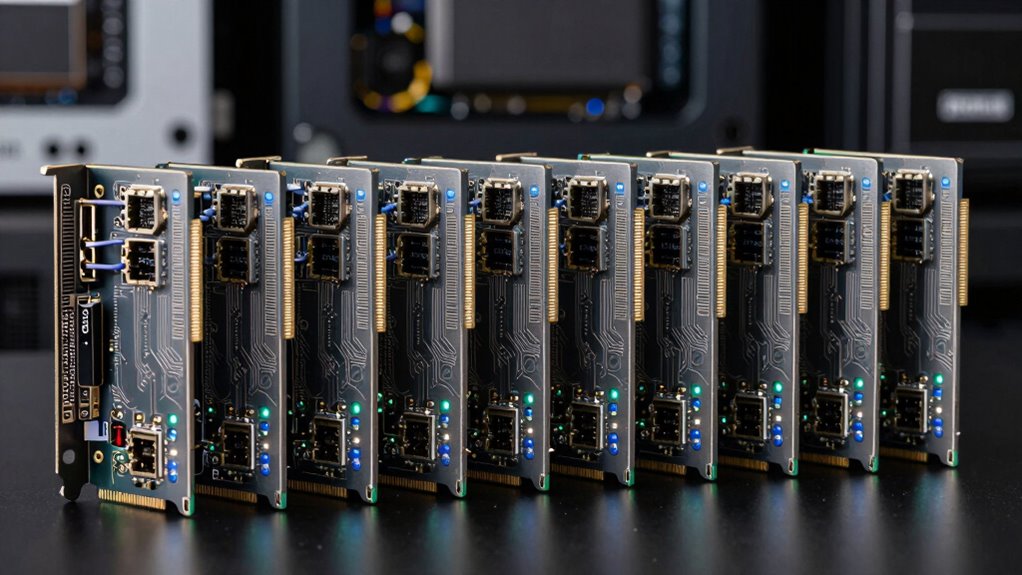

When selecting a 40GbE network card, it’s essential to consider performance, compatibility, and future-proofing. The GOWENIC 40GbE PCIe Network Card stands out as the best overall choice for its balance of reliability and affordability, especially suited for enterprise environments. For those prioritizing ultra-high bandwidth, the CX516A Dual 100Gb/s QSFP28 Ports RDMA Ethernet Adapter offers exceptional speed but comes at a higher cost and complexity. A key challenge in this category is balancing raw throughput with compatibility and ease of deployment. Continue reading for an in-depth comparison of these options and more to find the perfect match for your needs.
Complete the kit



Key Takeaways
- The top-performing cards generally feature dual 40GbE ports for redundancy and load balancing.
- Cost and compatibility vary significantly; higher speeds often demand specialized hardware and infrastructure.
- Many premium options include advanced features like RDMA for low-latency data transfer, ideal for data centers.
- Ease of installation and driver support are critical for seamless deployment, especially in existing server setups.
- The best value choices often combine solid performance with affordability, sacrificing some premium features.


| 40gbe network card | Ports | Interface |
|---|---|---|
| 40GbE QSFP+ Network Card Compa | 1× QSFP+ 40GbE | PCIe 3.0 x8 |
| GOWENIC 40GbE PCIe Network Car | 2 QSFP | PCIe 3.0 x8 |
| CX516A Dual 100Gb/s QSFP28 Por | 2x QSFP28 Fiber Ports | — |
| Vogzone 40GbE PCIe x8 Network | — | PCIe v3.0 x8 |
| Dell Mellanox CX354A 40Gb QSFP | Dual port | — |
| StarTech Dual Port 40G QSFP+ N | 2x 40 Gbps QSFP+ | PCIe 3.0 x8 |
| 40Gb Ethernet QSFP+ PCIe Netwo | 2 | — |
| 100GbE PCIe x16 IB/Ethernet Ad | — | — |
| GLOTRENDS 2-Port QSFP+ VPI RDM | 2 | PCIe 3.0 x8 |
| Mellanox ConnectX-4 EN Network | 2 | PCIe 3.0 x8 |
| Gugxiom MCX314A-BCCT Dual-Port | 2 | PCIe 3.0 x8 |
More Details on Our Top Picks
40GbE QSFP+ Network Card Compatible with XL710-QDA1 1-Port PCIe 3.0 Adapter
This card stands out for its comprehensive feature set, supporting advanced virtualization features like SR-IOV, DPDK, and tunnel offloads, making it a solid choice for high-performance servers. Compared to the GOWENIC dual-port, it offers a single port but with more extensive network features, which is ideal for specialized applications. The tradeoff is that transceivers and cables are not included, adding to the overall cost, and its single port may limit bandwidth for multi-stream environments. This makes it ideal for users who need a flexible, feature-rich network interface with a focus on virtualization and storage.
Pros:- Supports a wide range of virtualization and network offload features
- Includes both full-height and low-profile brackets for flexible installation
- Compatible with multiple virtualization platforms and storage solutions
Cons:- Transceivers and cables are not included, requiring additional purchase
- Limited to a single port, which may be insufficient for multi-link setups
Best for: IT professionals managing virtualization or storage servers requiring high customization
Not ideal for: Small business users or hobbyists seeking plug-and-play solutions, since transceivers and setup complexity could be barriers
- Ports:1× QSFP+ 40GbE
- Controller:XL710
- Interface:PCIe 3.0 x8
- Brackets:Full-Height & Low-Profile
- Features:SR-IOV, DPDK-friendly, VLAN offload, Jumbo Frames to 9K, VXLAN/GENEVE offloads, IEEE 1588 PTP
Our verdict“This card suits enterprise users needing advanced features and high flexibility, despite requiring extra transceivers and limited ports.”
GOWENIC 40GbE PCIe Network Card, Dual Port 40Gbps Ethernet Adapter for Data Centers and Servers
The GOWENIC dual-port 40GbE card excels in environments demanding maximum bandwidth, offering two ports that deliver a combined 80Gbps. Compared with the single-port XL710-based option, it provides redundancy and load balancing, making it suitable for data centers needing multiple high-speed links. The main tradeoff is that setup can be complex, especially for users unfamiliar with network configurations, and it requires compatible PCIe slots and infrastructure. This card makes the most sense for enterprise data centers where dual connectivity and resilience are priorities.
Pros:- Dual 40Gbps ports for maximum throughput and redundancy
- Supports network aggregation and failover configurations
- Built with advanced chip technology for stable, reliable performance
Cons:- Requires compatible PCIe slot and infrastructure setup
- Setup complexity may be daunting for less experienced users
Best for: Data center administrators and server operators seeking high bandwidth and redundancy
Not ideal for: Small office networks or casual users, because of its complex setup and infrastructure needs
- Interface:PCIe 3.0 x8
- Speed per port:40Gbps
- Total bandwidth:80Gbps
- Ports:2 QSFP
- Application:Data centers, servers, high-performance computing
Our verdict“This dual-port card is ideal for mission-critical data center applications that need maximum bandwidth and fault tolerance, despite its setup complexity.”
CX516A Dual 100Gb/s QSFP28 Ports RDMA Ethernet Adapter for Servers
The CX516A delivers dual 100GbE connections, making it a standout for ultra-high-speed networking, especially in environments utilizing RDMA and overlay networks. Compared to the 40GbE options from the other products, it offers a leap in speed, suitable for demanding cloud and storage workloads. Its enterprise focus means it supports a broad range of protocols and operating systems, but requires compatible transceivers and a PCIe Gen 4.0 slot, which can be limiting for some setups. This card is primarily for data centers and advanced server environments needing the highest possible throughput.
Pros:- Dual 100GbE fiber ports for extreme bandwidth
- Supports advanced RDMA and overlay networking protocols
- Compatible with a wide range of OS and virtualization platforms
Cons:- Requires compatible QSFP28 transceivers or cables
- Designed for enterprise environments, can be complex for casual users
Best for: Cloud providers and high-performance data centers needing maximum speed and RDMA capabilities
Not ideal for: Small-scale or home lab users, due to high cost and complex deployment requirements
- Ethernet Speed:2x 100GbE
- Bus Interface:PCIe Gen 4.0 x16
- Ports:2x QSFP28 Fiber Ports
- Bandwidth:256Gb/s total
- Supported Protocols:RoCE, iSCSI, NVME-OF, SMB Direct
- Compatibility:Windows 11/10, Server 2012-2025, Linux, VMware
Our verdict“This card is best suited for high-end data centers demanding ultra-fast RDMA-enabled networking, with setup complexity as a tradeoff.”
Vogzone 40GbE PCIe x8 Network Adapter with Intel XL710-BM2 Controller
This Intel-based 40GbE card offers broad OS support and advanced traffic management features, making it a reliable choice for diverse enterprise environments. Compared to the Mellanox CX354A, it emphasizes compatibility and ease of integration, especially with Windows and VMware. However, it lacks the extensive feature set of the XL710-QDA1, such as virtualization offloads, and the QSFP adapter isn’t included, which could increase initial setup costs. This pick makes sense for users who prioritize compatibility and straightforward deployment over ultra-high speed or advanced RDMA features.
Pros:- Supports multiple operating systems including Windows, Linux, FreeBSD
- Includes low-profile bracket for flexible installation
- Supports advanced network features like traffic management and VLAN offloads
Cons:- QSFP adapter not included, adding to setup cost
- Limited to 40GbE without additional enterprise features
Best for: Enterprises needing broad OS support and stable connectivity in mixed environments
Not ideal for: Users seeking cutting-edge RDMA or the absolute highest speeds, as it focuses more on compatibility
- Controller:Intel XL710-BM2
- Data Rate:40GbE
- Interface:PCIe v3.0 x8
- Supported OS:Windows, Linux, FreeBSD, VMware
- Form Factor:Low-profile
Our verdict“This card is well-suited for enterprise environments prioritizing compatibility and stability over raw speed or RDMA capabilities.”
Dell Mellanox CX354A 40Gb QSFP Dual Port Network Card
The Dell Mellanox CX354A provides a straightforward dual 40GbE solution, ideal for data centers needing dependable, high-speed links. Compared with the GOWENIC dual-port, it offers potentially more robust enterprise support and proven reliability, but it lacks detailed user reviews, which makes assessing real-world performance difficult. Its setup demands compatible hardware and some technical knowledge, making it less suitable for casual users. This card makes sense for organizations focused on consistent, high-bandwidth connectivity in demanding environments.
Pros:- High-speed 40Gbps performance with dual ports
- Designed for reliable data center operations
- Supports Mellanox’s proven enterprise-grade technology
Cons:- Lack of detailed user reviews limits performance insights
- Requires compatible hardware and some technical setup
Best for: Data centers and enterprise networks requiring reliable 40GbE dual-port connectivity
Not ideal for: Small offices or hobbyist setups, due to limited information and setup complexity
- Speed:40Gbps
- Ports:Dual port
- Type:Network Card
- Application:Data centers
Our verdict“This card offers dependable dual 40GbE performance suited for data centers needing stable, high-throughput links, though it may require technical expertise to deploy.”
StarTech Dual Port 40G QSFP+ Network Card, 40GbE Fiber Optic LAN Card
This dual-port 40GbE fiber optic card from StarTech stands out for its robust support of fiber types and virtualization environments, making it well-suited for complex data center setups. Compared with the GLOTRENDS ConnectX-3, it offers better compatibility with a wider variety of servers and fiber options, but it requires more technical skill to install and configure properly. Its high-speed dual 40GbE ports enable significant bandwidth, ideal for data-intensive applications. However, the need for compatible fiber transceivers and switches can add to setup complexity. This card excels in environments where reliability and flexibility are priorities, but less so for those seeking a plug-and-play solution.
Pros:- High-speed dual 40GbE fiber optic connectivity for demanding applications
- Supports multiple fiber types and virtualization environments
- Compatible with a wide range of servers and network devices
Cons:- Requires compatible fiber optic cables and switches, increasing setup cost
- Installation can be complex for non-technical users
Best for: Data center administrators needing high-speed, flexible fiber connectivity in demanding environments
Not ideal for: Small business IT setups or users without fiber infrastructure, due to installation complexity
- Ports:2x 40 Gbps QSFP+
- Fiber Support:MMF & SMF
- Chipset:Intel XL710
- Interface:PCIe 3.0 x8
- Jumbo Frames:9K
- VLAN:Supported
- Form Factor:Full & low profile
- Warranty:2 years
Our verdict“This card is ideal for advanced data centers seeking reliable, high-throughput fiber connectivity, despite its installation complexity.”
40Gb Ethernet QSFP+ PCIe Network Adapter Dual Port ConnectX-3Pro MCX314A-BCCT
This dual-port 40GbE QSFP+ adapter from ConnectX-3Pro is tailored for enterprise environments, offering flexible compatibility with Windows, Linux, and VMware systems. Unlike the StarTech model, it emphasizes broad OS support and includes multiple brackets for varied server forms. Its high transfer rate of 40Gbps per port makes it suitable for large-scale data transfers, but it requires PCIe x8 or x16 slots, which may limit use in smaller or older servers. While installation is straightforward for those familiar with enterprise hardware, it might be challenging for beginners. This card is best for organizations needing high throughput with versatile OS support but less suitable for less equipped servers.
Pros:- High-speed 40Gbps dual ports for substantial throughput
- Supports multiple operating systems including Windows, Linux, and VMware
- Includes brackets compatible with various server types
Cons:- Requires PCIe x8 or x16 slots, limiting compatibility with some systems
- Installation may require technical expertise, especially for system configuration
Best for: Enterprise IT teams managing high-bandwidth network infrastructure with diverse operating systems
Not ideal for: Small offices or users with limited PCIe slot availability or minimal network needs
- Transmission rate:40Gbps
- Interface type:QSFP+
- Ports:2
- Compatible slots:PCIe x8, PCIe x16
- Compatible systems:Windows Server 2003/2008/2012, Windows 7/8/10, Linux, ESXi
- Included brackets:Yes
Our verdict“This adapter is perfect for enterprise environments requiring flexible, high-speed connectivity across multiple OS platforms, with some setup complexity.”
100GbE PCIe x16 IB/Ethernet Adapter HCA with QSFP28 Port and Mellanox ConnectX4 MCX455A-ECAT Chipset
The Mellanox ConnectX-4 is designed for cutting-edge data centers, supporting 100GbE Ethernet and InfiniBand EDR for ultra-low latency and maximum throughput. Compared to the 40GbE options like the GOWENIC or StarTech cards, it targets high-performance scenarios with advanced features like RDMA and RoCE, enabling efficient GPU clustering and storage acceleration. Its complex setup and need for compatible transceivers make it less accessible for typical users, but it offers unmatched performance for specialized workloads. This card is suited for environments where every microsecond counts, rather than general networking needs.
Pros:- Supports 100GbE Ethernet and InfiniBand EDR for maximum throughput
- Includes both low and full-height brackets for flexible installation
- Supports advanced features like RDMA, RoCE, and GPU offloading
Cons:- Requires compatible transceivers or switches for full performance
- Setup complexity and firmware updates can be challenging for non-experts
Best for: High-performance computing and enterprise data centers requiring ultra-low latency and 100GbE bandwidth
Not ideal for: Small-scale businesses or users without the infrastructure for high-end networking hardware
- Controller:Mellanox CX-4 chipset
- Data Rate:Ethernet: 100GbE, EDR IB
- Connector Type:QSFP28
- PCI Express:PCIe 3.0 x16
- Supported OS:Windows 10/11, Windows Server 2016/2019/2022, VMware ESXi, RHEL, Ubuntu, SUSE, FreeBSD
- Included Brackets:Low and full height
Our verdict“This card is tailored for high-end data centers needing the fastest possible speeds and lowest latency, with setup requiring technical expertise.”
GLOTRENDS 2-Port QSFP+ VPI RDMA Network Card, ConnectX-3, FDR InfiniBand / 40Gb Ethernet
The GLOTRENDS ConnectX-3 VPI card combines 40Gb Ethernet and InfiniBand FDR with RDMA, making it an excellent choice for high-performance computing and storage clusters. Unlike the StarTech or ConnectX-3Pro options, it emphasizes low latency, with as little as 1 microsecond, ideal for HPC workloads. It supports broad OS compatibility similar to the Mellanox cards but may require more careful configuration due to its advanced features. While it offers exceptional performance for specialized tasks, its complexity and infrastructure requirements make it less suited for general networking or casual users.
Pros:- Supports both 40Gb Ethernet and InfiniBand FDR protocols
- Provides ultra-low latency of approximately 1 microsecond
- Broad OS compatibility and RDMA features for high efficiency
Cons:- Requires compatible high-end infrastructure and transceivers
- Configuration can be complex for users unfamiliar with HPC hardware
Best for: HPC, clustering, and storage environments demanding ultra-low latency and high throughput
Not ideal for: Small business networks or casual users without HPC infrastructure or experience
- Ports:2
- Technology:QSFP+
- Supported Protocols:InfiniBand FDR, 40Gb Ethernet
- Interface:PCIe 3.0 x8
- Latency:as low as 1µs
- Features:RDMA, RoCE, virtualization, GPU offloading
- Compatibility:Linux, Windows, VMware
Our verdict“This card is best suited for specialized high-performance computing environments where low latency and high throughput are paramount, despite its setup complexity.”
Mellanox ConnectX-4 EN Network Interface Card, 40/56GbE Dual-Port QSFP28, PCIe 3.0 x8
The Mellanox ConnectX-4 EN offers flexible 40/56GbE speeds with dual QSFP28 ports, making it a strong candidate for virtualized data centers that need high bandwidth and overlay network support. Compared with the StarTech and ConnectX-3Pro models, it excels in supporting virtual overlay protocols like VXLAN and GENEVE, which are critical for multi-tenant environments. Its PCIe 3.0 x8 interface is sufficient for most servers, but setup for virtualization features can be complex. This card is ideal for data centers prioritizing network virtualization and high throughput, though it may be overkill for simpler setups.
Pros:- Supports 40/56GbE speeds and high bandwidth
- Enables virtual overlay networks like VXLAN and GENEVE
- Dual ports provide redundancy and increased capacity
Cons:- Requires compatible, high-performance server hardware
- Complex setup for virtualization and overlay features
Best for: Data centers with high virtualization demands and overlay networking needs
Not ideal for: Small-scale or less virtualized environments, where simpler cards suffice
- Model:MCX414A-BCAT
- Ports:2
- Speed:40/56GbE
- Interface:PCIe 3.0 x8
- Supports:Virtualization, overlay networks
- Form Factor:Tall bracket
Our verdict“This NIC is geared toward virtualized environments demanding high bandwidth and overlay network capability, with setup complexity as a tradeoff.”
Gugxiom MCX314A-BCCT Dual-Port 40GbE PCIe Network Adapter, QSFP PCIe 3.0 x8, 80Gbps Total, for Data Center Cloud Computing
The Gugxiom MCX314A-BCCT excels in environments demanding maximum throughput, offering dual 40GbE ports that sum up to 80Gbps total capacity. Compared with the GOWENIC 40GbE PCIe Network Card, which provides similar speeds but only one port, this model shines in multi-connection scenarios. Its support for PCIe 3.0 x8 interface ensures fast data transfer, but it requires a compatible PCIe slot and may pose installation challenges for users without technical expertise. This card makes sense for data centers that need reliable, high-volume connectivity and can accommodate its hardware requirements, whereas smaller or less technical setups might find it overly complex.
- Pros: Dual 40GbE ports for increased bandwidth; PCIe 3.0 x8 support for faster data transfer; Designed for demanding data center environments; High total throughput of 80Gbps
- Cons: Requires compatible PCIe infrastructure; Installation can be complex for non-technical users; No additional management features included
Verdict: This pick is best suited for large-scale data centers needing maximum throughput with robust infrastructure support.
Pros:- Dual 40GbE ports for high network capacity
- Supports PCIe 3.0 x8 for faster transfer speeds
- Ideal for data centers and cloud computing environments
- High total bandwidth of 80Gbps
Cons:- Requires compatible PCIe infrastructure and slots
- Installation may be challenging without technical expertise
- Lacks integrated management or advanced features
Best for: Data center operators and cloud service providers with high-performance network infrastructure
Not ideal for: Small businesses or home lab users lacking compatible PCIe slots or infrastructure complexity tolerance
- Transmission Rate per Port:40Gbps
- Total Transmission Rate:80Gbps
- Ports:2
- Interface:PCIe 3.0 x8
- Application:Data centers, cloud computing
- Supported Protocols:40GbE
- Form Factor:PCIe Card
- Networking Technology:QSFP
- Latency:Low
Our verdict“This card makes the most sense for large-scale, high-demand data centers where maximum throughput justifies installation complexity.”
How We Picked
These products were evaluated based on several criteria that matter most for high-speed networking. Performance benchmarks, such as throughput, latency, and compatibility with common server platforms, played a key role. Build quality and driver support influence reliability and ease of use, especially in enterprise environments. We also considered value, balancing features against cost, and future-proofing, such as support for upcoming standards or higher speeds. The ranking reflects a blend of these factors, prioritizing options that deliver dependable, high-performance networking without unnecessary complexity or expense.| 40gbe network card | Interface |
|---|---|
| 40GbE QSFP+ Network Card Compa | PCIe 3.0 x8 |
| GOWENIC 40GbE PCIe Network Car | PCIe 3.0 x8 |
| CX516A Dual 100Gb/s QSFP28 Por | — |
| Vogzone 40GbE PCIe x8 Network | PCIe v3.0 x8 |
| Dell Mellanox CX354A 40Gb QSFP | — |
| StarTech Dual Port 40G QSFP+ N | PCIe 3.0 x8 |
| 40Gb Ethernet QSFP+ PCIe Netwo | — |
| 100GbE PCIe x16 IB/Ethernet Ad | — |
| GLOTRENDS 2-Port QSFP+ VPI RDM | PCIe 3.0 x8 |
| Mellanox ConnectX-4 EN Network | PCIe 3.0 x8 |
| Gugxiom MCX314A-BCCT Dual-Port | PCIe 3.0 x8 |
Factors to Consider When Choosing 40gbe Network Card
Choosing a 40GbE network card involves understanding your specific needs and the broader infrastructure requirements. While higher speeds are attractive, they may require compatible hardware, such as switches and cabling, which can add to the overall cost. Compatibility with existing systems and driver support are often overlooked but are critical for a smooth upgrade. Consider whether you need features like RDMA or dual ports for redundancy, which are more common in enterprise or data center settings. Balancing your budget with these technical factors will ensure you select a card that not only performs well today but is also adaptable for future demands.Performance and Throughput
The primary reason for choosing a 40GbE card is high data transfer rates. However, actual throughput depends on your system’s CPU, PCIe slot bandwidth, and network infrastructure. Cards with dual ports can offer better scalability and redundancy, reducing downtime. Be cautious of models that advertise high speeds but may not deliver consistent performance under load. Prioritize cards with proven benchmarks in environments similar to yours for more accurate expectations.Compatibility and Ease of Integration
A card’s compatibility with your existing hardware and operating system can make or break your upgrade experience. Check for driver support for your OS version and whether the card is compatible with your motherboard’s PCIe slots. Some cards are designed specifically for data centers and may require additional configuration, which can complicate deployment. Choosing hardware with broad compatibility and straightforward installation procedures minimizes setup time and reduces troubleshooting.Advanced Features and Future-Proofing
Features like RDMA (Remote Direct Memory Access) enable low-latency data transfers, essential for high-performance computing and data centers. Consider whether you need these advanced capabilities—it often justifies higher costs. Additionally, look for support for upcoming standards or higher speeds, which can extend the lifespan of your investment. Keep in mind that not all features are supported across all hardware and driver configurations, so verify compatibility before purchasing.Cost and Total Infrastructure Investment
A high-speed network card is just one piece of the puzzle. To leverage 40GbE speeds, your network switches, cables, and server hardware must support the same standards. Budget accordingly for this broader infrastructure, as it can significantly influence the total cost of upgrading. Sometimes, opting for a slightly lower-cost card that fits seamlessly into your existing setup offers better value than a premium option that demands a complete system overhaul.Reliability and Support
Enterprise-grade cards often come with better warranty, support options, and driver updates, reducing downtime risks. Check reviews and manufacturer reputation to gauge long-term reliability. Good vendor support can be invaluable if you encounter compatibility issues or need firmware updates. For critical applications, investing in proven, well-supported hardware minimizes operational risks.Frequently Asked Questions
Do I need special switches or cabling for a 40GbE network card?
Yes, to fully utilize a 40GbE network card, your network infrastructure must support 40GbE speeds. This typically means using compatible switches with 40GbE ports and appropriate cabling, such as fiber optic or DAC (Direct Attach Copper) cables designed for high-speed data transfer. If your current infrastructure is limited to lower speeds, you’ll need to upgrade these components, which can be a significant additional expense. Planning for this upgrade ensures you get the expected performance gains from your new network card.
Is RDMA support necessary for my 40GbE network card?
RDMA support is primarily beneficial for environments requiring low-latency, high-throughput data transfer, such as high-performance computing or large-scale data centers. If your workload involves frequent, large data transfers or cluster computing, RDMA can dramatically improve efficiency. For general server use or less demanding applications, it might be unnecessary, and opting for a simpler, less expensive card could be more cost-effective. Evaluate your specific performance needs before choosing a feature set.
How important is driver support for 40GbE cards?
Driver support is critical to ensure stable and consistent performance. Reliable drivers prevent issues like system crashes, connectivity drops, and configuration headaches. High-quality cards often come with well-maintained drivers compatible with popular operating systems like Windows, Linux, or VMware. If driver support is lacking or outdated, it can lead to compatibility issues and hinder future upgrades. Always verify that the manufacturer provides ongoing driver updates for your OS version.
Should I prioritize dual-port or single-port 40GbE cards?
Dual-port cards offer increased redundancy and load balancing, making them suitable for critical environments where uptime is essential. They enable you to connect to multiple switches or networks, reducing the risk of downtime. Single-port cards are typically more affordable and simpler to deploy but may lack the redundancy benefits needed for enterprise applications. Consider your reliability requirements and network architecture when choosing between the two options.
Is it worth investing in the most expensive 40GbE card?
Higher-priced cards usually come with advanced features like RDMA, better build quality, and stronger vendor support, which are valuable in demanding data center environments. However, for smaller setups or less intensive workloads, a mid-range or budget option often delivers sufficient performance at a better price point. Evaluate your specific bandwidth, latency, and support needs to determine if the premium features justify the extra cost in your case.
Conclusion
The best overall 40GbE network card for most users is the GOWENIC 40GbE PCIe Network Card due to its balance of performance and affordability. For those prioritizing maximum throughput and advanced features, the CX516A Dual 100Gb/s QSFP28 Ports RDMA Ethernet Adapter fits high-demand environments. Beginners or smaller setups should consider simpler, more cost-effective options like the StarTech Dual Port 40G QSFP+ for ease of use. Data centers and enterprise users requiring redundancy and low latency will find premium cards like the Gugxiom MCX314A-BCCT most appropriate. Matching your specific infrastructure needs and budget will ensure you make the best choice for your high-speed networking upgrade.