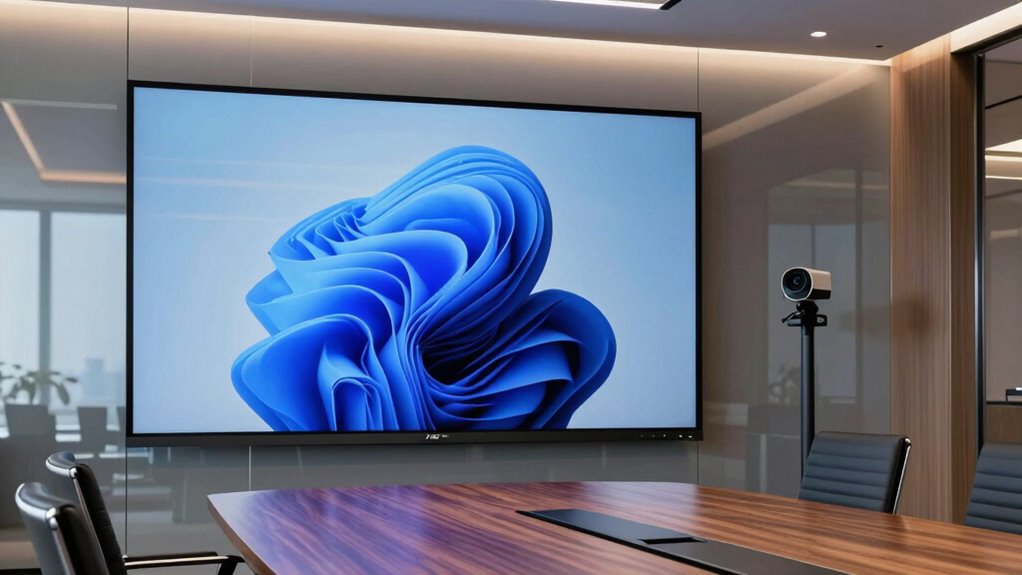

A 75-inch conference room display gives most teams room for readable slides and shared work without taking over the meeting space. My best overall pick is the Samsung Pro 75-Inch Interactive Display for its collaboration-focused feature set, while the DTEN D7 stands out for rooms built around video meetings and the ViewSonic CDE7531 for straightforward commercial display use. The main tradeoff is whether you need touch and whiteboarding, an all-in-one conferencing system, or dependable signage-style presentation. Those choices affect setup, compatibility, and how much equipment your room needs. Read on for the full comparison and guidance on choosing the right fit.

Get the latest gadgets delivered free with Prime
- Fast, free delivery on millions of items
- Prime Video, Amazon Music and more included
- Member-only deals all year
Complete the kit



Key Takeaways
- Interactive models and signage displays serve different jobs: touchscreens such as the Samsung Pro, WAF Series, and COOLHOOD are better suited to annotation and group work, while the Samsung QHC, QB75R, and ViewSonic CDE models focus on displaying content.
- The Samsung Pro is the strongest all-around collaboration choice: its SmartView+ feature makes it a more meeting-oriented pick than Samsung‘s commercial signage models, which prioritize display duties.
- For rooms centered on video calls, the DTEN D7 takes a distinct path: its all-in-one conferencing design can reduce separate room hardware, but buyers should check that its meeting platform fits their organization.
- Interactive boards vary in how much room setup they replace: the JAV combines a 48MP AI camera and 100W soundbar, while the Vibe S1 and other smart boards offer different mixes of collaboration features and built-in equipment.
- Commercial display choices come down to deployment needs, not just 4K resolution: the Samsung QHC, Samsung QB75R, ViewSonic CDE7531, and CDE7514 call for comparison of management, connectivity, and intended signage use before selection.
| Samsung QHC 75-Inch 4K UHD Commercial Signage Display |  | Best Overall for Non-Touch Conference Rooms | Screen size: 75 inches | Resolution: 3840 × 2160 (4K UHD) | Screen finish: Matte | VIEW ON AMAZON | See Our Full Breakdown |
| COOLHOOD 75-Inch 4K UHD Smart Interactive Whiteboard |  | Best Value for Ready-to-Collaborate Teams | Screen size: 75 inches | Resolution: 4K UHD | Operating system: Android 13 | VIEW ON AMAZON | See Our Full Breakdown |
| Samsung Pro 75-Inch 4K UHD Interactive Display with SmartView+ |  | Best for Large-Group Wireless Sharing | Screen size: 75 inches | Resolution: 3840 × 2160 (4K UHD) | Touchpoints: Up to 20 | VIEW ON AMAZON | See Our Full Breakdown |
| Samsung QB75R 75-Inch 4K UHD Commercial Signage Display |  | Best for Signage-First Conference Rooms | Screen size: 75 inches | Resolution: 3840 × 2160 (4K UHD) | Brightness: 350 cd/m² | VIEW ON AMAZON | See Our Full Breakdown |
| Samsung 75-inch Interactive Display Touch Screen Whiteboard (WAF Series) LH75WAFWLGCXZA |  | Best for High-Participation Whiteboarding | Screen size: 75 inches | Resolution: 3840 × 2160 (4K UHD) | Operating system: Android OS 14 | VIEW ON AMAZON | See Our Full Breakdown |
| DTEN D7 75-Inch All-in-One Video Conferencing System |  | Best for Dedicated Video Conferencing | Screen size: 75 inches | Model: D7 | Manufacturer: DTEN | VIEW ON AMAZON | See Our Full Breakdown |
| Vibe S1 75-Inch 4K UHD All-in-One Smart Board |  | Best for Interactive Collaboration | Screen size: 75 inches | Resolution: 4K UHD | Touch: 20-point infrared touch | VIEW ON AMAZON | See Our Full Breakdown |
| ViewSonic CDE7531 75-Inch 4K UHD Commercial Display |  | Best for Bright, Always-On Conference Rooms | Screen size: 75 inches | Resolution: 3840 × 2160 (4K UHD) | Brightness: 500 nits | VIEW ON AMAZON | See Our Full Breakdown |
| ViewSonic CDE7514 75-Inch 4K UHD Commercial Display |  | Best for Managed AV Installations | Screen size: 75 inches | Resolution: 3840 × 2160 (4K UHD) | Brightness: 350 nits | VIEW ON AMAZON | See Our Full Breakdown |
| YCKJNB 75-Inch 4K UHD Interactive Smart Whiteboard |  | Best for Built-In Room Conferencing | Screen size: 75 inches | Resolution: 4K UHD | Touch: 20-point infrared multi-touch | VIEW ON AMAZON | See Our Full Breakdown |
| JAV 75-Inch 4K UHD Interactive Smart Board with 48MP AI Camera and 100W Soundbar |  | Best Integrated Collaboration Setup | Screen size: 75 inches | Resolution: 3840 x 2160 (4K UHD) | Touch: 20-point touch; 6.5 ms response time | VIEW ON AMAZON | See Our Full Breakdown |
| conference room display 75 inch | Screen size | Resolution | Operating system | Connectivity |
|---|---|---|---|---|
| Samsung QHC 75-Inch 4K UHD Com | 75 inches | 3840 × 2160 (4K UHD) | — | Bluetooth, HDMI, USB, Wi-Fi |
| COOLHOOD 75-Inch 4K UHD Smart | 75 inches | 4K UHD | Android 13 | — |
| Samsung Pro 75-Inch 4K UHD Int | 75 inches | 3840 × 2160 (4K UHD) | — | Wi-Fi, Bluetooth, 2 HDMI ports, 1 USB port |
| Samsung QB75R 75-Inch 4K UHD C | 75 inches | 3840 × 2160 (4K UHD) | — | Wi-Fi, Bluetooth, HDMI |
| Samsung 75-inch Interactive Di | 75 inches | 3840 × 2160 (4K UHD) | Android OS 14 | — |
| DTEN D7 75-Inch All-in-One Vid | 75 inches | — | — | — |
| Vibe S1 75-Inch 4K UHD All-in- | 75 inches | 4K UHD | VibeOS on Chromium OS | Wi-Fi 6, Bluetooth 5.2 |
| ViewSonic CDE7531 75-Inch 4K U | 75 inches | 3840 × 2160 (4K UHD) | Android 14, upgradeable to Android 16 | HDMI, USB-C, USB-A, Bluetooth, Wi-Fi, 3.5 mm audio |
| ViewSonic CDE7514 75-Inch 4K U | 75 inches | 3840 × 2160 (4K UHD) | Android 14 | HDMI, USB-C, USB 2.0, Wi-Fi |
| YCKJNB 75-Inch 4K UHD Interact | 75 inches | 4K UHD | Android 13 | — |
| JAV 75-Inch 4K UHD Interactive | 75 inches | 3840 x 2160 (4K UHD) | Android 14 | — |
More Details on Our Top Picks
Samsung QHC 75-Inch 4K UHD Commercial Signage Display
For a conference room that needs a clear, shareable screen rather than an interactive whiteboard, the Samsung QHC is my most balanced pick. Its matte 4K display helps reduce reflections from overhead lights, and SmartView+ gives teams a wireless way to present without making this a touch-focused system. At just 28.5 mm deep, it also suits installations where a low-profile wall fit matters. Compared with the Samsung QB75R, the QHC adds a matte finish and Smart Calibration, which better suit rooms where glare and consistent color across displays are concerns. The tradeoff is that it weighs 97 pounds, so wall installation needs planning, and the Slim Fit Wall Mount is sold separately. Choose another model if meetings depend on shared on-screen writing or multi-touch collaboration.
Pros:- Matte finish helps limit distracting reflections in lit meeting rooms
- SmartView+ supports wireless screen sharing
- Slim 28.5 mm depth supports a low-profile installation
- Landscape or portrait mounting offers flexible placement
Cons:- At 97 pounds, wall installation may require professional help
- Slim Fit Wall Mount is sold separately
- No touch input for direct annotation or whiteboarding
Best for: Businesses outfitting a fixed conference room for presentations, wireless sharing, and viewing in bright or mixed lighting.
Not ideal for: Teams that need attendees to annotate directly on the screen or want a mount included with the display.
- Screen size:75 inches
- Resolution:3840 × 2160 (4K UHD)
- Screen finish:Matte
- Contrast ratio:4000:1
- Refresh rate:60 Hz
- Depth:28.5 mm
- Connectivity:Bluetooth, HDMI, USB, Wi-Fi
- Wireless screen sharing:SmartView+
Our verdict“Choose the QHC for a polished, non-touch presentation display with glare control and wireless sharing.”
COOLHOOD 75-Inch 4K UHD Smart Interactive Whiteboard
The COOLHOOD makes the most sense for teams that want touch collaboration and built-in tools without adding a separate computer to every meeting. Its Android 13 system, 128GB storage, and 20-point touch let participants annotate, share files by QR code, and work across common video-conferencing platforms. The wall mount is included, which is a practical advantage over the Samsung interactive models listed here, though the stand is not. Compared with the Samsung Pro 75-Inch Interactive Display, COOLHOOD offers a clearly specified Android platform and 6 ms touch response, while Samsung lists SmartView+ sharing for up to 50 devices and six simultaneous screens. That makes the Samsung a stronger fit for large sharing sessions; COOLHOOD is better aimed at everyday interactive meetings. Buyers should confirm that its app and conferencing setup fits their organization before choosing it.
Pros:- 20-point multi-touch supports group annotation
- Android 13 and 128GB storage provide an onboard platform for collaboration
- QR code file sharing and cloud storage support document exchange
- Wall mount is included
Cons:- Stand is sold separately
- Does not specify the large multi-device screen viewing capacity offered by Samsung Pro
- Buyers should verify compatibility with their preferred meeting-room setup
Best for: Small and midsize teams that want a wall-mounted interactive meeting board with annotation, file sharing, and familiar conferencing compatibility.
Not ideal for: Organizations that need a supplied floor stand or have large meetings requiring many simultaneous participant screens.
- Screen size:75 inches
- Resolution:4K UHD
- Operating system:Android 13
- Processor:Octa-core (4 A73 + 4 A53)
- Storage:128GB
- Touch points:20
- Touch response time:6 ms
- Included accessories:Wall mount
Our verdict“Pick COOLHOOD for a self-contained interactive board with useful sharing tools, provided a wall-mounted setup suits the room.”
Samsung Pro 75-Inch 4K UHD Interactive Display with SmartView+
The Samsung Pro is the strongest match here when a conference room needs both touchscreen collaboration and broad wireless participation. SmartView+ can connect up to 50 devices and show six screens at once, so a facilitator can compare contributions without asking every attendee to take a turn at the display. Its 20 touchpoints cover shared writing and drawing, while built-in speakers reduce the need for separate audio for basic use. Compared with the COOLHOOD 75-Inch Interactive Whiteboard, the Pro has more clearly specified capacity for simultaneous screen sharing; COOLHOOD, by contrast, lists Android 13 and 128GB storage. The tradeoff is substantial: at 145 pounds, this is the heaviest option in this group, and some apps may vary by region or require a subscription. It is a poor fit for rooms that only need simple screen mirroring.
Pros:- SmartView+ connects up to 50 devices
- Can show up to six screens simultaneously
- 20 touchpoints support collaborative writing and drawing
- Wi-Fi, Bluetooth, and universal pairing support flexible device connections
Cons:- 145-pound weight makes installation and repositioning demanding
- Some apps may vary by region or require a subscription
- Two HDMI ports and one USB port may limit direct wired connections
Best for: Organizations running workshops or hybrid meetings where many participants need to connect and several screens must be visible at once.
Not ideal for: Small meeting rooms seeking a lightweight, basic presentation display or buyers who need predictable access to every app without regional variation.
- Screen size:75 inches
- Resolution:3840 × 2160 (4K UHD)
- Touchpoints:Up to 20
- SmartView+ connections:Up to 50 devices
- Simultaneous screens:Up to six
- Response time:8 ms
- Connectivity:Wi-Fi, Bluetooth, 2 HDMI ports, 1 USB port
- Weight:145 pounds
Our verdict“Choose the Samsung Pro when multi-device participation matters more than easy installation or a simple display-only setup.”
Samsung QB75R 75-Inch 4K UHD Commercial Signage Display
The Samsung QB75R suits rooms that use the screen for scheduled announcements or signage as often as for meetings. Its built-in MagicInfo S6 media player supports signage playback without making a separate media player the central part of the setup, and the 178-degree viewing angle helps people seated off-center see the image. Compared with the Samsung QHC, the QB75R is more explicitly oriented toward signage and offers two USB ports, but its listed screen finish is glossy rather than matte. That distinction matters in conference rooms with windows or strong ceiling lights, where reflections can compete with presentation content. It also lacks touch input, so teams looking to mark up slides should choose an interactive model such as the Samsung Pro or WAF. This is a focused business display, not an all-in-one collaboration board.
Pros:- Built-in MagicInfo S6 media player supports signage playback
- 4K resolution with Dynamic Crystal Color and UHD upscaling
- 178-degree viewing angle accommodates off-center seating
- Built-in Wi-Fi and Bluetooth support wireless sharing and control
Cons:- Glossy finish can reflect room lighting
- No touchscreen for direct annotation
- Commercial signage focus may be unnecessary for presentation-only rooms
Best for: Facilities teams that need a 75-inch 4K screen for conference presentations and recurring digital-signage playback.
Not ideal for: Rooms with substantial glare or teams that need a matte screen, touch collaboration, or whiteboarding.
- Screen size:75 inches
- Resolution:3840 × 2160 (4K UHD)
- Brightness:350 cd/m²
- Contrast ratio:4,000:1
- Viewing angle:178 degrees
- Refresh rate:60 Hz
- Connectivity:Wi-Fi, Bluetooth, HDMI
- Ports:2 HDMI, 2 USB
Our verdict“Choose the QB75R when built-in signage playback matters more than glare control or interactive meeting features.”
Samsung 75-inch Interactive Display Touch Screen Whiteboard (WAF Series) LH75WAFWLGCXZA
For meeting rooms where several people need to write at once, the Samsung WAF offers the highest stated touch capacity in this group: up to 40 simultaneous touchpoints. Dual-pen input, annotation tools, and split-note mode make it better suited to workshops and training than the non-touch Samsung QHC or QB75R. Its Android 14 platform, Google Play access, and wireless sharing for up to nine devices give teams multiple ways to bring content into the session. Compared with the Samsung Pro, the WAF doubles the listed touchpoint capacity, while the Pro supports more connected devices and can display up to six screens at once. The WAF’s 108.5-pound weight still calls for a careful installation plan, and turning it into a Windows workstation requires a separately purchased OPS module. Choose it for shared writing, not as a signage-first screen.
Pros:- Up to 40 simultaneous touchpoints support large-group collaboration
- Dual-pen input and built-in annotation tools suit workshops
- Android 14 offers access to Google Play and other services
- Wireless sharing supports screen mirroring from up to nine devices
Cons:- At 108.5 pounds, installation may require professional help
- OPS module must be purchased separately for Windows workstation use
- 1,200:1 contrast ratio is lower than the listed 4,000:1 Samsung QHC and Samsung Pro
Best for: Training teams, facilitators, and collaborative groups that need many participants writing or annotating together on a 75-inch display.
Not ideal for: Buyers prioritizing signage playback, a lightweight display, or a Windows workstation included out of the box.
- Screen size:75 inches
- Resolution:3840 × 2160 (4K UHD)
- Operating system:Android OS 14
- Touchpoints:Up to 40 simultaneous
- Brightness:400 cd/m²
- Contrast ratio:1,200:1
- Wireless sharing:Up to nine devices
- Weight:108.5 pounds
Our verdict“Choose the WAF for hands-on group sessions where broad touch participation matters more than signage features or an included Windows module.”
DTEN D7 75-Inch All-in-One Video Conferencing System
The DTEN D7 is the clearest fit here for rooms where the display’s main job is to support video meetings. Its built-in HD camera, microphone array, and speakers combine core conferencing hardware with a 75-inch interactive screen, reducing the need to assemble those components separately. Compared with the ViewSonic CDE7531, which is a commercial display with stated AV connections and speakers but no listed built-in camera or microphone array, the D7 is more meeting-focused. The tradeoff is that the provided details do not specify its resolution, operating system, or connectivity, making it harder to judge for signage or app-based collaboration. I’d choose it for a room centered on video calls, but favor the Vibe S1 if touch whiteboarding and a broad app selection matter more.
Pros:- Combines a 75-inch interactive monitor with video-conferencing hardware
- Includes an HD camera, microphone array, and speakers
- All-in-one setup can reduce the number of separate room components
Cons:- Resolution and connectivity details are not provided
- The listed information does not describe its operating system or collaboration software
Best for: Teams setting up a dedicated conference room that want a large interactive display with camera, microphones, and speakers built in
Not ideal for: Buyers who need confirmed 4K resolution, specific connection options, or a broad onboard app platform, since those details are not provided
- Screen size:75 inches
- Model:D7
- Manufacturer:DTEN
- Dimensions:66 × 38 × 2.2 inches
- Display type:Interactive monitor
- Camera:HD camera
- Audio:Microphone array and speakers
Our verdict“Choose the DTEN D7 for a meeting room that prioritizes built-in video-conferencing hardware over a documented 4K app and collaboration platform.”
Vibe S1 75-Inch 4K UHD All-in-One Smart Board
The Vibe S1 is the strongest match for teams that want the display itself to host collaborative work, not just show slides. Its 4K touchscreen, 20-point touch, and under-10 ms response support quick group annotation, while cloud whiteboarding makes it easier to save and share work after a meeting. Access to more than 250 apps gives it a broader built-in workspace than the DTEN D7, whose listed strengths center on conferencing hardware rather than software. The distinction from the ViewSonic CDE7531 is also clear: the ViewSonic emphasizes commercial display operation and AV integration, while the Vibe leans into touch collaboration. The Vibe’s freestanding mounting may constrain room placement, and the included stylus arrangement varies. I’d skip it if the room mainly needs a fixed, conventional presentation display.
Pros:- 4K UHD touchscreen with 20-point touch and response under 10 ms
- Cloud whiteboard supports annotating, saving, and sharing work
- Access to more than 250 apps through VibeOS on Chromium OS
- Wi-Fi 6 and Bluetooth 5.2 are listed for wireless connectivity
Cons:- Freestanding mounting may limit placement compared with wall-mounted options
- Stylus type and quantity vary with the shipped bundle
Best for: Workshop-led teams and facilitators who want a 75-inch touchscreen for shared annotation, cloud whiteboarding, and app-based collaboration
Not ideal for: Rooms requiring a wall-mounted display or a predictable stylus bundle, since the listed mounting type is freestanding and stylus contents vary
- Screen size:75 inches
- Resolution:4K UHD
- Touch:20-point infrared touch
- Touch response:Less than 10 ms
- Operating system:VibeOS on Chromium OS
- Connectivity:Wi-Fi 6, Bluetooth 5.2
- Memory and storage:8 GB RAM, 128 GB storage
- Mounting type:Freestanding
Our verdict“Pick the Vibe S1 if interactive whiteboarding and onboard apps matter more than a fixed installation or built-in conferencing hardware.”
ViewSonic CDE7531 75-Inch 4K UHD Commercial Display
The CDE7531 is the more practical pick for a conference room that runs long hours or gets substantial ambient light. Its 500-nit brightness and anti-glare screen give presentations a better chance of staying legible in bright spaces than the CDE7514’s listed 350 nits. An eight-second boot time also helps reduce delays when staff need to start a meeting quickly, and the stated 24/7 operation suits rooms used throughout the day. Android 14, upgradeable to 16, and AV-control compatibility make it more oriented toward managed commercial installations than the Vibe S1’s whiteboarding-first approach. The tradeoffs are real: at 75.3 pounds it needs careful mounting, and the listed single HDMI input limits simultaneously connected video sources. I’d choose the CDE7514 instead if its USB-C workflow and remote management better fit the room.
Pros:- 500-nit brightness and anti-glare screen suit bright rooms
- Eight-second boot time can speed up meeting starts
- Designed for continuous 24/7 operation
- Android 14 upgrade path and compatibility with major AV control systems
Cons:- At 75.3 pounds, wall mounting calls for careful planning
- Only one HDMI input is listed, limiting connected external video sources
Best for: Organizations outfitting bright, heavily used meeting rooms that need a commercial display with fast startup and AV-control integration
Not ideal for: Installers needing several HDMI sources connected at once or teams seeking built-in touch whiteboarding and conferencing hardware
- Screen size:75 inches
- Resolution:3840 × 2160 (4K UHD)
- Brightness:500 nits
- Contrast ratio:5000:1
- Operating system:Android 14, upgradeable to Android 16
- Speakers:16 W dual speakers
- Connectivity:HDMI, USB-C, USB-A, Bluetooth, Wi-Fi, 3.5 mm audio
- Weight:75.3 pounds
Our verdict“Choose the CDE7531 for a bright, frequently used room where fast startup and commercial operation matter more than touch collaboration or multiple HDMI inputs.”
ViewSonic CDE7514 75-Inch 4K UHD Commercial Display
The CDE7514 makes the most sense when a 75-inch display needs to fit into an existing managed AV setup. It supports Crestron, Extron, and Q-SYS integration, and ViewSonic Manager Basic provides a way to manage displays remotely. Its matte screen helps cut reflections, while USB-C carries video, data, and up to 15 W of power over one cable—handy for a simplified laptop connection, though that power level may not suit every device. Compared with the brighter CDE7531, this model is rated at 350 nits rather than 500, so I’d favor the CDE7531 in especially bright rooms. The CDE7514 instead emphasizes system control and fleet management. It is a commercial display, not a touchscreen collaboration board like the Vibe S1, and its 75.3-pound weight complicates installation.
Pros:- Integrates with Crestron, Extron, and Q-SYS systems
- ViewSonic Manager Basic supports remote fleet management
- Matte anti-glare screen and 4K UHD resolution
- USB-C carries video, data, and 15 W of power over one cable
Cons:- 350-nit brightness is lower than the CDE7531’s listed 500 nits
- USB-C power delivery is limited to 15 W
- At 75.3 pounds, installation and wall mounting require planning
Best for: AV and IT teams managing conference-room displays across an organization and integrating screens with Crestron, Extron, or Q-SYS systems
Not ideal for: Buyers in very bright rooms who want the higher listed brightness of the CDE7531, or teams seeking an interactive touchscreen whiteboard
- Screen size:75 inches
- Resolution:3840 × 2160 (4K UHD)
- Brightness:350 nits
- Contrast ratio:1,200:1
- Screen finish:Matte
- Operating system:Android 14
- Connectivity:HDMI, USB-C, USB 2.0, Wi-Fi
- Weight:75.3 pounds
Our verdict“Pick the CDE7514 for managed AV environments that value remote control and one-cable USB-C more than maximum brightness or touchscreen collaboration.”
YCKJNB 75-Inch 4K UHD Interactive Smart Whiteboard
The YCKJNB combines a large interactive screen with more conferencing hardware than most conventional commercial displays in this group. Its 13MP camera, eight-array microphones, and two 20W speakers are listed alongside 20-point touch, so a room can support video meetings and shared screen work without relying entirely on separate peripherals. Up to four users can project wirelessly, giving it a more collaborative setup than the ViewSonic CDE7514, which focuses on commercial display and AV management rather than multi-user projection. The DTEN D7 is another all-in-one conferencing option, but the YCKJNB provides more detail about its camera resolution, speaker output, and Android 13 system. The tradeoffs are its substantial wall-space needs and the absence of a mobile stand. I’d pass if the room needs flexible repositioning.
Pros:- Built-in 13MP camera, eight-array microphones, and two 20W speakers
- 20-point infrared multi-touch supports shared interaction
- Wireless projection supports up to four users
- Wall mount and stylus are included
Cons:- A mobile stand is not included, limiting room-to-room flexibility
- The 75-inch display requires substantial wall space
Best for: Teams seeking a wall-mounted 75-inch interactive board with listed camera, microphone, speaker, and multi-user wireless projection hardware
Not ideal for: Organizations that need to move the display between rooms, since a mobile stand is not included and the board requires substantial wall space
- Screen size:75 inches
- Resolution:4K UHD
- Touch:20-point infrared multi-touch
- Camera:13MP
- Microphones:Eight-array
- Speakers:2 × 20 W
- Operating system:Android 13
- Wireless projection:Up to four users
- Mounting type:Wall mount
Our verdict“Choose the YCKJNB if you want a wall-mounted interactive board with built-in conferencing hardware and multi-user projection, and do not need to move it around.”
JAV 75-Inch 4K UHD Interactive Smart Board with 48MP AI Camera and 100W Soundbar
I’d choose the JAV when a 75-inch conference room display needs to do more than show slides. Its 20-point touch supports several people writing at once, while Android 14, Google Workspace access, wireless casting, and annotation make it suited to rooms where meetings shift between presenting and hands-on collaboration. The 48MP AI camera, 8-array microphone, and 100W soundbar also combine key conferencing hardware in one unit, reducing the need to assemble a separate camera and audio system. Compared with the Samsung QB75R commercial signage display, the JAV is built for interactive work rather than primarily displaying content. The tradeoff is its substantial physical footprint and glossy screen, which can reflect room lights. I’d favor a room with controlled lighting and enough wall space; buyers seeking a simpler, non-touch signage screen should look elsewhere.
Pros:- 4K UHD touchscreen supports detailed presentations and shared annotation.
- 20-point touch allows multiple participants to write or interact together.
- Built-in 48MP camera, 8-array microphone, and 100W soundbar consolidate conferencing equipment.
- Android 14, Google EDLA certification, Google Workspace apps, and wireless casting support varied meeting workflows.
Cons:- Large dimensions call for substantial wall and room space.
- Glossy screen can reflect windows and overhead lighting.
- Its interactive and conferencing features may be unnecessary for buyers who only need commercial signage.
Best for: Teams that need a 75-inch shared touchscreen for video meetings, collaborative annotation, and Google Workspace use without separate conferencing peripherals.
Not ideal for: Rooms with limited wall space or bright windows directly opposite the screen, where its large dimensions and glossy finish may be difficult to accommodate.
- Screen size:75 inches
- Resolution:3840 x 2160 (4K UHD)
- Touch:20-point touch; 6.5 ms response time
- Operating system:Android 14
- Memory and storage:8 GB RAM + 128 GB storage
- Camera and microphones:48 MP AI camera; 8-array microphone
- Audio:100 W soundbar
- Ports:3 HDMI ports; 4 USB ports
- Dimensions:73.35 x 7.32 x 45.2 inches (D x W x H)
Our verdict“Choose the JAV if your 75-inch room display must combine touch collaboration and built-in video conferencing; skip it if you only need a straightforward signage screen.”

How We Picked
I ranked these displays by how well their stated design fits common 75-inch meeting-room jobs: presenting shared content, collaborating directly on screen, supporting video calls, and operating as commercial signage. I weighed the usefulness of interactive and conferencing features against the extra setup and compatibility questions they can bring. I also considered whether each product appears geared toward a managed commercial installation or a more self-contained room setup.
The ranking favors options with a clear role and a practical path to deployment, rather than treating every 4K panel as interchangeable. That puts the Samsung Pro first as a broadly useful collaboration display, the DTEN D7 higher for dedicated video rooms, and commercial signage displays higher when reliable content presentation matters more than touch. Where the product name alone does not establish platform compatibility, room-management tools, or included accessories, I treat those as checks for buyers rather than assume capabilities.
| conference room display 75 inch | Connectivity | Operating system |
|---|---|---|
| Samsung QHC 75-Inch 4K UHD Com | Bluetooth, HDMI, USB, Wi-Fi | — |
| COOLHOOD 75-Inch 4K UHD Smart | — | Android 13 |
| Samsung Pro 75-Inch 4K UHD Int | Wi-Fi, Bluetooth, 2 HDMI ports, 1 USB port | — |
| Samsung QB75R 75-Inch 4K UHD C | Wi-Fi, Bluetooth, HDMI | — |
| Samsung 75-inch Interactive Di | — | Android OS 14 |
| DTEN D7 75-Inch All-in-One Vid | — | — |
| Vibe S1 75-Inch 4K UHD All-in- | Wi-Fi 6, Bluetooth 5.2 | VibeOS on Chromium OS |
| ViewSonic CDE7531 75-Inch 4K U | HDMI, USB-C, USB-A, Bluetooth, Wi-Fi, 3.5 mm audio | Android 14, upgradeable to Android 16 |
| ViewSonic CDE7514 75-Inch 4K U | HDMI, USB-C, USB 2.0, Wi-Fi | Android 14 |
| YCKJNB 75-Inch 4K UHD Interact | — | Android 13 |
| JAV 75-Inch 4K UHD Interactive | — | Android 14 |
Factors to Consider When Choosing Conference Room Display 75 Inch
Before choosing a panel, I would start with the way meetings actually run in the room. A display that is excellent for presentations may be awkward for shared annotation, and a conferencing system can add little value if your organization already has a standard room setup.
Match the Display to the Meeting Pattern
List the three tasks the screen will handle most often: showing slides, writing together, or hosting remote participants. A signage display can be a sensible fit when one presenter controls content and the screen rarely needs direct interaction. Touch models make more sense when participants annotate plans or work through ideas together, but they can add setup and training needs. An all-in-one conferencing display may simplify a room where video calls dominate. A common mistake is buying for occasional features instead of the meetings that happen every week. If use is mixed, check that the display works with the organization’s existing laptops, meeting software, and room controls.
Check Sightlines Before Settling on 75 Inches
A 75-inch screen is not automatically right for every conference room; viewing distance, seating layout, and the size of on-screen text matter too. Measure the farthest seat and check that presentation content remains readable from that position. A wide table can make a large display feel smaller to people at the ends, while a narrow room may leave little comfortable space for a 75-inch panel. Also account for the screen’s mounting height and the camera position if the room uses video calls. Buyers often focus on diagonal size and forget that the mounting wall, windows, and room lighting shape visibility. If the room is small, prioritize clear sightlines over choosing the largest panel available.
Decide Whether Touch Is Worth the Added Complexity
Interactive features earn their place when people use the screen to write, move content, or make decisions together. If meetings mostly involve casting a deck and discussing it, a non-touch commercial display may keep the room simpler. Touch also raises practical questions about annotation software, user accounts, device connections, and how notes are saved or shared afterward. Confirm who will maintain those workflows before paying for capabilities that may go unused. For teams that collaborate at the screen, decide whether the panel must support multiple contributors or only a presenter with a pen or finger. The right choice is the one that fits the team’s habits, not the one with the longest feature list.
Plan the Whole Video-Meeting Setup
A display with a camera and soundbar can reduce the number of separate devices, but it does not remove the need to check the room’s meeting platform and network setup. Confirm that the conferencing system supports the services your organization uses and that the camera framing suits the table layout. Built-in audio may be convenient, yet a long table, glass walls, or high ceilings can call for a separate room-audio plan. Ask whether the required camera, microphones, remote controls, and mounting hardware are included or need separate sourcing. Do not assume that a model labeled all-in-one will fit every room without configuration. For video-first spaces, test the planned layout and participant sightlines before finalizing installation.
Compare Commercial Management and Service Needs
Commercial displays and interactive boards can have different expectations for daily operating hours, remote management, and maintenance. Before selecting a signage-focused model, check how content will be scheduled and who will update it. For multiple rooms, centralized controls and consistent device settings may matter more than small differences in panel features. Review warranty coverage, support availability, and replacement procedures against the room’s importance to daily operations. A less expensive or simpler model can become a poor fit if it takes more staff time to manage. Ask the vendor for documentation on the exact capabilities and support terms of the configuration being quoted.
Budget for Installation and Connections, Not Just the Panel
The display is only one part of a functioning meeting room. Wall structure, mounting hardware, power access, cable routing, network availability, and control systems can shape the final setup. Interactive boards and conferencing systems may also need account configuration or staff onboarding before teams can use them smoothly. Check which connection types your presenters rely on, including wired inputs and wireless sharing, rather than assuming every device will connect the same way. A common oversight is leaving no plan for switching between a room computer and guest laptops. Map the room’s equipment and installation work before comparing final quotes.
Frequently Asked Questions
Should I choose an interactive 75-inch display or a commercial signage screen for a conference room?
I would choose interactive if people regularly write on slides, brainstorm, or edit shared material at the screen. A commercial signage display fits better when the main job is showing presentations or scheduled content from a computer or room system. Touch capability alone does not guarantee a useful collaboration workflow; confirm how notes are captured and shared. If the room has several meeting styles, check whether the interactive model also supports the presentation connections your team already uses. Let actual room habits decide, rather than choosing touch simply because it sounds more versatile.
Will a 75-inch screen work in a small conference room?
It can, but room depth and seating positions matter more than the diagonal measurement by itself. Check that people near the display can view it comfortably and that those at the far end can read the content your team presents. Measure wall width, mounting height, and clearance around doors or whiteboards before ordering. A large panel can dominate a shallow room or leave awkward sightlines from the sides. If possible, mark out the screen dimensions on the wall and review the view from each seat.
Can I use a 75-inch display I already own for video meetings?
Often, but a standard display may need a separate computer or conferencing appliance, camera, microphones, and speakers. Check that the display has inputs compatible with the meeting hardware and that the room has suitable network access. Audio pickup is a separate issue: a camera and screen do not guarantee that everyone around a long table will be heard clearly. You should also confirm how users will join meetings and share content without relying on a complicated sequence of steps. If the room must support frequent calls, compare the cost and upkeep of separate equipment with a purpose-built conferencing system.
What should I verify before buying a display for several meeting rooms?
Start with consistent connectivity, room-control needs, and how devices will be updated or managed across locations. Confirm whether the displays support the organization’s preferred content and meeting tools, and whether administrators can apply settings remotely. Check warranty and service arrangements for the whole deployment, not just a single unit. It also helps to standardize mounting, cables, and user instructions so staff do not relearn the room at every meeting. A model that works well in one space may not fit another with different lighting, acoustics, or table layout.
When is an all-in-one conferencing display worth choosing over a separate camera and display?
An all-in-one can be a good fit when simplicity and a consistent room experience matter more than choosing each component separately. It may reduce the number of devices that staff need to connect and maintain, particularly in a dedicated video-call room. Separate equipment can offer more flexibility when a room has unusual dimensions, specialized audio needs, or an established conferencing standard. Check platform support, camera coverage, audio pickup, and upgrade paths before deciding. The best fit depends on whether the bundled system meets the room’s needs without adding workarounds.
Conclusion
For most teams looking for one adaptable collaboration screen, I recommend the Samsung Pro 75-Inch Interactive Display as the best overall match in this lineup. The Samsung QB75R is a value-oriented direction for buyers whose priority is commercial content display rather than touch-based teamwork, while the DTEN D7 is my premium-style pick for a room centered on video conferencing and a self-contained setup. Beginners should start by matching the room’s meeting software and sharing habits before choosing a simple signage screen or an interactive board; the ViewSonic CDE7531 is worth comparing for straightforward display use. For hands-on collaboration, consider the Samsung WAF Series or COOLHOOD, and for an integrated camera-and-audio arrangement, compare the JAV with the DTEN. Confirm compatibility, room fit, and included equipment before selecting any model.