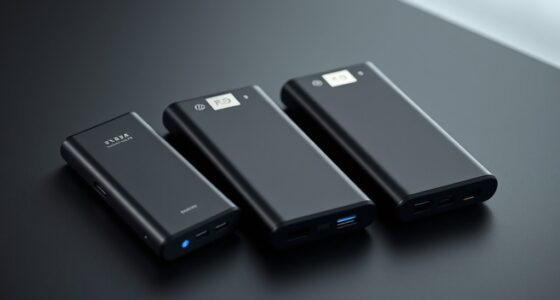
Choosing an enterprise-grade USB backup drive in 2026 means balancing high capacity, speed, security, and durability. The Western Digital 6TB Elements stands out for straightforward, high-capacity desktop storage, ideal for office backups. Meanwhile, the WD My Passport 6TB offers portable security features like hardware encryption, perfect for on-the-move professionals. For those needing serious storage and speed, the SanDisk Professional 12TB G-Drive provides enterprise-class performance and durability. The WD 2TB My Passport is a solid, secure portable choice, though limited in capacity. Lastly, the Corsair EX400U Survivor 2TB excels for rugged mobility and ultra-fast transfers, suited for creative professionals on the go. Each option involves tradeoffs around capacity, security, or ruggedness, so understanding your specific needs guides the best pick.
Complete the kit



Key Takeaways
- High-capacity drives like the WD 6TB models are ideal for desktop backups but less portable.
- Security features such as hardware encryption and ransomware protection are crucial for enterprise use.
- Rugged and portable options like the Corsair provide durability and speed for mobile workflows.
- Performance varies significantly based on connection type and drive technology, affecting transfer speeds.
- Compatibility and ease of use differ, with some drives optimized for Windows, others for Mac or multi-platform environments.
| Western Digital 6TB Elements Desktop External Hard Drive USB 3.0 |  | Best for High-Capacity Desktop Storage | Capacity: 6TB | Connectivity: USB 3.0 | Compatibility: Windows PCs | VIEW ON AMAZON | See Our Full Breakdown |
| WD 6TB My Passport Portable External Hard Drive |  | Best for Portable Security and On-the-Go Storage | Capacity: 6TB | Protection: Password, hardware encryption | Design: Slim, durable | VIEW ON AMAZON | See Our Full Breakdown |
| SanDisk Professional 12TB G-Drive Desktop HDD |  | Best for High-Capacity, Enterprise-Class Performance | Capacity: 12TB | Interface: USB-C | Read Speed: 250MB/s | VIEW ON AMAZON | See Our Full Breakdown |
| WD 2TB My Passport Portable External Hard Drive |  | Best for Compact, Secure Portable Storage | Capacity: 2TB | Protection: Password, hardware encryption | Warranty: 3 years | VIEW ON AMAZON | See Our Full Breakdown |
| Corsair EX400U Survivor 2TB USB4 External SSD |  | Best for Rugged, High-Speed Mobile Workflows | Capacity: 2TB | Transfer Speed: up to 4000 MB/s | Protection: IP55 rugged housing | VIEW ON AMAZON | See Our Full Breakdown |
| enterprise grade usb backup drive | Capacity | Compatibility | Protection |
|---|---|---|---|
| Western Digital 6TB Elements D | 6TB | Windows PCs | — |
| WD 6TB My Passport Portable Ex | 6TB | — | Password, hardware encryption |
| SanDisk Professional 12TB G-Dr | 12TB | Mac, Windows, Time Machine | — |
| WD 2TB My Passport Portable Ex | 2TB | USB 3.1/3.0 | Password, hardware encryption |
| Corsair EX400U Survivor 2TB US | 2TB | PC, Mac, iPad | IP55 rugged housing |
More Details on Our Top Picks
Western Digital 6TB Elements Desktop External Hard Drive USB 3.0
The Western Digital 6TB Elements offers extensive storage capacity suitable for enterprise backups within a desktop environment. Its USB 3.0 interface provides fast data transfer speeds, making large file backups efficient. Compared to portable options, it excels in offering reliable, plug-and-play storage for office settings. However, its design limits portability, and it lacks built-in security features like encryption. This makes it ideal for static backup stations but less suited for mobile workflows requiring security or ruggedness.
Pros:- High capacity of 6TB for extensive data needs
- Fast data transfer with USB 3.0
- Simple plug-and-play setup for Windows
Cons:- Limited to Windows compatibility
- No integrated security or encryption features
- Designed primarily for desktop use
Best for: Businesses needing large, reliable desktop storage for backups and data archiving
Not ideal for: Mobile professionals or users requiring built-in security or rugged features
- Capacity:6TB
- Connectivity:USB 3.0
- Compatibility:Windows PCs
- Use:Desktop external storage
Our verdict“A straightforward, high-capacity desktop drive perfect for static backup stations but lacking security for sensitive data.”
WD 6TB My Passport Portable External Hard Drive
The WD My Passport 6TB combines sizable storage with security features like hardware encryption and ransomware protection. Its slim, durable design makes it suitable for professionals who need to carry large files securely across locations. Compared to desktop drives, it offers enhanced portability and security, but its USB 3.1/3.0 compatibility limits future-proofing. The added security features come at a higher price point, and it lacks the capacity of larger desktop drives, making it better suited for secure, mobile backups rather than massive data archives.
Pros:- Large 6TB capacity for extensive portable storage
- Hardware encryption and ransomware protection
- Compact, durable design for travel
Cons:- Limited to USB 3.0/3.1, not USB-C
- No included hardware encryption key
- Higher cost due to security features
Best for: Mobile professionals needing secure, portable data storage
Not ideal for: Users with desktop-only workflows or requiring higher capacities
- Capacity:6TB
- Protection:Password, hardware encryption
- Design:Slim, durable
- Interface:USB 3.1/3.0
Our verdict“A secure, portable 6TB drive ideal for mobile users prioritizing security, but less suited for bulk storage or future-proofing.”
SanDisk Professional 12TB G-Drive Desktop HDD
The SanDisk G-Drive 12TB delivers enterprise-level storage with 12TB capacity in a robust, aluminum enclosure. Its USB-C interface supports fast speeds up to 250MB/s for read and write, making it suitable for multimedia and business workloads. Compared with portable SSDs, it offers higher capacity and durability but requires reformatting for Windows, which could be a barrier in mixed environments. Its 7200RPM drive provides reliable performance, although real-world speeds depend on usage conditions. This is an ideal choice for professionals needing large-scale, high-speed backup with a durable build.
Pros:- Massive 12TB capacity for extensive data needs
- Fast USB-C transfer speeds
- Durable aluminum enclosure
Cons:- Performance varies with usage conditions
- Requires reformatting for Windows compatibility
- More expensive than smaller drives
Best for: Business or multimedia professionals requiring large, reliable storage
Not ideal for: Users needing ultra-portable or plug-and-play ease without reformatting
- Capacity:12TB
- Interface:USB-C
- Read Speed:250MB/s
- Write Speed:250MB/s
- Drive Type:HDD
- RPM:7200RPM
- Compatibility:Mac, Windows, Time Machine
Our verdict“A high-capacity, durable drive suited for enterprise and multimedia workflows, with some setup complexity.”
WD 2TB My Passport Portable External Hard Drive
The WD My Passport 2TB offers a balance of portability and security within a smaller capacity. Its rugged design, coupled with hardware encryption and ransomware protection, makes it suitable for users who need to safeguard critical files while on the move. Compared to larger drives, it offers less capacity but remains reliable for everyday portable backups. Its 3-year warranty adds peace of mind. This option is best for users who prioritize security and portability over large storage volumes, though the 2TB capacity may be limiting for extensive backups.
Pros:- Portable and durable design
- Includes backup software with ransomware protection
- Hardware encryption for data security
Cons:- Limited to 2TB capacity
- No advanced security features beyond software
- Not suitable for large-scale backups
Best for: Travelers or field professionals needing secure, portable storage
Not ideal for: Those with extensive backup needs or large multimedia libraries
- Capacity:2TB
- Protection:Password, hardware encryption
- Warranty:3 years
- Compatibility:USB 3.1/3.0
Our verdict“A reliable, secure portable drive for safeguarding essential files during travel, with capacity constraints for large datasets.”
Corsair EX400U Survivor 2TB USB4 External SSD
The Corsair EX400U Survivor stands out for its rugged IP55 sealed housing and blazing-fast USB4 transfer rates reaching 4000 MB/s. This makes it ideal for creative professionals, field engineers, and anyone needing to transfer large files rapidly in tough environments. Compared with traditional HDDs or less rugged SSDs, it excels in durability and speed, but the high price reflects these features. Its compatibility with Mac, PC, and iPad devices broadens its appeal, though it requires a compatible USB4 or Thunderbolt 4 port to reach top speeds. This drive is perfect for high-speed, on-the-move workflows where durability matters most.
Pros:- Extreme transfer speeds up to 4000 MB/s
- IP55 rugged, sealed housing for durability
- Plug-and-play with USB Type-C cable
Cons:- Performance depends on connection type and capacity
- Premium price point for rugged design
- Requires USB4 or Thunderbolt 4 for maximum speeds
Best for: Creative professionals and field workers needing rugged, high-speed storage
Not ideal for: Users on a tight budget or those with limited port compatibility
- Capacity:2TB
- Transfer Speed:up to 4000 MB/s
- Protection:IP55 rugged housing
- Connectivity:USB4, Thunderbolt 4, USB-C
- Compatibility:PC, Mac, iPad
Our verdict“The ideal rugged, high-speed drive for demanding environments, balancing durability with cutting-edge transfer rates.”

How We Picked
Our selection process focused on drives that meet enterprise-grade standards: high capacity, reliable performance, security features, and durability. We prioritized drives with proven data transfer speeds, enterprise or professional features such as encryption, and robust build quality suitable for demanding environments. We also considered compatibility with multiple operating systems, ease of setup, and overall value, ensuring options cater to various professional workflows and security requirements.
| enterprise grade usb backup drive | Compatibility | Protection |
|---|---|---|
| Western Digital 6TB Elements D | Windows PCs | — |
| WD 6TB My Passport Portable Ex | — | Password, hardware encryption |
| SanDisk Professional 12TB G-Dr | Mac, Windows, Time Machine | — |
| WD 2TB My Passport Portable Ex | USB 3.1/3.0 | Password, hardware encryption |
| Corsair EX400U Survivor 2TB US | PC, Mac, iPad | IP55 rugged housing |
Factors to Consider When Choosing Enterprise Grade Usb Backup Drive
When selecting an enterprise-grade USB backup drive, it’s essential to align the drive’s features with your specific needs—whether that’s high capacity, security, portability, or ruggedness. Understanding the tradeoffs between speed, security, and mobility helps ensure you choose a drive that not only protects your data but also integrates seamlessly into your workflow.Capacity and Use Case
For large-scale backups or archiving, desktop drives like the Western Digital Elements or SanDisk G-Drive excel due to their high capacities. Conversely, portable drives such as the WD My Passport or Corsair Rugged are better suited for mobile professionals who need to carry data securely while traveling. Choose capacity based on your expected data volume and whether the drive will be stationary or portable.
Speed and Connectivity
Speed is crucial for enterprise workflows involving large files. Drives with USB 3.0/3.1 or USB-C support decent transfer rates, but for the fastest performance—especially with heavy multimedia workloads—USB4 or Thunderbolt 4 compatibility provides significantly higher speeds. Keep in mind that some drives may require specific ports to reach their maximum potential.
Security Features
Data security cannot be overlooked in enterprise environments. Hardware encryption, ransomware protection, and password security are features that protect sensitive information. For mobile drives, security features add peace of mind, but desktop drives may lack integrated security, requiring additional software or network-based solutions.
Durability and Ruggedness
In tough environments, rugged drives like the Corsair EX400U Survivor provide IP55-rated sealing and shock resistance, making them suitable for fieldwork. For office or data center use, durability may be less critical, but stable, reliable hardware remains important.
Frequently Asked Questions
What is the main difference between HDD and SSD backup drives?
HDD drives like the SanDisk G-Drive rely on spinning disks, offering higher capacity at a lower cost but with slower transfer speeds and less durability. SSD drives, such as the Corsair EX400U, have no moving parts, which means faster speeds, greater durability, and more resilience to physical shocks. For enterprise backup, SSDs are often preferred when speed and durability are priorities, but HDDs remain cost-effective for large storage needs.
Are security features like hardware encryption essential for enterprise drives?
Yes, security features such as hardware encryption and ransomware protection are vital in enterprise settings, especially when handling sensitive data. They provide an extra layer of defense against unauthorized access, even if the drive is lost or stolen. However, these features often add to the cost and may require compatible hardware or software to fully utilize.
Can I use these drives with both Windows and Mac systems?
Many drives, including the SanDisk G-Drive and Corsair Rugged, are compatible with both Windows and Mac, often requiring reformatting. However, some drives like the Western Digital Elements are optimized primarily for Windows. Always verify compatibility and consider formatting needs before deploying drives across different operating systems.
How important is transfer speed for enterprise backup drives?
Transfer speed directly impacts how quickly large data sets can be backed up or restored. For routine backups involving gigabytes of data, USB 3.0 or 3.1 may suffice. For larger, more frequent backups or multimedia workflows, USB4 or Thunderbolt 4 support can dramatically reduce wait times, improving overall productivity and reducing downtime.
What role does ruggedness play in choosing a backup drive?
Ruggedness is critical for professionals working in field environments, construction sites, or outdoor settings where drives are exposed to shocks, dust, or water. Drives like the Corsair EX400U Survivor with IP55 rating ensure data safety under harsh conditions. For stationary use, ruggedness may be less relevant, but overall hardware durability remains a key factor in preventing data loss.
Conclusion
For organizations prioritizing large, stationary storage solutions, the Western Digital Elements Desktop is an excellent choice. Those requiring secure, portable backups should lean toward the WD My Passport with encryption features. Creative or field professionals needing speed and durability will find the Corsair EX400U Survivor best suited. Meanwhile, enterprises with massive data needs and high-performance demands should consider the SanDisk G-Drive, despite setup complexity. Ultimately, aligning drive features with your specific workflow and security requirements will lead to the most effective backup strategy in 2026.