Printing photos from your cloud library is simple and convenient. With just a few clicks, you can access high-resolution images stored online and transform them into beautiful prints. Cloud services often offer organization tools, making it easy to select your favorites. Plus, many platforms integrate directly with printing options, saving you time and effort. Keep exploring to discover how to get the best results and create stunning keepsakes from your digital memories.
Key Takeaways
- Access high-resolution images in your cloud library for sharp, vibrant prints.
- Use integrated or third-party printing services to order prints directly from cloud albums.
- Organize photos with tags and albums to quickly select images for printing.
- Ensure images are in the highest quality resolution to achieve professional-looking results.
- Download and review images before printing to confirm quality and suitability.
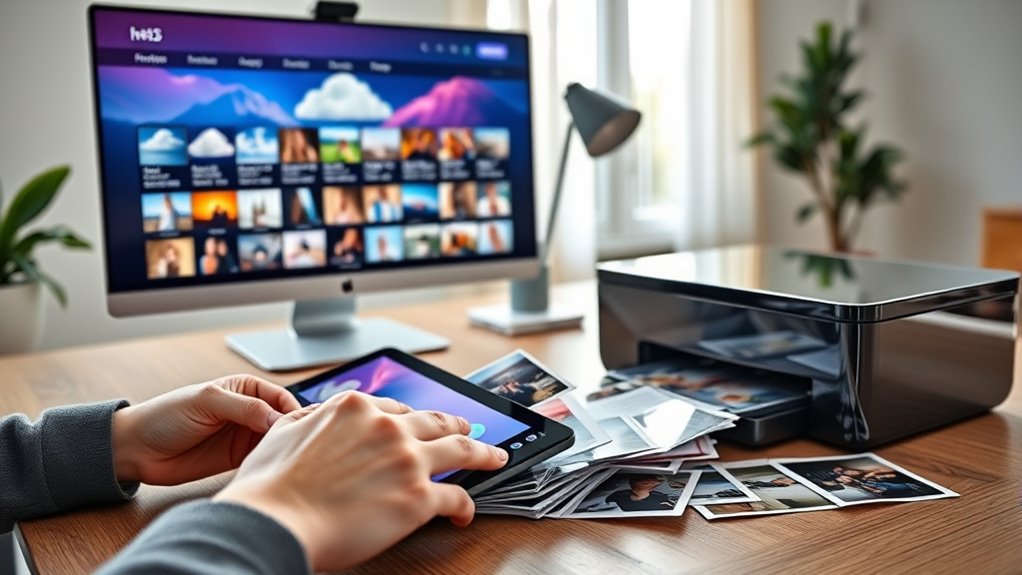
Printing photos from cloud libraries has become an easy and convenient way to bring your digital memories into the physical world. With just a few clicks, you can turn your online collections into beautiful prints, making your favorite moments tangible and shareable. When it comes to selecting photos to print, one of the most important factors is photo quality. Cloud services typically store images in high-resolution formats, which means your prints will come out sharp, detailed, and vibrant. High-quality images ensure that your printed photos capture the true essence of the moment, from the subtle nuances of lighting to the richness of colors. Before printing, it’s a good idea to review the resolution of your chosen images. Most cloud libraries provide information about the image’s megapixels or dimensions, helping you determine if they’ll produce a clear, professional-looking result. If your photos are stored in multiple formats or resolutions, consider downloading the highest quality version to get the best print results. Storage options within cloud libraries play a significant role in your printing experience. Many services offer flexible storage plans, allowing you to keep thousands of photos organized and easily accessible. Some platforms even integrate with photo editing tools, so you can enhance or crop images before printing. This flexibility makes it simple to select the perfect photos without worrying about space constraints. Additionally, cloud storage solutions often feature user-friendly organization features like albums, tags, and search functions, which streamline the process of finding exactly what you want to print. As you choose which photos to bring into the physical domain, consider how your storage options help you manage and access your collection effortlessly. The ability to access your images from any device or location means you can select and order prints whenever inspiration strikes, without the hassle of transferring files manually. Furthermore, some cloud services offer direct printing partnerships or integrations, allowing you to order prints directly from your online albums. This seamless process saves time and reduces the risk of losing or damaging original files. Whether you’re printing for framing, scrapbooking, or creating photo gifts, the combination of high photo quality and versatile storage options makes the process smooth and satisfying. By understanding how your images are stored and ensuring they are of high resolution, you’ll be able to produce stunning prints that preserve your cherished memories for years to come. Additionally, understanding photo resolution and how it impacts print quality can help ensure your images look their best in physical form.
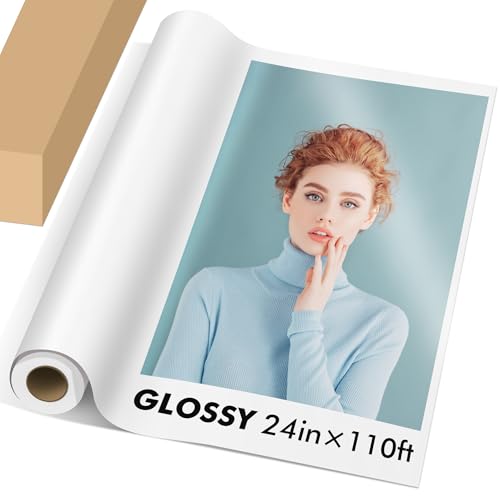
Koala Roll Photo Paper Resin Coated 24in x 110ft Glossy Photo Print Paper
- Finish and Weight: Glossy, 72lb, 11mil thickness
- Size and Length: 24in x 110ft roll
- Compatibility: Fits wide-format printers
As an affiliate, we earn on qualifying purchases.
As an affiliate, we earn on qualifying purchases.
Frequently Asked Questions
What Are the Best Cloud Photo Printing Services Available?
You should consider services like Shutterfly, Printful, and Snapfish for the best cloud photo printing. They offer excellent photo quality and a variety of printing options, from standard prints to canvas and photo books. These platforms are user-friendly, allowing you to upload images directly from your cloud libraries. With fast turnaround times and reliable service, you can confidently turn your digital memories into high-quality prints.
How Secure Is My Data When Printing From the Cloud?
Your data stays secure when printing from the cloud because most services use data encryption to protect your images during transfer and storage. Additionally, you should review their privacy policies to confirm they don’t share your information without permission. Always choose reputable services that prioritize user privacy and implement strong security measures, so you can print your photos confidently, knowing your data is safe.
Can I Edit Photos Before Printing Directly From the Cloud?
Yes, you can do photo editing before printing directly from cloud storage. Many cloud storage services and printing apps offer built-in photo editing tools, allowing you to crop, adjust brightness, add filters, and more. Simply select your photo, use the editing features available, then send it straight to print. This makes it convenient to enhance your images without downloading and editing them on your device first.
Are There Size or Resolution Limitations for Cloud-Printed Photos?
Yes, there are size and resolution limitations for cloud-printed photos. Your photo resolution should be high enough to guarantee good print quality, especially for larger print sizes, which may have specific print size limitations. If your image resolution is too low, it may result in pixelation or poor quality. Always check the recommended resolution and size guidelines provided by your printing service to get the best results.
How Long Does It Typically Take to Receive Printed Photos?
Think of your printed photos as a package in transit; the printing turnaround usually takes 1 to 7 days, depending on the service. Photo delivery times can vary based on factors like shipping method and location. You’ll get your photos faster with standard shipping, while expedited options speed things up. Keep in mind, processing times might add a little extra wait, but generally, you’ll have your prints within a week.
Conclusion
Printing photos from cloud libraries lets you preserve memories with ease and grace. As you navigate this gentle process, you’ll find it’s more than just clicking buttons—it’s about capturing moments that matter. With a little patience and a touch of care, your cherished images will blossom into tangible keepsakes. Embrace the journey, knowing each print brings warmth and nostalgia, quietly weaving your digital stories into lasting treasures for years to come.