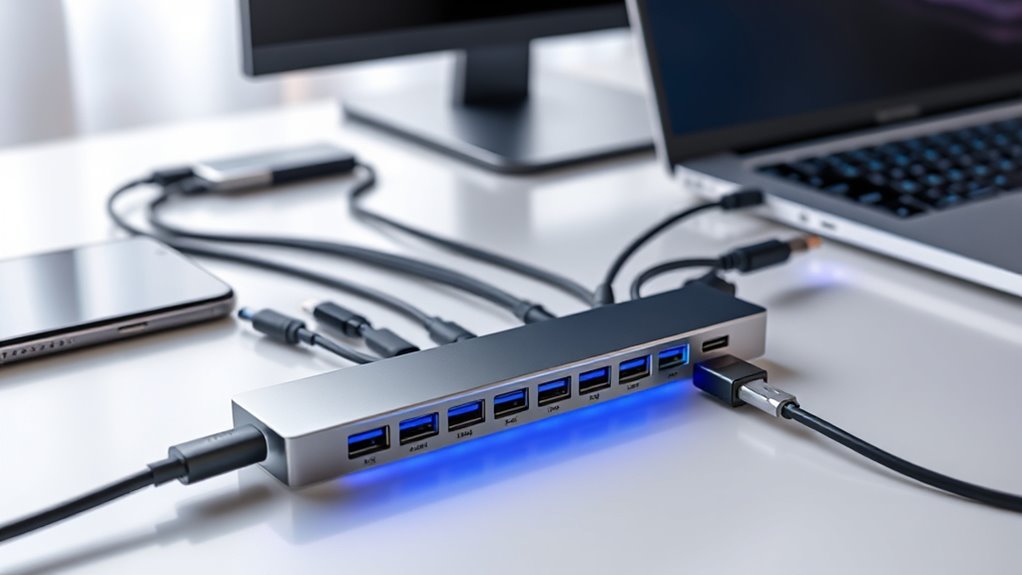

Choosing the right USB4 hubs can transform a single-port laptop into a full workstation, but not all adapters deliver equal performance. My top recommendation is the UGREEN 11-in-1 USB4 Docking Station because it offers dual 4K display support and robust port variety without the bulk of traditional docks. For those needing portability, the Cable Matters 8-in-1 Portable USB4 Hub stands out for its compact design and dual HDMI capability. The main tradeoff here is between raw bandwidth and physical size; larger docks often provide more stable power delivery, while smaller hubs prioritize travel convenience. Continue reading to see which option fits your specific connectivity requirements.

Get the latest gadgets delivered free with Prime
- Fast, free delivery on millions of items
- Prime Video, Amazon Music and more included
- Member-only deals all year
Complete the kit



Key Takeaways
- True USB4 certification is rare in this list; many ‘USB-C’ hubs are actually USB 3.0 or Thunderbolt-compatible, so checking the exact protocol is vital for future-proofing.
- Video output stability varies widely; hubs with dedicated display controllers handle dual 4K monitors better than those relying on simple passive adapters.
- Power Delivery (PD) passthrough is not guaranteed to maintain full laptop charging speeds under heavy load, especially on budget-friendly multiport models.
- Physical port layout matters significantly; tightly packed USB-A ports on compact hubs often prevent the use of larger connector heads or dongles.
- Thermal management is a hidden differentiator; metal-cased hubs from brands like Plugable and Anker consistently run cooler than plastic competitors during sustained data transfers.
| UGREEN 11-in-1 USB4 Docking Station |  | Best Overall for High-Performance Workstations | Total Ports: 11-in-1 | Video Output: Dual 4K@120Hz or Single 4K@240Hz | Host Charging: Up to 115W (with separate adapter) | VIEW ON AMAZON | See Our Full Breakdown |
| Cable Matters 8-in-1 Portable USB4 Hub |  | Best Compact for Dual-Monitor Travel | Interface: USB Type-C (USB4) | Video Output: 1x 8K@30Hz or 2x 4K@60Hz | HDMI Ports: 1x HDMI 2.1, 1x HDMI 2.0 | VIEW ON AMAZON | See Our Full Breakdown |
| Plugable USB C Hub Multiport Adapter |  | Best Value for Versatile Daily Use | Total Ports: 9-in-1 | Video Output: 4K HDMI @ 60Hz | Charging: Up to 140W Pass-through | VIEW ON AMAZON | See Our Full Breakdown |
| USB C Hub 10Gbps with 4K@60Hz Video |  | Best Basic Expansion for Simple Needs | Total Ports: 5-in-1 | Video Output: 4K @ 60Hz | Power Delivery: 100W | VIEW ON AMAZON | See Our Full Breakdown |
| Acer USB Hub 4 Ports, USB 3.0 Splitter |  | Best Budget Basic Port Expander | Total Ports: 4x USB 3.0 | Data Transfer Rate: 5 Gbps | Video Output: None | VIEW ON AMAZON | See Our Full Breakdown |
| Plugable 5-in-1 Thunderbolt 4 Hub with 4K HDMI Adapter |  | Best for Thunderbolt 4 Performance | Ports: 3 Thunderbolt 4, 1 USB-A 10Gbps | Data Bandwidth: Up to 40 Gbps | Display Support: 2x 4K@60Hz or 1x 8K | VIEW ON AMAZON | See Our Full Breakdown |
| Anker USB-C Dual Monitor Docking Station 8-in-1 Hub |  | Best for Connectivity Variety | Total Ports: 8-in-1 | Video Output: Dual 4K HDMI | Power Delivery: 85W Pass-through | VIEW ON AMAZON | See Our Full Breakdown |
| Anker USB C Hub 11-in-1 Docking Station with Dual Monitors |  | Best for Maximum Port Count | Total Ports: 11-in-1 | Video Output: Dual 2K via HDMI/DP | Power Delivery: 85W Pass-through | VIEW ON AMAZON | See Our Full Breakdown |
| EZQuest USB-C Hub, 8-in-1 with 100W Power Delivery |  | Best Budget Power Delivery | Total Ports: 8-in-1 | Power Delivery: 100W Input / 80W Output | Video Output: 4K@60Hz HDMI | VIEW ON AMAZON | See Our Full Breakdown |
| USB C Hub 10Gbps with 4K@60Hz Video Output and 100W Power Delivery |  | Best for High-Speed Data | Total Ports: 8-in-1 | Data Transfer: 10 Gbps | Video Output: 4K@60Hz | VIEW ON AMAZON | See Our Full Breakdown |
| USB C Hub 10Gbps with 4K@60Hz Video Output, 100W PD Charging |  | Best for Data-Heavy Workflows | Data Ports: 3× USB-C 10Gbps, 3× USB 3.0 5Gbps | Video Output: 1× 4K@60Hz | Power Delivery: 100W (85W pass-through) | VIEW ON AMAZON | See Our Full Breakdown |
| Anker USB-C Hub, 8-in-1 Multiport Ethernet Adapter with 4K@60Hz HDMI |  | Best for Hybrid Office Connectivity | Video Output: HDMI 4K@60Hz (DP 1.4) | Network: 1× Gigabit Ethernet | Card Readers: 1× SD, 1× microSD | VIEW ON AMAZON | See Our Full Breakdown |
| usb4 hub | Video Output | Power Delivery | Total Ports | Compatibility |
|---|---|---|---|---|
| UGREEN 11-in-1 USB4 Docking St | Dual 4K@120Hz or Single 4K@240Hz | — | 11-in-1 | USB4, Thunderbolt 4/5 |
| Cable Matters 8-in-1 Portable | 1x 8K@30Hz or 2x 4K@60Hz | Up to 100W | — | macOS, Windows, iOS, iPadOS |
| Plugable USB C Hub Multiport A | 4K HDMI @ 60Hz | — | 9-in-1 | — |
| USB C Hub 10Gbps with 4K@60Hz | 4K @ 60Hz | 100W | 5-in-1 | MacBook Pro, iPad Pro, USB-C devices |
| Acer USB Hub 4 Ports | None | — | 4x USB 3.0 | Windows 11, Chrome OS, Linux |
| Plugable 5-in-1 Thunderbolt 4 | — | Up to 15W | — | — |
| Anker USB-C Dual Monitor Docki | Dual 4K HDMI | 85W Pass-through | 8-in-1 | — |
| Anker USB C Hub 11-in-1 Dockin | Dual 2K via HDMI/DP | 85W Pass-through | 11-in-1 | — |
| EZQuest USB-C Hub | 4K@60Hz HDMI | 100W Input / 80W Output | 8-in-1 | Windows, Mac, Chrome OS, Linux |
| USB C Hub 10Gbps with 4K@60Hz | 4K@60Hz | 100W | 8-in-1 | Windows, macOS |
| USB C Hub 10Gbps with 4K@60Hz | 1× 4K@60Hz | 100W (85W pass-through) | — | — |
| Anker USB-C Hub | HDMI 4K@60Hz (DP 1.4) | Up to 85W Pass-through | — | — |
More Details on Our Top Picks
UGREEN 11-in-1 USB4 Docking Station
This dock stands out for its robust port selection and high-bandwidth capabilities, making it a superior choice over the Cable Matters 8-in-1 for users who need more than just basic video output. While the Cable Matters unit is compact, the UGREEN offers 2.5Gbps Ethernet and dual 4K at 120Hz support, which is critical for creative professionals handling large datasets or high-refresh-rate displays. The tradeoff is its size and the requirement for a separate 140W PD 3.1 adapter to unlock the full 115W charging potential. Unlike the Acer USB Hub, which lacks video support entirely, this device integrates everything into a single, stable hub. It is the clear winner for those who prioritize port density and future-proofing over portability.Pros:- Supports dual 4K displays at 120Hz or single 4K at 240Hz
- Includes 2.5Gbps Ethernet for faster wired networking
- Offers up to 115W host charging with compatible adapter
- Extensive port variety including SD/microSD readers and audio jack
Cons:- Requires a separate 140W PD 3.1 adapter for maximum charging speed
- Incompatible with Thunderbolt 3 and specific ARM-based Windows laptops
- Display modes vary significantly based on host OS and cable quality
Best for: MacBook Pro and high-end Windows laptop users who need dual high-refresh monitors, fast networking, and multiple legacy ports in a stationary setup.
Not ideal for: Travelers or those with limited desk space, as the unit is bulky and requires a separate, powerful power adapter to function at peak performance.
- Total Ports:11-in-1
- Video Output:Dual 4K@120Hz or Single 4K@240Hz
- Host Charging:Up to 115W (with separate adapter)
- Ethernet Speed:2.5Gbps
- Card Readers:SD and microSD (up to 200MB/s)
- Compatibility:USB4, Thunderbolt 4/5
- Included Accessory:USB-C to DisplayPort cable
Our verdict“Choose this if you need the maximum number of ports and high-bandwidth video for a permanent desk setup.”
Cable Matters 8-in-1 Portable USB4 Hub
This hub is the ideal middle ground between the massive UGREEN dock and the limited Plugable 9-in-1. It delivers dual HDMI outputs in a pocket-sized form factor, weighing just 4 ounces. Compared to the Acer USB Hub, it offers genuine video expansion, supporting up to 8K@30Hz or two 4K@60Hz displays on Windows. However, macOS users face a significant limitation: only one extended display is supported, with mirroring for the second. This restriction makes it less versatile than the UGREEN for Mac-centric workflows. It excels where portability is paramount, offering 100W pass-through charging and Gigabit Ethernet without the bulk of a full docking station.Pros:- Ultra-compact and lightweight design with integrated cable storage
- Supports dual 4K@60Hz displays on Windows systems
- Includes Gigabit Ethernet and 100W pass-through charging
- Broad compatibility with macOS, Windows, iOS, and iPadOS
Cons:- macOS support is limited to one extended display
- HDMI output capped at 4K@60Hz on macOS devices
- Fewer ports than larger docking stations like the UGREEN
Best for: Traveling professionals who need dual monitor support on Windows laptops and value a lightweight, tuckable cable design.
Not ideal for: MacBook users who require two independent extended monitors, as the hub only supports mirroring on macOS.
- Interface:USB Type-C (USB4)
- Video Output:1x 8K@30Hz or 2x 4K@60Hz
- HDMI Ports:1x HDMI 2.1, 1x HDMI 2.0
- Power Delivery:Up to 100W
- Ethernet:Gigabit (1Gbps)
- Weight:4 oz (0.13 kg)
- Compatibility:macOS, Windows, iOS, iPadOS
Our verdict“This is the best choice for Windows travelers who need dual monitors without carrying a heavy dock.”
Plugable USB C Hub Multiport Adapter
The Plugable 9-in-1 strikes a balance between functionality and cost, offering 140W pass-through charging that surpasses the Cable Matters hub’s 100W limit. It includes SD and microSD card readers, which are missing from the Cable Matters model, making it better suited for photographers and content creators. While it lacks the USB4 branding of the UGREEN, its 4K HDMI output and Gigabit Ethernet cover most daily needs. The tradeoff is that it relies on DisplayPort Alt Mode for video, which may not work with every USB-C laptop. It is a solid, no-nonsense option for those who want reliable expansion without the premium price tag of full USB4 docks.Pros:- Supports up to 140W pass-through charging
- Includes SD and microSD card readers
- Plug-and-play with no driver installation required
- Compact design suitable for travel and home use
Cons:- Requires USB-C port with DisplayPort Alt Mode for HDMI
- Short 7.48-inch cable may limit desk positioning
- Charging speeds vary based on laptop compatibility
Best for: Creators and general users who need card readers and high-wattage charging in a portable, driver-free package.
Not ideal for: Users with laptops that lack DisplayPort Alt Mode on their USB-C ports, as video output will not function.
- Total Ports:9-in-1
- Video Output:4K HDMI @ 60Hz
- Charging:Up to 140W Pass-through
- USB-A Ports:2x USB-A 10Gbps
- Card Readers:SD and microSD
- Ethernet:Gigabit Ethernet
- Cable Length:7.48 inches
Our verdict“A reliable, feature-rich hub for users who prioritize charging power and media slots over maximum video resolution.”
USB C Hub 10Gbps with 4K@60Hz Video
This 5-in-1 hub is a streamlined alternative to the Plugable 9-in-1, stripping away the card readers and Ethernet port to focus on video and data. It supports 4K@60Hz output and 100W PD charging, which is sufficient for most casual users. Compared to the Acer USB Hub, it adds essential video capability, but it falls short of the UGREEN in terms of port variety and bandwidth. Its simplicity is both its strength and its weakness; it is easy to use but lacks the versatility for complex setups. This model is best for those who simply need to connect a monitor and charge their device without extra clutter.Pros:- Supports 4K@60Hz video output
- Provides 100W power delivery for fast charging
- Includes 3 USB-C 3.1 ports for data transfer
- Compact and simple design for easy portability
Cons:- No Ethernet port for wired connections
- Lacks SD/microSD card readers
- Fewer ports compared to the Plugable and UGREEN models
Best for: Students and casual users who only need to connect a single 4K monitor and charge their laptop.
Not ideal for: Professionals who need wired internet, card readers, or multiple high-speed data ports.
- Total Ports:5-in-1
- Video Output:4K @ 60Hz
- Power Delivery:100W
- USB-C Data Ports:3x USB-C 3.1 (10Gbps)
- Compatibility:MacBook Pro, iPad Pro, USB-C devices
- Data Transfer:Up to 10Gbps
- Video Interface:USB4 DisplayPort
Our verdict“A minimalist hub for users who need basic video and charging without extra features.”
Acer USB Hub 4 Ports, USB 3.0 Splitter
This Acer hub is fundamentally different from the UGREEN and Cable Matters options because it does not support video output. It is strictly a USB 3.0 data splitter, designed to add four ports for peripherals like mice, keyboards, and flash drives. While the Plugable 9-in-1 offers a complex array of connections, the Acer provides a simple, reliable way to overcome port scarcity on older laptops. The tradeoff is its lack of modern features like Power Delivery passthrough for the host or 4K video. The Type-C port is only for power input to the hub itself, not for charging your laptop. It is the right choice only if you strictly need more USB-A ports.Pros:- Affordable and simple solution for adding USB-A ports
- Supports data transfer speeds up to 5Gbps
- Plug-and-play with no drivers required
- Compact and lightweight for easy storage
Cons:- No video output capabilities
- Type-C port is for power input only, not laptop charging
- Limited to USB 3.0 speeds and older standards
Best for: Users with older laptops who only need to connect multiple USB-A peripherals and do not require video or charging passthrough.
Not ideal for: Anyone needing to connect a monitor, charge their laptop via the hub, or transfer files at speeds higher than 5Gbps.
- Total Ports:4x USB 3.0
- Data Transfer Rate:5 Gbps
- Video Output:None
- Power:External Type-C power input required
- Compatibility:Windows 11, Chrome OS, Linux
- Cable Length:2 feet
- Enclosure Material:ABS Plastic
Our verdict“A basic, no-frills expander for adding USB-A ports to legacy devices.”
Plugable 5-in-1 Thunderbolt 4 Hub with 4K HDMI Adapter
This hub stands out by offering three native Thunderbolt 4 ports, ensuring you maintain the full 40 Gbps bandwidth that USB4 hubs sometimes compromise. Unlike the EZQuest USB-C Hub, which relies on standard USB-C protocols, this Plugable model guarantees consistent high-speed data and display stability on compatible systems. It excels in multi-monitor setups, supporting dual 4K or single 8K outputs, making it ideal for creative professionals. However, the aluminum enclosure is bulky at nearly a pound, and M1 Mac users face a single-display limitation. While the included HDMI adapter is a nice touch, the lack of additional USB-A ports compared to the Anker 11-in-1 means you might still need a separate dongle for legacy peripherals.Pros:- Three native Thunderbolt 4 ports preserve full 40 Gbps bandwidth
- Supports up to two 4K displays or one 8K display
- Includes a USB-C to HDMI adapter for immediate compatibility
- Robust aluminum build with lifetime support
Cons:- Bulky and heavy compared to portable hubs
- Only one USB-A port for legacy devices
- Limited display support on base model M1 Macs
Best for: MacBook Pro and Windows users with Thunderbolt 4 ports who need native 40 Gbps bandwidth for high-speed external drives or dual monitors.
Not ideal for: Users with M1/M2 Macs who need multiple displays, or those relying heavily on legacy USB-A devices due to the single USB-A port.
- Ports:3 Thunderbolt 4, 1 USB-A 10Gbps
- Data Bandwidth:Up to 40 Gbps
- Display Support:2x 4K@60Hz or 1x 8K
- Power Delivery:Up to 15W
- Enclosure:Aluminum
- Weight:0.87 kg
Our verdict“This is the go-to choice for professionals who prioritize raw Thunderbolt 4 speed and multi-monitor support over port variety.”
Anker USB-C Dual Monitor Docking Station 8-in-1 Hub
This docking station is a workhorse for desk setups, offering dual 4K HDMI outputs and a dedicated Ethernet port that the EZQuest Hub lacks. It transforms a single USB-C port into a full workstation with 85W power delivery, sufficient for most ultrabooks. While it doesn’t offer the native Thunderbolt 4 speeds of the Plugable TB4 Hub, it compensates with superior port variety, including SD card readers and multiple USB-A ports. The tradeoff is its reliance on standard USB-C protocols, which can limit display performance on some laptops. Additionally, the charger is not included, adding to the total cost of ownership compared to bundled solutions.Pros:- Dual 4K HDMI outputs for extended desktops
- Gigabit Ethernet port for stable wired connections
- Includes SD and microSD card readers
- 85W power delivery handles most laptops
Cons:- Power adapter sold separately
- Display mirroring on macOS is limited to identical screens
- Not compatible with Linux systems
Best for: Remote workers and office users who need a stationary dock with Ethernet, SD card slots, and dual monitor support for a clean desk setup.
Not ideal for: Travelers looking for a compact solution, or users requiring native Thunderbolt 4 bandwidth for high-end external storage.
- Total Ports:8-in-1
- Video Output:Dual 4K HDMI
- Power Delivery:85W Pass-through
- Data Transfer:5 Gbps (USB 3.0)
- Network:Gigabit Ethernet
- Card Reader:SD and microSD
Our verdict“Ideal for desk-bound users who need a comprehensive array of ports, especially Ethernet and card readers, for a productive workflow.”
Anker USB C Hub 11-in-1 Docking Station with Dual Monitors
If you need the highest number of connections in one package, this 11-in-1 hub is unmatched in this lineup. It offers more ports than the Anker 8-in-1, adding extra USB-C and USB-A slots for charging and data. The support for dual 2K monitors is decent for productivity, though it falls short of the 4K dual support found in the Plugable TB4 Hub. The 85W pass-through charging is robust, but like many competitors, it requires a separate charger. Its metal construction feels durable, but the sheer number of ports can lead to cable clutter on smaller desks. This is a volume play for users who plug in many devices simultaneously.Pros:- Expands one port into 11 diverse connections
- Supports dual monitors up to 2K resolution
- Includes both HDMI and DisplayPort outputs
- 85W power delivery for fast laptop charging
Cons:- Dual monitor resolution capped at 2K@60Hz
- Charger not included in the box
- Cable management can be challenging due to port density
Best for: Power users who connect numerous peripherals like keyboards, mice, drives, and cameras simultaneously and don’t mind a larger footprint.
Not ideal for: Minimalists who prefer a clean setup, or professionals requiring 4K@60Hz on both external monitors.
- Total Ports:11-in-1
- Video Output:Dual 2K via HDMI/DP
- Power Delivery:85W Pass-through
- Data Transfer:10 Gbps
- Dimensions:5.39 x 2.24 x 0.55 in
- Weight:0.3 Pounds
Our verdict“This hub is for those who prioritize quantity over quality of connection, offering the most ports for complex multi-device setups.”
EZQuest USB-C Hub, 8-in-1 with 100W Power Delivery
This hub focuses on power delivery efficiency, supporting up to 100W input to deliver 80W to your laptop, which is higher than the Anker 8-in-1. It includes a detachable braided cable, allowing for flexible placement on a desk, a feature often missing in budget hubs. While it supports 4K@60Hz video, its data speeds are mixed; the two USB-A 2.0 ports are slow at 480 Mbps, unlike the faster ports on the Plugable Hub. It’s a solid, no-frills option for basic expansion, but the lack of Ethernet or card readers limits its utility for professional workflows compared to the Anker docks.Pros:- Supports up to 100W input for fast laptop charging
- Detachable 19.6-inch braided cable for flexibility
- Supports 4K@60Hz HDMI output
- Broad OS compatibility including Chrome OS and Linux
Cons:- USB-A 2.0 ports are limited to 480 Mbps
- Lacks Ethernet and card reader slots
- Delivers up to 80W to laptop, losing 20W overhead
Best for: Students and casual users who need reliable charging and basic video output without spending on premium features.
Not ideal for: Users who need high-speed data transfer on all ports or require Ethernet and card reader capabilities.
- Total Ports:8-in-1
- Power Delivery:100W Input / 80W Output
- Video Output:4K@60Hz HDMI
- USB-A Speeds:1x 5Gbps, 2x 480Mbps
- Cable:Detachable, Braided
- Compatibility:Windows, Mac, Chrome OS, Linux
Our verdict“A pragmatic choice for those who value charging speed and cable flexibility over high-speed data transfer on every port.”
USB C Hub 10Gbps with 4K@60Hz Video Output and 100W Power Delivery
This hub emphasizes 10Gbps data transfer across its ports, making it superior for moving large files compared to the EZQuest Hub’s mixed speeds. It supports 100W power delivery and 4K@60Hz video, balancing performance and connectivity. However, it requires a full-function USB-C or Thunderbolt port for video output, which may exclude older devices that the Anker hubs sometimes support via alternative modes. The aluminum build is sleek, but it lacks the specialized ports like Ethernet or SD card readers found in the Anker 8-in-1. It is a streamlined tool for data-heavy tasks rather than a full docking station.Pros:- Consistent 10Gbps data transfer speeds
- Supports 4K@60Hz video output
- 100W power delivery for fast charging
- Compact and portable aluminum design
Cons:- Requires full-function USB-C or Thunderbolt for video
- No Ethernet or card reader ports
- Power adapter sold separately
Best for: Users with modern USB-C laptops who frequently transfer large files and need a compact, high-speed data hub.
Not ideal for: Users with older laptops lacking full-function USB-C ports, or those needing wired networking and card readers.
- Total Ports:8-in-1
- Data Transfer:10 Gbps
- Video Output:4K@60Hz
- Power Delivery:100W
- Material:Aluminum
- Compatibility:Windows, macOS
Our verdict“This is the best pick for data-centric users who need speed and charging in a compact form factor, provided their laptop supports full-function USB-C.”
USB C Hub 10Gbps with 4K@60Hz Video Output, 100W PD Charging
This hub prioritizes data throughput over port variety, making it distinct from the more general-purpose options in this roundup. While the Anker USB-C Hub offers an Ethernet jack and SD readers, this model dedicates its bandwidth to six high-speed data ports (three USB-C 10Gbps and three USB-A 5Gbps). This configuration is ideal for users who constantly move large files between external SSDs and their laptop. The 100W Power Delivery ensures your MacBook Pro stays charged even under load, though it requires a robust wall adapter not included in the box. Compared to the UGREEN 11-in-1 Docking Station, this unit lacks dual-monitor support, but it compensates with faster single-drive transfer speeds. It is a streamlined tool for professionals who need rapid data access rather than legacy peripheral connectivity.
Pros:- Six dedicated data ports allow simultaneous high-speed transfers
- 100W Power Delivery keeps high-performance laptops charged
- Compact form factor fits easily into laptop bags
- Broad compatibility with USB4 and Thunderbolt devices
Cons:- No Ethernet port for stable wired networking
- Requires a separate high-wattage power adapter
- Single video output limits multi-monitor setups
Best for: Video editors or data analysts who need to connect multiple external SSDs simultaneously at high speeds.
Not ideal for: Users needing wired internet connections or SD card support, as this hub lacks those specific ports.
- Data Ports:3× USB-C 10Gbps, 3× USB 3.0 5Gbps
- Video Output:1× 4K@60Hz
- Power Delivery:100W (85W pass-through)
- Connectivity:USB-C / USB4 Compatible
- Included Accessories:None (Power adapter sold separately)
- Device Compatibility:MacBook, iPad Pro, Dell, HP
Our verdict“This pick makes the most sense for data-intensive users who prioritize transfer speed over port diversity.”
Anker USB-C Hub, 8-in-1 Multiport Ethernet Adapter with 4K@60Hz HDMI
Where the USB C Hub 10Gbps focuses purely on data, this Anker 8-in-1 Hub serves as a comprehensive office docking alternative. Its inclusion of a Gigabit Ethernet port and SD/microSD card readers addresses the needs of photographers and remote workers who rely on stable connections and quick media offloading. The 4K@60Hz HDMI output supports high-resolution displays, matching the video quality of premium USB4 docks like the Cable Matters 8-in-1 Portable USB4 Hub, though it relies on DisplayPort Alt Mode rather than native USB4 bandwidth. Pass-through charging up to 85W is sufficient for most ultrabooks but may struggle with high-power gaming laptops. This model stands out for balancing versatility and reliability, offering essential office ports that data-centric hubs often omit.
Pros:- Built-in Gigabit Ethernet for stable network connections
- Dual SD/microSD card readers for fast media transfer
- 4K@60Hz HDMI output for sharp external displays
- Compact design with a convenient 7.5-inch cable
Cons:- Requires a 100W charger to deliver full 85W pass-through
- No native USB4 support limits future-proofing
- Not compatible with Linux operating systems
Best for: Remote workers and photographers who need wired internet and direct camera card access.
Not ideal for: Linux users or those requiring dual 4K monitor support, as compatibility is limited and video is single-stream.
- Video Output:HDMI 4K@60Hz (DP 1.4)
- Network:1× Gigabit Ethernet
- Card Readers:1× SD, 1× microSD
- USB Ports:1× USB-C Data, 2× USB-A 3.0
- Power Delivery:Up to 85W Pass-through
- Cable Length:7.48 inches
- OS Compatibility:macOS, Windows, ChromeOS
Our verdict“This option is the most practical choice for office professionals who depend on wired networking and card readers.”

How We Picked
I evaluated these products based on port versatility, bandwidth throughput, and build quality. Since the search intent heavily emphasizes ‘ports’, I prioritized hubs that offer a diverse range of connections (HDMI, Ethernet, SD cards) without compromising on the speed of the USB data ports. I also looked at power delivery consistency, ensuring that connecting multiple devices did not throttle the charging rate to unusable levels. Compatibility with major laptop brands like MacBook Pro, Dell XPS, and Surface devices was another key filter.
| usb4 hub | Compatibility |
|---|---|
| UGREEN 11-in-1 USB4 Docking St | USB4, Thunderbolt 4/5 |
| Cable Matters 8-in-1 Portable | macOS, Windows, iOS, iPadOS |
| Plugable USB C Hub Multiport A | — |
| USB C Hub 10Gbps with 4K@60Hz | MacBook Pro, iPad Pro, USB-C devices |
| Acer USB Hub 4 Ports | Windows 11, Chrome OS, Linux |
| Plugable 5-in-1 Thunderbolt 4 | — |
| Anker USB-C Dual Monitor Docki | — |
| Anker USB C Hub 11-in-1 Dockin | — |
| EZQuest USB-C Hub | Windows, Mac, Chrome OS, Linux |
| USB C Hub 10Gbps with 4K@60Hz | Windows, macOS |
| USB C Hub 10Gbps with 4K@60Hz | — |
| Anker USB-C Hub | — |
Factors to Consider When Choosing Usb4 Hubs
Understanding the specifications behind USB4 hubs helps avoid buying an adapter that cannot support your peripherals. Here are the critical factors to weigh before purchasing.Understanding USB4 vs. Thunderbolt 4 Compatibility
While USB4 and Thunderbolt 4 share the same underlying technology, they are not always interchangeable in marketing. A true USB4 hub guarantees 40Gbps bandwidth, but some cheaper ‘USB-C hubs’ labeled as USB4 may only support 10Gbps or 20Gbps. Always verify the bandwidth specification on the box. If you plan to connect high-speed NVMe drives or multiple 4K monitors, you need the full 40Gbps lane. Mislabeling is common in budget segments, so stick to reputable brands if you need guaranteed throughput.
Power Delivery Passthrough and Laptop Charging
Most USB4 hubs support Power Delivery (PD) passthrough, allowing you to charge your laptop through the hub. However, the hub itself consumes power. A 100W input might only deliver 85W or 90W to your laptop after the hub’s internal components draw their share. If your laptop requires 96W or more to charge at full speed under load, a hub with 140W input support or a dedicated power adapter might be necessary. Check the output wattage specifically, not just the input rating.
Video Output Capabilities and Refresh Rates
Connecting a single monitor is straightforward, but dual 4K display support is complex. Many hubs advertise 4K@60Hz but only achieve this on one port, dropping the second port to 4K@30Hz or 1080p. For productivity, this lag in refresh rate feels sluggish. Look for hubs that explicitly state dual 4K@60Hz support via MST (Multi-Stream Transport) or DisplayPort Alt Mode. Note that macOS has historically had limitations with MST, often requiring different drivers or specific hardware for dual displays.
Port Layout and Physical Interference
A common frustration with compact hubs is port spacing. When you plug in a bulky HDMI cable or a USB-A device with a wide connector, it often blocks the adjacent port. This reduces the effective number of usable ports significantly. If you plan to use all ports simultaneously, choose a hub with widely spaced connectors or an L-shaped design. Larger docking stations usually solve this problem by having more internal volume, but they sacrifice portability.
Data Transfer Speeds for Peripheral Devices
Not all USB ports on a hub run at the same speed. Often, the USB-C ports support 10Gbps or 20Gbps, while the USB-A ports are limited to 5Gbps. This is acceptable for keyboards and mice but problematic for external SSDs. If you connect a fast drive to a 5Gbps port, you will experience a bottleneck. Check the spec sheet to ensure the data ports match the speed of your peripherals, especially if you are moving large video files or backups.
Frequently Asked Questions
Can I use a USB4 hub with a Thunderbolt 4 laptop?
Yes, USB4 hubs are generally backward compatible with Thunderbolt 3 and 4 laptops. However, the performance will be limited to the lowest common denominator. If the hub is USB4 Gen 3×2 (40Gbps) and your laptop is Thunderbolt 4, you will get full speed. If the hub is a lower-tier USB4 implementation, you might not utilize the full potential of your Thunderbolt port. Always check if the hub supports PCIe tunneling if you need high-speed data transfer.
Why does my laptop charge slowly when connected to a USB4 hub?
This is usually due to power negotiation overhead. The hub consumes a portion of the incoming power to operate its own chips, ports, and video outputs. For example, a 100W charger might only send 85W to the laptop. Additionally, if you are running a high-load task while charging, the laptop may prioritize performance over charging speed. Using a higher wattage charger or a hub with dedicated power injection can resolve this issue.
Do I need a separate Ethernet adapter if my hub has one?
No, if your hub includes a built-in Ethernet port, it should work plug-and-play with most modern operating systems. However, the speed of the Ethernet port matters. Many hubs only offer Gigabit Ethernet (1Gbps), while some premium models support 2.5Gbps. If you have a fast router and need low-latency connections for gaming or large file transfers, verify the Ethernet speed rating. A 1Gbps port will bottleneck faster network speeds.
Is it safe to leave devices connected to a USB4 hub overnight?
Generally, yes, but quality varies. Cheap hubs may overheat if left connected to power and devices for extended periods, potentially degrading the internal components or causing thermal throttling. High-quality hubs from brands like Plugable or Anker have better thermal management and safety certifications. It is still good practice to disconnect high-power devices like external drives when not in use to prolong the lifespan of both the hub and the drive.
Can USB4 hubs support multiple monitors on a MacBook?
This is a complex area. Apple’s macOS has specific limitations on how it handles external displays via hubs. Many USB4 hubs that work perfectly on Windows may only support one external monitor on a MacBook Air or standard MacBook Pro unless you use specific M-series chips with native multi-display support. Always check the manufacturer’s compatibility notes for macOS specifically. Some hubs require DisplayLink technology to bypass these macOS restrictions for multiple displays.
Conclusion
Selecting the right USB4 hubs depends largely on your specific workflow and device ecosystem. For most users seeking a balance of port variety and reliability, the UGREEN 11-in-1 USB4 Docking Station remains the best overall choice due to its dual 4K support and comprehensive port layout. If you prioritize portability and travel light, the Cable Matters 8-in-1 Portable USB4 Hub offers excellent connectivity in a compact form factor. For those needing maximum power delivery for high-performance laptops, the Plugable 9-in-1 with 140W PD is the superior option. Beginners or casual users should consider the Anker 8-in-1 for its straightforward setup and solid build quality. Ultimately, match the hub’s bandwidth and power output to your laptop’s requirements to avoid bottlenecks.