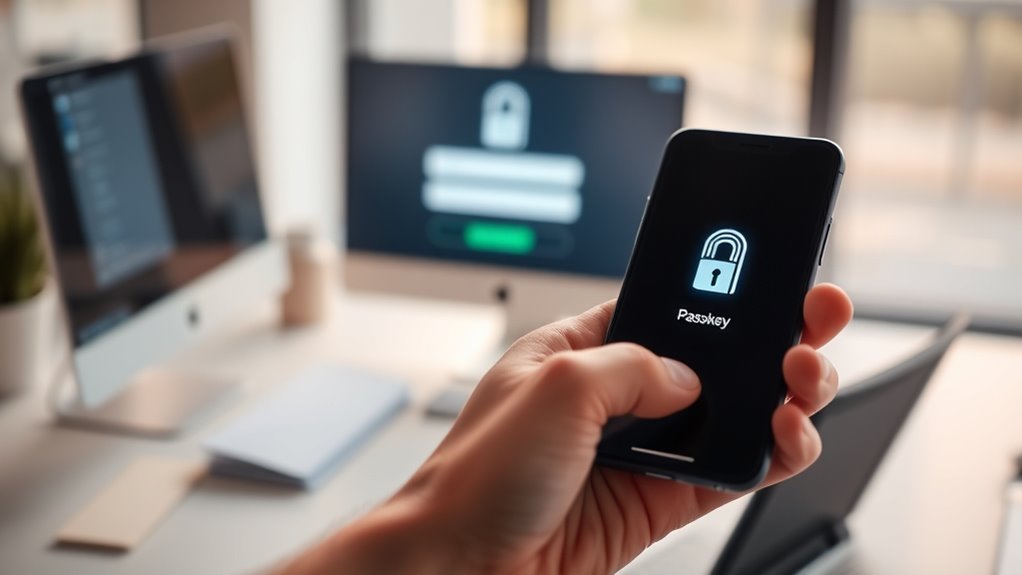

Switching from passwords to passkeys boosts your online security by using biometric authentication like fingerprint or facial recognition. It removes the need to remember or manage complex passwords, making login faster and more convenient. Passkeys are synchronized across your devices, so you can access accounts seamlessly no matter which device you’re on. They also protect against common hacking methods like phishing. Keep exploring to discover how this modern security method can transform your online life.
Key Takeaways
- Passkeys replace passwords with biometric authentication, offering enhanced security and eliminating the need to remember complex credentials.
- They provide seamless device synchronization, enabling secure login across multiple devices without re-entering passwords.
- Transitioning involves setting up biometric authentication and linking passkeys to your accounts through device security settings.
- Using passkeys reduces vulnerabilities to phishing, credential theft, and password reuse compared to traditional passwords.
- Adoption is facilitated by modern device support, making the switch straightforward and more secure for users.
As cybersecurity threats grow more sophisticated, switching from passwords to passkeys offers a much safer and more convenient way to protect your online accounts. Unlike traditional passwords, passkeys utilize biometric authentication, making it far harder for hackers to gain access. Instead of remembering complex combinations, you simply authenticate yourself with your fingerprint, facial recognition, or another biometric method. This not only improves security but also streamlines your login process, reducing the frustration of forgotten passwords or account lockouts. Because passkeys are tied directly to your biometric data, they eliminate the vulnerabilities associated with password reuse or weak passwords that are easy to guess.
One of the key advantages of passkeys is device synchronization. When you set up passkeys across your devices, such as your smartphone, tablet, or laptop, they sync seamlessly, making login effortless no matter which device you’re using. This synchronization ensures that you don’t need to remember multiple passwords or carry around security tokens. Instead, your biometric authentication data is securely stored and synchronized across your trusted devices, allowing you to authenticate quickly and securely without sacrificing convenience. Many modern devices now support this feature natively, so enabling device synchronization typically involves just a few taps in your device’s security settings. Additionally, the growth of mobile app adoption has accelerated the shift towards biometric-based authentication methods like passkeys, further enhancing user convenience and security.

Digital Persona 88003-001U.are.u 4500 Reader 70" Cable
Target Applications – Desktop PC security, Mobile PCs, Custom applications
As an affiliate, we earn on qualifying purchases.
As an affiliate, we earn on qualifying purchases.
Frequently Asked Questions
Are Passkeys Compatible With All Devices and Platforms?
Passkeys are increasingly compatible across many devices and platforms, but full device compatibility and platform integration depend on the specific systems you use. Major tech companies are working to standardize passkeys, making them accessible on smartphones, computers, and supported apps. However, some older devices or platforms may still lack support. You should check your device’s or platform’s compatibility to guarantee seamless use of passkeys for secure, passwordless login experiences.
What Are the Security Benefits of Passkeys Over Passwords?
Passkeys offer stronger security than passwords because they use biometric authentication, making it difficult for hackers to impersonate you. They also support multi-factor security, combining biometric data with device-based authentication for added protection. Unlike passwords, passkeys aren’t stored on servers, reducing risks of data breaches. This means your account stays safer, and you don’t need to remember complex passwords, making login both easier and more secure.
How Do I Set up Passkeys for My Accounts?
To set up passkeys for your accounts, start by using a compatible password manager that supports passkeys. Log into your account and select the security settings to enable passkeys. You’ll typically register your biometric authentication—like fingerprint or facial recognition—on your device. This way, you can easily authenticate with biometrics instead of passwords, making your accounts more secure and convenient.
Can Passkeys Be Recovered if Lost or Device Fails?
Losing passkeys isn’t the end of the world; it’s like losing your keys but with a spare. If you set up passkeys backup, you can restore them on a new device easily. During device recovery, your passkeys are safely stored in the cloud or backed up securely, ensuring you don’t get locked out. Always enable backup options to keep your account accessible, even if your device fails.
Are Passkeys Resistant to Phishing Attacks?
Yes, passkeys are highly resistant to phishing attacks because they prevent credential theft. When you use passkeys, you don’t enter passwords manually; instead, cryptographic keys are stored securely on your device. This makes it nearly impossible for hackers to steal your credentials via phishing, as they can’t trick you into revealing a secret password. This design considerably enhances phishing prevention and keeps your accounts safer.

ITEFDTUTNE Access Control Time Attendance Machine, Visible Dynamic Facial Recognition with 2000 User Capacity and Networked Devices, for Office Factory Hotel School Restaurant
[Multifunctional Verification Methods] This attendance machine offers flexible verification options including facial recognition id card swiping password entry…
As an affiliate, we earn on qualifying purchases.
As an affiliate, we earn on qualifying purchases.
Conclusion
Just as the hero abandoned the old, cumbersome sword for a sleek, modern weapon, switching to passkeys empowers you with seamless, secure access. Like the Knights of the Round Table trusting their shields, you can trust passkeys to defend your digital world effortlessly. Embrace this new era, and let your online security be as legendary as King Arthur’s quest—simple, strong, and timeless. Make the switch today and step into the future of safe, password-free login.

SecuX PUFido® Drive Clife Key USB C Security Key with PUF Technology and Built in Flash Drive, FIDO2 U2F Certified Hardware Rooted Unclonable Security for Passwordless Login and 2FA Authentication (1)
Hardware-Rooted Security with PUF Technology – PUFido Drive Clife Key uses Physical Unclonable Function technology to generate a…
As an affiliate, we earn on qualifying purchases.
As an affiliate, we earn on qualifying purchases.
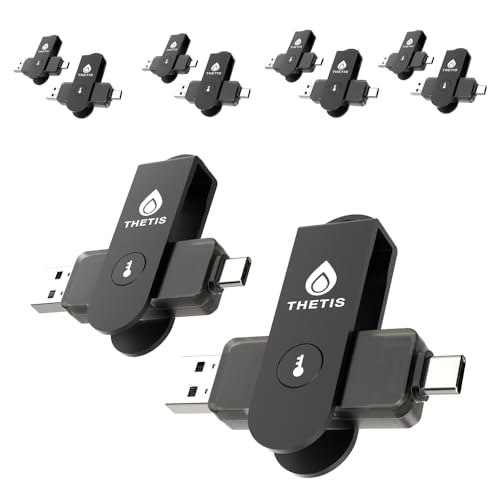
Thetis Pro For Business – FIDO2 Security Key L1 MFA & NFC Passkey Access For School ERP, Employee Online Account, Compatible with Coinbase Google Workspace Apple ID Window Salesforce,Dual USB A +USB C
FIDO2 & Passkey Ready: Business-ready and FIDO2 L1 certified. This key is supported by major management suites and…
As an affiliate, we earn on qualifying purchases.
As an affiliate, we earn on qualifying purchases.