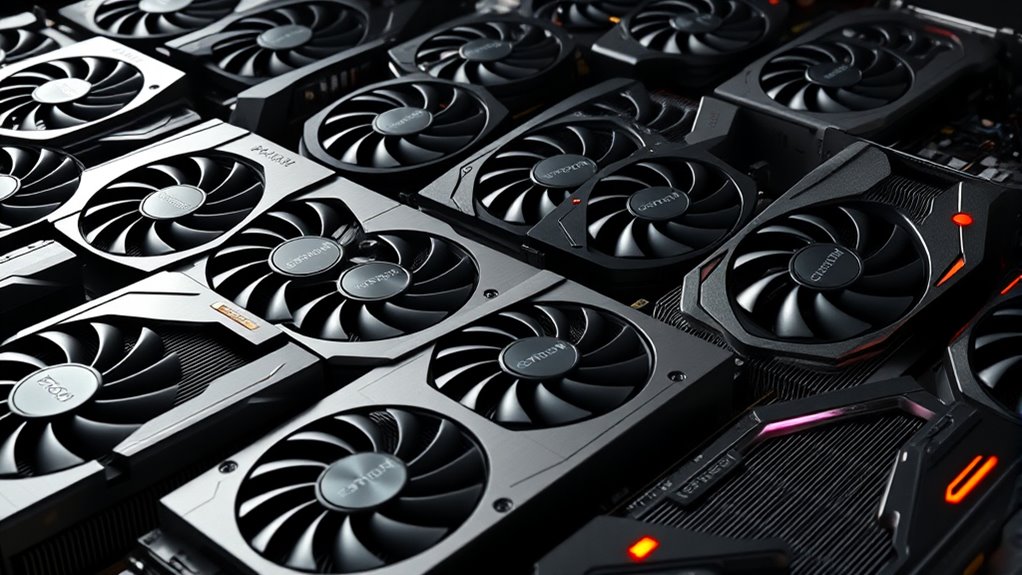

For a balanced premium gaming rig, I would start with the ASUS TUF Gaming GeForce RTX 5070 Ti: its 16GB of memory and broad feature set make it a strong fit for demanding games. The Sapphire Nitro+ Radeon RX 9070 XT is a standout for buyers prioritizing rasterized gaming, while the GIGABYTE GeForce RTX 5080 Gaming OC targets those seeking more headroom for high-resolution play. The main tradeoffs are graphics performance, memory capacity, ray-tracing and upscaling support, cooling, and how much power and case space a card needs. A premium GPU only makes sense if the rest of the rig and your monitor can make use of it. Read on for the full breakdown of all 13 options and how I would match each to a gaming setup.

Get the latest gadgets delivered free with Prime
- Fast, free delivery on millions of items
- Prime Video, Amazon Music and more included
- Member-only deals all year
Complete the kit



Key Takeaways
- The RTX 5070 Ti is the balanced pick: its 16GB capacity avoids the 12GB ceiling of the RTX 5070 models while sitting below the more demanding RTX 5080 tier.
- AMD’s RX 9070 XT cards offer a different kind of premium: both the Sapphire Nitro+ and GIGABYTE Gaming OC combine 16GB of memory with a focus on traditional rendering performance.
- RTX 5080 models are for rigs built around high-end displays: the GIGABYTE Gaming OC and ASUS TUF emphasize air cooling, while MSI’s SUPRIM Liquid adds a radiator and more installation requirements.
- Premium does not always mean the newest or largest GPU: the RTX 5060 Ti 16GB and RX 9060 XT 16GB can be sensible fits for less demanding resolutions, though they give up performance headroom versus higher tiers.
- Older high-memory cards need extra scrutiny: the RTX 3090 FTW3 Ultra’s 24GB stands out on capacity, but age, power needs, cooling condition, and remaining support matter more than memory alone.
| ASUS Prime GeForce RTX 5070 OC 12GB GDDR7 Graphics Card |  | Best Compact NVIDIA Pick | GPU: NVIDIA GeForce RTX 5070 | Memory: 12GB GDDR7 | Boost clock: 2587 MHz OC mode; 2557 MHz default mode | VIEW ON AMAZON | See Our Full Breakdown |
| ASUS Prime Radeon RX 9070 EVO 16GB GDDR6 OC Edition Gaming Graphics Card |  | Best Compact 16GB Pick | Graphics processor: AMD Radeon RX 9070 | Memory: 16GB GDDR6 | Boost clock: 2610 MHz OC mode | VIEW ON AMAZON | See Our Full Breakdown |
| Sapphire Nitro+ AMD Radeon RX 9070 XT Gaming OC Graphics Card, 16GB GDDR6 |  | Best Radeon Performance Pick | GPU: AMD Radeon RX 9070 XT | Memory: 16GB GDDR6 | Memory interface: 256-bit | VIEW ON AMAZON | See Our Full Breakdown |
| ASUS TUF Gaming GeForce RTX 5070 Ti 16GB GDDR7 OC Edition Graphics Card |  | Best Premium NVIDIA Pick | GPU: NVIDIA GeForce RTX 5070 Ti | Memory: 16GB GDDR7 | Boost clock: 2610 MHz OC mode; 2588 MHz default mode | VIEW ON AMAZON | See Our Full Breakdown |
| NVIDIA GeForce RTX 4080 16GB GDDR6X Graphics Card |  | Best for Existing RTX 4080 Builds | GPU: NVIDIA GeForce RTX 4080 | Memory: 16GB GDDR6X | CUDA cores: 9,728 | VIEW ON AMAZON | See Our Full Breakdown |
| ASUS Prime GeForce RTX 5060 Ti 16GB GDDR7 Graphics Card |  | Best Compact Pick | GPU: NVIDIA GeForce RTX 5060 Ti | Memory: 16GB GDDR7 | Boost clock: Up to 2602 MHz (OC mode) | VIEW ON AMAZON | See Our Full Breakdown |
| GIGABYTE GeForce RTX 5080 Gaming OC 16G Graphics Card |  | Best Premium Air-Cooled Pick | GPU: NVIDIA GeForce RTX 5080 | Memory: 16GB GDDR7 | Memory interface: 256-bit | VIEW ON AMAZON | See Our Full Breakdown |
| ASUS TUF Gaming GeForce RTX 5070 12GB GDDR7 OC Edition Graphics Card |  | Best Durability-Focused Pick | GPU: NVIDIA GeForce RTX 5070 | Memory: 12GB GDDR7 | Boost clock: 2640 MHz | VIEW ON AMAZON | See Our Full Breakdown |
| GIGABYTE Radeon RX 9070 XT Gaming OC 16G Graphics Card |  | Best Radeon Alternative | GPU: Radeon RX 9070 XT | Memory: 16GB GDDR6 | Interface: PCIe 5.0 | VIEW ON AMAZON | See Our Full Breakdown |
| MSI GeForce RTX 5080 16G SUPRIM Liquid SOC Graphics Card |  | Best Liquid-Cooled Premium Pick | GPU: NVIDIA GeForce RTX 5080 | Memory: 16GB GDDR7 | Memory interface: 256-bit | VIEW ON AMAZON | See Our Full Breakdown |
| ASUS Dual Radeon RX 9060 XT 16GB GDDR6 Gaming Graphics Card |  | Best for Quiet, Compact Builds | GPU: AMD Radeon RX 9060 XT | Memory: 16GB GDDR6 | Design: 2.5-slot | VIEW ON AMAZON | See Our Full Breakdown |
| ASUS TUF Gaming GeForce RTX 5080 OC Edition 16GB Graphics Card |  | Best for High-End DLSS 4 Gaming | GPU: NVIDIA GeForce RTX 5080 | Memory: 16GB GDDR7 | Architecture: NVIDIA Blackwell | VIEW ON AMAZON | See Our Full Breakdown |
| EVGA GeForce RTX 3090 FTW3 Ultra Gaming 24GB Graphics Card |  | Best for Memory-Heavy Gaming and Creative Work | GPU: NVIDIA GeForce RTX 3090 | Memory: 24GB GDDR6X | CUDA cores: 10,496 | VIEW ON AMAZON | See Our Full Breakdown |
| premium graphics cards for gaming rig | Memory | GPU | Cooling | Interface |
|---|---|---|---|---|
| ASUS Prime GeForce RTX 5070 OC | 12GB GDDR7 | NVIDIA GeForce RTX 5070 | Three Axial-tech fans; phase-change GPU thermal pad | PCI Express x16 |
| ASUS Prime Radeon RX 9070 EVO | 16GB GDDR6 | — | Triple Axial-tech fans; phase-change thermal pad | PCIe 5.0 x16 |
| Sapphire Nitro+ AMD Radeon RX | 16GB GDDR6 | AMD Radeon RX 9070 XT | — | — |
| ASUS TUF Gaming GeForce RTX 50 | 16GB GDDR7 | NVIDIA GeForce RTX 5070 Ti | Three Axial-tech fans | PCIe 5.0 x16 |
| NVIDIA GeForce RTX 4080 16GB G | 16GB GDDR6X | NVIDIA GeForce RTX 4080 | — | PCI Express |
| ASUS Prime GeForce RTX 5060 Ti | 16GB GDDR7 | NVIDIA GeForce RTX 5060 Ti | Three Axial-tech fans; dual BIOS; 0dB technology | PCIe 5.0 x16 |
| GIGABYTE GeForce RTX 5080 Gami | 16GB GDDR7 | NVIDIA GeForce RTX 5080 | Three-fan WINDFORCE | PCIe 5.0, PCI-Express x16 |
| ASUS TUF Gaming GeForce RTX 50 | 12GB GDDR7 | NVIDIA GeForce RTX 5070 | Three Axial-tech fans; phase-change GPU thermal pad; protective PCB coating | PCIe 5.0 x16 |
| GIGABYTE Radeon RX 9070 XT Gam | 16GB GDDR6 | Radeon RX 9070 XT | WINDFORCE Cooling System with Hawk fans | PCIe 5.0 |
| MSI GeForce RTX 5080 16G SUPRI | 16GB GDDR7 | NVIDIA GeForce RTX 5080 | Liquid cooling | — |
| ASUS Dual Radeon RX 9060 XT 16 | 16GB GDDR6 | AMD Radeon RX 9060 XT | Axial-tech fans with 0dB technology | — |
| ASUS TUF Gaming GeForce RTX 50 | 16GB GDDR7 | NVIDIA GeForce RTX 5080 | Three Axial-tech fans with massive fin array | — |
| EVGA GeForce RTX 3090 FTW3 Ult | 24GB GDDR6X | NVIDIA GeForce RTX 3090 | EVGA iCX3, three fans | PCIe 4.0 x16 |
More Details on Our Top Picks
ASUS Prime GeForce RTX 5070 OC 12GB GDDR7 Graphics Card
The ASUS Prime RTX 5070 OC suits a premium gaming rig that needs a capable NVIDIA card without taking up three slots. Its 2.5-slot cooler is slimmer than the ASUS TUF RTX 5070 Ti, making it a more practical fit for compact cases, while three fans and a phase-change thermal pad handle heat. Dual BIOS profiles and 0dB fan operation give builders a way to favor quieter behavior outside demanding play. The tradeoff is its 12GB of GDDR7: that is less memory than the 16GB ASUS Prime Radeon RX 9070 EVO and the TUF RTX 5070 Ti, so buyers focused on memory-heavy settings may prefer those options. Check case clearance carefully; compact relative to its peers does not mean small, and this card still needs a PCIe x16 slot.
Pros:- 2.5-slot design is slimmer than the ASUS TUF RTX 5070 Ti
- 12GB of GDDR7 and NVIDIA Blackwell architecture
- Dual BIOS provides Quiet and Performance profiles
- 0dB technology can stop the fans during light workloads
Cons:- 12GB of memory is less than the 16GB offered by several alternatives in this roundup
- Its 2.5-slot thickness can still restrict small-form-factor case compatibility
Best for: NVIDIA-focused builders who want a slim triple-fan card for a compact gaming case and value quiet operation during lighter use.
Not ideal for: Gamers prioritizing 16GB of graphics memory or building in a particularly narrow case where a 2.5-slot card will not fit.
- GPU:NVIDIA GeForce RTX 5070
- Memory:12GB GDDR7
- Boost clock:2587 MHz OC mode; 2557 MHz default mode
- Cooling:Three Axial-tech fans; phase-change GPU thermal pad
- Slot width:2.5 slots
- Interface:PCI Express x16
- Maximum resolution:3840 × 2160
- Dimensions:12 × 5 in
Our verdict“Choose this Prime RTX 5070 for a compact NVIDIA build where a 2.5-slot cooler and quiet features matter more than having 16GB of memory.”
ASUS Prime Radeon RX 9070 EVO 16GB GDDR6 OC Edition Gaming Graphics Card
The ASUS Prime Radeon RX 9070 EVO is the compact choice for buyers who want 16GB of memory without stepping up to a large, thick cooler. Its 2.5-slot form matches the slimmer ASUS Prime RTX 5070, but doubles that card’s listed memory capacity, giving this Radeon option a clear appeal for games and settings that benefit from more VRAM. Triple Axial-tech fans, a phase-change thermal pad, and dual-ball bearings are aimed at cooling and long-term fan durability; 0dB operation can keep light-load noise down. Compared with the Sapphire Nitro+ RX 9070 XT, this model is specified as an RX 9070 rather than an RX 9070 XT, so buyers seeking the higher-tier GPU should look there instead. The three-fan length still calls for a careful case-fit check.
Pros:- 16GB of GDDR6 memory in a 2.5-slot design
- Triple Axial-tech fans and a phase-change thermal pad
- Dual-ball fan bearings are designed for durability
- 0dB technology supports silent fan operation during light use
Cons:- It is an RX 9070, not the RX 9070 XT found in the Sapphire Nitro+
- Its 12-inch length may conflict with compact case layouts
Best for: Radeon-focused gamers who want a 16GB card in a compact, 2.5-slot build and value quiet behavior at light loads.
Not ideal for: Buyers seeking an RX 9070 XT-class model or builders whose case cannot accommodate a 12-inch-long triple-fan card.
- Graphics processor:AMD Radeon RX 9070
- Memory:16GB GDDR6
- Boost clock:2610 MHz OC mode
- Game clock:2140 MHz OC mode
- Interface:PCIe 5.0 x16
- Video outputs:2 × HDMI 2.1b; 3 × DisplayPort 2.1a
- Cooling:Triple Axial-tech fans; phase-change thermal pad
- Form factor:2.5-slot
Our verdict“Pick the Prime RX 9070 EVO if you want 16GB in a relatively slim Radeon card and do not need the RX 9070 XT tier.”
Sapphire Nitro+ AMD Radeon RX 9070 XT Gaming OC Graphics Card, 16GB GDDR6
The Sapphire Nitro+ RX 9070 XT is the Radeon pick for gamers who want the XT-tier GPU paired with 16GB of GDDR6. Its listed 3060 MHz GPU clock and three-fan design distinguish it from the ASUS Prime RX 9070 EVO, which uses the non-XT GPU; that makes the Sapphire the more performance-oriented choice on the product specifications alone. Both offer 16GB, so the decision is less about memory capacity and more about choosing the XT model and accepting a heavier card. Sapphire lists a 2.6 kg weight and a two-year warranty, while the ASUS Prime RX 9070 EVO is listed at 2.4 lb with a three-year warranty. The provided details do not specify dimensions or power requirements, so buyers should confirm case clearance and system compatibility before choosing it.
Pros:- RX 9070 XT GPU is a higher-tier choice than the Prime RX 9070 EVO
- 16GB of GDDR6 memory
- Three-fan cooling design
- Supports resolutions up to 3840 × 2160
Cons:- Listed weight of 2.6 kg may call for sturdy card support
- Two-year warranty is shorter than the three-year warranty listed for the ASUS Prime RX 9070 EVO
- Product details do not provide dimensions or a power supply requirement
Best for: Radeon gamers who want the RX 9070 XT GPU and 16GB of memory, and whose case and support bracket can accommodate a 2.6 kg card.
Not ideal for: Small-case builders or buyers who want a clearly documented size and power fit before selecting a graphics card.
- GPU:AMD Radeon RX 9070 XT
- Memory:16GB GDDR6
- Memory interface:256-bit
- GPU clock speed:3060 MHz
- Memory clock speed:20 GHz
- Video outputs:2 × HDMI; 2 × DisplayPort
- Maximum resolution:3840 × 2160
- Weight:2.6 kg
Our verdict“Choose the Sapphire Nitro+ if the RX 9070 XT tier is your priority and your build can accommodate its substantial listed weight.”
ASUS TUF Gaming GeForce RTX 5070 Ti 16GB GDDR7 OC Edition Graphics Card
The ASUS TUF RTX 5070 Ti OC is the premium NVIDIA option here for buyers who want 16GB of GDDR7 and a more substantial cooler than the ASUS Prime RTX 5070. Its RTX 5070 Ti GPU, three Axial-tech fans, and phase-change thermal pad are aimed at demanding gaming builds, while the listed outputs include both DisplayPort 2.1a and HDMI 2.1b. A protective PCB coating and military-grade components add build-focused features not listed for the more compact Prime model. Those upgrades come with a meaningful fit and power cost: the TUF occupies 3.125 slots, measures 13 × 5.5 inches, and calls for at least an 850W supply with a 16-pin 12V-2×6 connector. It makes less sense than the Prime RTX 5070 for smaller cases or systems needing a modest power setup.
Pros:- RTX 5070 Ti GPU with 16GB of GDDR7
- Three Axial-tech fans and a phase-change GPU thermal pad
- Protective PCB coating and military-grade components
- DisplayPort 2.1a and HDMI 2.1b outputs
Cons:- Large 3.125-slot cooler needs substantial case clearance
- Requires a minimum 850W power supply with a 16-pin 12V-2×6 connector
Best for: Enthusiast builders seeking an NVIDIA RTX 5070 Ti with 16GB of GDDR7, a substantial cooler, and a high-capacity power supply.
Not ideal for: Small-case builders or owners of systems without an 850W power supply and 16-pin 12V-2×6 connector.
- GPU:NVIDIA GeForce RTX 5070 Ti
- Memory:16GB GDDR7
- Boost clock:2610 MHz OC mode; 2588 MHz default mode
- Video outputs:3 × DisplayPort 2.1a; 2 × HDMI 2.1b
- Interface:PCIe 5.0 x16
- Cooling:Three Axial-tech fans
- Dimensions:13 × 5.5 in
- Power supply requirement:Minimum 850W with 16-pin 12V-2×6 connector
Our verdict“Choose the TUF RTX 5070 Ti for a roomy, well-powered gaming rig that prioritizes its 16GB GDDR7 and RTX 5070 Ti GPU over compact dimensions.”
NVIDIA GeForce RTX 4080 16GB GDDR6X Graphics Card
The NVIDIA GeForce RTX 4080 stands apart from the newer ASUS TUF RTX 5070 Ti by pairing 16GB of GDDR6X with 9,728 CUDA cores and a listed 2.51 GHz boost clock. Dedicated ray tracing cores and support for up to 3840 × 2160 make it a clear fit for gaming rigs built around high-resolution play and ray-traced effects. Its two-fan layout and listed dimensions of 11.97 × 4.84 inches may suit some cases better than the TUF’s 3.125-slot, 13-inch design, though the provided specs do not state its slot width or power requirement. That missing fit information makes compatibility checks especially important. Choose it for the RTX 4080 specifically; buyers who want the newer Blackwell architecture and DLSS 4 should compare the TUF RTX 5070 Ti instead.
Pros:- 16GB of GDDR6X memory
- 9,728 CUDA cores
- Dedicated ray tracing cores
- Two-fan design and listed dimensions of 11.97 × 4.84 inches
Cons:- The supplied product details do not specify slot width or a power supply requirement
- Uses GDDR6X rather than the GDDR7 listed for the ASUS TUF RTX 5070 Ti
- Listed maximum resolution is 3840 × 2160, below the TUF RTX 5070 Ti’s listed 7680 × 4320
Best for: Gamers who specifically want an RTX 4080 with 16GB of GDDR6X, dedicated ray tracing cores, and stated support for 4K output.
Not ideal for: Buyers who need confirmed slot width and power requirements, or who prefer the newer Blackwell architecture and DLSS 4 features listed for the TUF RTX 5070 Ti.
- GPU:NVIDIA GeForce RTX 4080
- Memory:16GB GDDR6X
- CUDA cores:9,728
- Boost clock:2.51 GHz
- Interface:PCI Express
- Video outputs:DisplayPort; HDMI
- Maximum resolution:3840 × 2160
- Dimensions:11.97 × 4.84 in
Our verdict“Pick this RTX 4080 if you want its 16GB GDDR6X and ray tracing hardware, and can verify its power and case requirements for your build.”
ASUS Prime GeForce RTX 5060 Ti 16GB GDDR7 Graphics Card
The ASUS Prime RTX 5060 Ti is the most space-conscious option here, pairing a 2.5-slot design with three Axial-tech fans and 16GB of GDDR7. Its Blackwell GPU and DLSS 4 support suit players seeking modern features without stepping up to the larger RTX 5080 cards. Compared with the ASUS TUF RTX 5070, it takes up less slot space and offers more memory, but it sits in a lower GPU tier, so it is the less ambitious choice for demanding high-resolution gaming. Dual BIOS profiles let buyers choose between operating preferences, while 0dB mode can keep light gaming quieter. The tradeoff is that three fans may still become audible under heavy loads, and compact does not mean tiny: the 12-inch card needs room in the case.
Pros:- 16GB of GDDR7 provides generous memory capacity for games and graphics workloads.
- 2.5-slot design is slimmer than several larger cards in this roundup.
- Three Axial-tech fans and dual BIOS profiles offer cooling and operating choices.
- 0dB mode can reduce fan noise during light gaming.
Cons:- Its RTX 5060 Ti GPU is a lower performance tier than the RTX 5070 and RTX 5080 options here.
- Three fans may be audible under sustained heavy loads.
- The 12-inch length and 2.5-slot thickness still call for case-clearance checks.
Best for: Builders who want a Blackwell card with 16GB of memory and a narrower slot footprint than the larger premium models.
Not ideal for: Gamers prioritizing higher-tier GPU performance or building in very small cases that cannot accommodate a 12-inch, 2.5-slot card.
- GPU:NVIDIA GeForce RTX 5060 Ti
- Memory:16GB GDDR7
- Boost clock:Up to 2602 MHz (OC mode)
- AI performance:758 AI TOPS
- Interface:PCIe 5.0 x16
- Cooling:Three Axial-tech fans; dual BIOS; 0dB technology
- Dimensions:12 x 4.7 inches
- Warranty:3 years
Our verdict“Choose the Prime RTX 5060 Ti if you want 16GB of GDDR7 in a relatively slim card and do not need RTX 5070- or RTX 5080-class positioning.”
GIGABYTE GeForce RTX 5080 Gaming OC 16G Graphics Card
The GIGABYTE RTX 5080 Gaming OC is the straightforward choice for a premium rig built around a high-tier GPU and conventional air cooling. Its RTX 5080, 16GB of GDDR7, and DLSS 4 support make it a more performance-focused step than the ASUS TUF RTX 5070, while the three-fan WINDFORCE system avoids the radiator setup required by the MSI SUPRIM Liquid RTX 5080. That simpler cooling arrangement can make integration easier for builders who do not want to plan around a liquid-cooling radiator. The cost of that approach is physical bulk: at 13.46 inches long and four pounds, this card asks more of a case than the ASUS Prime RTX 5060 Ti. Buyers should also check airflow and clearance before building around it.
Pros:- RTX 5080 GPU places it above the RTX 5070 and RTX 5060 Ti options in this lineup.
- 16GB of GDDR7 and DLSS 4 support modern gaming and graphics features.
- Three-fan WINDFORCE cooling uses an air-cooled setup rather than a separate liquid-cooling radiator.
- Supports DisplayPort and HDMI outputs and resolutions up to 7680 × 4320.
Cons:- Its 13.46-inch length and 5.59-inch width demand substantial case clearance.
- The four-pound weight may call for careful support and installation.
- A compatible PCIe x16 slot and adequate case airflow are required.
Best for: Enthusiast gamers who want an RTX 5080 with three-fan air cooling and have a spacious case with a compatible PCIe x16 slot.
Not ideal for: Compact-case builders or buyers who prefer a liquid-cooled graphics card with a shorter listed card body.
- GPU:NVIDIA GeForce RTX 5080
- Memory:16GB GDDR7
- Memory interface:256-bit
- GPU clock speed:2.73GHz
- Interface:PCIe 5.0, PCI-Express x16
- Cooling:Three-fan WINDFORCE
- Video outputs:DisplayPort, HDMI
- Dimensions:13.46 × 5.59 inches
- Warranty:3 years
Our verdict“Pick this RTX 5080 if you want premium GPU positioning with air cooling and have the case space to fit its large chassis.”
ASUS TUF Gaming GeForce RTX 5070 12GB GDDR7 OC Edition Graphics Card
The ASUS TUF RTX 5070 is aimed at builders who value a robust board design and substantial cooling as much as a step up from entry-level Blackwell cards. Its 12GB of GDDR7, 2640 MHz boost clock, and three Axial-tech fans place it between the ASUS Prime RTX 5060 Ti and the 16GB RTX 5080 models in this group. Protective PCB coating, military-grade components, and a phase-change GPU thermal pad give the card a durability-focused feature set that the GIGABYTE RTX 5080 Gaming OC does not foreground. That emphasis comes with a real fit penalty: the TUF is 3.125 slots thick and 13 inches long. Its 12GB capacity is also lower than the 16GB offered by the RTX 5060 Ti and RTX 5080 picks, so memory capacity is not its strongest differentiator.
Pros:- 2640 MHz boost clock and RTX 5070 GPU offer a step above the RTX 5060 Ti in this lineup.
- Three Axial-tech fans and a large fin array support cooling under gaming loads.
- Protective PCB coating, military-grade components, and a phase-change thermal pad emphasize durability.
- DisplayPort 2.1a and HDMI 2.1b provide current display connectivity.
Cons:- 12GB of GDDR7 is less memory than the 16GB on the RTX 5060 Ti and RTX 5080 options.
- The 13-inch, 3.125-slot design rules out many compact cases.
- Its robust cooling and board construction make it a bulky choice compared with the ASUS Prime RTX 5060 Ti.
Best for: Gamers building a full-size system who want an RTX 5070 with a durability-focused design, robust cooling, and current display connections.
Not ideal for: Small-case builders or buyers who specifically want 16GB of graphics memory for their premium gaming rig.
- GPU:NVIDIA GeForce RTX 5070
- Memory:12GB GDDR7
- Boost clock:2640 MHz
- Default clock:2610 MHz
- Interface:PCIe 5.0 x16
- Cooling:Three Axial-tech fans; phase-change GPU thermal pad; protective PCB coating
- Video outputs:3 × DisplayPort 2.1a, 2 × HDMI 2.1b
- Dimensions:13 × 5.5 inches
- Warranty:3 years
Our verdict“Choose the TUF RTX 5070 if durability-oriented construction and cooling matter more to you than a compact fit or 16GB of memory.”
GIGABYTE Radeon RX 9070 XT Gaming OC 16G Graphics Card
This GIGABYTE RX 9070 XT gives buyers a distinct Radeon route through a lineup otherwise led by several GeForce cards. The Radeon RX 9070 XT pairs with 16GB of GDDR6 and PCIe 5.0, while WINDFORCE cooling with Hawk fans and server-grade thermal conductive gel focus the design on heat management. That makes it a different proposition from the GIGABYTE RTX 5080 Gaming OC, which offers an RTX 5080 GPU and GDDR7 memory; the supplied specifications do not establish a direct performance comparison, but they do show a different GPU and memory platform. RGB lighting adds a visual accent for showcase builds. The available product data is thinner than for the other cards here, with no listed dimensions, outputs, clock speed, or warranty, so case fit and connectivity deserve extra verification before choosing it.
Pros:- Radeon RX 9070 XT offers a clear alternative to the GeForce cards in this roundup.
- 16GB of GDDR6 provides substantial graphics memory capacity.
- WINDFORCE cooling with Hawk fans is designed to manage card heat.
- RGB lighting suits builds where visible components are part of the setup.
Cons:- The supplied specifications omit dimensions, making case-fit planning harder.
- No video-output details are provided, so monitor connectivity should be checked before purchase.
- The provided data does not list clock speed or warranty information.
Best for: Radeon-focused gamers who want an RX 9070 XT, 16GB of memory, and a three-fan cooling system in a gaming desktop.
Not ideal for: Buyers who need confirmed card dimensions, video-output details, clock specifications, or warranty information before planning a build.
- GPU:Radeon RX 9070 XT
- Memory:16GB GDDR6
- Interface:PCIe 5.0
- Cooling:WINDFORCE Cooling System with Hawk fans
- Thermal feature:Server-grade thermal conductive gel
- Lighting:RGB lighting
- Model:GV-R9070XTGAMING OC-16GD
Our verdict“Choose this card if you want a Radeon RX 9070 XT with 16GB of memory, but verify fit and connectivity details before settling on your build.”
MSI GeForce RTX 5080 16G SUPRIM Liquid SOC Graphics Card
The MSI SUPRIM Liquid pairs an RTX 5080 with liquid cooling, making it the specialist option for builders who want a premium GPU without relying on a large air-cooling assembly on the card itself. Its 2745 MHz GPU clock and 16GB of GDDR7 give it a high-end profile, while three DisplayPort 2.1a outputs and one HDMI 2.1b output support multi-display setups. Compared with the GIGABYTE RTX 5080 Gaming OC, this model trades a conventional three-fan card cooler for liquid cooling and lists a shorter card body at 10.5 inches. The shorter dimensions do not remove the planning burden: a liquid-cooling setup needs compatible radiator space and routing in the case. Buyers who want a simpler air-cooled installation may find the GIGABYTE model easier to accommodate.
Pros:- RTX 5080 GPU and 16GB of GDDR7 place it among the highest-tier options in this roundup.
- Liquid cooling distinguishes it from the air-cooled GIGABYTE RTX 5080 Gaming OC.
- Listed 2745 MHz GPU clock and 30 GHz memory clock provide clear tuning-related specifications.
- Three DisplayPort 2.1a outputs and one HDMI 2.1b output support multiple displays.
Cons:- Liquid cooling adds radiator fitment and installation planning beyond the card dimensions.
- The provided specifications do not state radiator dimensions or clearance requirements.
- A compatible PCI Express x16 slot is required.
Best for: Enthusiast builders seeking an RTX 5080 with liquid cooling, a high listed GPU clock, and multiple DisplayPort connections.
Not ideal for: Builders who want a simple air-cooled installation or whose cases lack room for a compatible liquid-cooling radiator.
- GPU:NVIDIA GeForce RTX 5080
- Memory:16GB GDDR7
- Memory interface:256-bit
- GPU clock speed:2745 MHz
- Memory clock speed:30 GHz
- Cooling:Liquid cooling
- Video outputs:3 × DisplayPort 2.1a, 1 × HDMI 2.1b
- Dimensions:10.5 × 4.4 inches
- Warranty:3 years
Our verdict“Pick the SUPRIM Liquid if you want an RTX 5080 with liquid cooling and have a case ready for its radiator, rather than a simpler air-cooled card.”
ASUS Dual Radeon RX 9060 XT 16GB GDDR6 Gaming Graphics Card
The ASUS Dual RX 9060 XT suits a gaming rig where quiet operation and a less imposing cooler matter more than flagship-tier hardware. Its 16GB of GDDR6 gives games room for detailed textures, while the 2.5-slot design is slimmer than the 3.6-slot ASUS TUF RTX 5080. Axial-tech fans, dual ball bearings, and a 0dB mode support quieter running during light gaming; the BIOS switch lets you choose Quiet or Performance behavior. The tradeoff is that this card is not the pick here for buyers seeking the RTX 5080’s Blackwell features and DLSS 4. Even at 2.5 slots, it can still crowd especially small cases. I’d shortlist it for a more restrained build, not a maximum-performance system.
Pros:- 16GB of GDDR6 memory for games with detailed textures
- 0dB technology can stop the fans during light workloads
- Quiet and Performance BIOS profiles offer different operating priorities
- Dual ball fan bearings are described as lasting up to twice as long as sleeve bearings
Cons:- The 2.5-slot cooler may not fit narrow or densely packed builds
- Does not offer the RTX 5080’s Blackwell architecture and DLSS 4 features
Best for: Builders seeking a quieter mid-sized gaming card with 16GB of memory and a selectable fan profile.
Not ideal for: Small-form-factor builders with tight expansion-slot clearance, or buyers prioritizing the RTX 5080’s higher-tier feature set.
- GPU:AMD Radeon RX 9060 XT
- Memory:16GB GDDR6
- Design:2.5-slot
- Cooling:Axial-tech fans with 0dB technology
- Fan bearings:Dual ball
- BIOS profiles:Quiet and Performance
- OC mode clocks:Up to 3250 MHz boost; 2640 MHz game
- Default mode clocks:Up to 3230 MHz boost; 2620 MHz game
Our verdict“Choose this ASUS for a quieter, less bulky 16GB gaming build, but look to the RTX 5080 if high-end performance and DLSS 4 matter more.”
ASUS TUF Gaming GeForce RTX 5080 OC Edition 16GB Graphics Card
For a premium rig built around current NVIDIA features, the ASUS TUF RTX 5080 OC brings Blackwell architecture and DLSS 4 together with a substantial three-fan cooler. That makes it a stronger fit than the ASUS Dual RX 9060 XT for buyers targeting a higher-end gaming setup, while its 16GB of GDDR7 provides a newer memory type than the RX card’s GDDR6. The tradeoff is physical and electrical: at 3.6 slots and 348 mm long, this is a demanding fit, and ASUS calls for an 850W power supply with a 16-pin connector. A phase-change thermal pad and protective PCB coating add practical durability features, but do not make the card compact. I’d favor it when the case and power system are already built to accommodate a large GPU.
Pros:- Blackwell architecture with DLSS 4 support
- 16GB of GDDR7 memory
- Three Axial-tech fans and a large fin array are designed for airflow
- Phase-change thermal pad and protective PCB coating add cooling and board-protection features
Cons:- Requires a minimum 850W power supply with a 16-pin 12V-2×6 connector
- 348 mm length and 3.6-slot thickness restrict case compatibility
- At 4.3 pounds, it benefits from the included GPU bracket for support
Best for: Enthusiast gamers with a roomy case, a suitable 850W-or-higher PSU, and a preference for NVIDIA Blackwell and DLSS 4.
Not ideal for: Builders with compact cases, limited slot clearance, or a power supply that lacks the required 16-pin connector.
- GPU:NVIDIA GeForce RTX 5080
- Memory:16GB GDDR7
- Architecture:NVIDIA Blackwell
- Boost clock:2730 MHz OC mode; 2700 MHz default mode
- Cooling:Three Axial-tech fans with massive fin array
- Dimensions:348 mm (13.7 in) long; 3.6 slots
- Power requirement:Minimum 850W PSU with 16-pin 12V-2×6 connector
- Weight:4.3 lbs
- Included accessory:GPU bracket
Our verdict“Pick the TUF RTX 5080 OC for a large, well-powered rig that can make use of DLSS 4, not for a build with tight clearance.”
EVGA GeForce RTX 3090 FTW3 Ultra Gaming 24GB Graphics Card
The refurbished EVGA RTX 3090 FTW3 Ultra takes a different route from the newer ASUS TUF RTX 5080: its headline advantage is 24GB of GDDR6X, rather than Blackwell architecture and DLSS 4. That memory capacity can appeal to gamers using large texture packs or buyers who also run memory-heavy creative workloads, but the listing does not establish that it outperforms the newer card in games. Its three-fan iCX3 cooling, metal backplate, and ARGB lighting suit a full-size showpiece build. The meaningful compromise is condition: this is pre-owned or refurbished and carries only a 90-day limited warranty. I’d choose it for the extra memory only after weighing that shorter coverage against the newer ASUS option’s feature set and warranty confidence.
Pros:- 24GB of GDDR6X memory, more capacity than the 16GB cards in this roundup
- Three-fan EVGA iCX3 cooling
- ARGB lighting and a metal backplate suit visible gaming builds
- Supports maximum resolution up to 7680 x 4320
Cons:- Pre-owned or refurbished condition adds uncertainty compared with a new card
- 90-day limited warranty is short
- Does not list the RTX 5080’s Blackwell architecture or DLSS 4 support
Best for: Experienced builders who want 24GB of graphics memory for texture-heavy games or mixed gaming and creative workloads, and accept refurbished hardware.
Not ideal for: Buyers who want a new card, a longer warranty, or newer Blackwell and DLSS 4 features such as those on the ASUS TUF RTX 5080.
- GPU:NVIDIA GeForce RTX 3090
- Memory:24GB GDDR6X
- CUDA cores:10,496
- Boost clock:1800 MHz
- Interface:PCIe 4.0 x16
- Cooling:EVGA iCX3, three fans
- Power connectors:3 x 8-pin or 3 x 6+2-pin PCIe
- Dimensions:11.81 x 5.38 inches
- Condition and warranty:Pre-owned or refurbished; 90-day limited warranty
Our verdict“Consider this refurbished RTX 3090 if 24GB of memory is your priority and you accept limited warranty coverage; choose the RTX 5080 for newer NVIDIA features.”

How We Picked
I ranked these premium graphics cards for gaming rigs by how well their performance tier, memory capacity, cooling design, and feature set serve real gaming setups. I also weighed practical fit: card dimensions, power demands, air versus liquid cooling, and whether the target buyer is building for mainstream high-refresh gaming, demanding 1440p, or 4K. A large memory figure or premium cooler did not automatically earn a higher position; the card needs to make sense as part of a complete rig.
The ranking favors balanced capability and broad usefulness over specialist appeal. That puts the RTX 5070 Ti near the top as a strong middle ground, while RX 9070 XT and RTX 5080 models serve distinct priorities above and below it. Less powerful or older cards rank lower when their tradeoffs limit future headroom, even if their memory capacity or product design looks compelling. Since exact results vary by game, resolution, drivers, and system configuration, I treat model specifications as decision signals rather than guarantees of frame rate.
| premium graphics cards for gaming rig | Interface |
|---|---|
| ASUS Prime GeForce RTX 5070 OC | PCI Express x16 |
| ASUS Prime Radeon RX 9070 EVO | PCIe 5.0 x16 |
| Sapphire Nitro+ AMD Radeon RX | — |
| ASUS TUF Gaming GeForce RTX 50 | PCIe 5.0 x16 |
| NVIDIA GeForce RTX 4080 16GB G | PCI Express |
| ASUS Prime GeForce RTX 5060 Ti | PCIe 5.0 x16 |
| GIGABYTE GeForce RTX 5080 Gami | PCIe 5.0, PCI-Express x16 |
| ASUS TUF Gaming GeForce RTX 50 | PCIe 5.0 x16 |
| GIGABYTE Radeon RX 9070 XT Gam | PCIe 5.0 |
| MSI GeForce RTX 5080 16G SUPRI | — |
| ASUS Dual Radeon RX 9060 XT 16 | — |
| ASUS TUF Gaming GeForce RTX 50 | — |
| EVGA GeForce RTX 3090 FTW3 Ult | PCIe 4.0 x16 |
Factors to Consider When Choosing Premium Graphics Cards For Gaming Rigs
Picking a premium GPU is a system decision, not a contest to buy the card with the biggest number. I would start with the display and games you actually use, then check memory, power, cooling, and the features that matter to your library. These broader checks can prevent a costly mismatch that a product comparison alone cannot resolve.
Match the GPU Tier to Your Display
Resolution and refresh rate set the workload more clearly than a general label such as “gaming.” A high-refresh 1080p display may shift limits toward the processor, so a flagship graphics card can deliver less practical benefit than a balanced CPU upgrade. At 1440p, cards such as the RTX 5070 Ti and RX 9070 XT represent a more natural high-end target for many builds. A 4K monitor can make the extra headroom of RTX 5080-class cards more useful, especially in demanding new games. Check the games you play and the frame rates you want rather than assuming every premium card is a 4K card. If a monitor upgrade is not part of the plan, direct more of the build budget toward the parts that affect your actual experience.
Treat VRAM as Headroom, Not a Performance Score
More video memory can help with high-resolution textures, large game assets, and workloads that keep many resources loaded, but it does not make a slower GPU equivalent to a faster one. The 16GB models in this roundup offer more capacity headroom than the 12GB RTX 5070 options, while the RTX 3090’s 24GB is notable without proving it is the best gaming choice. Game settings, resolution, and software support all affect memory use, so look for evidence that your preferred titles benefit before paying for capacity you may not use. A common mistake is to choose by VRAM alone and overlook rendering performance, power draw, or the age of the card. I would view memory as one part of a card’s useful life, alongside the GPU’s overall capability.
Check Power, Case Clearance, and Cooling Together
Before choosing a large card, compare its length, thickness, and connector clearance with the exact case layout; advertised compatibility can be misleading when front radiators or drive cages occupy space. Then confirm that the power supply has the right connectors and suitable capacity for the card and the rest of the system. A bigger air cooler may help manage heat, but it can crowd nearby slots and restrict airflow to other components. The MSI SUPRIM Liquid adds radiator placement and tubing to the installation checklist, so it suits a build designed for liquid cooling better than a simple drop-in upgrade. Dust filters, fan access, and room for exhaust airflow also affect long-term upkeep. Plan the complete cooling path before settling on the GPU model.
Choose Features Around Your Game Library
Ray tracing, upscaling, frame generation, video encoding, and creator software can change which GPU makes sense, but their value depends on the titles and applications you use. If a favorite game supports a particular rendering or upscaling feature well, that may matter more than a modest difference in memory capacity. Buyers focused on conventional rasterized performance may prefer to compare the Radeon options on their own merits instead of paying extra for features they rarely enable. Streaming or editing can also make encoder support and application compatibility relevant to the choice. Check current support for your software rather than relying on a feature name alone. A card’s strengths are most useful when they fit your routine.
Weigh Cooler Design Against Build Complexity
Factory overclocked cards and elaborate coolers can offer a different noise, temperature, and installation profile, but the GPU tier still defines much of the performance class. A premium cooler may be worthwhile in a quiet-focused rig or a case with strong airflow, while a simpler design can suit a compact or cost-conscious build. Liquid cooling can move heat to a radiator location with more airflow, yet it adds tubing, mounting work, and another set of fans to maintain. Do not assume a larger card will run quieter in every case; fan curves and enclosure airflow affect the result. Compare the card’s dimensions and cooling layout with your case before paying for a design feature that cannot work well in your setup.
Account for Card Age and Upgrade Timing
A GPU’s generation affects more than its launch date: architecture, feature support, driver updates, and the condition of a used card all shape its value to a gaming rig. The RTX 3090’s generous memory cannot erase its older design or potentially heavy power requirements, so buyers should inspect the specific card’s condition and compatibility carefully. With newer options, decide whether the performance tier solves a current bottleneck rather than buying on the promise of future-proofing. A useful upgrade should bring a clear improvement in the games and display settings you care about. If your existing GPU already meets your needs, waiting for a more compelling upgrade can be smarter than replacing it simply because a newer generation exists.
Frequently Asked Questions
Should I choose an RTX 5070 Ti or a Radeon RX 9070 XT for a high-end 1440p build?
I would base the choice on your game library and the features you expect to use, not just the product tier. The RTX 5070 Ti is the more balanced option here for buyers who value NVIDIA’s supported gaming and software features, while the RX 9070 XT models are strong alternatives for a build centered on traditional rendering performance. Both offer 16GB of memory, so the difference is less about capacity than about the full feature and performance profile. Check independent results for your specific games and settings before deciding, since outcomes vary. Also compare the exact board dimensions and cooling design of the versions you are considering.
Is an RTX 5080 worth choosing over the RTX 5070 Ti for gaming?
It makes the clearest case when the rest of the rig can use its higher performance tier, such as a high-resolution display and demanding games. For a 1440p build with a more modest refresh target, the RTX 5070 Ti may be a better-balanced choice and can leave more room in the system plan for a stronger processor, display, or storage. The RTX 5080 cards also call for careful checks of case clearance, power delivery, and cooling. Compare the exact board model, since air-cooled and liquid-cooled versions bring different installation needs. I would pay for the higher tier only when it addresses a real performance goal.
Does a 16GB graphics card make more sense than a 12GB model for a new gaming rig?
Sixteen gigabytes gives more capacity headroom, which can be useful for demanding textures, higher resolutions, and games that use a lot of video memory. It does not guarantee higher frame rates, though; the GPU’s rendering capability remains a major factor. In this roundup, the 16GB RTX 5070 Ti is a more balanced high-end choice than selecting an RTX 5070 purely because both are from the same family. If your games and monitor do not push memory use, the 12GB models may still suit the build. I would weigh memory alongside performance, features, and the expected time before your next upgrade.
Can I install the MSI RTX 5080 SUPRIM Liquid in a standard gaming case?
Possibly, but compatibility depends on radiator mounting space and tube routing as well as the graphics card’s own dimensions. Check whether your case has an available radiator position that does not conflict with the CPU cooler, memory, or front-mounted fans. Confirm the radiator thickness and tubing path against the manufacturer’s case layout, not just the maximum GPU length. Liquid cooling can suit a carefully planned build, but it adds installation steps and more components to maintain than an air-cooled card. If you want a simpler upgrade, compare the air-cooled RTX 5080 models in this roundup.
Is the RTX 3090 FTW3 Ultra still a sensible choice for a gaming rig?
It can suit a buyer who specifically needs its 24GB of memory and has verified that the individual card, power supply, and case are all suitable. For a new gaming build, its age and power needs make it harder to recommend over newer options without checking real performance in the games you play. Memory capacity alone does not offset differences in architecture, feature support, or card condition. If buying used, review the seller’s return terms and inspect the card’s physical and operating condition. I would choose it only when its particular strengths match a defined need rather than treating it as a default premium pick.
Conclusion
For most premium gaming rigs, I would choose the ASUS TUF Gaming GeForce RTX 5070 Ti as the best overall balance of 16GB capacity and broad appeal. The ASUS Prime RTX 5060 Ti 16GB is my value-minded pick for buyers who want a capable card without stepping up to the highest tiers, while the GIGABYTE RTX 5080 Gaming OC is the best premium choice for a build aimed at demanding high-resolution gaming. Beginners should favor the ASUS Prime RTX 5070 or the RTX 5060 Ti after checking their monitor and case, rather than paying for more GPU than they can use. For buyers focused on Radeon options, I would look at the Sapphire Nitro+ RX 9070 XT; for a liquid-cooled build, the MSI SUPRIM Liquid RTX 5080 is the specialist choice. Match the card to your display, power supply, and case, then choose the tier that serves your games instead of buying on specifications alone.
Halloween Picks
halloween
As an affiliate, we earn on qualifying purchases.