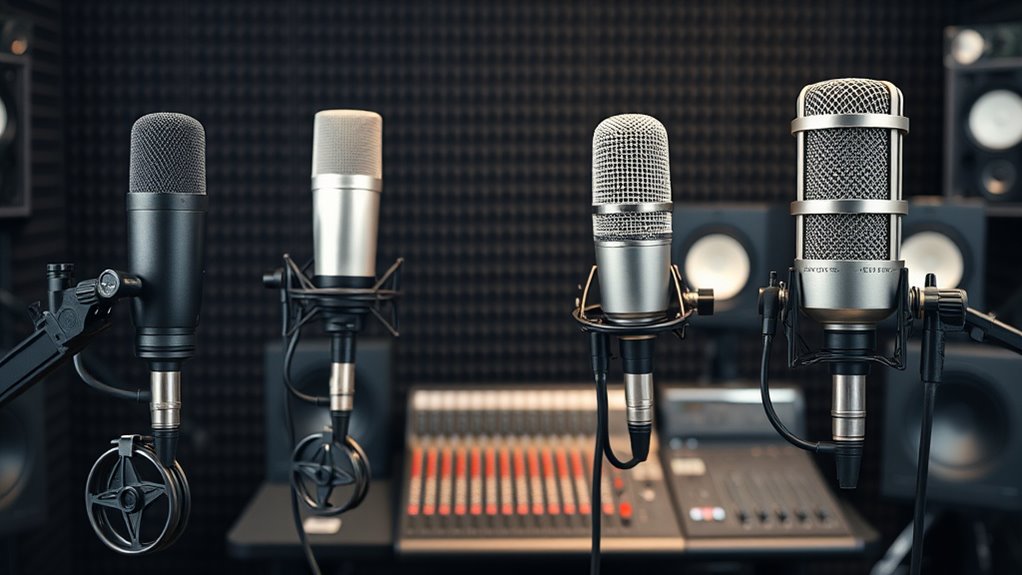

I’ve tested the top microphones for podcasting in 2025, and I can confidently recommend options like the HyperX SoloCast, Blue Yeti, ZealSound, and Shure SM7B. These models offer great sound clarity, noise cancellation, and ease of use, whether you’re streaming, recording, or creating content on the go. From USB to XLR, there’s something for everyone, and if you keep exploring, you’ll find the perfect mic to elevate your audio game.
Key Takeaways
- Provides a detailed overview of top microphones suitable for professional podcasting in 2025.
- Highlights microphone types, features, and compatibility for diverse recording setups.
- Compares sound quality, noise cancellation, and ease of use for both beginners and pros.
- Includes information on design, accessories, and versatile use cases for content creators.
- Guides selection based on technical specs, connectivity options, and environment adaptability.
HyperX SoloCast USB Gaming Microphone


If you’re looking for an easy-to-use, high-quality microphone for streaming or podcasting, the HyperX SoloCast USB Gaming Microphone is an excellent choice. It offers plug-and-play setup with a USB-C connection, making it simple to get started right away. Supporting Hi-Res 24-bit/96 kHz recording, it delivers professional sound quality. The cardioid pickup pattern focuses on your voice, reducing background noise for clearer audio. Its tap-to-mute sensor with LED indicator ensures quick muting, and the adjustable stand helps you find the perfect position. Compatible with PC, PS4, PS5, and Mac, this mic is versatile and portable for any recording environment.
Best For: content creators, streamers, and podcasters seeking a simple, high-quality USB microphone for clear voice capture and easy setup.
Pros:
- Plug-and-play with USB-C connection for quick, hassle-free setup
- Supports Hi-Res 24-bit/96 kHz recording for professional audio quality
- Flexible, adjustable stand with tap-to-mute sensor and LED indicator for convenience
Cons:
- Cardioid pattern may not be suitable for capturing multiple sound sources simultaneously
- Limited to USB connectivity, lacking XLR options for higher-end audio setups
- May require additional accessories for mounting in specialized environments
Logitech Blue Yeti USB Microphone for Gaming and Streaming
The Logitech Blue Yeti USB Microphone stands out as the top choice for gamers and streamers seeking professional-quality sound without complex setup. Its custom three-capsule array delivers clear, broadcast-grade audio, ideal for gaming, streaming, and recording. The adjustable desktop stand and pivotable design let me position it perfectly for ideal sound capture. With four selectable pickup patterns—cardioid, omni, bidirectional, stereo—it adapts to any scenario, from vocals to instruments. Onboard controls for headphone volume, mute, and mic gain make real-time adjustments easy. Plus, the plug-and-play setup and Blue VOICE software enhance sound quality, ensuring my streams sound polished and professional.
Best For: gamers, streamers, podcasters, and content creators seeking professional-quality, versatile audio recording with easy setup.
Pros:
- Superior broadcast-quality sound with customizable three-capsule array
- Flexible positioning with adjustable desktop stand and pivotable design
- User-friendly plug-and-play setup with onboard controls and Blue VOICE software
Cons:
- Might be more expensive compared to basic microphone options
- Bulkier design may take up more desk space
- Requires USB connection, which may limit mobility in certain setups
ZealSound USB Microphone for PC and Mac

Designed for content creators seeking professional-grade sound without complicated setup, the ZealSound USB Microphone offers plug-and-play compatibility with PC, Mac, and a variety of gaming and mobile devices. It connects effortlessly via included adapters, making setup quick and easy. The microphone delivers crystal-clear, balanced audio with a wide frequency response and high SPL handling, reducing distortion. Its cardioid pattern minimizes background noise, while features like a gain knob, mute button, and echo control let me customize my sound. With live headphone monitoring and a sturdy metal stand, it’s perfect for streaming, recording, or podcasting, all in a compact, durable design.
Best For: content creators, streamers, and podcasters seeking professional-quality sound with easy setup across multiple devices.
Pros:
- Plug-and-play compatibility with PC, Mac, gaming consoles, and mobile devices using included adapters
- Features a cardioid polar pattern and noise-canceling chipset for clear, balanced audio with minimal background noise
- Adjustable gain, echo, and mute controls alongside live headphone monitoring for customized audio experience
Cons:
- Limited to single-channel recording, which may not suit multi-mic setups
- Plastic and metal construction, which might feel less premium compared to high-end microphones
- Requires USB power and might produce slight latency during live monitoring on some systems
Gaming Microphone for PC with USB, Condenser Mic, Mute & Pop Filter, RGB Lighting, Compatible with PS4/5 & Computers
For gamers and content creators who want a microphone that combines sleek aesthetics with professional-quality sound, this USB condenser mic stands out. It’s compatible with PC, PS4/5, and laptops, making it versatile for streaming, recording, or gaming. The mic features RGB lighting synchronized with broadcast aesthetics, a quick mute button, and a pop filter to improve sound clarity. Its solid build includes a weighted base and shock mount to minimize vibrations. With a cardioid pattern and 25mm diaphragm, it captures detailed voice recordings while reducing background noise. Easy to set up with a detachable USB cable, this mic delivers immersive sound with stylish design.
Best For: gamers, streamers, and content creators seeking a versatile, high-quality USB condenser microphone with stylish RGB lighting and professional sound features.
Pros:
- Compatible with PC, PS4/5, and laptops for versatile use
- Equipped with RGB lighting synchronized to broadcast aesthetics and real-time mute indicator
- Includes features like quick mute, pop filter, shock mount, and anti-vibration base for clear, professional sound
Cons:
- Slightly heavier design at 0.5kg may require stable placement
- May be more expensive than basic microphones, reflecting its premium features
- Requires USB connection, which might limit mobility with some setups
Logitech Blue Yeti USB Microphone for Gaming and Streaming

If you’re looking for a versatile microphone that handles everything from gaming to professional streaming, the Logitech Blue Yeti USB Microphone is an excellent choice. It features a tri-capsule array that delivers broadcast-quality sound for YouTube, podcasts, music, Zoom, and gaming. With four pickup patterns—cardioid, omni, bidirectional, stereo—you can customize recordings for vocals, instruments, or group chats. Its adjustable desktop stand makes setup easy, and onboard controls let you manage volume, mute, pattern, and gain in real-time. Powered via USB, it offers HD audio with minimal background noise, making it perfect for content creators seeking professional sound in a simple, plug-and-play package.
Best For: content creators, streamers, and gamers seeking studio-quality sound with versatile recording options and easy setup.
Pros:
- Offers four customizable pickup patterns for diverse recording needs including vocals, instruments, and group chats.
- Equipped with onboard controls for quick adjustments of volume, mute, pattern, and gain during live sessions.
- Delivers broadcast-quality, HD audio with minimal background noise, suitable for professional streaming and podcasting.
Cons:
- Requires installation of Logitech G HUB software for full customization, which may be an extra step for some users.
- Heavier than standard microphones at 3.2 pounds, which might affect portability if used with different stands.
- Power is solely via USB, so it depends on being connected to a compatible device with a free USB port.
Mini Mic Pro Wireless Microphone for iPhone, iPad, Android, Video Recording

The Mini Mic Pro Wireless Microphone stands out for its effortless compatibility with iPhone, iPad, Android devices, and laptops, making it an ideal choice for content creators on the go. Its plug-and-play design with USB-C and Lightning adapters means no apps or Bluetooth pairing are needed. It captures crystal-clear audio, even in noisy outdoor environments, thanks to its noise cancellation features and wind protection accessories. Weighing under an ounce, it’s highly portable and durable enough for daily use. With up to 6 hours of battery life and the ability to charge while recording, it ensures professional-quality sound wherever your creativity takes you.
Best For: content creators, vloggers, and mobile journalists seeking professional-quality audio recording on the go with a lightweight, easy-to-use wireless microphone.
Pros:
- Compatible with iPhone, iPad, Android devices, and laptops with plug-and-play USB-C and Lightning adapters
- Excellent noise cancellation and wind protection for outdoor recordings
- Long-lasting rechargeable battery with up to 6 hours of use and charging during recording
Cons:
- May require additional adapters for some device models or older ports
- Limited to 6 hours of continuous recording per charge, which may not suffice for very long sessions
- Slightly more expensive than basic wired microphones, which could be a consideration for budget-conscious users
FIFINE Gaming Microphone Set with Boom Arm and Headphones

The FIFINE Gaming Microphone Set with Boom Arm and Headphones stands out as an ideal choice for streamers and gamers who need high-quality audio with flexible setup options. It offers both USB and XLR connections, making it versatile for quick streaming or professional studio use. The dynamic microphone features noise-reducing cardioid pickup and an external windscreen for clear vocals. The sturdy metal boom arm and adjustable clamp provide stable positioning. With customizable RGB lighting, mute, gain, and volume controls, it’s easy to manage sound during live sessions. Weighing just 2.55 pounds, it’s durable and user-friendly, perfect for both casual and professional setups.
Best For: streamers, gamers, podcasters, and voice-over artists seeking a versatile, high-quality microphone setup with customizable features.
Pros:
- Offers both USB plug-and-play and XLR connectivity for flexible use in different recording environments
- Includes a durable metal boom arm with adjustable positioning and stability features
- Customizable RGB lighting and intuitive controls for mute, gain, and volume enhance user experience
Cons:
- XLR cable is not included, requiring additional purchase for professional studio setups
- Slightly heavier at 2.55 pounds, which may be less portable for mobile recording
- Limited to a maximum desktop thickness of 2 inches for the clamp, potentially restricting setup options
USB Microphone for PC Gaming with Stand, RGB Lighting, Mute Button, for Podcast, Singing, Streaming, and YouTube

For gamers, streamers, and content creators who want professional-quality audio without hassle, this USB microphone stands out with its one-touch noise reduction and real-time voice monitoring. It offers crystal-clear vocals, thanks to its large diaphragm and high signal-to-noise ratio. The built-in RGB lighting with customizable effects adds style to your setup, while the mute button and rotary volume control give you quick, precise adjustments. Compatible with Windows, Mac, PS4, PS5, and Android devices, it’s perfect for streaming, podcasting, singing, and YouTube. The included stand, pop filter, and cables make setup simple—delivering professional sound with minimal effort.
Best For: gamers, streamers, and content creators seeking professional-quality audio with customizable lighting and easy control for streaming, podcasting, singing, and YouTube content.
Pros:
- One-touch noise reduction and real-time voice monitoring for crystal-clear sound.
- Customizable RGB lighting effects that enhance desktop aesthetics.
- Easy-to-use mute button and rotary volume control for precise adjustments.
Cons:
- Not compatible with Xbox consoles.
- Made of plastic, which may be less durable than metal alternatives.
- Requires USB connection; may not be suitable for all professional studio setups.
FIFINE USB/XLR Dynamic Microphone for Podcast and Streaming

If you’re looking for a versatile microphone that balances professional sound quality with user-friendly features, the FIFINE USB/XLR Dynamic Microphone is an excellent choice. It offers natural audio clarity with a 50Hz-16KHz response, perfect for podcasts, streaming, singing, or gaming. Its cardioid design reduces background noise, ensuring your voice stands out. The mic supports both USB and XLR connections—USB for easy setup and XLR for higher fidelity with an audio interface. Features like mute controls, RGB lighting, gain adjustment, and real-time monitoring make it adaptable to any scene. Built-in mounts and a noise-canceling windscreen complete its all-in-one ergonomic design.
Best For: content creators, streamers, and podcasters seeking a versatile microphone with professional sound quality and user-friendly features.
Pros:
- Offers natural audio clarity with a wide frequency response suitable for various recording scenarios.
- Supports both USB and XLR connections, providing flexibility for beginners and professionals.
- Features customizable RGB lighting, easy gain adjustment, and real-time monitoring for enhanced user experience.
Cons:
- RGB lighting and control features are disabled when using the XLR connection.
- Requires an audio interface for optimal performance in XLR mode, which adds additional equipment cost.
- The included desktop stand may not be suitable for all mounting preferences, requiring additional accessories for some users.
USB Microphone, MAONO 192KHZ/24Bit Condenser Mic Kit
Designed for podcasters who need professional-quality sound without complicated setup, the MAONO AU-A04 USB Microphone offers a high-resolution 192kHz/24bit sampling rate that captures every detail of your voice. Its large 16mm condenser capsule delivers clear, rich audio with a smooth 30Hz-16kHz frequency response, perfect for speech, singing, or streaming. The sturdy metal build and anti-interference magnet ring ensure durability and clean sound. It’s plug-and-play compatible with most devices, including computers, gaming consoles, and mobile phones (with OTG). The kit includes a boom arm, shock mount, pop filter, and foam windscreen, making it a versatile choice for professional-quality recordings.
Best For: content creators, podcasters, and streamers seeking professional-quality audio with easy setup and versatile device compatibility.
Pros:
- High-resolution 192kHz/24bit sampling rate ensures detailed, clear sound quality.
- Includes comprehensive accessories like a boom arm, shock mount, and pop filter for professional recording.
- Plug-and-play design with broad device compatibility simplifies setup across computers, gaming consoles, and mobile devices.
Cons:
- Requires an OTG adapter for mobile phone use, which is not included.
- Slightly larger dimensions may be less suitable for portable or space-constrained setups.
- Frequency response of 30Hz-16kHz, which may be limited for capturing full instrumental ranges compared to higher-end microphones.
Wireless Mini Microphone for iPhone and Android (2 Pack)

The Wireless Mini Microphone for iPhone and Android (2 Pack) stands out for content creators needing reliable, high-quality audio on the go. It delivers broadcast-quality sound with features like noise reduction, wind protection, and advanced DSP technology, ensuring clear audio outdoors or during live streams. Compatible with iPhone, Android, tablets, and laptops, it connects instantly via USB-C or Lightning adapters—no apps or Bluetooth needed. The mic offers real-time monitoring, multiple modes, and a lightweight, durable design with a 360° rotating clip. With up to 16 hours of recording on a quick charge, it’s perfect for vlogging, interviews, or content creation anywhere.
Best For: content creators, vloggers, and live streamers needing reliable, high-quality wireless audio on iPhone, Android, tablets, or laptops.
Pros:
- Delivers broadcast-quality sound with noise reduction and wind protection technology.
- Compatible with multiple devices via USB-C and Lightning adapters, with instant plug-and-play connectivity.
- Lightweight, durable, and equipped with a 360° rotating clip for flexible positioning and long battery life of up to 16 hours.
Cons:
- May require quick charging if used extensively throughout the day due to limited battery capacity.
- No dedicated app required, but advanced audio customization options may be limited.
- Performance could be affected in extremely noisy or windy environments despite wind protection features.
Amazon Basics USB Condenser Microphone for Streaming, Recording, and Podcasting

For streamers, podcasters, and content creators seeking a reliable, easy-to-use microphone, the Amazon Basics USB Condenser Microphone stands out with its high sensitivity and low noise performance. Its large 14mm diaphragm captures clear sound, while the cardioid pattern isolates background noise effectively. The adjustable stand with 360° rotation ensures precise voice tracking, and features like built-in shock absorption, mute button, and detachable design add convenience. Compatible with both Windows and Mac, it requires no extra drivers. Weighing just 7 ounces, it’s a compact, stylish option perfect for professional-quality streaming, recording, or podcasting straight out of the box.
Best For: content creators, streamers, and podcasters seeking a reliable, easy-to-use microphone with professional sound quality.
Pros:
- High sensitivity and low noise for clear, professional audio recordings
- Cardioid pattern effectively isolates background noise, enhancing sound clarity
- Plug-and-play compatibility with Windows and Mac without needing extra drivers
Cons:
- Limited to USB connectivity, which may restrict certain professional setups
- May require additional accessories like stands or boom arms for optimal positioning
- Slightly heavier than some compact microphones, which might affect portability for on-the-go use
Shure SM7B Vocal Dynamic Microphone
If you’re serious about achieving broadcast-quality sound, the Shure SM7B Vocal Dynamic Microphone stands out as an excellent choice for podcasters, streamers, and content creators. It’s a versatile XLR mic designed for all-in-one use—whether you’re recording vocals, streaming, or gaming. Its dynamic cartridge delivers crystal-clear vocals with a broad frequency response for natural sound. Features like bass rolloff, presence boost, and response controls let me fine-tune my audio. The broadcast-ready design includes sound isolation, a built-in pop filter, and off-axis noise rejection. Built tough with premium components, it’s a reliable, professional-grade microphone that elevates any studio setup.
Best For: content creators, podcasters, streamers, and musicians seeking professional broadcast-quality sound with versatile, durable equipment.
Pros:
- Exceptional sound clarity with natural, warm vocals and full-frequency response
- Built-in sound isolation features like pop filter and shock mount reduce unwanted noise
- Rugged, studio-grade construction ensures durability and reliable performance
Cons:
- Requires an audio interface or mixer with XLR output, adding to overall setup cost
- Heavier and bulkier than some USB microphones, which may be less portable
- May need additional acoustic treatment to maximize sound quality in untreated spaces
FIFINE Studio Condenser USB Microphone with Boom Arm Stand
Podcasters seeking a straightforward, high-quality setup will appreciate the FIFINE Studio Condenser USB Microphone with Boom Arm Stand, especially since it offers a plug-and-play design that requires no additional drivers or hardware. Its cardioid condenser capsule captures clear, front-facing audio while reducing background noise, making it perfect for vocals, podcasts, and voiceovers. The rugged all-steel construction ensures durability, and the included accessories—pop filter, shock mount, and a long USB cable—support versatile recording. The adjustable boom arm with a sturdy C-clamp and 180° rotation allows precise positioning without facial obstruction. It’s an excellent, user-friendly choice for both beginners and seasoned podcasters.
Best For: Podcasters, streamers, and voice-over artists seeking an easy-to-use, high-quality USB microphone setup with versatile positioning and durable construction.
Pros:
- Plug-and-play design with no additional drivers or hardware needed for quick setup
- High-quality cardioid condenser capsule reduces background noise and captures clear front-facing audio
- Includes essential accessories like a pop filter, shock mount, and adjustable boom arm for versatile recording
Cons:
- Not compatible with Xbox consoles or other gaming systems
- Fixed horizontal arm length of 30 inches may limit positioning options for some users
- All-steel construction, while durable, can be heavier and less portable for on-the-go use
Factors to Consider When Choosing a Microphone for Podcasting
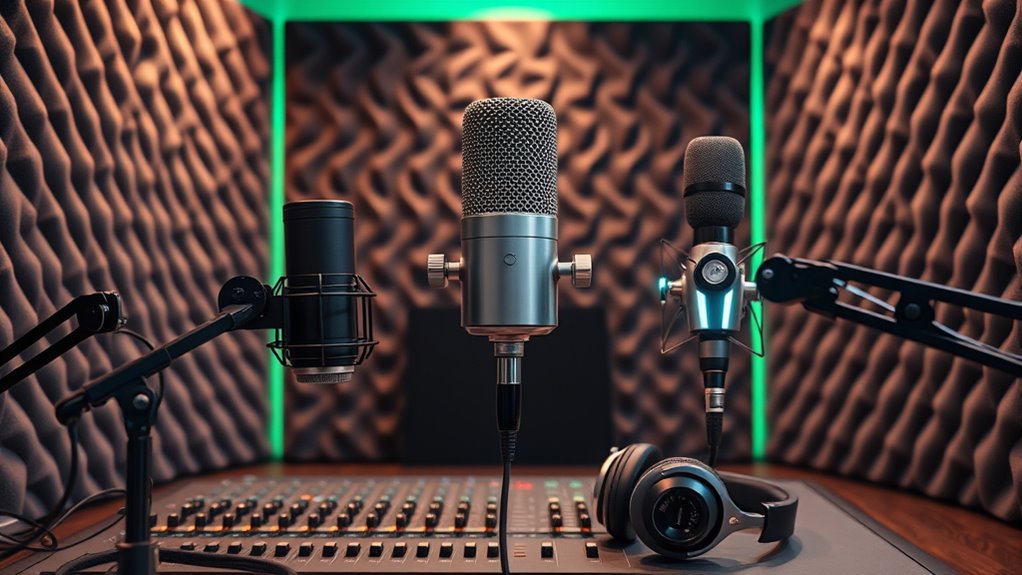
When choosing a microphone for podcasting, I focus on several key factors that can impact your recording experience. Things like audio quality, device compatibility, and the type of microphone and pattern it uses are all essential to take into account. Additionally, ease of setup and noise cancellation features can make a big difference in achieving professional-sounding results.
Audio Quality Standards
Choosing the right microphone for podcasting hinges on understanding key audio quality standards that guarantee professional sound. High-resolution audio recording at 24-bit/96kHz or higher is vital for capturing studio-quality sound. A cardioid polar pattern helps focus on your voice while reducing background noise, guaranteeing clear recordings. Low self-noise and a high signal-to-noise ratio are essential for crisp audio without hiss or hum. The microphone’s frequency response should cover the vocal range, typically from 80Hz to 15kHz, for natural reproduction. Consistent audio fidelity depends on microphones with balanced, flat frequency responses and minimal distortion at various volumes. Meeting these standards ensures your podcast sounds polished and professional, engaging your listeners with clarity and warmth.
Compatibility With Devices
Selecting a microphone that works smoothly with your existing devices can make a big difference in your recording experience. First, check that the mic’s connection type matches your device—USB, XLR, or 3.5mm jack. Make sure it supports your operating system, whether Windows, Mac, or Linux, to avoid setup issues. If you’re using mobile phones or tablets, see if adapters or extra hardware are needed for compatibility. Also, verify that the microphone’s power requirements align with your device—USB power or phantom power for XLR mics. Finally, consider whether the connectivity options allow for future upgrades or using multiple devices. Ensuring compatibility upfront saves hassle and helps you focus on creating great content without technical interruptions.
Microphone Types & Patterns
The type of microphone and its polar pattern play a crucial role in capturing clear, professional-sounding podcast audio. Cardioid microphones are popular because they focus on sound from the front, helping to minimize background noise. Omnidirectional mics pick up sound equally from all directions, making them great for group discussions or interviews. Bidirectional (figure-eight) patterns record from the front and back, ideal for face-to-face conversations. Stereo microphones offer a wider sound field, creating a more immersive experience but may also pick up more ambient noise. When choosing a pattern, consider your environment and whether you want to focus on your voice or capture multiple sources. Matching the pattern to your recording setting ensures clearer, more controlled audio quality.
Ease of Setup
When it comes to setting up your podcast microphone, simplicity can make a big difference in getting started quickly and hassle-free. I recommend looking for models with plug-and-play USB connections, so you don’t have to mess with complicated drivers or external audio interfaces. Microphones with built-in stands or easy mounting options save time and effort. It’s also helpful if the device includes clear, step-by-step instructions or setup guides—this makes installation straightforward. Automatic configuration features are a bonus, as they optimize audio settings instantly, reducing guesswork. In conclusion, choose a compact design that’s easy to position and adjust without fuss. By prioritizing ease of setup, you’ll spend less time troubleshooting and more time focusing on your content.
Noise Cancellation Features
To guarantee your podcast sounds professional and clear, noise cancellation features are essential. Effective noise reduction minimizes background sounds, making your voice stand out. Microphones with built-in noise filters or chipset noise reduction can considerably cut ambient noise during recording. Directional pickup patterns, like cardioid or supercardioid, help focus on your voice while rejecting side and rear noises. External accessories such as pop filters and windshields also boost noise suppression by reducing plosive sounds and wind interference. Additionally, software-based noise suppression tools can further clean your audio during editing or live streaming. Combining these hardware and software features ensures your recordings are crisp, clear, and free from distracting background noise, elevating your podcast’s professional quality.
Budget Considerations
Choosing a microphone that fits your budget is essential for building a quality podcast without overspending. First, determine your price range to find options that balance cost and quality. Entry-level microphones under $100 can still deliver good audio clarity for beginners. Keep in mind that higher-priced models often include advanced features like multiple pickup patterns and better noise reduction, which can enhance your recording. Be sure to allocate some funds for accessories such as pop filters, stands, or shock mounts if needed, within your budget. Investing a little more in a slightly pricier microphone can also improve durability and long-term performance, making your setup more reliable as your podcast grows. Staying within your budget helps you focus on what matters most—getting professional sound without unnecessary expenses.
Additional Accessories Needed
Adding the right accessories can make a significant difference in your podcast’s sound quality and overall setup. Pop filters are essential for reducing plosive sounds like “p” and “b,” ensuring clearer vocals. Shock mounts help isolate your microphone from desk vibrations and handling noise, resulting in cleaner audio. A sturdy boom arm provides flexible positioning, making it easier to find the perfect angle and stay comfortable during long recording sessions. These accessories not only improve sound quality but also help protect your microphone, prolonging its lifespan. Investing in these components ensures consistent, professional-grade recordings. When choosing a microphone, consider how these accessories can enhance your setup and contribute to a polished, high-quality podcast. Properly selected accessories are key to achieving ideal sound and durability.
Frequently Asked Questions
How Do Microphone Polar Patterns Affect Podcast Sound Quality?
Microphone polar patterns considerably impact podcast sound quality by controlling how much sound from different directions is captured. I prefer cardioid patterns because they focus on my voice and minimize background noise, making my recordings clearer. Omnidirectional patterns pick up sound equally from all sides, which can be useful in group settings but may introduce unwanted noise. Understanding these patterns helps me choose the right mic for professional, crisp podcasts.
What Is the Ideal Microphone Frequency Response for Voice Clarity?
Imagine your voice as a vibrant painting—sharp and clear. The ideal microphone frequency response for voice clarity is typically between 80 Hz and 15 kHz. This range captures the warmth of your lower tones and the brightness of your higher notes, making your speech natural and engaging. I recommend choosing a microphone with a flat or slightly tailored response within this spectrum to guarantee your podcast sounds professional and inviting.
How Important Is Microphone Impedance in Studio Settings?
Microphone impedance is quite important in studio settings because it affects how well your mic matches with your audio interface or mixer. If impedance is too high or too low, it can cause signal loss or noise issues. I always check that my microphone’s impedance aligns with my equipment to make certain of clear, professional sound. Proper matching helps maintain audio quality and prevents unwanted noise or distortion during recording.
Can Different Microphone Types Be Combined in One Podcast Setup?
Yes, you can combine different microphone types in one podcast setup. I often mix dynamic and condenser mics to capture various sound qualities and suit different recording environments. Just make sure your audio interface or mixer supports multiple inputs and levels. Proper placement and gain settings are essential to prevent audio issues. Mixing mic types can add depth and richness to your podcast, making it more engaging for listeners.
What Are the Best Practices for Microphone Placement to Minimize Noise?
Did you know that proper microphone placement can reduce background noise by up to 80%? I always keep the mic about 6-12 inches from my mouth and slightly off-axis to avoid plosive sounds. I also use a pop filter and choose a quiet, echo-free space. These tips help me get clear, professional audio and minimize unwanted noise, making my podcast sound polished and engaging.
Conclusion
Choosing the right microphone is like finding your voice in a crowded room—it makes all the difference. Whether you’re starting out or upgrading, the options I’ve shared will help you sound professional and confident. Remember, the perfect mic isn’t just about tech; it’s about how it empowers your story. So, pick the one that speaks to you, and let your voice be heard—because your podcast deserves to stand out.