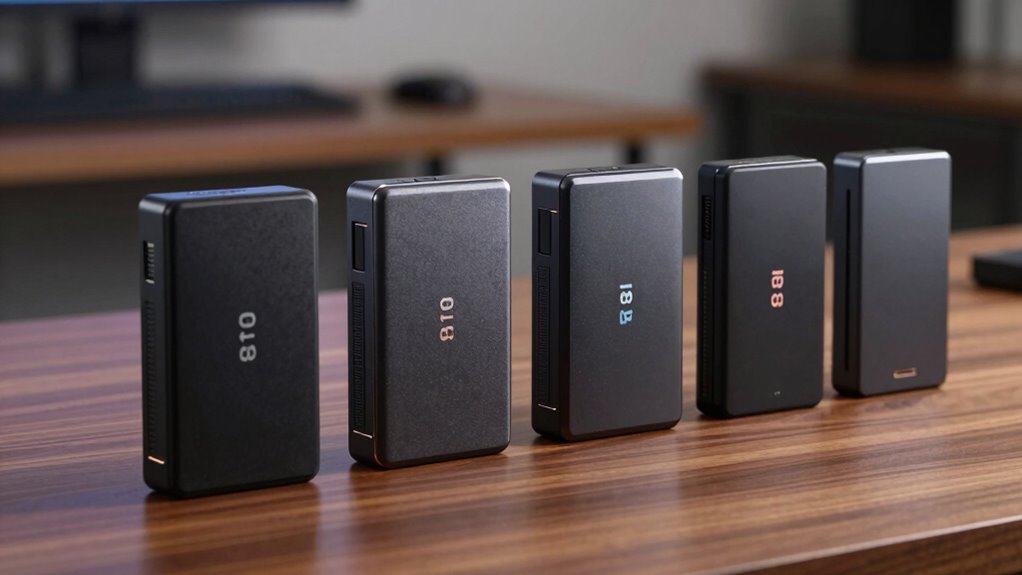

If you’re looking for the best hardware encrypted external SSD 8TB options for 2026, I recommend the iStorage diskAshur PRO2 and diskAshur2 for their FIPS 140-2 Level 3 and EAL 5+ certifications, ensuring top-level security. The SecureData drive offers a keypad for offline access, while Apricorn provides fast speeds and cross-OS compatibility. These models combine durability, high security, and performance—if you continue, you’ll discover more about what makes each of these drives ideal for your needs.
Key Takeaways
- Prioritize SSDs with FIPS 140-2 Level 3 or Common Criteria EAL 5+ certification for high-security standards.
- Look for models offering AES-XTS 256-bit hardware encryption with real-time performance.
- Ensure rugged physical features like IP56 rating, shockproof casing, and durable ports for portability and durability.
- Check compatibility with multiple OS platforms and support for USB 3.2, USB-C, and USB-A interfaces.
- Consider user authentication options such as PIN keypads, biometric scans, and offline security features for ease and safety.
| iStorage diskAshur PRO2 8TB SSD Security Drive |  | Top Security & Performance | Storage Capacity: 8TB | Encryption Standard: AES-XTS 256-bit | Certification: FIPS 140-2 Level 3, Common Criteria EAL 5+ | VIEW LATEST PRICE | See Our Full Breakdown |
| SecureData 8TB Encrypted USB 3.0 External Drive |  | Best for Portability | Storage Capacity: 8TB | Encryption Standard: Hardware encryption 256-bit | Certification: FIPS 140-2 Level 3, TAA, CJIS, HIPAA, GDPR | VIEW LATEST PRICE | See Our Full Breakdown |
| iStorage diskAshur2 8TB SSD Secure Portable Drive | 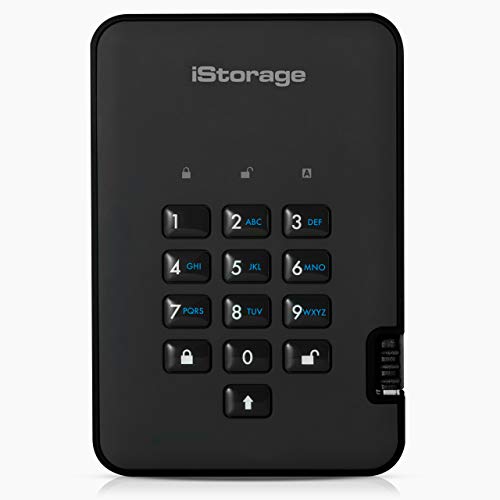 | Rugged & Reliable | Storage Capacity: 8TB | Encryption Standard: AES-XTS 256-bit | Certification: Common Criteria EAL 5+, GDPR, HIPAA, CCPA | VIEW LATEST PRICE | See Our Full Breakdown |
| Apricorn 8TB Encrypted USB 3.0 Portable SSD | 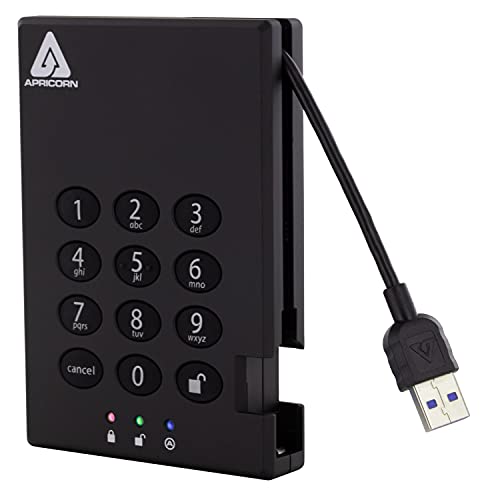 | Easy Deployment | Storage Capacity: 8TB | Encryption Standard: Hardware encryption 256-bit | Certification: Not specified | VIEW LATEST PRICE | See Our Full Breakdown |
More Details on Our Top Picks
iStorage diskAshur PRO2 8TB SSD Security Drive
If you’re looking for a secure, rugged external SSD that’s perfect for professionals handling sensitive data on the go, the iStorage diskAshur PRO2 8TB is an excellent choice. It’s FIPS 140-2 Level 3 certified with a hardware secure microprocessor and AES-XTS 256-bit encryption, ensuring real-time data protection. The device uses a 7-15 digit PIN for access, making data inaccessible without it. Its IP56-rated dust and water resistance, combined with a compact design, makes it ideal for portable use. Compatibility across multiple operating systems and USB 3.2 speeds up transfers, making this drive both reliable and easy to use.
- Storage Capacity:8TB
- Encryption Standard:AES-XTS 256-bit
- Certification:FIPS 140-2 Level 3, Common Criteria EAL 5+
- Physical Durability:Rugged, IP56 certified
- Authentication Method:PIN (7-15 digits)
- Compatibility:Windows, macOS, Linux, Android, others
- Additional Feature:USB 3.2 backward compatible
- Additional Feature:Compact, portable design
- Additional Feature:Real-time data encryption
SecureData 8TB Encrypted USB 3.0 External Drive
The SecureData 8TB Encrypted USB 3.0 External Drive stands out as an ideal choice for professionals who need robust security combined with versatile compatibility. It features hardware encryption with FIPS 140-2 Level 3 compliance and a keypad for secure access, ensuring sensitive data stays protected. Compatible with Mac, Windows, and Linux, it includes both USB-C and USB-A cables, supporting USB 3.2 speeds up to 5MB/s. Built for durability, it’s splash-proof, water-resistant, and shockproof, making it perfect for on-the-go use. The drive requires no software for setup—just plug in and access via the keypad—offering both security and convenience in one package.
- Storage Capacity:8TB
- Encryption Standard:Hardware encryption 256-bit
- Certification:FIPS 140-2 Level 3, TAA, CJIS, HIPAA, GDPR
- Physical Durability:Splash-proof, water-resistant, shockproof
- Authentication Method:Keypad unlocking
- Compatibility:Mac, Windows, Linux, plug-and-play
- Additional Feature:Includes USB-C and USB-A cables
- Additional Feature:Splash-proof pouch
- Additional Feature:Antivirus software (first year free)
iStorage diskAshur2 8TB SSD Secure Portable Drive
For professionals and organizations that prioritize data security on the go, the iStorage diskAshur2 8TB SSD stands out as an ideal choice due to its military-grade encryption and robust physical protection. It uses AES-XTS 256-bit hardware encryption, ensuring data remains secure when disconnected. The drive features a secure microprocessor certified to Common Criteria EAL 5+ standards, making unauthorized access nearly impossible without the PIN. Its rugged, IP56-rated design resists dust and water, perfect for mobile use. With speeds up to 361MB/s read and 358MB/s write, it combines top-tier security with high performance and broad OS compatibility, making it a versatile and reliable storage solution.
- Storage Capacity:8TB
- Encryption Standard:AES-XTS 256-bit
- Certification:Common Criteria EAL 5+, GDPR, HIPAA, CCPA
- Physical Durability:Rugged, dustproof, IP56 certified
- Authentication Method:PIN (7-15 digits)
- Compatibility:Windows, macOS, Linux, Chrome OS, Android, virtual
- Additional Feature:Rugged, dustproof, IP56
- Additional Feature:High transfer speeds (up to 361MB/s)
- Additional Feature:Supports multiple OS and virtual environments
Apricorn 8TB Encrypted USB 3.0 Portable SSD
With its robust 256-bit hardware encryption and fast data transfer speeds up to 180 MB/s, the Apricorn 8TB Encrypted USB 3.0 Portable SSD stands out as an ideal choice for professionals who need secure, portable storage without sacrificing performance. Its USB 3.0 interface ensures quick data access and transfers, perfect for both corporate and personal use. The device features real-time hardware encryption and independent admin and user PINs, providing top-tier security without requiring software installation. Its keypad design makes it easy to operate, and it works seamlessly across all operating systems, simplifying deployment and guaranteeing data safety wherever you go.
- Storage Capacity:8TB
- Encryption Standard:Hardware encryption 256-bit
- Certification:Not specified
- Physical Durability:Not specified
- Authentication Method:PIN (admin/user)
- Compatibility:Any OS with USB, software-free operation
- Additional Feature:Hardware encryption with 256-bit
- Additional Feature:Independent PINs for admin/user
- Additional Feature:No software needed
Factors to Consider When Choosing Hardware Encrypted External SSD 8TB
When selecting a hardware encrypted external SSD, I focus on security certification standards and the strength of the encryption methodology to guarantee my data stays safe. I also consider physical durability features and compatibility with my devices to avoid issues down the line. Finally, I look at transfer speeds to make sure my workflow remains efficient.
Security Certification Standards
Security certification standards play a crucial role in guaranteeing that hardware encrypted external SSDs meet strict security requirements. Certifications like FIPS 140-2 Level 3 and Common Criteria EAL 5+ verify that encryption modules adhere to rigorous security benchmarks. FIPS 140-2 Level 3 certifies features like tamper-evidence and identity-based authentication, which help protect cryptographic keys from theft or unauthorized access. Meanwhile, Common Criteria EAL 5+ indicates a high assurance level, confirming resistance to sophisticated attacks. These certifications also ensure compliance with data privacy laws such as GDPR, HIPAA, and CCPA. Choosing a device with recognized security certifications gives me confidence that my data remains protected, even if the device is physically compromised. It’s a critical factor in selecting a truly secure external SSD.
Encryption Methodology Strength
Choosing a hardware encrypted external SSD 8TB with a robust encryption methodology is vital for ensuring your data stays protected. I look for drives that use AES-XTS 256-bit encryption, which encrypts data in real-time directly on the device, providing high security without slowing down performance. Certification standards like FIPS 140-2 Level 3 and Common Criteria EAL 5+ demonstrate that the encryption methods have undergone rigorous validation. A secure hardware microprocessor keeps encryption keys within the device, reducing vulnerabilities compared to software-based encryption. Strong encryption prevents unauthorized access, even if the drive is stolen or physically compromised—especially when combined with proper authentication like PINs. The encryption methodology also impacts compliance with data protection laws such as GDPR, HIPAA, and CCPA, making it a vital factor in my choice.
Physical Durability Features
Physical durability is vital when selecting a hardware encrypted external SSD 8TB, especially if you plan to carry it frequently or use it in rugged environments. Look for an SSD with an IP56 or higher rating to guarantee excellent dust and water resistance. A shockproof, high-impact casing made of durable materials helps withstand drops and physical impacts. Reinforced ports and cables are indispensable to prevent damage from constant plugging and unplugging. Rugged rubber bumpers or protective covers add extra safety during transportation. Additionally, choose a model that’s compact and lightweight, making it easy to carry without sacrificing resilience against environmental hazards. Prioritizing these physical durability features ensures your data remains protected, no matter where your adventures take you.
Compatibility Across Devices
When selecting a hardware encrypted external SSD 8TB, making certain it works smoothly across different devices is key. I look for drives that support multiple operating systems like Windows, macOS, Linux, and Android to guarantee broad compatibility. Connecting via standard USB interfaces such as USB 3.2, USB-C, or USB-A is essential for seamless integration with my devices. I also verify that the hardware encryption features are compatible with my device’s hardware and software, maintaining consistent security. Additionally, I prefer drives that function without needing extra drivers or software, making setup quick and hassle-free. For professional use, I check compatibility with virtual environments and enterprise systems like Citrix and VMware, ensuring my workflow stays secure and efficient across all platforms.
Transfer Speed Performance
Transfer speed is a critical factor when selecting a hardware encrypted external SSD 8TB because it directly impacts how quickly I can move large files or back up data. Higher read and write speeds mean less waiting and more productivity. Many models offer read speeds up to 361MB/s and write speeds near 358MB/s, which notably cuts down transfer times. However, actual speeds depend on the interface used—USB 3.2, USB 3.0, USB-C, or USB-A—as these determine the maximum theoretical performance. Other factors like file size and system configuration also play a role in real-world transfer speeds. Faster speeds help streamline data management, making larger backups and file transfers more efficient, which is essential for work and personal use.
User Authentication Options
Choosing the right user authentication method is essential for maximizing both security and convenience when selecting a hardware encrypted external SSD 8TB. I look for options like PIN codes, keypad entry, or biometric scans such as fingerprint recognition. Some drives support multiple methods, giving me flexibility to choose what works best in different situations. A physical keypad offers offline security, resisting malware since it doesn’t rely on software, making it a reliable choice. Biometric options enable quick, contactless access while maintaining high security standards, which is convenient for frequent use. The authentication method I select impacts device compatibility, ease of use, and overall security level. Considering my operational needs helps me find a balance between robust protection and effortless access.
Portability and Design
Selecting a hardware encrypted external SSD 8TB that balances security with portability means paying close attention to its design. I look for a drive that’s compact and lightweight, making it easy to carry anywhere without feeling bulky. A durable casing with water and dust resistance, like IP56 certification, is essential to protect the drive in rugged or outdoor environments. I prefer models with robust keypads or biometric authentication, which enable secure access without sacrificing portability. Compatibility with various USB ports—USB 3.2, USB-C, and USB-A—is vital for seamless connection across multiple devices. Finally, a slim, rugged profile allows me to slip the drive into pockets, bags, or protective cases without compromising on durability, ensuring I can take my data securely and conveniently wherever I go.
Ease of Setup
When it comes to setting up a hardware encrypted external SSD 8TB, simplicity is key. I look for drives that are truly plug-and-play, requiring no software installation to get started quickly. Compatibility across multiple operating systems like Windows, macOS, and Linux is essential for versatility. I also verify that the encryption features are built-in, so I don’t have to deal with additional drivers or programs. A user-friendly keypad or PIN authentication system makes access straightforward and secure. Minimizing initial configuration steps saves time and reduces hassle. The best drives offer clear, simple setup processes, allowing me to focus on securing my data without fuss. Overall, an easy setup ensures quick deployment and peace of mind from the start.
Frequently Asked Questions
How Does Hardware Encryption Differ From Software Encryption for External SSDS?
Hardware encryption differs from software encryption because it uses dedicated hardware components, like a chip, to encrypt data directly on the drive. This method is faster and more secure, as it’s less vulnerable to hacking or malware. Software encryption, on the other hand, relies on programs running on your device, which can be slower and potentially less secure if the software is compromised. I prefer hardware encryption for its robustness.
Are Hardware Encrypted SSDS Compatible With All Operating Systems?
Hardware encrypted SSDs are generally compatible with most operating systems like Windows, macOS, and Linux, but I always recommend checking the manufacturer’s specifications. Some may require specific software or drivers for full functionality, especially for encryption management. In my experience, choosing a device with broad OS support guarantees smooth use across different platforms without hassle. Always verify compatibility before purchasing to avoid surprises later.
What Is the Typical Lifespan of Hardware Encrypted External SSDS?
Did you know that most hardware encrypted external SSDs typically last between 5 to 10 years? I’ve found that their lifespan depends heavily on usage, storage conditions, and build quality. In my experience, a well-maintained device can often last around 7 years, but heavy use or exposure to extreme environments may shorten that. Regular backups and proper handling definitely help extend the lifespan of your encrypted drive.
Can Hardware Encrypted SSDS Be Used With Multiple Devices Simultaneously?
Yes, hardware encrypted SSDs can be used with multiple devices simultaneously, but it depends on the device’s design. Most have a single hardware encryption key, so switching devices often requires reconfiguring or accessing the drive each time. Some models support multiple users or profiles, allowing access from different devices without compromising security. Just make sure to check the specific features of your SSD before trying to use it across multiple devices.
How Do I Securely Erase Data From a Hardware Encrypted SSD?
To securely erase data from a hardware encrypted SSD, I usually use the manufacturer’s software or built-in secure erase functions. I make sure to select the secure erase option, which overwrites the data and resets encryption keys, rendering the data unreadable. It’s important to follow the instructions carefully and back up any needed data beforehand. This way, I guarantee my information is thoroughly and securely wiped.
Conclusion
Choosing the right 8TB hardware encrypted external SSD is like finding a trusted shield in a busy battlefield—your data’s safest protector. With options like the iStorage diskAshur PRO2 and Apricorn’s portable powerhouse, you’re equipped to guard your files with confidence. Remember, the best drive isn’t just about storage; it’s about peace of mind. Invest wisely, and let your data be as secure as a fortress in a storm.