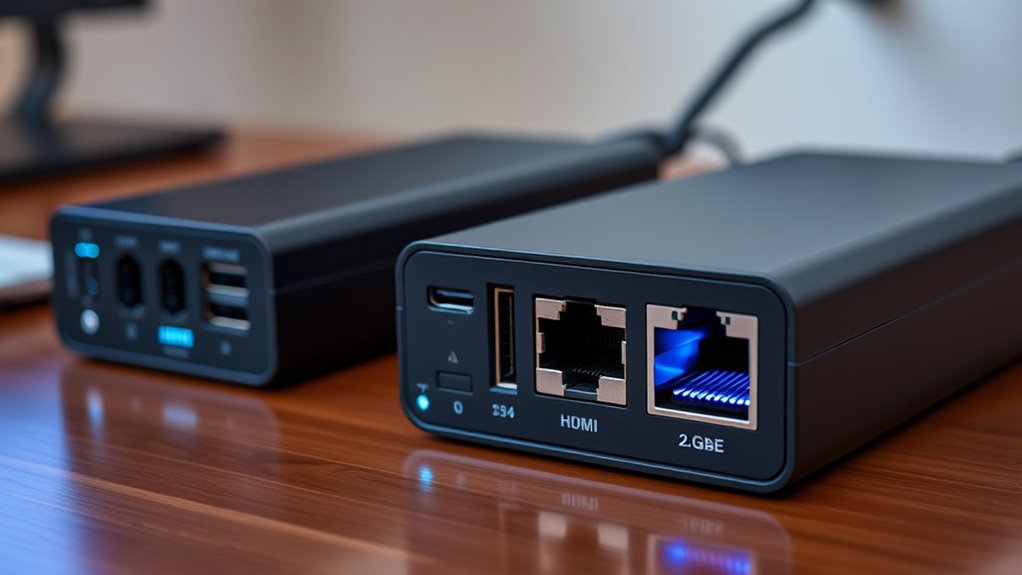

If you’re looking for the best docking stations with 2.5GbE for 2026, I recommend checking out options like the CalDigit TS4, Dell Thunderbolt 4 Dock, and UGREEN Thunderbolt docks, which combine fast networking, multiple ports, and high power delivery. There are also compact, travel-friendly choices like the WAVLINK Hub and iVANKY Dock that support dual 4K displays. Keep exploring these options to find the perfect fit for your setup.
Key Takeaways
- Prioritize docking stations with built-in 2.5GbE Ethernet ports for faster network connectivity.
- Consider docks supporting high power delivery (85W or more) for seamless device charging.
- Check compatibility with Thunderbolt 4, USB-C, or Thunderbolt 5 for future-proof connectivity.
- Look for multi-display support, including dual 4K or 8K outputs, for versatile visual setups.
- Ensure the dock offers multiple high-speed USB ports and SD card slots for comprehensive data transfer.
| CalDigit TS4 Thunderbolt 4 Dock with 18 Ports | 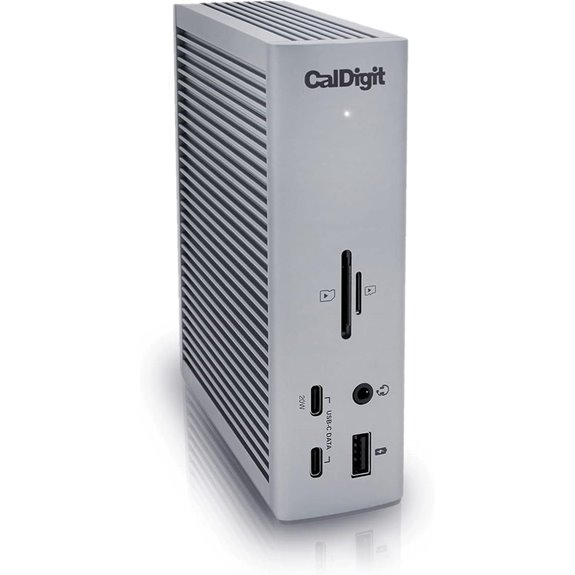 | Premium Powerhouse | Network Speed: 2.5GbE | Display Output: Supports single/multiple 4K/6K/8K | Power Delivery (Charging): 98W | VIEW LATEST PRICE | See Our Full Breakdown |
| WAVLINK USB-C Hub with 2.5G Ethernet & 4K HDMI | 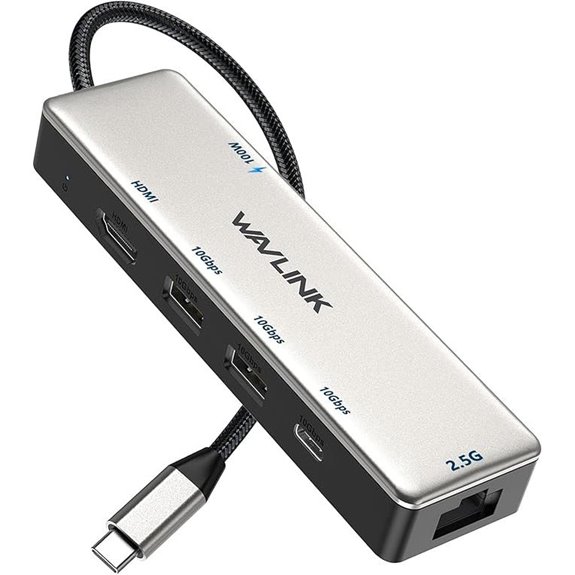 | Compact Connectivity | Network Speed: 2.5GbE | Display Output: 4K@120Hz HDMI, DP | Power Delivery (Charging): 85W | VIEW LATEST PRICE | See Our Full Breakdown |
| Dell Thunderbolt 4 Dock SD25TB4 with 4K Displays | 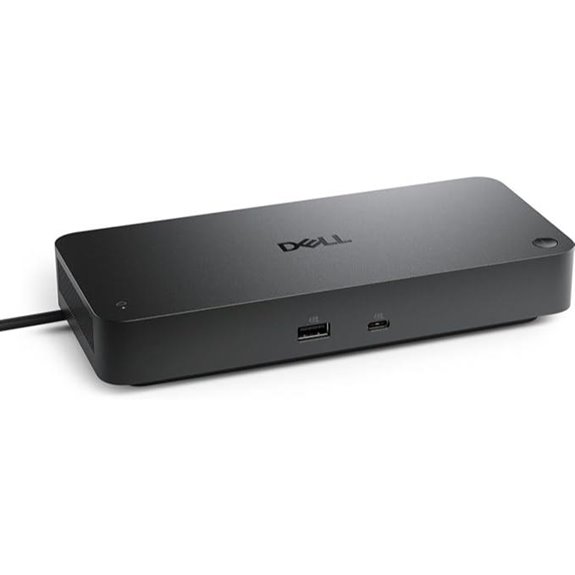 | Business-Class Performance | Network Speed: 2.5GbE | Display Output: 4K/6K/8K via HDMI, DP, Thunderbolt | Power Delivery (Charging): 96W/130W | VIEW LATEST PRICE | See Our Full Breakdown |
| UGREEN Thunderbolt 4 Dock 13-in-1 with 8K Display | 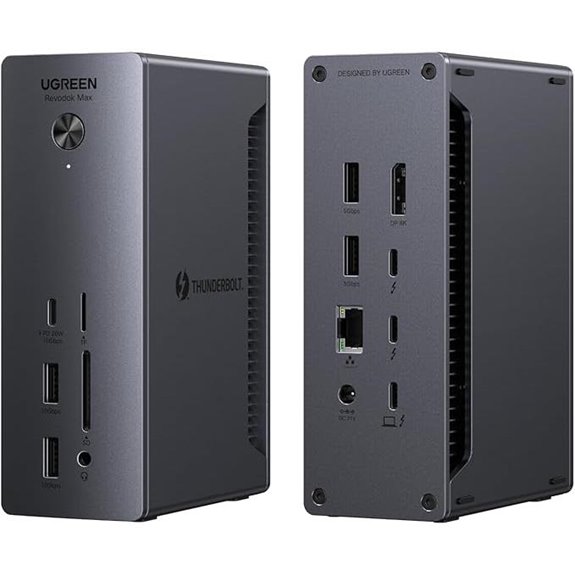 | High-Speed Expansion | Network Speed: 2.5GbE | Display Output: Dual 4K or 8K via HDMI, DP, Thunderbolt | Power Delivery (Charging): 90W (up to) | VIEW LATEST PRICE | See Our Full Breakdown |
| OWC Thunderbolt Go Dock with 11 Ports | 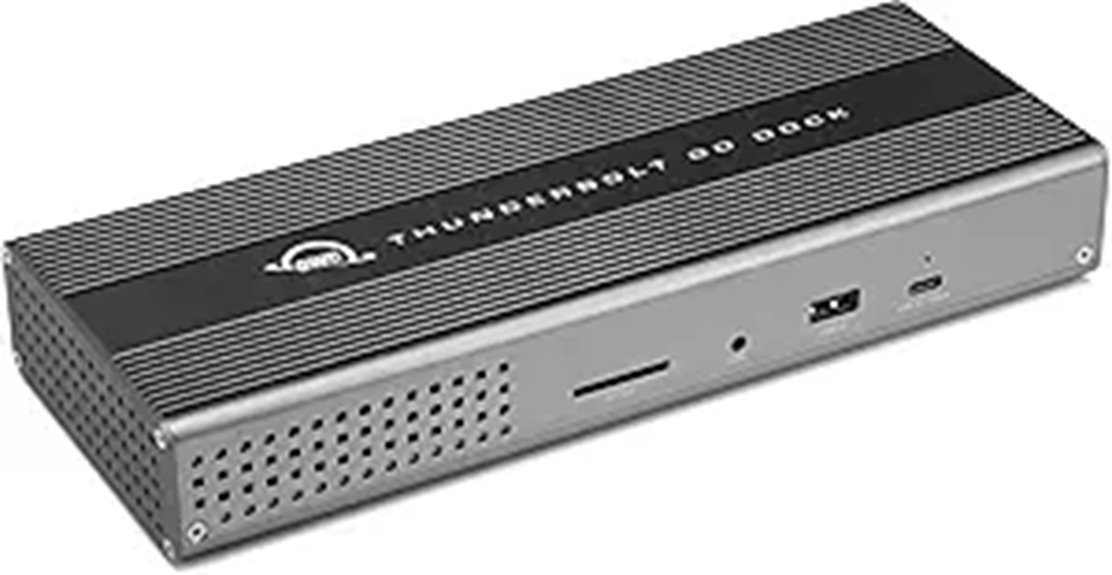 | Travel-Ready Flexibility | Network Speed: 2.5GbE | Display Output: 8K or dual 4K via HDMI, Thunderbolt | Power Delivery (Charging): 90W | VIEW LATEST PRICE | See Our Full Breakdown |
| ORICO 6-in-1 USB-C Docking Station with Ports | 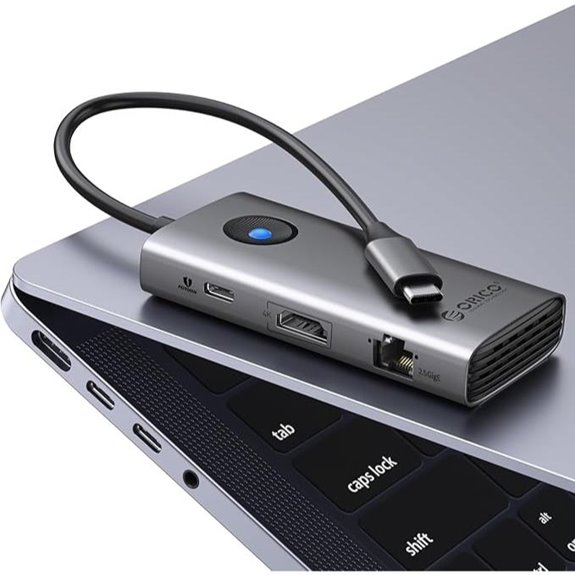 | Budget-Friendly Versatility | Network Speed: 2.5GbE | Display Output: 4K@60Hz HDMI, DP | Power Delivery (Charging): 100W | VIEW LATEST PRICE | See Our Full Breakdown |
| StarTech Triple Monitor USB-C Docking Station |  | Multi-Display Expert | Network Speed: 2.5GbE | Display Output: Triple 4K@60Hz via HDMI and DP | Power Delivery (Charging): 140W (up to) | VIEW LATEST PRICE | See Our Full Breakdown |
| SabRent USB4 Travel Dock with HDMI Ethernet Power | 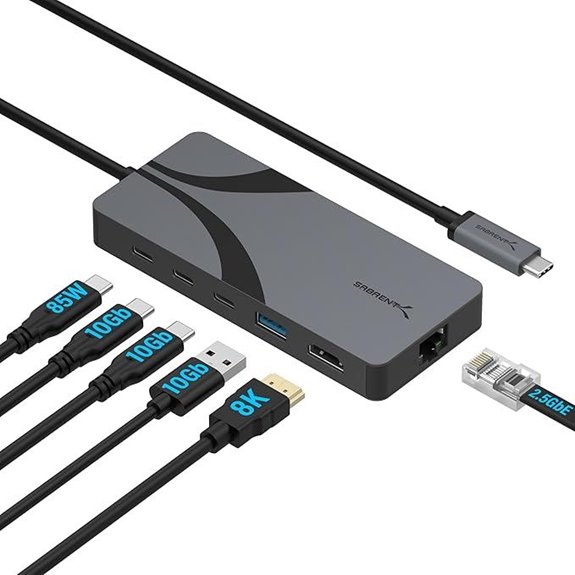 | Portable Power & Speed | Network Speed: 2.5GbE | Display Output: 4K@60Hz HDMI, DP, VGA | Power Delivery (Charging): 85W (via USB-C) | VIEW LATEST PRICE | See Our Full Breakdown |
| UGREEN Thunderbolt 5 Dock 13-in-1 with 8K Display | 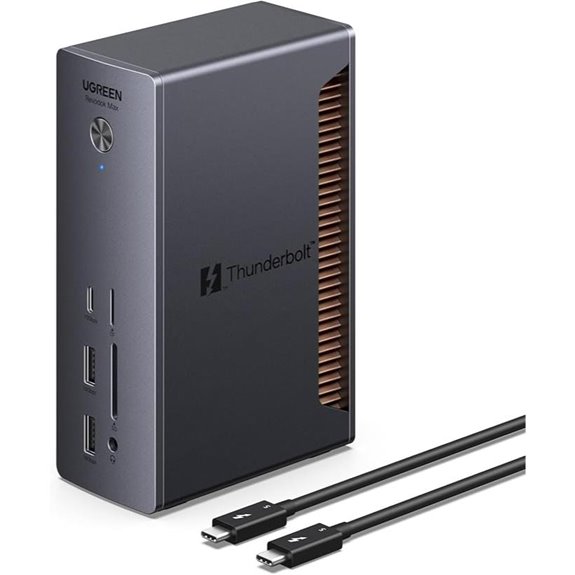 | Next-Gen Speed | Network Speed: 2.5GbE | Display Output: Dual 6K or single 8K | Power Delivery (Charging): 140W (dynamic) | VIEW LATEST PRICE | See Our Full Breakdown |
| iVANKY 20-in-1 Docking Station for MacBook Pro/Air |  | All-in-One Powerhouse | Network Speed: 2.5GbE | Display Output: Triple 4K@60Hz HDMI | Power Delivery (Charging): 180W | VIEW LATEST PRICE | See Our Full Breakdown |
| CalDigit TS4 Thunderbolt 4 Dock with 18 Ports | | Renewed Excellence | Network Speed: 2.5GbE | Display Output: 8K or dual 4K HDMI, DP | Power Delivery (Charging): 90W | VIEW LATEST PRICE | See Our Full Breakdown |
| 40Gbps MacBook Docking Station with Dual Monitors |  | Ultra-High Speed | Network Speed: 2.5GbE | Display Output: Dual 4K or single 8K via HDMI, DP | Power Delivery (Charging): 30W (for MacBook, via USB-C) | VIEW LATEST PRICE | See Our Full Breakdown |
More Details on Our Top Picks
CalDigit TS4 Thunderbolt 4 Dock with 18 Ports
The CalDigit TS4 Thunderbolt 4 Dock stands out as the top choice for power users who need extensive connectivity in a single device. I love its 18 ports, including 3 Thunderbolt 4, 8 USB-A, SD & microSD readers, DisplayPort 1.4, and multiple audio ports. It supports single 8K or dual 4K displays, depending on your system, and charges laptops with 98W power delivery. The 2.5GbE Ethernet port is a game-changer, offering faster network speeds. This dock works seamlessly with Thunderbolt 4, USB-C, and Thunderbolt 3 devices, simplifying my workspace with one versatile, high-performance hub.
- Network Speed:2.5GbE
- Display Output:Supports single/multiple 4K/6K/8K
- Power Delivery (Charging):98W
- Ethernet Speed:2.5GbE
- USB-C Ports:Multiple USB-C/Thunderbolt 4/3, some with data/video/power
- Additional Ports:SD/microSD, audio, security slot
- Additional Feature:Supports multiple high-resolution displays
- Additional Feature:98W charging power
- Additional Feature:2.5GbE Ethernet port
WAVLINK USB-C Hub with 2.5G Ethernet & 4K HDMI
If you’re looking for a compact, versatile docking solution that balances fast data transfer with high-quality video output, the WAVLINK USB-C Hub with 2.5G Ethernet & 4K HDMI is an excellent choice. It’s compatible with MacBook Pro, MacBook Air, iPads, and many Windows laptops, supporting DP1.4+DSC1.2 for HDMI. The hub offers dual 10Gbps USB-A ports, a next-gen USB-C port, and three USB3.2 Gen 2 ports for rapid data transfer. The 2.5Gbps Ethernet port ensures swift, reliable networking, while the 4K HDMI supports 120Hz for smooth visuals. It delivers up to 85W charging and supports high-res video, making it a well-rounded option.
- Network Speed:2.5GbE
- Display Output:4K@120Hz HDMI, DP
- Power Delivery (Charging):85W
- Ethernet Speed:2.5GbE
- USB-C Ports:USB-C (data, video, power)
- Additional Ports:HDMI, SD/TF, audio, USB-A
- Additional Feature:Compact, sleek design
- Additional Feature:Supports 4K@120Hz HDMI
- Additional Feature:Over-current/short-circuit protection
Dell Thunderbolt 4 Dock SD25TB4 with 4K Displays
For professionals who need to multitask across multiple 4K displays, the Dell Thunderbolt 4 Dock SD25TB4 stands out thanks to its support for up to four 4K monitors via HDMI 2.1, DisplayPort 1.4, USB-C, and Thunderbolt 4. It offers dual Thunderbolt 4 ports, plus additional data ports, and can chain up to six devices, making it perfect for creative, data, or AI workflows. It supplies up to 130W power delivery for Dell devices and 96W for others, ensuring fast charging. With high-speed Thunderbolt 4 connectivity, advanced security features, and a sustainable, compact design, it’s a versatile and secure docking solution.
- Network Speed:2.5GbE
- Display Output:4K/6K/8K via HDMI, DP, Thunderbolt
- Power Delivery (Charging):96W/130W
- Ethernet Speed:2.5GbE
- USB-C Ports:Thunderbolt 4, USB-C (data, video)
- Additional Ports:HDMI, DisplayPort, USB-C, audio, SD
- Additional Feature:Dual Thunderbolt 4 ports
- Additional Feature:130W power delivery
- Additional Feature:Eco-friendly recycled plastic
UGREEN Thunderbolt 4 Dock 13-in-1 with 8K Display
Designed for creative professionals and power users, the UGREEN Thunderbolt 4 Dock 13-in-1 with 8K Display stands out with its impressive connectivity options and support for high-resolution displays. It features 13 ports, including dual Thunderbolt 4, a DisplayPort 1.4, 2.5Gb Ethernet, SD/TF card readers, and multiple USB-A and USB-C ports, ensuring all-encompassing device compatibility. It supports dual 4K@60Hz or an 8K@30Hz display on Windows and dual 4K on Macs, making it perfect for multitasking and high-res workflows. With a 180W GaN power adapter, it charges laptops up to 90W and simplifies workspace setup, all while enabling fast data transfer at 40Gbps.
- Network Speed:2.5GbE
- Display Output:Dual 4K or 8K via HDMI, DP, Thunderbolt
- Power Delivery (Charging):90W (up to)
- Ethernet Speed:2.5GbE
- USB-C Ports:USB-C (multiple, some with video)
- Additional Ports:HDMI, USB-A, USB-C, audio, SD
- Additional Feature:180W GaN power adapter
- Additional Feature:Supports dual 4K monitors
- Additional Feature:Multiple USB ports (4x USB-A, 1x USB-C)
OWC Thunderbolt Go Dock with 11 Ports
The OWC Thunderbolt Go Dock with 11 ports stands out as an ideal choice for professionals who need a versatile and powerful hub to connect multiple devices seamlessly. It supports Thunderbolt 4, USB-C, USB, HDMI, SD cards, and 2.5GbE Ethernet, making it highly adaptable. The built-in 90W power supply eliminates the need for an external brick, streamlining workflows. It can drive up to two 4K displays at 60Hz or an 8K monitor, depending on your setup. With data transfer speeds up to 40 Gb/s and multiple USB ports, it’s perfect for demanding tasks. Plus, its compatibility with Macs, PCs, iPads, and Chromebooks broadens its appeal.
- Network Speed:2.5GbE
- Display Output:8K or dual 4K via HDMI, Thunderbolt
- Power Delivery (Charging):90W
- Ethernet Speed:2.5GbE
- USB-C Ports:Thunderbolt 4/USB-C (data, video, power)
- Additional Ports:HDMI, SD/TF, audio, USB-A, USB-C
- Additional Feature:Built-in 90W power supply
- Additional Feature:Thunderbolt Share technology
- Additional Feature:Supports multiple high-res displays
ORICO 6-in-1 USB-C Docking Station with Ports
If you’re looking to boost your workstation with versatile connectivity, the ORICO 6-in-1 USB-C Docking Station stands out thanks to its multiport design and high-speed data transfer capabilities. It expands a single USB-C port to six, including a 4K@60Hz HDMI, two USB-A 3.0 ports, a USB-C 3.0 port, 2.5G Ethernet, and 100W PD charging. Compatible with Windows, Mac, Linux, and various devices, it’s plug-and-play—no drivers needed. The docking station supports smooth video streaming, fast file transfers, and reliable network connectivity. Its sleek, portable design makes it ideal for travel, remote work, and multitasking, providing instant expansion without extra bulk.
- Network Speed:2.5GbE
- Display Output:4K@60Hz HDMI, DP
- Power Delivery (Charging):100W
- Ethernet Speed:2.5GbE
- USB-C Ports:USB-C (data, power)
- Additional Ports:HDMI, SD/TF, audio, USB-A, USB-C
- Additional Feature:Supports 100W PD charging
- Additional Feature:Compact, portable design
- Additional Feature:Compatible with multiple OS
StarTech Triple Monitor USB-C Docking Station
For professionals who need reliable multi-monitor setups and high-speed network connectivity, the StarTech Triple Monitor USB-C Docking Station stands out as an excellent choice. It supports macOS, Windows, ChromeOS, and Linux, making it highly versatile. You can connect three 4K 60Hz displays via HDMI and DisplayPort, ensuring smooth visuals for demanding tasks. With 140W power delivery, it keeps laptops charged during intensive use. The built-in 2.5GbE Ethernet port supports Jumbo Frames and Wake-on-LAN, providing fast, secure connectivity. Designed for enterprise deployment, it features security options and mounting flexibility, making it ideal for both individual professionals and large-scale setups.
- Network Speed:2.5GbE
- Display Output:Triple 4K@60Hz via HDMI and DP
- Power Delivery (Charging):140W (up to)
- Ethernet Speed:2.5GbE
- USB-C Ports:USB-C (power, data, video)
- Additional Ports:HDMI, SD, audio, USB-A, USB-C, lock slot
- Additional Feature:VESA/mount support
- Additional Feature:140W power delivery
- Additional Feature:Enterprise-grade reliability
SabRent USB4 Travel Dock with HDMI Ethernet Power
Travelers and remote workers who need reliable, high-speed connectivity will appreciate the SabRent USB4 Travel Dock, which combines 2.5GbE Ethernet with fast data transfer and high-resolution display output in a compact, portable design. It features HDMI 2.1 support for 4K@144Hz or 8K@60Hz, plus two USB-C and one USB-A ports supporting speeds up to 10Gbps. With Power Delivery 3.0, it can charge devices up to 85W, making it ideal for on-the-go use. Made from durable aluminum, the dock is lightweight and easy to carry, compatible with Windows, macOS, Android, and Chrome OS systems for versatile connectivity anywhere.
- Network Speed:2.5GbE
- Display Output:4K@60Hz HDMI, DP, VGA
- Power Delivery (Charging):85W (via USB-C)
- Ethernet Speed:2.5GbE
- USB-C Ports:USB-C (multiple, some with video)
- Additional Ports:HDMI, SD/TF, audio, USB-A, USB-C
- Additional Feature:Portable all-in-one design
- Additional Feature:Supports HDMI 2.1 4K@144Hz
- Additional Feature:Aluminum construction
UGREEN Thunderbolt 5 Dock 13-in-1 with 8K Display
The UGREEN Thunderbolt 5 Dock 13-in-1 with 8K Display stands out as an excellent choice for professionals who demand top-tier performance and versatility. It features four Thunderbolt 5 ports with 120Gbps speeds, enabling quick transfer of large files, perfect for video editing and data-heavy tasks. Support for dual 6K displays or a single 8K display delivers stunning visuals. The dock’s 140W dynamic charging and compact 180W GaN adapter guarantee your devices stay powered without bulk. Additional connections include 2.5GbE Ethernet, multiple USB ports, and UHS-II SD/TF slots. Its dual-layer aluminum cooling and flexible placement options make it both powerful and user-friendly.
- Network Speed:2.5GbE
- Display Output:Dual 6K or single 8K
- Power Delivery (Charging):140W (dynamic)
- Ethernet Speed:2.5GbE
- USB-C Ports:Thunderbolt 4/USB-C (data, video, power)
- Additional Ports:HDMI, SD/TF, audio, USB-A, USB-C
- Additional Feature:Certified Thunderbolt 5
- Additional Feature:Dual 6K/8K display support
- Additional Feature:Dual-layer aluminum cooling
iVANKY 20-in-1 Docking Station for MacBook Pro/Air
If you’re looking to expand your MacBook Pro or Air with a versatile docking station, the iVANKY 20-in-1 stands out thanks to its extensive port selection and high-resolution support. It’s compatible with M1 through M5 MacBooks and Windows devices, requiring a DisplayLink driver for full functionality, including HDMI and DisplayPort. It supports triple 4K@60Hz displays via HDMI ports, which can be adapted to VGA or DVI. The dock offers fast data transfer with USB-C and USB-A ports, SD/TF card slots, and a 2.5Gbps Ethernet port. With a 180W power adapter, it charges laptops up to 100W and devices up to 20W, backed by a 24-month warranty.
- Network Speed:2.5GbE
- Display Output:Triple 4K@60Hz HDMI
- Power Delivery (Charging):180W
- Ethernet Speed:2.5GbE
- USB-C Ports:USB-C (multiple, some with video)
- Additional Ports:HDMI, SD/TF, audio, USB-A, USB-C
- Additional Feature:Driver installation required
- Additional Feature:Supports triple 4K monitors
- Additional Feature:180W charging power
CalDigit TS4 Thunderbolt 4 Dock with 18 Ports
For professionals who need a versatile and high-powered docking solution, the CalDigit TS4 Thunderbolt 4 Dock (Renewed) stands out with its impressive 18 ports and 2.5GbE Ethernet. It offers multiple Thunderbolt 4, USB-A, and USB-C ports, plus SD card readers, audio jacks, and a security slot. Supporting up to dual 6K displays or an 8K single monitor, it suits demanding workflows. With 98W power delivery, it charges devices while connected. The 2.5GbE Ethernet port guarantees faster network speeds, perfect for transferring large files or accessing high-speed networks. Compatibility spans Mac, Windows, and USB-C devices, making it a flexible option for power users.
- Network Speed:2.5GbE
- Display Output:8K or dual 4K HDMI, DP
- Power Delivery (Charging):90W
- Ethernet Speed:2.5GbE
- USB-C Ports:Thunderbolt 4/USB-C (data, video, power)
- Additional Ports:HDMI, SD/TF, audio, USB-A, USB-C
- Additional Feature:DisplayPort 1.4 built-in
- Additional Feature:Compatible with M1-M4 Macs
- Additional Feature:Dual 6K display support
40Gbps MacBook Docking Station with Dual Monitors
A Gbps MacBook docking station with dual monitors is an ideal choice for creative professionals and power users who need seamless high-resolution display support alongside fast data transfer. It offers 21 ports, including dual 40Gbps interfaces, 8K HDMI, and support for one 8K or two 4K displays. The station features a 2.5GbE Ethernet port for faster network speeds, plus seven 10Gbps USB-C ports, SD/TF card slots, and 30W PD charging. Compatible with Thunderbolt 5/4/3 devices, it simplifies connecting multiple peripherals and high-res displays, making it perfect for image/video editing, entertainment, and productivity.
- Network Speed:2.5GbE
- Display Output:Dual 4K or single 8K via HDMI, DP
- Power Delivery (Charging):30W (for MacBook, via USB-C)
- Ethernet Speed:2.5GbE
- USB-C Ports:Thunderbolt 4/USB-C (data, video, power)
- Additional Ports:Dual 40Gbps ports, SD/TF, audio, USB-C/A
- Additional Feature:Supports dual 4K or single 8K
- Additional Feature:21-in-1 port array
- Additional Feature:30W PD charging
Factors to Consider When Choosing a Dock With 2.5GbE
When selecting a dock with 2.5GbE, I consider several key factors to guarantee it meets my needs. These include network speed compatibility, the number of Ethernet ports, and power delivery capacity. It’s also important to check device compatibility and display output support to get the most out of my setup.
Network Speed Compatibility
Ensuring your docking station can fully leverage 2.5GbE speeds requires careful attention to compatibility across several components. First, check that the dock’s Ethernet port explicitly supports 2.5GbE to avoid bottlenecks. Next, verify that your network infrastructure, including your router and switches, can handle 2.5GbE connections, guaranteeing smooth data flow. Additionally, confirm that your device’s USB-C or Thunderbolt ports support the necessary data transfer rates; otherwise, you won’t attain maximum speeds. It’s also crucial to guarantee compatibility with your operating system, including proper drivers and network settings, to enable full 2.5GbE functionality. Finally, consider the dock’s overall data transfer capabilities, especially if you plan to connect multiple high-speed peripherals simultaneously, to enhance your setup.
Number of Ethernet Ports
Selecting a docking station with the right number of Ethernet ports depends on your specific networking needs. If you require network redundancy or load balancing, multiple ports allow you to connect to different networks or devices simultaneously. This setup can also support link aggregation, boosting overall bandwidth and performance. For professional environments or users with multiple wired devices, having more than one Ethernet port enhances scalability and convenience. Keep in mind, some docks only feature a single 2.5GbE port, so evaluate whether additional ports are necessary for your workflow. The number of ports directly influences how you manage multiple wired connections and improves network flexibility. Choosing the right number ensures your setup is both efficient and adaptable to your evolving connectivity demands.
Power Delivery Capacity
The Power Delivery capacity of a docking station with 2.5GbE is a key factor that determines how effectively it can charge your devices while providing fast network speeds. Most docks with 2.5GbE support high Power Delivery levels, often up to 85W or more, allowing you to charge laptops and peripherals simultaneously without extra adapters. It’s important to check that the dock’s Power Delivery output matches your device’s power requirements to prevent undercharging or overloading. Docks with higher capacities, like 96W or 130W, offer greater flexibility for powering multiple high-performance devices at once. Ultimately, a dock’s Power Delivery capacity guarantees your devices stay charged and ready while maintaining fast and reliable network connectivity.
Device Compatibility Range
When choosing a docking station with 2.5GbE, it’s crucial to verify that it supports your device’s operating system, whether that’s Windows, macOS, Linux, or ChromeOS. Compatibility ensures seamless operation without driver issues or functional limitations. Next, check that the USB-C or Thunderbolt port supports data transfer, video output, and power delivery to match your device’s capabilities. Confirm the Ethernet port supports 2.5GbE speeds and is compatible with your network hardware, like routers and switches. Also, make sure the dock’s USB ports, both USB-A and USB-C, support your peripherals’ data transfer rates, such as 10Gbps. Lastly, verify that the dock’s hardware and firmware align with your device’s specifications, including features like Power Delivery and multiple display outputs for peak performance.
Display Output Support
To guarantee your docking station with 2.5GbE meets your visual needs, it’s vital to take into account the types and capabilities of its display outputs. Support for dual 4K@60Hz or a single 8K@30Hz display ensures sharp, high-resolution visuals. Compatibility with standards like DisplayPort 1.4, HDMI 2.0, or HDMI 2.1 determines the maximum resolution and refresh rate you can achieve. The number of supported external displays depends on your device’s graphics hardware and the dock’s video output options. Some docks also allow daisy-chaining multiple monitors via Thunderbolt or MST technology, which is ideal for multitasking and multimedia editing. Prioritizing these factors ensures your setup is both versatile and capable of handling demanding visual workflows.
Port Expansion Versatility
Choosing a dock with 2.5GbE hinges on its port expansion capabilities, which determine how well it can support your peripherals and workflows. A versatile dock offers multiple USB ports, HDMI or DisplayPort outputs, and SD card readers, allowing you to connect various devices effortlessly. This flexibility supports high-speed data transfers, 4K streaming, gaming, and large file handling without hassle. Multiple Ethernet ports or combo ports enable seamless network switching and redundancy, ideal for diverse network environments. Compatibility across laptops, tablets, and desktops ensures broad usability, making the dock adaptable to different setups. Ultimately, a dock with robust port expansion enhances productivity and multimedia capabilities, ensuring you can connect everything you need in a single, efficient hub.
Frequently Asked Questions
How Do 2.5gbe Speeds Compare to Traditional Ethernet Options?
2.5GbE speeds are particularly faster than traditional Gigabit Ethernet, which maxes out at 1GbE. I find that upgrading to 2.5GbE gives me quicker file transfers and smoother streaming, especially when working with large files or multiple devices. While it’s not as fast as 10GbE, it’s a significant improvement over standard Gigabit connections, offering a nice balance of speed and affordability for most users.
Are 2.5gbe Ports Compatible With All Network Providers?
Think of 2.5GbE ports as versatile travel companions for your network journey. They’re compatible with most network providers because they follow standard Ethernet protocols, just like a universal adapter. Whether you’re with a big provider or a smaller one, 2.5GbE ports should work seamlessly. However, it’s always wise to check your specific provider’s equipment compatibility to avoid any surprises on your tech trip.
What Are the Power Delivery Implications of Using a 2.5gbe Dock?
Using a 2.5GbE dock doesn’t impact power delivery directly, but it can influence overall device setup. I’ve found that most docks with 2.5GbE ports support USB Power Delivery, which means I can charge my laptop while using high-speed network connections. Just make sure the dock’s power output matches your device’s needs, typically around 60W or more, to keep everything running smoothly without sacrificing charging speed.
Can 2.5gbe Docks Support Multiple High-Bandwidth Devices Simultaneously?
Did you know that most 2.5GbE docks can support multiple high-bandwidth devices at once? Yes, they often come with multiple ports, allowing you to connect several peripherals like external drives, monitors, and network devices simultaneously. I’ve found that with proper bandwidth management, a good 2.5GbE dock handles multi-device setups smoothly, making your workspace more efficient without sacrificing speed or performance.
How Future-Proof Are 2.5gbe Docks for Upcoming Network Standards?
I believe 2.5GbE docks are quite future-proof for now, but not forever. They offer a solid upgrade over gigabit Ethernet, supporting higher speeds for most current and upcoming applications. However, as network standards evolve, especially toward 10GbE and beyond, these docks might need an upgrade. Still, for most users today, 2.5GbE provides a great balance of speed and affordability.
Conclusion
I believe that investing in a docking station with 2.5GbE isn’t just about faster connections—it’s about revealing your device’s true potential. Imagine seamless transfers, lag-free streaming, and future-proofing your setup for 2026 and beyond. It’s tempting to think tech advances will make these docks obsolete, but history shows we tend to accelerate, not slow down. Choosing the right dock now could be the difference between staying ahead or falling behind.