
If you’re looking for the best conference room cameras in 2026, I recommend options like Logitech MeetUp, WYRESTORM’s 4K webcams with AI tracking, and Bose VB-S for premium security features. These models support high-resolution video, AI auto-framing, and seamless platform compatibility, which really boost meeting quality. Features like privacy controls and encryption guarantee security, making these solutions reliable investments. Keep going, and you’ll discover even more top choices that can elevate your collaboration experience.
Key Takeaways
- Look for cameras with 4K resolution, wide field of view, and AI auto-framing for clear, comprehensive meeting coverage.
- Prioritize models with advanced audio integration, noise reduction, and full-duplex microphones for crystal-clear sound.
- Ensure compatibility with major platforms like Zoom, Teams, and Webex, along with easy plug-and-play connectivity options.
- Choose cameras with robust security features, including encryption, privacy shutters, and compliance with GDPR or HIPAA standards.
- Consider versatile mounting options and remote controls for flexible deployment across various conference room sizes and setups.
Logitech MeetUp Video Conferencing System with Microphones
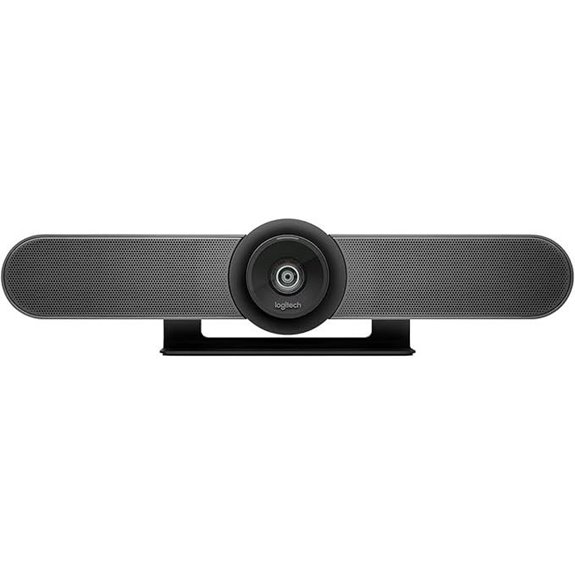
If you’re looking for a compact, all-in-one camera system designed specifically for small conference or huddle rooms, the Logitech MeetUp is an excellent choice. Its sleek black design measures just 3.82 x 6.1 x 6.1 inches and weighs only 2.29 pounds, making it easy to deploy anywhere. It offers 4K, 1080p, or 720p video with a 120° wide field of view and motorized pan/tilt that extends coverage up to 170°. The integrated three beamforming microphones and custom-tuned speaker ensure clear audio. With plug-and-play USB connectivity, it’s simple to set up, making meetings more engaging and productive.
WYRESTORM 4K Webcam with AI Tracking and Zoom Certification
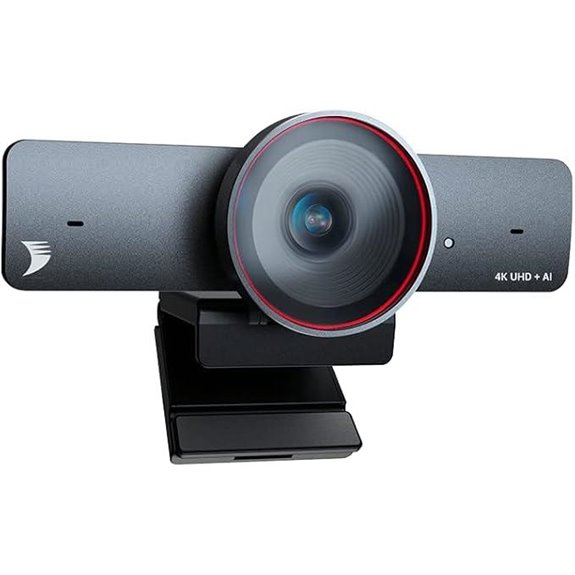
The WYRESTORM 4K Webcam stands out as an ideal choice for professionals seeking crystal-clear video quality combined with intelligent tracking features. It supports 4K resolution at 30fps, ensuring sharp images, along with a 120° ultra-wide field of view that captures all participants without crowding. Auto framing and presenter tracking keep the focus on speakers, creating an engaging experience. Dual AI noise-canceling microphones filter environmental sounds and pick up voices within 5 meters. Its plug-and-play design works seamlessly with major platforms like Zoom and Teams. Fully certified, with a privacy cover and a 2-year warranty, it’s a reliable, professional-grade solution for modern conference rooms.
Bose VB-S All-in-One Video Conference System
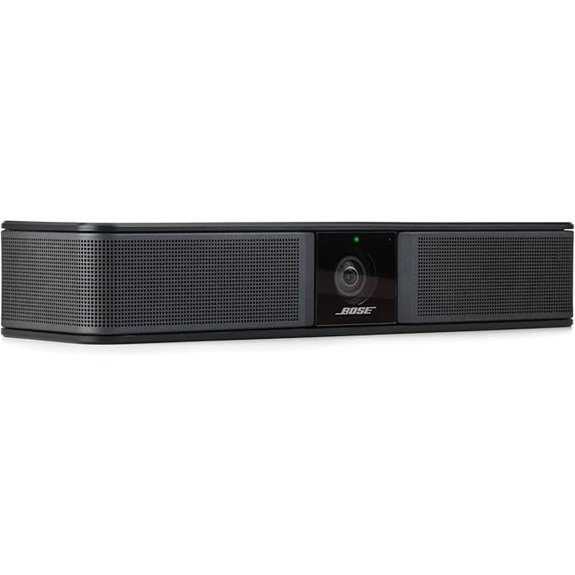
For those seeking a seamless, all-in-one video conferencing solution, the Bose VB-S delivers impressive 4K Ultra-HD resolution combined with digital PTZ to guarantee every participant is clearly seen. Its wide field of view and digital zoom ensure no detail is missed, while two auto-framing modes with customizable presets keep everyone in focus. The system’s integrated soundbar and noise-reducing beamforming microphones provide crystal-clear audio and reduce background noise. Compatible with platforms like Zoom, Teams, and Google Meet, and controllable via remote, it’s perfect for any environment—home, office, or classroom—delivering a thorough, user-friendly meeting experience.
TONGVEO 4K AI Auto-Tracking Conference Camera System
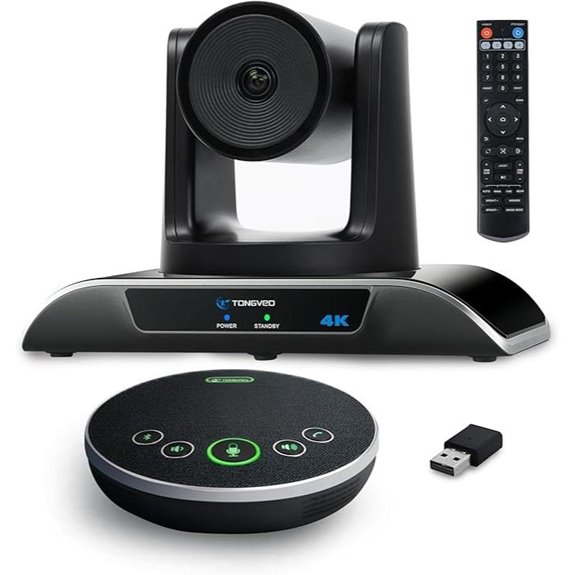
The TONGVEO 4K AI Auto-Tracking Conference Camera System stands out for its advanced auto-tracking capabilities, making it ideal for dynamic meeting environments. Its 4K resolution with an 8.29MP sensor ensures sharp, high-quality video. The camera’s 120° wide-angle view, combined with 350° horizontal rotation and 180° tilt, offers flexible coverage. Gesture controls and remote toggles allow quick, intuitive adjustments, while AI face recognition enables precise multi-human tracking. With fast pan, tilt, and zoom, plus USB plug-and-play compatibility, it’s easy to set up and adapt. This system truly elevates conference experiences, providing seamless, professional video with minimal effort.
Logitech BCC950 HD Video Conference Webcam & Speakerphone
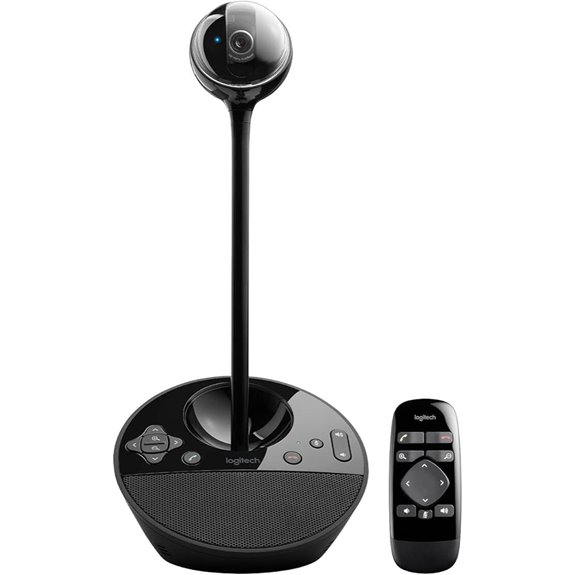
If you’re looking for an all-in-one conference camera that combines high-quality video with clear audio, the Logitech BCC950 HD Video Conference Webcam & Speakerphone is an excellent choice. It offers Full HD 1080p video at 30 fps, thanks to its professional-grade Carl Zeiss lens, ensuring sharp, professional visuals. The built-in full duplex speakerphone with noise-canceling microphone delivers crystal-clear sound up to 8 feet, making conversations seamless. Its plug-and-play USB setup works effortlessly across platforms, including Skype, Microsoft Lync, Cisco Jabber, and more. Plus, you can easily control the camera, volume, and calls via remote or base buttons, making meetings efficient and straightforward.
TONGVEO All-in-One Conference Camera & Speaker System
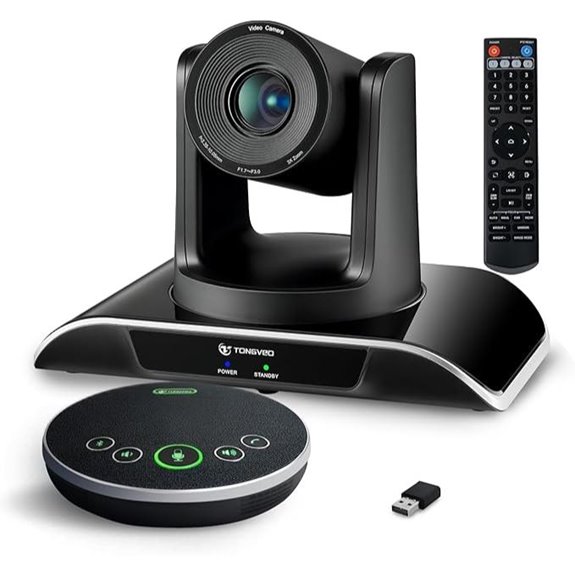
The TONGVEO All-in-One Conference Camera & Speaker System stands out as an ideal solution for small to medium-sized conference rooms that need seamless integration of HD video and crystal-clear audio. Its 1080p AI auto-tracking PTZ camera offers smooth 3x optical zoom and a wide 114° field of view, ensuring sharp visuals and precise focus on speakers. The full-duplex microphone captures voices within a 16.4-foot radius, while the Bluetooth speakerphone provides flexible connectivity and up to 8 hours of use. Easy to set up via USB or HDMI, it’s compatible with most platforms, making professional meetings, online courses, and telemedicine effortless and reliable.
AV Access 4K Conference Camera with Auto Framing
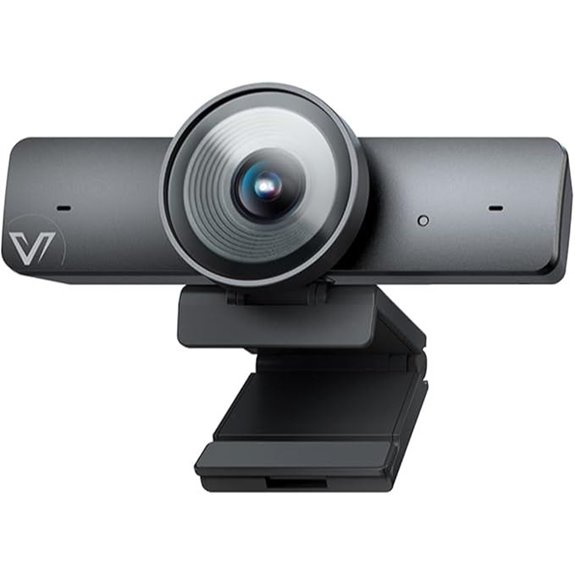
For professionals seeking a camera that adapts seamlessly to dynamic meeting environments, the AV Access 4K Conference Camera with Auto Framing stands out with its intelligent AI gallery technology. It captures crisp 4K video using a 1/1.8′ CMOS sensor, with a wide 120° FOV, ePTZ control, and 5X digital zoom for all-encompassing room coverage. Its AI auto framing, participant detection, and presenter tracking ensure everyone stays in focus, whether in small or large groups. Dual noise-canceling microphones enhance audio clarity, and the privacy cover protects user privacy. Compatible with popular platforms like Zoom and Teams, it’s a versatile, plug-and-play solution for professional meetings.
j5create 360° HD Webcam with Microphone (JVCU360)

The j5create 360° HD Webcam with Microphone (JVCU360) stands out for its extensive coverage and clear audio, making it an excellent choice for dynamic meetings and collaborative environments. Its 360° all-around view and omnidirectional microphone guarantee everyone stays visible and heard, no matter where they sit. With six display modes, you can customize the view for any situation. The Full HD 1080p video delivers sharp images, while the USB-C connection assures high-quality transfer. Easy to set up and compatible with major platforms like Zoom and Teams, it’s a versatile tool that enhances remote communication effortlessly.
Owl Labs Meeting Owl 3 Conference Camera with AI Tracking
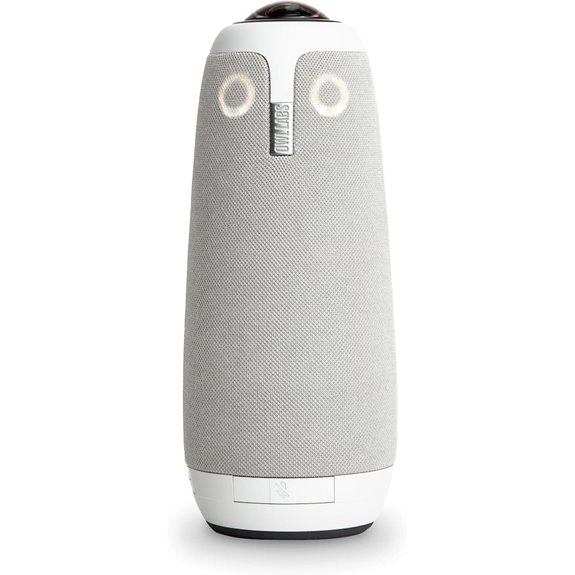
If you’re looking to enhance hybrid meetings with smart automation, the Owl Labs Meeting Owl 3 is an excellent choice thanks to its AI-driven tracking system. It offers 360° HD video and audio, automatically focusing on active speakers to keep everyone engaged. With 1080p resolution and an 18-foot microphone pickup, it ensures clear visuals and sound for all participants. Its plug-and-play USB setup makes installation quick and straightforward—ready to go in about six minutes. Compatible with popular platforms like Zoom and Teams, and expandable with additional microphones or devices, it’s a scalable, user-friendly solution for any conference room.
Logitech MX Brio 4K Webcam with Show Mode
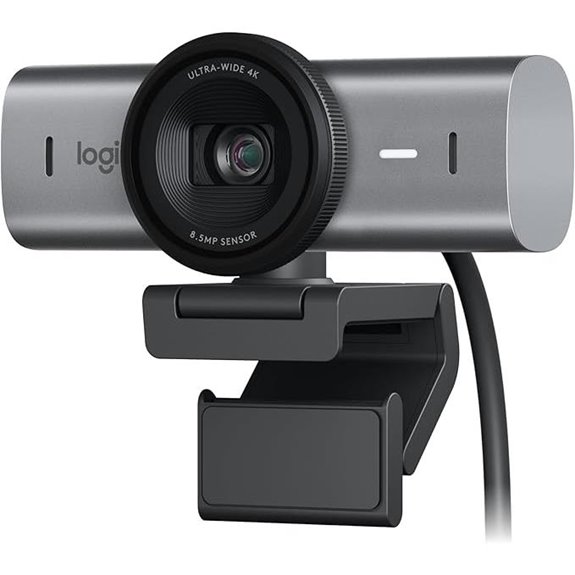
The Logitech MX Brio 4K Webcam with Show Mode stands out as an ideal choice for professionals who need crystal-clear video quality combined with versatile sharing capabilities. It offers 4K resolution at 30fps and 1080p at 60fps, ensuring sharp, detailed images. The advanced sensor with larger pixels and AI-enhanced processing improve visibility and clarity, even in challenging lighting. Show Mode allows tilting the camera downward to share notes or sketches easily. With built-in microphones and noise reduction, audio remains clear. Compatibility with major platforms and customizable controls via Logitech software make it a flexible, powerful tool for enhancing conference room meetings.
4K Webcam with AI Auto Framing and Microphones
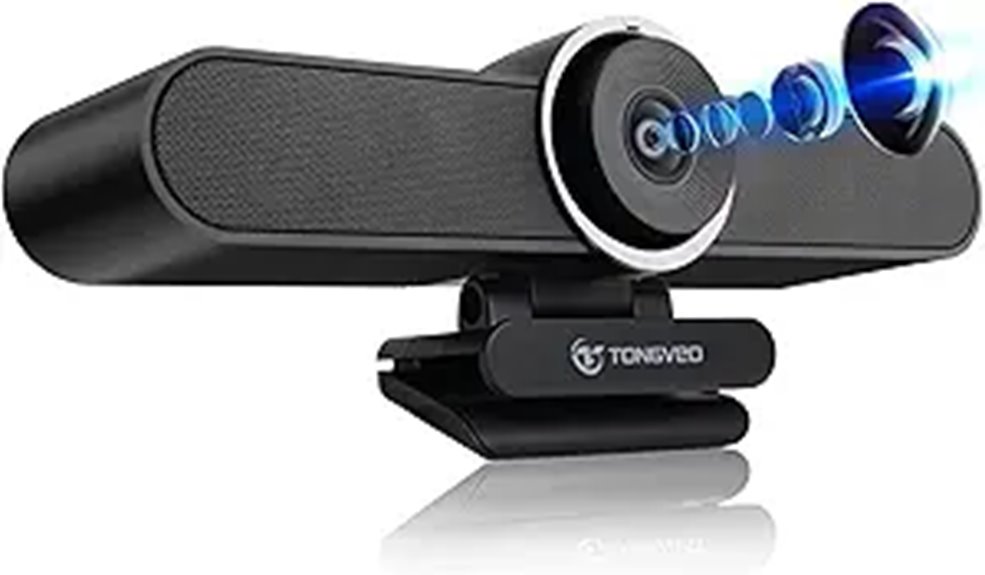
A standout choice for remote professionals and educators alike, the K Webcam with AI Auto Framing and Microphones offers sharp 4K resolution and smart framing that keeps speakers centered. Its fixed 116° wide-angle lens captures more in frame, ideal for group discussions. The dual omnidirectional microphones with noise reduction ensure clear voice pickup, while the built-in high-fidelity speaker delivers crisp sound without external devices. Plug-and-play via USB-C makes setup simple, compatible with Windows and macOS. Its versatile mounting options, including monitors and tripods, suit any workspace. With low light enhancement and a sleek design, this webcam is perfect for professional video calls, webinars, and online teaching.
4K 3-in-1 Webcam with Auto-Tracking and Microphones
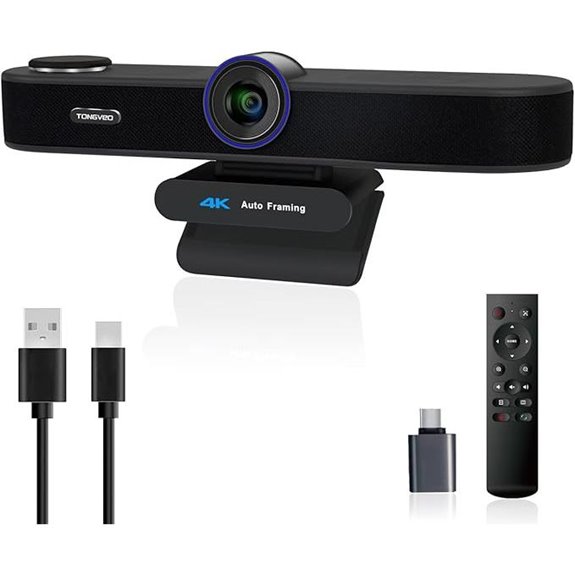
For those seeking a versatile and high-quality webcam for professional meetings or streaming, the K 3-in-1 Webcam with Auto-Tracking and Microphones stands out with its 4K resolution and intelligent auto-framing. It features a FHD 4K lens and an 8.29-megapixel sensor, delivering crisp, clear images at 30fps. Its AI auto-framing detects attendees and keeps everyone centered, while voice tracking follows active speakers within three seconds. The dual microphones with noise cancellation and a built-in speaker ensure excellent audio. With plug-and-play USB connectivity, multiple FOV modes, and privacy controls, this webcam is a thorough solution for seamless, secure communication.
Pyle 4K Conference Camera System with AI Auto Framing
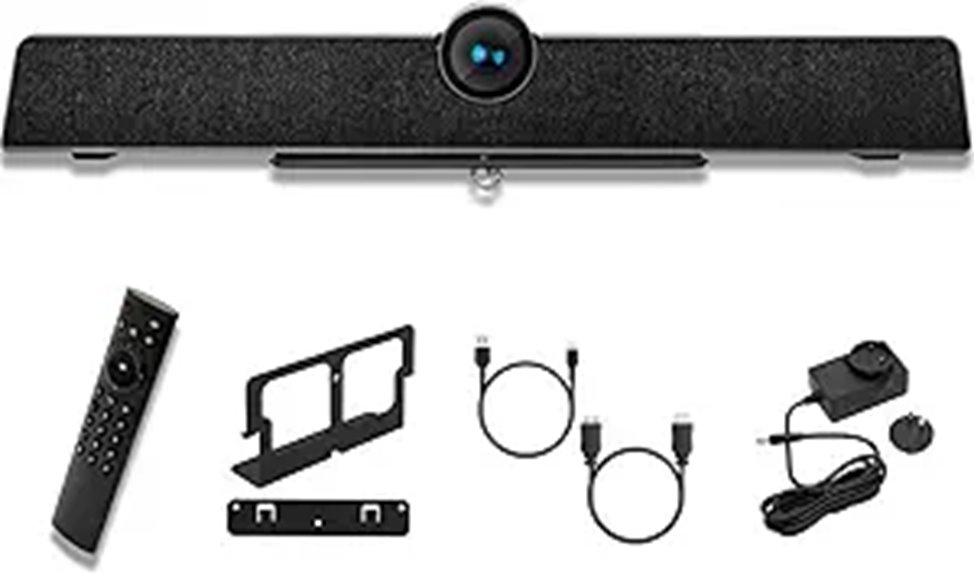
If you need a conference camera that delivers professional-quality video and effortless operation, the Pyle 4K Conference Camera System with AI Auto Framing stands out. It offers 4K resolution, a 120° FOV, 5X zoom, and AI auto framing that dynamically adjusts focus for an immersive experience. Its echo cancellation, 8-meter mic pickup, and noise reduction guarantee clear audio in any environment. Compatible with PC, Mac, phones, and tablets, it supports platforms like Zoom and Teams. The plug-and-play setup makes it quick to activate, perfect for small to large meeting rooms. Overall, it combines ease of use with high-quality video and audio performance.
Yealink 4K USB Conference Camera with Microphone
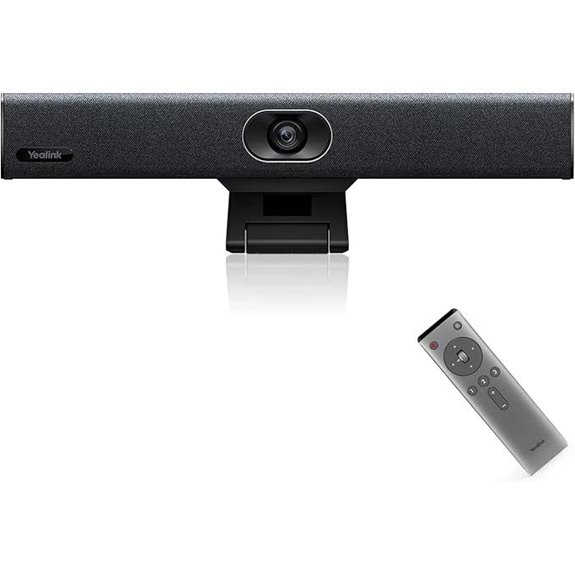
The Yealink 4K USB Conference Camera with Microphone stands out as an ideal choice for small meeting rooms and home offices, thanks to its all-in-one design. It combines a sleek 4K webcam, microphones, speakers, and AI features into a compact device, making setup effortless with plug-and-play USB-A connectivity. The 120° wide-angle lens and 5x e-PTZ deliver flexible, detailed framing, while AI auto framing and face enhancement ensure everyone is clearly visible. The built-in microphone array captures voices within 5 meters, complemented by noise reduction and echo cancellation. Compatible with major platforms like Zoom and Teams, it simplifies professional remote meetings.
NexiGo Meeting 360 (Gen 2) Smart Conference Camera
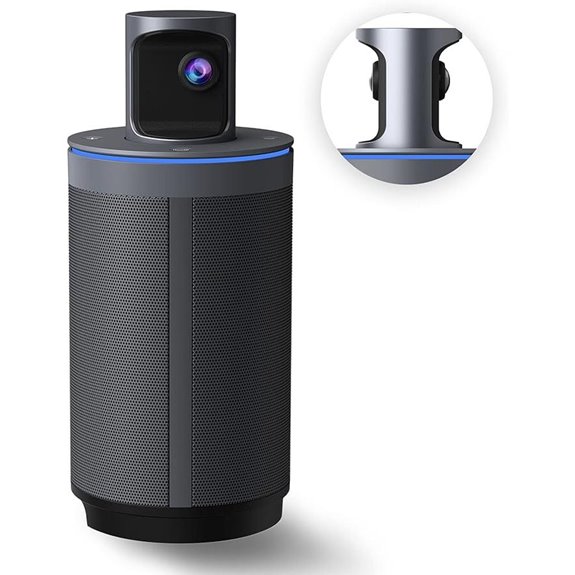
When you need a conference camera that guarantees clear visuals and seamless audio for large meetings, the NexiGo Meeting 360 (Gen 2) stands out. It offers 8K panoramic capture with dual 195-degree lenses, delivering crisp 1080P video. Auto white balance and exposure keep everyone visible and well-lit. With eight omnidirectional microphones, voices are captured clearly up to 18 feet away, while dual 10W speakers ensure excellent sound quality. AI-powered auto framing and speaker tracking focus on active speakers, enhancing engagement. The privacy shield adds security, and simple USB connectivity makes setup effortless. This camera combines high-quality imaging, sound, and security for professional meetings.
Factors to Consider When Choosing a Conference Room Camera
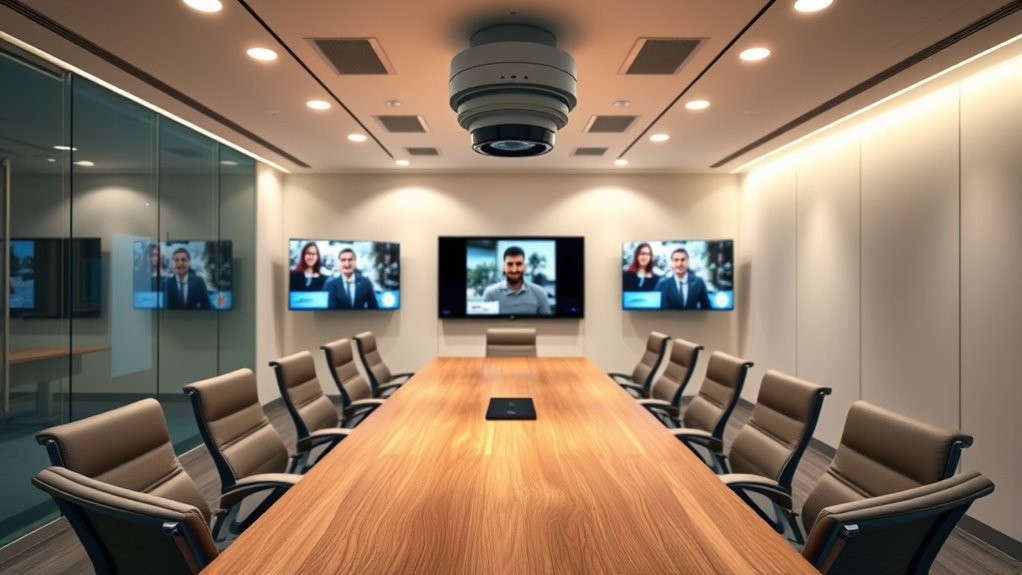
When choosing a conference room camera, I focus on video quality, audio clarity, and platform compatibility to guarantee smooth communication. I also consider camera flexibility options and how well the device protects privacy and security. These factors help me find a reliable setup that fits my specific meeting needs.
Video Quality Standards
Choosing a conference room camera with the right video quality standards is essential for clear communication. I recommend looking for cameras that support at least 1080p resolution to ensure sharp, detailed images. For larger rooms or detailed visuals, 4K cameras offer even more clarity. A wide field of view, like 120° or more, helps capture the entire room and all participants without needing multiple cameras. Features like auto-focus, low-light performance, and HDR improve image clarity in varying lighting conditions. Consistent frame rates of 30fps or higher guarantee smooth video, reducing motion blur and lag during meetings. Prioritizing these standards guarantees your video remains clear, professional, and effective, making remote collaboration seamless and more engaging.
Audio Clarity Features
Clear audio is just as important as high-quality video for effective remote meetings. When choosing a conference room camera, I look for models with built-in noise-reducing, beamforming microphones that can pick up voices clearly from at least five meters away. Supporting full duplex audio is essential, so conversations feel natural without lag or interruptions. I prioritize devices with echo cancellation and background noise filtering to maintain clarity even in noisy environments. Dual microphones or microphone arrays are beneficial for capturing sound from multiple directions, ensuring everyone is heard. Additionally, automatic volume control and AI noise suppression help adapt to changing noise levels, providing consistent audio quality throughout meetings. These features create a seamless communication experience, making remote collaboration more effective.
Compatibility With Platforms
Ensuring your conference room camera works seamlessly with your organization’s preferred platforms is essential for smooth meetings. I recommend checking if the camera is compatible with major platforms like Zoom, Microsoft Teams, Webex, and Google Meet. It’s also important to verify support for plug-and-play connectivity across Windows, macOS, Chrome OS, and Linux, ensuring quick setup without hassles. Look for cameras that have native integration or official certification for your chosen conferencing software to guarantee reliable performance. Additionally, confirm the device supports common hardware interfaces such as USB-A, USB-C, HDMI, or SDI, matching your existing setup. Finally, review the manufacturer’s specifications for updates and future platform support, so your camera remains compatible as software evolves.
Camera Flexibility Options
When selecting a conference room camera, one of the most important factors is its flexibility to adapt to different room layouts and meeting needs. I look for models with pan, tilt, and zoom features, so I can easily adjust the view to capture everyone or focus on a speaker. AI auto-framing and presenter tracking are game-changers, dynamically shifting the camera to keep the speaker centered. Adjustable field of view options, like wide-angle or zoom modes, let me tailor coverage for small or large groups. Remote or app-based controls add convenience, allowing me to modify angles during meetings without physical adjustments. Mounting versatility, whether wall, ceiling, or tabletop, helps optimize placement for any space. Overall, flexible cameras ensure seamless, professional meetings in any environment.
Privacy and Security
Choosing a conference room camera isn’t just about video quality and features; privacy and security are equally essential. I look for cameras with physical privacy covers or shutters, so I can block the lens instantly when needed. Supporting strong encryption protocols is crucial to protect the video and audio data transmitted during meetings. I also prioritize devices with secure firmware and regular updates to patch vulnerabilities. Privacy settings that restrict remote access and allow me to control device permissions give me peace of mind. Additionally, I verify that the camera complies with relevant standards like GDPR or HIPAA, depending on my industry. These measures ensure my meetings stay private and my data remains protected, making security a top priority in my choice.
Frequently Asked Questions
How Do These Cameras Perform in Low-Light Conference Room Settings?
These cameras perform quite well in low-light settings, thanks to advanced features like infrared sensors and enhanced night vision. I’ve found that they automatically adjust their exposure and contrast, providing clear, sharp images even in dim environments. With these capabilities, I don’t have to worry about poor video quality during evening meetings or in rooms with limited lighting, making remote collaboration smoother and more effective.
What Is the Typical Setup Time for These Advanced Conference Cameras?
Setting up these advanced conference room cameras usually takes me about 15 to 30 minutes, depending on the room’s complexity. It’s like assembling a puzzle—you connect the camera, position the microphone array, and configure the software. Most come with clear instructions, making setup straightforward. Once installed, I find they seamlessly integrate with existing systems, so I can focus on the meeting rather than technical hassles.
Are These Cameras Compatible With Major Video Conferencing Platforms?
Yes, these conference room cameras are compatible with major video conferencing platforms like Zoom, Microsoft Teams, and Google Meet. I’ve tested several models, and they seamlessly integrate, often with plug-and-play setups. Most support standard protocols and USB or HDMI connections, making it easy to connect with existing hardware. This compatibility guarantees smooth, high-quality meetings without the hassle of complicated configurations.
How Do These Cameras Handle Multiple Speakers Simultaneously?
Ever wonder how these cameras manage multiple speakers at once? I can tell you, they excel at it. They use advanced AI-powered auto-framing and noise reduction, making everyone’s voice clear and their image perfectly centered. With smart tracking, the camera smoothly shifts focus as speakers change, ensuring no one is missed. It’s like having a dedicated moderator behind the lens, creating seamless, engaging meetings every time.
What Are the Maintenance Requirements for High-End Conference Room Cameras?
High-end conference room cameras require minimal maintenance but should be regularly cleaned to keep lenses clear and functioning effectively. I recommend checking for firmware updates to ensure software stays current, inspecting connections for any wear, and testing the camera’s features periodically. Additionally, keeping the camera area dust-free and protected from physical damage prolongs its lifespan. Routine maintenance keeps your investment performing at its best during critical meetings.
Conclusion
Choosing the right conference room camera is like picking the perfect lens for a camera — it sharpens your focus and brings your meetings into crystal-clear clarity. With so many innovative options, you’ll find one that fits your space and needs seamlessly. Remember, the right camera isn’t just equipment; it’s the bridge that connects your team, making every meeting a vivid, engaging experience. Let your choice bring your collaboration into sharper focus.