Nighttime slowdowns often stem from ISP congestion during peak hours or internal home interference. Your provider may throttle speeds or experience network overload, especially with high demand and shared bandwidth. At the same time, devices, outdated routers, or poor placement inside your home can worsen the issue. To improve your connection, understanding these factors helps identify whether it’s external or internal. Keep exploring to discover effective strategies to boost your nighttime internet experience.
Key Takeaways
- ISP network congestion during peak hours often causes slowdowns, regardless of your home network setup.
- Internal interference from multiple devices or poor router placement can also lead to nighttime speed reductions.
- Throttling policies by ISPs may intentionally reduce speeds during busy evening hours to manage bandwidth.
- Upgrading your router and optimizing placement can mitigate home interference issues affecting nighttime performance.
- Running speed tests on wired and wireless connections helps distinguish between ISP-related congestion and internal network problems.
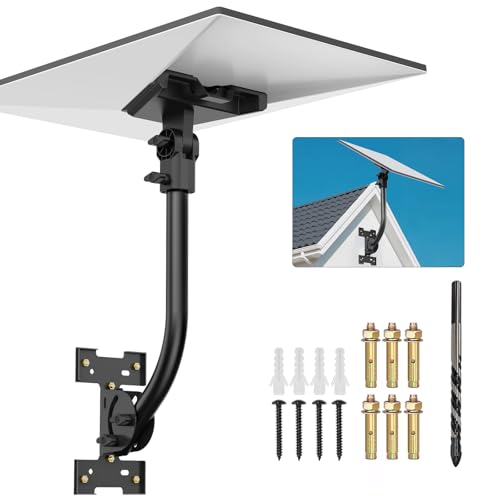
Anautin Starlink Gen 3 Mount — Adjustable 180°-Degree Installation kit with Waterproof Design Suitable for Wooden Roofs and Walls, ensuring Optimal Satellite Internet Signal Alignment.
Versatile Wall Compatibility Ideal for Starlink Gen 3 Installation Engineered for mud walls and wooden surfaces, this Starlink...
As an affiliate, we earn on qualifying purchases.
Understanding ISP Network Congestion During Peak Hours

ISP network congestion during peak hours happens because many users are online simultaneously, especially between 6:00 p.m. and 11:00 p.m. When everyone logs on after work or school, network demand spikes, creating a traffic jam on the internet. This surge results from multiple users streaming videos, gaming, or video conferencing at the same time, straining the network’s capacity. Shared bandwidth, particularly for cable internet users, means each person’s activity affects others on the same local network. The wider area network (WAN) also faces congestion, especially in areas with aging infrastructure or high population density. During these hours, the network becomes overwhelmed, causing slower speeds, buffering, and interruptions. This pattern is similar to rush hour traffic on busy roads, just on the digital highway. Additionally, as AI-driven security systems become more widespread, they can add to network load during peak times by performing real-time threat analysis.

STARLINK Mini Kit - 4th Gen Mini Antenna with Wi-Fi Router – Star Links High-Speed Internet for RVs, Camping, Travel, Remote Work, and Off-Grid Use, Internet Kit
INSTALLATION FEATURES: Includes mounting hardware and adjustable stand for optimal positioning and signal reception
As an affiliate, we earn on qualifying purchases.
How Throttling Impacts Internet Speeds at Night
During peak hours when network demand soars, many internet providers implement throttling to manage congestion. Throttling intentionally reduces your internet speed during busy periods, making it harder for you to stream, game, or download quickly. This practice helps ISPs control overall bandwidth, prevent network overloads, and prioritize paying customers or certain services. When throttling kicks in, your connection might feel sluggish even if your equipment and household devices are fine. You won’t typically see a notice or control over this slowdown, as it’s an ISP policy. As a result, your night-time internet experience can decline considerably, not just because of the local network strain but also due to deliberate speed reductions designed to ease congestion across the entire network. Additionally, some ISPs are adopting AI-driven solutions to optimize traffic management and further influence speeds during peak times. Understanding network congestion can help you identify when throttling is likely affecting your connection and explore potential solutions. Recognizing bandwidth limitations can also assist in managing your expectations and planning activities during off-peak hours. Moreover, awareness of ISP throttling policies can empower users to seek alternative options or implement measures to improve their connection during these times. Moreover, understanding how subconscious power during sleep influences vibrational states can be useful in managing stress that may impact your perception of internet reliability.

STARLINK Mini 2026 Portable Satellite Internet Terminal, High-Speed Connectivity System with Phased-Array Antenna, Wi-Fi Router for Remote Areas, Off-Grid Travel
PORTABLE 4TH GEN DESIGN – Compact satellite internet antenna with the latest 4th generation technology, built for easy...
As an affiliate, we earn on qualifying purchases.
The Role of Household Devices in Internal Network Strain
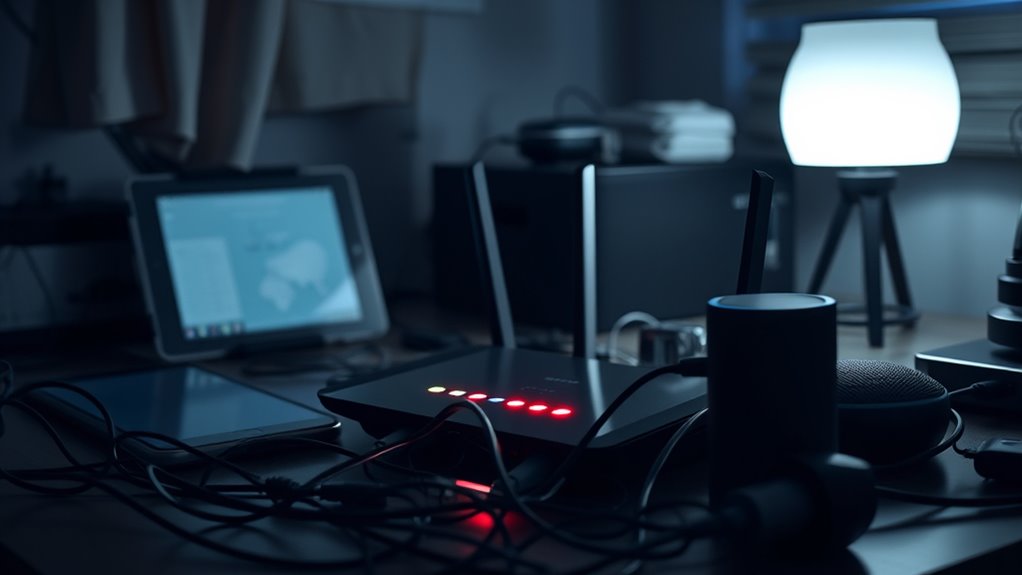
When you have multiple devices streaming or performing high-bandwidth activities at the same time, your home network gets overloaded quickly. This internal strain can slow down your internet speed, especially during peak evening hours. Managing device usage and limiting simultaneous high-demand activities can help reduce network congestion. Using self-watering plant pots as an analogy, just as they maintain consistent moisture levels without overwatering, a well-managed network maintains steady speeds without overload. Implementing network tuning techniques, such as prioritizing essential devices or scheduling data-heavy tasks, can further optimize performance and prevent slowdowns. Additionally, upgrading certain components or configurations, inspired by Kia Tuning methods, can help improve overall network resilience and efficiency. Recognizing the impact of internal network strain is essential for maintaining optimal internet performance during busy hours. Moreover, understanding how aura colors reflect system states can help identify underlying issues affecting network stability and performance.
Multiple Devices Simultaneously Streaming
Multiple devices streaming simultaneously within a household can substantially strain your home network’s bandwidth. When everyone streams videos, plays online games, or downloads files at the same time, your router must handle multiple high-data demands. This increases network load, leading to slower speeds and buffering issues. Additionally, network congestion caused by internal device activity can mimic broader ISP congestion effects in your home. The more devices actively using bandwidth, the less capacity remains for each, which can cause noticeable slowdowns during evening hours. High-definition streaming especially consumes significant data, amplifying internal congestion. If you don’t manage device activity, your network becomes overwhelmed, mimicking broader ISP congestion effects in your home. Disconnecting inactive devices, limiting multiple streams, or upgrading your router can help alleviate this internal strain, maintaining smoother performance during peak hours. Top 10 anime films recommended for entertainment options during these times can also help reduce the strain by encouraging alternative activities.
High-Bandwidth Activities Overlap
High-bandwidth activities like streaming, gaming, and large downloads happening simultaneously within your household substantially contribute to internal network strain. When multiple devices engage in these data-heavy tasks at once, they compete for limited bandwidth, slowing down the entire network. For example, someone streaming a 4K movie while another person uploads files or plays online games creates a bottleneck. This overlap amplifies congestion, making your Wi-Fi sluggish even if your internet plan isn’t fully maxed out. The more devices and high-demand activities you have running concurrently, the greater the strain on your home network. Disconnecting inactive devices and scheduling large downloads for off-peak hours can help reduce this internal congestion. Managing high-bandwidth activities is essential for smoother, more reliable internet performance during peak times. Additionally, understanding Free Floating principles can help you optimize your network setup to prevent interference and improve overall speed. To further optimize your network, consider the impact of household device interference, which can also contribute to slowdowns during peak hours. Properly maintaining your router, including regular cleaning and firmware updates, also plays a vital role in preventing performance degradation. Moreover, selecting a high-performance router designed for multiple connections can greatly enhance your network’s capacity and stability.
Device Management Strategies
Managing your household devices effectively can substantially reduce internal network strain during peak usage hours. Start by identifying devices that consume the most bandwidth, like streaming devices, gaming consoles, and large downloads. Limit the number of devices active at the same time, especially during evening hours. Turn off unused devices or disconnect them from the network to free up bandwidth. Prioritize essential activities—work calls, streaming, or gaming—over background downloads and updates. Use Quality of Service (QoS) settings on your router to assign higher priority to critical devices or applications. Regularly update your router firmware and replace outdated equipment to improve efficiency. By managing your device usage smartly, you can minimize internal congestion and enjoy a smoother internet experience during busy evening hours. Incorporating vertical storage solutions and organizing devices can further optimize your network setup and reduce clutter that may interfere with Wi-Fi signals.

Starlink Gen-3 Standard Kit – High-Speed, Low-Latency Satellite Internet with Wi-Fi 6 Router & Power Supply – Reliable Internet for Homes, RVs & Remote Locations
Next-Gen Satellite Internet – Fast & Reliable: Get high-speed broadband anywhere — perfect for rural, off-grid, or mobile...
As an affiliate, we earn on qualifying purchases.
Evaluating Router Quality and Its Effect on Performance

Your router’s hardware capabilities directly impact how well it handles multiple devices and high-bandwidth activities during peak hours. Proper placement and strong signal strength are essential to maintain a stable connection across your home. Upgrading to a modern router can markedly improve performance when network congestion intensifies at night. Additionally, understanding network performance metrics can help identify whether issues stem from your device or external factors. For optimal results, consider assessing your Mazda Tuning setup to enhance overall vehicle responsiveness and comfort, which can indirectly improve your experience with connected in-car systems. Ensuring that your wireless signal is free from interference can further optimize connection stability during busy hours. Monitoring signal strength and mitigating sources of interference can help maintain consistent speeds when it matters most, especially when leveraging channel management techniques.
Router Hardware Capabilities
The quality and capabilities of your router play a crucial role in how well your home network handles multiple devices and high-demand activities, especially during peak hours. A modern, high-quality router can better manage multiple connections, reducing lag and slowdowns. Look for routers with dual or tri-band Wi-Fi, which distribute traffic more efficiently across different frequencies. Advanced features like Quality of Service (QoS) prioritize bandwidth for critical activities like streaming or gaming. Older or lower-end routers often struggle with increased device counts, leading to slower speeds and dropped connections. Additionally, routers with better processing power and multiple antennas provide stronger, more stable signals throughout your home. Upgrading your equipment ensures your network can handle congestion, minimizing slowdowns during busy evening hours. Investing in network optimization tools can further enhance your router’s performance and reliability.
Placement and Signal Strength
Proper placement of your router is essential for maximizing signal strength and overall network performance. Position it centrally in your home, away from thick walls, metal objects, and electronic devices that can block or interfere with signals. Elevate your router on a shelf or mount it on a wall to improve coverage. Avoid placing it near cordless phones, microwaves, or Bluetooth devices, which can cause interference. Ensure antennas are adjusted for ideal signal dispersion toward key areas. Using a higher-quality router with strong antennas boosts your network’s capacity and stability. Regularly update firmware to fix bugs and improve performance. If you notice slow speeds or dead zones, re-evaluate your router’s placement. Proper positioning and quality equipment considerably reduce internal interference, enhancing your Wi-Fi experience during peak times.
Infrastructure Factors That Influence Nighttime Connectivity

Infrastructure quality plays a crucial role in determining how well your internet performs during peak hours. If you have a fiber-optic connection, you’ll experience more consistent speeds because fiber handles high traffic better than satellite or 5G networks. Older infrastructure, like outdated cables or equipment, struggles to keep up with increased demand, causing slowdowns. The distance between your home and ISP equipment also matters; the farther you are, the more latency and congestion can affect your connection. In densely populated areas, infrastructure often becomes overwhelmed during peak times, leading to network bottlenecks. Additionally, the type of technology used in your area influences performance—fiber is generally more resilient to congestion than traditional cable or DSL. Upgrading infrastructure or choosing providers with better setups can greatly improve your nighttime connectivity.
External Elements That Contribute to Evening Slowdowns
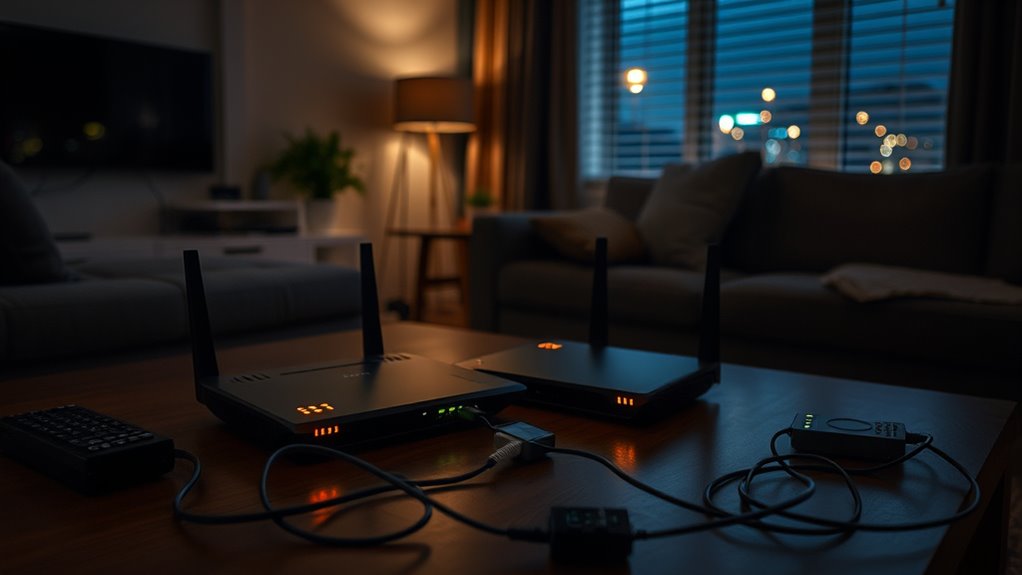
External factors like severe weather and data caps can considerably worsen internet slowdowns during evening hours. Severe storms or high winds can damage infrastructure, disrupt signals, and cause outages, especially for satellite or wireless connections. Data caps restrict your monthly usage, and once you exceed those limits, your provider may reduce your speeds, intensifying slowdowns during busy periods. Additionally, the use of Virtual Private Networks (VPNs) adds processing steps, which can slow your connection when network congestion is already high. Environmental conditions, such as heavy rain or snow, can also interfere with signal quality, leading to decreased performance. These external elements, combined with increased household usage, create a perfect storm that makes your internet feel sluggish at night beyond just ISP or home network issues.
Differentiating Between ISP and Home Network Issues

When your internet slows down at night, it’s important to determine whether the issue stems from your local network or your ISP’s service. First, run speed tests at different times, both wired and wireless. If the speeds drop only on Wi-Fi, your home network likely causes the slowdown—possibly due to device overload, outdated equipment, or placement issues. If both wired and wireless connections slow down, it points to an ISP problem, such as network congestion or throttling. Check for signs of congestion within your household, like multiple devices streaming or gaming simultaneously. Eliminating internal causes by disconnecting devices, updating routers, or repositioning equipment can help. If problems persist across all devices and connections, contacting your ISP is your next step.
Strategies to Improve Your Internet Experience During Peak Times

To optimize your internet experience during peak hours, start by managing your household’s device usage and activity levels. Disconnect inactive devices and prioritize essential activities like work or streaming. Limit simultaneous high-bandwidth tasks, such as gaming or large downloads, to reduce congestion. Updating your router’s firmware and positioning it centrally can improve signal strength and performance. Consider upgrading to a modern router with better traffic management features if yours is outdated. Use wired Ethernet connections for devices that need stable, fast speeds, especially during busy times. Additionally, schedule large downloads or updates for off-peak hours when possible. These steps help minimize internal network congestion, easing the load on your equipment and ensuring a smoother, faster internet experience during those peak evening hours.
Frequently Asked Questions
Can Upgrading My Router Completely Eliminate Night-Time Slowdowns?
Upgrading your router can substantially improve your home network’s performance, but it won’t completely eliminate night-time slowdowns. During peak hours, ISP congestion and infrastructure limitations still affect your speeds, regardless of your equipment. However, a modern, high-quality router can better manage multiple devices, reduce internal network strain, and improve signal strength. To fully tackle slowdowns, you might also need to think about your ISP’s policies and overall connection quality.
How Does ISP Throttling Differ From General Network Congestion?
ISP throttling intentionally reduces your internet speed during peak hours or after data caps, controlled by your provider to manage network load and prioritize traffic. In contrast, general network congestion happens naturally when many users are online simultaneously, causing slowdowns due to shared bandwidth. Throttling is a deliberate policy, while congestion results from high demand on infrastructure, making your connection slower during busy times.
Do VPNS Significantly Impact Internet Speeds During Peak Hours?
Yes, VPNs can considerably impact your internet speeds during peak hours. When you connect to a VPN, your data takes an extra step through encryption and rerouting, which adds latency and reduces speed. During busy evening hours, this effect becomes more noticeable because your connection already faces congestion from ISP throttling and network traffic. To improve performance, choose a high-quality VPN service and connect to nearby servers.
Are Some Internet Connection Types More Prone to Nighttime Congestion?
Yes, some connection types are more prone to nighttime congestion. Fiber internet generally handles peak hours better due to higher capacity, while cable and satellite connections often experience more slowdown because their infrastructure struggles with high traffic. Wireless options like 5G can also be affected, especially if network infrastructure is limited or overloaded. Your experience depends on your connection type and local infrastructure quality, but high-capacity options tend to perform better during busy evening hours.
Can Changing My Household Wi-Fi Setup Improve Performance During Busy Hours?
Changing your household Wi-Fi setup is like tuning a musical instrument—you can improve performance during busy hours. Move your router to a central, open spot, away from obstructions and electronic interference. Upgrade to a modern router capable of handling multiple devices, and disconnect inactive gadgets. These steps help maximize your home network’s efficiency, reducing internal congestion and boosting speeds during peak times, even if external ISP congestion remains.
Conclusion
To beat those nightly slowdowns, you need to understand whether it’s your ISP or home devices causing the chaos. Upgrading your router, managing household interference, and choosing the right plan can turn your sluggish evenings into lightning-fast sessions. Don’t let congestion turn your internet into a snail—take action now. With the right tweaks, you’ll experience speeds so fast, they’ll feel like you’re surfing on a supercomputer!