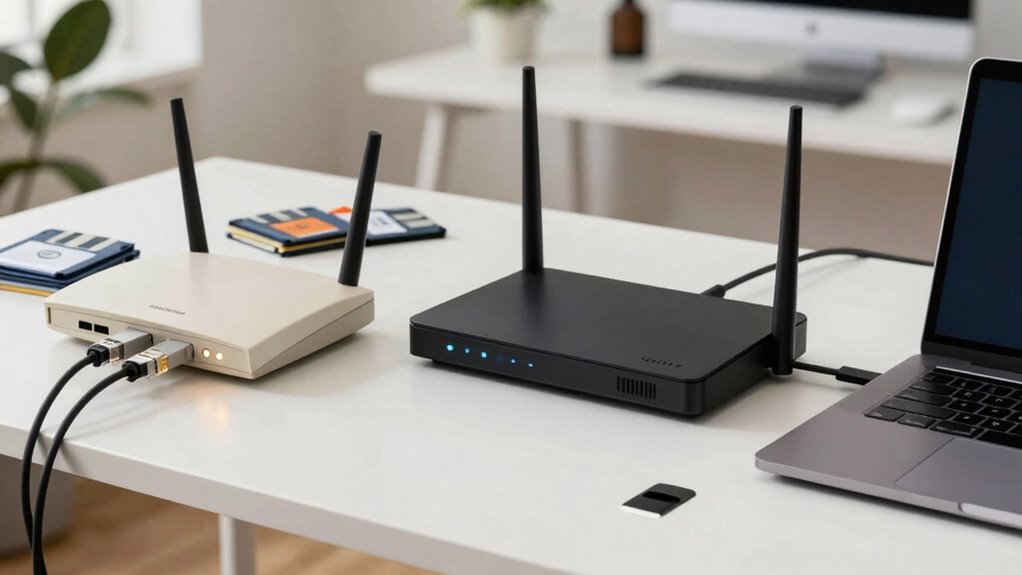

Router security has advanced considerably from early WEP encryption, which was easily broken, to stronger protocols like WPA2 and now WPA3, offering better data protection. Manufacturers now include features like firewalls, intrusion detection, and guest networks, but you need to properly configure them and keep firmware updated to stay protected. Security isn’t a set-it-and-forget-it task—staying current with evolving threats ensures your network remains safe. If you want to learn more about these security shifts, keep exploring the topic.
Key Takeaways
- Early routers used WEP, which was vulnerable and easily compromised.
- Transition to WPA2 and WPA3 introduced stronger encryption protocols for better security.
- Firmware updates became essential to patch vulnerabilities and enhance features.
- Default passwords and remote management settings are now widely disabled to reduce attack risks.
- Security has evolved from basic protections to layered defenses like firewalls and intrusion detection systems.

Over time, router security has evolved considerably as threats have become more sophisticated and persistent. In the early days of wireless networking, security measures were minimal, often relying solely on WEP (Wired Equivalent Privacy), which proved to be easily compromised. As cybercriminals found vulnerabilities, manufacturers began implementing stronger encryption protocols to safeguard data transmission. Today, WPA3 is the standard, offering improved security features that make it much harder for attackers to intercept or crack your network. These encryption protocols encrypt your data more effectively, guaranteeing that sensitive information like passwords, financial details, and personal communications stay private.
Router security has advanced from WEP to WPA3, providing stronger encryption to protect your sensitive data.
However, encryption alone isn’t enough. As threats have grown more complex, the necessity of regularly updating your router’s firmware has become clear. Firmware updates are imperative because they often contain patches for security vulnerabilities that hackers could exploit. Manufacturers regularly release firmware updates to enhance security, add new features, and improve overall performance. By staying vigilant and installing updates promptly, you substantially reduce the risk of unauthorized access, malware infections, and other cyber threats. Additionally, understanding the importance of color accuracy in your network’s security can help you better appreciate how maintaining the integrity of your data is essential. Staying informed about security vulnerabilities is crucial for recognizing potential risks before they can be exploited.
You also need to be aware that security isn’t a one-and-done process. Modern routers often come with built-in security features like firewalls, intrusion detection systems, and guest networks, but these tools only work effectively when properly configured and kept up to date. Changing default passwords, disabling remote management, and enabling encryption protocols are essential steps to harden your network. Additionally, many routers now allow you to enable automatic firmware updates, which helps make certain your device always has the latest security patches without manual intervention. This proactive approach is key to staying protected as new vulnerabilities are continually discovered. Regularly reviewing your router’s security settings and staying informed about security best practices can further enhance your protection.
From a broader perspective, understanding the evolution of security features helps you appreciate how encryption protocols have advanced to meet new challenges over time. Over the years, the landscape of router security has shifted from basic protections to a multi-layered approach that emphasizes encryption, timely firmware updates, and smart configuration. The evolution reflects an ongoing arms race between security professionals and cybercriminals. As you use your network, it’s fundamental that you stay informed about these changes and adopt best practices—such as updating firmware regularly and enabling robust encryption protocols—to keep your data safe. Remember, the security of your network isn’t just about the hardware; it’s about your ongoing commitment to maintaining a secure environment in an ever-changing digital world.

TP-Link AX1800 WiFi 6 Router (Archer AX21) – Dual Band Wireless Internet, Gigabit, Easy Mesh, Works with Alexa – A Certified for Humans Device, Free Expert Support
DUAL-BAND WIFI 6 ROUTER: Wi-Fi 6(802.11ax) technology achieves faster speeds, greater capacity and reduced network congestion compared to…
As an affiliate, we earn on qualifying purchases.
As an affiliate, we earn on qualifying purchases.
Frequently Asked Questions
What Are the Latest Router Security Threats?
You should be aware that the latest router security threats include sophisticated hacking attempts exploiting weak wireless encryption and vulnerabilities in default passwords. Attackers may also target network segmentation flaws to access sensitive data or move laterally within your network. To protect yourself, make sure your router uses strong encryption like WPA3, change default credentials, and properly segment your network, keeping critical devices isolated from less secure ones.
How Often Should I Update My Router Firmware?
You should update your router firmware at least once every three months to guarantee maximum security. Regular firmware updates are a key part of router security best practices, fixing vulnerabilities and improving performance. Keep an eye on your router’s settings or manufacturer’s website for updates. Staying consistent with firmware update frequency helps protect your network from recent threats, safeguarding your personal information and connected devices effectively.
Are Default Passwords Still a Common Security Risk?
Default passwords are still a significant security risk because many users overlook changing them, leaving their networks vulnerable. You should never keep default passwords on your router, as hackers often target these easily guessable credentials. Increasing your user awareness about the importance of strong, unique passwords helps protect your network. Regularly updating your firmware and customizing your password can drastically improve your router’s security, keeping unwanted intruders out of your network.
What New Security Features Do Modern Routers Include?
Modern routers include advanced security features like encryption protocols, such as WPA3, to protect your data from eavesdropping. They also offer guest networks, allowing you to give visitors internet access without exposing your main devices. These features help you maintain better security, controlling access and encrypting your connection. By using these tools, you can considerably reduce risks and keep your network safer from cyber threats.
How Can I Test My Router’s Security?
You can test your router’s security by checking for strong password encryption and effective network segmentation. Start by running a vulnerability scan or using tools like Nmap to identify open ports and weak points. Make certain your Wi-Fi uses WPA3 encryption, and segment your network to isolate devices. Regularly update firmware and change default passwords. These steps help you spot vulnerabilities and strengthen your router’s defenses against potential threats.
![PiFi Kit - Raspberry Pi 4/5 Gigabit Travel Router Kit (AC1300Mbps USB 3.0 WiFi, OpenVPN/Wireguard VPN Client, OpenWrt, AdGuard Home) [Raspberry Pi NOT Included]](https://m.media-amazon.com/images/I/41rkH-xcJSL._SL500_.jpg)
PiFi Kit – Raspberry Pi 4/5 Gigabit Travel Router Kit (AC1300Mbps USB 3.0 WiFi, OpenVPN/Wireguard VPN Client, OpenWrt, AdGuard Home) [Raspberry Pi NOT Included]
【AC1300 WiFi 5Ghz Gigabit WiFi Router Kit】PiFi Kit transforms your Raspberry Pi 4 or 5 into a pocket-sized…
As an affiliate, we earn on qualifying purchases.
As an affiliate, we earn on qualifying purchases.
Conclusion
So, after all these years of evolving security measures, you’d think your router’s defenses are impenetrable. But ironically, as technology gets smarter, hackers get craftier. Today’s routers have more features than ever, yet they’re still vulnerable to the simplest tricks. It’s a bit like locking your door with a fancy key, only to leave the window wide open. Sometimes, progress feels like just another way for intruders to find an easy entry.

Network Security, Firewalls, and VPNs: . (Issa)
Available with the Cloud Labs which provide a hands-on, immersive mock IT infrastructure enabling students to test their…
As an affiliate, we earn on qualifying purchases.
As an affiliate, we earn on qualifying purchases.

TP-Link AC1900 Smart WiFi Router (Archer A8) -High Speed MU-MIMO Wireless Router, Dual Band Router for Wireless Internet, Gigabit, Supports Guest WiFi
Wave 2 Wireless Internet Router: Achieve up to 600 Mbps on the 2.4GHz band and up to 1300…
As an affiliate, we earn on qualifying purchases.
As an affiliate, we earn on qualifying purchases.