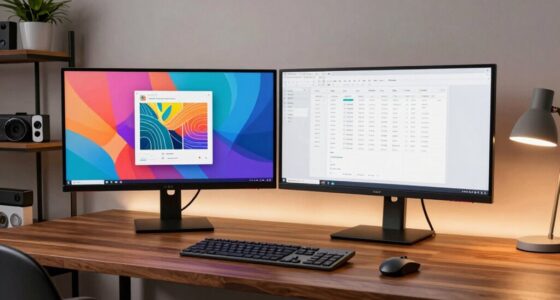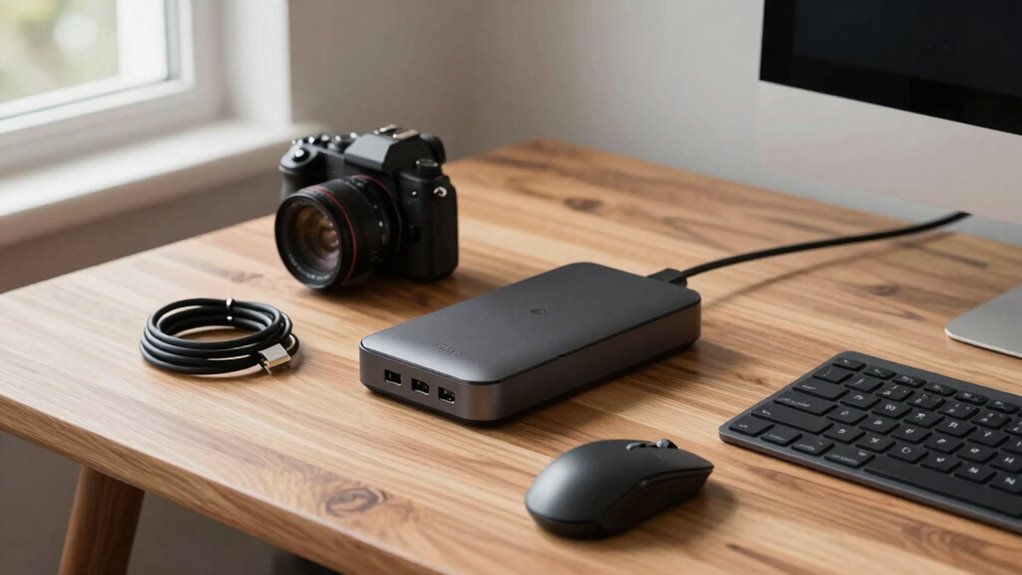
Docking stations can fix many desk problems you might not expect, like cable clutter, weak Wi-Fi signals, and poor device organization. They streamline your workspace by connecting multiple devices through a single hub, reducing tangled cords and improving connectivity. Plus, they support ergonomic setups that help prevent strain and boost productivity. As you explore further, you’ll discover even more ways these tools can enhance your workspace and make daily tasks easier.
Key Takeaways
- Docking stations simplify cable management, reducing clutter and preventing tangled cords on your desk.
- They enable seamless device connectivity, minimizing connection issues and improving overall workspace reliability.
- Docking stations support ergonomic setups, promoting better posture and reducing physical strain during long work sessions.
- They help organize workspace essentials like monitors, keyboards, and smartphones for quick access and efficiency.
- Additional features like sound management and device control further enhance focus and productivity.

If your workspace feels cluttered or your devices aren’t connecting smoothly, a docking station might be the solution you need. It’s more than just a device hub; it can transform your entire setup. One of the biggest benefits is improving wireless connectivity. Many docking stations come equipped with advanced wireless features, reducing the need for multiple cables and making your workspace cleaner. You can connect your laptop to the internet, peripherals, and other devices seamlessly, often with a single connection. This eliminates the frustration of dealing with tangled cords or weak Wi-Fi signals, giving you a more reliable and efficient work environment.
Beyond connectivity, docking stations markedly enhance ergonomic adjustments. When your workspace is cluttered, it’s easy to adopt poor posture. A docking station helps organize everything—your monitor, keyboard, mouse, and even your smartphone—so they’re within easy reach and aligned properly. With everything positioned ergonomically, you can reduce strain on your neck, shoulders, and wrists. Many docking stations also support adjustable mounting options, allowing you to set your monitor at eye level or customize your desk height. This flexibility helps prevent discomfort and long-term musculoskeletal issues, especially if you spend many hours working at your desk. Additionally, understanding workspace organization can help maximize the benefits of a docking station and create a more efficient environment. Recognizing digital workspace optimization can further enhance your overall productivity and comfort. Implementing proper cable management techniques can also contribute to a tidier and more functional workspace. Incorporating knowledge of sound vibrations and their benefits can even make your workspace more calming and focused, especially if you incorporate subtle background sounds or music. Ensuring your workspace is well-organized can also help reduce distractions and improve concentration.

UGREEN Revodok 6 in 1 USB C Hub Gigabit Ethernet Adapter with 4K HDMI, 100W PD Charging, USB A Data Ports Compatible with Mac M1, M2, M3, M4,M5,iPad, iPhone 16 Pro/Pro Max, Steam Deck
6 in 1 USB-C Hub: This USB C ethernent hub turns a single USB-C port into 6 ports…
As an affiliate, we earn on qualifying purchases.
As an affiliate, we earn on qualifying purchases.
Frequently Asked Questions
Can Docking Stations Improve Wi-Fi Connectivity?
Docking stations don’t directly boost Wi-Fi signals, but they can improve your connection indirectly. By reducing wireless interference through wired connections for your devices, you minimize signal congestion. Some docking stations also include features like signal boosting or Ethernet ports, which provide more stable and faster internet access. This way, you experience fewer interruptions and better overall Wi-Fi performance, making your workspace more efficient and less frustrating.
Are Docking Stations Compatible With All Laptop Brands?
Imagine the seamless connection of your laptop, like a bridge linking your ideas to the world. Docking stations aren’t universally compatible with all laptop brands, but many offer broad brand compatibility. Look for port versatility—USB-C, Thunderbolt, or HDMI—to guarantee your device can connect effortlessly. Checking specific compatibility details helps you avoid frustration, so you can focus on your work, knowing your setup is flexible and ready for anything.
Do Docking Stations Support Multiple Monitors Simultaneously?
Yes, many docking stations support multiple monitors simultaneously, especially those with universal compatibility. They’re designed to connect various display types and sizes, making multitasking easier. Additionally, most modern docks offer power delivery, so you can charge your laptop while using multiple screens. Just make certain the docking station you choose supports your specific monitor setup and provides enough power delivery to keep your device charged during extended use.
Can Docking Stations Charge Devices Other Than Laptops?
Yes, many docking stations can charge devices other than laptops, especially those with wireless charging capabilities. You can easily power your smartphones, tablets, or other compatible gadgets without needing extra cables. Just make sure your device compatibility with the docking station’s charging standards. This feature helps keep your desk organized and reduces clutter, making it a handy solution for charging multiple devices efficiently while maintaining a tidy workspace.
Are Docking Stations Easy to Set up for Non-Tech Users?
Yes, docking stations are typically easy for non-tech users to set up. You just connect a few cables, which helps with cable management, keeping your desk tidy. Once connected, they enhance your workspace’s aesthetic by reducing clutter and providing a streamlined look. Most docking stations come with clear instructions or simple plug-and-play features, making setup quick and hassle-free, even if you’re not tech-savvy.

WALI Heavy Duty Single Monitor Arm for 17-49 Inch Flat Curved Ultrawide Screens, up to 33 Lbs, Adjustable Gas Spring Single Monitor Desk Mount for Home Office Gaming, VESA 75/100mm (GSM001XLN), Black
【THE ONE-STOP SOLUTION FOR YOUR DESK】Stop worrying about compatibility or complicated setups. This heavy duty single monitor arm…
As an affiliate, we earn on qualifying purchases.
As an affiliate, we earn on qualifying purchases.
Conclusion
Imagine your desk as a bustling cityscape, cluttered and chaotic. With a docking station, you become the steady bridge, connecting devices seamlessly and clearing the chaos. It’s like turning on a gentle tide that washes away your frustrations, leaving smooth, open space to breathe. In this quiet harmony, productivity flows effortlessly, and your workspace transforms into a calm harbor. Embrace the docking station — your secret weapon for a tidier, more efficient day.

Mzmaxy Cable Management, 25'' Cable Management Under Desk No Drill, Metal Cord Organizer with Clamp for Standing Desk, Cable Organizer for Home Office, Black
【25'' Large Size】The 25'' cable management under desk provides enough space for all your cables. Desk cable management…
As an affiliate, we earn on qualifying purchases.
As an affiliate, we earn on qualifying purchases.

Baseus Docking Station, Spacemate(Win) 11 in 1, Triple Display, 4K HDMI and DP, 10Gbps USB A/C Ports, Gigabit Ethernet, 100W PD, Audio, Laptop Docking Station for Windows/Dell/HP/Lenovo/Asus/Acer/Mac
High-spec 11 in 1 Expansion : This laptop docking station is equipped with 2 HDMI ports, 2 DisplayPort…
As an affiliate, we earn on qualifying purchases.
As an affiliate, we earn on qualifying purchases.