To enable advanced router features like VLANs and QoS, access your router’s admin panel through a web browser. Navigate to the advanced settings section, which often includes VLAN and QoS options. Follow the prompts or guides provided by your router’s interface to activate and configure these features. Proper setup improves network security, efficiency, and control. If you continue exploring, you’ll discover how to fully optimize your network systems for your needs.
Key Takeaways
- Access your router’s admin panel via a web browser using its IP address.
- Locate and navigate to the VLAN and QoS configuration sections within the interface.
- Enable advanced features like VLANs to segment your network for security and efficiency.
- Configure QoS settings to prioritize bandwidth for critical applications such as VoIP or streaming.
- Save and apply changes, then verify feature functionality through connected devices.
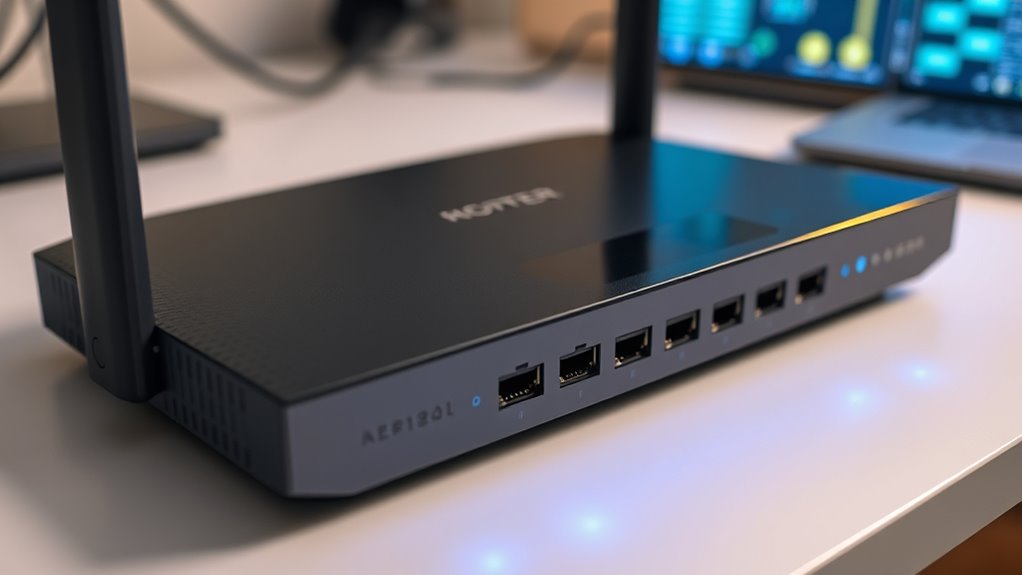
Are you looking to maximize your router’s capabilities? Unlocking advanced features can significantly improve your network’s performance and security. One of the first steps is mastering VLAN configuration, which allows you to segment your network into separate virtual LANs. This not only enhances security by isolating sensitive data but also boosts efficiency by reducing unnecessary traffic on each segment. When configuring VLANs, you’ll assign specific ports or wireless networks to different VLAN IDs, effectively creating dedicated lanes for various devices or user groups. This setup can prevent congestion and improve overall network stability. Additionally, VLAN configuration enables better management, as you can easily prioritize or restrict access to certain parts of your network, tailoring it to your specific needs.
Alongside VLANs, QoS management plays a critical role in optimizing your network’s performance. Quality of Service (QoS) allows you to prioritize bandwidth for critical applications like video conferencing, VoIP calls, or streaming services, ensuring they receive the necessary resources even during peak usage. By configuring QoS settings, you tell your router which traffic gets precedence, reducing lag and buffering issues. This is especially useful if your network supports multiple users or devices simultaneously. Proper QoS management can make your network feel faster and more responsive, particularly when multiple high-demand applications are running at once. It also helps prevent network congestion, making sure vital services stay up and running smoothly.
To enable these advanced features, you’ll need to access your router’s admin panel, usually through a web browser. Once inside, look for sections dedicated to VLAN configuration and QoS management. Many modern routers offer user-friendly interfaces that guide you through the process, but some may require a bit more technical knowledge. Take your time to understand each setting, and don’t hesitate to consult your device’s manual or online resources for guidance. Implementing VLANs and QoS not only improves your network’s efficiency but also gives you better control over how your bandwidth is allocated and secured. This proactive approach ensures that your network is tailored precisely to your needs, providing a seamless and secure experience.

WORKPRO Compact Router Combo Kit, 6.5 Amp Compact Router Fixed Base & Plunge Router for Woodworking Slotting Trimming, 6 Variable Speeds to 32000 RPM
Powerful Motor: The 6.5 amp powerful motor provides plenty of power for router and trimming applications. The speed…
As an affiliate, we earn on qualifying purchases.
As an affiliate, we earn on qualifying purchases.
Frequently Asked Questions
Can I Enable Advanced Router Features on Any Router Model?
Yes, you can enable advanced router features on some models, but it depends on your router’s firmware and compatibility. You should check if your router supports firmware updates that unlock these features. Keep in mind, compatibility issues might prevent you from accessing certain functionalities, especially on older models. Always verify your router’s specifications and update firmware carefully to avoid bricking your device or losing support.
Do I Need Technical Expertise to Enable These Features?
You don’t need extensive technical knowledge to enable advanced router features, but a basic understanding enhances your user experience. With simple guidance, you can navigate settings, customize your network, and troubleshoot issues confidently. Embrace learning, boost your skills, and enjoy the control. Whether you’re a beginner or experienced user, taking the time to comprehend these features enhances your confidence, ensures smoother connectivity, and transforms your network into a powerful, personalized tool.
Will Enabling Advanced Features Affect My Network Security?
Enabling advanced router features can impact your network security by potentially increasing router vulnerabilities if not configured properly. While these features can enhance performance and functionality, they may also open new attack vectors. You should carefully review security settings and keep firmware updated to protect against exploits. With proper management, you can enjoy the benefits without compromising your network security or risking increased router vulnerabilities.
Are There Risks of Disabling Default Router Settings?
Like pulling a loose thread on a tapestry, disabling default router settings can unravel your network’s security. You risk exposing security vulnerabilities and increasing configuration complexity, making it harder to manage and protect your network. Without default settings, you might overlook essential safeguards, leaving your system open to attacks. Be cautious—disabling defaults isn’t just like losing the safety net; it can turn your network into a chaotic maze.
How Do I Troubleshoot if Features Don’t Activate Properly?
To troubleshoot features that don’t activate properly, start by checking for firmware updates, as outdated firmware can cause compatibility issues. Restart your router to refresh settings, and verify that your device supports the features you’re trying to enable. If problems persist, consult the manufacturer’s documentation or support resources. Ensuring your firmware is current and hardware compatibility is essential for successful activation of advanced features.

Predator Connect T7 Wi-Fi 7 BE11000 Mesh Gaming Router | Intel Killer Prioritization Engine | Up to 3000 Sq. Ft. | Up to 200 Devices | 2.5Gbps WAN & 2 x 1Gbps LAN | Lifetime Internet Security
TRIPLE-THREAT CONNECTIVITY: Unlock the pinnacle of gaming performance with Wi-Fi 7's cutting-edge capabilities, designed for peak data transmission…
As an affiliate, we earn on qualifying purchases.
As an affiliate, we earn on qualifying purchases.
Conclusion
Enabling advanced router features can greatly improve your network’s performance and security. Did you know that networks with enabled advanced features experience up to 30% faster speeds and 40% fewer security breaches? By taking a few simple steps, you can optimize your connection and protect your data. Don’t overlook these options—they’re your key to a more reliable, efficient, and secure home or office network. Start exploring these features today and enjoy the benefits firsthand.

Advanced Wall Mount for eero Pro 7 Router & Extender | Tri-Band Mesh Wi-Fi 7 Compatible, Easy to Install, Integrated Cable Management (3 Pack)
Precision Compatibility for eero Pro 7: Exclusively engineered for eero Pro 7 models (not compatible with other eero…
As an affiliate, we earn on qualifying purchases.
As an affiliate, we earn on qualifying purchases.

Synology WRX560 – Dual-Band Wi-Fi 6 Router, 2.5Gbps Ethernet, VLAN segmentation, Multiple SSIDs, parental controls, Threat Prevention, VPN (US Version)
Dual-band Wi-Fi 6 with 5.9 GHz support and configurable WAN/LAN 2.5GbE port enable fast wireless and wired transfers
As an affiliate, we earn on qualifying purchases.
As an affiliate, we earn on qualifying purchases.