Copilot+ PCs use advanced neural processing units (NPUs) to run AI tasks directly on your device, boosting speed and privacy. These NPUs handle AI workloads like voice commands, translations, and video effects, all without relying on cloud services. Local models power many features, ensuring real-time responsiveness and security. If you’re curious about how these components work together to enhance your device’s capabilities, there’s more to explore below.
Key Takeaways
- Copilot+ PCs feature Neural Processing Units (NPUs) that accelerate on-device AI computations for faster, private processing.
- Local AI models enable tasks like search, translation, and real-time captions directly on the device, reducing cloud reliance.
- NPUs handle AI workloads with high TOPS, offloading tasks from CPU/GPU for improved performance and battery life.
- On-device AI enhances security through features like threat detection, data encryption, and hardware protection.
- User-facing features include voice recall, context-aware suggestions, video call effects, and faster search—all running locally.
What Are Copilot+ PCs and Their Key Features

Ever wondered what sets Copilot+ PCs apart from traditional Windows devices? These new machines are built for advanced AI, combining a Neural Processing Unit (NPU) with the usual CPU and GPU. This integration allows for smarter, faster, and more efficient AI-powered features right on your device. Running Windows 11 Pro, they deliver a seamless experience tailored for productivity and innovation. Copilot+ PCs are available from multiple manufacturers, making cutting-edge AI accessible across different brands. They’re designed to outperform older models, offering up to 13% faster performance and 22 hours of battery life. With a focus on security, these devices include features like Secured-core protection. Overall, Copilot+ PCs mark a significant shift toward smarter, more capable Windows devices that put AI front and center. As AI technology continues to evolve, these devices are poised to enhance AI security and user trust, leveraging advancements in on-device processing to improve user data protection. The integration of Neural Processing Units also helps optimize task handling with dedicated hardware accelerators, enabling AI-powered personalization and more responsive user experiences.
The Role of Neural Processing Units in AI Performance
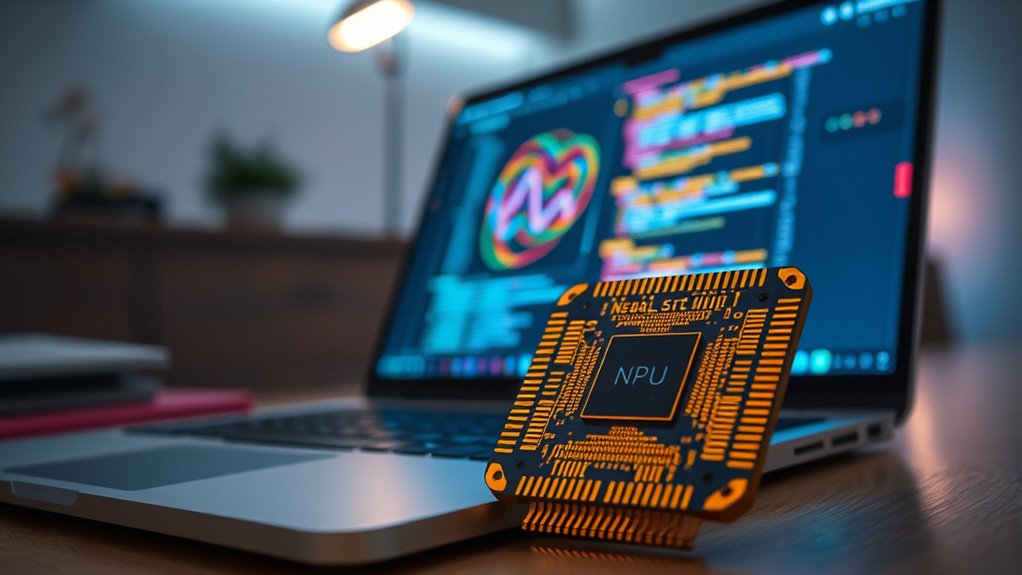
Neural Processing Units (NPUs) are the key to unblocking the advanced AI capabilities of Copilot+ PCs. They handle AI workloads with at least 40 TOPS, enabling rapid natural language processing and image recognition. NPUs run AI features locally, reducing reliance on cloud services and improving privacy. They also boost battery life and overall performance by offloading tasks from the CPU and GPU. Here’s how NPUs enhance AI efficiency: dedicated hardware acceleration, which is critical for achieving real-time responsiveness and complex AI computations. Additionally, the integration of vetted components ensures reliability and optimal performance in diverse outdoor scenarios. Incorporating power-efficient design principles further optimizes device longevity and reduces thermal output, making these systems suitable for extended use in various environments. Moreover, AI-specific optimization techniques help maximize the potential of NPUs, ensuring seamless user experiences across different applications.
How Local AI Models Power On-Device Experiences

Local AI models are the driving force behind many on-device experiences in Copilot+ PCs, enabling fast, private, and offline AI functions. These models run directly on the device’s NPU, allowing you to access features instantly without relying on cloud servers. Small language models (SLMs) process natural language commands, making interactions seamless and responsive. For example, Recall lets you search for anything seen on your screen using just your voice, while Click to Do offers context-aware suggestions when highlighting text or images. By handling these tasks locally, your device maintains your privacy and reduces latency, providing a smoother experience. Additionally, Crochet Styles for Locs can be incorporated into creative design elements of device customization, showcasing the versatility of on-device models. Advances in local model efficiency ensure that these capabilities continue to improve without increasing power consumption. Improvements in on-device AI processing allow for more complex tasks to be handled efficiently on hardware designed for low power use. These developments also contribute to model robustness, making the system more reliable under various conditions. Furthermore, ongoing developments in model optimization techniques help in maintaining high performance with minimal resource usage. Windows updates continually improve these models, enhancing capabilities and ensuring they stay current without needing cloud-based reprocessing.
Core AI Capabilities and Features Running Locally
Core AI capabilities in Copilot+ PCs run directly on the device, delivering fast and private experiences without relying on cloud services. These features leverage the NPU and local models to provide real-time, context-aware assistance. For example, Recall lets you search for anything seen on screen using natural language, while Click to Do offers instant suggestions when highlighting text or images. Windows Search becomes faster and more accurate with local AI. Live Captions and translation enable seamless communication, and Windows Studio Effects improve video calls with background blur and eye contact. Additionally, on-device processing ensures your data stays private while enabling powerful AI features. This approach aligns with the trend of AI in marketing strategies by providing targeted, personalized experiences directly on the device. Here’s a quick overview:
| Feature | Function | Benefits | |
|---|---|---|---|
| Recall | Search on-screen content with natural language | Fast, private, offline | |
| Click to Do | Context-aware suggestions for highlighted items | Instant, relevant results | |
| Windows Search | Local AI-powered search optimization | Faster, more accurate | |
| Windows Studio Effects | Video enhancements like background blur and framing | Improved video calls | Additionally, the use of local models helps reduce latency and dependence on network connectivity, ensuring consistent performance even offline. Incorporating on-device AI hardware further accelerates processing, making these features more efficient and accessible. |
Enhancing Security and Productivity With Copilot+ Devices
Enhancing security and productivity with Copilot+ devices is straightforward thanks to built-in advanced protections and management tools. These devices come with Secured-core PC features and Microsoft Pluton, safeguarding your data, identities, and hardware against modern threats. You can manage and secure your device easily using familiar Windows 11 Pro IT tools, enabling granular control over security policies, updates, and device health. Productivity improves with AI-powered features like local search, Recall, and Click to Do, which provide fast, private, and offline assistance. These tools reduce distractions, streamline workflows, and enable quick access to information. Plus, on-device processing minimizes latency, ensuring you get real-time responses without compromising security. Additionally, ongoing advancements in AI hardware drive better performance and energy efficiency in these devices. Incorporating encryption standards ensures that your data remains protected even if hardware is compromised. The security of these devices is further enhanced by addressing cybersecurity vulnerabilities, including those related to skin-related issues, ensuring robust protection against evolving threats. Moreover, understanding the role of local models helps optimize on-device AI capabilities for enhanced privacy and speed. Overall, Copilot+ devices offer a seamless blend of protection and efficiency for both individual users and organizations.
Frequently Asked Questions
How Do NPUS Compare to Traditional CPUS and GPUS in AI Tasks?
NPUs outperform traditional CPUs and GPUs in AI tasks because they’re specifically designed for AI workloads, delivering at least 40 TOPS of processing power. You’ll notice faster, more efficient performance with lower power consumption, which extends your device’s battery life. Unlike CPUs and GPUs, NPUs handle natural language processing and image recognition locally, reducing latency, improving privacy, and enabling real-time AI features without relying heavily on cloud services.
Can Local AI Models Be Customized or Personalized for Individual Users?
Yes, you can customize and personalize local AI models on your Copilot+ PC. The device allows you to update and fine-tune small language models through Windows updates and settings, tailoring AI features to your preferences. This personalization enhances your experience by making suggestions more relevant and improving privacy, since these models run locally. You have control over how the AI adapts, ensuring it aligns with your unique usage habits.
What Are the Limitations of On-Device AI Processing on Copilot+ PCS?
Is there a hidden shadow cast by on-device AI processing on Copilot+ PCs? Yes, limitations exist. You might find that local models can’t handle complex, large-scale tasks as efficiently as cloud-based systems. They also have constrained memory and storage, which can limit updates and personalization. Additionally, processing power, despite being advanced, still faces challenges with resource-intensive AI workloads, meaning some tasks may still rely on cloud assistance for ideal performance.
How Frequently Are Local AI Models Updated Through Windows Updates?
You get local AI models updated through Windows updates regularly, often alongside security patches and feature improvements. These updates enhance the models’ capabilities, accuracy, and efficiency, ensuring your device stays current with the latest AI advancements. By updating via Windows, you benefit from seamless, automatic improvements without needing manual intervention, keeping your AI features optimized for privacy, speed, and accuracy in everyday tasks.
Do All Copilot+ PCS Support the Same AI Features and Capabilities?
Not all Copilot+ PCs support the same AI features and capabilities. Support varies depending on the manufacturer, device specifications, and hardware configurations. While all include an NPU for AI tasks, some models may offer advanced features like Recall or Click to Do, and others might focus on basic AI functions. Check your device’s specifications to see which AI-powered features are available and verify it meets your needs.
Conclusion
With Copilot+ PCs, you’re embracing the future of AI right on your device—no need for a crystal ball. Neural Processing Units and local models work together to boost security, speed, and productivity, all while keeping your data private. It’s like having your own AI sidekick, ready to assist anytime, anywhere. So, whether you’re channeling your inner Tony Stark or just trying to stay ahead, these devices make AI magic happen—no wand required.