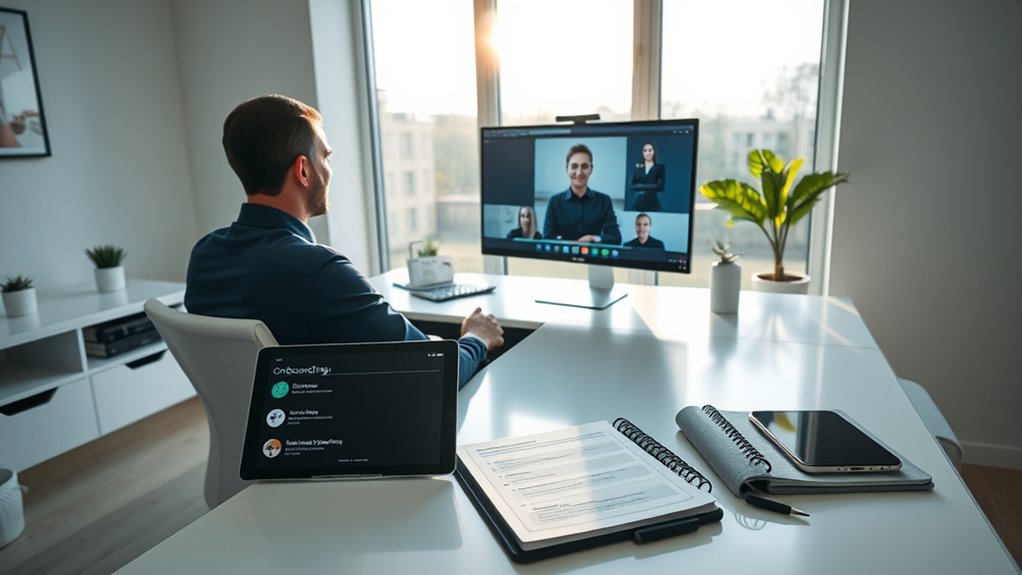

To prepare for a new job digitally, start by exploring onboarding platforms like portals, communication tools, and project management software to become comfortable before your start date. Set up your virtual workspace with organized folders, updated calendars, and reliable technology. Practice using video conferencing tools, make certain your internet connection is stable, and familiarize yourself with digital resources. Actively seek support when needed and continue to build your digital skills—these steps will help you shift seamlessly into your new role.
Key Takeaways
- Familiarize yourself with onboarding platforms, portals, and communication tools like Slack or Teams before your start date.
- Test hardware and video conferencing software, ensuring reliable internet and learning key features for virtual meetings.
- Organize your digital workspace with folders, updated calendars, and notifications to stay on top of tasks and deadlines.
- Develop proficiency with company-specific digital tools and continue learning to navigate new systems efficiently.
- Seek support proactively from IT or colleagues when facing technical issues, demonstrating resourcefulness and confidence.

Are you ready to start your new job with confidence? Embracing a digital approach to onboarding can make all the difference in how smoothly you settle in. Remote onboarding has become the norm, and preparing effectively means understanding the tools and platforms your new employer uses. This doesn’t just involve familiarizing yourself with email or messaging apps; it’s about developing strong digital skillsets that allow you to navigate new systems quickly and efficiently. The more proficient you are with digital tools, the faster you’ll integrate into your team and contribute meaningfully from day one.
The first step is to get comfortable with the company’s onboarding platform, whether it’s a dedicated portal, a project management tool, or an internal communication system. Many organizations now rely on platforms like Slack, Teams, or custom HR portals, and knowing how to navigate these will save you time and reduce frustration. Take the initiative to explore these platforms before your official start date. Watch tutorials, read guides, or ask a colleague for tips. This proactive approach shows your enthusiasm and helps you build confidence, especially if you’re shifting into a remote work environment.
Having solid digital skillsets also means being prepared for virtual meetings. Make sure your hardware and internet connection are reliable. Test your microphone, camera, and software in advance, so you’re not caught off guard during your first video calls. Familiarize yourself with common features like screen sharing, chat functions, and recording options. The ability to participate actively and professionally in remote meetings reflects your readiness and adaptability.
Additionally, it’s wise to organize your digital workspace. Create folders for onboarding documents, keep your calendar updated with important deadlines, and set up notifications to stay on top of new tasks. This organizational effort minimizes distractions and helps you stay aligned with your team’s workflow. Many onboarding processes include digital training modules or e-learning courses—treat these as priority, and take notes along the way. The more engaged you are in this process, the faster you’ll grasp your role and expectations.
Finally, don’t hesitate to seek support if you encounter technical issues or uncertainties. Reach out to IT support or your supervisor promptly. Demonstrating resourcefulness and a willingness to learn will earn you respect and support from your new colleagues. Developing proficiency with project management tools and other digital systems will further streamline your onboarding experience. By actively cultivating your digital skillsets and embracing remote onboarding processes, you set yourself up for success. When you approach your new role with preparedness and confidence, you’ll not only adapt quickly but also make a positive impression that lasts.
Frequently Asked Questions
How Do I Build a Professional Digital Presence Before Starting?
You should start by refining your personal branding across platforms like LinkedIn, ensuring your profile highlights your skills and achievements. Engage in online networking by commenting on industry posts and joining relevant groups. Share valuable content to demonstrate your expertise and build credibility. Consistently update your profiles, stay active, and connect authentically with professionals in your field. This proactive approach helps establish a strong digital presence before your new job begins.
What Digital Tools Are Essential for Remote Onboarding?
Think of virtual onboarding as opening a new chapter in a shared story. You’ll need essential digital tools like video conferencing platforms (Zoom, Teams), project management apps (Trello, Asana), and cloud storage (Google Drive, Dropbox). These tools facilitate seamless digital collaboration, helping you connect with teammates, access resources, and understand workflows. Having the right tools makes remote onboarding feel less like a challenge and more like an exciting new adventure.
How Can I Ensure Cybersecurity in My New Digital Workspace?
To guarantee cybersecurity in your new digital workspace, follow cybersecurity best practices like using strong, unique passwords and enabling multi-factor authentication. Regularly update your software and be cautious with phishing attempts. Manage your digital identity carefully by securely storing login credentials and monitoring access. These steps help protect sensitive information, reduce risks, and create a secure environment, allowing you to focus on your work confidently.
What Online Resources Can Help Improve My Digital Skills?
You can improve your digital skills by taking online courses on platforms like Coursera, Udemy, or LinkedIn Learning. These sites offer courses on various topics, from digital literacy to advanced tech skills. Additionally, use skill assessments available on these platforms to identify your strengths and areas for improvement, helping you focus your learning efforts effectively. Regular practice and staying updated with the latest digital trends will boost your confidence and competence.
How Do I Set up a Productive Home Office Environment?
Imagine you’re stepping into your home office like a modern-day Renaissance artist. To set up productively, focus on an ergonomic setup to prevent discomfort and boost focus. Choose a comfortable chair, proper desk height, and monitor placement. Manage noise by adding soundproofing or noise-canceling headphones. Keep your space organized, well-lit, and free of distractions, creating an environment where you can work efficiently and comfortably from the comfort of your own home.
Conclusion
As you step into your new role, remember that your digital preparations are like planting seeds in fertile ground. Just as a gardener nurtures each sprout for vibrant growth, your skills and online presence will flourish over time. Trust that with consistent effort, your digital foundation will support your success, turning your new job into a thriving garden of opportunities. Embrace the process, and watch your professional landscape bloom beyond expectations.