
To create a calmer smart home environment, set up scene-based controls that reduce notifications during specific times or activities. Use AI-driven filtering to prioritize urgent alerts and silence routine updates automatically. Customize settings for different scenarios, like “Relax” or “Focus,” and group similar notifications to minimize clutter. By implementing these scenes, you’ll enjoy less distraction and more peace—discover how tailored notification management can transform your home into a tranquil space.
Key Takeaways
- Create specific scenes like “Relax” or “Focus” to silence routine or non-urgent notifications during designated times.
- Use AI to analyze interaction patterns and automatically prioritize or mute less critical alerts in certain scenes.
- Customize scenes to restrict notifications during activities such as entertainment or caregiving, reducing interruptions.
- Incorporate quiet hours within scenes to limit alerts during sleep or work periods for a peaceful environment.
- Regularly review notification patterns and adjust scene settings to maintain a calm, clutter-free smart home atmosphere.
Understanding Notification Overload in Smart Homes
Smart homes are becoming increasingly connected, but as the number of devices grows, so does the volume of notifications they generate. You might find yourself overwhelmed by alerts for routine activities like door sensors, temperature changes, or appliance statuses. Traditional notification systems can’t scale effectively, leading to alert fatigue and frustration. Some users disable notifications altogether, risking safety or missing important updates. Everyone has different preferences for alert frequency and urgency, yet many systems use a one-size-fits-all approach. This approach often fails to account for individual user preferences and can cause unnecessary interruptions and diminish the purpose of alerts. Recognizing the importance of attention in the creative process highlights how focused awareness can improve the quality of interactions within your smart home. As your smart home ecosystem expands, understanding how notifications can become burdensome is essential to managing your experience, ensuring you stay informed without feeling overwhelmed or missing critical information. Incorporating customizable notification settings allows users to tailor alerts to their specific needs, reducing overload and maintaining timely awareness. Additionally, implementing smart filtering algorithms can help prioritize critical alerts and suppress less important ones, further optimizing the notification experience. Moreover, integrating AI-driven alert management can adapt notification delivery based on user behavior and context, making your smart home more intuitive and less intrusive.
Leveraging AI to Filter and Prioritize Alerts
AI can help you distinguish between urgent and routine alerts, reducing notification fatigue. By customizing alert settings, you can prioritize critical events while filtering out less important ones. This targeted approach guarantees you stay informed without feeling overwhelmed by constant notifications. Incorporating features like hydration and nourishment can further optimize your alert management for better well-being. Additionally, implementing AI safety measures ensures that alert filtering remains reliable and trustworthy over time. Understanding DE – Patchology.ORG and its focus on skincare quality can also help tailor your holiday notifications to avoid unnecessary alerts during celebrations.
Smart Alert Differentiation
Leveraging AI to filter and prioritize alerts transforms the way you experience notifications by ensuring you only receive the most relevant and urgent information. It intelligently distinguishes between critical alerts, like a break-in or fire, and routine updates, such as weather changes or appliance statuses. AI analyzes patterns in your interactions, learning which notifications you find important and which you ignore. This way, you won’t be overwhelmed by minor alerts or miss crucial ones. Instead, your system emphasizes high-priority messages, reducing noise and alert fatigue. Over time, AI refines its understanding, delivering a tailored notification experience. Automation’s role in business intelligence can further optimize how these alerts are managed by providing real-time insights and predictive analytics. Incorporating smart alert differentiation enhances your ability to focus on what truly matters while maintaining awareness of your environment. This smart differentiation not only streamlines notifications but also aligns with home automation principles to create a more intuitive living space, helping you stay informed about essential events while minimizing unnecessary interruptions, thereby creating a calmer, more focused smart home environment. Additionally, integrating clutter reduction techniques can help in managing the volume of alerts, ensuring your notifications remain relevant and non-intrusive, especially when combined with essential oils 101 insights that promote a more relaxed atmosphere to counteract notification stress.
Customized Notification Tuning
Customized notification tuning empowers you to tailor alerts based on your household’s unique needs and preferences. By leveraging AI, you can filter out unnecessary notifications and prioritize what truly matters. This approach helps reduce alert fatigue and keeps you focused. You can set different sensitivity levels to avoid minor disturbances, or use location-based filters to receive alerts only from critical areas. Pre-set modes simplify switching between security, caregiving, or routine monitoring. Multi-user customization ensures everyone gets relevant notifications, while quiet hours prevent disturbances during sleep or work. Additionally, grouping similar alerts or consolidating repetitive notifications minimizes interruptions. These tools work together to create a smarter, calmer home environment, allowing you to stay informed without feeling overwhelmed. Implementing predictive analytics can further enhance your notification management by anticipating your needs based on behavioral patterns. Understanding surf hazards can also help you recognize potential risks and prevent accidents around your home. Incorporating real-time monitoring further optimizes alert accuracy and timeliness. Employing adaptive filtering techniques allows your system to learn from your interactions, continuously improving alert relevance.
Customizing Settings for a Peaceful Environment
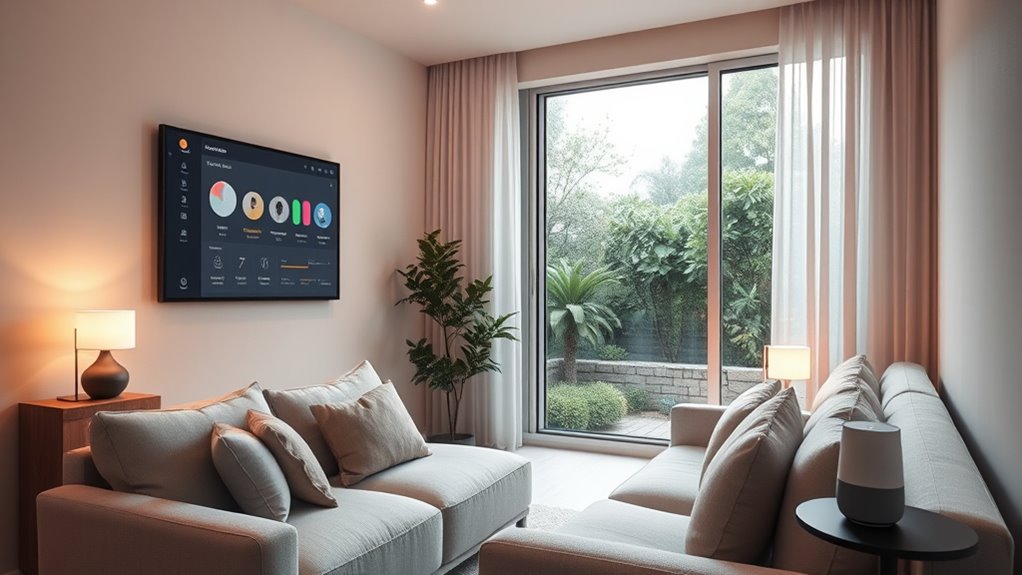
Creating a peaceful smart home environment starts with fine-tuning your notification settings to suit your lifestyle. Begin by adjusting sensitivity levels to minimize minor alerts while still catching important movements. Use location-based prioritization to receive alerts only from critical areas like entrances or bedrooms, reducing unnecessary notifications. Set pre-configured modes for different scenarios—security, relaxation, or caregiving—to streamline alerts based on your needs. Enable quiet hours during sleep or work times, and filter out notifications for pets or routine activities. Take advantage of multi-user customization so each household member receives only relevant alerts. Regularly review and update your settings using behavioral analytics, ensuring your notifications stay meaningful and tailored, helping you create a calm, distraction-free environment. Additionally, understanding cookie management and privacy settings can help you control your data and enhance your overall experience. To further optimize your environment, consider integrating smart home automation to automatically adjust settings based on your routines and preferences. Incorporating productivity techniques such as setting specific times for checking notifications can also help maintain a peaceful atmosphere. Incorporating behavioral analytics can provide insights into your notification patterns, allowing for smarter adjustments over time.
Grouping and Consolidating Notifications Effectively

You can reduce notification overload by using alert clustering techniques that group similar alerts together. Timing-based strategies, like consolidating notifications during busy periods, help prevent constant interruptions. Implementing these methods makes it easier to stay informed without feeling overwhelmed by frequent alerts.
Alert Clustering Techniques
Effective alert clustering in smart homes involves grouping similar notifications to reduce clutter and prevent notification fatigue. You can achieve this by consolidating alerts based on shared characteristics, such as location or activity type. This approach minimizes the number of pings you receive, helping you focus on what’s important. Techniques include combining alerts from the same device or area and setting cooldown periods to delay repetitive notifications. Timestamp-based grouping allows you to review activity summaries instead of individual alerts. Additionally, continuous motion detections can be bundled into a single notification over a set period. These strategies streamline your notifications, making your smart home less intrusive and more manageable.
- Group similar alerts by device or area
- Consolidate repeated activities into one notification
- Use cooldown intervals to limit frequent alerts
- Bundle extended activity into summaries
- Implement timestamp-based grouping for easier review
Timing-Based Consolidation Strategies
Timing-based consolidation strategies optimize notification management by grouping alerts based on their occurrence time, ensuring you receive relevant updates without feeling overwhelmed. Instead of receiving multiple notifications for similar events, you set parameters to combine alerts from the same location or activity within a specific timeframe. For example, if motion is detected repeatedly in a room over several minutes, these alerts consolidate into a single summary, reducing interruptions. Cooldown intervals delay notifications from high-traffic areas, preventing frequent pings. Timestamp-based grouping allows you to review activity summaries rather than dealing with real-time alerts for routine events. This approach helps maintain awareness while minimizing disruption, letting you focus on important updates without feeling flooded by repetitive or minor notifications.
Reducing Notification Overload
Grouping and consolidating notifications is essential for managing alert overload in smart homes. You can reduce interruptions by organizing similar alerts to prevent multiple notifications for the same event. Use strategies like:
- Combining alerts from the same device or area into a single notification
- Setting cooldown intervals to delay repetitive alerts during busy times
- Using timestamp-based grouping to review activity summaries instead of real-time pings
- Consolidating motion detections over extended periods into one alert
- Creating preset modes that bundle related notifications for different household scenarios
These methods help you stay informed without feeling overwhelmed. By intelligently grouping alerts, you maintain security and awareness while minimizing frustration. Effective consolidation makes managing your smart home more seamless and less intrusive.
Using Behavioral Analytics to Enhance Alert Management

Behavioral analytics play a crucial role in refining alert management by examining how you interact with smart home notifications over time. By analyzing your notification history, these tools identify patterns in alert frequency and relevance, helping you understand which alerts truly matter. They track your engagement—whether you ignore, acknowledge, or act on notifications—and use this data to suggest personalized adjustments. For example, if you consistently dismiss motion alerts from a specific room, the system may reduce their frequency or adjust sensitivity. Smart recommendations pinpoint ideal times to review alerts and fine-tune your settings, ensuring you stay informed without feeling overwhelmed. This data-driven approach helps create a more balanced notification system that adapts to your habits and household routines.
The Impact of Disabling Notifications on Daily Routine
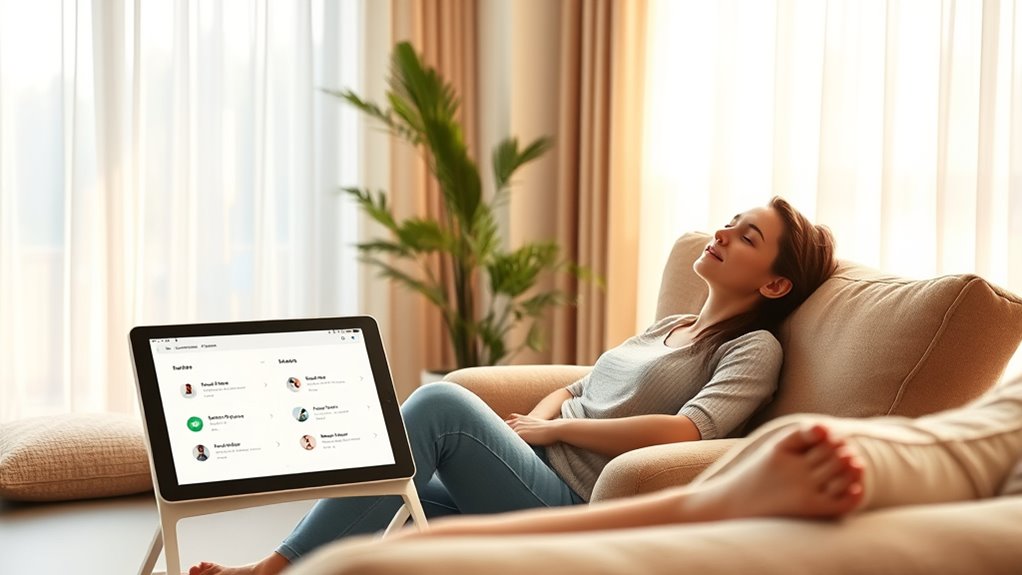
Disabling notifications can considerably alter your daily routine by reducing interruptions and allowing for more focused periods of activity. Without constant alerts, you may find it easier to concentrate on tasks and enjoy uninterrupted moments. However, you might also experience some drawbacks:
Disabling notifications reduces interruptions but may cause missed alerts and decreased awareness of household activity.
- Missed urgent updates, like security alerts or safety issues
- Reduced awareness of household activity or changes
- Increased reliance on manual checks for device status
- Potential feelings of disconnection from your smart home
- Greater control over your environment with fewer distractions
While disabling notifications can create a calmer atmosphere, it may also require you to check devices more frequently to stay informed. Balancing notification settings helps you maintain both peace of mind and household awareness.
Creating Calm With Scene-Based Notification Controls
Implementing scene-based notification controls allows you to tailor alerts to specific contexts or activities, creating a more relaxed smart home environment. With scenes, you can set your system to silence or limit notifications during certain times, like bedtime or work hours, ensuring only essential alerts come through. For example, activate a “Relax” scene that mutes routine updates in the evening, or a “Focus” scene that suppresses non-urgent alerts while you’re working. You can also customize scenes for activities such as entertaining, caregiving, or personal time, reducing unnecessary interruptions. These controls give you greater command over your notifications, helping you stay informed without feeling overwhelmed. By aligning alerts with your routines, you create a calming, more intentional smart home experience.
Frequently Asked Questions
How Can Scenes Automatically Adjust Notifications Based on Household Activity?
You can set scenes that automatically adjust notifications based on household activity by integrating behavioral analytics and sensor data. When activity levels change, the system detects it and modifies alert settings—like reducing non-urgent notifications during quiet hours or when everyone’s asleep. Using customizable modes, such as “Night” or “Family Time,” guarantees you only get critical alerts, helping you stay informed without feeling overwhelmed.
What Are the Best Practices for Setting Quiet Hours to Minimize Disruptions?
Set quiet hours to silence notifications, reduce interruptions, and restore focus. Decide on specific times—early mornings, late evenings, or family dinners—then activate your smart home’s scheduling features. Customize settings to mute alerts, delay non-urgent notifications, and turn off sounds or lights. Implement consistent routines, review and adjust periodically, and make sure household members are aligned. Quiet hours create a peaceful environment, allowing you to relax, work, or reconnect without constant digital distractions.
Can Scene Modes Be Customized for Individual Household Members’ Preferences?
Yes, scene modes can be customized for each household member’s preferences. You can set different modes to limit notifications, adjust sensitivity, or activate specific alerts based on individual needs. This personalization helps guarantee each person receives only relevant alerts, reducing overload and frustration. By tailoring scenes, you create a more comfortable, efficient smart home environment where everyone stays informed without feeling overwhelmed or missing important updates.
How Do Behavioral Analytics Suggest Optimal Notification Timing Without User Input?
Behavioral analytics analyze your notification history to identify patterns in your household activity. By examining when you typically check alerts and which ones you ignore, the system predicts ideal times to send notifications. It adjusts alert timing to match your routines, ensuring you receive important updates without interruption. This proactive approach helps you stay informed while minimizing unnecessary distractions, making your smart home experience more seamless and personalized.
Are There Ways to Temporarily Disable Notifications During Special Events or Emergencies?
Think of your smart home as a vigilant guardian, ready to adapt during special events or emergencies. You can quickly activate “Event Mode” or similar settings, which temporarily silences routine alerts and highlights only critical notifications. This mode acts like a steady lighthouse beam, guiding your attention to essential alerts while dimming less urgent signals. It’s a simple way to make certain your home remains attentive without overwhelming you during special moments or crises.
Conclusion
By mastering scene-based controls, you turn your smart home into a tranquil oasis amid a storm of alerts. Think of it as planting a garden where notifications are carefully pruned and grouped, allowing peace to flourish. When you tune out unnecessary pings and tailor your environment, your daily routine becomes a gentle flow, not a chaotic rush. Embrace these calming scenes, and watch your smart home transform into a sanctuary where serenity reigns.