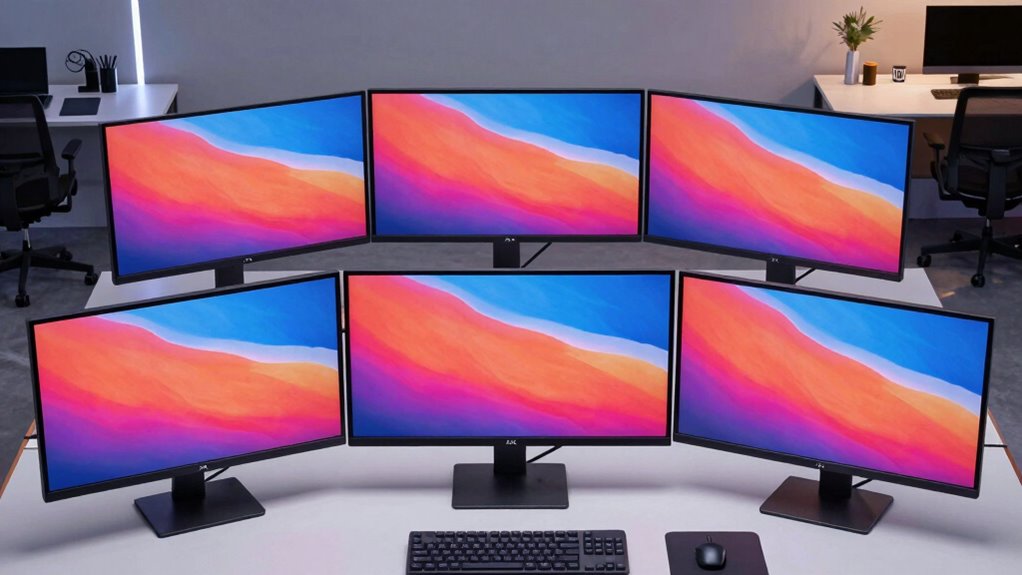

If you’re aiming to upgrade your workspace in 2026, I recommend checking out the top six 5K monitors I’ve found. These include options like the ASUS ProArt for color accuracy, the KTC for versatile HDR and Type-C, and the INNOCN ultrawide for immersive views. The BenQ and ViewSonic models offer Thunderbolt 4 with great connectivity, while the Deco Gear delivers a bigger ultrawide experience. Keep exploring to discover which one best suits your needs.
Key Takeaways
- Top 5K monitors offer ultra-high resolution, vibrant colors, and HDR support for professional-grade visual fidelity.
- Features like wide color gamuts and factory calibration ensure exceptional color accuracy for creative work.
- Connectivity options such as Thunderbolt 4, USB-C, and HDMI enable seamless device integration and multitasking.
- Ergonomic design elements like height adjustability and VESA compatibility enhance workspace comfort.
- Premium models include advanced features like dual modes, high brightness, and extended warranties for long-term performance.
| ASUS ProArt 27” 5K HDR Professional Monitor |  | Best Color Accuracy | Screen Size: 27 inches | Resolution: 5K (5120 x 2880) | Color Gamut: 99% DCI-P3, 100% sRGB | VIEW LATEST PRICE | See Our Full Breakdown |
| KTC 27″ 5K Monitor with Type-C and HDR |  | Best Versatile Connectivity | Screen Size: 27 inches | Resolution: 5K (5120 x 2880) | Color Gamut: 135% sRGB, 100% sRGB | VIEW LATEST PRICE | See Our Full Breakdown |
| INNOCN 40″ 5K Ultrawide Monitor with HDMI/USB-C | 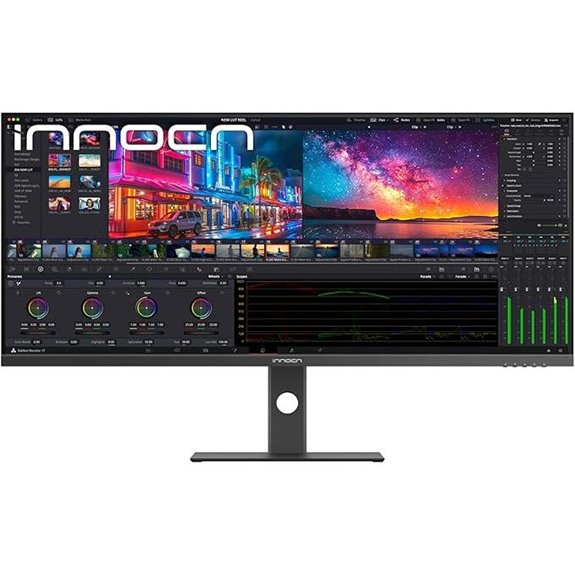 | Best Ultrawide Experience | Screen Size: 40 inches | Resolution: 5K (5120 x 2160) | Color Gamut: 135% sRGB, 106% DCI-P3 | VIEW LATEST PRICE | See Our Full Breakdown |
| BenQ 27″ 5K Monitor with Thunderbolt 4 and KVM | 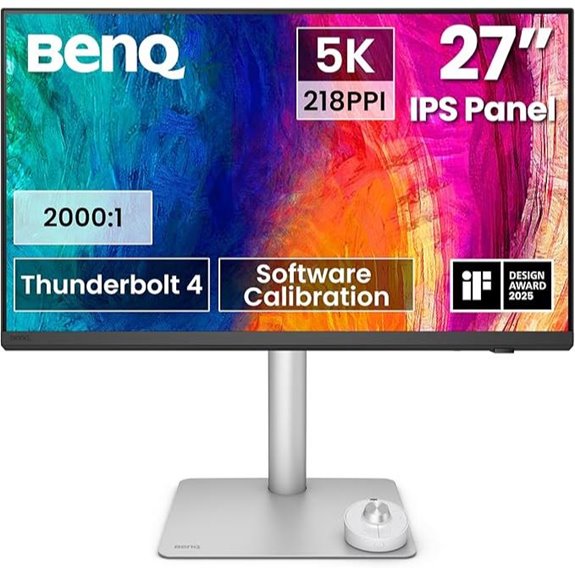 | Best for Seamless Workflows | Screen Size: 27 inches | Resolution: 5K (5120 x 2880) | Color Gamut: 98% P3, 2000:1 contrast | VIEW LATEST PRICE | See Our Full Breakdown |
| ViewSonic 27″ 5K Monitor with Thunderbolt 4 and USB Hub |  | Best Industry-Standard Color | Screen Size: 27 inches | Resolution: 5K (5120 x 2880) | Color Gamut: 99% DCI-P3, 100% sRGB | VIEW LATEST PRICE | See Our Full Breakdown |
| Deco Gear 40″ 5K UltraWide Monitor with HDR10 |  | Best for Creative Multitasking | Screen Size: 40 inches | Resolution: 5K (5120 x 2160) | Color Gamut: 95% NTSC, 96% DCI-P3 | VIEW LATEST PRICE | See Our Full Breakdown |
More Details on Our Top Picks
ASUS ProArt 27” 5K HDR Professional Monitor
If you’re a creative professional seeking top-tier image quality, the ASUS ProArt 27” 5K HDR Professional Monitor is an excellent choice. Its stunning 5120 x 2880 resolution and 27-inch size deliver razor-sharp detail and vibrant visuals. The IPS panel offers 178° wide viewing angles, ensuring consistent color from any perspective. With HDR support, your images come alive with rich, dynamic colors. Factory pre-calibrated and Calman Verified, it guarantees color accuracy with a Delta E below 2.%. Plus, features like ambient light sensors, USB-C with 96W charging, and LuxPixel technology make it versatile and reliable for demanding creative work.
- Screen Size:27 inches
- Resolution:5K (5120 x 2880)
- Color Gamut:99% DCI-P3, 100% sRGB
- Connectivity Ports:USB-C, DisplayPort, HDMI
- HDR Support:HDR HDR support
- Stand Adjustments:Height, tilt, swivel
- Additional Feature:Factory pre-calibrated, Calman Verified
- Additional Feature:LuxPixel technology for enhanced color
- Additional Feature:3-year warranty included
KTC 27″ 5K Monitor with Type-C and HDR
The KTC 27″ 5K Monitor with Type-C and HDR stands out as an ideal choice for professionals and creatives who demand ultra-sharp visuals and versatile connectivity. Its 27-inch IPS display offers a stunning 5120×2880 resolution, delivering incredible detail and color accuracy. HDR 400 enhances contrast and vibrancy, while the 135% sRGB color gamut ensures vivid, lifelike images. Supporting dual modes—5K at 60Hz and 2K at 120Hz—along with adaptive sync, it provides smooth performance for work and play. Multiple ports, including 65W Type-C, HDMI, and DisplayPort, make setup easy. Eye-care features and ergonomic tilt further augment user comfort during extended use.
- Screen Size:27 inches
- Resolution:5K (5120 x 2880)
- Color Gamut:135% sRGB, 100% sRGB
- Connectivity Ports:Type-C, DisplayPort, HDMI
- HDR Support:HDR 400
- Stand Adjustments:Tilt
- Additional Feature:Supports dual 5K/2K modes
- Additional Feature:Tilt adjustable stand
- Additional Feature:Responsive customer support
INNOCN 40″ 5K Ultrawide Monitor with HDMI/USB-C
Looking for a monitor that combines stunning visual clarity with versatile connectivity? The INNOCN 40″ 5K Ultrawide Monitor delivers just that, with a 5120 x 2160p resolution and a 21:9 aspect ratio, perfect for multitasking. Its IPS panel offers vibrant colors—135% sRGB and 106% DCI-P3—and HDR400 support guarantees vivid visuals. Connectivity is seamless with dual HDMI 2.1 ports, USB-C with 65W power, DisplayPort, and USB-A ports. Designed for creative pros, it’s height adjustable, VESA-compatible, and features eye-care tech for extended use. Plus, its ultra-slim, stylish frame makes it a sleek addition to any workspace.
- Screen Size:40 inches
- Resolution:5K (5120 x 2160)
- Color Gamut:135% sRGB, 106% DCI-P3
- Connectivity Ports:HDMI 2.1, DisplayPort 1.4, USB-C 3.1
- HDR Support:HDR400
- Stand Adjustments:Height, tilt, swivel, VESA mount
- Additional Feature:Ultra-narrow bezels
- Additional Feature:VESA 75x75mm compatible
- Additional Feature:Built-in 4Ω5W speakers
BenQ 27″ 5K Monitor with Thunderbolt 4 and KVM
Designed for professionals who demand exceptional image clarity and seamless connectivity, the BenQ 27″ 5K Monitor with Thunderbolt 4 and KVM stands out as an ideal choice for creative workflows. Its 5120×2880 resolution delivers ultra-sharp visuals with 218 PPI, providing 77.8% more pixels than 4K monitors for expanded workspace and precise detail. With 98% P3 color coverage and a 2000:1 contrast ratio, it guarantees vibrant, accurate colors and deep blacks. The Thunderbolt 4 port supports fast data transfer, high power delivery, and dual 5K or single 8K display connections. The built-in KVM switch and ergonomic features enhance workflow efficiency and comfort during long sessions.
- Screen Size:27 inches
- Resolution:5K (5120 x 2880)
- Color Gamut:98% P3, 2000:1 contrast
- Connectivity Ports:Thunderbolt 4, USB-C, USB-A, DisplayPort
- HDR Support:HDR10 ready
- Stand Adjustments:Height, ergonomic, VESA
- Additional Feature:Nano matte anti-glare panel
- Additional Feature:Built-in KVM switch
- Additional Feature:Wireless Hotkey Puck
ViewSonic 27″ 5K Monitor with Thunderbolt 4 and USB Hub
If you’re a creative professional or power user demanding high color accuracy and sharp detail, the ViewSonic 27″ 5K Monitor with Thunderbolt 4 and USB Hub is an excellent choice for 2026. It features a 27-inch 5K IPS display with HDR400 support, delivering vibrant, deep contrast. With 100% sRGB and 99% DCI-P3 coverage, plus Pantone validation, it guarantees precise color reproduction. Its Thunderbolt 4 port supports blazing-fast data transfer up to 40 Gbps and daisy chaining for dual 5K setups. The monitor’s ergonomic stand, frameless design, and versatile connectivity—including USB-C, HDMI, and DisplayPort—make it perfect for professional workflows at home or in the office.
- Screen Size:27 inches
- Resolution:5K (5120 x 2880)
- Color Gamut:99% DCI-P3, 100% sRGB
- Connectivity Ports:Thunderbolt 4, USB-C, HDMI, DisplayPort
- HDR Support:HDR400
- Stand Adjustments:Tilt, swivel, pivot, height
- Additional Feature:Pantone Validated color
- Additional Feature:Daisy chaining support
- Additional Feature:Industry-leading color performance
Deco Gear 40″ 5K UltraWide Monitor with HDR10
The Deco Gear 40″ 5K UltraWide Monitor with HDR10 stands out as an excellent choice for creative professionals and multitaskers who demand top-tier color accuracy and expansive screen space. Its 5120×2160 resolution and 40-inch ultra-wide display deliver immersive visuals perfect for multitasking, editing, or gaming. The IPS panel covers 95% NTSC, 96% DCI-P3, and 100% sRGB, ensuring vibrant, precise colors. HDR10 support enhances contrast and realism, making images pop. With multiple connectivity options—DisplayPort, HDMI, USB-C, and USB-A—and features like PIP and PBP, it’s designed for versatile setups and dynamic workflows.
- Screen Size:40 inches
- Resolution:5K (5120 x 2160)
- Color Gamut:95% NTSC, 96% DCI-P3
- Connectivity Ports:USB-C, DisplayPort, HDMI
- HDR Support:HDR10
- Stand Adjustments:Height, tilt, swivel, VESA
- Additional Feature:Supports PIP and PBP
- Additional Feature:Designed for multitasking
- Additional Feature:HDR10 for vibrant contrast
Factors to Consider When Choosing a 5K Monitor

When selecting a 5K monitor, I focus on key factors like display resolution, color accuracy, and connectivity options to guarantee it meets my needs. Ergonomic features and screen size also matter to keep comfortable during long work sessions. Understanding these points helps me choose a monitor that balances performance and comfort effectively.
Display Resolution Quality
Choosing a 5K monitor requires attention to its resolution quality to guarantee sharp, detailed images. Confirm the resolution is at least 5120 x 2880 pixels to truly qualify as 5K, providing crisp visuals without pixelation. Look for IPS panels, which offer a wide color gamut and high color accuracy, essential for vibrant, true-to-life images. Factory calibration with delta-E values below 2 helps ensure color precision right out of the box. Supporting HDR standards like HDR400 or HDR10 enhances contrast and produces more vibrant imagery. Additionally, check the pixel density, roughly 217 PPI for a 27-inch display, to confirm the image remains sharp and detailed at typical viewing distances. Prioritizing these resolution factors guarantees a visually stunning and productive workspace.
Color Accuracy & Gamut
To guarantee vibrant, true-to-life colors on a 5K monitor, paying close attention to color accuracy and gamut coverage is essential. A wider color gamut, like 99% DCI-P3 or 100% sRGB, ensures more vibrant and precise colors, crucial for creative work. Factory calibration, validated with tools like Calman, helps achieve a Delta E below 2, meaning colors are very close to real-world references. Monitors offering high color coverage—around 95-100% across sRGB, DCI-P3, or Adobe RGB—are vital for professional tasks such as photo editing and video production. Additionally, HDR support boosts contrast and vibrancy, making images more realistic. Prioritizing these factors guarantees that your monitor delivers accurate, vivid colors, elevating your workflow and visual experience.
Connectivity Options
Selecting the right connectivity options is vital for maximizing your 5K monitor’s versatility and efficiency. I look for monitors with multiple ports like USB-C, HDMI, and DisplayPort to guarantee compatibility with various devices and setups. High-speed data transfer support, such as Thunderbolt 4 or USB-C with Power Delivery, is essential for smooth workflows and charging capabilities. I also check if the monitor supports daisy chaining or multi-port configurations, which help create a clean, efficient workspace. Additional ports like USB hubs or audio jacks are a bonus, expanding peripheral options without clutter. Ultimately, I want connectivity features that match my specific needs, whether for professional editing, gaming, or general productivity, ensuring seamless integration with my existing hardware.
Ergonomic Adjustability
Ergonomic adjustability features like height adjustment, tilt, swivel, and pivot play a key role in creating a comfortable workspace with a 5K monitor. These options allow you to fine-tune the monitor’s position, ensuring you can find the ideal viewing angle and reduce strain during long hours of work. An adjustable stand can accommodate different sitting heights and angles, promoting better posture and preventing neck and back pain. VESA compatibility further enhances flexibility, letting you use third-party mounts and arms for personalized positioning. Proper ergonomic adjustments help you maintain a natural, relaxed viewing posture while minimizing eye fatigue. Monitors with multiple adjustable features support a versatile workspace setup, catering to various user preferences and ergonomic best practices for a healthier, more productive environment.
Screen Size & Aspect Ratio
Choosing the right screen size and aspect ratio for a 5K monitor depends on your workspace and how you plan to use it. Typically, 27 to 40 inches offer a good range, balancing screen real estate with desk space and ergonomic comfort. A larger monitor provides more room for multitasking and detailed work but can be overwhelming in smaller spaces. Aspect ratio also plays a key role; standard 16:9 offers compatibility with most media and applications, while ultrawide 21:9 provides extra horizontal space, ideal for creative tasks and multiple windows. The aspect ratio directly impacts how content displays, influencing workflow efficiency and visual immersion. Ultimately, choosing the right combination guarantees your setup is both functional and comfortable.
Brightness & HDR Support
Brightness and HDR support are critical factors because they directly affect how vibrant and realistic your 5K monitor appears, especially in bright environments. Higher brightness levels, measured in nits, improve visibility and guarantee images stay vivid even under strong ambient light. HDR support, such as HDR10 or HDR400, enhances contrast and color vibrancy, making dark areas darker and bright areas more luminous. This results in more detailed, lifelike images, which is essential for creative and multimedia work. Monitors with robust HDR standards provide a wider luminance range, delivering richer visuals with accurate color reproduction. When choosing a 5K monitor, prioritizing both high brightness and HDR support assures a display that’s not only bright and clear but also capable of delivering stunning, dynamic images for all your professional and entertainment needs.
Price & Warranty
Price and warranty are essential factors when selecting a 5K monitor because they directly impact your overall investment and peace of mind. Higher-priced models often come with better build quality, longer warranties, and extra features like advanced calibration or ergonomic adjustments. Warranties typically range from 1 to 5 years, with longer coverage offering better protection against defects and issues. Some monitors include complimentary software support or calibration services, adding value over time. When comparing prices, it’s important to consider what the warranty covers and its duration to guarantee thorough protection. Premium models usually provide extended warranties and service plans, which can justify their higher cost by ensuring longer-lasting performance and support. Ultimately, balancing price and warranty helps you make a smart, long-term investment.
Frequently Asked Questions
What Are the Key Differences Between 5K and 4K Monitors?
The key difference between 5K and 4K monitors is resolution; 5K offers roughly 5120 x 2880 pixels, providing sharper images and more screen real estate. I notice that 5K displays are ideal for detailed work like photo editing, while 4K monitors are great for most tasks. The higher resolution in 5K means better clarity but also demands more powerful hardware. If you need precision and extra space, a 5K might be the way to go.
How Does Color Accuracy Impact Professional 5K Monitor Use?
Color accuracy is vital in professional 5K monitors because it guarantees that the images and videos I work on look true to life. When colors are precise, I can trust my edits and designs will appear consistent across different devices and platforms. It helps me avoid costly mistakes, especially in photography, video editing, or graphic design, where even slight color differences can make a big difference in the final product.
Are 5K Monitors Compatible With All Operating Systems?
Yes, 5K monitors are compatible with most major operating systems like Windows, macOS, and Linux, but there’s a catch. Sometimes, you’ll need the right cables or adapters, and driver updates might be necessary to guarantee everything runs smoothly. I’ve found that checking the monitor’s specs and your system’s requirements beforehand saves a lot of headaches. So, don’t worry—compatibility isn’t a deal-breaker, but a quick setup check is essential.
What Is the Typical Refresh Rate for 5K Monitors?
The typical refresh rate for 5K monitors is usually around 60Hz, which is sufficient for most productivity tasks and casual use. Some high-end models may offer higher refresh rates, like 75Hz or 120Hz, mainly for smoother motion in creative work or gaming. I recommend checking the specifications before buying, as the refresh rate can vary depending on the monitor’s design and intended purpose.
How Do 5K Ultrawide Monitors Improve Multitasking?
5K ultrawide monitors boost my multitasking by giving me a broader, seamless workspace. I can run multiple apps side by side without juggling windows or sacrificing clarity. The expansive screen helps me stay organized and efficient, whether editing videos or managing spreadsheets. The ultra-wide aspect ratio means I can see more at once, making my workflow smoother and less interrupted, which ultimately saves me time and reduces stress.
Conclusion
Ultimately, choosing the right 5K monitor depends on what you need most—be it color accuracy, size, or connectivity. These top options are all excellent, but remember, it’s about finding the perfect fit for your workspace and workflow. Don’t put all your eggs in one basket; weigh your options carefully, and you’ll find a monitor that truly elevates your setup. After all, a well-chosen screen can be a game-changer.