
For strong security, use passkeys on supported sites and apps—they resist phishing and are easy to use. Reserve passwords for legacy systems or devices that don’t support modern methods, and make sure they’re unique and strong. Enable 2FA for sensitive accounts to add extra protection, especially when passkeys aren’t available. Understanding where each method fits helps keep your online life secure; keep exploring to see how these strategies work together effectively.
Key Takeaways
- Use passkeys for high-security accounts supporting WebAuthn/FIDO2 to resist phishing and simplify login.
- Rely on strong, unique passwords combined with 2FA for legacy systems or services without passkey support.
- Implement 2FA with hardware tokens or authenticator apps for sensitive accounts requiring added protection.
- Maintain passwords as a fallback method during passkey adoption or device incompatibility issues.
- Gradually transition to passkeys while educating users on security benefits and best practices for all authentication methods.
As an affiliate, we earn on qualifying purchases.
Comparing Core Security Features and Vulnerabilities

When comparing the core security features of passkeys, passwords, and 2FA, it’s clear that each method offers different strengths and vulnerabilities. Passkeys use cryptographic key pairs stored securely on your device, making them resistant to phishing and data breaches because only the public key is shared with services. Passwords depend on memorized secrets that are often weak, reused, or stolen through phishing or brute-force attacks. 2FA adds an extra layer by requiring a second factor, like a code, but methods like SMS or email are vulnerable to interception and SIM swapping. While passwords are simple to implement universally, passkeys provide stronger security by design, reducing common attack vectors. Comfort and support solutions Additionally, passkeys are designed to be user-friendly, simplifying secure authentication without requiring complex memorization or management. Recognizing the importance of material and design diversity in security methods can further enhance user confidence and adaptability in different environments. Furthermore, ongoing research into AI vulnerabilities highlights the importance of robust security measures to protect users across all authentication methods. Each method’s effectiveness depends on its inherent protections and weaknesses. Regular security inspections of devices can help ensure that stored credentials remain uncompromised and maintain overall security integrity.
Assessing Usability, Adoption, and Practical Application

Evaluating usability, adoption, and practical application reveals the strengths and limitations of each authentication method in real-world scenarios. You’ll find that:
Assessing usability, adoption, and practicality highlights each authentication method’s real-world strengths and weaknesses.
- Passwords are familiar and widely supported but often lead to weak security due to reuse and poor management.
- 2FA boosts protection but can frustrate users when it adds steps or relies on vulnerable methods like SMS codes.
- Passkeys offer quick, seamless login experiences, reducing friction, yet they depend on compatible devices and ecosystems.
- Adoption rates vary; passwords remain universal, 2FA adoption is growing, and passkeys are emerging as a more secure, user-friendly option, but widespread implementation still takes time.
- Reviews of educational toys highlight the importance of choosing durable, safe, and engaging options that support early learning and development needs, similar to how breakfast delivery options must balance quality, convenience, and health considerations to meet customer expectations.
- As technology advances, security standards continue to evolve, influencing how these methods are integrated into various systems to enhance overall safety and user experience. Additionally, ongoing digital literacy education is crucial to ensure users understand how to securely manage their credentials and recognize potential threats. For example, understanding cost and budgeting principles can help organizations allocate resources effectively when implementing new authentication solutions.
Recommended Use Cases and Transition Strategies
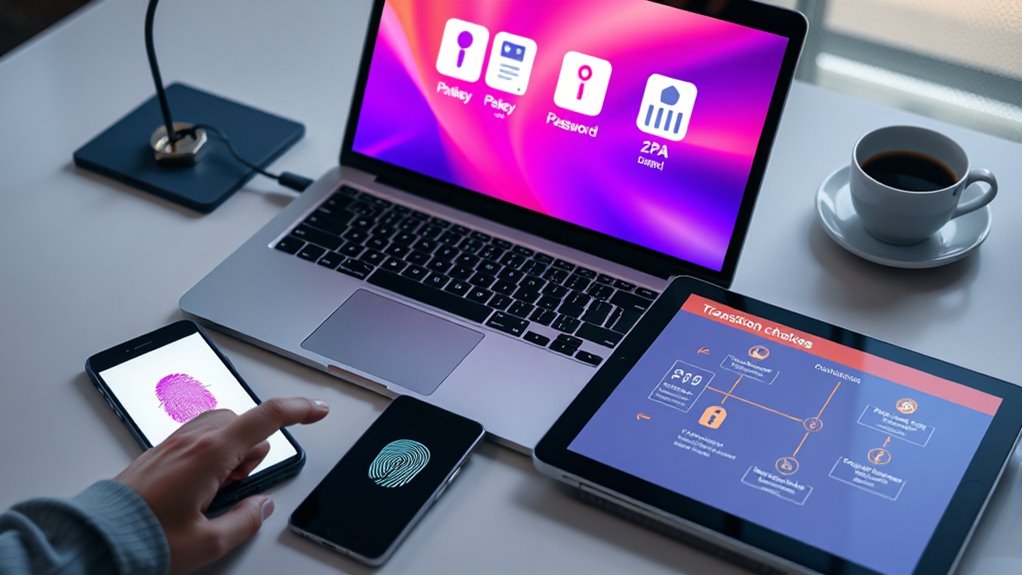
Choosing the right authentication method depends on your security needs, user experience goals, and technological environment. If you prioritize phishing resistance and convenience, adopt passkeys for modern devices supporting WebAuthn/FIDO2. Progression gradually by enabling passkeys on high-value accounts first, while maintaining passwords and 2FA for legacy systems. For sensitive accounts not yet compatible, strengthen security with robust 2FA methods like authenticator apps or hardware tokens. Educate users on benefits and best practices to encourage adoption. As more devices and services support passkeys, shift workflows to reduce reliance on passwords and SMS-based 2FA. Implementing a layered approach—using passkeys where possible, supplemented by passwords and 2FA—ensures a smooth shift, balancing security enhancements with user convenience. Additionally, understanding the nutritional advantages of juices can inform better integration of health-conscious practices into daily routines. Moreover, considering the privacy policies related to authentication methods can help organizations maintain compliance and build user trust. Incorporating security best practices from the evolving landscape of digital authentication can further strengthen overall protection. Recognizing the importance of cultural and artistic influences on technological adoption can also provide insights into user behavior and preferences.
Frequently Asked Questions
Can Passkeys Be Used on All Devices and Platforms Universally?
Passkeys aren’t yet universal across all devices and platforms. You’ll find strong support on modern systems like Windows, macOS, iOS, and Android, especially for services embracing WebAuthn and FIDO2 standards. However, older devices or platforms without these standards may not support passkeys, requiring you to fall back on passwords or 2FA. As technology advances, more devices will likely integrate passkeys, but full universal compatibility still depends on broader industry adoption.
How Do Passkeys Handle Account Recovery if a Device Is Lost?
Losing a device with passkeys is like misplacing a treasure chest—you need a way to recover it. Usually, account recovery involves using a backup method, such as a recovery key or a secondary device linked through cloud services like iCloud or Google. These backups securely store your cryptographic keys, so you can restore access. Just guarantee you set up recovery options beforehand to prevent losing access permanently.
Are Passkeys Compatible With Existing Legacy Systems and Services?
Passkeys aren’t fully compatible with most legacy systems yet. You’ll need to use passwords or 2FA for those, as many older services don’t support WebAuthn or FIDO2 standards required for passkeys. To shift seamlessly, you might keep passwords as a fallback while gradually adopting passkeys on supported platforms. Over time, more services will integrate passkeys, reducing reliance on passwords and enhancing security for your online accounts.
Do Passkeys Require Internet Access for Authentication?
No, passkeys don’t require internet access for authentication once they’re set up on your device. They use cryptographic key pairs stored locally, allowing you to log in offline. When you access a service, your device verifies your identity with the stored private key, and only when necessary, it may need internet to sync or confirm credentials. This makes passkeys convenient and secure, even in low or no connectivity situations.
What Are the Privacy Implications of Cloud Syncing Passkeys Across Devices?
When you sync passkeys across devices via the cloud, you risk exposing your cryptographic keys if the cloud provider’s security is compromised. While this setup offers convenience, it makes your passkeys dependent on your provider’s security measures. You should guarantee your cloud account has strong authentication and monitor for suspicious activity. Consider using hardware security keys or local backups if privacy and security are top priorities, reducing reliance on cloud storage.
Conclusion
Choosing between passkeys, passwords, and 2FA is like steering through a complex maze—each option has its strengths and weaknesses. Passkeys offer seamless security like a trusted friend, while passwords can feel like juggling fire. 2FA adds extra protection but can be cumbersome. Ultimately, using a combination suited to each situation helps you stay secure. Think of it as building a fortress—layer by layer, stronger and safer with every choice you make.