
To install a smart lock safely, begin by confirming it’s compatible with your Wi-Fi network and verify your signal is strong enough in the installation spot. Follow the manufacturer’s instructions carefully, paying attention to proper alignment, secure mounting, and correct battery placement. Test the device thoroughly for smooth operation and reliable connection. Keep spare batteries handy, and regularly update firmware. If you keep these tips in mind, you’ll ensure a secure and dependable setup, and more helpful strategies await you.
Key Takeaways
- Ensure the smart lock is compatible with your Wi-Fi network and test signal strength before installation.
- Follow the manufacturer’s instructions carefully for proper alignment and secure mounting.
- Use fresh, high-quality batteries and check battery polarity during replacement to maintain reliable power.
- Test the lock manually and via app after installation to confirm smooth operation and connectivity.
- Keep spare batteries on hand, set up low battery notifications, and perform regular maintenance for safety.

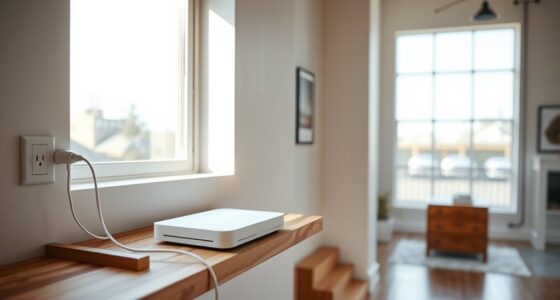
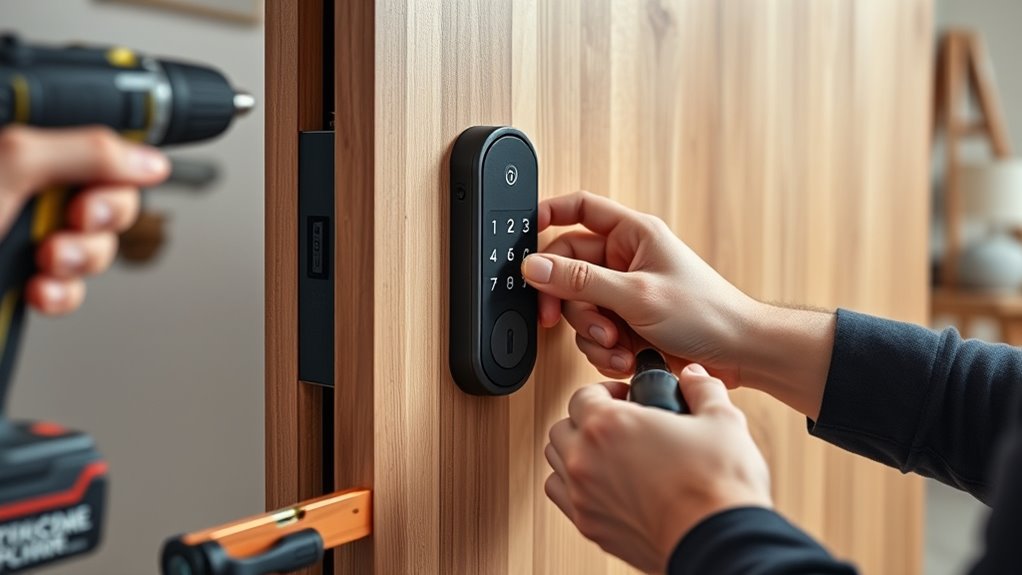
Installing a smart lock can enhance your home’s security and convenience, but it’s essential to do so safely and correctly. The first step is ensuring that your device is properly set up to work seamlessly with your home network. Good Wi-Fi connectivity is crucial; a weak or unstable connection can cause frustration, preventing you from unlocking your door remotely or receiving alerts. Before installation, test your Wi-Fi signal near the door to confirm it’s strong enough for reliable communication. If needed, consider relocating your router or using a Wi-Fi extender to improve coverage. Once your connection is solid, follow the manufacturer’s instructions carefully to connect your smart lock to your Wi-Fi network, making sure the device pairs correctly and maintains a stable link. Proper setup and Wi-Fi stability are key to avoiding future connectivity issues. Battery maintenance is another vital aspect that ensures your smart lock functions reliably over time. These devices typically run on batteries, which need regular checks to prevent unexpected lockouts. Most smart locks have indicators that alert you when the battery is running low, but it’s good practice to replace batteries proactively. Use high-quality, fresh batteries to prolong the device’s lifespan and avoid interruptions. When installing new batteries, double-check the polarity and ensure they’re seated securely. This simple step can prevent issues like power failures or inconsistent locking behavior. Regularly reviewing your battery status and maintaining fresh power sources keeps your smart lock operational and reduces the risk of being locked out due to power issues. During installation, pay attention to the physical placement of your smart lock. Make sure it aligns properly with your door’s existing deadbolt or latch mechanism. Misalignment can cause problems with locking and unlocking, or damage the device over time. Follow the mounting instructions precisely, tightening screws securely but not overly tight to avoid cracking the device or stripping threads. After installation, test the lock manually and via the app to confirm smooth operation. Check that the lock responds quickly to commands and that you can lock and unlock remotely without delay. Finally, familiarize yourself with troubleshooting tips related to Wi-Fi connectivity and battery status. Keep a set of spare batteries handy, and consider setting up notifications for low battery warnings. Regular maintenance, including cleaning the lock and updating its firmware when prompted, helps keep your smart lock functioning optimally. By paying attention to these details, you ensure that your smart lock offers reliable security and convenience long-term. Proper setup and ongoing maintenance protect your home and give you peace of mind every time you leave or return.

Lockly Secure Link Wi-Fi Hub – Control Your Lockly Smart Lock from Anywhere with Real-time Notifications and Voice Control
Wi-Fi Compatibility: Connects to Wi-Fi and pairs with your Lockly Bluetooth smart lock for convenient remote access and…
As an affiliate, we earn on qualifying purchases.
As an affiliate, we earn on qualifying purchases.
Frequently Asked Questions
Can I Install a Smart Lock Without Professional Help?
Yes, you can do a DIY installation of a smart lock without professional help if you’re comfortable with basic tools. Make sure you have the necessary tool requirements, like screwdrivers and a drill, and carefully follow the manufacturer’s instructions. Take your time to measure and align everything properly. If you encounter complex wiring or mechanical issues, it’s best to consult a professional to avoid damage or security risks.
What Is the Best Smart Lock for Outdoor Use?
Think of the best outdoor smart lock as your modern gatekeeper, like a digital sentinel. For reliable keyless entry and long battery life, consider models like the Schlage Encode or August Wi-Fi Smart Lock. These locks withstand weather, offer quick access, and keep you connected. Your door’s security depends on choosing a durable, weatherproof device that balances convenience and longevity—making your home smarter and safer with ease.
How Do I Reset My Smart Lock if It Malfunctions?
If your smart lock malfunctions, start by performing a factory reset, usually found in the user manual or via the app. If that doesn’t work, check the batteries and replace them if needed, as low power can cause issues. After replacing the batteries, reprogram your lock. Performing a factory reset restores the lock to its original settings, helping resolve software glitches and restoring proper function.
Are Smart Locks Compatible With All Home Automation Systems?
Smart locks aren’t compatible with all home automation systems. You need to check the lock’s home compatibility and system integration options before purchasing. Many smart locks work seamlessly with popular systems like Alexa, Google Home, or Apple HomeKit, but some may require additional hubs or adapters. Always verify the compatibility details and supported platforms to guarantee smooth integration into your existing smart home setup.
What Are Common Security Risks of Smart Locks?
You should be aware that smart locks can face security risks like encryption vulnerabilities, which hackers might exploit to gain unauthorized access. To prevent hacking, verify your lock uses strong, updated encryption protocols and change default passwords regularly. Avoid connecting your smart lock to unsecured networks, and keep firmware up to date. These steps help protect your lock from potential hacking attempts and keep your home safe.

Nyboer Rechargeable Battery for Built-in Camera and WiFi Smart Lock (H3 Pro Model)
Rechargeable and environmentally friendly: When the battery runs out, you can recharge it easily by the Type-C port.
As an affiliate, we earn on qualifying purchases.
As an affiliate, we earn on qualifying purchases.
Conclusion
Now that you’ve installed your smart lock, you’re opening a new level of home security. Just remember, a safe installation is like a sturdy bridge—supporting your home’s safety across all seasons. Keep your device updated and regularly check its functioning to guarantee peace of mind. With your smart lock in place, you’ve turned your door into a trusted guardian, standing watch like a loyal sentinel—ready to protect what matters most.

DEWALT Door Lock Installation Kit, C-Clamp Design, For Metal or Wood Doors, 2 Adjustable Bushings, Easy Installation (D180004)
Door lock kit utilizes C-clamp design with tool-free clamping and no surface damage
As an affiliate, we earn on qualifying purchases.
As an affiliate, we earn on qualifying purchases.

SmartKey Learn Tool for Kwikset – Steel Rekeying Tool for SmartKey Enabled Locks/Deadbolts (83282-003, 83283) – 1-Pack
For Kwikset SmartKey Locks: Perfectly works with SmartKey enabled locks/deadbolts, including models 83282-003 and 83283—ensures a snug fit…
As an affiliate, we earn on qualifying purchases.
As an affiliate, we earn on qualifying purchases.