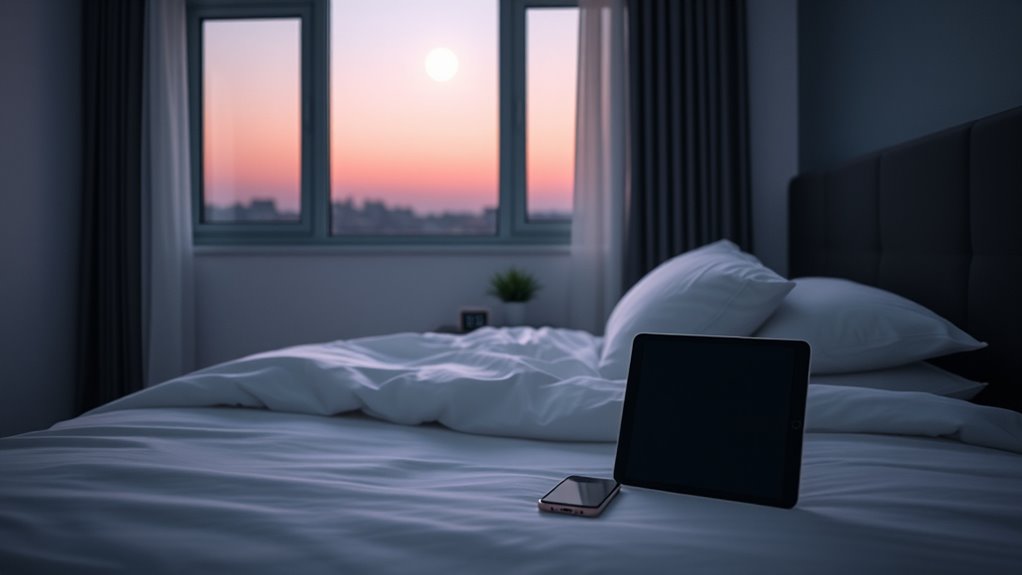
To set tech boundaries for better sleep, create a device curfew at least an hour before bed, turning off screens to reduce blue light exposure. Use blue light filters or glasses in the evening to help your body wind down naturally. Establish a relaxing routine that avoids notifications and social media to lower alertness before sleeping. Incorporating screen breaks during the day and engaging in daytime activities can also support healthier habits for restful nights. Keep exploring for more effective strategies.
Key Takeaways
- Implement a device curfew at least one hour before bedtime to reduce blue light exposure.
- Use blue light filters or glasses during evening screen time to minimize alertness.
- Take regular breaks from screens throughout the day to decrease overall dependence and improve sleep quality.
- Establish a relaxing pre-sleep routine free from screens to help the brain wind down naturally.
- Promote daytime activities like educational play to reduce reliance on screens and support healthier sleep habits.

In today’s digital age, technology often disrupts our ability to get restful sleep, even when we understand better. The glow from screens—smartphones, tablets, laptops—emits blue light that signals your brain to stay alert. This blue light reduction is essential if you want to wind down naturally at night. When you expose yourself to screens late into the evening, it suppresses melatonin production, making it harder to fall asleep and stay asleep. To combat this, try using blue light filters or glasses that block blue wavelengths. These tools can help minimize the impact of screen time, allowing your body to prepare for rest. Establishing a routine that includes blue light reduction measures can significantly improve your sleep quality over time.
Another effective approach is setting device curfews. Decide on a specific time each evening to turn off all electronic devices—ideally at least an hour before bed. When you stick to a device curfew, you give your mind the chance to unwind, free from the constant stimulation of notifications, emails, and social media. This break helps your brain transition into a more relaxed state, making it easier to fall asleep naturally. Making device curfews part of your nightly routine can also reduce the temptation to scroll or binge-watch, which often prolongs wakefulness. Remember, even a short break from screens before bed can have a profound impact on your sleep quality. Incorporating educational toys into daytime routines can also promote healthier habits and reduce screen dependence by engaging children in active and mindful play.
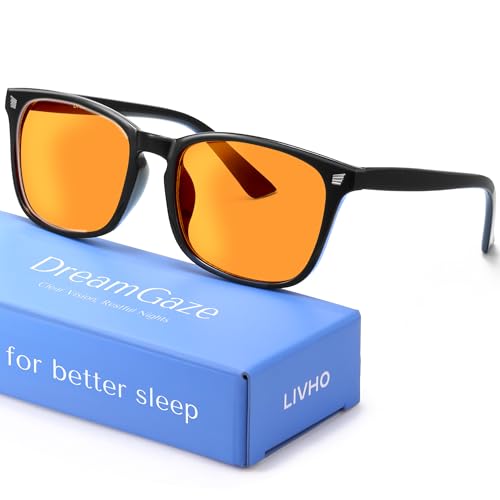
livho High Tech Blue Light Glasses – Advanced Blue Light Blocking Computer Glasses – Screen Fatigue & UV Protection
Elevate your screen time comfort with these stylish women's/men's eyewear frame blue light blocking glasses, designed to reduce…
As an affiliate, we earn on qualifying purchases.
As an affiliate, we earn on qualifying purchases.
Frequently Asked Questions
How Can I Reduce Blue Light Exposure Before Bed?
To reduce blue light exposure before bed, you can use blue light filters on your devices or enable night mode, which reduces blue light emissions. Avoid screens at least an hour before sleeping to improve your sleep hygiene. Consider wearing blue light blocking glasses if you need to use screens. These steps help your body produce melatonin naturally, leading to better sleep and overall health.
What Are Effective Alternative Activities to Screen Time at Night?
Imagine your evening as a peaceful lake—still and calm. To keep it serene, try mindful journaling to clear your mind and calming music to unwind. These activities act like gentle ripples, replacing screen time’s turbulence. By engaging in reflective writing and soothing melodies, you create a tranquil environment that signals your body it’s time to relax, helping you drift into restful sleep without the interference of screens.
How Does Device Use Affect Sleep Quality Long-Term?
Device use can substantially impact your sleep quality long-term by fostering digital addiction, making it harder to unwind. This addiction leads to sleep disruption, as screens emit blue light that interferes with melatonin production. Over time, poor sleep quality affects your mood, focus, and health. To protect your sleep, limit device use before bed, especially if you notice ongoing sleep issues, and create tech-free zones to promote better rest.
Are There Apps That Help Enforce Tech Boundaries?
Yes, there are apps that help enforce tech boundaries. For example, 78% of users find screen time tracking beneficial for managing their device use. Apps like Apple’s Screen Time or Android’s Digital Wellbeing set app-based boundaries, limiting usage during certain hours or after reaching daily limits. These tools actively remind you to disconnect, helping improve sleep quality and establish healthier tech habits effortlessly.
How Should I Handle Work Emails and Notifications at Night?
You should establish clear email boundaries by turning off work notifications after hours. Use notification management features on your devices to silence work emails and alerts during nighttime. Consider setting an auto-reply that informs colleagues you’re unavailable, and only check emails at designated times. This helps you maintain a healthy work-life balance, reduces sleep disruptions, and guarantees you aren’t constantly pulled back into work mode, even when you’re trying to rest.

MOSISO 23-24 inch Computer Blue Light Blocking Screen Protector Anti-UV Eye Protection Filter Film Panel for Diagonal 23,23.6,23.8,24 inch 16:9 Widescreen Desktop PC LED Monitor(21.26×13.39 inch/LxW)
Dimension: 21.26 x 13.39 inch/L x W. Compatible with iMac 24 inch;compatible with Lenovo Ideacentre 23.8;compatible with HP…
As an affiliate, we earn on qualifying purchases.
As an affiliate, we earn on qualifying purchases.
Conclusion
By setting clear tech boundaries, you can considerably improve your sleep quality. Some say that minimizing screen time before bed resets your body’s natural sleep cues, leading to deeper rest. While scientific evidence varies, many find that disconnecting from devices fosters relaxation and reduces sleep disruptions. So, give it a try—turn off screens an hour before bed and see how much better you sleep. Your body and mind will thank you for it!

ARENTI Baby Monitor with 2 Cameras, 2K/3MP WiFi 6 Camera and Audio, 5-inch Wireless Screen, Smartphone App, Super Night Vision, Crying Detection, Auto Tracking, Temp&Humidity Sensor (D3 Set)
Privacy is Top Priority:Our Wifi Baby Monitor Data Privacy is full secured by Arenti AES128 Advanced Security Chip,bank-Level…
As an affiliate, we earn on qualifying purchases.
As an affiliate, we earn on qualifying purchases.

Time Timer MOD 60-Minute Visual Timer, Home Edition, Silent Operation, Study Tool for Homeschool and Office Use (Lake Day Blue)
TIME MANAGEMENT — The 60-minute learning clock assists with organization and concentration among tasks. The desk timer is…
As an affiliate, we earn on qualifying purchases.
As an affiliate, we earn on qualifying purchases.