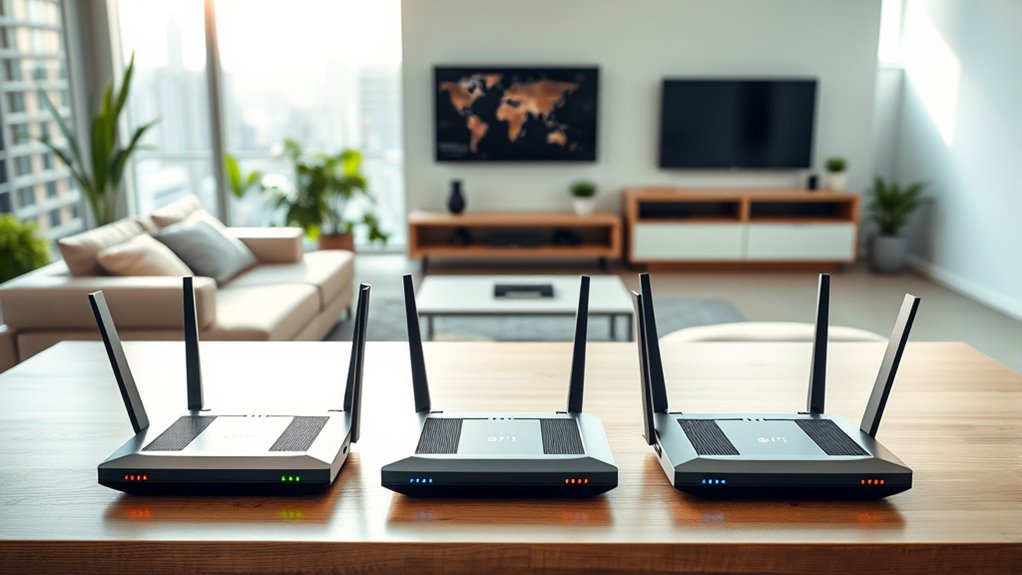

If you’re looking for the best Wi-Fi routers of 2025 to boost your internet speed and coverage, I recommend options like Wi-Fi 7 models such as the RS9300, RS300, and BE700, which offer ultra-fast speeds and extensive coverage for large homes and multiple devices. Mesh systems like the Orbi 370 provide seamless coverage, while Wi-Fi 6 and 6E options guarantee reliable connections. Stick with me, and I’ll cover the top features and tips to pick the perfect one.
Key Takeaways
- Wi-Fi 7 routers offer ultra-fast speeds up to 11,528 Mbps, ideal for demanding streaming, gaming, and smart home setups.
- Advanced features like Multi-Link Operation and multi-gig ports ensure future-proof connectivity and enhanced coverage.
- Mesh Wi-Fi systems with Wi-Fi 7 support provide seamless coverage across large homes and extensive device ecosystems.
- Security features including WPA3, malware protection, and user-friendly management apps protect your network effectively.
- High-performance models support numerous devices, ensuring reliable, fast internet for households with multiple users and devices.
TP-Link AXE5400 Tri-Band WiFi 6E Router


If you’re looking for a top-tier router that can handle gaming, streaming, and large downloads simultaneously, the TP-Link AXE5400 Tri-Band WiFi 6E Router is an excellent choice. It delivers speeds up to 5400 Mbps across three bands, including the fast 6 GHz band for near-zero latency. Its 160 MHz channel bandwidth and OFDMA technology optimize network efficiency, while the powerful 1.7 GHz Quad-Core CPU ensures smooth multitasking. Compatible with all major ISPs, it supports VPN, WPA3 security, and TP-Link’s HomeShield for robust security. Designed for easy setup and seamless coverage, it’s perfect for high-demand home networks in 2025.
Best For: users seeking a high-performance, secure, and versatile router capable of handling gaming, streaming, and large downloads simultaneously in a modern smart home.
Pros:
- Tri-band WiFi 6E with speeds up to 5400 Mbps, including the ultra-fast 6 GHz band for reduced latency.
- Advanced features like OFDMA, 160 MHz channels, and a powerful 1.7 GHz Quad-Core CPU for optimal network efficiency and multitasking.
- Robust security options including WPA3, VPN support, and TP-Link HomeShield for comprehensive network protection.
Cons:
- Slightly larger footprint, which may require more space for optimal placement.
- Requires a modem for most ISPs, adding an extra step in setup.
- Higher price point compared to basic routers, reflecting its advanced features and performance.
TP-Link AX1800 WiFi 6 Router V4 (Archer AX21)

Looking for a reliable, budget-friendly Wi-Fi 6 router that’s easy to set up and compatible with most internet providers? The TP-Link AX1800 WiFi 6 Router V4 (Archer AX21) fits the bill. It delivers dual-band gigabit speeds, with up to 1.8 Gbps total bandwidth, and supports OFDMA technology to handle multiple devices efficiently. Its extensive coverage is boosted by four high-gain antennas and Beamforming. Plus, it’s compatible with major ISPs like Comcast, AT&T, and Spectrum. The router offers robust security features, including VPN support, and is certified for easy setup with free expert support. It’s a solid choice for boosting your home Wi-Fi.
Best For: households or individuals seeking an easy-to-setup, budget-friendly Wi-Fi 6 router compatible with most major internet providers and capable of supporting multiple devices with reliable coverage.
Pros:
- Supports Wi-Fi 6 (802.11ax) technology for faster speeds and increased capacity
- Extensive coverage with four high-gain antennas and Beamforming technology
- Compatible with all major internet service providers and supports VPN security features
Cons:
- Does not support the 6 GHz Wi-Fi band available in some newer Wi-Fi 6E routers
- Performance depends on device placement and physical obstacles like walls
- Requires a separate modem, as it is a router only
TP-Link Tri-Band WiFi 7 Router (Archer BE550)

The TP-Link Tri-Band WiFi 7 Router (Archer BE550) stands out as an excellent choice for tech-savvy users seeking ultra-fast, reliable home networks. It leverages Wi-Fi 7 technology, delivering speeds up to 9.2 Gbps across tri-band channels, with features like Multi-Link Operation and 4K-QAM for top-notch performance. Its six internal antennas with Beamforming ensure strong, stable connections and reduced interference. Covering up to 2,000 sq ft, it supports whole-home coverage with extenders and mesh options. The router also boasts a full suite of security features, multiple ports, and easy management via the TP-Link Tether App, making it a future-proof investment.
Best For: tech-savvy users and households seeking ultra-fast, reliable WiFi with extensive coverage and advanced security features.
Pros:
- Delivers blazing-fast Wi-Fi speeds up to 9.2 Gbps with tri-band channels and Wi-Fi 7 technology.
- Supports whole-home coverage up to 2,000 sq ft and expandability with mesh extenders and range extenders.
- Offers comprehensive security features including TP-Link HomeShield, WPA3 encryption, and parental controls via the Tether App.
Cons:
- Higher price point due to advanced features and future-proofing components.
- Requires a compatible modem and may involve setup complexity for less tech-savvy users.
- Limited customer reviews since it was first available in October 2023, so long-term reliability data is still emerging.
TP-Link Dual-Band Wi-Fi 7 Router Archer BE230

For those seeking a future-proof router that delivers exceptional speed and reliability, the TP-Link Dual-Band Wi-Fi 7 Router Archer BE230 stands out. It leverages Wi-Fi 7 technology with Multi-Link Operation, Multi-RUs, and 4K-QAM, offering 120% more data capacity. With dual-band speeds up to 3.6 Gbps—2882 Mbps on 5 GHz and 688 Mbps on 2.4 GHz—it handles streaming, gaming, and downloads seamlessly. Four external antennas with beamforming guarantee strong signals even in hard-to-reach areas. Easy to set up via the TP-Link Tether app, it also supports mesh networks, VPN, security features, and voice control, making it a versatile, high-performance choice.
Best For: households and small offices seeking a high-speed, reliable Wi-Fi 7 router with extensive coverage and advanced security features.
Pros:
- Delivers ultra-fast dual-band speeds up to 3.6 Gbps for seamless streaming and gaming
- Four external beamforming antennas ensure strong, reliable signals throughout the home
- Easy setup with TP-Link Tether app and supports mesh networking, VPN, and robust security
Cons:
- Requires a modem for internet connection, adding to setup complexity
- Slightly larger in size, which may be less suitable for compact spaces
- Premium features and performance come with a higher price point compared to basic routers
TP-Link Deco X55 AX3000 WiFi 6 Mesh System (3-Pack)

If you need reliable whole-home WiFi coverage that eliminates dead zones, the TP-Link Deco X55 AX3000 Mesh System (3-Pack) is an excellent choice. It covers up to 6,500 square feet, replacing traditional routers and extenders with seamless WiFi 6 performance. With speeds up to 2402 Mbps on 5 GHz and 574 Mbps on 2.4 GHz, it supports up to 150 devices simultaneously. The system features easy setup via the Deco app, AI-driven mesh technology, and security through TP-Link HomeShield. Each unit includes three Gigabit Ethernet ports, and the mesh learns your environment to optimize coverage, ensuring fast, reliable internet throughout your home.
Best For: households or small to medium-sized homes seeking reliable, high-speed WiFi coverage with seamless device connectivity and easy setup.
Pros:
- Covers up to 6,500 sq. ft., eliminating dead zones and buffering
- Supports up to 150 devices simultaneously with WiFi 6 performance
- Easy setup and management via the Deco app with AI-driven mesh technology
Cons:
- Requires a modem for internet connection, which adds to setup complexity
- May be overkill for small apartments or single-user setups
- Limited advanced customization options compared to traditional routers
TP-Link Archer BE6500 Wi-Fi 7 Router

Anyone seeking a future-proof home network will find the TP-Link Archer BE6500 Wi-Fi 7 Router an excellent choice, thanks to its cutting-edge Wi-Fi 7 technology that delivers blazing-fast speeds and reliable coverage. It supports Multi-Link Operation, Multi-RUs, and 4K-QAM, optimizing performance on new devices like iPhone 16 Pro and Samsung Galaxy S24 Ultra. With a total bandwidth of 6.5 Gbps, it offers speeds up to 5764 Mbps on 5GHz and 688 Mbps on 2.4GHz. Covering up to 2,400 sq. ft. and supporting up to 90 devices, this router guarantees strong, stable connections for large homes and demanding applications.
Best For: home users seeking a future-proof, high-speed, and reliable Wi-Fi 7 network capable of supporting multiple devices and demanding applications across large areas.
Pros:
- Equipped with the latest Wi-Fi 7 technology, including Multi-Link Operation and 4K-QAM for enhanced performance and lower latency.
- Supports up to 90 devices simultaneously with extensive coverage up to 2,400 sq. ft. and six high-performance antennas.
- Features multiple high-speed wired ports, including a 2.5 Gbps WAN/LAN port, ideal for demanding wired connections and future-proofing.
Cons:
- May be more expensive compared to older Wi-Fi 6 or Wi-Fi 5 routers, reflecting its advanced features.
- Complex setup and management might require some technical familiarity for optimal configuration.
- Large size and multiple antennas could be less discreet in aesthetic-focused environments.
NETGEAR Nighthawk Dual-Band WiFi 7 Router (RS90)

The NETGEAR Nighthawk Dual-Band WiFi 7 Router (RS90) stands out as an excellent choice for gamers, streamers, and heavy internet users who demand lightning-fast speeds and reliable coverage. Supporting WiFi 7 speeds up to 3.6 Gbps, it delivers 1.2 times faster performance than WiFi 6, maximizing device efficiency. With coverage up to 2,000 sq. ft. and support for 50 devices, it handles large households effortlessly. Its sleek design and easy setup via the Nighthawk app make it user-friendly. Additionally, built-in security features and NETGEAR Armor protect your network from threats, ensuring safe, seamless internet experiences.
Best For: gamers, streamers, and heavy internet users seeking lightning-fast WiFi 7 speeds with extensive coverage and robust security.
Pros:
- Supports WiFi 7 speeds up to 3.6 Gbps for ultra-fast connectivity
- Covers up to 2,000 sq. ft. and supports 50 devices simultaneously
- Easy setup and management via the Nighthawk app, with built-in security features
Cons:
- Does not include a modem; requires a separate cable or fiber modem for internet access
- Compatible with latest internet plans but may need a compatible modem for multi-gig speeds
- Designed primarily for U.S. use, which might limit compatibility in other regions
NETGEAR Nighthawk WiFi 7 Router (BE9300)

For those seeking lightning-fast internet speeds and robust connectivity, the NETGEAR Nighthawk WiFi 7 Router (BE9300) stands out as a top choice. It delivers incredible WiFi 7 speeds up to 9.3Gbps, making it perfect for gaming, streaming, and video calls. With tri-band support and antennas covering up to 2,500 sq. ft., it handles up to 100 devices simultaneously. The router features a 2.5 Gigabit port for multi-gig internet plans. Plus, built-in security with NETGEAR Armor keeps your network safe. It’s easy to set up via the Nighthawk app, ensuring reliable performance tailored for the U.S. market.
Best For: households and individuals seeking ultra-fast WiFi speeds, extensive coverage, and secure connectivity for gaming, streaming, and multiple devices.
Pros:
- Delivers WiFi 7 speeds up to 9.3Gbps for exceptional performance
- Supports tri-band connectivity and up to 100 devices simultaneously
- Easy setup and management through the Nighthawk app with built-in security features
Cons:
- Does not include a modem; requires a separate modem for internet access
- Designed primarily for use in the U.S., which may limit compatibility elsewhere
- Higher price point compared to standard routers with similar coverage
TP-Link AX5400 WiFi 6 Router (Archer AX73)

If you’re looking to support multiple high-bandwidth activities simultaneously, the TP-Link AX5400 WiFi 6 Router (Archer AX73) is an excellent choice. It delivers up to 5400 Mbps, perfect for 8K streaming, gaming, fast browsing, and downloads all at once. Its advanced 5 GHz band, with HE160 and 4T4R tech, offers ultra-fast 4.8 Gbps connections. Designed for large spaces, it provides stable coverage even in tricky areas like kitchens and bedrooms, thanks to six antennas, beamforming, and high-power features. Plus, MU-MIMO, OFDMA, and a USB port make device management and media sharing simple, all while maintaining robust security with TP-Link HomeShield.
Best For: those who need high-speed, reliable WiFi coverage for multiple devices and high-bandwidth activities like streaming, gaming, and downloads in large or tricky spaces.
Pros:
- Supports up to 5400 Mbps WiFi for ultra-fast performance
- Equipped with six antennas, beamforming, and high-power features for extensive coverage
- Features MU-MIMO, OFDMA, and a USB port for efficient device management and media sharing
Cons:
- May require a separate modem depending on your ISP
- Premium security features with HomeShield Pro are a paid upgrade
- Large size and multiple antennas might be less suitable for small or minimalist spaces
NETGEAR Nighthawk WiFi 7 Router (RS300)
Gamers and streamers seeking lightning-fast internet will find the NETGEAR Nighthawk WiFi 7 Router (RS300) to be an ideal choice, thanks to its impressive WiFi 7 speeds of up to 9.3 Gbps. This tri-band router supports the ultra-fast 6 GHz band and can handle up to 100 devices simultaneously, making it perfect for high-demand activities like gaming, streaming, and video conferencing. With coverage of up to 2,500 square feet and multi-gig wired ports, it guarantees reliable, high-speed connections across your entire home. Its sleek design fits easily into any space, providing robust performance and security features for a seamless internet experience.
Best For: gamers, streamers, and households with multiple devices seeking ultra-fast WiFi 7 speeds and reliable coverage.
Pros:
- Supports WiFi 7 with speeds up to 9.3 Gbps for seamless high-demand activities
- Tri-band design with 6 GHz band for minimal interference and maximum performance
- Can connect up to 100 devices simultaneously, ideal for busy households
Cons:
- Requires a separate cable modem for internet access, as it is not a modem-router combo
- Larger footprint may require ample space for optimal placement
- Higher price point compared to traditional WiFi 6 routers
ASUS RT-AX1800S Dual Band WiFi 6 Router

The ASUS RT-AX1800S Dual Band WiFi 6 Router stands out with its support for WiFi 6 technology, making it an excellent choice for households that demand fast, reliable internet for streaming, gaming, and smart home devices. It features MU-MIMO and OFDMA for better efficiency and throughput, along with 1024-QAM for faster connections. The four external antennas ensure strong coverage, while the dual-core processor keeps everything running smoothly. With five Gigabit ports, including one WAN and four LAN, data transfer speeds are impressive. Plus, it offers advanced security with AiProtection, VPN access, and compatibility with AiMesh for seamless mesh networking.
Best For: households seeking a high-performance, secure WiFi 6 router for seamless streaming, gaming, and smart home device management.
Pros:
- Supports WiFi 6 with MU-MIMO and OFDMA for enhanced efficiency and faster speeds
- Equipped with four external antennas for optimal coverage and dual-core processing for smooth operation
- Advanced security features including AiProtection, VPN, and compatibility with AiMesh for mesh networking
Cons:
- Limited to five Gigabit ports, which may be insufficient for very large networks
- No dedicated hardware for parental controls or device management beyond basic features
- May be more expensive compared to non-WiFi 6 or lower-spec routers
TP-Link Tri-Band WiFi 7 Router Archer BE700

The TP-Link Tri-Band WiFi 7 Router Archer BE700 stands out as an excellent choice for tech enthusiasts and power users who demand blazing-fast speeds and all-encompassing coverage. With Wi-Fi 7 features like Multi-Link Operation, 4K-QAM, and channels up to 320 MHz, it delivers speeds up to 11,528 Mbps on the 6GHz band. It offers multi-gigabit wired connections with a 10 Gbps WAN port and multiple LAN ports. Its six internal antennas with Beamforming provide strong coverage, while EasyMesh support extends signal throughout large homes. Plus, advanced security with TP-Link HomeShield and easy setup make it a versatile, future-proof router for demanding users.
Best For: tech enthusiasts and power users seeking ultra-fast Wi-Fi speeds, extensive coverage, and advanced wired connectivity for demanding smart homes and high-bandwidth activities.
Pros:
- Supports Wi-Fi 7 with speeds up to 11,528 Mbps on 6GHz for seamless 4K/8K streaming and immersive gaming
- Multiple high-speed wired ports including a 10 Gbps WAN and 2.5 Gbps LAN for versatile multi-gigabit connectivity
- Extensive coverage with six internal antennas and EasyMesh compatibility to eliminate dead zones
Cons:
- Requires a modem for internet connection, which may increase initial setup complexity
- Higher price point compared to traditional Wi-Fi 6 routers due to advanced features
- Advanced features and settings may be complex for casual users to fully utilize
NETGEAR Orbi 370 Series WiFi 7 Mesh Network System

Are you seeking a future-proof Wi-Fi solution that can handle multiple devices effortlessly? The NETGEAR Orbi 370 Series WiFi 7 Mesh Network System delivers speeds up to 5 Gbps, making it 1.7 times faster than WiFi 6. It provides seamless coverage up to 6,000 sq.ft. and supports around 70 devices, perfect for streaming, gaming, and video calls without interruptions. With dual-band technology and Enhanced Backhaul, it ensures reliable performance. The system includes a 2.5 Gbps internet port, supports wired backhaul, and is compatible with any ISP. Plus, it offers robust security with NETGEAR Armor and easy management via the Orbi app.
Best For: households or small businesses seeking a future-proof, high-speed WiFi 7 mesh system that can support multiple devices with reliable coverage and robust security.
Pros:
- Speeds up to 5 Gbps, 1.7 times faster than WiFi 6, ideal for high-bandwidth activities
- Covers up to 6,000 sq.ft. and supports approximately 70 devices seamlessly
- Fully backward compatible and easy to set up with the intuitive Orbi app
Cons:
- Higher cost compared to traditional WiFi 6 systems
- Requires compatible devices to leverage WiFi 7 speeds fully
- May be more advanced than necessary for small households with modest internet needs
Factors to Consider When Choosing Wi-Fi Routers

When choosing a Wi-Fi router, I look at speed and bandwidth to guarantee smooth streaming and gaming. I also consider coverage area and device compatibility so everyone stays connected without issues. Security features and support for future technologies are important to keep my network safe and up-to-date.
Speed and Bandwidth
Choosing the right Wi-Fi router hinges considerably on speed and bandwidth, as these factors directly affect your internet experience. Higher bandwidth means faster data transfer, which is essential for activities like 4K streaming, gaming, and large downloads happening simultaneously. Dual-band and tri-band routers help by distributing traffic across multiple frequencies, reducing congestion and boosting overall speed. Wi-Fi 6 and Wi-Fi 7 technologies push maximum speeds up to 11.5 Gbps under ideal conditions, ensuring future-proof performance. Channel bandwidth, measured in MHz, also plays a vital role—wider channels like 160 MHz or 320 MHz support higher throughput. Additionally, the number of streams (such as 4×4 or 8×8) determines how many data paths the router can handle concurrently, directly influencing the maximum bandwidth available.
Coverage Area Needs
To guarantee your Wi-Fi coverage meets your needs, start by measuring the size of the area you want to cover. Knowing the square footage helps you select a router with sufficient range, whether that’s 2,000 or up to 6,500 square feet. Larger homes or offices often need multiple access points or mesh systems to eliminate dead zones and ensure consistent signal strength everywhere. Keep in mind, the number of devices connected also impacts coverage; more gadgets may require a router with a wider range or additional extenders. Walls, furniture, and other obstacles can weaken signals, so consider their materials and thickness when evaluating your space. Matching your router’s advertised coverage to your actual area ensures smooth, reliable Wi-Fi performance throughout your home or office.
Device Compatibility
Ensuring your router is compatible with your devices is essential for peak performance and security. First, check that it supports the Wi-Fi standard your devices use, like Wi-Fi 6 or Wi-Fi 7, for maximum speed. Make sure the router’s frequency bands—2.4 GHz, 5 GHz, or 6 GHz—align with what your devices support, preventing connectivity issues. Verify that security protocols, such as WPA3, are compatible to keep your network safe. Additionally, confirm that the router works with your internet service provider and any required modems or configurations. If you have smart home devices, consider whether the router supports features like Alexa or Google Assistant. Compatibility ensures seamless connectivity and a hassle-free experience.
Security Features
Security features are crucial when selecting a Wi-Fi router because they protect your network from unauthorized access and cyber threats. I look for routers that support the latest protocols like WPA3, which offers stronger encryption for connected devices. Integrated security services such as HomeShield or AiProtection are a plus, providing malware blocking, intrusion detection, and parental controls. Automatic firmware updates are essential to patch vulnerabilities and keep your network safe over time. VPN support is another important feature, allowing me to access my network remotely while safeguarding data transmissions. Additionally, I consider device management and IoT protection to prevent unauthorized access to smart home devices. Prioritizing these features ensures my network stays secure, private, and resilient against emerging threats.
Future Technology Support
As technology continues to evolve rapidly, choosing a Wi-Fi router that supports the latest standards is vital for future-proofing your network. Look for routers supporting Wi-Fi 6 or Wi-Fi 7, which guarantee better speed, capacity, and device compatibility down the line. Features like Multi-Link Operation and wider channels (160 MHz or 320 MHz) boost performance with new devices. Multi-gigabit ports, such as 2.5G or 10G, help keep wired connections fast as internet speeds increase. Compatibility with upcoming technologies like AR/VR, 8K streaming, and smart home gadgets using Wi-Fi 7 enhancements is also essential. Finally, check if the router offers regular firmware updates and supports emerging security protocols to maintain long-term functionality and protection in your evolving digital environment.
Setup and Management
Choosing the right Wi-Fi router involves more than just performance; ease of setup and ongoing management are essential factors. I look for routers with straightforward setup processes, like smartphone app guidance or web interfaces, which save time and effort. Remote management features are a plus, letting me monitor and adjust my network from anywhere. Compatibility with mesh systems or multiple access points ensures seamless coverage, especially in larger spaces. Firmware update support is vital for receiving security patches and performance improvements over time. User-friendly management tools, such as parental controls, device prioritization, and security reports, help me keep my network secure and optimized. Overall, a router that’s simple to manage makes maintaining a reliable, fast, and secure Wi-Fi experience much easier.
Frequently Asked Questions
How Do Wi-Fi 7 Routers Improve Latency for Gaming?
Wi-Fi 7 routers improve gaming latency by using advanced technologies like multi-channel operation and wider bandwidths, which reduce congestion and delays. They handle multiple devices more efficiently, ensuring your gaming traffic gets priority. I’ve noticed smoother gameplay and faster response times since upgrading. These routers also minimize lag spikes by optimizing data transmission, so your gaming experience feels more seamless and responsive, even during heavy network usage.
Are Wi-Fi 6E Routers Compatible With Older Devices?
Yes, Wi-Fi 6E routers generally play nicely with older devices, though it’s like inviting a guest who prefers different conversations. They’re backward compatible with Wi-Fi 6, 5, and earlier standards, so your older gadgets will still connect. However, to enjoy the full benefits of Wi-Fi 6E’s faster speeds and lower latency, newer devices are the way to go. It’s all about finding the right balance for your setup.
What Security Features Are Standard in the Latest Wi-Fi Routers?
The latest Wi-Fi routers come with robust security features like WPA3 encryption, which is now standard, providing stronger protection against hacking attempts. They also often include automatic firmware updates, built-in firewalls, and support for guest networks to keep your main devices secure. I recommend enabling these features and regularly updating your router’s software to guarantee your home network stays safe from potential threats.
How Often Should I Update My Router’s Firmware?
I’d say you should update your router’s firmware at least once a month. Think of it as giving your device a tune-up; it keeps everything running smoothly and securely. Sometimes, updates fix bugs or patch security vulnerabilities, so staying current is wise. If you notice connection issues or slower speeds, it’s definitely time for an update. Regular checks ensure your network stays fast, safe, and reliable.
Can Mesh Wi-Fi Systems Support Multiple Simultaneous Users Effectively?
Yes, mesh Wi-Fi systems can support multiple simultaneous users effectively. I’ve experienced this firsthand, especially in busy households or offices where many devices connect at once. Modern mesh systems are designed to handle high traffic efficiently, distributing bandwidth evenly so everyone gets a reliable connection. Just make sure to choose a system with enough nodes and speed capabilities to match your household’s needs.
Conclusion
Choosing the right Wi-Fi router isn’t just about speed; it’s about creating a seamless connection that feels invisible, like electricity flowing through your home. Whether you’re streaming, gaming, or working, the perfect router balances power with simplicity. Just as a good song blends rhythm and melody, the best router combines speed and coverage. So, don’t settle for less—select one that elevates your internet experience while keeping things effortlessly smooth.