
If you’re looking for the best Thunderbolt docks for Windows in 2026, I’d recommend checking out options like the Plugable 16-in-1 Thunderbolt 4 Dock, Anker Prime TB5, and Microsoft Surface Thunderbolt 4 Dock, which offer robust connectivity, dual 4K support, and high power delivery. Other great choices include the UGREEN Thunderbolt 5 Dock and StarTech’s versatile models. Keep exploring, and you’ll discover the perfect dock tailored to your needs.
Key Takeaways
- The top docks support dual 4K or 8K displays with high refresh rates for seamless multitasking.
- They offer extensive port options, including multiple USB-C, USB-A, Ethernet, SD card readers, and high power delivery.
- Build quality emphasizes durability, secure connections, and space-efficient design for long-term reliability.
- Advanced cooling and heat dissipation features ensure stable performance during intensive workloads.
- Compatibility with Windows and macOS, driverless setup, and versatile features cater to both professional and casual users.
| Plugable 16-in-1 Thunderbolt 4 Dock with Dual 4K Support | 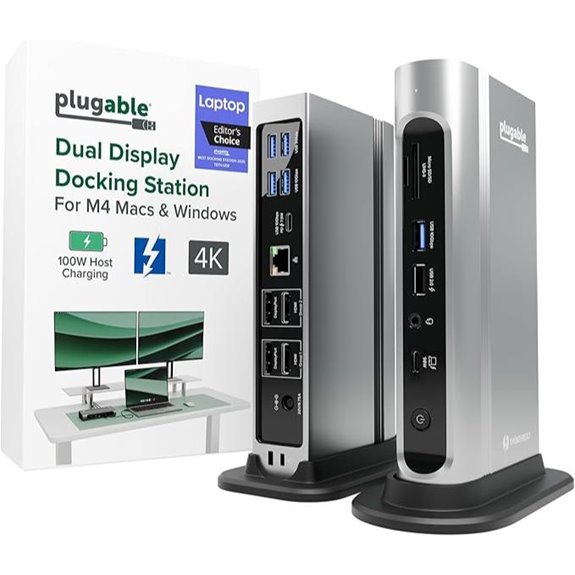 | Best Overall | Number of Ports: 16 ports | Display Support: Dual 4K @ 60Hz | Power Delivery (Charging): 100W | VIEW LATEST PRICE | See Our Full Breakdown |
| Anker Prime TB5 Thunderbolt 5 Docking Station | 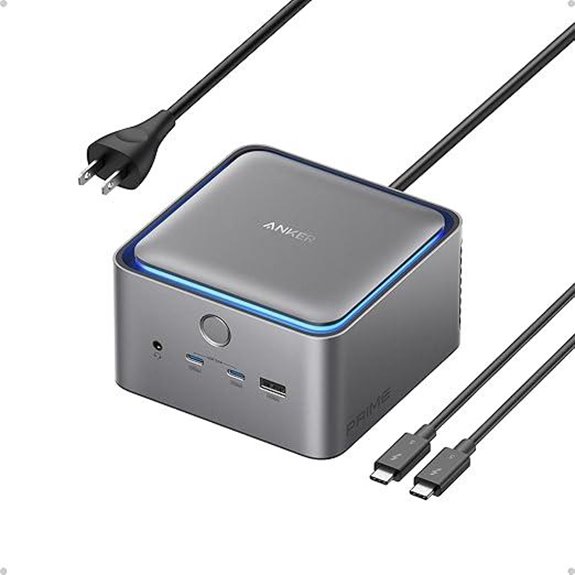 | Cutting-Edge Power | Number of Ports: 14 ports | Display Support: Dual 8K@60Hz or single 8K | Power Delivery (Charging): 140W | VIEW LATEST PRICE | See Our Full Breakdown |
| Microsoft Surface Thunderbolt 4 Dock with Dual 4K Support |  | Enterprise Reliable | Number of Ports: 9 ports | Display Support: Up to 2x 4K | Power Delivery (Charging): 90W | VIEW LATEST PRICE | See Our Full Breakdown |
| Plugable Thunderbolt 4 Dock with 100W Charging | 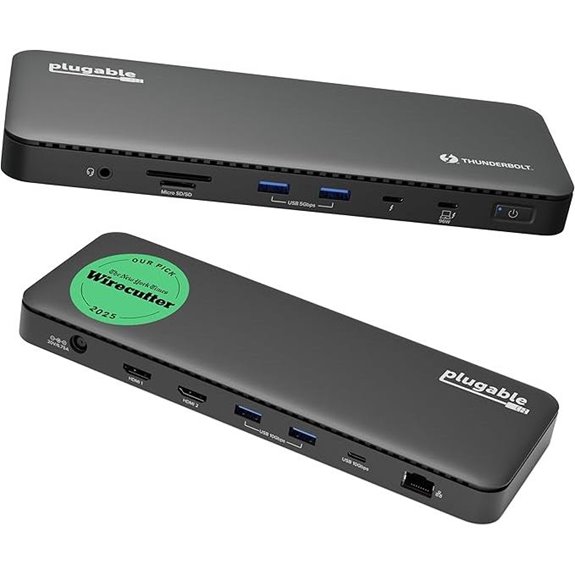 | Best Thunderbolt 4 | Number of Ports: 13 ports | Display Support: Dual 4K @ 60Hz or 8K | Power Delivery (Charging): 100W | VIEW LATEST PRICE | See Our Full Breakdown |
| Plugable Thunderbolt 5 Dock with 140W Power |  | Highest Wattage | Number of Ports: 11 ports | Display Support: Dual 8K@120Hz or dual 6K@60Hz | Power Delivery (Charging): 140W | VIEW LATEST PRICE | See Our Full Breakdown |
| Satechi Thunderbolt 4 Dock with 100W Charging | 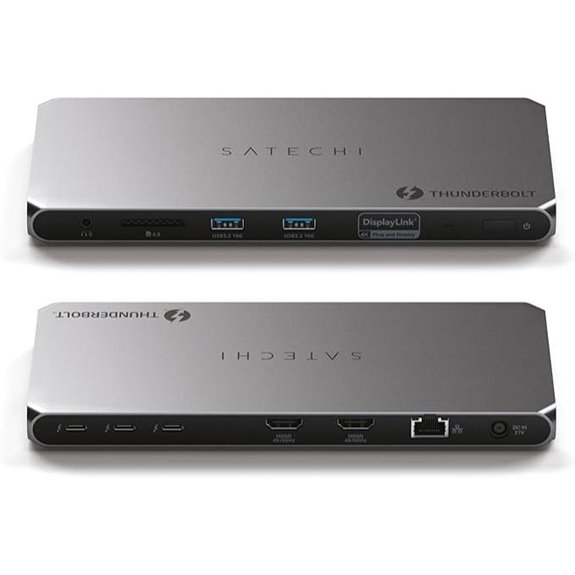 | Multi-Display Champion | Number of Ports: 8 ports | Display Support: Up to 4 external 4K (with driver) | Power Delivery (Charging): 96W | VIEW LATEST PRICE | See Our Full Breakdown |
| StarTech Thunderbolt 4 Dock with Dual 4K Monitors | 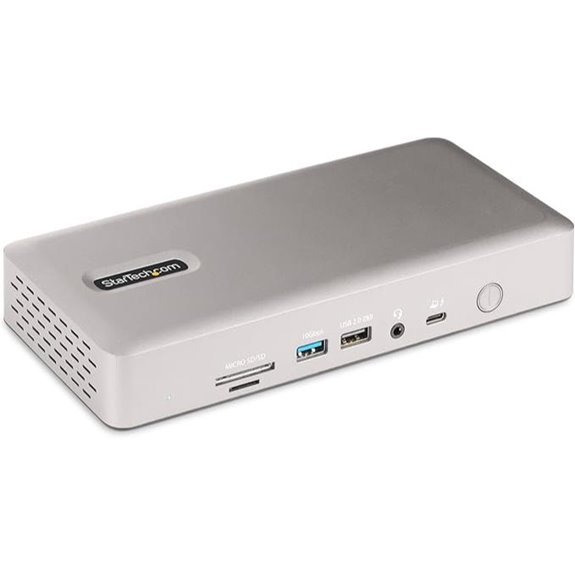 | Enterprise Ready | Number of Ports: 16 ports | Display Support: Up to 4x 4K @ 60Hz | Power Delivery (Charging): 98W | VIEW LATEST PRICE | See Our Full Breakdown |
| Kensington Thunderbolt 4 Docking Station with Dual 4K | 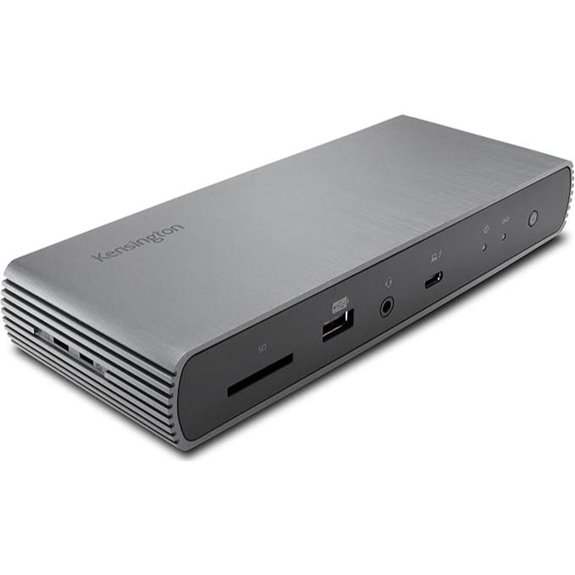 | Enterprise Versatility | Number of Ports: 12 ports | Display Support: Dual 4K @ 60Hz or 8K | Power Delivery (Charging): 90W (or 180W with optional) | VIEW LATEST PRICE | See Our Full Breakdown |
| UGREEN Thunderbolt 4 Dock 13-in-1 with 8K Display | 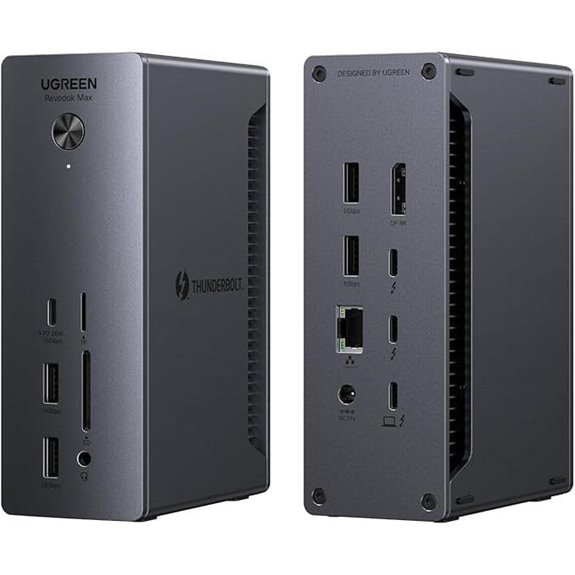 | High-Resolution Support | Number of Ports: 13 ports | Display Support: Dual 4K or 8K | Power Delivery (Charging): 90W (up to 180W with adapters) | VIEW LATEST PRICE | See Our Full Breakdown |
| Belkin Thunderbolt 3 Dock Plus with 8 Ports | 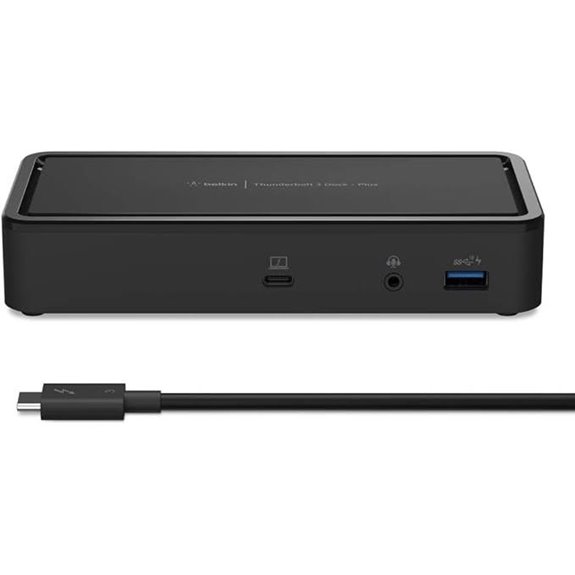 | Budget Powerhouse | Number of Ports: 8 ports | Display Support: Up to 3x 4K or 1x 8K | Power Delivery (Charging): 60W | VIEW LATEST PRICE | See Our Full Breakdown |
| Plugable USB-C Docking Station for 5 4K Monitors | 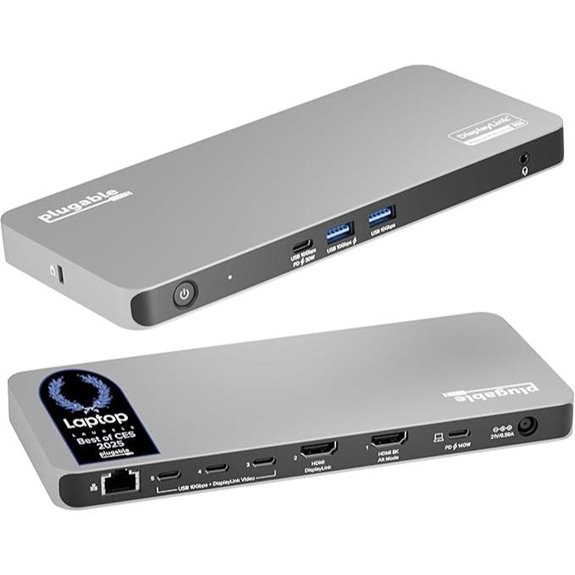 | Multi-Display Capacity | Number of Ports: 13 ports | Display Support: 5x 4K or 3x 8K (with DisplayLink) | Power Delivery (Charging): 140W | VIEW LATEST PRICE | See Our Full Breakdown |
| Belkin Thunderbolt 4 Dock with 90W Power Delivery | 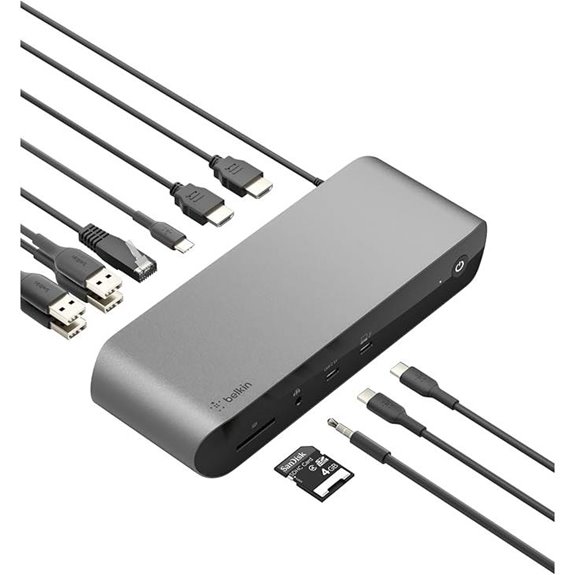 | Eco-Friendly Design | Number of Ports: 12 ports | Display Support: Up to 3x 4K or 2x 8K | Power Delivery (Charging): 90W | VIEW LATEST PRICE | See Our Full Breakdown |
| StarTech USB-C Triple Monitor Docking Station | 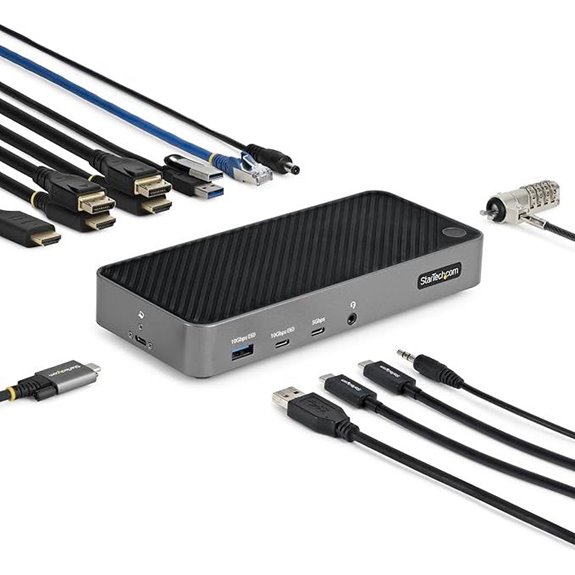 | Multi-Platform Compatibility | Number of Ports: 14 ports | Display Support: Up to 3x 4K or 1x 8K | Power Delivery (Charging): 100W | VIEW LATEST PRICE | See Our Full Breakdown |
| iVANKY Thunderbolt 5 Dock with 11 Ports | 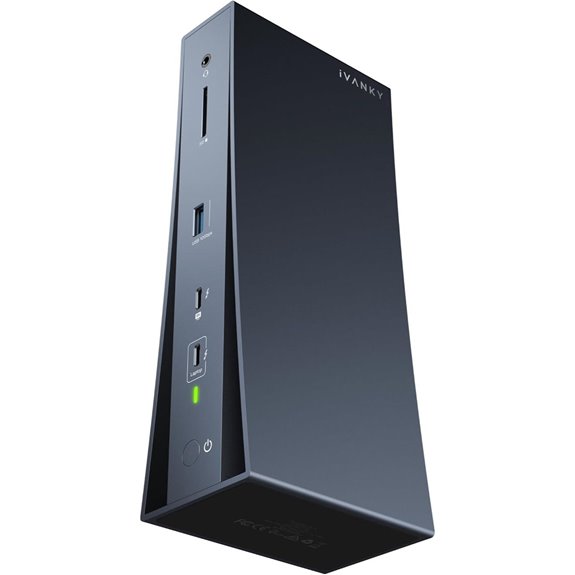 | Future-Proof Choice | Number of Ports: 11 ports | Display Support: Dual 6K or single 8K | Power Delivery (Charging): 140W | VIEW LATEST PRICE | See Our Full Breakdown |
| UGREEN Thunderbolt 5 Dock 13-in-1 with 8K Display | 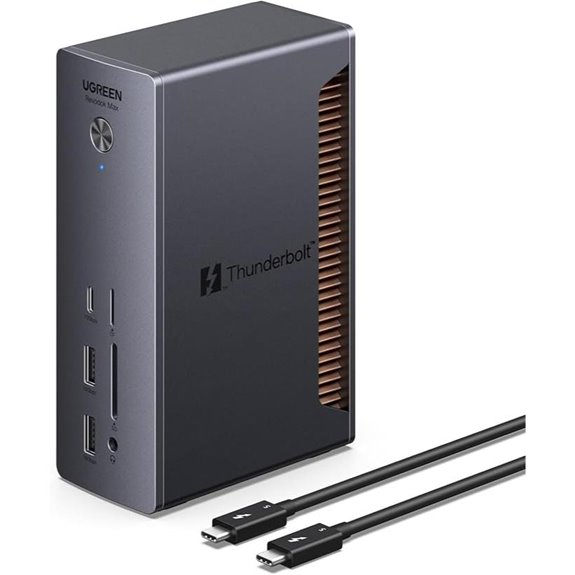 | High-Speed Data | Number of Ports: 13 ports | Display Support: Dual 6K@60Hz or single 8K | Power Delivery (Charging): 140W | VIEW LATEST PRICE | See Our Full Breakdown |
More Details on Our Top Picks
Plugable 16-in-1 Thunderbolt 4 Dock with Dual 4K Support
If you’re looking for a versatile docking station that can handle demanding multitasking and professional workflows, the Plugable 16-in-1 Thunderbolt 4 Dock is an excellent choice. It supports dual 4K displays at 60Hz via HDMI or DisplayPort without needing drivers, making setup seamless. With 7 USB ports, 2.5Gb Ethernet, SD/microSD card readers, and audio, it covers all your connectivity needs. Plus, it delivers 100W power, charging your laptop effortlessly. Recognized as Laptop Mag’s 2025 Dock of the Year, it’s compatible with Windows, macOS, Thunderbolt 4/5, and USB4 systems, transforming your laptop into a powerful, multi-monitor workstation.
- Number of Ports:16 ports
- Display Support:Dual 4K @ 60Hz
- Power Delivery (Charging):100W
- Data Transfer Speed:40Gbps
- Compatibility:Windows, macOS, USB4, Thunderbolt 4/5
- Form Factor / Size:Large, desktop
- Additional Feature:Recognized as Laptop Mag 2025 Dock of the Year
- Additional Feature:Supports 100W Power Delivery
- Additional Feature:Transforms laptops into dual-monitor stations
Anker Prime TB5 Thunderbolt 5 Docking Station
The Anker Prime TB5 Thunderbolt 5 Docking Station stands out as a top choice for power users demanding maximum connectivity and high-resolution displays. It offers 14 ports, including Thunderbolt 5 upstream and downstream, USB-C, USB-A, SD/TF card readers, Ethernet, audio jack, and HDMI 2.1 or DisplayPort 2.1 outputs. Supporting dual 8K displays at 60Hz, it delivers blazing-fast data transfer speeds of up to 120Gbps. With a 140W power delivery, it efficiently charges connected devices, and its active cooling system ensures ideal performance. Perfect for demanding workflows, this dock combines versatility, speed, and high-quality video output in a compact design.
- Number of Ports:14 ports
- Display Support:Dual 8K@60Hz or single 8K
- Power Delivery (Charging):140W
- Data Transfer Speed:120Gbps
- Compatibility:Windows, macOS, Thunderbolt 4/5, Mac M1/M2/M3
- Form Factor / Size:Compact
- Additional Feature:Supports dual 8K Displays
- Additional Feature:Advanced active cooling system
- Additional Feature:150GB file transfer in 25 sec
Microsoft Surface Thunderbolt 4 Dock with Dual 4K Support
For professionals who demand top-tier display quality and seamless connectivity, the Microsoft Surface Thunderbolt 4 Dock with Dual 4K Support stands out as an ideal choice. It features Thunderbolt 4 ports for fast data transfer, media streaming, and device charging, along with three USB-C and three USB-A ports for versatile peripherals. Supporting two 4K monitors, it delivers stunning visuals for work or entertainment. Rapid charging powers laptops in about 2.5 hours, boosting productivity. Its design includes tactile port indicators for easy use and eco-friendly materials made from 20% recycled ocean-bound plastic, combining performance with sustainability.
- Number of Ports:9 ports
- Display Support:Up to 2x 4K
- Power Delivery (Charging):90W
- Data Transfer Speed:40Gbps
- Compatibility:Windows, macOS, Thunderbolt 4
- Form Factor / Size:Compact
- Additional Feature:Eco-friendly with recycled ocean plastic
- Additional Feature:Rapid 2.5-hour laptop charging
- Additional Feature:Raised tactile port indicators
Plugable Thunderbolt 4 Dock with 100W Charging
The Plugable Thunderbolt 4 Dock with 100W Charging stands out as an ideal choice for professionals who need a reliable, high-performance dock to connect multiple devices and power their laptops simultaneously. It’s Thunderbolt Certified and won Best Thunderbolt Dock 2025 from Wirecutter, ensuring top-tier quality. With 13 ports, including dual HDMI, USB, Ethernet, and more, it supports dual 4K displays or an 8K monitor. It offers 100W Power Delivery, certified at 96W, and works seamlessly with Windows, Mac, Thunderbolt 4, Thunderbolt 5, and USB4 systems. This dock combines versatility, speed, and durability for any modern setup.
- Number of Ports:13 ports
- Display Support:Dual 4K @ 60Hz or 8K
- Power Delivery (Charging):100W
- Data Transfer Speed:40Gbps
- Compatibility:Windows, macOS, Thunderbolt 4/5, USB4
- Form Factor / Size:Desktop size
- Additional Feature:Certified Best Thunderbolt Dock 2025
- Additional Feature:Supports dual 4K or 8K display
- Additional Feature:13 high-performance ports
Plugable Thunderbolt 5 Dock with 140W Power
If you’re seeking a powerful docking solution that can handle demanding workflows, the Plugable Thunderbolt 5 Dock with 140W Power stands out as an excellent choice. It features three Thunderbolt 5 ports, supporting dual 8K 120Hz displays on Windows and dual 6K 60Hz on Mac, perfect for creative tasks. With 140W of power delivery, it can charge high-performance laptops while connecting multiple devices via USB, SD card slots, and Ethernet. Its driverless setup makes it easy to use across Windows and macOS systems with Thunderbolt 5, Thunderbolt 4, or USB4, ensuring reliable performance and seamless connectivity.
- Number of Ports:11 ports
- Display Support:Dual 8K@120Hz or dual 6K@60Hz
- Power Delivery (Charging):140W
- Data Transfer Speed:120Gbps
- Compatibility:Windows, macOS, Thunderbolt 5/4, USB4
- Form Factor / Size:Compact/portable
- Additional Feature:Supports dual 8K@60Hz displays
- Additional Feature:140W Power Delivery
- Additional Feature:3 Thunderbolt 5 ports
Satechi Thunderbolt 4 Dock with 100W Charging
With support for up to four 4K displays and blazing data transfer speeds of up to 40Gbps, the Satechi Thunderbolt 4 Dock with 100W Charging stands out as an ideal choice for power users who need extensive connectivity and high performance. It allows you to connect multiple displays—up to four at 4K/60Hz, though Mac M2/M1 models limit this to three. With three Thunderbolt 4 ports and HDMI, you can daisy-chain up to six devices, transfer data at lightning-fast speeds, and power your laptop with 96W via USB-C. Its robust port selection includes SD card reader, Ethernet, and USB-A ports, making it a versatile and reliable hub for demanding workflows.
- Number of Ports:8 ports
- Display Support:Up to 4 external 4K (with driver)
- Power Delivery (Charging):96W
- Data Transfer Speed:40Gbps
- Compatibility:Thunderbolt 4/3, Mac, Windows
- Form Factor / Size:Compact
- Additional Feature:Supports up to 4 external displays
- Additional Feature:Daisy-chaining up to 6 devices
- Additional Feature:32Gbps external graphics support
StarTech Thunderbolt 4 Dock with Dual 4K Monitors
For professionals who need seamless multi-monitor setups, the StarTech Thunderbolt 4 Dock with Dual 4K Monitors stands out as an excellent choice. It’s compatible with Windows and macOS without additional drivers, supporting a wide range of devices including Intel, Apple Silicon, AMD, and Snapdragon X Copilot. With the ability to connect up to four 4K 60Hz monitors on Windows and dual extended 4K displays on Mac, it’s perfect for demanding workflows. The dock features a 98W power adapter to charge your laptop while connected, plus a USB 2.0 port for mobile devices. Its high-performance, enterprise-grade reliability makes it ideal for large-scale deployments.
- Number of Ports:16 ports
- Display Support:Up to 4x 4K @ 60Hz
- Power Delivery (Charging):98W
- Data Transfer Speed:40Gbps
- Compatibility:Windows, macOS, Thunderbolt 4, Intel, Apple Silicon
- Form Factor / Size:Desktop size
- Additional Feature:Supports large-scale enterprise deployments
- Additional Feature:Supports quad monitor setup
- Additional Feature:16 ports, 40Gbps bandwidth
Kensington Thunderbolt 4 Docking Station with Dual 4K
The Kensington Thunderbolt 4 Docking Station with Dual 4K stands out as an ideal choice for professionals who need reliable, high-resolution multi-monitor setups. It supports Thunderbolt 4 Windows laptops and MacBooks (macOS 11+), delivering up to dual 4K @ 60 Hz or a single 8K display. The dock provides 180W power, with 90W charging for laptops and additional power for peripherals. Its ports include three Thunderbolt 4, four USB-A, SD card reader, Ethernet, and audio jack, all secured with mounting options and security features. With daisy chaining and advanced network management, this dock offers versatility and performance for demanding workflows.
- Number of Ports:12 ports
- Display Support:Dual 4K @ 60Hz or 8K
- Power Delivery (Charging):90W (or 180W with optional)
- Data Transfer Speed:40Gbps
- Compatibility:Windows, macOS, Thunderbolt 4/3
- Form Factor / Size:Compact
- Additional Feature:Supports dual 4K@60Hz on M1/M2/M3
- Additional Feature:Static charging to ports
- Additional Feature:Kensington lock slot security
UGREEN Thunderbolt 4 Dock 13-in-1 with 8K Display
If you’re a creative professional or power user who needs to connect multiple high-resolution displays and peripherals, the UGREEN Thunderbolt 4 Dock 13-in-1 with 8K Display stands out as an excellent choice. It offers a thorough 13 ports, including dual Thunderbolt 4, DisplayPort 1.4, Ethernet, SD/TF card readers, USB-C, USB-A, and audio jack. It supports dual 4K@60Hz or an 8K@30Hz display on Windows, with Mac compatibility for dual 4K. The dock delivers 40Gbps data transfer, 180W power, and up to 90W charging, making it ideal for boosting productivity and multimedia workflows.
- Number of Ports:13 ports
- Display Support:Dual 4K or 8K
- Power Delivery (Charging):90W (up to 180W with adapters)
- Data Transfer Speed:40Gbps
- Compatibility:Windows, macOS, Thunderbolt 4/3
- Form Factor / Size:Portable
- Additional Feature:Supports dual 4K or single 8K
- Additional Feature:Full-function USB-C devices
- Additional Feature:Driverless for Windows
Belkin Thunderbolt 3 Dock Plus with 8 Ports
The Belkin Thunderbolt 3 Dock Plus stands out as an ideal choice for professionals who need a versatile, high-speed docking station with extensive connectivity options. It supports dual 4K monitors at 60Hz and transfer speeds up to 40Gbps, making multitasking seamless. With a Thunderbolt 3 Type-C port featuring 60W power delivery, it charges laptops while connected. The dock includes multiple ports—USB-A, USB-C, Ethernet, audio, and DisplayPort outputs—allowing me to connect various peripherals easily. Its compact size and 125W power supply make it perfect for both home and office setups, ensuring reliable performance and uninterrupted workflow.
- Number of Ports:8 ports
- Display Support:Up to 3x 4K or 1x 8K
- Power Delivery (Charging):60W
- Data Transfer Speed:40Gbps
- Compatibility:Mac, Windows, Thunderbolt 3
- Form Factor / Size:Small, portable
- Additional Feature:Supports dual 4K@60Hz
- Additional Feature:125W power supply
- Additional Feature:Up to 60W charging
Plugable USB-C Docking Station for 5 4K Monitors
For professionals who need to multitask across multiple high-resolution displays, the Plugable USB-C Docking Station for 5 4K Monitors offers an impressive solution. It supports up to five displays, including configurations with three 8K screens or one 8K and four 4K monitors, ideal for demanding workflows. Compatible with Windows 10+ and macOS 11+, it uses DisplayLink technology via HDMI and USB-C ports. The dock delivers up to 140W charging, along with Ethernet, USB, and USB-C ports for peripherals. Its reliable performance and lifetime support make it a versatile choice for both professional and home setups, ensuring seamless multitasking on high-res visuals.
- Number of Ports:13 ports
- Display Support:5x 4K or 3x 8K (with DisplayLink)
- Power Delivery (Charging):140W
- Data Transfer Speed:40Gbps
- Compatibility:Windows, macOS, USB-C, DisplayLink
- Form Factor / Size:Compact
- Additional Feature:Supports 3x 8K or 1x 8K + 4x 4K
- Additional Feature:DockTag OSD feature
- Additional Feature:140W charging capacity
Belkin Thunderbolt 4 Dock with 90W Power Delivery
Power users who need a versatile, high-performance docking station will find the Belkin Thunderbolt 4 Dock with 90W Power Delivery to be an ideal choice. It supports up to three extended displays, including 8K resolution for single monitors or dual 4K setups, making it perfect for demanding workflows. With 12 ports—Thunderbolt 4, HDMI, USB-C, USB-A, Ethernet, SD card reader, and audio—it offers extensive connectivity. The dock delivers up to 90W power, ensuring your laptop stays charged while supporting fast charging for smartphones and tablets. Its compatibility with both Mac and Windows makes it a flexible, ultra-fast solution for professional and entertainment use.
- Number of Ports:12 ports
- Display Support:Up to 3x 4K or 2x 8K
- Power Delivery (Charging):90W
- Data Transfer Speed:40Gbps
- Compatibility:Mac, Windows, Thunderbolt 4, USB4
- Form Factor / Size:Desktop size
- Additional Feature:Supports up to 8K resolution
- Additional Feature:Compact, high-speed connectivity
- Additional Feature:Compatible with Mac/Windows
StarTech USB-C Triple Monitor Docking Station
If you’re seeking a versatile docking station capable of supporting multiple high-resolution displays, the StarTech USB-C Triple Monitor Docking Station is an excellent choice. It works seamlessly with Windows, MacOS, ChromeOS, and Ubuntu, making it perfect for mixed-device environments. Supporting up to three 4K monitors via a single USB-C port—two at 60Hz and one at 30Hz—it boosts productivity with expansive visuals. The dock includes a 100W power adapter that charges your laptop while powering connected peripherals. Rigorously tested for enterprise reliability, it’s designed for large deployments and future-proofed with GPU-agnostic compatibility across Intel, Apple Silicon, AMD, and Snapdragon X platforms.
- Number of Ports:14 ports
- Display Support:Up to 3x 4K or 1x 8K
- Power Delivery (Charging):100W
- Data Transfer Speed:40Gbps
- Compatibility:Windows, macOS, ChromeOS, Ubuntu
- Form Factor / Size:Compact
- Additional Feature:Enterprise-grade reliability
- Additional Feature:Supports three 4K monitors
- Additional Feature:100W power delivery
iVANKY Thunderbolt 5 Dock with 11 Ports
The iVANKY Thunderbolt 5 Dock with 11 ports stands out as an ideal choice for professionals who need high-speed, reliable connectivity for demanding tasks. It supports single 8K and dual 6K@60Hz displays for MacBooks, and dual 8K@60Hz for Windows, making it versatile across platforms. With Thunderbolt 5 certified, it delivers up to 120Gbps bandwidth, perfect for data-heavy workflows. The 180W power supply charges laptops up to 140W and USB-C devices up to 60W. Its sleek metal design adds durability and style, while a 24-month warranty and strong reviews ensure dependability. This dock truly combines performance, compatibility, and quality.
- Number of Ports:11 ports
- Display Support:Dual 6K or single 8K
- Power Delivery (Charging):140W
- Data Transfer Speed:80Gbps (with Bandwidth Boost)
- Compatibility:Windows, Mac, Thunderbolt 5/4
- Form Factor / Size:Desktop size
- Additional Feature:Certified Thunderbolt 5
- Additional Feature:Supports dual 8K/6K displays
- Additional Feature:Durable metal construction
UGREEN Thunderbolt 5 Dock 13-in-1 with 8K Display
For professionals demanding top-tier performance, the UGREEN Thunderbolt 5 Dock 13-in-1 with 8K Display stands out with its lightning-fast data transfer speeds and stunning visual support. Certified by Intel, its four Thunderbolt 5 ports deliver 120Gbps, allowing me to transfer large files—like a 21GB video—in just about two seconds. It supports dual 6K displays or a single 8K monitor, ensuring crisp visuals for creative work or immersive media. With 140W charging via a compact GaN adapter, it powers my laptop efficiently. Multiple USB ports, high-speed Ethernet, and an SD card slot make this dock a versatile hub that combines speed, power, and connectivity seamlessly.
- Number of Ports:13 ports
- Display Support:Dual 6K@60Hz or single 8K
- Power Delivery (Charging):140W
- Data Transfer Speed:120Gbps
- Compatibility:Windows, macOS, Thunderbolt 5/4
- Form Factor / Size:Portable/compact
- Additional Feature:Dual-layer aluminum cooling
- Additional Feature:Supports dual 6K or 8K
- Additional Feature:33% smaller GaN adapter
Factors to Consider When Choosing a Thunderbolt Dock for Windows
When choosing a Thunderbolt dock for Windows, I focus on compatibility with my devices and the number of ports I need. I also consider display support, power delivery, and data transfer speeds to make sure it meets my workflow demands. These factors help me find a dock that’s reliable and suits my setup perfectly.
Compatibility With Devices
Choosing a Thunderbolt dock that works seamlessly with your Windows device requires careful attention to compatibility. First, check that the dock supports your system’s Thunderbolt version, whether it’s Thunderbolt 4 or Thunderbolt 5, to guarantee ideal performance. Verify that your Windows laptop supports Thunderbolt technology and has the necessary ports for connection. It’s also essential to confirm the dock’s compatibility with your specific device model, including hardware specs like CPU and GPU, which can affect performance. Additionally, ensure the dock can handle your desired display outputs and resolutions, matching your monitors’ capabilities. Finally, look for docks adhering to standards like USB4, Thunderbolt 4, or Thunderbolt 5, as these guarantee broader compatibility across a range of devices.
Number of Ports Needed
The number of ports on a Thunderbolt dock directly impacts how smoothly you can connect all your peripherals without clutter or additional hubs. I recommend evaluating how many USB, video, Ethernet, and audio ports you need to connect your devices simultaneously. Think about your current setup and future expansion plans—make sure the dock offers enough Thunderbolt or USB-C ports to accommodate those needs. If you plan to use dual or triple monitor setups, check whether the dock supports multiple outputs. It’s essential that the port configuration matches your workflow, so you don’t find yourself needing extra hubs or adapters down the line. Ultimately, selecting a dock with the right number of ports helps keep your workspace organized and ensures seamless connectivity.
Display Support Capabilities
Supporting multiple displays requires careful attention to a Thunderbolt dock’s capabilities. First, check that it supports the number of monitors you need, whether dual or triple setups. Next, consider the maximum resolution and refresh rate—aim for 4K at 60Hz or higher for sharp visuals, or 8K support if you need ultra-high detail. Compatibility is key; verify the dock works with your Windows OS and whether it connects without extra drivers. Also, confirm the types of display connections available, like HDMI, DisplayPort, or Thunderbolt, to match your monitors. Finally, be mindful of bandwidth limitations, as higher resolutions and multiple displays require quick data transfer for smooth, lag-free performance. Choosing the right display support capabilities ensures a seamless visual experience.
Power Delivery Capacity
Power Delivery capacity plays a vital role in guaranteeing your Windows device stays charged and ready during use. It’s important to choose a dock that offers enough wattage—usually at least 60W—to fully charge your laptop while working. For larger or more power-hungry models, 90W or even 100W PD support can provide faster charging and eliminate the need for additional chargers. Always verify that the dock’s PD output matches your device’s requirements; a lower capacity may lead to slow charging or power issues. Some Thunderbolt docks automatically adjust power delivery based on your device’s needs, optimizing safety and efficiency. A dock with strong PD support ensures continuous operation, prevents interruptions during demanding tasks, and reduces the risk of unexpected shutdowns.
Data Transfer Speeds
Choosing a Thunderbolt dock with the right data transfer speed is essential for maintaining an efficient workflow, especially when handling large files or high-resolution media. Docks supporting speeds of 40Gbps or even 80Gbps enable rapid transfer of big files, saving valuable time. The maximum speed a dock supports directly impacts its suitability for data-intensive tasks like video editing or 3D rendering. Thunderbolt 4 offers up to 40Gbps, while Thunderbolt 5 can reach 120Gbps, drastically cutting transfer times. Although USB4 compatibility can influence speeds, Thunderbolt docks usually provide more consistent, faster performance for high-speed data transfers. Multiple high-bandwidth ports also allow simultaneous transfers without bottlenecks, making these docks ideal for professional setups requiring rapid, reliable data movement.
Build and Design Quality
When selecting a Thunderbolt dock, the build and design quality play an essential role in ensuring durability and reliable performance over time. I look for docks made from high-quality materials like metal or reinforced plastics, which resist wear and tear. Robust port construction and secure connections are also vital, as they prevent damage from frequent plugging and unplugging. An attractive, space-efficient design helps keep my workspace organized and clutter-free. Features like vents or active cooling systems are important for heat dissipation, maintaining ideal performance during intensive use. Additionally, well-designed docks often include raised port indicators and sturdy mounting options, making connections easier and ensuring the dock stays securely in place. Overall, solid build and thoughtful design directly impact longevity and usability.
Frequently Asked Questions
How Does Thunderbolt Compatibility Vary Across Windows Versions?
Thunderbolt compatibility varies across Windows versions mainly due to driver support and hardware requirements. Windows 10 and later versions generally offer better Thunderbolt support, including Thunderbolt 3 and 4, but older versions might lack full compatibility. I recommend checking your specific Windows version and ensuring you have the latest updates and drivers installed. This way, you’ll experience the best performance and seamless connection with your Thunderbolt dock.
Are Thunderbolt Docks Future-Proof for Upcoming Windows Updates?
Think of Thunderbolt docks as a trusty car; they’re built to last, but not entirely immune to future road changes. I believe they’re somewhat future-proof, thanks to ongoing updates and standards that adapt to new Windows versions. While no tech is completely future-proof, I stay confident that a quality Thunderbolt dock will serve me well, especially when paired with the latest Windows updates and drivers.
Can Thunderbolt Docks Support Multiple Operating Systems Simultaneously?
Yes, thunderbolt docks can support multiple operating systems simultaneously, but it depends on the dock and your system setup. I’ve used docks that work seamlessly with Windows and macOS, allowing me to switch between OSes easily. Keep in mind, driver compatibility and software support are key. So, before buying, I recommend checking if the dock explicitly mentions multi-OS support to guarantee smooth operation across your systems.
What Security Features Are Included in Thunderbolt Docks for Windows?
Thunderbolt docks for Windows include several security features to protect your data. They often have hardware encryption, secure firmware, and support for hardware-based authentication like Intel’s VT-d or AMD’s equivalents. Many docks also support trusted platform modules (TPMs) and secure boot options. These features help prevent unauthorized access, ensure data integrity, and safeguard your system from potential threats, giving you peace of mind while using your dock.
How Do Thunderbolt Docks Impact Gaming Performance on Windows?
Using a Thunderbolt dock is like adding a turbocharger to your gaming setup. It can boost performance by providing faster data transfer and more reliable connections for your peripherals. However, it doesn’t directly increase your game’s frame rate. Instead, it enhances stability and reduces lag when connecting multiple devices, helping your gaming experience feel smoother and more responsive on Windows.
Conclusion
Choosing the right Thunderbolt dock is like finding the perfect key to unlock your productivity. With so many powerful options available, it’s all about matching features to your needs. Don’t settle for less—your setup deserves to shine. So, which one will you choose to elevate your Windows experience? Remember, the right dock isn’t just a tool; it’s the gateway to a more efficient, connected world.