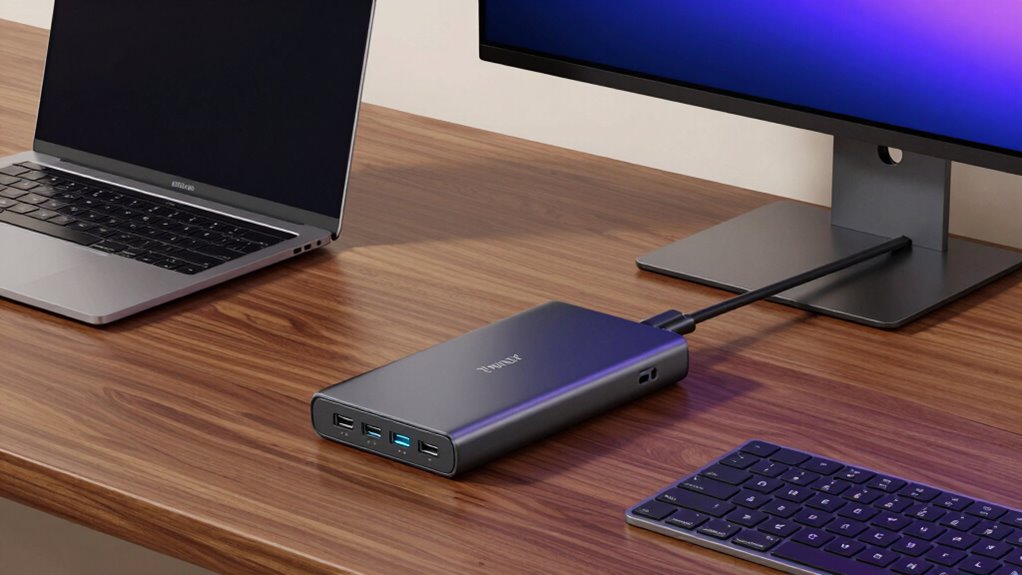

If you’re looking to upgrade your setup in 2026, I recommend checking out the top Thunderbolt 4 hubs like the UGREEN 8-in-1 dock, Plugable’s high-powered models, Satechi’s sleek slim hub, Belkin’s versatile docking station, and Dell’s modular design. These hubs offer fast data transfer, power delivery, and multi-display support. If you want a detailed overview of the best options available, keep going—you’ll find everything you need to make an informed choice.
Key Takeaways
- Prioritize hubs with dual 4K/8K display support and high data transfer speeds (up to 40Gbps) for optimal performance.
- Look for models offering sufficient power delivery (at least 60W) to charge your device while connected.
- Consider build quality, port selection, and compatibility with your device OS (Windows or macOS) for seamless integration.
- Smaller, portable hubs are ideal for on-the-go setups, while larger docks suit stationary high-performance environments.
- Check warranty and brand reliability to ensure long-term performance and support for your 2026 setup.
| UGREEN Thunderbolt 4 Dock 8-in-1 with 40Gbps | 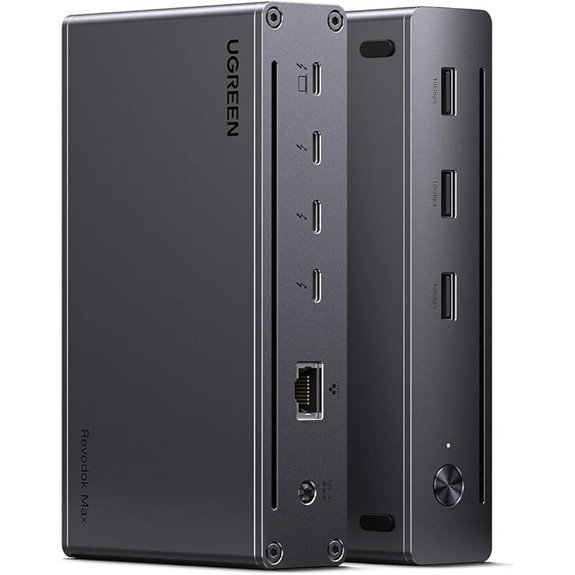 | High-Performance Powerhouse | Number of Ports: 8 ports (including Thunderbolt, USB-A, Ethernet) | Display Support: Dual 4K@60Hz or 8K@30Hz (Windows); dual 4K@60Hz or 4K@60Hz (Mac) | Power Delivery (Wattage): 85W (supports 140W charger) | VIEW LATEST PRICE | See Our Full Breakdown |
| Plugable Thunderbolt 4 Dock with 100W Charging | 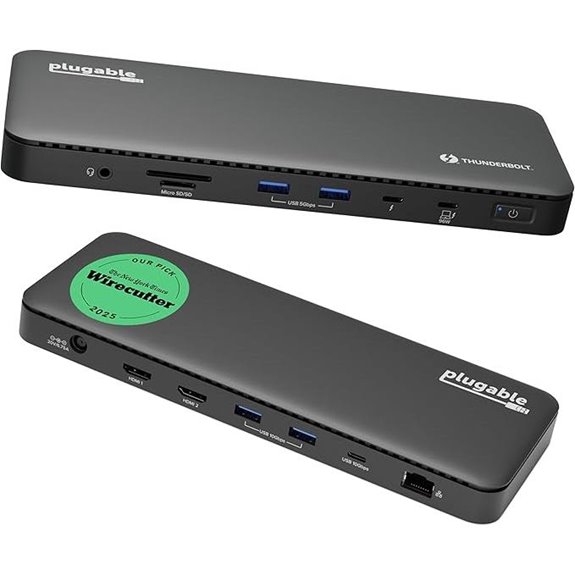 | Certified Excellence | Number of Ports: 13 ports (including HDMI, Thunderbolt, USB, SD) | Display Support: Dual 4K@60Hz or single 8K@30Hz | Power Delivery (Wattage): 100W (96W certified) | VIEW LATEST PRICE | See Our Full Breakdown |
| Satechi Thunderbolt 4 Dock Slim Hub with 8K/4K Display | 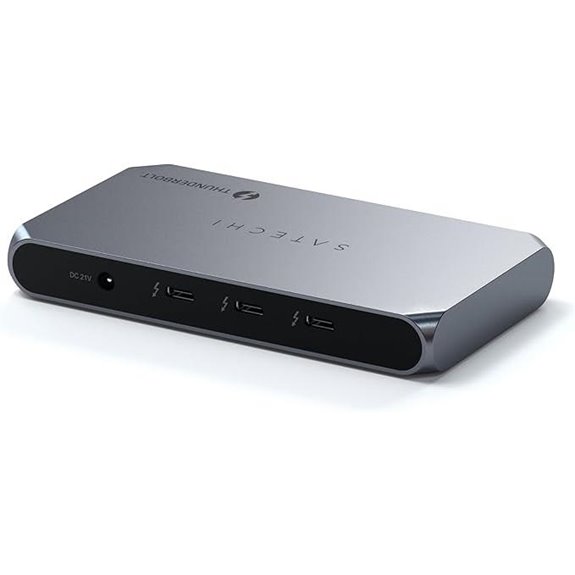 | Slim & Efficient | Number of Ports: 8 ports (Thunderbolt, USB-A) | Display Support: Dual 4K@60Hz or 8K@30Hz (Mac); single display on M2/M1 | Power Delivery (Wattage): 96W (Power Delivery) | VIEW LATEST PRICE | See Our Full Breakdown |
| Belkin Thunderbolt 4 Docking Station with Power | 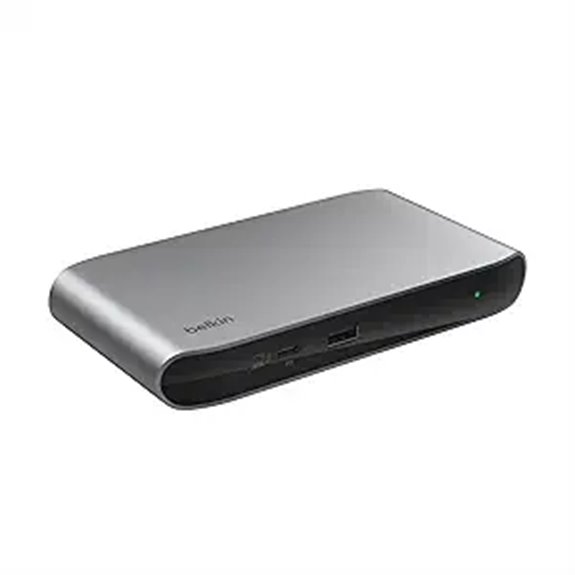 | Reliable & Compact | Number of Ports: 5 ports (Thunderbolt, USB-C, Ethernet, Audio) | Display Support: Dual 4K@60Hz or 8K@30Hz | Power Delivery (Wattage): 96W (Power Delivery) | VIEW LATEST PRICE | See Our Full Breakdown |
| Dell Thunderbolt 4 Dock with 8K Support & Accessories | 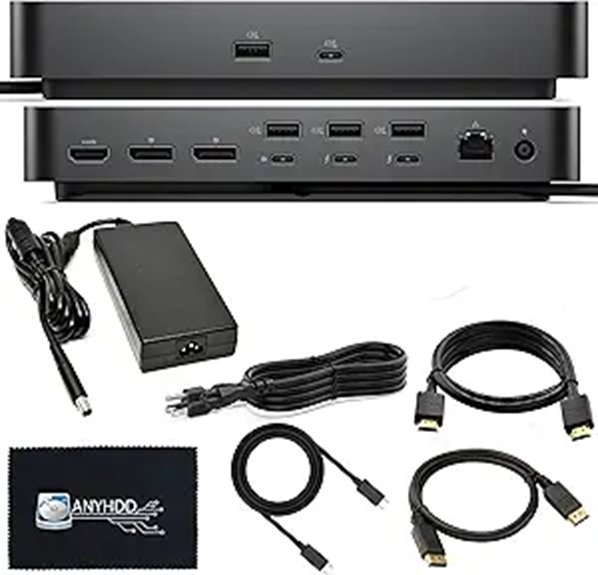 | Modular Flexibility | Number of Ports: 13 ports (HDMI, Thunderbolt, USB, SD, Ethernet) | Display Support: Dual 4K@60Hz or 8K@30Hz | Power Delivery (Wattage): 180W (Power supply included) | VIEW LATEST PRICE | See Our Full Breakdown |
| OWC Thunderbolt Hub Docking Station Grey/Black Thunderbolt 4 USB-A | 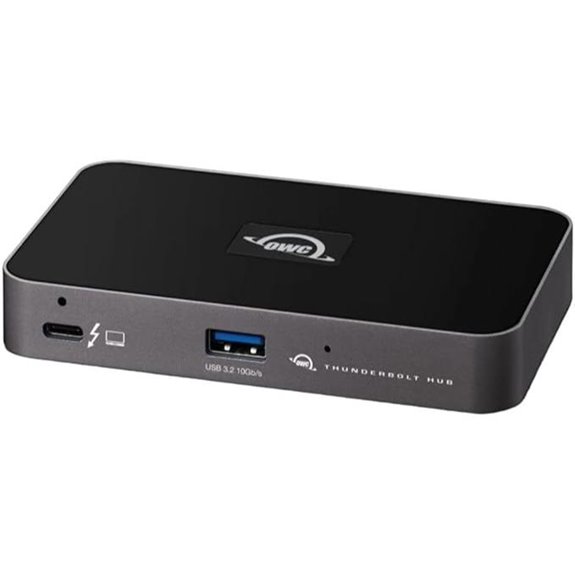 | Dependable Connectivity | Number of Ports: 4 ports (Thunderbolt, USB-A) | Display Support: Dual 4K@60Hz or 8K@30Hz | Power Delivery (Wattage): Not specified | VIEW LATEST PRICE | See Our Full Breakdown |
| Plugable Thunderbolt 4 Dock for MacBook Air/Pro | 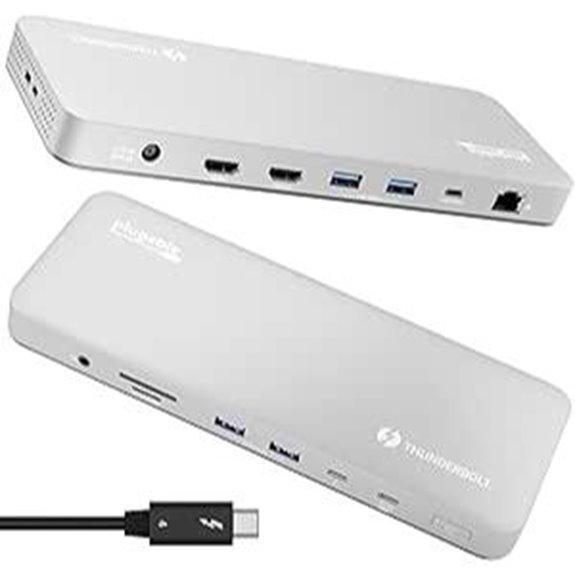 | Mac-Friendly Power | Number of Ports: 13 ports (Thunderbolt, USB, SD, Ethernet) | Display Support: Dual 4K@60Hz or 6K/8K (Mac) | Power Delivery (Wattage): 100W (Power Delivery) | VIEW LATEST PRICE | See Our Full Breakdown |
| Plugable 5-in-1 Thunderbolt 4 Hub with 8K/4K Displays | 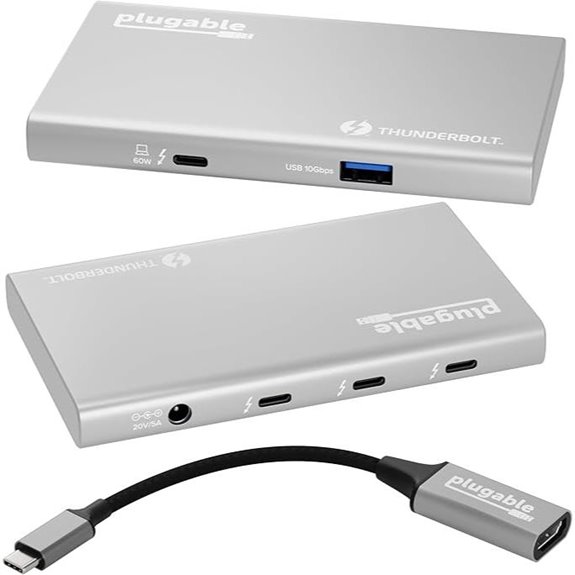 | Versatile Expansion | Number of Ports: 5 ports (Thunderbolt, USB-A, HDMI, Ethernet) | Display Support: Dual 4K@60Hz or 8K@30Hz | Power Delivery (Wattage): 60W (Power Delivery) | VIEW LATEST PRICE | See Our Full Breakdown |
| Sabrent Thunderbolt 4 Hub with 60W Charging | 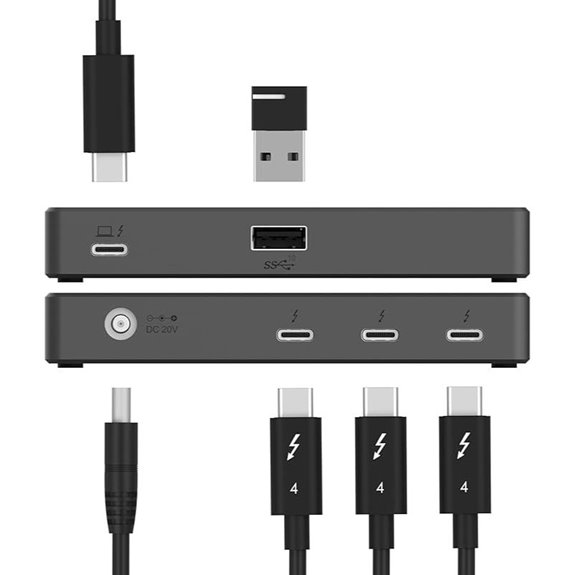 | Compact Power Hub | Number of Ports: 4 ports (Thunderbolt, USB-A, Ethernet, SD) | Display Support: Dual 4K@60Hz or 8K@60Hz (DSC) | Power Delivery (Wattage): 60W (Power Delivery) | VIEW LATEST PRICE | See Our Full Breakdown |
| WAVLINK Thunderbolt 4 Hub with Dual Monitors | 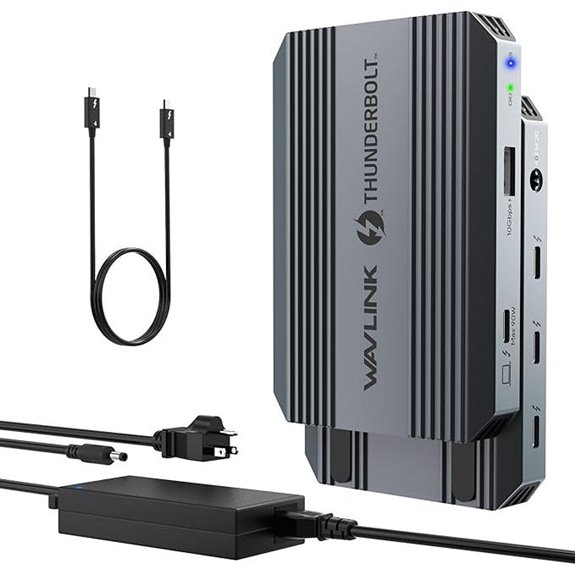 | Dual Monitor Support | Number of Ports: 13 ports (HDMI, Thunderbolt, USB, Ethernet, SD) | Display Support: Dual 4K@60Hz or 8K@60Hz | Power Delivery (Wattage): 100W (supports 90W charging) | VIEW LATEST PRICE | See Our Full Breakdown |
| Anker Prime TB5 14-in-1 Thunderbolt Docking Station | 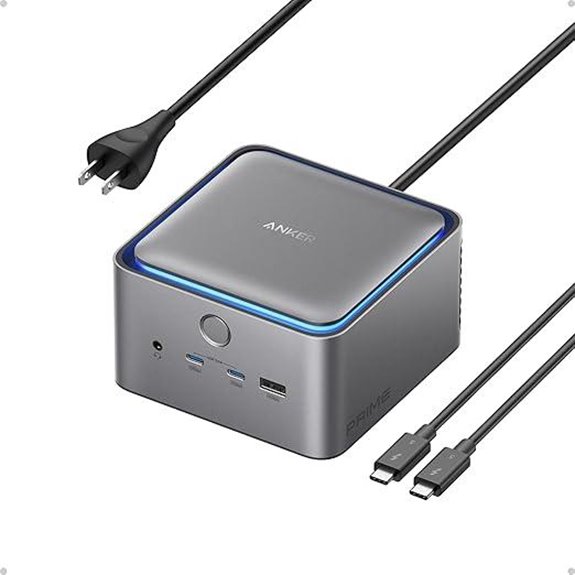 | Future-Ready Speed | Number of Ports: 14 ports (Thunderbolt, USB-A, SD, Ethernet, HDMI) | Display Support: Dual 8K@60Hz or two 8K@60Hz (Windows); single 4K on Mac | Power Delivery (Wattage): 140W (Power Delivery) | VIEW LATEST PRICE | See Our Full Breakdown |
| WAVLINK Thunderbolt 4 Hub with Dual HDMI 13-in-1 | 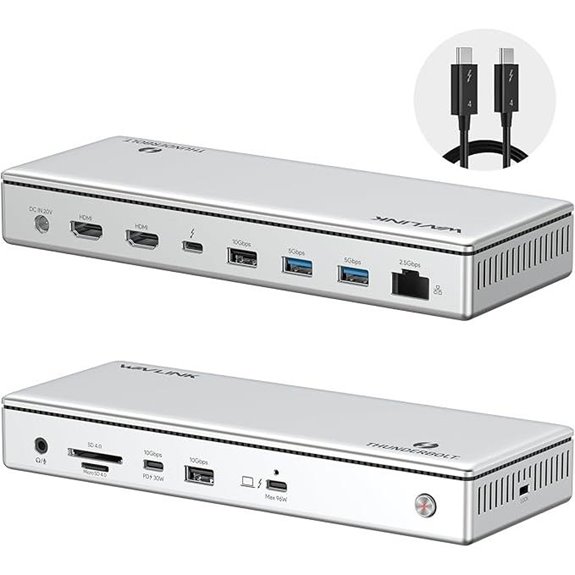 | Premium Build | Number of Ports: 13 ports (Thunderbolt, HDMI, USB, Ethernet, SD) | Display Support: Dual 4K@60Hz or 8K@60Hz | Power Delivery (Wattage): 96W (Power Delivery) | VIEW LATEST PRICE | See Our Full Breakdown |
| Satechi Thunderbolt 4 Dock with 100W Charging | 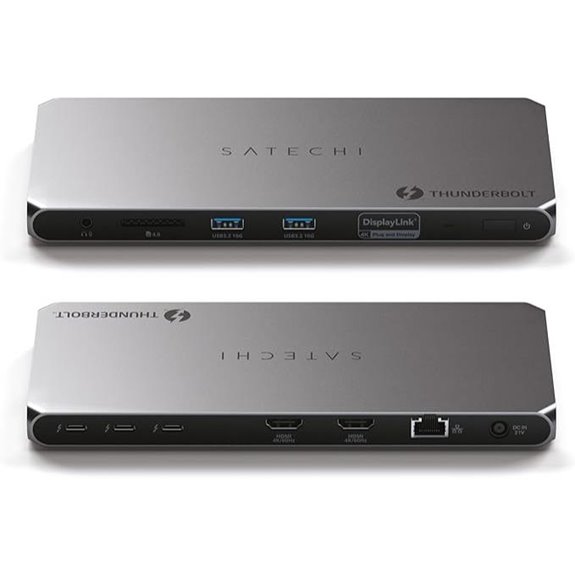 | Multi-Display Ready | Number of Ports: 14 ports (Thunderbolt, HDMI, USB, Ethernet, SD) | Display Support: Up to 4x 4K@60Hz, 8K@60Hz (with software) | Power Delivery (Wattage): 96W (Power Delivery) | VIEW LATEST PRICE | See Our Full Breakdown |
| Plugable Thunderbolt 4 Hub with 60W Charging | 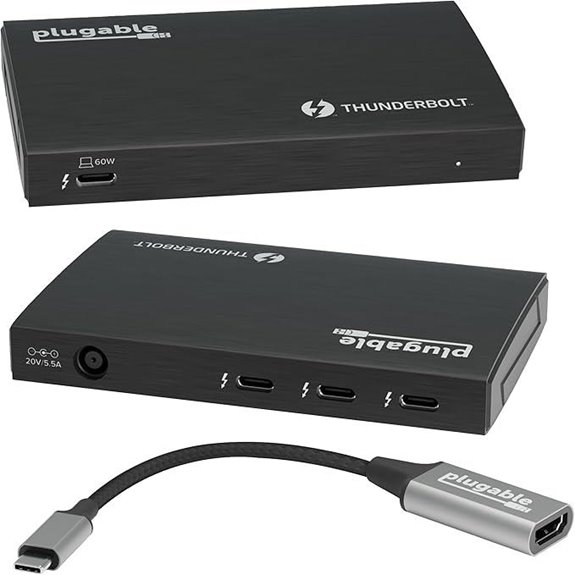 | Certified Performance | Number of Ports: 4 ports (Thunderbolt, USB-C, Ethernet, Audio) | Display Support: Dual 4K@60Hz or single 8K@30Hz | Power Delivery (Wattage): 60W (Power Delivery) | VIEW LATEST PRICE | See Our Full Breakdown |
| Amazon Basics Thunderbolt4/USB4 Docking Station |  | Budget & Power | Number of Ports: 10 ports (Thunderbolt, USB-A, HDMI, Ethernet, SD) | Display Support: Dual 4K@60Hz or 8K@30Hz | Power Delivery (Wattage): 96W (Power Delivery) | VIEW LATEST PRICE | See Our Full Breakdown |
More Details on Our Top Picks
UGREEN Thunderbolt 4 Dock 8-in-1 with 40Gbps
If you’re looking for a versatile hub that can handle high-performance tasks, the UGREEN Thunderbolt 4 Dock 8-in-1 is an excellent choice. It offers three Thunderbolt 4 ports with 40Gbps speeds and 15W power delivery, plus three USB A 3.2 ports at 10Gbps. You can connect dual 4K@60Hz displays or an 8K@30Hz on Windows, and up to two 4K@60Hz on MacBook Pro/Max. The dock includes a 140W charger that delivers 85W to your laptop, ensuring fast charging while connected. Its broad compatibility and extensive expansion options make it perfect for power users seeking seamless connectivity.
- Number of Ports:8 ports (including Thunderbolt, USB-A, Ethernet)
- Display Support:Dual 4K@60Hz or 8K@30Hz (Windows); dual 4K@60Hz or 4K@60Hz (Mac)
- Power Delivery (Wattage):85W (supports 140W charger)
- Compatibility (Device Types):Thunderbolt 4, 3, USB4, macOS 11.4+; Windows 10+
- Ethernet Speed:Gigabit Ethernet
- Ports Type:Thunderbolt, USB-A, Ethernet, Audio, Power
- Additional Feature:Supports dual 4K@60Hz displays
- Additional Feature:Requires connection to 140W charger
- Additional Feature:Compatible with macOS and Windows
Plugable Thunderbolt 4 Dock with 100W Charging
The Plugable Thunderbolt 4 Dock with 100W Charging stands out as an ideal choice for professionals who need reliable, high-speed connectivity and fast charging in a single, compact solution. It’s Thunderbolt Certified and was named Best Thunderbolt Dock 2025 by Wirecutter, ensuring top-tier performance. With 40Gbps speeds, 13 ports—including dual HDMI, Ethernet, SD card slots, and multiple USB connections—it handles multiple peripherals effortlessly. The 100W Power Delivery (certified at 96W) provides fast charging for laptops. Compatible with Windows and Mac systems, it supports dual 4K or single 8K displays on select models, making it versatile for demanding setups.
- Number of Ports:13 ports (including HDMI, Thunderbolt, USB, SD)
- Display Support:Dual 4K@60Hz or single 8K@30Hz
- Power Delivery (Wattage):100W (96W certified)
- Compatibility (Device Types):Thunderbolt 4, 5, USB4; Windows, Mac
- Ethernet Speed:Gigabit Ethernet
- Ports Type:HDMI, Thunderbolt, USB, SD, Ethernet
- Additional Feature:Awarded Best Thunderbolt Dock 2025
- Additional Feature:Supports dual HDMI or single 8K
- Additional Feature:13 high-performance ports
Satechi Thunderbolt 4 Dock Slim Hub with 8K/4K Display
Designed for professionals who need high-resolution display support, the Satechi Thunderbolt 4 Dock Slim Hub delivers impressive 8K and 4K video output options. It features one Thunderbolt 4 port with 96W Power Delivery, along with three additional Thunderbolt 4 ports supporting 40Gbps data transfer and 15W charging. It also includes a USB-A 3.2 Gen 2 port for fast data transfer up to 10Gbps. The dock supports dual 4K @ 60Hz or single 8K @ 30Hz displays, making it ideal for MacBook and Windows users. Compatible with a wide range of devices, it combines versatility with efficient heat management and a two-year warranty.
- Number of Ports:8 ports (Thunderbolt, USB-A)
- Display Support:Dual 4K@60Hz or 8K@30Hz (Mac); single display on M2/M1
- Power Delivery (Wattage):96W (Power Delivery)
- Compatibility (Device Types):Thunderbolt 4, USB-C, macOS, Windows
- Ethernet Speed:Gigabit Ethernet
- Ports Type:Thunderbolt, USB-A, Ethernet
- Additional Feature:Supports dual 4K@60Hz or 8K@30Hz
- Additional Feature:96W Power Delivery
- Additional Feature:No DisplayLink software needed
Belkin Thunderbolt 4 Docking Station with Power
For professionals who need a reliable, all-in-one docking solution, the Belkin Thunderbolt 4 Docking Station with Power stands out as an excellent choice. It offers five versatile ports, including three Thunderbolt 4 USB-C ports and one downstream port, supporting daisy-chaining up to six devices. With transfer speeds of 40Gbps, it ensures quick data exchange. It can drive dual 4K displays or a single 8K monitor at 30Hz, perfect for high-res workflows. Plus, its 96W Power Delivery keeps your laptop charged while powering peripherals. Compact and efficient, this hub combines performance and convenience for a seamless workspace.
- Number of Ports:5 ports (Thunderbolt, USB-C, Ethernet, Audio)
- Display Support:Dual 4K@60Hz or 8K@30Hz
- Power Delivery (Wattage):96W (Power Delivery)
- Compatibility (Device Types):Thunderbolt 4, USB-C, macOS, Windows
- Ethernet Speed:Gigabit Ethernet
- Ports Type:Thunderbolt, USB-C, Ethernet, Audio
- Additional Feature:Daisy-chains up to 6 devices
- Additional Feature:Compact, multiport design
- Additional Feature:Includes Thunderbolt 4 cable
Dell Thunderbolt 4 Dock with 8K Support & Accessories
If you need a powerful docking solution that supports ultra-high-definition displays, the Dell Thunderbolt 4 Dock with 8K support is an excellent choice. It features a modular design with swappable modules for easy upgrades and compatibility with macOS, Windows 10, Windows 11, and Ubuntu. The dock offers two Thunderbolt 4 ports, USB-C, USB-A, HDMI, DisplayPort, Gigabit Ethernet, and fast data transfer with SuperBoost technology. It includes a 180W power adapter and essential accessories, ensuring seamless connectivity, charging, and high-performance peripheral support. With a strong customer rating and versatile features, it’s a reliable option for boosting your setup.
- Number of Ports:13 ports (HDMI, Thunderbolt, USB, SD, Ethernet)
- Display Support:Dual 4K@60Hz or 8K@30Hz
- Power Delivery (Wattage):180W (Power supply included)
- Compatibility (Device Types):Thunderbolt 4, Windows, macOS, Ubuntu
- Ethernet Speed:Gigabit Ethernet
- Ports Type:HDMI, Thunderbolt, USB, SD, Ethernet
- Additional Feature:Modular, swappable modules
- Additional Feature:Supports 8K display
- Additional Feature:180W power adapter included
OWC Thunderbolt Hub Docking Station Grey/Black Thunderbolt 4 USB-A
The OWC Thunderbolt Hub Docking Station stands out as an excellent choice for professionals and power users who need reliable, high-performance connectivity. It leverages the full power of Thunderbolt 4, ensuring demanding tasks run smoothly without bottlenecks. With support for Thunderbolt 3, USB-C, and USB4 devices, it offers seamless compatibility across a wide range of peripherals. Built for Mac and Windows, it’s Thunderbolt certified, providing dependable performance and durability. Its cost-effective design delivers advanced connectivity, including USB-A ports, making it a versatile, future-proof solution that enhances any workspace with speed and reliability.
- Number of Ports:4 ports (Thunderbolt, USB-A)
- Display Support:Dual 4K@60Hz or 8K@30Hz
- Power Delivery (Wattage):Not specified
- Compatibility (Device Types):Thunderbolt 4, USB-C, Mac, Windows
- Ethernet Speed:Not specified
- Ports Type:Thunderbolt, USB-A
- Additional Feature:Certified Thunderbolt 4
- Additional Feature:Supports multiple peripherals
- Additional Feature:Reliable Mac/Windows compatibility
Plugable Thunderbolt 4 Dock for MacBook Air/Pro
The Plugable Thunderbolt 4 Dock stands out as an ideal choice for MacBook Air and Pro users who need high-performance connectivity in a sleek, reliable package. It’s compatible with all M4, M5, M3, M1, and M2 MacBooks, supporting dual 4K displays or a single 6K monitor. With 13 ports, including Thunderbolt 4, USB-C, USB-A, SD/microSD, Ethernet, and audio, it handles multitasking effortlessly. Delivering 100W power, it keeps your MacBook charged while you work. Fully plug-and-play, it requires no drivers, making setup simple. Its space gray aluminum build ensures durability, and with lifetime support, it’s a dependable addition to any professional setup.
- Number of Ports:13 ports (Thunderbolt, USB, SD, Ethernet)
- Display Support:Dual 4K@60Hz or 6K/8K (Mac)
- Power Delivery (Wattage):100W (Power Delivery)
- Compatibility (Device Types):Thunderbolt 4, MacBook, Windows
- Ethernet Speed:Gigabit Ethernet
- Ports Type:Thunderbolt, USB-A, SD, Ethernet
- Additional Feature:Supports dual 4K or 6K displays
- Additional Feature:Lifetime North American support
- Additional Feature:Aluminum, portable design
Plugable 5-in-1 Thunderbolt 4 Hub with 8K/4K Displays
For professionals who need to connect multiple high-resolution displays and fast storage devices, the Plugable 5-in-1 Thunderbolt 4 Hub offers an impressive solution. It supports a single 8K or dual 4K displays, with a 4K HDMI adapter included. Certified “Engineered for EVO” by Intel, it ensures maximum compatibility across Thunderbolt 4, USB4, and USB-C systems on both Mac and Windows. With three Thunderbolt 4 ports, it handles high-res displays, NVMe SSDs, or charging, plus a USB-A port for legacy devices. Its driverless operation, 40Gbps bandwidth, and 15W power delivery make it versatile and easy to integrate into any professional setup.
- Number of Ports:5 ports (Thunderbolt, USB-A, HDMI, Ethernet)
- Display Support:Dual 4K@60Hz or 8K@30Hz
- Power Delivery (Wattage):60W (Power Delivery)
- Compatibility (Device Types):Thunderbolt 4, USB4, Mac, Windows
- Ethernet Speed:Gigabit Ethernet
- Ports Type:Thunderbolt, USB-A, HDMI, Ethernet
- Additional Feature:Intel “Engineered for EVO”
- Additional Feature:Supports 2× 4K@60Hz or 8K
- Additional Feature:2-year warranty
Sabrent Thunderbolt 4 Hub with 60W Charging
If you’re looking for a reliable hub that combines high-speed data transfer with powerful charging capabilities, the Sabrent Thunderbolt 4 Hub with 60W Charging is an excellent choice. It offers next-gen Thunderbolt 4 connectivity with 40Gbps data speeds and supports dual 4K, 8K, or higher-resolution displays. Designed for versatility, it’s compatible with macOS, Windows, Thunderbolt 3/4, and USB-C devices. The hub includes a certified 40Gbps TB4 cable, a sturdy aluminum build, and a compact size for portability. With 60W power delivery, it charges laptops and tablets while supporting multiple external displays, making it perfect for boosting your productivity.
- Number of Ports:4 ports (Thunderbolt, USB-A, Ethernet, SD)
- Display Support:Dual 4K@60Hz or 8K@60Hz (DSC)
- Power Delivery (Wattage):60W (Power Delivery)
- Compatibility (Device Types):Thunderbolt 4, USB4, Windows, Mac
- Ethernet Speed:Gigabit Ethernet
- Ports Type:Thunderbolt, USB-A, Ethernet, SD
- Additional Feature:Certified Thunderbolt 4 cable included
- Additional Feature:Supports dual 4K@60Hz or 8K
- Additional Feature:Compact, aluminum build
WAVLINK Thunderbolt 4 Hub with Dual Monitors
Ideal for professionals who need to connect multiple high-resolution displays and peripherals simultaneously, the WAVLINK Thunderbolt 4 Hub with Dual Monitors offers robust connectivity and fast data transfer. It supports dual monitor setups with 8K@60Hz or multiple 4K@60Hz displays, perfect for multitasking. The hub includes 2 HDMI ports, USB-A and USB-C ports, a 2.5G Ethernet, SD card slot, and audio jack, ensuring all-encompassing connectivity. With 100W Power Delivery, it keeps your devices charged during intensive tasks. Compatible with Windows, MacBooks, and USB4 devices, it’s a versatile choice for boosting your setup’s performance and productivity.
- Number of Ports:13 ports (HDMI, Thunderbolt, USB, Ethernet, SD)
- Display Support:Dual 4K@60Hz or 8K@60Hz
- Power Delivery (Wattage):100W (supports 90W charging)
- Compatibility (Device Types):Thunderbolt 4, Mac, Windows, USB-C
- Ethernet Speed:2.5G Ethernet
- Ports Type:HDMI, Thunderbolt, USB-A, Ethernet, SD
- Additional Feature:Supports dual 4K@60Hz or 8K
- Additional Feature:2.5G Ethernet port
- Additional Feature:100W PD charging
Anker Prime TB5 14-in-1 Thunderbolt Docking Station
The Anker Prime TB5 14-in-1 Thunderbolt Docking Station stands out as the top choice for professionals who need fast data transfer and extensive connectivity in a single device. It offers a Thunderbolt 5 upstream port, two Thunderbolt 5 downstream ports, and multiple options like USB-C, USB-A, SD and TF card readers, Ethernet, audio jack, and HDMI 2.1 or DisplayPort 2.1 outputs. With support for 8K displays and up to 150GB file transfers in 25 seconds, it’s perfect for demanding workflows. Plus, its active cooling system prevents overheating during intensive use, ensuring reliable performance for both work and creative tasks.
- Number of Ports:14 ports (Thunderbolt, USB-A, SD, Ethernet, HDMI)
- Display Support:Dual 8K@60Hz or two 8K@60Hz (Windows); single 4K on Mac
- Power Delivery (Wattage):140W (Power Delivery)
- Compatibility (Device Types):Thunderbolt 5, Thunderbolt 4, USB4, Mac, Windows
- Ethernet Speed:2.5G Ethernet
- Ports Type:Thunderbolt, USB-A, SD, Ethernet, HDMI
- Additional Feature:Supports dual 8K@60Hz
- Additional Feature:Active cooling system
- Additional Feature:150GB transfer in 25 seconds
WAVLINK Thunderbolt 4 Hub with Dual HDMI 13-in-1
For professionals who need a versatile and high-performance dock, the WAVLINK Thunderbolt 4 Hub with Dual HDMI, 13-in-1 offers an excellent solution. It’s Thunderbolt 4 certified and compatible with Windows 10 or later, macOS 11 or later, and supports USB4 ports, ensuring broad device compatibility. It can connect two 4K@60Hz displays or one 8K@60Hz on Windows, with additional support for mirror or extend modes on Macs. The hub includes a 160W power adapter that delivers up to 96W for fast charging. With 13 ports, including USB, Ethernet, SD card reader, and audio, it’s a compact powerhouse for demanding setups.
- Number of Ports:13 ports (Thunderbolt, HDMI, USB, Ethernet, SD)
- Display Support:Dual 4K@60Hz or 8K@60Hz
- Power Delivery (Wattage):96W (Power Delivery)
- Compatibility (Device Types):Thunderbolt 4, USB4, Windows, Mac
- Ethernet Speed:2.5G Ethernet
- Ports Type:HDMI, Thunderbolt, USB-A, Ethernet, SD
- Additional Feature:Supports dual 4K@60Hz or 8K
- Additional Feature:2.5G Ethernet
- Additional Feature:96W power delivery
Satechi Thunderbolt 4 Dock with 100W Charging
Looking for a Thunderbolt 4 hub that can handle multiple displays and power your devices simultaneously? The Satechi Thunderbolt 4 Dock delivers just that, supporting up to four 4K displays (two via Thunderbolt 4, two via HDMI with DisplayLink). It offers blazing data speeds up to 40Gbps and supports daisy-chaining up to six devices. With a 96W charging port, an SD card reader, Ethernet, and USB-A ports, it’s perfect for expanding your setup. Plus, the included 180W power adapter guarantees your devices stay charged while connected. It’s compatible with Mac and Windows devices and backed by a solid 2-year warranty.
- Number of Ports:14 ports (Thunderbolt, HDMI, USB, Ethernet, SD)
- Display Support:Up to 4x 4K@60Hz, 8K@60Hz (with software)
- Power Delivery (Wattage):96W (Power Delivery)
- Compatibility (Device Types):Thunderbolt 4, USB4, Windows, Mac
- Ethernet Speed:Gigabit Ethernet
- Ports Type:HDMI, Thunderbolt, USB-A, Ethernet, SD
- Additional Feature:Supports up to 4 displays
- Additional Feature:Supports daisy-chaining
- Additional Feature:180W AC adapter included
Plugable Thunderbolt 4 Hub with 60W Charging
If you’re seeking a reliable Thunderbolt 4 hub that combines fast data transfer with powerful charging capabilities, the Plugable Thunderbolt 4 Hub with 60W Charging is an excellent choice. It’s Thunderbolt 4/USB4 certified, ensuring broad compatibility with Windows 10+ and macOS 11+ systems, though performance varies depending on your host. With three Thunderbolt ports supporting 40Gbps transfer, you can connect multiple high-speed peripherals or SSDs. It also supports dual 4K displays or an 8K output, depending on your system. The included 60W power adapter provides sufficient charging for your laptop and peripherals, making this hub versatile and reliable for demanding setups.
- Number of Ports:4 ports (Thunderbolt, USB-C, Ethernet, Audio)
- Display Support:Dual 4K@60Hz or single 8K@30Hz
- Power Delivery (Wattage):60W (Power Delivery)
- Compatibility (Device Types):Thunderbolt 4, USB4, Windows, Mac
- Ethernet Speed:Gigabit Ethernet
- Ports Type:Thunderbolt, USB-C, Ethernet, Audio
- Additional Feature:Supports dual 4K@60Hz or 8K
- Additional Feature:No driver needed
- Additional Feature:Supports up to 6 devices
Amazon Basics Thunderbolt4/USB4 Docking Station
The Amazon Basics Thunderbolt4/USB4 Docking Station stands out as an excellent choice for professionals and travelers who need reliable, versatile connectivity in a compact design. Measuring just 7.86 x 2.95 x 1.23 inches, it easily fits into laptop bags or carry-ons. It supports dual 4K@60Hz displays via Thunderbolt 4 USB-C ports and an HDMI 2.1 output for 8K@30Hz. With a 96W power delivery, it charges devices efficiently. Its Ethernet port offers 2.5Gbps speeds. Designed for Windows 10+ and macOS 11+, it’s perfect for those seeking a portable, high-performance docking station, though keeping cables and driver updates in mind is essential.
- Number of Ports:10 ports (Thunderbolt, USB-A, HDMI, Ethernet, SD)
- Display Support:Dual 4K@60Hz or 8K@30Hz
- Power Delivery (Wattage):96W (Power Delivery)
- Compatibility (Device Types):Thunderbolt 4, USB4, Mac, Windows
- Ethernet Speed:2.5G Ethernet
- Ports Type:Thunderbolt, USB-A, HDMI, Ethernet, SD
- Additional Feature:Compact, travel-friendly
- Additional Feature:Supports dual 4K@60Hz
- Additional Feature:2.5Gbps Ethernet port
Factors to Consider When Choosing a Thunderbolt 4 Hub

When choosing a Thunderbolt 4 hub, I consider factors like compatibility with my devices and the display output options it offers. I also look at power delivery support to keep my gear charged and the number of ports I need for all my peripherals. finally, build quality and durability matter because I want a reliable hub that will last.
Compatibility With Devices
Choosing a Thunderbolt 4 hub requires careful attention to device compatibility to guarantee seamless performance. First, verify the hub matches your device’s operating system—whether Windows, macOS, or Linux—to avoid connectivity issues. Check if your device has a Thunderbolt 4, Thunderbolt 3, or USB4 port, as these are essential for full functionality. It’s also important to confirm that the hub supports the types of devices you’ll connect, like external displays, storage drives, or peripherals. If you need charging capabilities, make sure the hub’s power delivery specs align with your device’s requirements. Finally, review the manufacturer’s compatibility list to confirm it works with your specific device model and hardware setup, preventing any surprises down the line.
Display Output Capabilities
Display output capabilities are a key factor to contemplate because they determine how well your Thunderbolt 4 hub can support your multi-monitor setup. Most hubs support dual 4K displays at 60Hz or a single 8K display at 30Hz, but this depends on your device and configuration. The number and type of video ports—such as HDMI, DisplayPort, or Thunderbolt 4/USB-C—play a vital role in extending high-resolution monitors. Some hubs require software drivers like DisplayLink to enable multiple displays, which can add complexity. Keep in mind that the maximum resolution and number of external displays also depend on your laptop’s graphics hardware and the hub’s design limits. Always verify that the hub’s display support aligns with your specific setup needs.
Power Delivery Support
Power delivery support is essential because it guarantees your Thunderbolt 4 hub can efficiently charge your laptop and power connected peripherals without interruptions. I recommend choosing a hub that supports at least 96W Power Delivery to make sure your devices stay charged during intensive use. Always check the maximum wattage the hub offers—some devices need 60W, 85W, or even 100W—so confirm it meets your specific requirements. Compatibility is key, so verify that the hub’s Power Delivery protocol aligns with your device’s charging standards to prevent power conflicts or slow charging. Additionally, look for hubs with intelligent power management features that allocate power efficiently across connected devices. Using a hub with inadequate Power Delivery support can lead to slow charging, disconnections, or an inability to power high-demand peripherals.
Number of Ports
The number of ports on a Thunderbolt 4 hub directly impacts how many devices, displays, or peripherals you can connect at once. If you have multiple peripherals—like external drives, monitors, or SD card readers—you’ll want a hub with enough ports to accommodate all your needs without constant unplugging. A higher port count offers greater expandability, reducing the need for additional hubs or adapters. Consider whether the hub provides the right mix of Thunderbolt, USB-A, HDMI, or SD card ports for your setup. Some hubs include dedicated ports for power delivery, data transfer, and display output, which can influence the total port count and functionality. The port configuration directly affects your setup’s versatility and ability to handle complex multi-device or multi-display arrangements.
Build Quality & Durability
Choosing a Thunderbolt 4 hub with solid build quality is essential because it guarantees your investment withstands daily use. A well-made hub, crafted from durable materials like aluminum or reinforced plastic, resists wear and tear over time. Secure, robust ports ensure connections stay stable and don’t loosen with frequent use. Good build quality also means advanced heat dissipation features, such as vents or heat sinks, preventing overheating during extended sessions. Certifications like Thunderbolt certification are important indicators of durability and industry standards compliance. A high-quality hub can endure voltage fluctuations, physical shocks, and repeated plugging and unplugging without performance issues. Prioritizing build quality ensures your setup remains reliable, safe, and long-lasting, making it a worthwhile investment in your tech arsenal.
Data Transfer Speeds
When evaluating Thunderbolt 4 hubs, understanding data transfer speeds is key to getting the most out of your setup. These hubs support speeds up to 40Gbps, allowing for quick file transfers and seamless device communication. While this maximum rate is consistent across all Thunderbolt 4 ports, actual performance depends on the quality of your cables and whether your device fully supports Thunderbolt 4. Keep in mind, connecting multiple high-bandwidth peripherals can reduce speeds due to shared bandwidth limitations. Some hubs allow daisy-chaining multiple devices, but total throughput remains capped by the hub’s maximum bandwidth. To achieve ideal speeds, always use certified Thunderbolt 4 cables and ensure your host device is compatible with Thunderbolt 4 technology.
Size and Portability
Since size and portability are crucial factors, selecting a Thunderbolt 4 hub that fits your lifestyle can make a big difference. Smaller hubs are highly portable, making them perfect for travel or carrying in bags and pockets. Compact designs help reduce desk clutter and work well in tight spaces. Lighter hubs are less likely to strain connected cables and ports, which boosts durability during transport. However, keep in mind that smaller sizes often mean fewer ports, so consider your connection needs carefully. It’s also important to think about heat dissipation; tiny hubs might struggle with extended use if they can’t effectively manage heat. Overall, choosing a size that balances portability with performance ensures your setup stays efficient and easy to carry wherever you go.
Price and Warranty
Price and warranty are vital factors to contemplate because they directly impact the long-term value and peace of mind you get from your Thunderbolt 4 hub. I recommend choosing a model with at least 1 to 2 years of warranty coverage to protect against manufacturing defects and early failures. Comparing prices helps you find a balance between affordability and features; higher-priced hubs often offer more ports, better build quality, or extended warranties, which can justify the cost. Make sure the manufacturer provides clear warranty terms, including what’s covered, the duration, and the claims process. Additionally, consider customer support and return policies, as these are fundamental if issues arise during the warranty period. A well-supported, reliable hub saves you money and hassle in the long run.
Frequently Asked Questions
What Is the Maximum Number of Devices Supported Simultaneously?
Most Thunderbolt 4 hubs support up to six devices at once, including displays, storage, and peripherals. I’ve found that this limit is generally consistent across top models, but it can differ depending on the hub’s design and power distribution. I recommend checking each hub’s specifications carefully, especially if you plan to connect multiple high-bandwidth devices, to guarantee it meets your needs without bottlenecks.
Are Thunderbolt 4 Hubs Compatible With Windows and Mac Systems?
Thunderbolt 4 hubs are compatible with both Windows and Mac systems, making them versatile for various setups. I’ve used them with my MacBook and Windows laptop without issues, thanks to their universal design. Just make certain your device supports Thunderbolt 4, and you’re good to go. The compatibility helps streamline my workflow, and I recommend checking specific hub specifications to confirm compatibility with your system.
Can a Thunderbolt 4 Hub Charge Laptops and Peripherals at the Same Time?
Yes, a Thunderbolt 4 hub can charge laptops and peripherals at the same time. I’ve used mine to power my laptop while connecting external drives and monitors, thanks to its high wattage output and multiple ports. Just make certain the hub supports enough power delivery (PD) to meet your laptop’s requirements. It’s a convenient way to keep everything running smoothly without needing separate chargers for each device.
What Are the Differences Between Thunderbolt 4 and USB-C Hubs?
Thunderbolt 4 hubs offer faster data transfer, more power delivery, and support for multiple high-resolution displays compared to USB-C hubs. While USB-C hubs are versatile and widely compatible, Thunderbolt 4 hubs are designed for demanding tasks like professional video editing and data-heavy workflows. They also provide better future-proofing, but tend to be pricier. If you need maximum speed and performance, Thunderbolt 4 is the way to go.
How Do I Ensure My Thunderbolt 4 Hub Supports 8K Display Output?
Imagine your setup as a vintage radio, needing the right frequency to tune in clearly. To guarantee my Thunderbolt 4 hub supports 8K output, I check its specifications for 8K at 60Hz support. I also verify it has a Thunderbolt 4 port, not just USB-C, and confirm it’s compatible with my laptop’s graphics card. Reading reviews and manufacturer details helps me avoid any static, ensuring a crisp, high-res display.
Conclusion
In the end, choosing the right Thunderbolt 4 hub is about finding a needle in a haystack that fits your needs perfectly. With so many great options, it’s easy to get overwhelmed. Just remember, it’s better to have a tool that works smoothly than to force something that’s not quite right. Trust your instincts, weigh your priorities, and you’ll find a hub that keeps your setup running like clockwork.