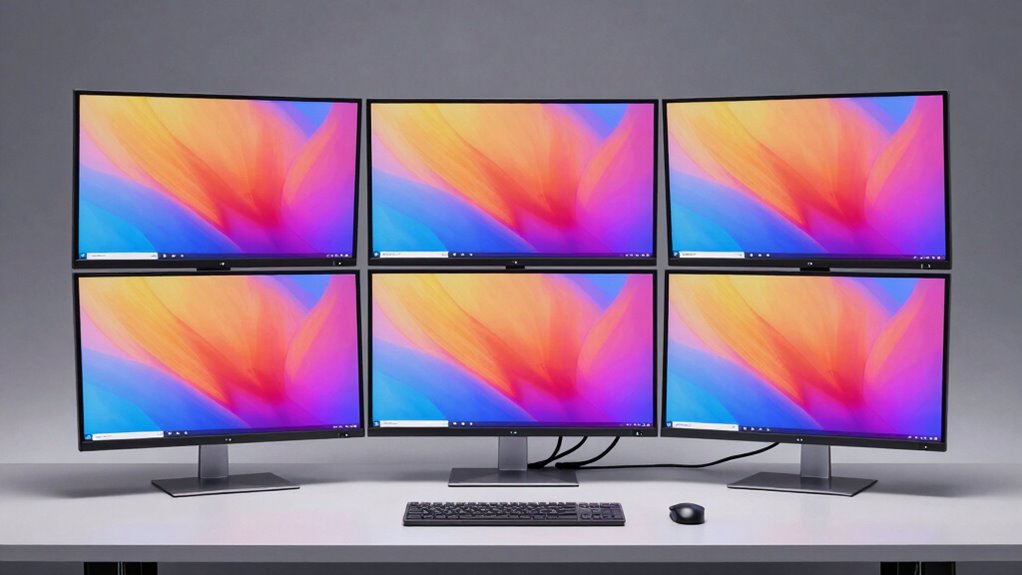

If you’re looking to simplify your setup in 2026, I’ve found the top monitors with built-in KVM switches that make switching between devices easy and efficient. These include models like the Samsung ViewFinity S8, a 4K UHD monitor with USB-C and ergonomic features, and larger ultra-wide options like Deco Gear’s 49-inch curved display with 120Hz refresh rate. If you want to learn how these monitors can boost your productivity and streamline your workspace, keep exploring.
Key Takeaways
- Top monitors in 2026 feature built-in KVM switches for seamless device management and reduced desk clutter.
- They offer versatile connectivity options like USB-C with power delivery, HDMI, DisplayPort, and multiple USB ports.
- High-resolution displays (4K, Ultra-WQHD, ultra-wide) enhance productivity and visual immersion with curved and large screen sizes.
- Ergonomic adjustments and eye care technologies improve comfort during extended use.
- Budget ranges vary, with premium models offering HDR, wide color gamuts, and enhanced multitasking features.
| Samsung ViewFinity S8 4K UHD IPS Monitor with USB-C | 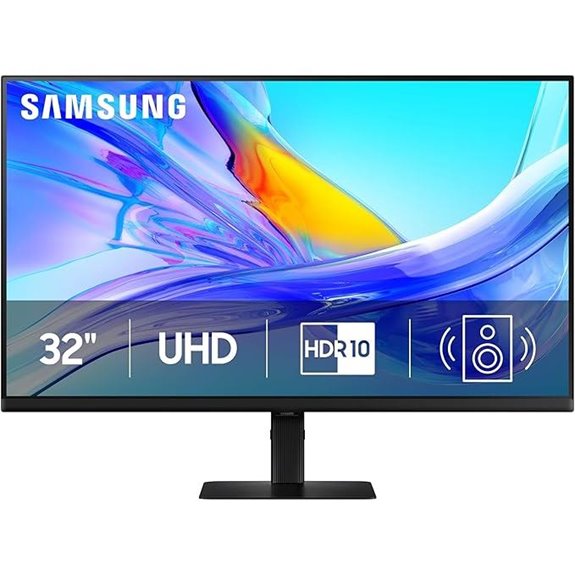 | Best Overall | Screen Size: 32 inches | Resolution: 4K UHD (3840×2160) | Connectivity (USB-C/Ports): USB-C, LAN, USB 3.0 | VIEW LATEST PRICE | See Our Full Breakdown |
| Samsung ViewFinity S8 4K UHD HDR Monitor with KVM | 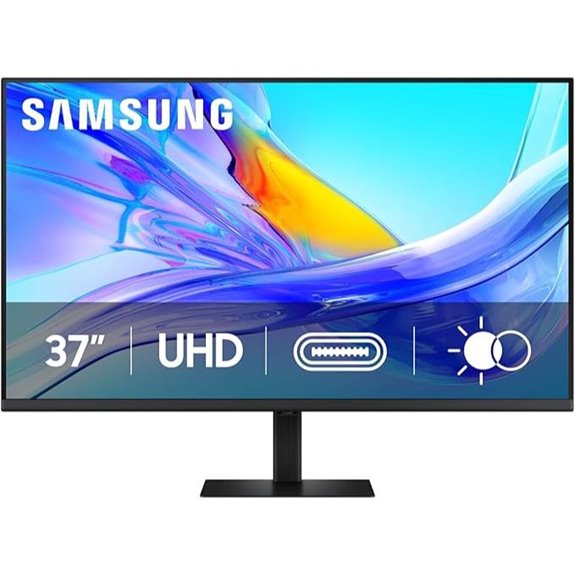 | Compact Powerhouse | Screen Size: 37 inches | Resolution: 4K UHD (3840×2160) | Connectivity (USB-C/Ports): USB-C, LAN, USB 3.0 | VIEW LATEST PRICE | See Our Full Breakdown |
| Samsung 34-Inch ViewFinity Curved Monitor with USB-C | 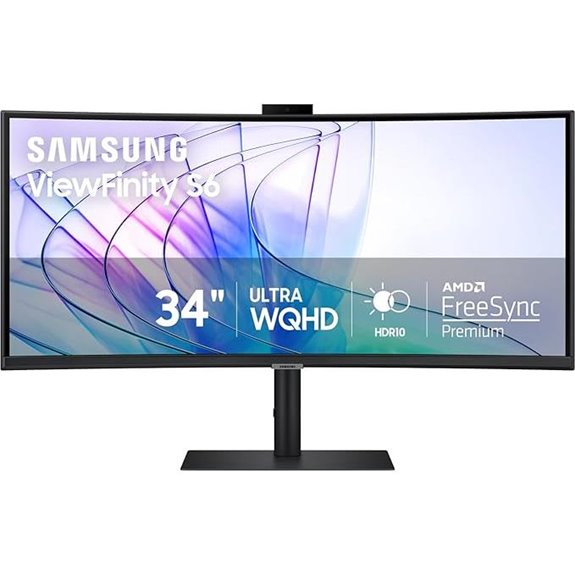 | Immersive Curved | Screen Size: 34 inches (curved) | Resolution: Ultra-WQHD (3440×1440) | Connectivity (USB-C/Ports): USB-C, LAN, USB 3.0/2.0 | VIEW LATEST PRICE | See Our Full Breakdown |
| Samsung 34″ ViewFinity Curved Monitor with USB-C | 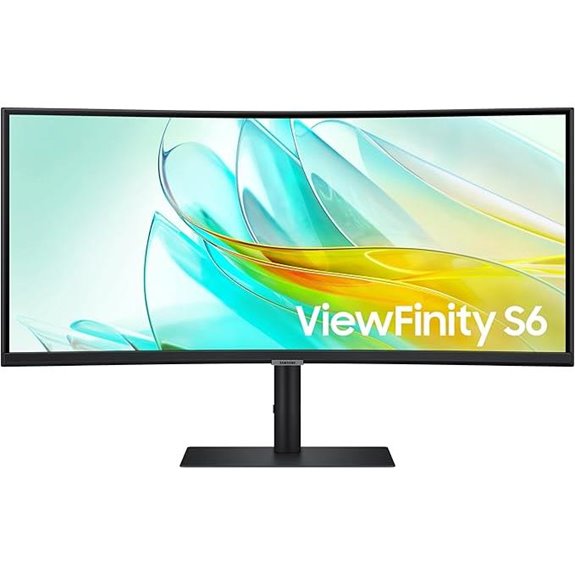 | High-Performance Display | Screen Size: 34 inches (curved) | Resolution: Ultra-WQHD (3440×1440) | Connectivity (USB-C/Ports): USB-C, LAN, USB 3.0/2.0 | VIEW LATEST PRICE | See Our Full Breakdown |
| Deco Gear 49″ Ultrawide Curved Monitor with KVM | 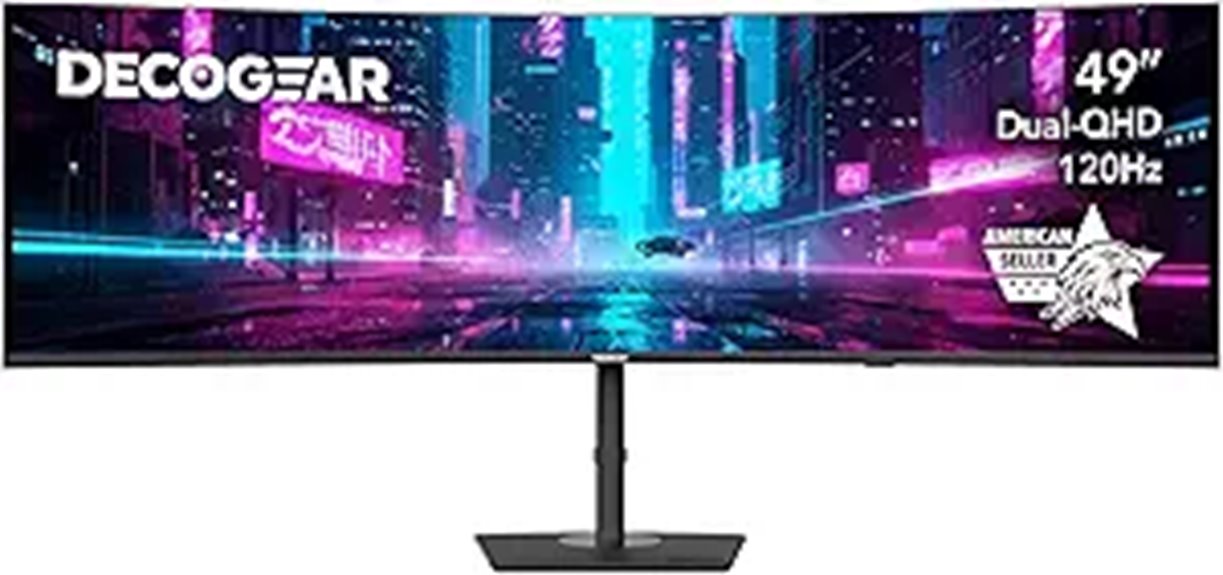 | UltraWide Versatility | Screen Size: 49 inches | Resolution: Dual QHD (5120×1440) | Connectivity (USB-C/Ports): USB-C, HDMI, DisplayPort, USB-A/B | VIEW LATEST PRICE | See Our Full Breakdown |
| Samsung 32″ 4K UHD IPS HDR Monitor with KVM | 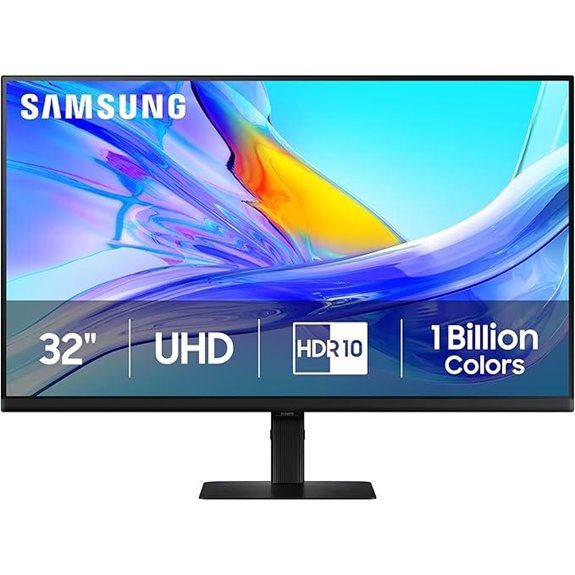 | Creative Professional | Screen Size: 32 inches | Resolution: 4K UHD (3840×2160) | Connectivity (USB-C/Ports): USB-C, LAN, USB 3.0 | VIEW LATEST PRICE | See Our Full Breakdown |
| Samsung ViewFinity S8 4K UHD Monitor with KVM | 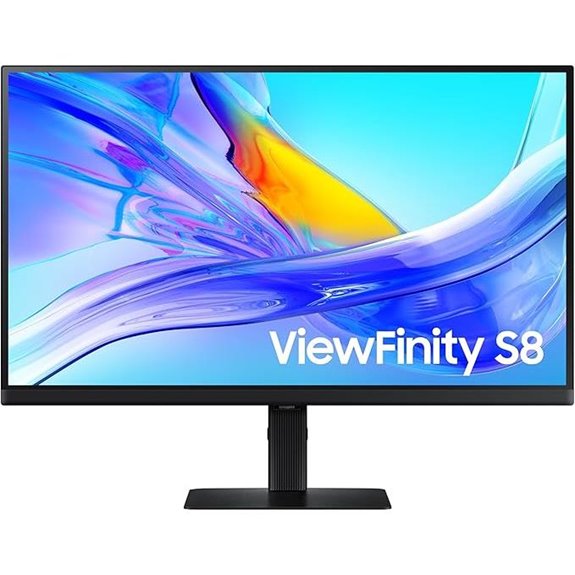 | Designer’s Choice | Screen Size: 27 inches | Resolution: 4K UHD (3840×2160) | Connectivity (USB-C/Ports): USB-C, LAN, USB 3.0 | VIEW LATEST PRICE | See Our Full Breakdown |
| MSI 34″ Curved UWQHD Monitor with KVM & USB-C |  | Gaming & Multitasking | Screen Size: 34 inches | Resolution: UWQHD (3440×1440) | Connectivity (USB-C/Ports): USB-C, LAN, USB 3.0 | VIEW LATEST PRICE | See Our Full Breakdown |
More Details on Our Top Picks
Samsung ViewFinity S8 4K UHD IPS Monitor with USB-C
If you’re looking for a monitor that combines stunning 4K visuals with seamless multitasking, the Samsung ViewFinity S8 4K UHD IPS Monitor with USB-C is an excellent choice. Its 32-inch display offers sharp UHD resolution and a wide color gamut for true-to-life colors, enhanced by HDR10. The built-in KVM switch lets me control two sources with one keyboard and mouse, supporting split-screen modes for efficiency. With a height-adjustable stand and ergonomic features, I can customize my workspace easily. Plus, the eye care technology reduces eye strain during long use, and the USB-C port provides both power and data transfer, streamlining my setup.
- Screen Size:32 inches
- Resolution:4K UHD (3840×2160)
- Connectivity (USB-C/Ports):USB-C, LAN, USB 3.0
- Ergonomics (Adjustments):Height, tilt, pivot
- Eye Care Certification:TÜV-certified
- Built-in Speakers:Yes
- Additional Feature:Ultra-wide 32” display
- Additional Feature:HDR10 with near-limitless hues
- Additional Feature:Built-in Ethernet port
Samsung ViewFinity S8 4K UHD HDR Monitor with KVM
The Samsung ViewFinity S8 4K UHD HDR Monitor with KVM stands out as an ideal choice for professionals and creatives who need crisp visuals and seamless multitasking. Its 37-inch screen delivers stunning 4K resolution with 1.07 billion colors and HDR10 support, ensuring vibrant, true-to-life images. The built-in KVM switch, along with USB-C connectivity supporting up to 90W charging, simplifies device management. Adjustable height, tilt, and swivel provide ergonomic comfort, while the Easy Setup Stand makes installation quick and hassle-free. TÜV-certified for eye care, this monitor minimizes flickering and blue light exposure, making it perfect for extended use and demanding workflows.
- Screen Size:37 inches
- Resolution:4K UHD (3840×2160)
- Connectivity (USB-C/Ports):USB-C, LAN, USB 3.0
- Ergonomics (Adjustments):Height, tilt, swivel
- Eye Care Certification:TÜV-certified
- Built-in Speakers:Yes
- Additional Feature:37” expanded screen size
- Additional Feature:1.07 billion colors supported
- Additional Feature:Automatic brightness adjustment
Samsung 34-Inch ViewFinity Curved Monitor with USB-C
For creative professionals and power users who need expansive workspace and seamless device management, the Samsung 34-Inch ViewFinity Curved Monitor with USB-C stands out. Its ultra-wide 34-inch curved display with 1000R curvature offers an immersive experience and reduces eye strain. Supporting 1 billion colors with HDR10, it delivers vibrant, true-to-life visuals. The built-in KVM switch lets you control two sources with one keyboard and mouse, while the USB-C port provides power and data transfer. Ergonomically, it’s adjustable for comfort, includes integrated speakers, and features Windows Hello for secure login. This monitor combines performance, convenience, and sustainability, making it ideal for demanding workflows.
- Screen Size:34 inches (curved)
- Resolution:Ultra-WQHD (3440×1440)
- Connectivity (USB-C/Ports):USB-C, LAN, USB 3.0/2.0
- Ergonomics (Adjustments):Height, tilt, swivel
- Eye Care Certification:TÜV-certified
- Built-in Speakers:Yes
- Additional Feature:1000R curved display
- Additional Feature:Windows Hello biometric support
- Additional Feature:100Hz refresh rate for gaming
Samsung 34″ ViewFinity Curved Monitor with USB-C
Looking for a monitor that seamlessly combines immersive visuals with versatile connectivity? The Samsung 34″ ViewFinity Curved Monitor with USB-C delivers with its ultra-wide 21:9 display and 1000R curvature, perfect for gaming, design, or media. It features Ultra-WQHD resolution, HDR10 support, and a 100Hz refresh rate with AMD FreeSync for smooth visuals. Its USB-C port handles power, data, and device charging, while a built-in KVM switch lets you control two sources with one keyboard and mouse. Plus, its eco-friendly design and eye-care features make it a smart, sustainable choice for professional and creative setups.
- Screen Size:34 inches (curved)
- Resolution:Ultra-WQHD (3440×1440)
- Connectivity (USB-C/Ports):USB-C, LAN, USB 3.0/2.0
- Ergonomics (Adjustments):Height, tilt, swivel
- Eye Care Certification:TÜV-certified
- Built-in Speakers:Yes
- Additional Feature:Ultra-WQHD resolution (3440×1440)
- Additional Feature:5% recycled plastic use
- Additional Feature:Recyclable eco-friendly packaging
Deco Gear 49″ Ultrawide Curved Monitor with KVM
If you’re seeking a monitor that combines immersive visuals with seamless device management, the Deco Gear 49″ ultrawide curved monitor with KVM is an excellent choice. Its 49-inch dual-QHD display offers a stunning, seamless experience, replacing two monitors with a 32:9 aspect ratio and HDR400 support for richer contrast. With a 120Hz refresh rate and 1ms response time, visuals stay smooth and responsive, perfect for gaming or editing. Multiple ports, including USB-C with 65W power delivery and a built-in KVM switch, make switching devices effortless, keeping your workspace tidy and efficient. Plus, adjustable ergonomics ensure comfortable long-term use.
- Screen Size:49 inches
- Resolution:Dual QHD (5120×1440)
- Connectivity (USB-C/Ports):USB-C, HDMI, DisplayPort, USB-A/B
- Ergonomics (Adjustments):Height, tilt, swivel
- Eye Care Certification:TÜV-certified
- Built-in Speakers:Yes
- Additional Feature:5120×1440 dual-QHD resolution
- Additional Feature:120Hz refresh, 1ms response
- Additional Feature:Multiple video input options
Samsung 32″ 4K UHD IPS HDR Monitor with KVM
The Samsung 32″ 4K UHD IPS HDR Monitor with KVM stands out as an ideal choice for professionals who need seamless multitasking and high-quality visuals. Its UHD resolution delivers sharp, detailed images, while HDR10 enhances contrast and color accuracy, displaying over a billion colors for true-to-life images. The built-in KVM switch allows control of two sources simultaneously, supporting split screen and PIP modes for efficient workflows. With multiple ports, including USB-C with 90W charging, and ergonomic features like height adjustment and pivot, it’s designed for comfort and flexibility. Plus, its eco-friendly build and eye-care certifications make it a smart, sustainable choice for demanding work environments.
- Screen Size:32 inches
- Resolution:4K UHD (3840×2160)
- Connectivity (USB-C/Ports):USB-C, LAN, USB 3.0
- Ergonomics (Adjustments):Height, tilt, pivot
- Eye Care Certification:TÜV-certified
- Built-in Speakers:Yes
- Additional Feature:15.2 pounds lightweight
- Additional Feature:240V operation support
- Additional Feature:Easy setup stand
Samsung ViewFinity S8 4K UHD Monitor with KVM
Designed for creative professionals and multitaskers, the Samsung ViewFinity S8 4K UHD Monitor with KVM stands out with its impressive 3840×2160 resolution and versatile connectivity options. It supports 1.07 billion colors and HDR10, delivering vibrant, true-to-life visuals perfect for detailed design work and multimedia. The adjustable ergonomic stand allows for customized comfort, while the built-in KVM switch lets me control two devices with one keyboard and mouse, streamlining my workflow. With USB-C charging, Ethernet connectivity, and split-screen modes, it simplifies multitasking. Certified for eye care and using eco-friendly materials, this monitor combines performance, convenience, and sustainability in one sleek package.
- Screen Size:27 inches
- Resolution:4K UHD (3840×2160)
- Connectivity (USB-C/Ports):USB-C, LAN, USB 3.0
- Ergonomics (Adjustments):Height, tilt, swivel
- Eye Care Certification:TÜV-certified
- Built-in Speakers:Yes
- Additional Feature:Supports complex creative workflows
- Additional Feature:Swivels and pivots 90°
- Additional Feature:Recyclable packaging material
MSI 34″ Curved UWQHD Monitor with KVM & USB-C
Looking for a monitor that streamlines your workspace while delivering stunning visuals? The MSI 34″ Curved UWQHD Monitor with KVM and USB-C is perfect. Its 34-inch VA panel with 3440×1440 resolution offers immersive, sharp images, enhanced by a 1500R curvature that reduces eye strain. With a 120Hz refresh rate and 1ms response time, visuals stay smooth and fluid. The USB-C port provides 98W power delivery and fast data transfer, while the built-in KVM switch simplifies managing multiple devices. Plus, its ergonomic stand and eye-friendly features make extended use comfortable. It’s a stylish, practical choice for multitaskers and creatives alike.
- Screen Size:34 inches
- Resolution:UWQHD (3440×1440)
- Connectivity (USB-C/Ports):USB-C, LAN, USB 3.0
- Ergonomics (Adjustments):Height, tilt, swivel
- Eye Care Certification:EyesErgo, Flicker reduction
- Built-in Speakers:Yes
- Additional Feature:1500R immersive curvature
- Additional Feature:98W Power Delivery USB-C
- Additional Feature:Stylish white finish
Factors to Consider When Choosing a Monitor With Built-In KVM
When choosing a monitor with built-in KVM, I focus on compatibility with my devices and the display’s resolution quality to guarantee smooth performance. I also consider the connectivity options and ergonomic features to match my workspace needs, along with built-in audio if I want an all-in-one solution. Let’s explore these factors so you can pick the best monitor for your setup.
Compatibility With Devices
Selecting a monitor with built-in KVM requires careful attention to compatibility with your devices to guarantee smooth performance. First, check if the monitor’s USB-C port supports both power delivery and data transfer compatible with your laptop or tablet. This ensures you can charge and connect seamlessly. Next, verify that the KVM switch can handle your devices’ video resolution and refresh rate, preventing lag or quality loss. It’s also important to confirm compatibility with your operating system, so device switching remains smooth. Additionally, review the input options and connectors to match your existing ports, like HDMI or DisplayPort. Finally, consider the supported video standards to ensure full interoperability across all your devices, making your setup more efficient and hassle-free.
Display Resolution Quality
A monitor’s display resolution plays a significant role in how well it supports your workflow and multitasking needs. Higher resolutions like 4K UHD deliver sharper images and detailed visuals, making them perfect for creative tasks and professional work. Monitors with Ultra-WQHD or 5K resolutions offer even greater clarity and increased pixel density, which enhances precision in editing and design. The resolution also determines your available workspace—higher resolutions mean more room for multiple windows and tools, boosting productivity. When selecting a monitor with a built-in KVM, it’s crucial to match the resolution to your workload. Keep in mind that higher resolutions may demand more powerful graphics hardware to maintain smooth performance, especially during intensive tasks like gaming or 3D rendering.
Connectivity Options Offered
Connectivity options are a crucial factor when selecting a monitor with a built-in KVM switch, as they determine how easily you can connect and switch between multiple devices. Monitors often include USB-C, HDMI, and DisplayPort inputs, supporting various setups. USB-C ports with Power Delivery (up to 90W or more) let you charge laptops and transfer data through a single cable, reducing clutter. Ethernet ports (LAN) enable wired internet connections without extra adapters, enhancing stability. Additional USB ports, like USB-A or USB 3.0, expand peripheral connectivity for external drives, webcams, or other accessories. Having multiple video input options ensures compatibility with different devices, making switching seamless. Overall, versatile connectivity options are essential for maximizing the monitor’s functionality and simplifying your workspace.
Ergonomic Adjustability Features
Ergonomic adjustability features are essential for creating a comfortable and productive workspace with a monitor that has a built-in KVM switch. They let you customize the monitor’s height, tilt, swivel, and pivot, helping you find the perfect position for your eyes and neck. Adjustable stands also enable switching between portrait and landscape modes, which can boost multitasking and workflow efficiency. Proper adjustments reduce eye and neck strain, supporting better posture and overall comfort during long hours. Many monitors offer easy-to-use adjustment mechanisms, making quick fine-tuning simple. These features ensure your monitor fits your unique setup, accommodating different heights, seating arrangements, and tasks, ultimately enhancing your productivity and reducing discomfort.
Built-In Audio Capabilities
Have you considered how built-in audio capabilities can enhance your overall monitor experience? Integrated speakers let you enjoy sound directly from your monitor, removing the need for external speakers or headphones. Many monitors offer features like stereo sound, volume control, and even advanced audio enhancements, making media consumption and video calls more convenient. However, the sound quality of built-in speakers varies widely; some deliver clear, balanced audio ideal for meetings and entertainment, while others may sound muffled or weak. When selecting, check for compatibility with your preferred audio outputs, such as Bluetooth or audio jacks. Built-in audio can streamline your workspace by enabling seamless audio playback and communication, helping you stay focused and productive without cluttering your desk with extra peripherals.
Energy Efficiency Standards
When choosing a monitor with built-in KVM switches, considering energy efficiency standards is essential to guarantee you’re getting a device that consumes less power and operates sustainably. Monitors that meet ENERGY STAR standards are designed to use less energy during both active and standby modes, helping reduce your electricity bills and environmental impact. Certifications often require monitors to follow specific power consumption limits set by regulatory agencies, ensuring efficient operation. Features like auto-sleep, brightness adjustment, and smart power management further optimize energy use. Selecting an ENERGY STAR-rated monitor not only helps you comply with environmental regulations but also supports sustainability efforts. Overall, energy-efficient monitors with KVM functionality are a smart choice for reducing unnecessary power draw during extended use.
Size and Screen Curvature
Choosing the right size and curvature for a monitor with built-in KVM depends on your specific needs and workspace. Larger monitors, like 34 inches or more, offer more screen real estate, making multitasking easier. Curved screens, such as 1000R or 1500R, improve immersion and reduce eye strain by matching the natural curve of the human eye. The degree of curvature affects how evenly the display appears across the entire surface, with more pronounced curves enhancing immersion. When selecting size and curvature, consider your primary tasks—professional work, gaming, or content creation—to optimize comfort and efficiency. Ultra-wide monitors with curved displays and aspect ratios like 21:9 or 32:9 can further expand your visual field, making them ideal for multitasking and immersive experiences.
Price and Budget Range
Price and budget range play a significant role in narrowing down your options for a monitor with built-in KVM. These monitors typically cost between $300 and over $1,200, depending on size, resolution, and features. If you’re on a tighter budget, you’ll find models that focus on essential KVM functions and standard resolutions like Full HD or 4K. Higher-end options often include advanced features such as HDR, wide color gamuts, and ergonomic adjustments, which can justify the higher price. Setting a clear budget helps you avoid overspending while ensuring you get the performance you need. Comparing prices across retailers and watching for sales or discounts can also make premium models more affordable, helping you find a monitor that balances cost with your desired features.
Frequently Asked Questions
How Does Built-In KVM Improve Multi-Device Management?
Built-in KVM greatly streamlines managing multiple devices because I can switch between my PC and laptop seamlessly with just a few keystrokes or a button press. It eliminates the need for multiple keyboards and mice cluttering my desk, making my workspace cleaner and more efficient. Plus, I save time and reduce hassle by controlling everything from one monitor, which boosts my productivity and keeps my setup tidy.
Are Monitors With KVM Suitable for Gaming or High-Refresh-Rate Tasks?
Are monitors with KVM suitable for gaming or high-refresh-rate tasks? Absolutely, but it depends on the model. I’ve seen some with refresh rates up to 165Hz, perfect for fast-paced gaming. However, not all KVM-enabled monitors prioritize high refresh rates, so you need to choose carefully. For serious gaming or high-refresh tasks, look for models designed specifically for those purposes, ensuring smooth visuals without sacrificing KVM functionality.
What Connectivity Options Are Essential for Future-Proof KVM Monitors?
You’ll want future-proof KVM monitors to have multiple connectivity options like HDMI 2.1, DisplayPort 1.4, and USB-C with Power Delivery. These guarantee compatibility with new devices and high-resolution displays. I always look for Thunderbolt ports for fast data transfer and daisy-chaining. Having a variety of ports not only keeps your setup flexible but also protects your investment as technology advances.
How Do KVM Switches Impact Monitor Color Accuracy and Display Quality?
A KVM switch is like a traffic cop for your monitors, and it can impact color accuracy and display quality. When managed well, it preserves sharpness and color fidelity across devices. But if it’s low quality or poorly integrated, you might see color shifts or reduced clarity. I always recommend choosing high-end KVM switches to keep your visuals crisp, vibrant, and true to life, ensuring your work or gaming looks perfect.
Can KVM Monitors Support Multiple Operating Systems Seamlessly?
Yes, KVM monitors can support multiple operating systems seamlessly. I’ve used them with Windows, macOS, and Linux without issues, thanks to their versatile compatibility. They allow me to switch between OSes effortlessly, maintaining display quality and input responsiveness. This makes my workflow smoother, especially when juggling different platforms. Just make certain the monitor’s firmware and drivers are up-to-date for maximum performance across all your operating systems.
Conclusion
Choosing the right monitor with a built-in KVM can truly streamline your workspace. As the saying goes, “A chain is only as strong as its weakest link.” By selecting a model that fits your needs, you’re strengthening your setup and boosting efficiency. Don’t rush—consider your workflow and priorities. When you find the perfect fit, you’ll wonder how you ever managed without it. Simplify, prioritize, and enjoy a more productive tech experience.