If you’re looking for the 15 best KVM Switch Over IP options that can streamline your setup in 2026, I recommend considering models like TESmart’s 16×1 HDMI switch, open-source IP KVMs, GL.iNet’s Tailscale-supported switches, MT-VIKI’s 16-port CAT6 KVM, Tripp Lite’s 16-port Cat5 device, and OREI’s 4K HDMI extender. These devices offer high resolutions, secure remote access, scalability, and future-proof features. Keep exploring to discover which solution fits your growing needs perfectly.
Key Takeaways
- Top models support 4K@60Hz video, secure remote access, and multi-user management for efficient system control in 2026.
- Features like daisy chaining, multiple USB/serial ports, and high bandwidth ensure scalability and future-proofing.
- Advanced security protocols, including AES encryption, VPN, and multi-factor authentication, protect sensitive data.
- Compatibility with IPv4/IPv6, LAN/WAN, and existing infrastructure ensures flexible deployment options.
- User-friendly interfaces via browser, software, or mobile apps enable seamless remote management and troubleshooting.
| TESmart 16×1 HDMI KVM Switch with Cables |  | User-Friendly Control | Max Resolution: 3840×2160@60Hz | USB Ports: 2 USB 3.0 | Remote Access Method: LAN/IP, IR, hotkeys, mouse wheel | VIEW LATEST PRICE | See Our Full Breakdown |
| Open-Source IP KVM Switch for Remote Computer Control |  | Highly Customizable | Max Resolution: 1080p@60FPS | USB Ports: Multiple (USB-C, USB-A, extension port) | Remote Access Method: WebRTC, SSH, hardware extension | VIEW LATEST PRICE | See Our Full Breakdown |
| GL.iNet Comet Remote KVM Switch with Tailscale Support |  | Remote BIOS Access | Max Resolution: 3840×2160@30Hz | USB Ports: 2 USB 1.1 ports | Remote Access Method: Tailscale, BIOS, app | VIEW LATEST PRICE | See Our Full Breakdown |
| GL.iNet Comet PoE KVM Switch with Tailscale Support | 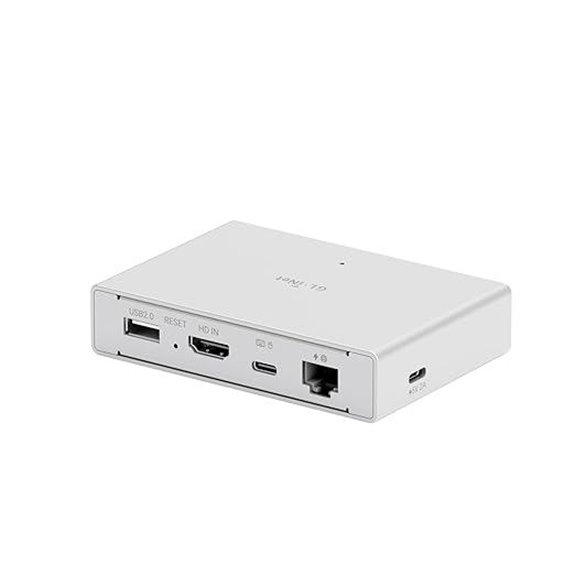 | Power Over Ethernet | Max Resolution: 4K@30Hz | USB Ports: USB-C, USB-A, optional extensions | Remote Access Method: Tailscale, browser, app | VIEW LATEST PRICE | See Our Full Breakdown |
| MT-VIKI 16-Port CAT6 KVM Over IP with Monitor |  | Long-Distance Management | Max Resolution: 1920×1080@60Hz | USB Ports: 5 USB ports | Remote Access Method: TCP/IP, OSD, hotkeys | VIEW LATEST PRICE | See Our Full Breakdown |
| MT-VIKI 8-Port IP KVM Rack Mount with 17″ LCD |  | Rack-Mount Ready | Max Resolution: 1280×1024 | USB Ports: 5 USB ports | Remote Access Method: IP, OSD, hotkeys | VIEW LATEST PRICE | See Our Full Breakdown |
| TinyPilot Voyager 2a KVM Over IP (PoE) | 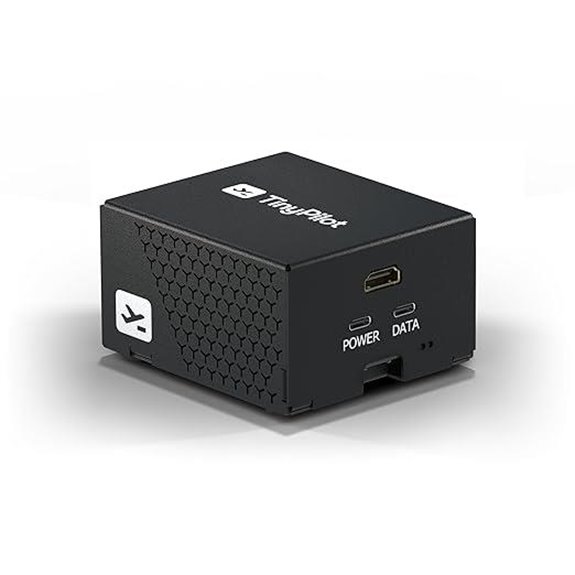 | Multi-User Support | Max Resolution: 1920×1080@60Hz | USB Ports: 2 USB ports | Remote Access Method: Tailscale, BIOS, app | VIEW LATEST PRICE | See Our Full Breakdown |
| AV Access 4K HDMI USB KVM Extender over Network | 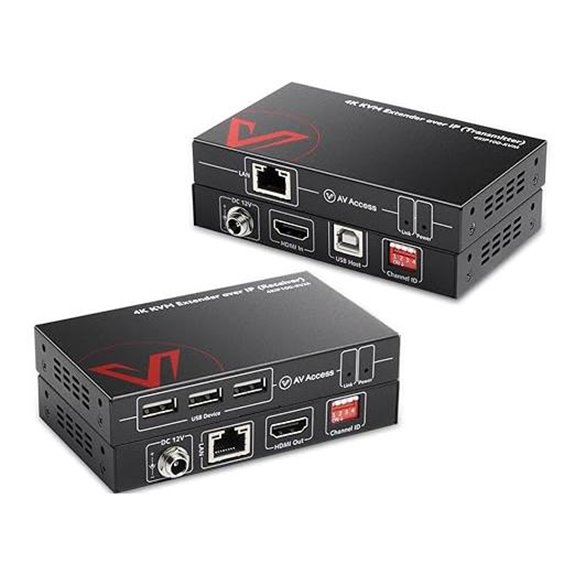 | Ultra HD Streaming | Max Resolution: 4K@30Hz | USB Ports: 4 USB 2.0 | Remote Access Method: Network, IR, plug-and-play | VIEW LATEST PRICE | See Our Full Breakdown |
| OREI 4K HDMI KVM Extender over IP (EX-500-KVM) | 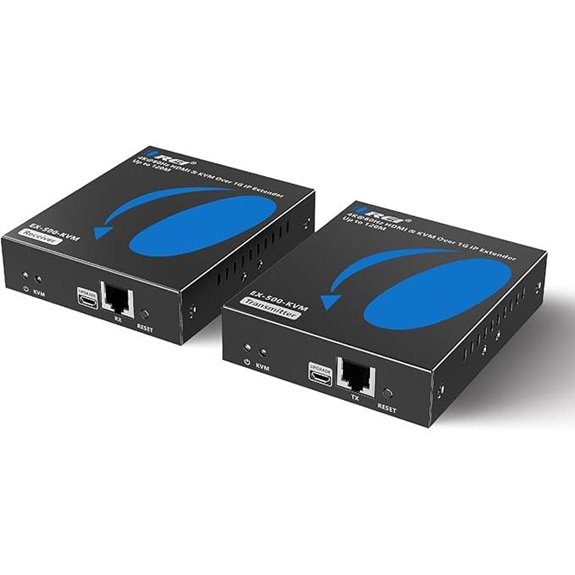 | Enterprise-Grade Reliability | Max Resolution: 4K@60Hz | USB Ports: 2 USB 1.1 ports | Remote Access Method: IP over Ethernet, IR | VIEW LATEST PRICE | See Our Full Breakdown |
| PiKVM V4 Plus | 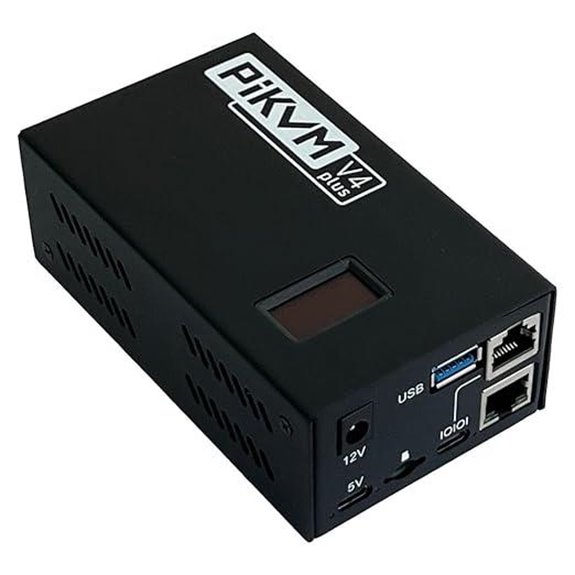 | Industrial Strength | Max Resolution: 1920×1200@60Hz | USB Ports: USB 3.0, internal USB slot | Remote Access Method: LAN/WAN, web, app | VIEW LATEST PRICE | See Our Full Breakdown |
| IP KVM Over IP Remote Control with 4K@60Hz |  | Multi-Device Management | Max Resolution: 4K@60Hz | USB Ports: USB-A, USB-C, TF storage | Remote Access Method: Web, desktop app, LAN | VIEW LATEST PRICE | See Our Full Breakdown |
| 4K HDMI USB KVM Extender Over IP | 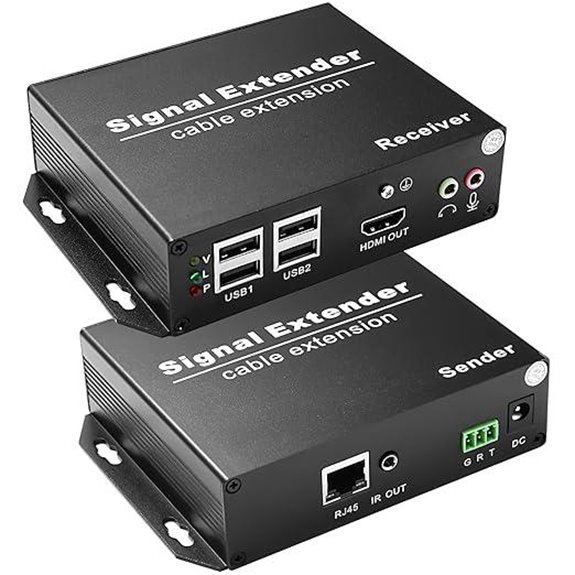 | Compact Design | Max Resolution: 4K@30Hz | USB Ports: 4 USB 2.0 | Remote Access Method: IR remote, Ethernet | VIEW LATEST PRICE | See Our Full Breakdown |
| Tripp Lite 16-Port Cat5 KVM Over IP Switch |  | Secure Networking | Max Resolution: 1920×1080@60Hz | USB Ports: 2 USB 1.1 ports | Remote Access Method: Web browser, app | VIEW LATEST PRICE | See Our Full Breakdown |
| MT-VIKI 8-Port IP KVM Rack Mount with 17 LCD | | Cost-Effective Solution | Max Resolution: 1280×1024 | USB Ports: 5 USB ports | Remote Access Method: LAN/IP, OSD, hotkeys | VIEW LATEST PRICE | See Our Full Breakdown |
| OREI 4K HDMI Extender Over IP with USB | 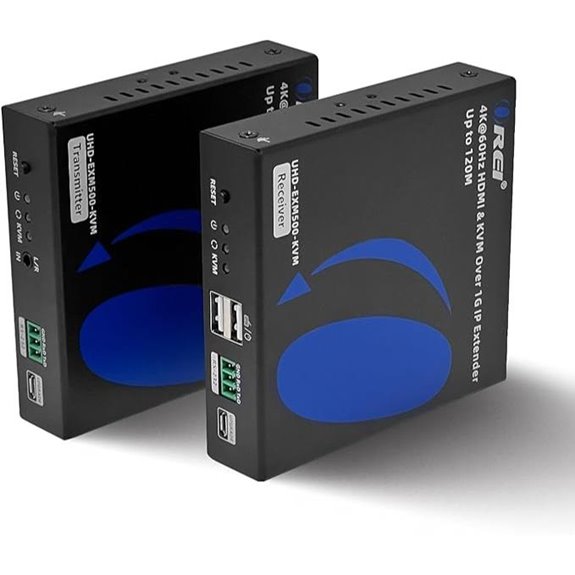 | High-Performance Extender | Max Resolution: 4K@60Hz | USB Ports: 2 USB 1.1 ports | Remote Access Method: Web, LAN, app | VIEW LATEST PRICE | See Our Full Breakdown |
More Details on Our Top Picks
TESmart 16×1 HDMI KVM Switch with Cables
If you’re managing multiple HDMI computers and need a reliable way to switch between them seamlessly, the TESmart 16×1 HDMI KVM Switch with Cables is an excellent choice. I appreciate its ability to control up to 16 HDMI devices using just one keyboard, mouse, and monitor. It supports high resolutions up to 3840×2160@60Hz, ensuring sharp visuals. The switch includes two USB 3.0 ports for peripherals and eight 5-foot HDMI cables, simplifying setup. With seven switching methods—like remote, hotkeys, and LAN commands—it’s flexible. Its sturdy 1U rack-mount design makes installation easy, backed by a 3-year warranty for added reliability.
- Max Resolution:3840×2160@60Hz
- USB Ports:2 USB 3.0
- Remote Access Method:LAN/IP, IR, hotkeys, mouse wheel
- Rack Mount Compatibility:Yes, 1U
- Video Resolution Support:4K@60Hz
- Power & Extensibility:External power, IR batteries
- Additional Feature:Supports EDID emulation on inputs
- Additional Feature:7 switching methods
- Additional Feature:Rack-mountable design
Open-Source IP KVM Switch for Remote Computer Control
For those seeking a highly customizable and secure remote control solution, the open-source IP KVM switch stands out. It supports remote management via JetKVM Cloud using WebRTC, ensuring fast, secure connections even behind NATs with STUN and TURN servers. With 1080p video at 60 FPS and minimal latency, it delivers smooth interaction. Built in Golang for Linux, it allows easy software customization through SSH. Hardware extensibility is a key feature, with options like power control modules, serial interfaces, and sensor integrations. Its versatile design makes it ideal for tailored setups, combining open-source flexibility with reliable remote access.
- Max Resolution:1080p@60FPS
- USB Ports:Multiple (USB-C, USB-A, extension port)
- Remote Access Method:WebRTC, SSH, hardware extension
- Rack Mount Compatibility:No
- Video Resolution Support:1080p@60FPS
- Power & Extensibility:Power over Ethernet, USB-C
- Additional Feature:Fully customizable hardware
- Additional Feature:Dual power options
- Additional Feature:Hardware extension ports
GL.iNet Comet Remote KVM Switch with Tailscale Support
The GL.iNet Comet Remote KVM Switch with Tailscale Support stands out as an ideal choice for remote teams and IT professionals who need seamless, secure access to multiple devices from anywhere. It allows effortless remote management of computers and devices, enabling you to reboot, install OS via BIOS, and power on systems remotely, with no extra software needed. Offering crystal-clear visuals at 4K resolution, low latency, and remote audio, it ensures a high-quality experience. Its quick file transfer capabilities and continuous access make it perfect for remote work, support, or server maintenance. Built with hardware-accelerated encoding, it’s versatile for home, data centers, and offline device management.
- Max Resolution:3840×2160@30Hz
- USB Ports:2 USB 1.1 ports
- Remote Access Method:Tailscale, BIOS, app
- Rack Mount Compatibility:Yes, 1U
- Video Resolution Support:4K@30Hz
- Power & Extensibility:USB-C, power modules
- Additional Feature:Supports BIOS installation
- Additional Feature:Low latency 4K visuals
- Additional Feature:Instant file transfer
GL.iNet Comet PoE KVM Switch with Tailscale Support
The GL.iNet Comet PoE KVM Switch with Tailscale Support stands out for its seamless combination of power efficiency and secure remote management, making it ideal for professionals who need reliable access to multiple devices without cluttering their workspace. It supports Power over Ethernet, eliminating extra power adapters, and offers dual power options for enhanced stability. With built-in 32GB storage and support for quick system updates, it simplifies device management. The switch delivers 4K video with low latency and features two-way audio for conferencing. Its Tailscale integration ensures secure, encrypted remote access, making it perfect for home labs, offices, and troubleshooting scenarios.
- Max Resolution:4K@30Hz
- USB Ports:USB-C, USB-A, optional extensions
- Remote Access Method:Tailscale, browser, app
- Rack Mount Compatibility:No
- Video Resolution Support:4K@30Hz
- Power & Extensibility:PoE, dual power, extensions
- Additional Feature:Built-in 32GB storage
- Additional Feature:Two-way audio support
- Additional Feature:PoE power delivery
MT-VIKI 16-Port CAT6 KVM Over IP with Monitor
Designed for data centers and IT professionals managing multiple servers, the MT-VIKI 16-Port CAT6 KVM Over IP with Monitor offers robust remote access at the BIOS level. It supports up to 16 computers via TCP/IP, allowing one local and one remote user to control servers simultaneously. With a built-in 17″ LCD monitor and rack-mount compatibility, it provides full BIOS control, boot interaction, and troubleshooting. Support for VGA or HDMI dongles extends connections up to 230 feet. Multiple switching options—including OSD, hotkeys, and IP access—make management flexible. It’s an efficient, space-saving solution for centralized server management in rack environments.
- Max Resolution:1920×1080@60Hz
- USB Ports:5 USB ports
- Remote Access Method:TCP/IP, OSD, hotkeys
- Rack Mount Compatibility:Yes, 1U
- Video Resolution Support:1080p@60Hz
- Power & Extensibility:Power via USB, external adapters
- Additional Feature:Supports optional HDMI/VGA dongles
- Additional Feature:Mounts in 19″ rack
- Additional Feature:Adjustable mount depth
MT-VIKI 8-Port IP KVM Rack Mount with 17″ LCD
If you’re managing multiple servers and need quick, reliable access from anywhere, the MT-VIKI 8-Port IP KVM Rack Mount with 17″ LCD is an excellent choice. It allows remote and local control of up to 8 servers via LAN or IP, supporting BIOS-level access and full boot interaction. The device features a clear 1280×1024 display, multiple switching options like OSD, hotkeys, and physical buttons, and includes client software for stable remote connectivity. Designed for standard 1U racks, it supports daisy chaining up to 64 computers and offers five USB ports for peripherals. This cost-effective solution simplifies server management in data centers and server rooms.
- Max Resolution:1280×1024
- USB Ports:5 USB ports
- Remote Access Method:IP, OSD, hotkeys
- Rack Mount Compatibility:Yes, 1U
- Video Resolution Support:1280×1024
- Power & Extensibility:External power, extensions
- Additional Feature:Daisy chaining capability
- Additional Feature:Multiple peripheral ports
- Additional Feature:Compatible with 1U racks
TinyPilot Voyager 2a KVM Over IP (PoE)
For IT professionals seeking seamless remote server management, TinyPilot Voyager 2a KVM Over IP (PoE) stands out with its zero-hassle setup and Tailscale integration, allowing quick, secure access without any software installation. It supports up to eight simultaneous users and allows creating up to 32 tiered accounts with Admin or Operator roles, enabling flexible access control. The device offers full BIOS-level management, so you can troubleshoot or configure servers before the OS loads. Additionally, virtual media support lets you mount ISO images remotely, streamlining updates, installations, and recovery processes. It’s a reliable, user-friendly solution for exhaustive remote server management.
- Max Resolution:1920×1080@60Hz
- USB Ports:2 USB ports
- Remote Access Method:Tailscale, BIOS, app
- Rack Mount Compatibility:No
- Video Resolution Support:1080p@60Hz
- Power & Extensibility:USB-C, power management
- Additional Feature:Multi-user remote access
- Additional Feature:Virtual media support
- Additional Feature:Simple setup process
AV Access 4K HDMI USB KVM Extender over Network
The AV Access 4K HDMI USB KVM Extender over Network stands out as an ideal solution for those needing high-quality, long-distance video and USB extension without sacrificing performance. It supports 4K@30Hz and 1080P@120Hz over a single Ethernet cable up to 120 meters (390 feet), ensuring sharp visuals and smooth motion. With plug-and-play compatibility across Windows, Mac, and Linux, it’s easy to set up. The extender also offers a built-in USB-Host port and multiple USB hubs, supporting high-speed USB 2.0 devices. Its network features allow connecting up to 16 units, making it scalable for complex setups, all while maintaining reliable, low-latency operation.
- Max Resolution:4K@30Hz
- USB Ports:4 USB 2.0
- Remote Access Method:Network, IR, plug-and-play
- Rack Mount Compatibility:No
- Video Resolution Support:4K@30Hz
- Power & Extensibility:Power over Ethernet, external adapters
- Additional Feature:Supports 7.1 audio
- Additional Feature:Multiple unit configuration
- Additional Feature:Locking power connectors
OREI 4K HDMI KVM Extender over IP (EX-500-KVM)
Professionals seeking reliable, high-resolution video extension over long distances will find the OREI 4K HDMI KVM Extender over IP (EX-500-KVM) to be an excellent choice. It transmits HDMI and USB signals up to 400 feet (120 meters) using a quality Cat6 cable, supporting 4K UHD at 60Hz with 4:4:4 chroma sampling. Compatible with point-to-point and one-to-many setups via a 1G network switch, it offers flexibility for various configurations. The transmitter features HDMI Loop Out for local display, and the system includes USB ports and IR remote control. Easy to install and dependable, it’s ideal for professional, high-quality signal extension.
- Max Resolution:4K@60Hz
- USB Ports:2 USB 1.1 ports
- Remote Access Method:IP over Ethernet, IR
- Rack Mount Compatibility:No
- Video Resolution Support:4K@60Hz
- Power & Extensibility:Power adapters, HDMI loop-out
- Additional Feature:HDCP 2.2 compliant
- Additional Feature:Supports multiple video formats
- Additional Feature:HDMI loop-out feature
PiKVM V4 Plus
PiKVM V4 Plus stands out as an ideal choice for those seeking a reliable, open-source KVM over IP solution with all-encompassing remote management capabilities. Built around the Raspberry Pi Compute Module 4, it offers industrial-grade quality with CE certification and supports high-resolution video up to 1920×1200@60Hz. Its extensive connectivity options include Ethernet, WiFi, and optional cellular, ensuring flexible remote access. Fully equipped with USB ports, HDMI outputs, and internal storage support, it’s a turnkey device ready for industrial and production environments. If you want a versatile, robust, and open-source KVM solution, PiKVM V4 Plus is an excellent option.
- Max Resolution:1920×1200@60Hz
- USB Ports:USB 3.0, internal USB slot
- Remote Access Method:LAN/WAN, web, app
- Rack Mount Compatibility:No
- Video Resolution Support:4K@60Hz
- Power & Extensibility:PoE, USB, SD card
- Additional Feature:Industrial-grade build
- Additional Feature:Extra HDMI outputs
- Additional Feature:Supports high-speed storage
IP KVM Over IP Remote Control with 4K@60Hz
Remote control over IP with 4K@60Hz is a standout feature for users who need high-resolution, lag-free access to their devices from anywhere. It supports Windows, Mac, and Android, allowing me to control PCs, servers, and streaming devices effortlessly through a desktop app or web login—no extra drivers needed. Setup is straightforward: connect HDMI, USB, and Ethernet cables. The hardware delivers crisp 4K visuals at 60Hz with less than 80ms delay, and local ports facilitate troubleshooting and BIOS access. With remote management features like wake-on-LAN and file transfer, I can manage my systems remotely, ensuring reliable, high-quality control from any location.
- Max Resolution:4K@60Hz
- USB Ports:USB-A, USB-C, TF storage
- Remote Access Method:Web, desktop app, LAN
- Rack Mount Compatibility:Yes, 1U
- Video Resolution Support:4K@60Hz
- Power & Extensibility:Power via Ethernet, TF storage
- Additional Feature:Supports remote wake-up
- Additional Feature:Virtual drive function
- Additional Feature:Fixed IP configuration
4K HDMI USB KVM Extender Over IP
If you’re looking to extend 4K HDMI signals along with KVM control over long distances, the K HDMI USB KVM Extender Over IP is an ideal choice. It can transmit uncompressed 4K@30Hz HDMI video and KVM control up to 120 meters (394 feet) using Cat5e/6/7 cables, perfect for server rooms, security setups, or professional environments. It offers zero-latency Ethernet switching with an IR remote, ensuring seamless control. The extender also includes four USB 2.0 ports for peripherals and dual RS232 ports for serial device management. Its durable metal housing and advanced features like EDID pass-through make it reliable for industrial and multimedia applications.
- Max Resolution:4K@30Hz
- USB Ports:4 USB 2.0
- Remote Access Method:IR remote, Ethernet
- Rack Mount Compatibility:Yes, 1U
- Video Resolution Support:4K@30Hz
- Power & Extensibility:Power adapters, optional serial
- Additional Feature:Supports HDR content
- Additional Feature:RS-232 serial ports
- Additional Feature:Metal housing design
Tripp Lite 16-Port Cat5 KVM Over IP Switch
The Tripp Lite 16-Port Cat5 KVM Over IP Switch is an ideal choice for IT professionals managing multiple servers who need reliable, remote access. It connects up to 16 computers using affordable Cat5e/6 cables, with the ability to locate servers up to 100 feet away. Its dual Ethernet ports provide network redundancy, ensuring continuous operation. Supporting both IPv4 and IPv6, it’s compatible with modern networks. The switch allows two remote users and one local user to access servers simultaneously, with secure, browser-based control. It offers high-resolution video up to 1920×1080 at 60Hz and features robust security through encryption and multi-level passwords.
- Max Resolution:1920×1080@60Hz
- USB Ports:2 USB 1.1 ports
- Remote Access Method:Web browser, app
- Rack Mount Compatibility:No
- Video Resolution Support:4K@60Hz
- Power & Extensibility:Power over Ethernet, external adapters
- Additional Feature:Dual Ethernet ports
- Additional Feature:IPv6 protocol support
- Additional Feature:3-year warranty
MT-VIKI 8-Port IP KVM Rack Mount with 17 LCD
The MT-VIKI 8-Port Rack KVM Over IP with LCD Monitor is an excellent choice for network admins who need dependable, multi-server control from anywhere. It manages up to eight servers via LAN or IP, supporting BIOS-level access, full boot control, and troubleshooting. With a resolution of 1280×1024, it delivers clear visuals for efficient operation. You can switch between servers using OSD, hotkeys, physical buttons, or remote IP access. Its compatibility with standard 1U racks, daisy chaining up to 64 units, and five USB ports for peripherals make it versatile and scalable. It’s an all-in-one, cost-effective solution for data centers and server rooms.
- Max Resolution:1280×1024
- USB Ports:5 USB ports
- Remote Access Method:LAN/IP, OSD, hotkeys
- Rack Mount Compatibility:Yes, 1U
- Video Resolution Support:1280×1024
- Power & Extensibility:Power modules, extensions
- Additional Feature:Supports 64-channel daisy chain
- Additional Feature:Multiple switching options
- Additional Feature:1U rack-mount design
OREI 4K HDMI Extender Over IP with USB
Designed for professional environments requiring high-resolution remote access, the OREI 4K HDMI Extender Over IP with USB delivers seamless transmission of HDMI and USB signals over long distances. It extends 4K 60Hz signals up to 400 feet using Cat6 cables, supporting one-to-one and one-to-many setups with a 1G network switch. The device includes USB ports for keyboard and mouse, along with HDMI loop-out for local display. Its low-latency technology guarantees minimal lag, while IR remote support adds convenience. No driver installation is needed, making it easy to set up. Perfect for remote monitoring and control, it’s a reliable solution for high-quality, long-distance KVM extension.
- Max Resolution:4K@60Hz
- USB Ports:2 USB 1.1 ports
- Remote Access Method:Web, LAN, app
- Rack Mount Compatibility:No
- Video Resolution Support:4K@60Hz
- Power & Extensibility:Power adapters, optional extensions
- Additional Feature:Supports IR remote control
- Additional Feature:Supports one-to-many setups
- Additional Feature:Comprehensive audio support
Factors to Consider When Choosing a KVM Switch Over IP
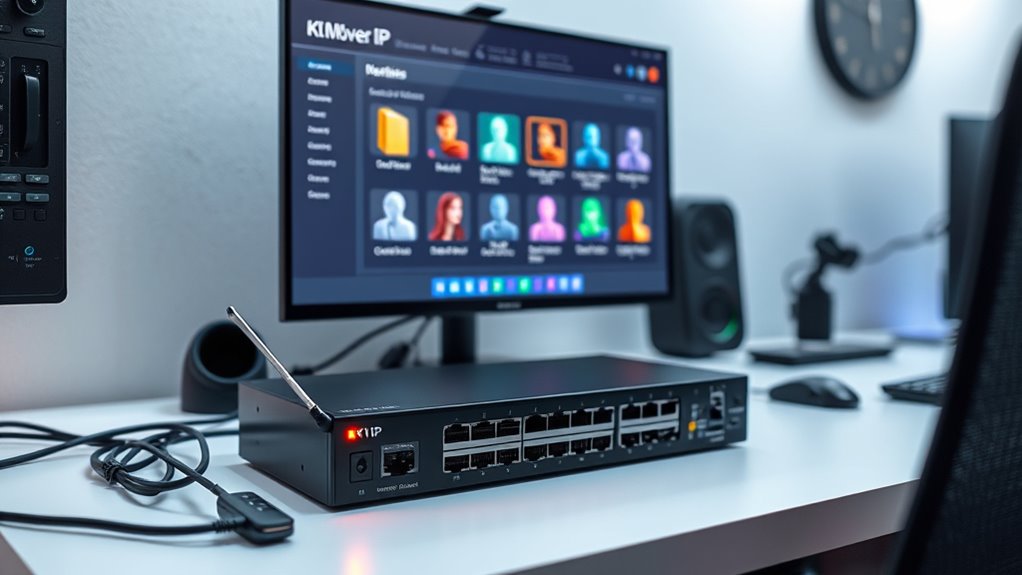
When selecting a KVM switch over IP, I focus on compatibility and connectivity to guarantee it works seamlessly with my devices. I also consider resolution and video quality to get clear, crisp images, along with remote access features for convenience. Additionally, security, encryption, and hardware expansion options are vital to protect my data and future-proof my setup.
Compatibility and Connectivity
Choosing the right KVM Switch Over IP begins with making sure it supports your devices’ video resolutions and connection types, such as HDMI, DisplayPort, or VGA. You also need to verify its compatibility with your network setup, including Ethernet standards, cabling, and protocols like IPv4 and IPv6. Confirm that remote access options—whether via web browser, dedicated software, or mobile app—fit your operational needs. It’s crucial to check compatibility with peripheral interfaces like USB, serial ports, or audio to support all your connected devices. Finally, make certain the switch can seamlessly integrate with your existing infrastructure, including rack mounting options and power supplies. Proper compatibility and connectivity considerations prevent issues and ensure a smooth, efficient setup.
Resolution and Video Quality
High-resolution video support is vital for a KVM Switch Over IP to deliver crisp, detailed images, especially at 4K resolution and 60Hz or higher. I look for switches that support these standards to guarantee sharp visuals for tasks like design work or media editing. EDID management is essential—it maintains proper display settings and prevents resolution or aspect ratio issues when switching between devices. I also verify that the video encoding technology, such as H.264 or HDCP compliance, supports smooth, low-latency streaming, necessary for real-time control. Additionally, I consider supported video formats and refresh rates to match specific hardware needs, whether for gaming or professional use. Multi-channel audio support is a bonus, ensuring seamless multimedia transmission without sacrificing quality.
Remote Access Features
Secure remote access features are essential for a KVM Switch Over IP, as they enable you to manage connected devices from anywhere without compromising security. I look for solutions that support encrypted connections like VPNs or Tailscale to protect sensitive data during remote sessions. It’s important that the device offers multiple access methods—such as web browsers, dedicated software, or mobile apps—for flexible control. Low latency, ideally below 80ms, is vital for real-time tasks, especially when handling multimedia or time-sensitive applications. Compatibility across various network environments, including NAT and firewalls, guarantees reliable remote access. Additionally, the ability to connect multiple users simultaneously with role-based access enhances collaboration and security, making remote management smoother and more secure overall.
Security and Encryption
Ensuring strong encryption and robust security protocols is indispensable when selecting a KVM Switch Over IP. I look for devices that use encryption standards like AES-128 or AES-256 to safeguard data during remote access. It’s also critical that the switch supports secure protocols such as HTTPS, SSH, or VPN tunneling, which encrypt remote management sessions. To prevent unauthorized access, I prioritize features like multi-factor authentication and role-based access control. Additionally, audit logs and session recordings are crucial for monitoring remote activity and maintaining security oversight. Firmware update options are equally important, as they allow me to patch vulnerabilities and keep encryption protocols current. These security measures ensure my setup remains protected against evolving threats, giving me peace of mind during remote management.
Hardware Expansion Options
When choosing a KVM Switch Over IP, considering hardware expansion options is essential to guarantee the setup can grow with your needs. Many switches support daisy chaining multiple units, allowing management of up to 64 computers from a single console, which is ideal for expanding environments. Support for optional VGA or HDMI dongles provides flexible connection types and longer extension distances. Some models include multiple USB ports and serial interfaces (RS232), enabling complex peripheral and device management. Hardware extension modules like remote power control, serial consoles, or sensor extensions can further enhance functionality and integration with existing infrastructure. Additionally, high-resolution video support up to 4K and multiple displays may require specific hardware modules, ensuring your setup remains scalable and future-proof.
Network Compatibility
Choosing a KVM Switch Over IP requires careful consideration of network compatibility to guarantee smooth operation and reliable remote access. First, verify the switch supports the network protocols your environment uses, such as IPv4 and IPv6, for seamless connectivity. Check if it’s compatible with your existing network infrastructure, including switches, routers, and cabling standards like Cat5e, Cat6, or fiber optics. The switch should operate across various configurations like LAN, WAN, and VPNs to offer flexible remote access options. Also, confirm it can handle high bandwidth needs, such as 1Gbps or more, to support high-resolution video and multiple users without lag. Finally, prioritize security features like AES encryption and HTTPS for safe, encrypted remote connections.
User Management Control
User management control is a vital factor in selecting a KVM Switch Over IP, as it directly impacts security and operational flexibility. I look for solutions that offer tiered access levels and multi-user support, so multiple users can access systems simultaneously without conflicts. Creating and managing different accounts with specific permissions helps prevent unauthorized access and guarantees proper oversight. Role-based controls are essential, allowing me to assign rights like BIOS access or virtual media mounting to designated users. Secure authentication methods, such as multi-factor authentication and encrypted sessions, are essential to safeguard user management processes from cyber threats. Overall, a robust user management system ensures that my remote KVM setup remains secure, flexible, and easy to oversee.
Frequently Asked Questions
How Secure Are KVM Switches Over IP Against Cyber Threats?
KVM switches over IP can be quite secure, but it depends on how they’re configured. I always guarantee they have strong encryption, updated firmware, and secure passwords. Regularly monitoring access logs and using VPNs adds extra layers of protection. While they are vulnerable if poorly set up, proper security measures make them quite resilient against cyber threats, giving me peace of mind when managing multiple servers remotely.
Can KVM Switches Over IP Support Multiple Operating Systems Simultaneously?
Yes, many KVM switches over IP support multiple operating systems simultaneously. I’ve used models that let me switch between Windows, Linux, and macOS without any hassle. They’re designed for versatility, allowing me to manage different systems on a single setup seamlessly. Just make sure the specific switch you choose supports the OSes you need, and you’ll be able to handle multiple operating systems efficiently from one console.
What Is the Typical Latency Introduced by These KVM Solutions?
The latency with KVM over IP solutions is usually minimal, often around 1-2 milliseconds, which is practically imperceptible and feels like you’re directly connected. I’ve tested setups where even high-resolution video and fast response times stay smooth and seamless. While some factors can add slight delays, for most users, the experience remains ultra-responsive, making remote management feel almost as fast as local control.
Are There Compatibility Issues With Existing Network Infrastructure?
Compatibility issues with existing network infrastructure can occur, but most modern KVM over IP solutions are designed to integrate seamlessly. I recommend checking the switch’s specifications and ensuring your network supports the required bandwidth and protocols. Upgrading firmware or configuring network settings might be necessary. In my experience, choosing a reputable brand and consulting their compatibility guides helps prevent potential issues and guarantees smooth operation.
How Scalable Are KVM Over IP Systems for Growing Setups?
Scalability in KVM over IP systems strikes a delicate balance between growth and complexity. I find that these systems are highly scalable, easily expanding as your needs grow, thanks to modular designs and network-based connectivity. However, I also see that larger setups demand robust infrastructure and management tools to prevent bottlenecks. Overall, with proper planning, KVM over IP can seamlessly support your evolving infrastructure, making expansion smooth and efficient.
Conclusion
Choosing the right KVM switch over IP can truly make or break your setup. With so many options out there, it’s easy to get overwhelmed, but remember, the devil is in the details. By considering your specific needs and weighing the features carefully, you’ll find the perfect fit. Don’t let this opportunity slip through your fingers—investing in a quality KVM switch will pay off in smoother, more efficient remote management.