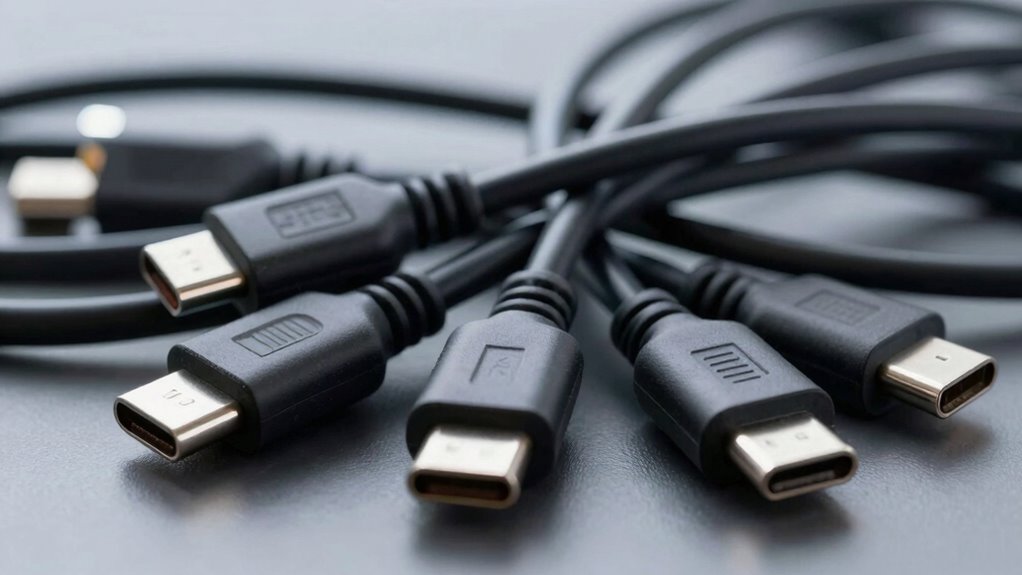
USB-C cables may seem simple, but they’re more complicated due to evolving standards, compatibility issues, and differences in quality. Not all cables support the same charging speeds, data transfer rates, or video output, so choosing the wrong one can cause slow charging or device damage. Design varies widely, and labels can be misleading. If you want to fully understand why they’re more complex, you’ll find plenty of details to take into account beyond the surface.
Key Takeaways
- USB-C cables vary in technology standards (USB 2.0, 3.1, USB4), affecting compatibility and performance.
- Not all cables support the same features like fast charging, data transfer, or video output.
- Poor-quality cables use low-grade materials, leading to durability issues and internal damage.
- Proper handling and usage significantly influence cable lifespan, regardless of quality.
- Labels and specifications can be confusing, making it hard to identify suitable cables for specific devices.

USB-C cables might seem straightforward at first, but their complexity quickly becomes apparent once you delve into the details. While they’re designed to be universal and versatile, many users find themselves frustrated by issues related to cable durability and compatibility. You might think a simple cable should work seamlessly with all your devices, but the reality is far more nuanced. Not all USB-C cables are created equal, and understanding the differences can save you time, money, and headaches.
Cable durability is a major concern. You may notice that some cables last only a few months, especially if you’re frequently plugging and unplugging them or subjecting them to bending and twisting. Cheaply made cables often use lower-quality materials, which leads to frayed wires, broken connectors, or internal damage that’s invisible to the eye. Investing in well-made cables with reinforced connectors and sturdy insulation can significantly extend their lifespan. However, even premium cables aren’t immune to wear and tear if handled roughly. Recognizing signs of damage early can prevent device damage or data loss, so it’s worth paying attention to how your cables hold up over time.
Compatibility issues present another layer of complexity. You might assume that any USB-C cable will work with your smartphone, tablet, or laptop, but that’s not always the case. USB-C is a connector standard, but the underlying technology—such as power delivery, data transfer speeds, and video output—varies between cables. Some cables only support basic charging and low-speed data transfer, while others are capable of fast charging, high-speed data transfer, or video output. Using an incompatible cable can result in slow charging, failure to transmit video, or even damage to your device. It’s essential to check the specifications of each cable before purchasing, especially if you need high performance or specific features.
In addition, compatibility issues are compounded by the rapid evolution of USB standards. A cable designed for USB 2.0 may not support the features of USB 3.1 or USB4, leading to confusion and frustration. Manufacturers sometimes label cables with ambiguous or misleading descriptions, so doing your research and reading reviews can help ensure you get a cable that truly meets your needs.

AINOPE 10 FT USB C Cable Fast Charging, 240W USB-C Charge Cable Long USBC Cable Supports 100W, Right Angle USB C Cable Fit iPhone 17/16/15 MacBook iPad Xbox X/S Wireless Controller 10FT Grey
【240W iPhone 17 16 15 usb c charger cable Blast Past Fastest Charging】 AINOPE 240W fast charger type…
As an affiliate, we earn on qualifying purchases.
As an affiliate, we earn on qualifying purchases.
Frequently Asked Questions
Can All USB-C Cables Transfer Data and Charge Simultaneously?
Not all USB-C cables can transfer data and charge simultaneously. You need to check the cable’s specifications, as some prioritize durability and fast charging over data transfer. Reputable brands usually guarantee their cables support both functions effectively. Be cautious with cheap options, as they might not deliver reliable performance or durability. Choosing a high-quality cable from a trusted brand guarantees better performance and longevity for your data and charging needs.
Are USB-C Cables Universally Compatible With All Devices?
Imagine a universal key fitting various locks—that’s what USB-C aims to be. But, in reality, cable variations and device-specific standards mean not all USB-C cables are compatible with every device. Some are designed solely for charging, others for data transfer, and a few for both. So, while USB-C offers broad compatibility, you need to check each cable’s specifications to make sure it works seamlessly with your device.
How Do I Identify High-Quality USB-C Cables?
To identify high-quality USB-C cables, look for cables with strong cable durability, meaning they can withstand bending and daily wear. Check the brand reputation; trusted brands often adhere to strict standards for safety and performance. Read reviews and specifications to make certain the cable supports fast charging and data transfer speeds. Avoid cheap, unbranded options, as they tend to break easily and may damage your devices.
Do USB-C Cables Support Video Output?
Yes, USB-C cables can support video output, but it depends on cable compatibility and the device’s capabilities. Look for cables labeled as Thunderbolt 3 or USB-C with DisplayPort support, which handle high video resolutions like 4K or even 8K. Not all USB-C cables support video, so check specifications carefully to verify your cable can transmit the needed video resolution without issues.
What Are the Safety Concerns With Cheap USB-C Cables?
Cheap USB-C cables can pose safety risks, like power surges and overheating. When you use low-quality cables, they might not handle the proper power levels, increasing the chance of a surge that could damage your device or cause a fire. Overheating risks are also higher, which can lead to melting or failure. To stay safe, always choose certified, reputable cables that meet safety standards and match your device’s power needs.

acer USB C to HDMI Cable for Home Office 6.6FT (4K@60Hz), Thunderbolt 4/3 Compatible, High-Speed Type C to HDMI 2.0 Braided Cord for MacBook Neo, iPhone 17/16 Pro/Max, iPad Pro, Galaxy S25, Surface
【4K UHD Visual Feast】This USB-C to HDMI cable supports up to 4K@60Hz resolution and is backward compatible with…
As an affiliate, we earn on qualifying purchases.
As an affiliate, we earn on qualifying purchases.
Conclusion
So, next time you pick up a USB-C cable, remember it’s more than just a simple wire. With over 50 different versions and capabilities, each cable can handle different speeds, power levels, and data types. Think about this: a single USB-C cable can transfer enough power to charge a laptop or transmit 4K video—all through one tiny connector. It’s a marvel of modern tech, but also a reminder of just how complex simplicity can be.
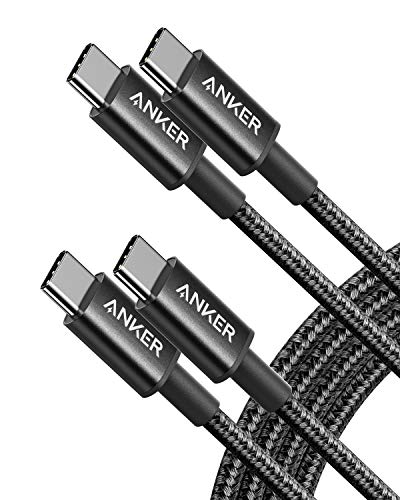
Anker USB C to USB C Cable, Type-C 60W Fast Charging Cable (6 FT, 2Pack) for iPhone 17 Series, iPad mini 6 and More (Black)
Durable Design: Reinforced nylon exterior and a robust core ensure this cable withstands up to 5,000 bends, outlasting…
As an affiliate, we earn on qualifying purchases.
As an affiliate, we earn on qualifying purchases.

USB C Cable-3FT, LDLrui USB C to USB A 3.1 Gen 2 Cable, Type C 3A Fast Charge & 10Gbps Data Sync Cable for Android Auto, iPhone 16/15 Plus/16 Pro Max, MacBook, Samsung Galaxy S22/S21/S20/Note20, Pixel
[ Excellent Performance ] This USB C 3.1 cable connects a portable external USB C 3.1 SSD to…
As an affiliate, we earn on qualifying purchases.
As an affiliate, we earn on qualifying purchases.