Curved monitors are designed to boost productivity by improving ergonomics and enhancing visual immersion, so they’re more than just flashy displays. They help you maintain a comfortable posture, reduce eye strain, and keep your focus on complex tasks. Their immersive design can make workflows smoother and more engaging. While they may not be ideal for every task, understanding how they fit your work style can reveal their true benefits—so stick around to find out more.
Key Takeaways
- Curved monitors improve ergonomics by reducing eye and head movement, enhancing comfort during long work sessions.
- They increase visual immersion and focus, which can boost productivity on complex or creative tasks.
- Higher contrast and vibrant visuals improve display quality, aiding detailed work and reducing eye strain.
- Limitations exist for tasks requiring precise straight lines or multiple monitor setups, affecting overall productivity.
- Personal preferences and work habits determine whether curved monitors provide a practical productivity benefit or just a stylish feature.
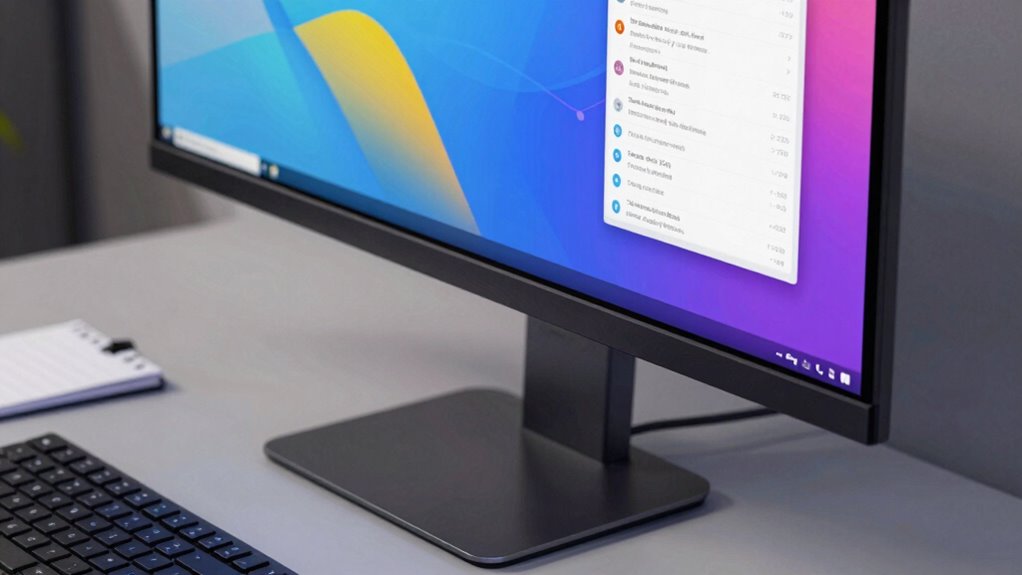
Are curved monitors truly a game-changer for productivity, or are they just a flashy trend? You might wonder if investing in one really boosts your work efficiency or if it’s mainly about style. The truth is, curved screens can offer notable ergonomic benefits that help reduce eye strain and discomfort during long hours at your desk. Because the curve mimics the natural shape of your eyes, it minimizes the need for head and eye movement, allowing you to maintain a comfortable posture longer. This ergonomic advantage can translate into fewer headaches and less fatigue, especially if you spend most of your day working on detailed tasks or multitasking across multiple windows.
Curved monitors reduce eye strain and improve posture during long work sessions.
Beyond comfort, curved monitors excel at delivering visual immersion. When you sit close to a curved display, the edges wrap around your peripheral vision, creating a sense of being inside the content rather than just observing it on a flat panel. This heightened visual immersion can enhance your focus, making it easier to stay engaged with complex data, creative projects, or immersive media. For tasks that require high levels of concentration, such as editing photos or working with large spreadsheets, this can translate into smoother workflows and fewer distractions. The seamless shift between different parts of the screen also means you’re less likely to miss important details or feel disconnected from your work environment. Additionally, some studies suggest that ergonomic benefits can improve overall comfort and efficiency during prolonged use. Recognizing how visual ergonomics impact your work habits can help you choose the right monitor for your needs. Moreover, the adjustability of a curved monitor can contribute significantly to maintaining an ergonomic setup tailored to your preferences.
Additionally, the contrast ratio in curved monitors often contributes to clearer, more vibrant visuals, which can improve the overall quality of your work display. The design of a curved monitor can also influence how easy it is to adjust and fit within your workspace setup. However, whether curved monitors truly improve productivity depends on how you use them. If your work involves multiple monitors or requires precise color accuracy, a curved screen might not always be the best fit. Some users find that curved displays distort straight lines or cause visual artifacts when viewing certain content. But for general office tasks, programming, or creative work, the cozy, panoramic view can make a noticeable difference. Plus, the aesthetic appeal of a curved monitor can boost your motivation and make your workspace more inviting, which indirectly supports productivity.
Ultimately, it’s about your personal preferences and work style. If you value ergonomic benefits and visual immersion, a curved monitor might be worth considering. It’s not just about looking modern; it’s about creating a more comfortable, engaging environment that keeps you focused and reduces strain. While they might seem like a luxury at first glance, many find that the advantages they bring to daily productivity are well worth the investment.

SAMSUNG Viewfinity S65UA Series 34-Inch Ultrawide QHD Curved Monitor, 100Hz, USB-C, HDR10 (1 Billion Colors), Height Adjustable Stand, TUV-certified Intelligent Eye Care (LS34A654UBNXGO),Black
FEEL FULLY IMMERSED: Immerse yourself in gaming, movies or design projects while surrounding yourself with the 34 inch…
As an affiliate, we earn on qualifying purchases.
As an affiliate, we earn on qualifying purchases.
Frequently Asked Questions
Do Curved Monitors Cause Eye Strain Over Long Periods?
Curved monitors can cause eye strain over long periods if you’re not mindful, but their ergonomic benefits often help reduce discomfort. The curvature aligns better with your natural field of view, decreasing eye movement and fatigue. However, some users might experience visual distortions, especially at the edges, which could lead to eye strain. To minimize this, adjust brightness, contrast, and positioning, and take regular breaks during extended use.
Are Curved Monitors Suitable for Professional Color Editing?
Curved monitors can be suitable for professional color editing if they offer high color accuracy and an ergonomic design. They help minimize glare and provide a more immersive view, making detailed color work easier. However, verify the monitor supports wide color gamuts like Adobe RGB or DCI-P3. If it has good calibration options and ergonomic features, a curved monitor can enhance your editing precision without sacrificing comfort.
How Do Curved Monitors Compare in Price to Flat Ones?
Curved monitors generally cost more than flat ones, mainly due to their advanced design aesthetics and the curved screen technology. When you do a price comparison, you’ll notice that curved models often have a premium price because of their immersive experience and unique look. If you prioritize design and a more engaging visual experience, paying extra for a curved monitor might be worth it. However, if budget is a concern, flat monitors still offer great performance at lower prices.
Can Curved Monitors Improve Gaming Experience Significantly?
Yes, curved monitors can substantially improve your gaming experience by creating a more immersive experience. The curvature wraps around your field of view, making gameplay feel more natural and engaging. However, they might cause some visual distortion on the edges, especially with certain games or when viewed from awkward angles. Overall, if you value immersion, a curved monitor can enhance your gaming sessions, but be mindful of potential visual quirks.
Are Curved Monitors Compatible With All Mounting Options?
You’ll find that curved monitors often come with versatile mounting options, but compatibility varies. Check the mounting compatibility before purchasing, especially if you plan ergonomic adjustments like height or tilt. Many models support VESA mounts, making it easier to find compatible arms or stands. However, some curved screens have unique mounting patterns, so a little research guarantees you get the setup that fits your workspace and ergonomic needs perfectly.

Dell 34 Plus USB-C Curved Monitor – S3425DW – 34-inch (3440 x 1440) up to 120 Hz 21:9 Display, VA Panel, AMD FreeSync Premium, 99% sRGB, 95% DCI-P3, Integrated Speakers, 3000:1 Contrast Ratio
Improved ComfortView Plus: Reduces harmful blue light emissions to ≤35%, for all-day comfort without sacrificing color accuracy.
As an affiliate, we earn on qualifying purchases.
As an affiliate, we earn on qualifying purchases.
Conclusion
Ultimately, whether a curved monitor boosts your productivity depends on your needs and preferences. If you enjoy immersive visuals and reduce eye strain, it might be worth the investment. But remember, “looks can be deceiving”—it’s not just about the flashy design but how it fits into your workflow. Consider trying one out to see if it truly enhances your workday, because sometimes, appearances can be just as impactful as practicality.

SANSUI 27 Inch Curved 240Hz Gaming Monitor FHD 1080P, 1500R Curve Computer Monitor, 130% sRGB, 4000:1 Contrast, HDR, FreeSync, MPRT 1Ms, Low Blue Light, HDMI DP Ports, Metal Stand, DP Cable Incl.
27” 240Hz 1500R Curved FHD 1080P Gaming Monitor for Game Play.
As an affiliate, we earn on qualifying purchases.
As an affiliate, we earn on qualifying purchases.

Sceptre Curved 27-inch Prime Monitor up to 100Hz 1080p, HDMI x2, VGA, 99% sRGB, Built-in Speakers, R1500, Machine Black 2025 (C275W-1920RN Series)
1500R Curved Display: The 1500R degree curved design immerses you completely into the gaming landscape, allowing you to…
As an affiliate, we earn on qualifying purchases.
As an affiliate, we earn on qualifying purchases.