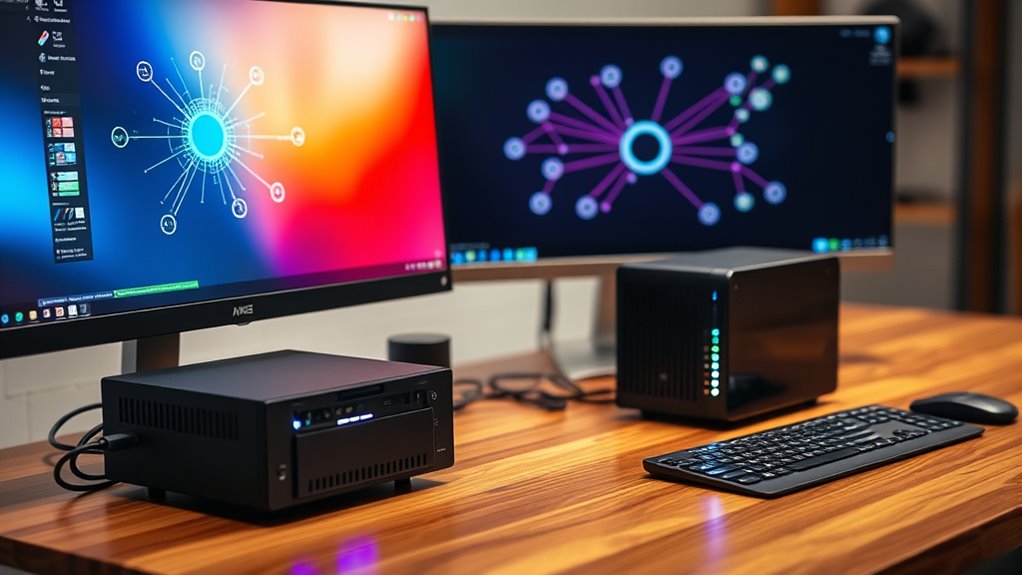

To establish your own VPN server, start by selecting suitable hardware like a mini PC, Raspberry Pi, or repurposed computer with good processing power and network speed. Install VPN software such as OpenVPN or WireGuard, then configure encryption settings and network access. Keep your server updated and secure with strong passwords. Regularly monitor performance to ensure stability. If you want to learn the detailed steps and tips, continue with the guide to build a private, secure VPN.
Key Takeaways
- Choose suitable hardware with sufficient processing power and network interfaces for optimal VPN performance.
- Install VPN server software such as OpenVPN or WireGuard and configure encryption settings.
- Set up network access, including port forwarding and firewall rules, for remote connections.
- Secure the server with strong passwords, regular updates, and security best practices.
- Monitor performance and security logs regularly to maintain a stable, private VPN connection.
Setting up a personal VPN server gives you control over your online privacy and security. When you create your own VPN, you become the gatekeeper of your data, preventing third parties from intercepting your internet traffic. One of the key aspects of a secure VPN is VPN encryption, which scrambles your data so it can’t be read if intercepted. By configuring your VPN server properly, you ensure that all your internet activity remains private, whether you’re browsing, streaming, or working remotely. But to make this happen smoothly, you’ll need to think about your server hardware carefully. The hardware you choose determines how well your VPN performs, especially if multiple devices connect at once or if you’re streaming high-definition content. A powerful, reliable server hardware setup enables faster encryption and decryption processes, reducing lag and buffering, which can be frustrating during high-demand times.
When selecting your server hardware, focus on a machine with a decent processor and enough RAM to handle encryption tasks efficiently. VPN encryption can be resource-intensive, especially if you’re using protocols like OpenVPN or WireGuard, which provide robust security. A dedicated device, such as a mini PC, a repurposed old computer, or even a Raspberry Pi, can serve as a cost-effective option, but make sure it has enough processing power to support your encryption needs. If your hardware is underpowered, you might experience slow connection speeds, which defeats the purpose of having a private VPN. Making sure your server hardware has fast network interfaces also helps improve connection stability and throughput, so your VPN remains responsive. Additionally, VPN encryption is essential for ensuring your data remains secure during transmission.
Once you’ve chosen suitable hardware, you’ll need to install the VPN server software, configure VPN encryption settings, and set up your network to allow remote access. Make sure you keep your server updated and secure to prevent unauthorized access. It’s also wise to choose strong, unique passwords and consider additional security measures like firewalls and two-factor authentication. Regularly monitoring your server’s performance and security logs can help you catch potential issues early. Remember, the hardware you set up is the foundation of your VPN, so investing in quality components ensures a smoother, more secure experience. With the right server hardware and VPN encryption configured correctly, you’ll enjoy a private, secure connection that you control completely, giving you peace of mind when browsing or working online.
Frequently Asked Questions
Can I Use a VPN Server on a Mobile Device?
Yes, you can use a VPN server on a mobile device. Many VPN apps are compatible with popular mobile platforms like iOS and Android, making it easy to connect and secure your internet traffic. You simply need to choose an app that fits your device, install it, and configure the VPN settings. This allows you to enjoy private browsing and access restricted content directly from your mobile device.
How Much Does It Cost to Run a Personal VPN Server?
Running a personal VPN server typically costs between $50 and $200 annually, depending on your hardware choices and hosting options. You’ll need to take into account hardware expenses, like purchasing a dedicated device or repurposing an existing one, and ongoing cost considerations such as electricity and internet bandwidth. If you opt for cloud hosting, expect monthly fees that vary based on the provider and server specifications. Budget accordingly to ensure smooth, secure connections.
What Are the Best Security Practices for VPN Servers?
Did you know securing your VPN server is like locking your digital door? You should use strong encryption protocols to protect your data and guarantee your VPN encrypts every connection. Implement access controls to limit who can connect and what they can see. Regularly update your software and monitor for unusual activity. These practices keep your VPN secure, safeguarding your privacy and sensitive information from potential threats.
Can I Access My VPN Server Remotely Without Issues?
Yes, you can access your VPN server remotely without issues if you guarantee proper configuration. Focus on maintaining a stable connection by choosing reliable network providers and optimizing your VPN settings. Enable remote access features and use strong authentication methods to enhance security. Regularly update your VPN software, and test your connection from different locations to verify connection stability, so you enjoy seamless remote access anytime you need it.
How Do I Troubleshoot Connection Problems With My VPN Server?
You troubleshoot VPN connection problems by first checking your connection logs for errors or alerts. Confirm your network configurations, such as port forwarding and firewall settings, are correct and haven’t changed. Restart your VPN server and client devices to refresh connections. Verify your internet connection stability. If issues persist, consult the logs for specific issues, then adjust network settings accordingly. This process helps identify and resolve most common connection problems.
Conclusion
Setting up your own VPN server might seem tricky at first, but once you get it running, you’ll love the added privacy and control. Sure, it takes a bit of effort, but think of it as investing in your online security. Even if you’re not super tech-savvy, there are plenty of guides to help you along the way. With a little patience, you’ll soon enjoy a safer, more private internet experience wherever you go.