
To build a secure guest tablet for visitors, start by choosing durable hardware like iPads or Android devices with locking features. Lock down apps in kiosk mode, enforce encryption, and limit internet access to trusted networks. Implement visitor verification through QR codes or biometric checks, and integrate systems with access control hardware. Regularly update software, train staff on security protocols, and monitor activity closely. Continuing further will uncover detailed steps to guarantee your guest tablet stays safe and reliable.
Key Takeaways
- Select durable, lockable tablets supporting kiosk mode and device management solutions for secure, tamper-proof visitor interactions.
- Implement app lockdown, strict kiosk modes, and remote updates to prevent unauthorized access and ensure device security.
- Use secure authentication methods like biometrics or QR codes, and encrypt visitor data both in transit and at rest.
- Integrate visitor management with access control systems and secure WiFi networks to streamline entry and enhance network security.
- Train staff on device operation, security protocols, and regular maintenance, including updates and monitoring for vulnerabilities.
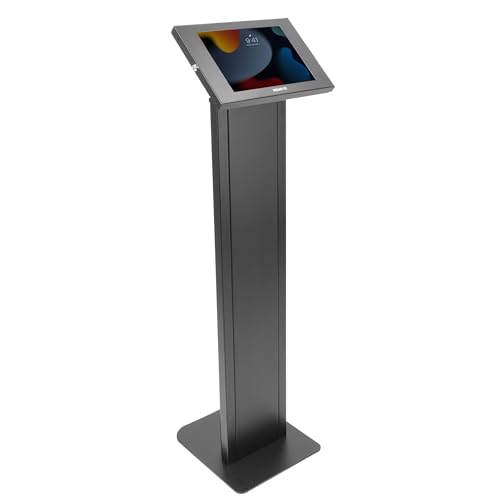
Mount-It! Anti-Theft Tablet Floor Stand Kiosk, Commercial Floor Kiosk with Universal Enclosure, Locking Tablet Stand for iPad Gen 7–11 (A16), Pro & Air, 10.2" & 10.9", Black
SECURE IPAD FLOOR STAND KIOSK: Ideal for trade shows, photo booths, hotels, libraries, retail stores, and POS environments….
As an affiliate, we earn on qualifying purchases.
As an affiliate, we earn on qualifying purchases.
Selecting the Right Hardware for Visitor Kiosks

Choosing the right hardware for visitor kiosks is essential to guaranteeing a smooth and secure check-in process. You should select durable tablets like iPads or Android devices, as they offer reliability and broad software compatibility. Look for units with screens large enough for easy interaction, typically 10 inches or bigger, and ensure they support locking features to prevent visitors from accessing other device functions. Incorporate tablets with reliable WiFi, camera, and microphone capabilities for seamless app operation and visitor verification. Consider models that support secure mounting options to keep devices stable and protected. Additionally, opt for hardware compatible with your chosen visitor management software, ensuring easy installation and integration. Proper hardware selection minimizes technical issues, enhances security, and provides a positive visitor experience. Understanding device security features can further help in selecting hardware that maintains visitor data safety and prevents unauthorized access. Recognizing the importance of device durability ensures the hardware can withstand frequent use in busy environments.

Gleeso Tablet, Latest Android 15 Tablet 10 Inch, 8-Core, 20GB+64GB+1TB TF, Dual Camera, Widevine L1, Face ID, 5000mAh Battery, WiFi 6, BT 5.4, 2-in-1 Tablets with Keyboard Mouse Pen Protective Case
【Future-ready Performance with Android 15】:Stay ahead of the curve with the latest Android 15 OS! It's equipped with…
As an affiliate, we earn on qualifying purchases.
As an affiliate, we earn on qualifying purchases.
Ensuring App Security and Lockdown Features

To prevent visitors from accessing unauthorized features or data on the kiosk device, implementing robust app security and lockdown features is essential. Start by locking or pinning the visitor management app to the screen, preventing users from browsing away or opening other apps. Use device management solutions to enforce strict kiosk modes, ensuring only approved functions are accessible. Enable remote updates and security patches to fix vulnerabilities promptly. Configure network restrictions to limit internet access, reducing risks of malicious activity. Encrypt all data transmitted and stored on the device to protect visitor information. Regularly audit device logs and monitor for unusual activity. Additionally, understanding the importance of app security can significantly enhance the overall safety of the device. These measures keep the device secure, safeguard sensitive data, and maintain control over the visitor management environment.
visitor management tablet software
As an affiliate, we earn on qualifying purchases.
As an affiliate, we earn on qualifying purchases.
Implementing Authentication and Visitor Verification
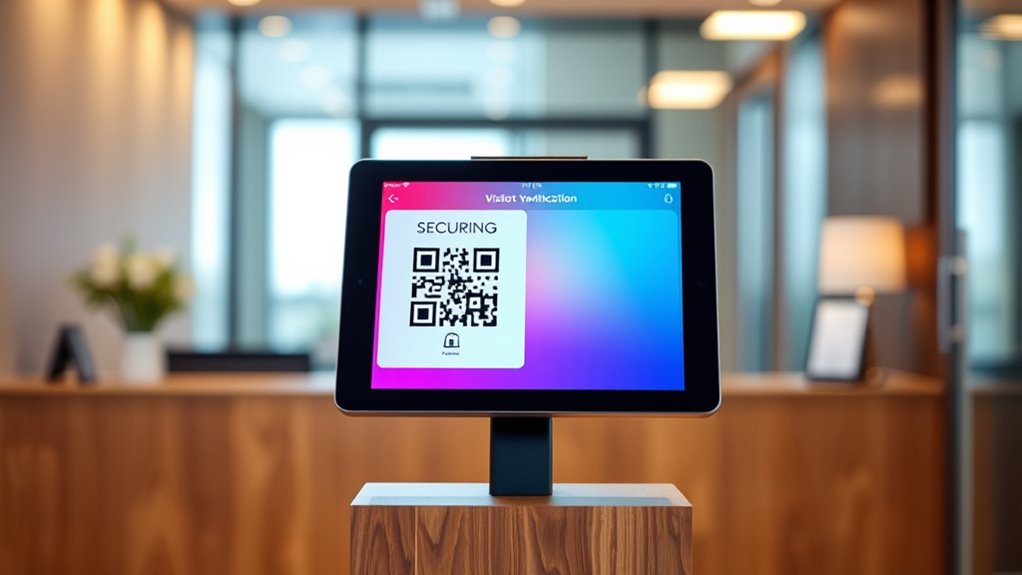
Implementing effective authentication and visitor verification methods is essential to guarantee only authorized individuals gain access to your premises. You should start by using secure login options, like PIN codes or biometric verification, to make certain visitors are who they claim to be. Pre-registration systems allow visitors to submit their details beforehand, speeding up check-ins and reducing on-site contact. Incorporate QR codes or temporary digital badges that visitors can present to verify their identity upon arrival. Facial recognition or ID scanning further enhances security by cross-referencing visitor information against watchlists or databases. Always ensure your verification processes are straightforward yet robust, minimizing delays while preventing unauthorized access. Properly implemented, these measures create a seamless, secure experience that guards your facility against risks. Additionally, staying informed about data privacy challenges is crucial to ensure your verification methods comply with regulations and protect visitor information. Incorporating mindfulness techniques into your security protocols can also help staff remain alert and attentive during verification procedures, reducing errors and oversights.

Lucrave Tablet Wall Mount Holder, Aluminium Extendable iPad Wall Holder, with 360°Rotating Base Adjustable and Foldable for iPad Pro Air Mini, Galaxy Tab, All 4.7-13" Phones and Tablets
Stronger & Sturdy: Our tablet wall mount base and arm are high-strength aluminum alloy, and the bracket clamp…
As an affiliate, we earn on qualifying purchases.
As an affiliate, we earn on qualifying purchases.
Protecting Data Privacy and Compliance Standards

You need to guarantee that visitor data is protected through strong encryption and secure storage practices. Staying compliant with regulations like GDPR and CCPA requires implementing proper protocols and regular audits. Additionally, giving users control over their privacy settings helps build trust and meets legal standards. Incorporating data privacy considerations in the design of your data display can enhance user experience and ensure clarity. Paying attention to security measures such as firewalls and access controls further safeguards sensitive information. Conducting risk assessments can help identify vulnerabilities and strengthen your overall security posture. Understanding the importance of dog names can also assist in fostering a more personalized and engaging experience for visitors, especially in pet-related contexts.
Encryption & Data Security
Protecting visitor data privacy hinges on robust encryption standards and strict compliance with data security regulations. You should guarantee all data transmitted between tablets and servers is encrypted using strong protocols like TLS, preventing eavesdropping or tampering. Data stored locally or in the cloud must also be secured with encryption at rest, safeguarding against unauthorized access. Implementing multi-layered security measures, such as secure user authentication and regular updates, reduces vulnerabilities. Compliance standards like GDPR, SOC 2, and ISO require you to encrypt sensitive information and maintain audit trails. Additionally, limiting data access to authorized personnel and monitoring activities help prevent breaches. Employing encryption protocols that are regularly updated can significantly enhance security. These practices collectively ensure visitor information remains confidential, secure, and compliant with industry regulations. Using vetted security measures protects data integrity and builds trust with visitors.
Regulatory Compliance Protocols
Regulatory compliance protocols are essential for safeguarding visitor data privacy and ensuring that your visitor management system meets industry standards. You need to understand and adhere to regulations like GDPR, CCPA, or ISO standards, depending on your location. Implement encryption for data both in transit and at rest to protect sensitive visitor information. Regularly audit your data handling practices and maintain detailed logs to demonstrate compliance during inspections. Ensure your software providers are certified and follow security best practices. Train your staff on data privacy policies and incident response procedures. By integrating compliance measures into your system design, you reduce legal risks and build trust with visitors. Staying proactive about compliance updates guarantees your guest tablet continues to meet evolving standards seamlessly. Incorporating necessary cookies ensures essential site functionalities are maintained while supporting compliance efforts. Additionally, understanding security standards helps you implement industry-recognized best practices to further safeguard data. Moreover, embracing personality test insights can assist in tailoring user interactions and enhancing visitor experience within compliance frameworks. Regularly reviewing data privacy policies ensures your procedures remain aligned with current regulations and best practices.
User Privacy Controls
Implementing robust user privacy controls is essential for safeguarding visitor data and ensuring compliance with relevant standards. You should use encryption for data in transit and at rest, protecting sensitive information from breaches. Access controls restrict data to authorized personnel, while regular audits verify compliance. Clear privacy policies inform visitors how their info is used, and obtaining consent is fundamental before data collection. Use the table below to understand key privacy features:
| Privacy Feature | Purpose | Compliance Standard |
|---|---|---|
| Data Encryption | Protects visitor info from breaches | GDPR, SOC 2 |
| User Consent | Ensures legal data collection | CCPA, GDPR |
| Access Restrictions | Limits data access to authorized users | ISO, SOC 2 |
| Audit Logs | Tracks data handling activities | ISO, CCPA |
Additionally, implementing Pimple Patch technology can enhance security by providing targeted, discreet protection for sensitive data. Understanding data privacy standards helps in aligning your security measures with legal requirements and industry best practices. Incorporating automated privacy tools can further streamline compliance efforts and reduce human error. Developing a comprehensive privacy management program ensures ongoing adherence to evolving regulations and builds trust with visitors, especially when managing sensitive data in accordance with precious metals IRA regulations.
Integrating With Access Control and Security Systems
Integrating your visitor tablet with access control and security systems automates badge issuance and enhances security management. You can streamline credential handling by using secure digital badges or QR codes that grant temporary access. This setup guarantees visitors get seamless entry while maintaining tight control over physical security. Incorporating personal growth principles like mindfulness can further improve the visitor experience by encouraging calm and focus during interactions.
Access Badge Automation
Connecting your visitor management system with access control hardware streamlines the process of issuing temporary badges and granting physical entry. When a visitor checks in, the system automatically generates a digital badge or QR code linked to their profile. This badge can be instantly sent to the visitor’s email or displayed on the tablet, ready for scanning at entry points. Integration with access control systems allows these codes to release doors or turnstiles without manual intervention, reducing wait times and human error. You can automate access rights based on visitor type or scheduled appointments, ensuring only authorized individuals gain entry. This seamless connection enhances security, eliminates the need for physical badge printing, and provides real-time tracking of visitor movements within your premises. Additionally, knowledge of family backgrounds might influence how visitor data is managed and secured, especially for high-profile individuals.
Secure Credential Management
Secure credential management guarantees that visitor access rights are handled reliably and safely by tightly linking digital credentials—such as QR codes, temporary badges, or mobile IDs—to your access control systems. This integration ensures that each visitor’s digital ID grants appropriate, time-limited access, reducing the risk of unauthorized entry. You should automate credential issuance through your visitor management software, syncing with your access control hardware to activate doors or areas as needed. Encrypted data transmission and secure cloud storage protect sensitive visitor information. Restrict tablet permissions to prevent visitors from accessing device functions, and enforce strict authentication for staff managing credentials. Regularly audit access logs and update security protocols to maintain integrity, ensuring your visitor management system remains a reliable line of defense.
Securing Network Communications and WiFi Access
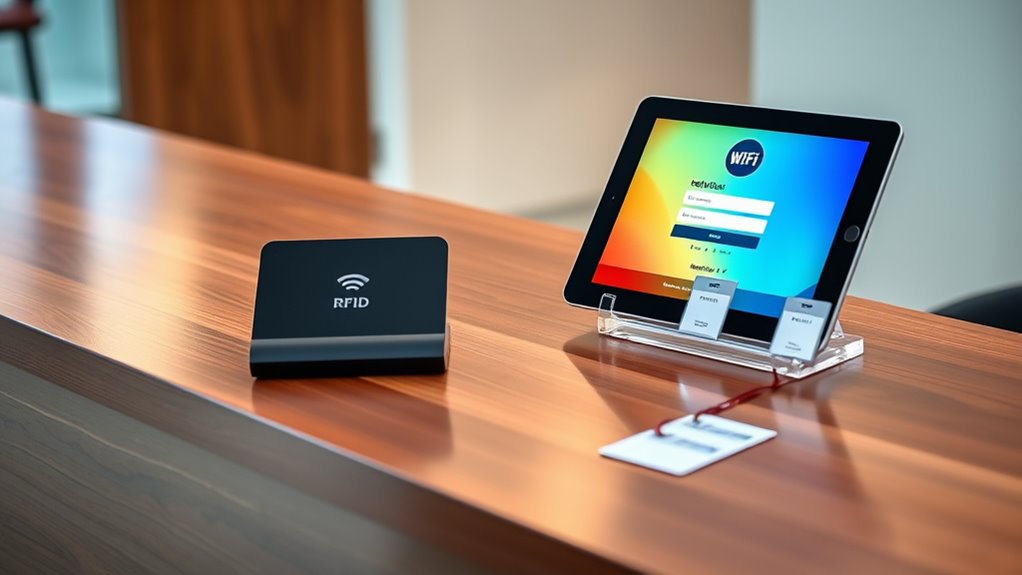
Ensuring that network communications and WiFi access are protected is essential for maintaining the security of your visitor management system. You should use encrypted WiFi networks, such as WPA3, to prevent eavesdropping and unauthorized access. Set up a separate guest WiFi network isolated from your main business network, limiting potential attack vectors. Enable strong, unique passwords for WiFi access and change them regularly. Implement network monitoring to detect suspicious activity and unauthorized connections. Use VPNs for secure remote access to management systems. Additionally, configure firewalls to restrict traffic and block malicious sources. Keep firmware and network device software up-to-date to patch vulnerabilities promptly. These practices ensure visitor data remains confidential and your network stays protected from cyber threats.
Managing Device Updates and Ongoing Security Measures
Keeping your visitor management devices up to date is essential for maintaining security and functionality. Regularly install software updates and patches to fix vulnerabilities and improve performance. Use device management solutions to automate updates, ensuring your tablets stay current without manual intervention. Monitor for security alerts or software end-of-life notifications that could expose you to risks. Enable automatic updates whenever possible, but verify updates are thoroughly tested before deployment in critical environments. Keep an audit trail of updates and security measures to track compliance and identify potential issues. Additionally, review device configurations periodically, ensuring lock screens, app restrictions, and security settings remain intact. Staying proactive with updates and ongoing security measures helps protect visitor data and prevents unauthorized access.
Training Staff and Establishing Operational Protocols

Effective training of staff and clear operational protocols are essential for the successful deployment of your visitor management system. To guarantee smooth operations, focus on these key areas:
- Provide hands-on training on using tablets, visitor apps, and access control integrations to prevent user errors.
- Establish protocols for visitor check-in, emergency procedures, and handling exceptions or technical issues.
- Assign roles and responsibilities clearly, so staff knows who manages device security, monitors logs, and responds to incidents.
Regular refresher sessions reinforce procedures and keep everyone updated on system features. Document step-by-step guides for common tasks, and encourage open communication to troubleshoot problems quickly. Proper training and protocols minimize security risks and enhance visitor experience.
Frequently Asked Questions
How Can I Prevent Visitors From Tampering With the Kiosk Hardware?
To prevent visitors from tampering with the kiosk hardware, you should secure the device physically by mounting it in tamper-proof enclosures or on fixed surfaces. Use locks or security screws to prevent unauthorized removal, and position the kiosk in visible, monitored areas. Additionally, restrict access to the device’s settings and hardware components via password protection or device management solutions, ensuring only authorized personnel can make adjustments or repairs.
What Are Best Practices for Securing Visitor Data on Tablets?
Think of securing visitor data like locking a vault tight. You should encrypt all data transmitted and stored on the tablet, ensuring it’s only accessible by authorized systems. Use secure WiFi, restrict access to the visitor management app, and enforce device management policies to prevent tampering. Regularly update software, monitor logs for anomalies, and train staff on privacy protocols. These steps keep visitor info safe, like gold in a well-guarded vault.
How Do I Handle Emergency Situations With the Visitor Management System?
In emergencies, you should guarantee your visitor management system integrates with alert and evacuation protocols. Configure it to send instant notifications to staff and emergency services, and use real-time visitor tracking to account for everyone on-site. Train personnel to use the system effectively during crises, and test these procedures regularly. Clear signage and accessible evacuation routes combined with the system’s data help coordinate safe evacuations and ensure everyone’s accounted for quickly.
Can the System Support Multi-Language Sign-In for Diverse Visitors?
Yes, the system can support multi-language sign-in for diverse visitors. You can select visitor management software that offers language options or customize the sign-in interface to include multiple languages. By configuring the kiosk or app to detect or select preferred languages, you guarantee all visitors can sign in comfortably. This improves accessibility, reduces confusion, and creates a more inclusive experience for guests from different backgrounds.
How Do I Ensure Compliance With Evolving Data Privacy Regulations?
To guarantee compliance with evolving data privacy regulations, stay updated on legal changes and adjust your visitor management system accordingly. Use software that supports encryption, data minimization, and user consent features. Regularly review your data handling policies, conduct audits, and train staff on privacy best practices. Implement access controls and monitor data access logs to prevent breaches, ensuring you meet standards like GDPR, CCPA, and others as regulations evolve.
Conclusion
By securing your guest tablet, you’re not just protecting data—you’re building an impenetrable fortress that even the most cunning hackers can’t breach. Think of it as a digital superhero shield that keeps your visitors’ information safe from every threat, every breach, and every malicious attack. When you prioritize security, you’re not just safeguarding a device; you’re defending your entire business empire from chaos. Make security your ultimate weapon—because in today’s world, there’s no such thing as being too safe.