
Running LLMs locally on your phone or PC gives you faster responses, better privacy, and more customization. You can use models like GPT-OSS, Llama 4, or Gemma 3 with tools such as llama.cpp or WebLLM, though hardware limits the size and complexity of what’s possible. Powerful hardware like dedicated GPUs helps with performance, but resource constraints still pose challenges. To discover how you can get the most out of local AI, keep exploring further.
Key Takeaways
- Local LLMs on PCs and phones can perform natural language understanding, generation, and multimodal tasks with sufficient hardware support.
- They offer privacy benefits by processing data on-device, reducing reliance on cloud services.
- Hardware limitations such as memory, CPU, and GPU constraints restrict model size, speed, and complexity on mobile devices.
- Optimization techniques like quantization and hardware acceleration improve performance but may impact accuracy and context length.
- Future hardware improvements and model compression will expand capabilities and reduce limits for local LLM deployment on consumer devices.

Qwen 3.5 AI Agents on GPU and CUDA: The Engineer's Guide to Mastering Hardware Sizing, Local LLM Inference, Optimize VRAM, Building and Scaling Native Multimodal AI in Production
As an affiliate, we earn on qualifying purchases.
As an affiliate, we earn on qualifying purchases.
Current Platforms Supporting Local LLM Deployment
Several platforms now enable the deployment of local LLMs on personal devices, making it easier to run advanced AI models offline. AMD’s Gaia stack supports Windows PCs with retrieval-augmented generation and Ryzen AI hybrid builds, focusing on security and low latency. Tools like llama.cpp and ONNX Runtime offer stable, efficient inference, optimizing memory use and handling long-context tasks on consumer hardware. WebLLM leverages WebGPU and WebAssembly, allowing in-browser inference that preserves privacy without requiring installation. Ollama provides a user-friendly runtime to access leading models like Qwen3 and Gemma3, balancing ease of use with power. Apple’s React Native AI SDK enables on-device speech and text processing for iOS apps. These platforms collectively offer versatile options for deploying LLMs locally, tailored to different hardware and use cases.
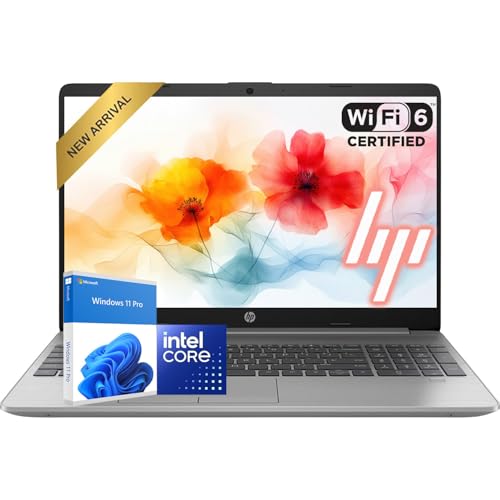
HP New 15.6" FHD Laptop Computer | Intel High-Performance CPU | 32GB RAM | 1TB Storage (512GB SSD + 512GB External) | Fast Wi-Fi 6 & Bluetooth 5 | Long Battery for Work & Study | Windows 11 Pro
Faster Performance & Smooth Multitasking: Powered by the Intel processor and 32GB DDR4 RAM, this laptop delivers smooth…
As an affiliate, we earn on qualifying purchases.
As an affiliate, we earn on qualifying purchases.
Advantages of Running LLMs Locally on Devices
Running LLMs locally on your device offers significant advantages, especially in protecting your privacy. When your data stays on your device, you avoid exposing sensitive information to cloud servers, reducing risks of leaks or breaches. This setup also helps you save money by eliminating subscription fees and cloud compute costs. Offline access means you can use AI tools anytime, even without an internet connection, ensuring uninterrupted productivity. Plus, running models locally gives you greater control over how the AI operates, allowing customization and fine-tuning to suit your needs without vendor restrictions. This is especially valuable for regulated industries like healthcare or finance, where data security and compliance are critical. Additionally, local deployment can improve performance and responsiveness, leading to a smoother user experience. Moreover, running models locally can help mitigate latency issues associated with cloud-based AI services. As local LLMs become more advanced, they can handle complex tasks typically reserved for cloud-based solutions, further expanding their usefulness. Proper model optimization techniques can enhance efficiency and resource utilization, making local deployment even more effective. Furthermore, advancements in hardware acceleration are making local AI processing faster and more accessible than ever. Overall, local deployment enhances privacy, cost-effectiveness, and reliability, making it a compelling choice for many users.

NEURAL PROCESSING UNITS: THE COMPLETE GUIDE TO AI ACCELERATION HARDWARE: TOPS Performance, Model Optimization, INT8 Quantization, and Efficient AI Inference for Embedded and Mobile Systems
As an affiliate, we earn on qualifying purchases.
As an affiliate, we earn on qualifying purchases.
Performance Expectations and Hardware Constraints
While local LLMs offer privacy and cost benefits, their performance heavily depends on the hardware you’re using. On PCs, strong multi-core CPUs, dedicated GPUs, and ample RAM (8 to 64 GB) are essential for smooth operation. Hybrid builds like AMD Ryzen AI accelerate inference with integrated AI cores, improving speed and efficiency. Mobile devices require smaller, optimized models that balance performance with battery life and thermal limits. Quantization and model pruning help reduce memory and compute needs but can impact accuracy or long-context reasoning. Browser-based inference leverages WebGPU and WebAssembly, yet remains limited by device GPU power. Additionally, hardware acceleration technologies such as Tesla Tuning continue to push the boundaries of what local LLMs can achieve on various devices. As hardware advancements progress, performance bottlenecks are gradually being alleviated, enabling more capable local models. Furthermore, ongoing developments in hardware optimization are crucial for overcoming current limitations and expanding the capabilities of local LLMs. Recognizing that hardware constraints cap model size, inference speed, and context length, means you’ll often need to make trade-offs between performance and resource consumption.

Practical Python AI Projects: Mathematical Models of Optimization Problems with Google OR-Tools
As an affiliate, we earn on qualifying purchases.
As an affiliate, we earn on qualifying purchases.
Leading Models and Toolkits for Local AI

In 2025, a diverse range of leading local LLM models and toolkits empower you to deploy powerful AI directly on your device without relying on cloud services. Top models include GPT-OSS, Meta’s Llama 4, Google’s Gemma 3, and Microsoft’s Phi 3.x/4, offering varied sizes and capabilities. Toolkits like Ollama and AMD Gaia simplify deployment, letting you run models on consumer hardware with ease. These options support long contexts, multimodal tasks, and fine-tuning, expanding local AI’s scope. Additionally, advancements in high‑end home appliances are integrating smarter AI features to enhance your everyday living experience. As these models often emphasize local deployment, they provide enhanced privacy and control over your data. The ongoing development of edge AI hardware continues to make local AI more accessible and efficient for a wider range of users. For example, improvements in hardware acceleration enable faster inference times and reduced power consumption in local AI applications. Furthermore, customization options are increasing, allowing users to tailor models more closely to their specific needs. Here’s a visual:
| Model/Toolkit | Strengths | Use Cases |
|---|---|---|
| GPT-OSS | Open-source | Text generation, customization |
| Gemma 3 | Long contexts | Multimodal tasks |
| Ollama | User-friendly | Quick deployment |
| AMD Gaia | Hardware acceleration | Efficient local inference |
Future Directions and Emerging Capabilities
As hardware continues to advance, the future of local LLMs promises significant improvements in efficiency, capabilities, and accessibility. You’ll see more powerful models running smoothly on consumer devices, thanks to better hardware and optimized inference techniques like quantization. Emerging multi-modal capabilities will let you process images, videos, and audio alongside text, creating richer interactions. Browser-based inference will become more practical, offering privacy-preserving AI without downloads or installations. Expect models to handle longer contexts, enabling deeper understanding and more complex tasks locally. Open-source frameworks will facilitate customized, domain-specific models, reducing reliance on cloud services. As hardware and software evolve, local LLMs will become more integrated into everyday apps, providing faster, private, and cost-effective AI experiences right on your device. Additionally, advancements in performance optimization will make these models more energy-efficient and suitable for a wider range of hardware configurations, supporting AI democratization by making advanced AI accessible to a broader audience. Improvements in hardware capabilities will further enhance the feasibility of deploying large models locally, and ongoing research into model compression techniques will help reduce the computational footprint of these models, making them even more adaptable to various hardware environments. Moreover, new developments in edge AI hardware will continue to expand the potential of local LLM deployment across diverse devices.
Frequently Asked Questions
How Secure Are Local LLMS Against Physical Device Theft or Tampering?
Local LLMs are relatively secure against device theft or tampering because all data and models stay on your device, not in the cloud. You can add encryption, secure boot, and hardware security features like TPM or biometric locks to protect access. However, if someone gains physical access and the device isn’t properly secured, they might extract data or tamper with the system. Using strong encryption and security measures minimizes this risk.
Can Local LLMS Effectively Handle Real-Time Multimedia Inputs Like Video or Audio?
Yes, local LLMs can handle real-time multimedia inputs like video and audio, but with limitations. You’ll find faster, smoother speech synthesis and recognition with optimized models and hardware acceleration. However, processing high-quality video or complex audio still demands significant computational power, often surpassing average consumer devices. For seamless, swift multimedia handling, leveraging specialized hardware or hybrid setups helps guarantee your local LLMs deliver dynamic, timely results without reliance on the cloud.
What Are the Energy Consumption Differences Between Local and Cloud-Based LLMS?
You’ll find that local LLMs generally consume more energy than cloud-based ones because your device’s hardware handles all processing, which can be power-intensive. Cloud LLMs leverage data centers optimized for energy efficiency, reducing your device’s power draw. However, running models locally avoids the energy costs of data transmission and cloud server operations, making it potentially more efficient overall if your device has optimized hardware.
How Easy Is It to Customize or Train Local Models for Specific Domains?
You can customize or train local models for specific domains, but it varies based on your technical skills and resources. With user-friendly toolkits like Ollama or frameworks like llama.cpp, it’s relatively straightforward to fine-tune models for particular tasks. However, training from scratch or handling large models requires substantial expertise, powerful hardware, and data. Overall, incremental customization is accessible, but extensive training demands more effort and technical know-how.
Are There Reliable Methods to Update or Patch Local LLMS Post-Deployment?
Imagine tweaking a garden after planting—reliable methods exist to update or patch your local LLMs post-deployment. You can use fine-tuning with new data, applying model updates via scripts, or employing modular plugins that add functionality without overwriting core models. These processes are like pruning or fertilizing—ensuring your LLM stays healthy, accurate, and up-to-date, all while keeping control on your device, without needing to send data to external servers.
Conclusion
Running local LLMs on your devices puts power in your hands, enhances privacy, and boosts responsiveness. It lets you work faster, customize flexibly, and keep control over your data. Yet, hardware limits and performance challenges remind you to stay realistic. As technology advances, your capabilities will grow, your limits will shrink, and your potential will expand. Embrace these changes, explore new tools, and access the future of AI right on your phone or PC.